Our readers keep the lights on and my smoothie glass nicely filled. As an Amazon Associate, I earn from qualifying purchases.
The difference between a good stream and a great one often comes down to one thing: the glass pointed at your face. A webcam that struggles in low light, hunts for focus whenever you lean in, or caps out at grainy 1080p can kill the connection with your audience before you even say a word. Choosing the right sensor, autofocus system, and frame rate for your specific setup—whether you’re a Twitch partner, a corporate trainer, or a podcaster—is the single highest-leverage upgrade you can make to your entire broadcast chain.
I’m Mohammad Maruf — the founder and writer behind WellFizz. I’ve spent years analyzing the measurable differences in CMOS sensor sizes, phase-detection autofocus speeds, and USB data throughput that separate usable streaming cameras from genuinely pro-grade tools.
This guide breaks down the top options across sensor quality, connectivity, and low-light performance so you can match the right camera to your exact streaming workflow. Here is a curated look at the best cameras for streaming available today across every need and budget.
How To Choose The Best Cameras For Streaming
Streaming cameras live in a unique middle ground between a standard webcam and a full DSLR/mirrorless rig. To choose wisely, focus on the specific specs that affect your live output: sensor size for light handling, autofocus type for movement, and frame rate for action. A few key filters will separate the tools from the toys.
Sensor Size and Low-Light Performance
The physical size of the sensor—measured as a fraction of an inch (1/2.8″, 1/1.3″) or the full APS-C standard—is the primary driver of image quality. A larger sensor gathers more light, which gives you cleaner video without needing a ring light blasting your face. For streaming, a 1/1.3″ sensor or larger is a significant step up from the tiny 1/2.8″ sensors found in most basic 1080p webcams, delivering richer depth of field and less noise in dim rooms.
Autofocus Technology
Contrast-detection autofocus (the older standard) hunts back and forth. Phase-detection autofocus (PDAF) locks onto a subject instantly and stays there. In a live stream, you are moving: leaning toward the mic, leaning back, gesturing. PDAF keeps the face sharp through those micro-movements without the blurry “pulse” that ruins a shot. Look for cameras that advertise “PDAF” or “phase detection” specifically.
Frame Rate and Resolution Trade-offs
4K at 30 frames per second looks detailed but can feel slightly sluggish for fast hand movements in gaming or cooking streams. 1080p at 60fps looks smoother and has a more “live” feel. Many streamers prefer the 1080p60 trade-off because it also imposes less load on the USB bus and encoding software, reducing dropped frames. A camera that offers both 4K30 and 1080p60 gives you the flexibility to match the stream type.
Quick Comparison
On smaller screens, swipe sideways to see the full table.
| Model | Category | Best For | Key Spec | Amazon |
|---|---|---|---|---|
| YOLOLIV YoloCam S3 | Premium Webcam | DSLR-like control without a bulky body | 1/1.28″ sensor, 4K30 | Amazon |
| Insta360 Link 2 Pro | PTZ Webcam | AI tracking with physical pan/tilt | 1/1.3″ sensor, PDAF | Amazon |
| Elgato Facecam 4K | Studio Webcam | Uncompressed 4K60 with filter support | Sony STARVIS 2, 4K60 | Amazon |
| OBSBOT Tiny 3 Lite | AI PTZ Cam | Compact spatial audio & auto-tracking | 1/2″ sensor, 1080p120 | Amazon |
| NexiGo N680E Pro | Value 4K Webcam | Built-in ring light & budget 4K streaming | Sony sensor, 1080p60 | Amazon |
| Razer Kiyo V2 X | Mid-Range Webcam | Smooth 1440p60 & wide-angle framing | 1440p60, auto-focus | Amazon |
| Logitech C922x | Entry-Level Legend | Proven 1080p streaming on a budget | 1080p30 / 720p60 | Amazon |
| Sony Alpha ZV-E10 | Mirrorless | Cinematic APS-C quality for dedicated rigs | APS-C 24.2MP, 4K30 | Amazon |
| Canon PowerShot V1 | Compact Hybrid | Long-hours 4K streaming with cooling fan | 1.4-type, 18.7MP video | Amazon |
In‑Depth Reviews
1. YOLOLIV YoloCam S3

The YoloCam S3 packs what is likely the largest sensor ever put inside a dedicated streaming webcam—a 1/1.28″ Sony CMOS—delivering an image that genuinely rivals a mirrorless body without the HDMI capture card complexity. It outputs uncompressed 4K at 30fps and 1080p at 60fps via USB 3.0, and the phase-detection autofocus (PDAF) locks onto movement with zero perceptible hunting. For streamers who want a clean, cinematic look with shallow depth of field straight out of the box, the S3 is the current benchmark.
The metal body doubles as a heat sink, eliminating throttling during 24/7 broadcasts, and the foldable magnetic mount makes vertical or horizontal setup instant. The included Yolocam Compose software offers full manual control over exposure, white balance, and color grading via the Picasso Resolve engine, a rare feature for a plug-and-play webcam. Its 4x digital zoom in 1080p mode remains impressively crisp, opening up framing options without cropping the sensor.
Image quality in dim rooms is exceptional thanks to the large sensor and AI-tuned HDR, though the default white balance can run slightly warm and may need a one-time adjustment in the software. The 82° field of view is a touch wider than typical for a solo talking-head stream, so you may need to zoom slightly or reposition the camera to avoid excessive background. For the streamer who wants a single box that slays, this is it.
Why it’s great
- 1/1.28″ sensor delivers genuine depth of field
- Uncompressed 4K30 with fast PDAF autofocus
- Premium metal body acts as a heat sink for 24/7 streaming
- Powerful manual control software with color grading
Good to know
- Color tuning may need slight manual calibration out of the box
- 82° FOV may be too wide for tight desk setups
- Magnetic mount is strong but not adjustable for tilt
2. Insta360 Link 2 Pro

The Insta360 Link 2 Pro brings a 1/1.3″ sensor and physical pan-tilt-zoom (PTZ) gimbal to the streaming desk, meaning the camera actually follows you as you move around rather than just cropping the frame. The AI tracking 2.0 system locks onto a person or group and keeps the framing tight during a presentation or cooking demo without any manual input. The large sensor provides natural bokeh and strong low-light performance, a rare combo in the PTZ webcam space.
The redesigned beamforming dual-mic array isolates your voice while suppressing keyboard clicks and room echo, which is useful for streamers who don’t want to run a separate XLR setup for occasional calls. Gesture control lets you zoom or start tracking with a hand wave, and the integration with Elgato Stream Deck means you can switch presets, modes, and even multiple camera angles without touching the mouse. Whiteboard and DeskView modes further expand the use cases for educators and vloggers.
The USB-C cable included is on the shorter side, which may require an extension for larger setups, and the physical gimbal can be noisy enough to be picked up on a sensitive condenser mic if the camera is very close to the audio source. The AI tracking occasionally misidentifies a moving object behind you, but this is rare with good room lighting. For anyone who moves while streaming, the Link 2 Pro is a game-changing physical tracking solution.
Why it’s great
- Physical PTZ gimbal provides true auto-tracking, not cropping
- 1/1.3″ sensor and natural bokeh for a cinematic look
- Gestures, Stream Deck integration, and Whiteboard mode
- Strong low-light performance with HDR
Good to know
- USB-C cable is shorter than ideal for large desks
- Gimbal can produce audible motor noise
- AI tracking can be confused by busy backgrounds
3. Elgato Facecam 4K

The Elgato Facecam 4K uses a premium Sony STARVIS 2 sensor paired with the Elgato Prime Lens to deliver uncompressed 4K at 60 frames per second—a true high-frame-rate 4K capability that very few streaming webcams achieve. The image is sharp, vibrant, and free of the compression artifacts that plague cheaper 4K webcams. It supports standard 49mm lens filters, so you can add a variable ND for bright rooms or a diffusion filter for a soft, cinematic skin look without any software processing.
The focus system is manual, which is unusual but intentional: Elgato designed a lens that holds a fixed focus across a wide depth range, eliminating the “breathing” that auto-focus cameras exhibit when you lean in. Combined with the free Camera Hub software that saves settings directly to the camera’s internal flash memory, the Facecam 4K retains your exact picture profile even when moved to a different computer. The build is eco-conscious and solid, with a detachable USB-C 3.0 cable.
The fixed 20mm field of view is quite wide, so digital zoom is required for a standard head-and-shoulders shot, which drops the effective resolution. And because it uses a manual focus, you lose the ability to dynamically rack focus, which may feel restrictive for some creators. The software is also basic compared to third-party options like OBS plugins. This camera is best for the streamer who wants uncompressed 4K60 and has a controlled, static shooting environment.
Why it’s great
- True uncompressed 4K60 video with STARVIS 2 sensor
- Accepts standard 49mm lens filters for creative effects
- Settings saved to internal flash memory, portable between PCs
- Manual focus eliminates autofocus breathing
Good to know
- Fixed 20mm lens is wide; digital zoom loses 4K
- Manual focus means no dynamic rack focusing
- Software is basic compared to third-party options
4. OBSBOT Tiny 3 Lite
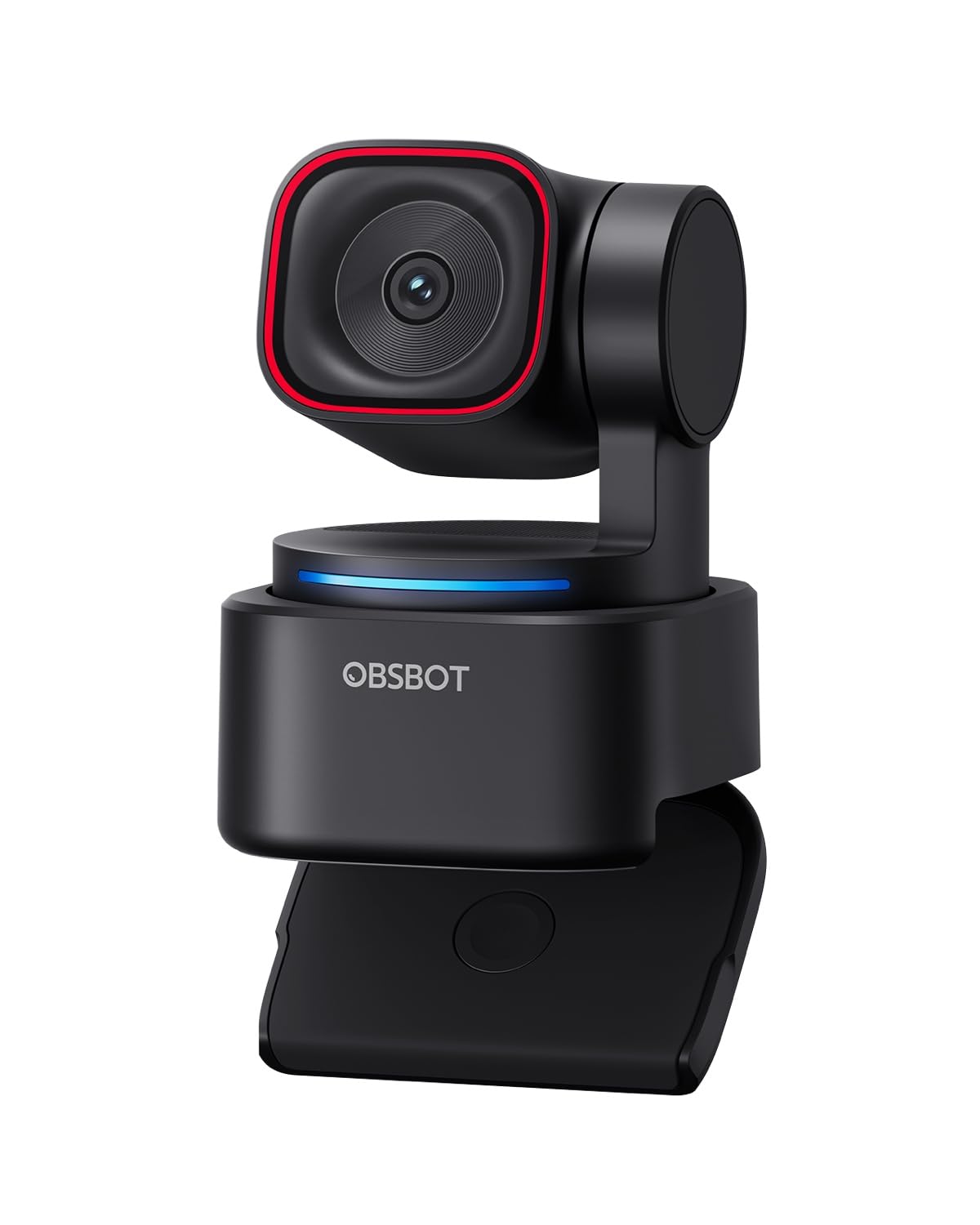
The OBSBOT Tiny 3 Lite shrinks the footprint of its predecessor by nearly half while upgrading to a 1/2″ CMOS sensor that delivers crisp 4K at 30fps and an exceptionally smooth 1080p at 120fps. The high 120fps mode is a rare and valuable feature for streamers who want ultra-fluid motion for gaming or fast-paced demos. The integrated tri-mic array captures spatial audio with five specialized modes, reducing the need for a separate mic in many scenarios.
The AI tracking 2.0 system in this tiny PTZ gimbal can lock onto a person, group, or even 200 types of objects, then pan, tilt, and zoom to keep the subject framed. Voice and gesture controls allow you to trigger tracking, zoom, and presets without touching a button—useful when you’re mid-stream. The OBSBOT Center software offers beauty mode, background blur, teleprompter, and even NVIDIA Maxine Eye Contact for professional effects.
The voice control can be overly sensitive, accidentally activating sleep mode during a quiet stream (easily disabled in software), and the tracking, while excellent, can occasionally lock onto the wrong object in a cluttered room. The 1/2″ sensor is smaller than the YoloCam S3 or Link 2 Pro, so low-light performance is good but not best-in-class. For the streamer who values compact size, 120fps smoothness, and AI features, it’s hard to beat at this price tier.
Why it’s great
- Rare 1080p120fps mode for ultra-smooth streaming
- Compact PTZ with AI tracking and gesture control
- Tri-mic array with spatial audio outperforms typical webcams
- Powerful OBSBOT Center software suite
Good to know
- Voice control can be oversensitive and accidentally trigger sleep
- 1/2″ sensor trails larger-sensor competitors in low light
- AI tracking occasionally mislocks in busy rooms
5. NexiGo N680E Pro
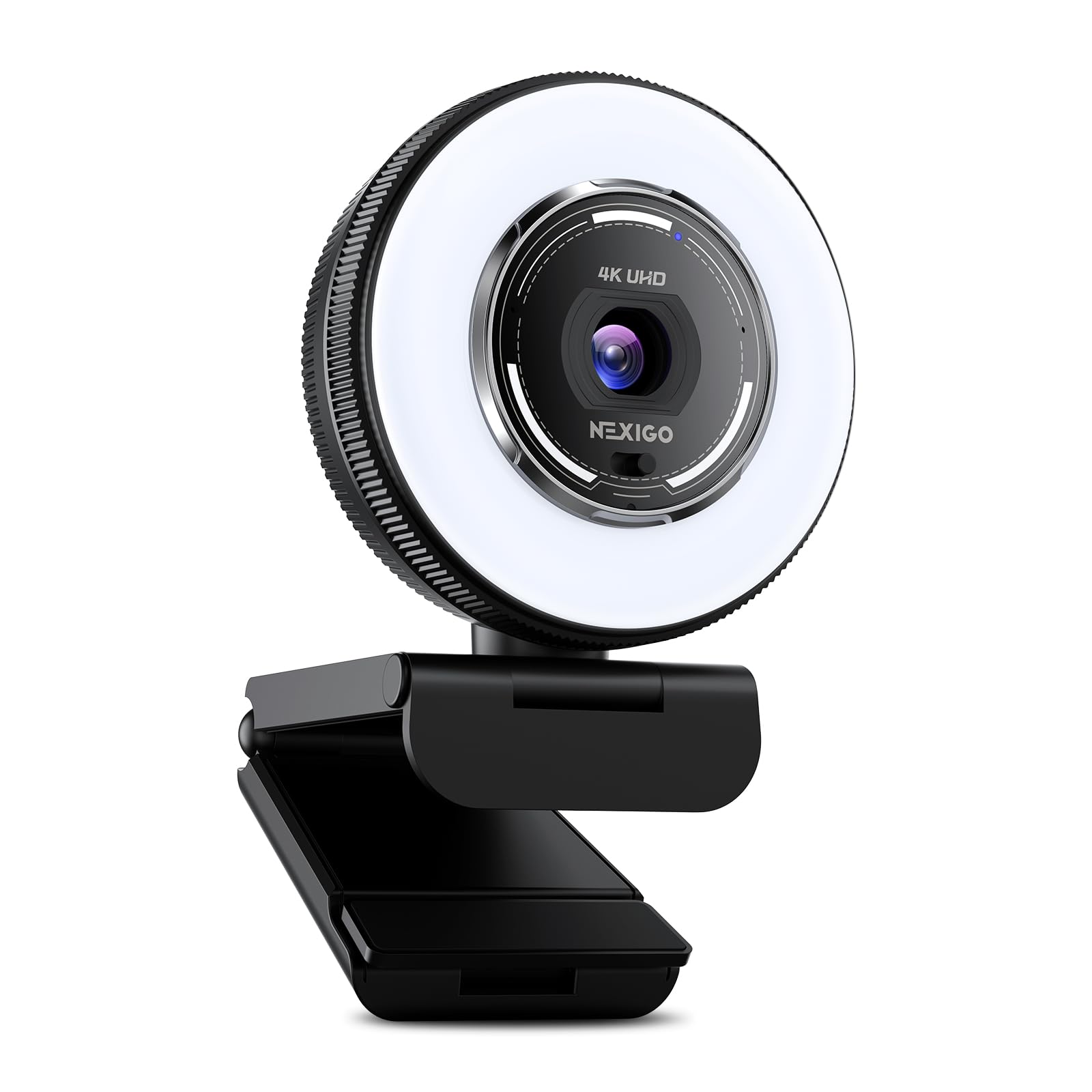
The NexiGo N680E Pro offers a Sony 1/2.5″ 4K sensor and PDAF autofocus combined with a built-in tri-tone ring light, making it a self-contained lighting and camera solution for streamers in less-than-ideal rooms. It streams 4K at 30fps and 1080p at 60fps, while the PDAF system keeps the face sharp through normal dynamic movement. The ring light features three color temperatures and stepless brightness control, enough to eliminate the need for a separate desk light in most small setups.
The dual noise-canceling microphones filter out ambient room sounds reasonably well for a built-in solution, though an external mic is still recommended for professional vocal clarity. The 80° field of view is standard for a talking-head shot, and the included 1/4″ tripod mount allows for flexible positioning. The plug-and-play USB-A connection works with all major platforms and operating systems without driver installation, and the privacy shutter provides a physical blocking mechanism.
The camera’s 4K output is heavily compressed over USB, so “4K” here is more marketing than DSLR-grade detail, and the image can look slightly washed out compared to uncompressed alternatives. The built-in ring light is bright but can create harsh catchlights in the eyes for close-up shots. This is a strong choice for the new streamer who needs a single device that handles both lighting and video without extra gear.
Why it’s great
- Built-in adjustable ring light eliminates need for separate lighting
- PDAF autofocus is responsive and reliable
- Dual noise-canceling mics and privacy shutter included
- Easy plug-and-play USB-A setup
Good to know
- 4K video is compressed; 1080p60 is the clean realistic mode
- Ring light can create noticeable catchlights in eyes
- Image color can appear slightly washed out out of the box
6. Razer Kiyo V2 X
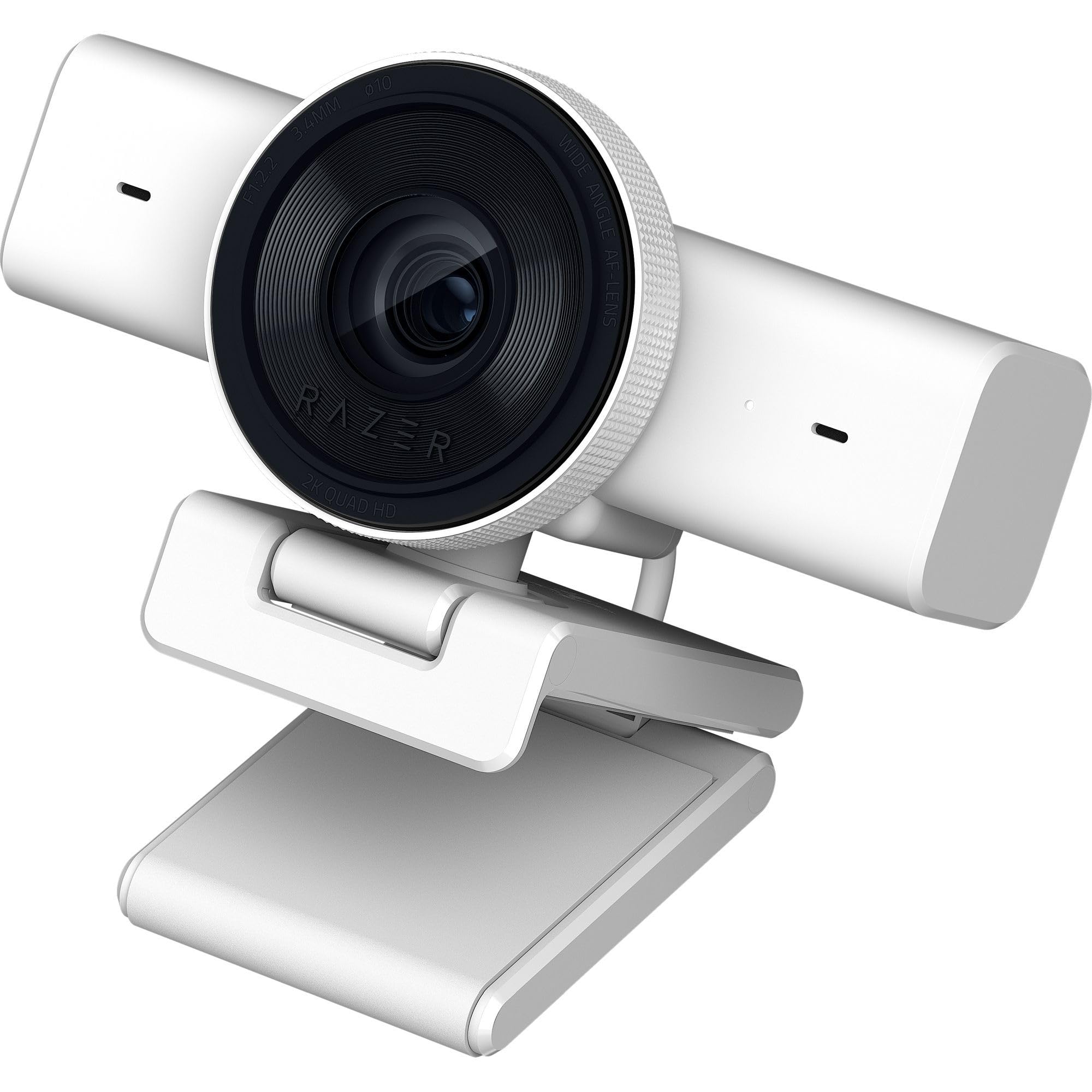
The Razer Kiyo V2 X delivers a sharp 1440p at 60fps video resolution, offering a sweet spot between 1080p60 and 4K30 that looks noticeably clearer than standard HD without the bandwidth and compression headaches of 4K. Its fast and accurate auto-focus keeps you crisp as you lean in and out of frame, and the wide-angle lens gives you flexibility to show your full setup or get tight on a product. The integrated privacy shutter is a simple twist-to-close design that feels secure.
The Razer Synapse software provides intuitive presets and fine-tunable color and lighting adjustments, making it easy to dial in a look without diving into OBS filters. The universal pivoting mount fits most monitors and includes a 1/4″ thread for tripod use, adding mounting flexibility. The built-in mic is clear enough for quick chats but is best supplemented with a dedicated XLR or USB mic for serious streaming.
Some users report occasional random black screen flickering, possibly related to USB bandwidth or software settings, and image quality drops noticeably in dim rooms—it lacks a large sensor or a dedicated ring light. For the budget-conscious streamer who wants 1440p60 smoothness, the Kiyo V2 X is a solid, focused performer.
Why it’s great
- 1440p60 offers a clear visual upgrade over 1080p
- Fast auto-focus and wide-angle lens for flexible framing
- Razer Synapse software enables easy fine-tuning
- Pivoting mount with tripod thread included
Good to know
- Occasional black screen flickering may require bandwidth troubleshooting
- Low-light performance is weak without added lighting
- Built-in mic is decent but not stream-ready without a dedicated mic
7. Logitech C922x

The Logitech C922x has been a baseline standard for entry-level streaming for years, offering reliable 1080p at 30fps and a smooth 720p at 60fps mode that works well for fast-action games. Its automatic HD light correction does a solid job of compensating for dim or uneven lighting, and the autofocus is responsive enough for normal desk movements. The dual omnidirectional mics capture decent room sound, though an external mic is still the better route for clean vocal tracks.
The camera is plug-and-play across all major platforms and includes a 3-month XSplit VCam license for background removal without a green screen. For streamers starting out or those with a tight budget, the C922x eliminates the guesswork—it just works. The secure monitor clip and compact body fit easily into almost any desk configuration without protruding awkwardly.
The C922x is a 2016-era sensor, so image quality lags behind newer 4K and large-sensor cameras, especially in low-light scenes where it introduces noticeable grain. There is no privacy shutter built in, which is a gap for privacy-conscious users, and the lack of 1080p60 support means you must choose between high resolution or high frame rate. For the budget streamer who needs a known, reliable performer, the C922x is still a safe bet.
Why it’s great
- Proven reliability and broad platform compatibility
- 720p60 mode is smooth for gaming streams
- Automatic light correction works well in mixed lighting
- Includes XSplit VCam license for background removal
Good to know
- 1080p tops out at 30fps; no 1080p60 option
- Sensor is dated; low-light performance is grainy
- No built-in privacy shutter
8. Sony Alpha ZV-E10
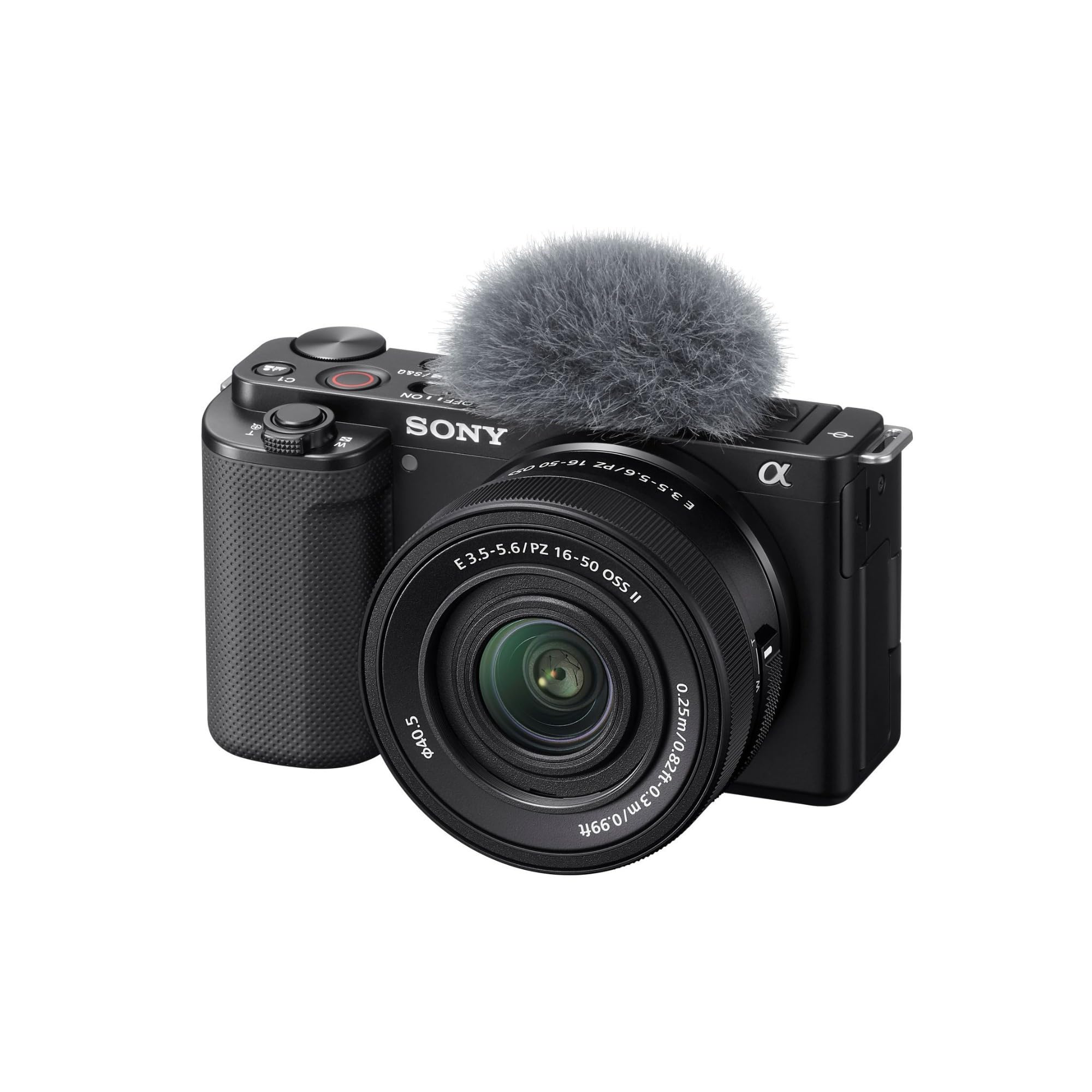
The Sony Alpha ZV-E10 brings a true APS-C 24.2MP Exmor CMOS sensor and a BIONZ X processor to the streaming desk, offering 4K video oversampled from a 6K readout for exceptional detail. Streaming with this camera requires a USB connection and opens up live streaming without an external capture card, making it surprisingly simple to integrate. The included 16-50mm kit lens provides a versatile zoom range, and the interchangeable lens mount lets you switch to a wide-aperture prime for genuine shallow depth of field.
Features like the Product Showcase Setting, which smoothly transitions focus from your face to an object you hold up, and the Background Defocus button make it incredibly intuitive for live demos and vlogging. The 425-point phase-detection autofocus with real-time eye tracking locks onto a face and stays there, even if you turn your head or move around the frame. For the streamer who wants the absolute best image quality and is willing to invest in a dedicated camera body, the ZV-E10 is the benchmark.
Running the ZV-E10 for long streams requires a dummy battery or a USB power solution, as the standard battery will drain quickly in video mode. The kit lens is decent but not optically stellar, and the camera body is compact enough that it can feel less stable on a tripod. For the creator who already owns or is willing to invest in a lens ecosystem, the ZV-E10 is an uncompromising streaming powerhouse that outclasses every webcam on the list.
Why it’s great
- APS-C sensor delivers true professional image quality
- Real-time eye AF and product showcase mode for live streams
- 4K oversampled from 6K for exceptional sharpness
- Interchangeable lens system for creative flexibility
Good to know
- Requires dummy battery or USB power for long sessions
- Kit lens is decent but a fast prime is a worthy upgrade
- Camera body is small; may feel less stable on a tripod
9. Canon PowerShot V1

The Canon PowerShot V1 is a dedicated hybrid camera purpose-built for vlogging, live streaming, and long-duration content creation. Its 1.4-type (roughly 1-inch sensor standard) provides 22.3 megapixels for stills and 18.7 megapixels for video, with a built-in cooling fan that allows extended 4K recording sessions without overheating—a common problem with mirrorless bodies. The integrated 16-50mm F2.8-4.5 zoom lens offers a versatile ultra-wide to standard portrait range, and the sensor delivers excellent dynamic range and low noise up to ISO 6400.
The camera supports Canon Log 3 for capturing a wide dynamic range and 10-bit color depth, giving streamers room for color grading in post. The hybrid autofocus system with subject tracking is fast and reliable, and the USB streaming capability works as a simple webcam without any capture card. The compact, all-in-one design eliminates the need for separate lenses and adapters, making it an ideal travel or dedicated streaming rig that fits in a small bag.
Canon chose not to include a battery charger in the box, which is annoying for streamers who rely on swapping batteries across sessions. The lens is slower (F2.8-4.5) compared to fast primes, and the camera is slightly bulkier than a traditional point-and-shoot. For the streamer who needs a self-contained, all-day streaming camera with excellent image quality and built-in cooling, the PowerShot V1 solves the overheating issue that plagues smaller camera bodies.
Why it’s great
- Built-in cooling fan prevents overheating during long 4K streams
- USB streaming works as a simple webcam, no capture card needed
- Canon Log 3 with 10-bit color depth for professional grading
- Integrated wide-angle zoom lens eliminates need for separate glass
Good to know
- No battery charger included in the box
- Lens is F2.8-4.5; slower than available fast primes
- Slightly bulkier than a compact point-and-shoot
FAQ
Do I need a DSLR or mirrorless camera for streaming, or will a webcam be enough?
What does phase-detection autofocus (PDAF) actually mean for my stream?
Is 4K60 worth it for streaming, or is 1080p60 enough?
Final Thoughts: The Verdict
For most streamers, the best cameras for streaming winner is the YOLOLIV YoloCam S3 because its massive 1/1.28″ sensor and PDAF deliver DSLR-like depth of field without any capture card or complex rigging. If you need physical AI tracking that follows you around the room, grab the Insta360 Link 2 Pro. And for uncompressed 4K60 with lens filter support, nothing beats the Elgato Facecam 4K.

Mo Maruf
I created WellFizz to bridge the gap between vague wellness advice and actionable solutions. My mission is simple: to decode the research and give you practical tools you can actually use.
Beyond the data, I am a passionate traveler. I believe that stepping away from the screen to explore new environments is essential for mental clarity and physical vitality.