Our readers keep the lights on and my smoothie glass nicely filled. As an Amazon Associate, I earn from qualifying purchases.
Today, you can grab a 100Hz, 120Hz, or even a 180Hz monitor without draining your cash reserves, and the line between productivity and play has blurred into a single, flat-panel reality. The hard part is no longer finding a cheap screen—it’s picking the one that delivers the specific balance of color accuracy, motion clarity, and ergonomic flexibility your actual workflow demands.
I’m Mohammad Maruf — the founder and writer behind WellFizz. I’ve spent years digging through panel specifications, refresh rate tables, and real-world user feedback to separate the truly capable monitors from the ones that cut corners you’ll feel every day.
Whether you are building a dual-monitor workstation, upgrading from an aging office panel, or diving into high-frame-rate gaming on a tight budget, this guide cuts through the noise to help you find the best budget monitor suited to the way you actually use a screen every day.
How To Choose The Best Budget Monitor
A budget monitor isn’t just about the lowest sticker price; it’s about knowing which specifications are worth paying for and which are marketing fluff. The right choice balances resolution, refresh rate, panel type, and ergonomics for your specific use case—whether that’s office work, light gaming, or a color-sensitive creative task.
Panel Technology: IPS vs. VA vs. TN
The panel type determines your viewing angles, color reproduction, and contrast. IPS panels offer the best color accuracy and wide 178-degree viewing angles, making them ideal for shared work and creative tasks. VA panels deliver superior contrast with deeper blacks, perfect for watching media in a dim room. TN panels are rarely worth it today unless you refuse to give up the fastest possible response time for competitive esports, but they suffer from poor viewing angles and washed-out colors.
Refresh Rate and Adaptive Sync
A 60Hz monitor is the baseline, but 100Hz or 120Hz is the new sweet spot for a budget buy. The difference in desktop navigation, scrolling documents, and gaming is immediately noticeable. Pair that with FreeSync or G-Sync compatibility to eliminate screen tearing and stuttering without paying a huge premium. Most budget monitors now include Adaptive Sync, but always double-check the supported range in the technical specs.
Resolution and Pixel Density
Full HD (1920×1080) remains the standard for budget panels and is perfectly sharp at 24 inches. At 27 inches, QHD (2560×1440) provides significantly more screen real estate and sharper text, but it requires more graphics power from your computer for gaming. Many budget QHD monitors now exist at entry-level prices, making the upgrade from 1080p a very real option if your GPU can handle it.
Stand Ergonomics and Connectivity
The stand is the first corner cut on a budget monitor. If you need height adjustment or pivot, plan to buy a VESA-compatible monitor and an aftermarket arm. Verify the ports you need—HDMI, DisplayPort, and VGA for older machines. Built-in speakers are rarely good, but they can serve as a useful backup for conference calls when you don’t want to clutter your desk with external speakers.
Quick Comparison
On smaller screens, swipe sideways to see the full table.
| Model | Category | Best For | Key Spec | Amazon |
|---|---|---|---|---|
| Acer Nitro KG271U | Gaming QHD | High-FPS Gaming | 180Hz / 0.5ms GTG | Amazon |
| MSI PRO MP275Q | Office QHD | Color-Accurate Work | 1440p / 100Hz / 300 nits | Amazon |
| ViewSonic VS2725-2K | Value QHD | General Productivity | 27″ QHD / 100Hz VA | Amazon |
| Gawfolk 27″ 2K | Budget QHD | Dual Monitor Setup | 180Hz / 310 cd/m² | Amazon |
| LG 27U411A-B | Multitasking | Productivity + Casual Gaming | 27″ 1080p / 120Hz | Amazon |
| Amazon Basics 27″ | Office Standard | Simple Office Setup | 100Hz / Built-in Speakers | Amazon |
| Dell SE2725HM | Enterprise 1080p | Commercial Deployment | 100Hz / 3-Star TÜV Comfort | Amazon |
| ViewSonic VA2456A-MHD | Entry-Level 1080p | First Upgrade from 60Hz | 24″ 1080p / 120Hz IPS | Amazon |
| Sceptre C275W-FW100T | Curved Entry | Immersive Media Viewing | 27″ Curved 1500R | Amazon |
In‑Depth Reviews
1. Acer Nitro KG271U N3bmiipx

The Acer Nitro KG271U strikes an incredible balance between resolution and speed that is rare at this price point. It packs a 27-inch QHD IPS panel with a 180Hz refresh rate and a 0.5ms GTG response time, which means you get the crispness of 1440p and the motion clarity of a high-end gaming display without the usual premium. The DCI-P3 95% color gamut ensures the visuals are vibrant enough for creative work, not just frantic firefights.
Behind the panel, the connectivity is solid with one DisplayPort 1.2 and two HDMI 2.0 ports, so you can easily hook up a gaming PC and a console simultaneously. The AMD FreeSync support matches frame rates across a wide range, eliminating tearing during high-action moments. The zero-frame design gives a clean, modern look that works well in any multi-monitor setup.
The biggest compromise is the stand—it feels flimsy and lacks height adjustment, which makes a VESA arm almost mandatory for longer sessions. The built-in speakers are weak and tinny, serving only as a last-resort audio source. If you are willing to invest a little extra into a monitor arm, this panel is an unbeatable value.
Why it’s great
- Incredible 180Hz refresh on a QHD IPS panel for the price
- Wide DCI-P3 95% color coverage for vibrant visuals
- Dual HDMI 2.0 plus DisplayPort for multi-device setups
Good to know
- Stand is flimsy with no ergonomic adjustability
- Built-in speakers are mediocre and offer thin audio
- Maximum brightness is only 250 nits
2. MSI PRO MP275Q

The MSI PRO MP275Q is built for the professional who needs QHD real estate without gaming-specific flashiness. Its 27-inch IPS panel delivers WQHD (2560×1440) resolution at a smooth 100Hz, making text look sharp and scrolling feel fluid. MSI’s EyesErgo technology, including TÜV Rheinland certified low blue light and anti-flicker, makes this an easy choice for anyone staring at spreadsheets or code all day.
The 100% sRGB color gamut and 1.07 billion color support (10-bit) are genuinely impressive for a monitor in this tier. Out of the box, the color accuracy is excellent—no calibration is needed for general office work or photo editing. The anti-glare surface treatment helps reduce reflections in bright rooms, and the 300-nit brightness provides a comfortable, clear image even near a window.
The tool-free assembly is a nice touch, and the cable management clip keeps things tidy. The stand is tilt-adjustable but lacks height or pivot, and the 2W built-in speakers are only suitable for quick conference calls. For a clean, color-accurate office monitor that won’t strain your eyes, this is a top-tier budget pick.
Why it’s great
- Excellent out-of-box color accuracy with 100% sRGB coverage
- EyesErgo technology reduces strain during long workdays
- Tool-free assembly with cable management for a clean desk
Good to know
- Basic stand is tilt-only with no height adjustment
- Speakers are underwhelming for media consumption
- Only one HDMI port, limiting multi-device setups
3. ViewSonic VS2725-2K
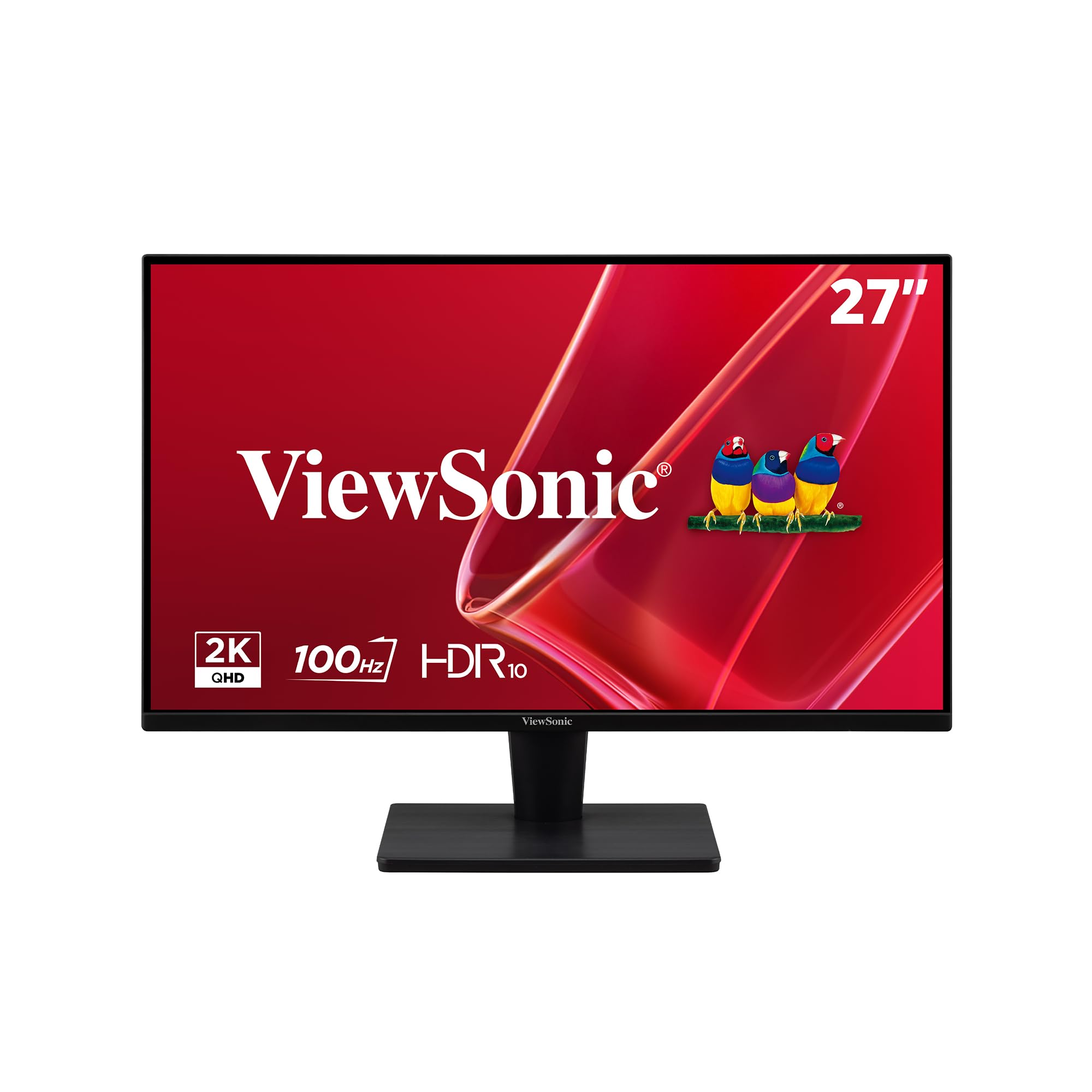
If deep black levels and a higher contrast ratio matter more to you than the widest viewing angles, the ViewSonic VS2725-2K deserves a close look. Its 27-inch VA panel delivers a 4000:1 contrast ratio, which means blacks look much deeper than on typical IPS monitors at this price. The QHD resolution ensures you can fit more windows on screen without losing sharpness, and the 100Hz refresh rate keeps the experience fluid.
The frameless edge-to-edge design makes this monitor a strong candidate for a dual or triple monitor setup where bezel thickness can make or break the experience. Connectivity is straightforward with one DisplayPort and one HDMI port, and the VRR support helps reduce tearing when you are pushing frame rates near 100 FPS. ViewSonic’s Flicker-Free and Blue Light Filter technology also helps keep your eyes fresh during a long workday.
The biggest practical downside is the control system—the rear joystick for navigating the OSD can be fiddly, especially when you have multiple monitors and reach behind the panel. The stand is also slightly wobbly and only offers tilt adjustment. If you prioritize contrast for movies and immersive gaming on a budget, the image quality here punches well above its price.
Why it’s great
- Excellent 4000:1 contrast ratio for deep, inky blacks
- Frameless design perfect for multi-monitor setups
- QHD resolution offers sharp text and workspace
Good to know
- Rear joystick OSD control is awkward to use
- Stand feels wobbly with limited tilt-only adjustability
- No built-in speakers or USB hub
4. Gawfolk 27 inch 2K (B0FJ8BJY2F)
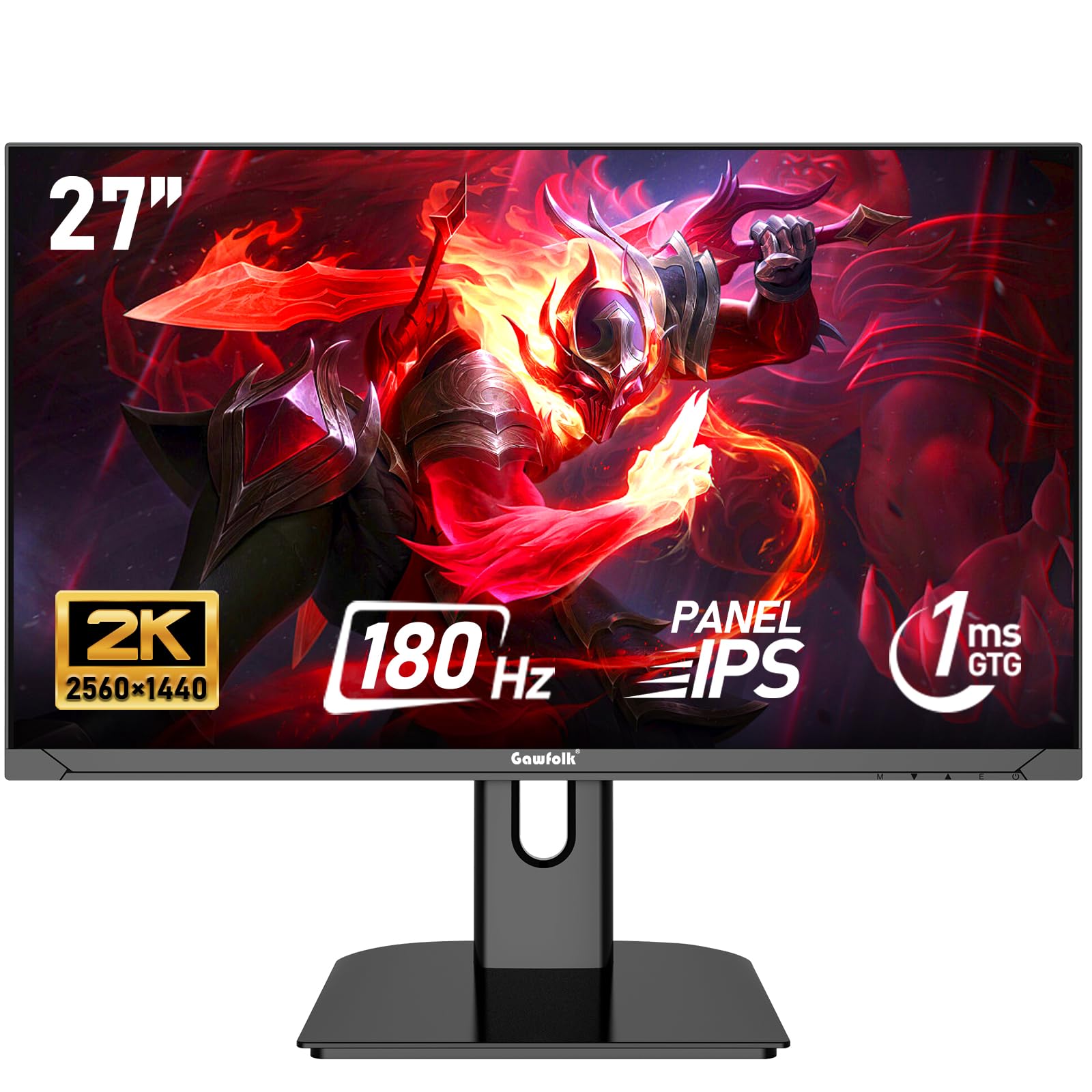
The Gawfolk 27-inch QHD monitor is a newcomer that packs aggressive specs at a rock-bottom price, making it a fascinating option for the budget-conscious gamer or power user. The headline features are a 180Hz refresh rate and a 1ms response time, combined with a 27-inch IPS panel and 100% sRGB coverage. For pure paper specs, this monitor competes directly with models costing significantly more, offering a stunning resolution and refresh rate for the money.
Visual quality is surprisingly strong right out of the box. The colors are vivid, the brightness peaks at a solid 310 nits, and the 178-degree viewing angles keep the image looking consistent even when you shift position. The FreeSync support works well to reduce tearing, and the low blue light mode with DC global dimming helps reduce eye fatigue during long sessions. The VESA 75x75mm mount compatibility offers flexibility for arm setups.
Quality control can be a concern at this price point, with some users reporting failures after a few months. The stand is also very basic and lacks any ergonomic adjustment beyond tilt. To reach the full 180Hz, you must use the supplied DisplayPort cable and configure the refresh rate manually in your operating system. For buyers willing to take a small risk for maximum specs, this monitor delivers an incredible experience.
Why it’s great
- Excellent 180Hz refresh rate and QHD resolution for the price
- Bright 310-nit IPS panel with 100% sRGB color coverage
- FreeSync compatible for smooth, tear-free gaming
Good to know
- Reported quality control and reliability concerns
- No height adjustment on a very basic stand
- Requires manual refresh rate setting via DisplayPort
5. LG 27U411A-B

LG’s 27U411A-B is a well-rounded 1080p monitor that bridges the gap between casual productivity and smooth gaming without breaking the bank. The 27-inch IPS panel delivers vibrant colors with up to 99% sRGB coverage and supports HDR10, adding depth to movies and games. The 120Hz refresh rate combined with 1ms Motion Blur Reduction makes scrolling and fast-paced action feel drastically smoother than a standard 60Hz office panel.
LG packed in some genuinely useful extras that you wouldn’t expect at this price. The Dynamic Action Sync reduces input lag for better responsiveness, and the Black Stabilizer brings out detail in dark scenes, which is helpful for both gaming and video editing. The virtual bezel-less design and slim stand base give it a modern, clean look that works well in a minimalist workspace. The tilt-adjustable display lets you find a decent viewing angle, and the 100x100mm VESA mount makes it easy to attach an arm.
The 250-nit brightness is adequate for indoor use but struggles in very bright rooms. The on-screen menu is controlled by a single knob which can be finicky to navigate. While the panel supports HDR10, the lower brightness means you won’t get a true HDR experience. For a primary or secondary monitor handling a mix of work and play, the LG delivers a strong, smooth experience.
Why it’s great
- 120Hz refresh rate with 1ms MBR for fluid motion
- 99% sRGB coverage and HDR10 support enhance visual quality
- Slim bezel design and VESA mount compatibility
Good to know
- Brightness limited to 250 nits
- No built-in speakers
- Single-knob menu navigation is finicky
6. Amazon Basics 27 Inch (B0CP7RZRMD)

The Amazon Basics 27-inch monitor is designed with pure simplicity and value in mind, making it an excellent choice for home offices and general computing. Its 1080p IPS panel runs at a smooth 100Hz refresh rate, which is a clear step up from aging 60Hz office displays. The matte screen coating does an excellent job of cutting down on glare, so it’s comfortable to use in rooms with overhead lights or windows.
The most practical feature here is the built-in 4-port USB hub, which lets you plug a keyboard, mouse, and other peripherals directly into the monitor for a cleaner cable setup. The built-in speakers are decent for a budget monitor—they produce clean enough audio for conference calls and system sounds, reducing the need for external desktop speakers. The 100x100mm VESA mount compatibility gives you the option to pair it with a monitor arm.
The stand offers no tilt, height, or swivel adjustment, and many users report the monitor leans forward slightly on its base. The 100Hz refresh rate is a minor uplift over 60Hz, so it won’t satisfy high-end gamers looking for motion clarity. The lack of DisplayPort means you are limited to HDMI connections. For a no-fuss, budget-friendly office workhorse that includes a USB hub, this is a very solid pick.
Why it’s great
- Integrated 4-port USB hub for clean peripheral connectivity
- Decent built-in speakers for calls and system audio
- Matte screen reduces glare in bright environments
Good to know
- Stand has zero ergonomic adjustment and leans forward
- No DisplayPort, only HDMI connectivity
- 100Hz refresh is a minor upgrade for gamers
7. Dell SE2725HM

The Dell SE2725HM brings enterprise-grade build quality and eye comfort to a consumer-friendly price point. Its 27-inch 1080p IPS panel feels well calibrated out of the box, with uniform color temperature and an effective anti-glare coating that Dell is known for. The 100Hz refresh rate makes document scrolling and web browsing notably smoother than a standard office panel, while the TÜV Rheinland 3-Star ComfortView Plus certification ensures long sessions are easier on your eyes.
Dell paid attention to the small details that matter in a commercial setting. The 100x100mm VESA mount is placed dead center on the back, which means the monitor balances perfectly on an arm without putting uneven torque on the bracket. The integrated power supply keeps the desk organized, and the built-in cable holder helps manage cord clutter. The small footprint stand is practical but only provides tilt adjustment.
The monitor lacks built-in speakers and USB ports, so you will need to budget for external solutions if you rely on those features. It offers only HDMI and VGA inputs—DisplayPort is absent, which limits compatibility with some modern laptops and docks. If your priority is a reliable, well-built panel with excellent eye-care features and balanced VESA placement, the Dell is a very durable option.
Why it’s great
- Enterprise-grade build with superior anti-glare coating
- Centered VESA mount ensures balanced arm installation
- TÜV Rheinland 3-Star certified for all-day eye comfort
Good to know
- No built-in speakers or USB hub
- Only HDMI and VGA connectors—no DisplayPort
- 250-nit brightness is standard, not exceptional
8. ViewSonic VA2456A-MHD

If you are looking for the most affordable way to get a high-refresh-rate IPS panel on your desk, the ViewSonic VA2456A-MHD is a hard offer to beat. The 24-inch Full HD display delivers 120Hz with Adaptive Sync, which makes desktop navigation buttery smooth and eliminates screen tearing in games. The SuperClear IPS technology provides consistent brightness and color from any angle, a huge upgrade over older TN office monitors.
ViewSonic kept the connectivity versatile with HDMI, DisplayPort, and VGA inputs, so it will work with almost any system from a vintage tower to a modern laptop. The Flicker-Free and Blue Light Filter features reduce eye strain during long sessions. The frameless design gives it a modern appearance that looks clean in a dual setup. The color accuracy is excellent for the price, making it a good companion for photo sorting and basic editing.
The stand is the clear weak point—it is basic, wobbly, and offers no height adjustment. The 250-nit brightness is average, so very bright rooms might cause the image to wash out slightly. The built-in speakers are decent enough for audio alerts but not for music or movies. For the most affordable path to 120Hz IPS smoothness, the ViewSonic is an outstanding gateway.
Why it’s great
- Excellent 120Hz IPS panel at an entry-level price
- Versatile connectivity with HDMI, DisplayPort, and VGA
- Great color accuracy and wide viewing angles
Good to know
- Basic stand is wobbly with no height adjustment
- Average 250-nit brightness struggles in bright rooms
- Built-in speakers are only adequate for system sounds
9. Sceptre C275W-FW100T

The Sceptre C275W-FW100T offers a curved 27-inch experience that feels more expensive than it is. The 1500R VA panel wraps around your field of view to create an immersive feel that flat screens cannot match, making it a strong choice for single-monitor media consumption and gaming. The 100Hz refresh rate and 1ms Blur Reduction provide a solid 1080p gaming experience with minimal motion blur.
The curved design is not just for aesthetics; it genuinely helps reduce eye strain by keeping the edges of the screen at a more uniform distance from your eyes. Sceptre included built-in speakers that produce usable audio for casual use, saving desk space. The color performance is vibrant with 100% sRGB coverage, and the 1,000,000:1 dynamic contrast ratio helps dark scenes feel more dramatic. Dual HDMI and DisplayPort inputs give you flexible connection options.
The 1080p resolution on a 27-inch panel results in a lower pixel density, so text may not look as sharp as on a smaller 24-inch screen or a QHD monitor. The stand is non-adjustable, limiting your ergonomic options significantly. The built-in speakers are not great for music, but they do the job for general use. For an affordable curved screen that delivers a cinematic feel, the Sceptre is a unique budget option.
Why it’s great
- Immersive 1500R curved VA panel at a very low entry price
- 100Hz refresh with 1ms Blur Reduction for fluid gaming
- Built-in speakers and 100% sRGB color coverage
Good to know
- 1080p on 27 inches yields lower pixel density
- Non-adjustable stand limits ergonomics
- Built-in speakers are basic, not for music
FAQ
Does a 100Hz monitor make a difference for office work?
Is 1080p still good on a 27-inch budget monitor?
What is Adaptive Sync and why should I care?
Final Thoughts: The Verdict
For most users, the best budget monitor winner is the Acer Nitro KG271U because it delivers a stunning 180Hz refresh rate on a QHD IPS panel with wide DCI-P3 color coverage for an unbeatable price. If you want a color-accurate QHD monitor for office productivity and eye comfort, grab the MSI PRO MP275Q. And for the most affordable path to a smooth 120Hz desktop experience, nothing beats the ViewSonic VA2456A-MHD.

Mo Maruf
I created WellFizz to bridge the gap between vague wellness advice and actionable solutions. My mission is simple: to decode the research and give you practical tools you can actually use.
Beyond the data, I am a passionate traveler. I believe that stepping away from the screen to explore new environments is essential for mental clarity and physical vitality.