Our readers keep the lights on and my smoothie glass nicely filled. As an Amazon Associate, I earn from qualifying purchases.
The biggest misconception about budget mini PCs is that you have to accept painfully slow performance to get a low price. In reality, the refurbished enterprise market and modern low-power processors have created a sweet spot where sub- machines can handle daily office work, media streaming, and even light gaming without the bulk or cost of a traditional tower.
I’m Mohammad Maruf — the founder and writer behind WellFizz. I’ve spent years analyzing the compact computing market, comparing benchmark scores, port configurations, and thermal designs across hundreds of models to find the true value leaders. My research focuses on separating the hidden gems from the underpowered e-waste.
Whether you need a quiet home office machine, a Plex server, or a tiny PC for a kid’s first computer, the right budget mini pc will deliver surprising capability in a package that fits in your palm.
How To Choose The Best Budget Mini PC
Picking the right budget mini PC requires balancing three things: processor generation, memory configuration, and connectivity. Spend too much on a fancy case and you sacrifice CPU speed. Go too cheap on RAM and your multitasking grinds to a halt. Here’s exactly what to look for.
Processor Generation Matters More Than Clock Speed
An old i7-7700 from 2017 can still outperform a modern Celeron N95 in multi-threaded tasks like video transcoding or running multiple virtual machines. But the N95 sips power and runs silent. For pure office work, either works. For Plex servers or light gaming, prioritize the newer AMD Ryzen 5 3500U or 5300U — their Vega 8 integrated graphics blow away Intel UHD solutions from the same era.
RAM and Storage — Buy Enough, Upgrade Later
8GB of DDR4 is the absolute minimum for Windows 11 to feel responsive. 16GB is the sweet spot for multitasking with multiple browser tabs, Office apps, and a couple of background tools. Look for models with dual-channel RAM support (two physical slots) — it doubles memory bandwidth and noticeably improves integrated graphics performance. For storage, 256GB NVMe SSD is the baseline. Models with an extra M.2 slot or support for a 2.5-inch SATA drive allow easy expansion later.
Ports define what the PC can do
A budget mini PC with only one HDMI port locks you into a single monitor. Look for dual HDMI, or a combo of HDMI plus DisplayPort or USB-C, if you need multi-screen productivity. Two Ethernet ports (Dual LAN) matter if you plan to use the mini PC as a firewall or network-attached storage server. At least four USB ports (mix of USB 3.2 and USB 2.0) ensure you can plug in keyboard, mouse, external drive, and a printer without needing a hub.
Quick Comparison
On smaller screens, swipe sideways to see the full table.
| Model | Category | Best For | Key Spec | Amazon |
|---|---|---|---|---|
| Lenovo Think Centre M700 | Refurbished | Office & Email | Intel i5-6500T, 8GB | Amazon |
| HP EliteDesk 800 G2 | Refurbished | Home Server / Budget Work | Intel i5-6500T, 16GB | Amazon |
| Bmax B1 Plus | New | Ultra-Compact Desktop | Celeron J3355, 6GB | Amazon |
| Dell Optiplex 5050 SFF | Refurbished | Heavy Multitasking | Intel i7-7700, 16GB | Amazon |
| wo-we P6 Lite | New | Casual Gaming | Ryzen 5 3500U, 8GB | Amazon |
| BOSGAME E5 11 Pro | New | Dual LAN / Server | Ryzen 5300U, 8GB | Amazon |
| GMKtec G3 S N95 | New | Quiet Office PC | Intel N95, 8GB | Amazon |
| KAMRUI Essenx E1 | New | Multitasking Office | AMD 3250U, 8GB | Amazon |
| GMKtec G3 Pro i3 | New | Fast Single-Core Apps | Core i3-10110U, 16GB | Amazon |
In‑Depth Reviews
1. wo-we P6 Lite Mini PC
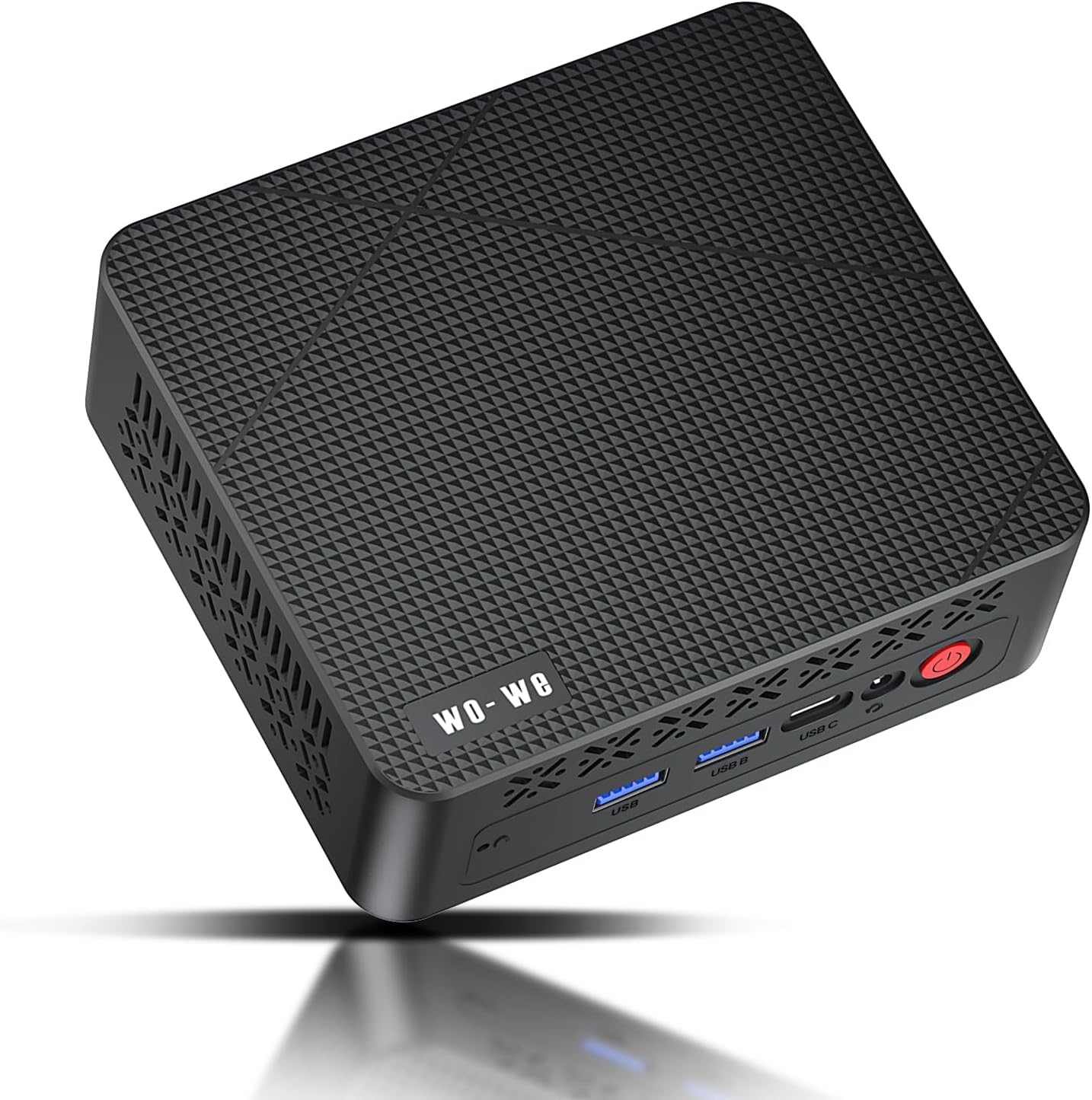
The wo-we P6 Lite strikes the hardest balance of performance, features, and price in the entire budget mini PC space. Its Ryzen 5 3500U processor — a 4-core, 8-thread chip with Vega 8 graphics — delivers roughly 20% faster gaming and multitasking performance than Intel N95 or N100 based alternatives at a similar cost. You get smooth 1080p video editing, light Minecraft or Roblox sessions, and snappy Office work without the box ever breaking a sweat.
Triple display support via two HDMI 2.0 ports and a USB-C with DisplayPort functionality means you can run three 4K monitors at 60Hz — a rare feature at this tier. The dual-copper heat pipe cooling system keeps fan noise minimal even under sustained load. With 8GB of DDR4 RAM and a 256GB NVMe SSD, the P6 Lite boots in seconds and handles 15+ browser tabs without slowdown.
The biggest tradeoff is the 8GB RAM ceiling. The GPU automatically reserves 3.25GB for video memory, leaving only 4.75GB for the operating system and apps — which can feel tight if you push heavy Windows workflows. If your primary use is a headless Linux server, this limitation disappears entirely, making it an outstanding value for Plex, home automation, or VPN hosting.
Why it’s great
- Vega 8 graphics beat all Intel UHD solutions at this price
- Triple 4K@60Hz display output
- Whisper-quiet under load
Good to know
- 8GB RAM shared with GPU leaves ~4.75GB for Windows
- No built-in speaker
2. GMKtec G3 Pro Mini PC
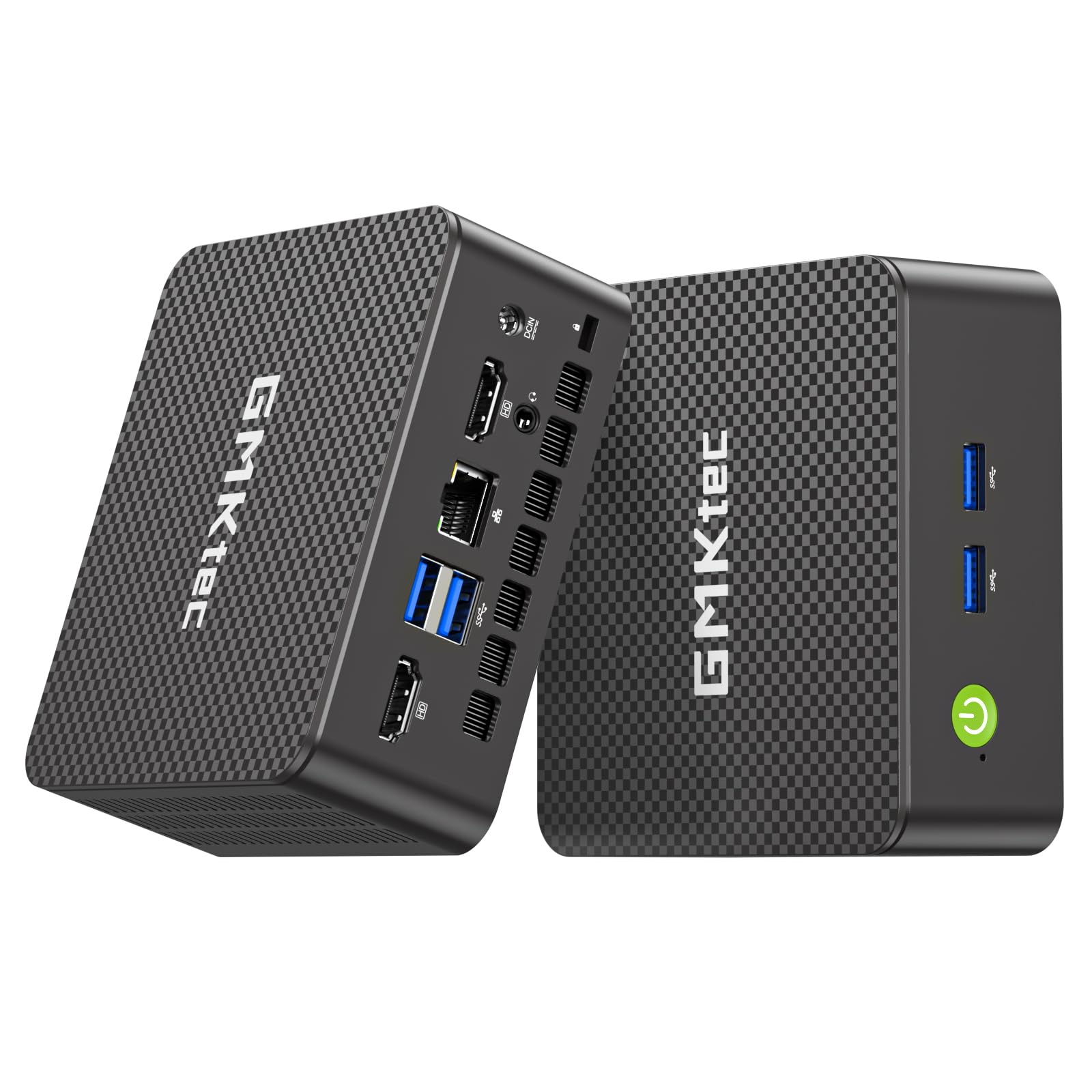
The GMKtec G3 Pro is the top-end choice for buyers who want maximum single-core speed and 16GB of RAM right out of the box. The Intel Core i3-10110U hits 4.1 GHz on a single core, making it faster for web browsing, spreadsheet crunching, and application launching than most refurbished i5 chips. Hyper-Threading adds 4 extra threads for smooth multitasking. The 16GB dual-channel DDR4 RAM ensures no memory bottleneck, even with heavy Office workloads and multiple browser windows open simultaneously.
Storage is equally generous at 512GB M.2 SATA, with a secondary M.2 NVMe slot for expansion. Dual HDMI 2.0 ports output 4K@60Hz to two monitors, and the 2.5GbE LAN port is 2.5x faster than standard Gigabit Ethernet — ideal for fast network transfers or using the PC as a Proxmox host. WiFi 6 and Bluetooth 5.2 round out modern connectivity.
The integrated Intel UHD Graphics 620 isn’t designed for gaming. You can run older titles or casual games at low settings, but the real strength here is productivity. The G3 Pro runs cool (idle around 39°C) and the fan stays near silent. The only physical caveat is the lack of USB-C with video output, meaning you’re limited to two displays via HDMI unless you use a DisplayPort adapter via the USB-C data port.
Why it’s great
- 16GB dual-channel RAM with 512GB SSD out of box
- 2.5GbE LAN for fast networking
- WiFi 6 and Bluetooth 5.2
Good to know
- Integrated UHD graphics not for gaming
- USB-C port lacks DisplayPort Alt Mode
3. BOSGAME E5 11 Pro

The BOSGAME E5 11 Pro stands out for its dual Gigabit Ethernet ports — a feature typically reserved for enterprise firewalls and NAS appliances. This makes it the go-to choice for running a home router (pfSense/OPNsense), a media server, or a virtual machine host. The Ryzen 5300U processor with Radeon Graphics delivers 20% better performance than the Ryzen 3 4300U and 30% better than the Intel N100, making it fast enough for Plex transcoding and light emulation.
Triple display support via HDMI 2.0, DisplayPort, and USB-C at 4K@60Hz handles multi-monitor productivity. The E5 11 Pro includes 8GB DDR4 RAM (upgradable to 32GB) and a 256GB M.2 SSD with a second M.2 slot for expansion up to 4TB. The BIOS may be limited (no RAM overclocking), but for a headless server or workstation, that’s irrelevant.
Customer feedback highlights how quiet and efficient the unit runs. It’s small enough to hide behind a monitor or tuck into a network rack. The lack of WiFi 6 (it uses WiFi 5) is a minor miss for a modern mini PC, but the dual 1GbE LAN ports more than compensate for server-oriented buyers. The included VESA mount makes wall or monitor mounting simple.
Why it’s great
- Dual Gigabit Ethernet for firewall/NAS use
- Triple 4K display output
- Very quiet under load
Good to know
- WiFi 5 instead of WiFi 6
- BIOS lacks overclocking features
4. Dell Optiplex 5050 SFF

Don’t let the “Small Form Factor” label fool you — the Dell Optiplex 5050 SFF packs an Intel i7-7700 quad-core processor that still holds its own against many modern budget CPUs. With a base clock of 3.6 GHz and Turbo up to 4.2 GHz, it chews through spreadsheet crunching, video transcoding, and virtual machines faster than any Celeron or Pentium-based mini PC. The 16GB of DDR4 RAM and 512GB NVMe SSD ensure snappy boot times and responsive multitasking.
This refurbished enterprise machine includes a wired keyboard and mouse, plus an optical drive — a rarity in the compact PC world. The integrated Intel HD Graphics 630 can handle 4K video playback and light photo editing but won’t run modern games. The SFF chassis is slightly larger than a true mini PC (think small toaster), but it offers better internal expandability with room for a 2.5-inch drive.
Several buyers reported using the Optiplex 5050 as a headless home server running Linux, noting that the NVMe drive and i7-7700 handle hardware transcoding for Plex beautifully. The included USB WiFi dongle works for setup, but wired Ethernet is strongly recommended for sustained performance. The bundled peripherals are functional but low quality — budget for a decent keyboard and mouse.
Why it’s great
- Powerful i7-7700 with 16GB RAM
- Expansive NVMe SSD storage
- Includes optical drive and peripherals
Good to know
- SFF chassis larger than true mini PCs
- Bundled keyboard and mouse are low quality
5. GMKtec G3 S N95

The GMKtec G3 S is the quietest mini PC on this list, with a fan that stays below audible levels even under moderate load. Powered by the 12th Gen Intel N95 processor (4 cores, 4 threads, up to 3.4 GHz), it offers about 36% better performance than the older N5105 and N5095 chips while sipping minimal power. This makes it an ideal choice for a silent office PC, a kids’ homework machine, or a 24/7 HTPC running Plex or YouTube in the living room.
Dual HDMI 2.0 ports output 4K@60Hz to two monitors, and the Intel UHD Graphics handles 4K video playback with AV1 decoding. The 8GB of DDR4 RAM and 256GB M.2 SSD are sufficient for web browsing, Office apps, and light photo editing. The BIOS is unlocked, allowing you to adjust the fan curve and power limits — a nice touch for tinkerers. The included VESA mount lets you attach the PC behind a monitor for a zero-footprint desk.
One common complaint is that the front USB port can be finicky on some units, but the overall build quality is solid for the price. The G3 S is not designed for gaming or heavy CAD work — the N95’s integrated graphics will struggle with anything beyond Minecraft at low settings. For its intended audience of basic productivity and media consumption, it’s a fantastic value that stays cool (idle around 39°C) and nearly silent.
Why it’s great
- Near-silent operation
- Unlocked BIOS for fan and power tuning
- Dual 4K HDMI output
Good to know
- Front USB port quality inconsistency
- Not suitable for gaming
6. HP EliteDesk 800 G2

The HP EliteDesk 800 G2 is the quintessential refurbished business mini PC. It features an Intel Quad-Core i5-6500T, 16GB of DDR4 RAM, and a 240GB SSD — enough horsepower for Windows 11 (via TPM 2.0 workaround), office suites, and even running a Bitcoin node or home server. The 7 total USB ports (including a USB-C on front) and dual DisplayPort outputs give it excellent connectivity without needing extra hubs.
The 16GB of RAM is a notable step up from the 8GB found on many similarly priced refurbished units. Buyers consistently report that the EliteDesk feels faster than the spec sheet suggests, handling productivity tasks with ease. The small footprint (roughly 7x7x1.5 inches) fits neatly on a desk or mounts behind a monitor. The included keyboard and mouse are functional but basic.
A few caveats: there is no built-in HDMI port, so you’ll need a DisplayPort-to-HDMI cable or adapter for standard monitors. The CPU does not officially support Windows 11, though many users have successfully upgraded via a registry override. The fan is nearly silent during normal use but can spin up audibly under sustained load. For the price, the EliteDesk 800 G2 offers the most RAM and I/O of any refurbished mini PC in its class.
Why it’s great
- 16GB RAM at a great price point
- 7 USB ports including USB-C
- Very compact and quiet
Good to know
- No HDMI port — requires DP adapter
- CPU not officially Win 11 compatible
7. Bmax B1 Plus
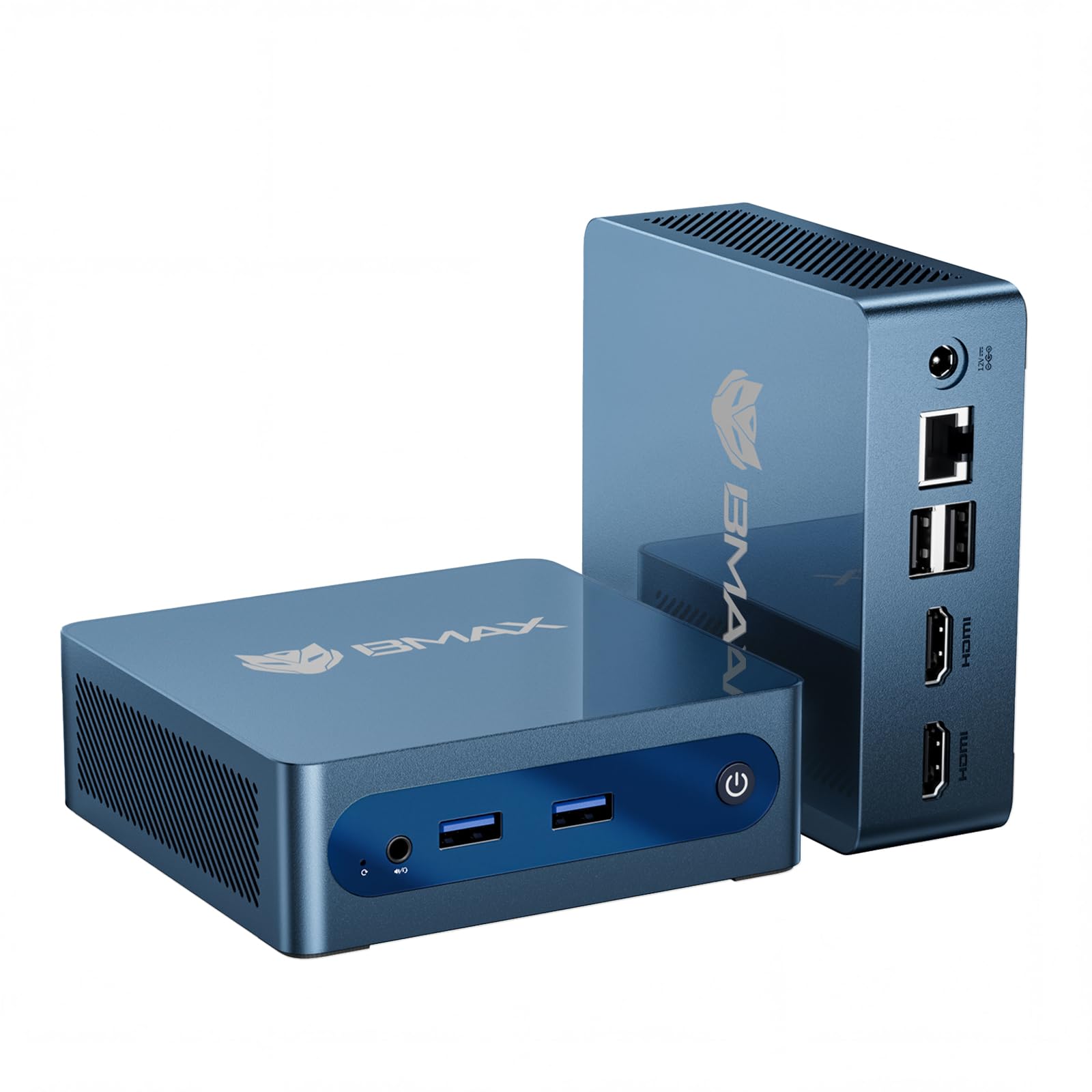
The Bmax B1 Plus is the smallest and most portable mini PC in this roundup, measuring just 4.2 x 4.1 x 1.4 inches and weighing half a pound. Its Intel Celeron J3355 processor is the least powerful CPU on this list, but for basic tasks like web browsing, email, document editing, and light media consumption, it’s perfectly adequate. The 6GB of LPDDR3 RAM and 128GB of eMMC storage are tight, but the dual M.2 SSD slots (one SATA, one NVMe) allow easy expansion up to 2TB — a generous upgrade path.
Dual HDMI ports support 4K@60Hz output to two monitors, and the included VESA mount enables a clean behind-monitor installation. The smart fan and heat sink system keeps the B1 Plus cool and quiet during normal use. Windows 11 Home is pre-installed, and a one-click restore feature via the F9 key makes system recovery simple. It’s an excellent choice for a dedicated Home Assistant server, a student’s first desktop, or a monitor-mounted office workstation.
Some users have reported WiFi dropping after initial setup, though the included Gigabit Ethernet provides a stable alternative. At its price point, you’re paying for extreme compactness and expandability rather than raw speed.
Why it’s great
- Ultra-compact palm-sized design
- Dual M.2 SSD slots for expansion
- Included VESA mount and accessories
Good to know
- Slow Celeron J3355 CPU
- Some users report WiFi reliability issues
8. KAMRUI Essenx E1
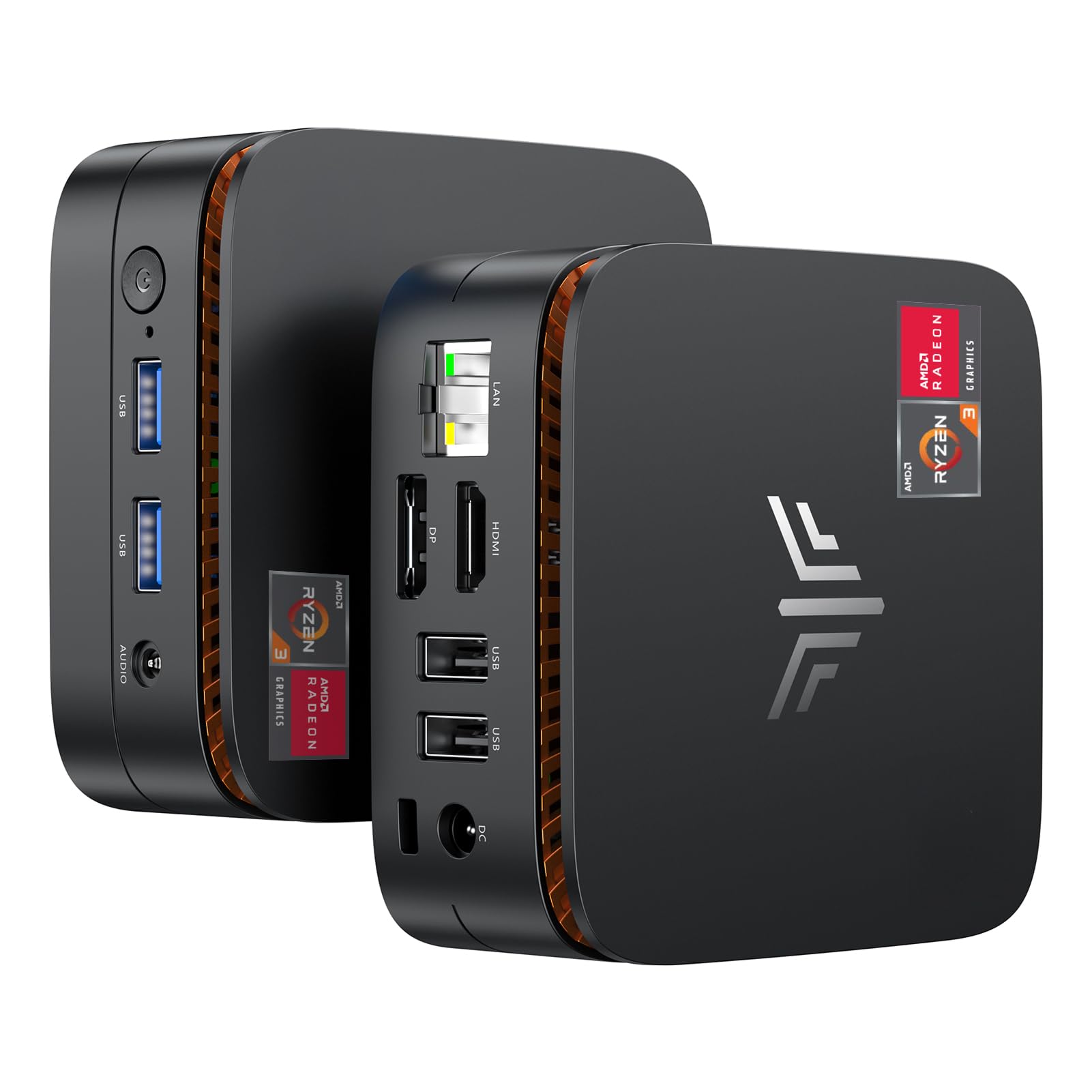
The KAMRUI Essenx E1 is a well-rounded budget mini PC powered by the AMD Ryzen 3250U (2 cores, 4 threads, up to 3.5 GHz). While not as fast as the Ryzen 5 3500U in the wo-we P6 Lite, the 3250U still delivers roughly 30% better performance than Intel N5095-based machines. It handles 15+ browser tabs, Office apps, and 1080p video streaming with ease. The 8GB of DDR4 RAM and 256GB M.2 SSD provide a responsive daily driver experience.
Triple display support via HDMI, DisplayPort, and USB-C (with DisplayPort functionality) means you can run three 4K monitors at 60Hz — fantastic for stock trading, coding, or multi-window productivity. The unlocked BIOS allows tweaks like auto power on, wake on LAN, and RTC wake, making it a solid candidate for a home server or kiosk. The smart quiet fan keeps noise low, and the compact 5 x 5 x 2 inch chassis fits almost anywhere.
Integrated AMD Radeon Graphics are acceptable for light gaming (Minecraft at 900p, Roblox at medium settings) but won’t run modern AAA titles. The biggest limitation is the dual-core CPU: heavily multi-threaded tasks like video transcoding or running multiple virtual machines will show its age. For general office and home use, though, the E1 is a reliable, quiet, and well-connected mini PC that punches above its weight.
Why it’s great
- Triple 4K@60Hz display output
- Unlocked BIOS for server/enterprise features
- Good price-to-performance ratio
Good to know
- Dual-core CPU limits multitasking
- Not suitable for heavy gaming
9. Lenovo Think Centre M700

The Lenovo Think Centre M700 is the cheapest entry point into a genuine Intel Quad-Core i5 experience. This certified refurbished tiny desktop features an i5-6500T (up to 3.1 GHz), 8GB of DDR4 RAM, and a new 240GB SSD — enough to run Windows 10 Pro, Office, web browsing, and even Linux distros smoothly. The build quality is typical Lenovo: solid, compact (roughly 7 x 7 x 1.5 inches), and quiet enough to sit on a desk unnoticeably.
Connectivity is surprisingly generous for the price: front USB 3.0 with fast-charging support, rear DisplayPort, and 4 USB 3.0 ports. A DisplayPort-to-HDMI adapter is included, along with a USB WiFi adapter and Bluetooth dongle. Buyers consistently report that the unit fires up within 10 minutes, runs Windows 10 Pro flawlessly, and makes an excellent first computer for kids, elderly family members, or light office work. The included keyboard and mouse are functional.
The 8GB RAM is the bare minimum for modern multitasking — expect some slowdown if you open more than 10 browser tabs alongside heavy Office documents. The included USB WiFi dongle is adequate for setup but not ideal for long-term use; a wired Ethernet connection is far more stable. Some units may have a pre-existing BIOS password, so check immediately. For its price, the M700 offers the most reliable brand-name refurbished experience at the lowest cost.
Why it’s great
- Lowest cost entry to i5 performance
- Lenovo build quality and reliability
- Fast setup with Windows 10 Pro
Good to know
- 8GB RAM is tight for heavy multitasking
- USB WiFi dongle is basic, Ethernet preferred
FAQ
Can a budget mini PC run Windows 11?
Is a refurbished business mini PC better than a new budget mini PC?
How much RAM do I really need in a budget mini PC?
Can I use a budget mini PC as a home server?
Final Thoughts: The Verdict
For most users, the budget mini pc winner is the wo-we P6 Lite because it delivers the best combination of modern performance (Ryzen 5 3500U with Vega 8 graphics), triple 4K display support, and whisper-quiet cooling at an incredibly competitive price. If you want maximum single-core speed and 16GB of RAM out of the box, grab the GMKtec G3 Pro. And for the lowest reliable entry point with a genuine Intel i5, nothing beats the Lenovo Think Centre M700.

Mo Maruf
I created WellFizz to bridge the gap between vague wellness advice and actionable solutions. My mission is simple: to decode the research and give you practical tools you can actually use.
Beyond the data, I am a passionate traveler. I believe that stepping away from the screen to explore new environments is essential for mental clarity and physical vitality.