Our readers keep the lights on and my smoothie glass nicely filled. As an Amazon Associate, I earn from qualifying purchases.
Finding a blood pressure monitor that pairs reliably with your iPhone should be straightforward, yet too many devices bury the connection in a bad app or an awkward Bluetooth dance. The core frustration is simple: you want the reading in Apple Health without fighting a third-party interface that drains battery or drops sync. That expectation separates the tools you use daily from the ones you shove in a drawer.
I’m Mohammad Maruf — the founder and writer behind WellFizz. I focus on verifying how consumer health devices handle real-world connectivity, on-device memory, and whether the companion app respects your data or serves ads.
After filtering through validated customer reports on sync reliability, cuff fit, and clinical accuracy, this guide breaks down the truly dependable options for your home. You’re here for the best bp monitor for iphone, and the smart money goes to models that log quietly to Apple Health without frustration.
How To Choose The Best BP Monitor For iPhone
An iPhone-compatible monitor lives or dies by its companion app. You can have the most accurate sensor on the market, but if the app requires a login that never loads, or if it refuses to write to Apple Health, the device becomes a paperweight with a display. Here are the concrete specs and behavioral signals that separate a keeper from a hassle.
App Ecosystem and Apple Health Integration
The single highest-impact feature is native Apple Health write support. Some apps merely store data inside their own walled garden and force you to export a PDF manually. The best monitors push every reading directly into the Health app without you touching a button after the initial pairing. Check recent app-store reviews for phrases like “writes to Health” or “won’t sync” to confirm the current state of the software — apps degrade over time.
Cuff Fit Range and Dual Cuff Inclusion
A monitor that reads high on a thick arm is useless. Standard cuffs cover 8.7 to 16.5 inches, but larger users or anyone with a bicep circumference above 17 inches needs an extra-large cuff. The best models in this category include two cuffs in the box (standard and XL) or offer a cuff that extends to 21 inches. Never assume one size fits all — check the upper bound before buying.
Power Delivery and Charging Convenience
Most budget-friendly monitors run on disposable AA or AAA batteries. While that works for occasional use, a household monitoring daily blood pressure will replace batteries every few months. Premium models shift to built-in lithium-ion rechargeable packs or USB-C power supply. Note the distinction: USB-C power-only means the monitor draws wall power but does not charge internal batteries — you still need cells for portable use. Read the power spec carefully.
Memory Capacity and Multi-User Support
If two people in the same home need tracking, look for dual-user mode with separate memory partitions. Devices that store 120 to 240 readings per user on the device itself protect your data if Bluetooth is unavailable. Unlimited cloud upload via the app is a nice bonus, but never rely on it as the only record — cellular dead zones and app glitches happen.
Quick Comparison
On smaller screens, swipe sideways to see the full table.
| Model | Category | Best For | Key Spec | Amazon |
|---|---|---|---|---|
| Greater Goods Bluetooth BP Monitor | Premium | Seamless app experience & rechargeable battery | Lithium-ion rechargeable, Balance app | Amazon |
| Andesfit Large Cuff BP Monitor | Premium | Two cuff sizes for whole family | 17″ & 21″ cuffs, 6″ color display | Amazon |
| iHealth Track Smart (550BT) | Mid-Range | Proven reliability & irregular heartbeat detection | 99 on-device memory, ESH 2010 compliant | Amazon |
| iHealth Track Pro KN-550LT | Mid-Range | Wide-angle LED & dual power flexibility | 120 readings on-device, Type-C/USB | Amazon |
| Finicare Bluetooth BP Monitor | Budget-Friendly | Entry-level price with dual user memory | 240 sets (120 per user), Type-C power | Amazon |
In‑Depth Reviews
1. Greater Goods Bluetooth Blood Pressure Monitor

The Greater Goods monitor earns the top spot because of its in-house Balance app, which writes directly to Apple Health without requiring a separate account with ads. The all-in-one cuff design eliminates the hose, making one-handed application simple — you wrap it around your bicep, press the single button, and the reading appears on the bright backlit screen. Several reviewers confirmed its accuracy by comparing against a manual cuff at the doctor’s office.
The built-in lithium-ion battery is a genuine convenience differentiator. Instead of buying replacement AAs every few months, you charge the monitor via the included cable and use it for weeks. The device supports two users, each with their own history tracked separately in the app. The Velcro cuff is comfortable for standard to medium-large arms, though users with very large biceps (above 16.5 inches) may find the fit snug.
One user reported that the initial size of the cuff was too small, but customer service shipped a medium replacement promptly — a sign of good after-sale support. A small number of owners noted that the monitor occasionally requires a restart after an error, and the Bluetooth connection can lag by a few seconds. Those are minor trade-offs for a device that consistently pushes data where you need it: Apple Health.
Why it’s great
- Balance app writes natively to Apple Health without ads or login spam
- Lithium-ion rechargeable battery eliminates disposable cell costs
- Compact, hoseless design for easy one-handed setup
Good to know
- Standard cuff may be tight for arm circumferences above 16.5 inches
- Some units require a restart after a reading error
- No USB-C port; uses proprietary charging cable
2. Andesfit Upper Arm Blood Pressure Monitor
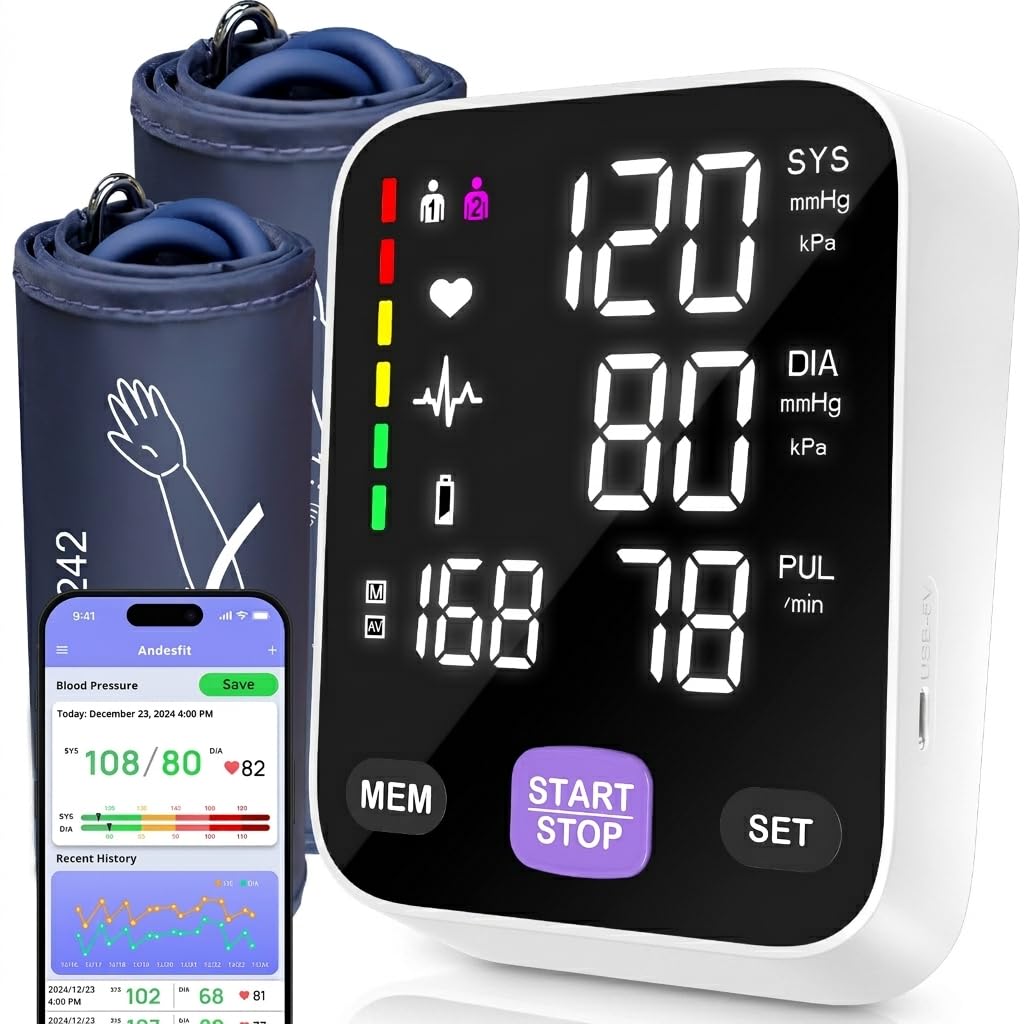
Andesfit solves the single most common fit problem in home blood pressure monitoring: the standard cuff that doesn’t accommodate larger arms. This unit ships with both a 17-inch standard cuff and a 21-inch XL cuff, covering arm circumferences from 9 all the way to 21 inches. For households with multiple adults of different builds, that inclusion alone justifies the mid-range price. The 6-inch color LED display is legible from across the room, making it a strong pick for seniors who need large, clear numbers.
The companion app (ANDESFITBP) syncs with Apple Health and Google Fit, and notably requires no login or personal data input — a rare privacy-friendly design. It writes readings directly to the Health app and allows CSV export for sharing with your doctor. The monitor stores 199 readings per user in dual-user mode, so even if Bluetooth is temporarily unavailable, the history stays safe on the device.
A small fraction of users reported that the pulse reading occasionally produced inaccurate numbers (one saw 147 bpm vs 96 bpm on another device). The blood pressure measurements themselves were consistently accurate when compared with clinic readings. The unit runs on 4 AA batteries (included) and also works with USB Type-C power — though the USB port is power-only, not a charger. For families with diverse arm sizes, this is the most inclusive option on the list.
Why it’s great
- Includes two cuffs (17″ and 21″) for standard and XL arms
- No-login app that writes directly to Apple Health
- Large 6-inch color display excellent for low-vision users
Good to know
- Pulse tracking may be less reliable than BP readings
- USB-C is power-only, not a rechargeable battery
- App must be opened before each reading to trigger sync
3. iHealth Track Smart (Model 550BT)
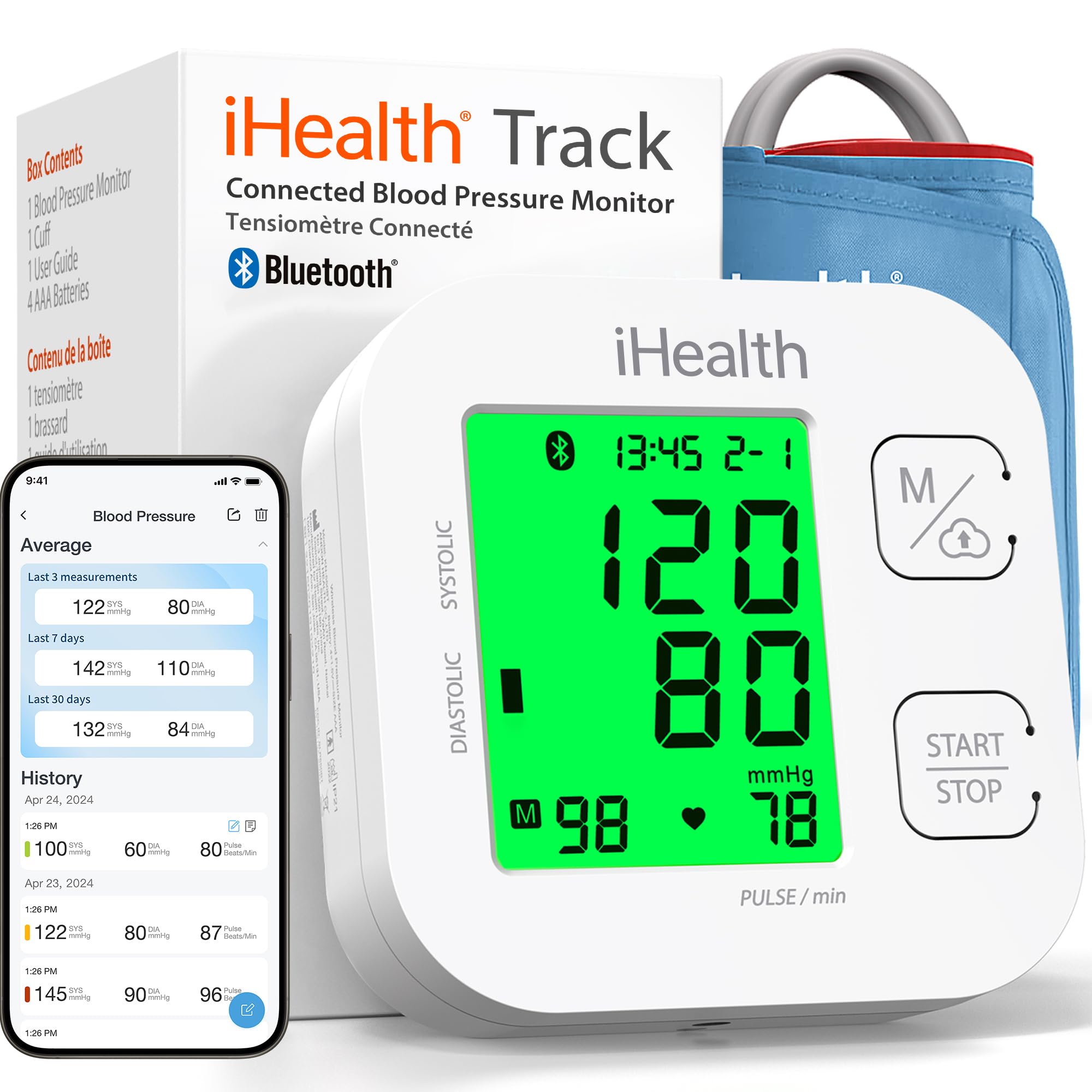
The iHealth Track Smart has been on the market since 2016 and remains a reliable reference point for iPhone-connected blood pressure monitoring. It uses a two-button interface and a large multi-color backlit display that codes results green, yellow, or red based on AHA classification. More importantly, it automatically detects irregular heart rhythm disturbances — a clinical feature typically reserved for more expensive devices.
Several long-term owners praised its accuracy, with one noting that readings matched the doctor’s office within a few points. The device stores 99 readings on-board and syncs unlimited data to the free iHealth MyVitals app, which pushes to Apple Health. The app has drawn criticism for persistent advertising and a pushy interface, which is the main reason this unit sits at number three rather than higher. Many experienced users recommend taking the reading, logging it mentally, and ignoring the app entirely — the hardware is excellent even without the software.
The wide-range cuff fits 8.7 to 16.5 inch arms, which covers the majority of adult users. It runs on 4 AAA batteries (included). The device is ESH 2010 compliant, meeting European standards for clinical accuracy. If the app’s ads don’t bother you, the underlying monitor is one of the most battle-tested options available for iPhone users.
Why it’s great
- Irregular heartbeat detection adds clinical-grade safety net
- Color-coded display makes AHA classification instant
- Proven longevity — on the market since 2016 with consistent accuracy
Good to know
- iHealth MyVitals app contains persistent ads
- Runs on disposable AAA batteries only
- Cuff maxes out at 16.5 inches, not ideal for larger arms
4. iHealth Track Pro (Model KN-550LT)
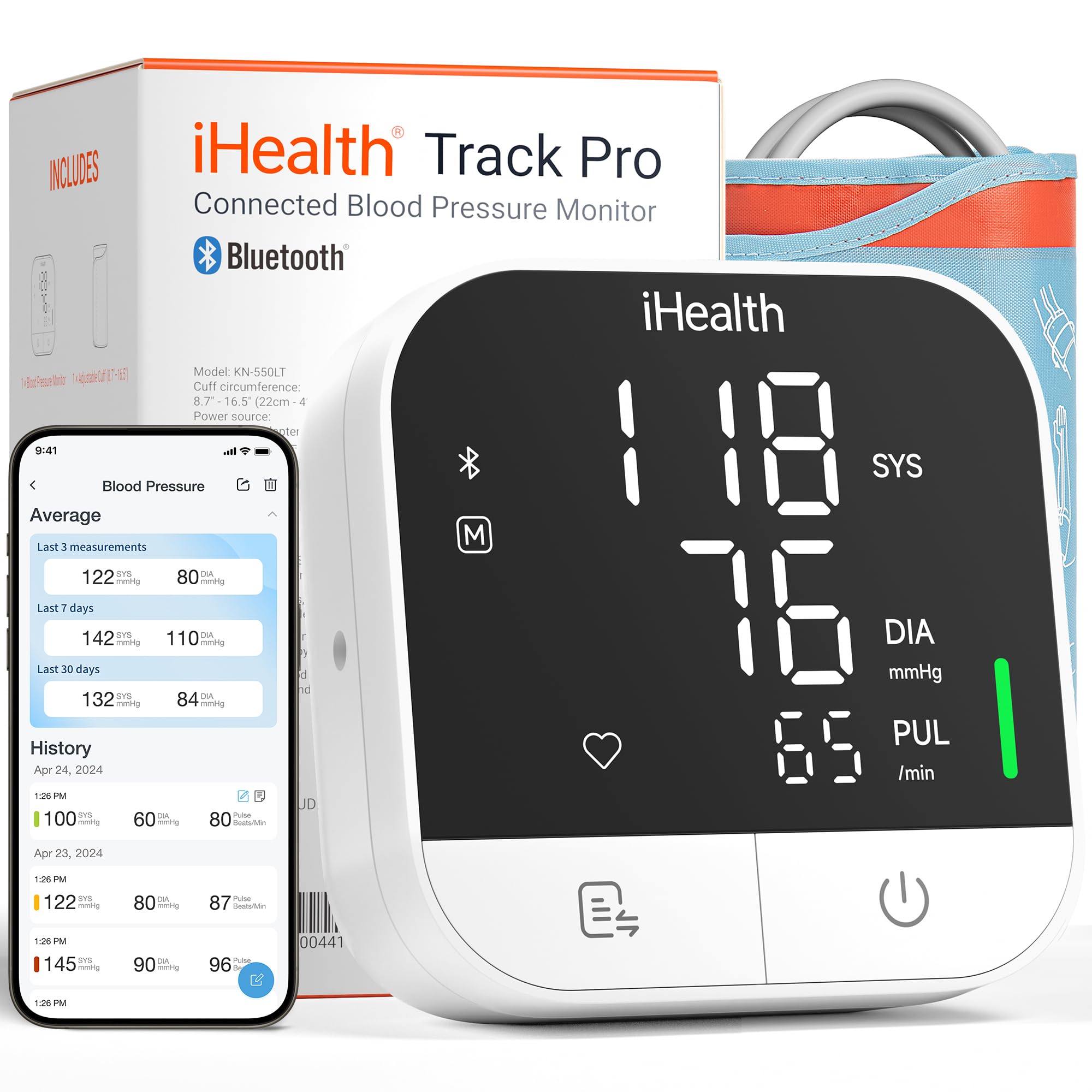
The Track Pro is the refreshed successor to the 550BT, launched in mid-2025. The headline upgrade is the wide-angle LED display that remains legible from any viewing angle, with red/yellow/green indicator lights for instant health assessment. This is a genuine improvement for seniors or anyone who reads their pressure in low-light conditions — no need to lean over the monitor to see the numbers.
The device is fully automatic with one-button operation, and built-in sensors detect body movement, cuff wrap quality, and irregular heartbeats. The major practical improvement is dual power: it works with 3 AA batteries (included) or a USB Type-C power cable. That means you can plug it in at your bedside table and never worry about battery drain.
One honest review noted that the app displays data backwards with wrong time stamps, and the unit inflated uncomfortably hard for that particular user. Another reviewer confirmed the monitor was accurate when checked against a nurse’s reading. The manual upload requirement after each reading (the app doesn’t auto-sync in the background) frustrates some users. For the price, the display quality and power flexibility are competitive, but check app reviews for your iOS version before committing.
Why it’s great
- Wide-angle LED display with color coding for instant assessment
- Dual power (AA batteries and USB-C cable) for flexible placement
- Movement and cuff-wrap detection reduce user error
Good to know
- App sync requires manual upload after each reading
- Some users report aggressive inflation and incorrect app timestamps
- Cuff fits 22-42cm; not suitable for extra-large arms above 16.5 inches
5. Finicare Bluetooth Blood Pressure Monitor (FC-BP130)
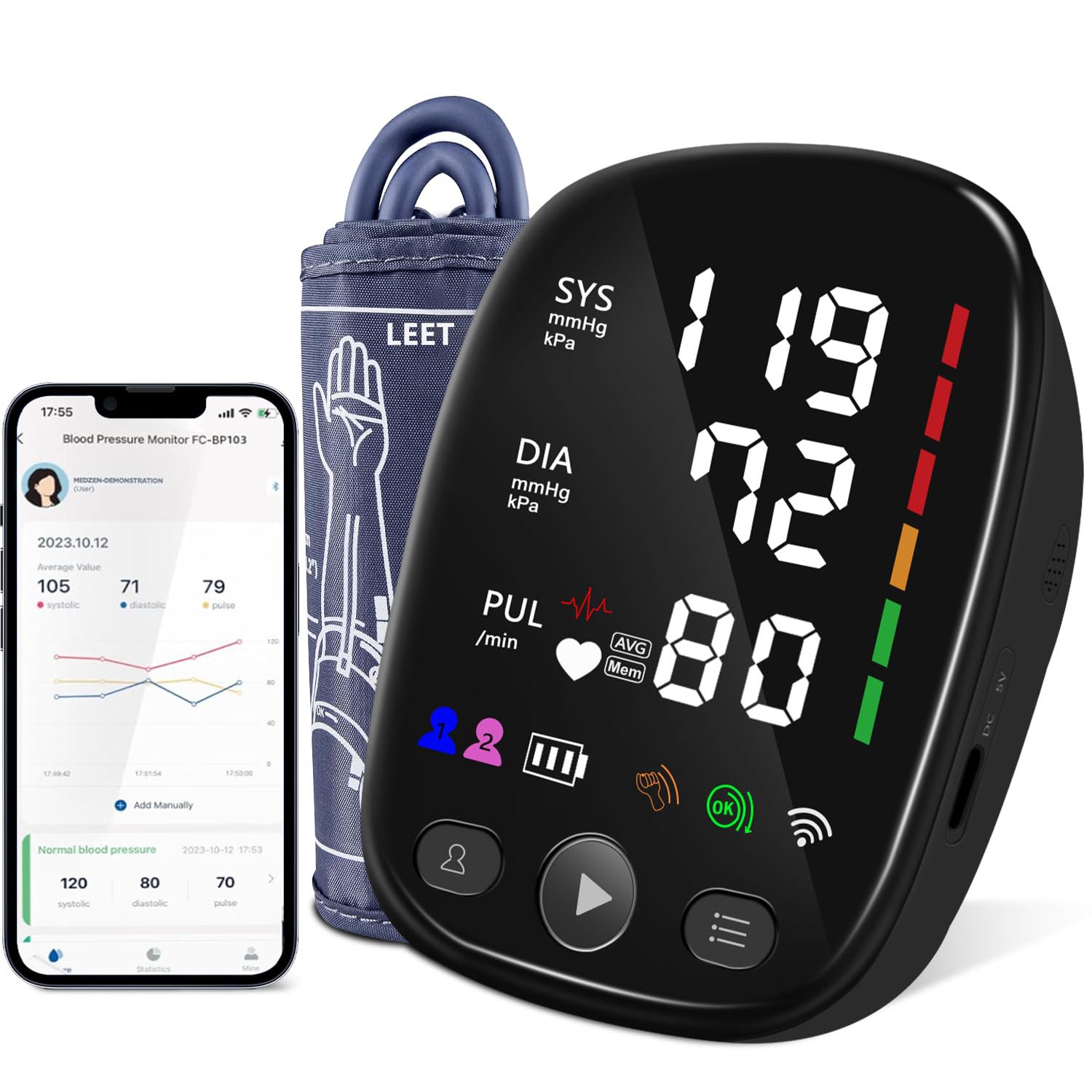
Finicare’s FC-BP130 is an entry-level monitor that packs a surprising amount of memory: 240 total readings split between two users (120 each). The large backlit LCD screen displays systolic, diastolic, and pulse clearly, and the adjustable cuff fits arms from 8.7 to 17.3 inches — slightly more generous than the standard iHealth cuffs. The package includes a storage pouch, 4 AA batteries, and a USB-C power cable, making it a complete kit right out of the box.
Several first-time users found it “super simple” to operate straight out of the box without reading the instructions. The Bluetooth pairing connects to the Tuya Smart app for trend charts and multi-user support. And that’s where the weakness shows: the Tuya Smart app has drawn criticism for unreliable connectivity, confusing setup, and inconsistent data sync. One user described it as “frustrating,” and another returned the unit because the app dropped Bluetooth frequently.
If you are willing to use the monitor in stand-alone mode (take a reading, read the on-screen result, log it manually in Apple Health), the hardware itself performs well for the price. The USB-C power option is convenient for countertop use. But if seamless, automatic sync to your iPhone is non-negotiable, the app experience here falls short of the Greater Goods or Andesfit offerings. This is a fair choice for a secondary monitor or a tight budget where app quality is a secondary concern.
Why it’s great
- High on-device capacity (240 readings for two users)
- Cuff fits up to 17.3 inches for larger arms
- Includes storage pouch, batteries, and USB-C cable
Good to know
- Tuya Smart app is unreliable for Bluetooth sync
- App setup is confusing for non-technical users
- Batteries listed as 4 AAAA (likely typo for AA); confirm before use
FAQ
Will any Bluetooth BP monitor automatically sync to Apple Health?
Why does my BP monitor show different readings between the device and the app?
How tight should the cuff be for an accurate reading on an iPhone-connected monitor?
Final Thoughts: The Verdict
For most users, the best bp monitor for iphone winner is the Greater Goods Bluetooth Blood Pressure Monitor because its Balance app writes directly to Apple Health without ads, and the lithium-ion battery eliminates recurring cell costs. If you need two cuff sizes to cover everyone in the household, grab the Andesfit Upper Arm Blood Pressure Monitor. And for a proven, clinical-grade device with irregular heartbeat detection that has been reliable for years, the iHealth Track Smart (550BT) remains a solid fallback.

Mo Maruf
I created WellFizz to bridge the gap between vague wellness advice and actionable solutions. My mission is simple: to decode the research and give you practical tools you can actually use.
Beyond the data, I am a passionate traveler. I believe that stepping away from the screen to explore new environments is essential for mental clarity and physical vitality.