Our readers keep the lights on and my smoothie glass nicely filled. As an Amazon Associate, I earn from qualifying purchases.
A desktop or laptop that drops Bluetooth connections mid-call, refuses to pair your controller, or forces you to sit within three feet of the machine isn’t a hardware fault—it’s an adapter problem. The difference between a flaky connection and a rock-solid one comes down to the Bluetooth standard, antenna design, and driver stability baked into the tiny dongle you choose. Working from a home office, gaming with wireless peripherals, or just wanting to ditch a tangle of cables demands an adapter that actually delivers on its rated range and multi-device promise.
I’m Mohammad Maruf — the founder and writer behind WellFizz. I have spent over a decade analyzing PC accessory hardware, from RF interference patterns to chipset compatibility layers, specifically to determine which Bluetooth adapters justify their place in a real-world setup.
The smartest choice for most users comes down to matching Bluetooth generation with the devices you already own, not buying the newest spec on a box.
How To Choose The Best Bluetooth Adapter For PC
Not every Bluetooth dongle behaves the same way once it is plugged into a USB port on a desktop tower or laptop. The chipset, antenna configuration, and driver compatibility determine whether you get a seamless experience or constant re-pairing. Below are the three critical factors that separate a reliable adapter from a frustrating one.
Bluetooth Generation and Codec Support
Bluetooth 5.0 brought four times the range and double the speed of Bluetooth 4.2, but later revisions such as 5.2 and 5.3 refine power efficiency and connection stability for multiple simultaneous devices. If you plan to connect a headset, a game controller, and a keyboard at the same time, a newer generation with LE Audio support reduces latency and prevents one device from starving the others. Check whether the adapter supports the specific audio codec your headphones use—AAC, aptX, or LDAC—because many budget dongles only transmit SBC, which introduces noticeable audio lag.
Form Factor and Antenna Design
Nano-sized adapters that sit flush with the USB port are convenient for laptops but often sacrifice range and signal penetration. A standard dongle with an external antenna or a design that protrudes slightly yields a stronger connection through a metal desktop case or across a room. For a gaming PC tucked under a desk, the antenna placement is the difference between a steady connection at 15 feet and dropouts at 8 feet. If your machine sits behind a metal panel or inside a cabinet, prioritize a model that includes a magnetic base antenna.
Operating System and Driver Support
Windows 10 and 11 handle most Bluetooth adapters natively after a single driver install, but Linux users must verify the chipset compatibility. Adapters based on the Realtek RTL8761BU chip often require firmware installation on Ubuntu or Debian, while some Broadcom-based adapters are plug-and-play on many Linux kernels. macOS support is extremely limited for external Bluetooth adapters—stick with a trusted brand if you dual-boot or run a Hackintosh. Always check the manufacturer’s driver page before buying, especially for older operating systems such as Windows 8.1 or Linux distributions older than kernel 5.8.
Quick Comparison
On smaller screens, swipe sideways to see the full table.
| Model | Category | Best For | Key Spec | Amazon |
|---|---|---|---|---|
| TP-Link Archer TX10UB Nano | 2-in-1 | WiFi 6 + BT 5.3 combo | AX900 / BT 5.3 | Amazon |
| BrosTrend 2-in-1 AX900 | 2-in-1 | BT 5.4 + WiFi 6 | BT 5.4 / Range 32 ft | Amazon |
| Auscoumer AX900 WD-AX905 | 2-in-1 | 7-device Bluetooth 5.3 | BT 5.3 / 7 devices | Amazon |
| Edimax BT-8500 | Bluetooth Only | Linux compatibility | BT 5.0 + EDR | Amazon |
| ASUS PCE-AX1800 | PCIe Card | Maximum WiFi + BT speed | BT 5.2 / 1800 Mbps | Amazon |
In‑Depth Reviews
1. TP-Link Archer TX10UB Nano

The TP-Link Archer TX10UB Nano combines WiFi 6 AX900 throughput with Bluetooth 5.3 in a nano-sized form factor that stays nearly invisible on a laptop or desktop USB port. Pre-loaded drivers make it truly plug-and-play on Windows 11 and 10—no separate software installation required. The dual-band 2.4 GHz and 5 GHz WiFi stream delivers up to 600 Mbps on the 5 GHz band, which matches many mid-range internet plans without the bottleneck of a USB 2.0 interface.
Bluetooth 5.3 delivers the enhanced reliability and power efficiency needed for simultaneous connections to a game controller, wireless mouse, and Bluetooth headphones without audio stutter. Users consistently report stable connections at distances up to 15 feet through a standard desk setup, and the driver loads late in the Windows boot sequence, which is a minor trade-off for the reliability gain. The nano design does not block adjacent USB ports, a practical advantage for desktop users with multiple peripherals.
The Bluetooth function is exclusive to Windows—no macOS, Linux, or console support—and the internal Bluetooth adapter on your PC must be disabled to avoid driver conflicts. This is not a limitation for the vast majority of Windows desktop users, and the combination of OFDMA plus MU-MIMO WiFi ensures the network side performs just as well as the Bluetooth side. For anyone upgrading an older PC that lacks both modern WiFi and Bluetooth, this single-dongle solution eliminates the clutter of two separate adapters.
Why it’s great
- Nano size leaves adjacent USB ports free for other devices
- Pre-loaded drivers mean true plug-and-play on Windows 11/10
- WiFi 6 AX900 provides reliable dual-band throughput
Good to know
- Bluetooth function is not compatible with macOS, Linux, or game consoles
- Internal Bluetooth must be disabled to avoid driver conflict
2. BrosTrend 2-in-1 USB WiFi Bluetooth Adapter
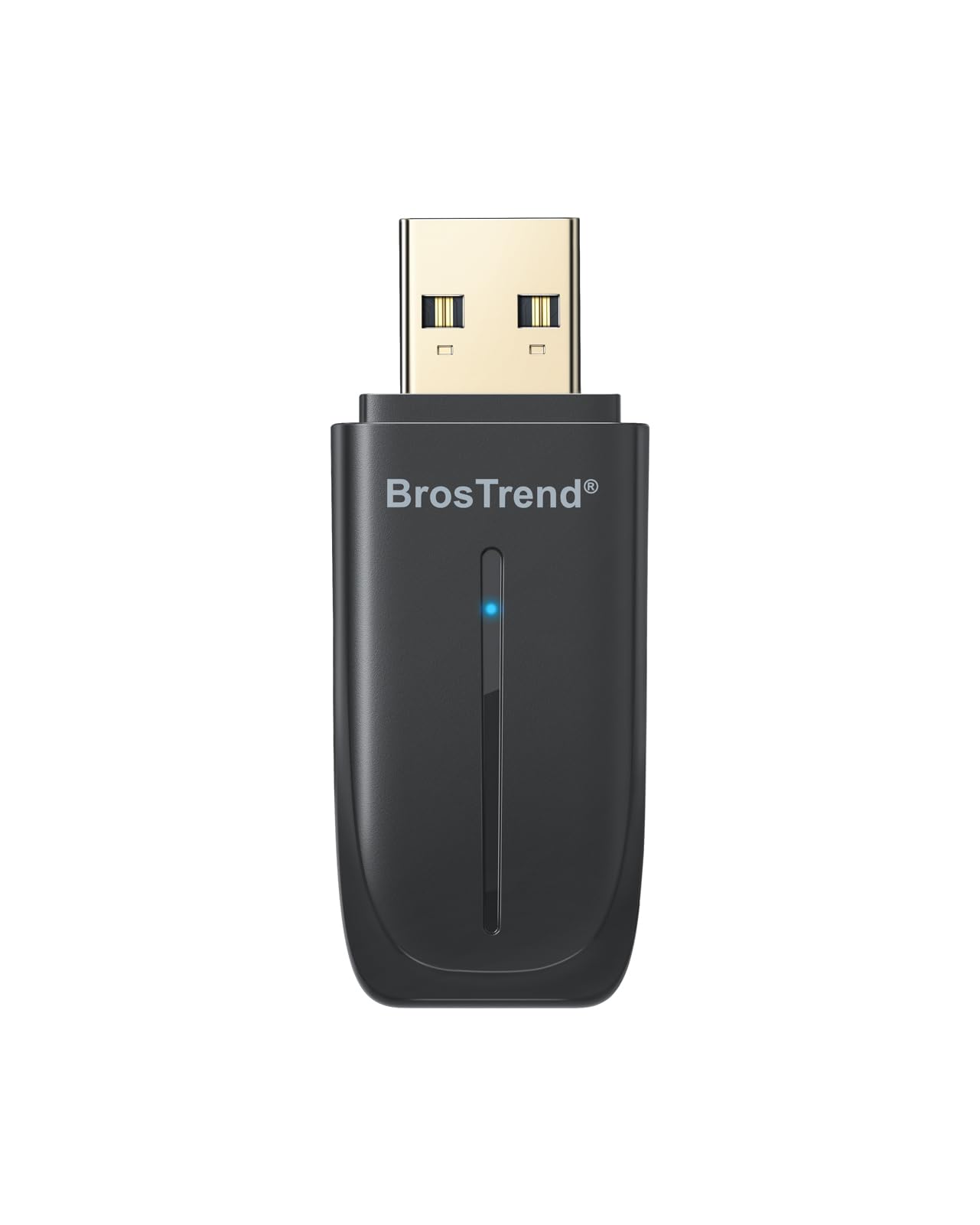
The BrosTrend 2-in-1 adapter pushes the Bluetooth version to 5.4, the newest consumer Bluetooth standard, which offers incremental improvements in connection stability and data throughput over 5.3. It also doubles as a WiFi 6 AX900 adapter, delivering up to 600 Mbps on the 5 GHz band and 287 Mbps on the 2.4 GHz band. The Realtek-based chipset supports OFDMA and 1024-QAM for efficient data handling when multiple devices compete for bandwidth.
Bluetooth range is rated at a stable 32 feet, which is generous for this form factor and adequate for a living room PC or a desktop setup with peripherals spread across a large desk. The adapter can connect up to five Bluetooth devices simultaneously, and users on Windows 11 report that the pre-loaded driver activates without any manual steps. Some Linux users have gotten the device working on Ubuntu 24.04 with manual driver configuration, though official support is limited to Windows 10 and 11.
The compact dimensions allow the dongle to fit into tight spaces on a laptop or a mini PC without obstructing airflow or adjacent ports. The inclusion of dual-side vent holes helps dissipate heat during extended gaming or streaming sessions. For a user who wants the absolute newest Bluetooth revision and does not need macOS or official Linux support, the BrosTrend delivers the highest connectivity standard available at this price point.
Why it’s great
- Bluetooth 5.4 is the newest consumer standard available
- Stable connection range up to 32 feet for flexible peripheral placement
- Pre-loaded driver works automatically on Windows 11
Good to know
- Not officially supported on macOS or Linux
- WiFi performance requires a WiFi 6 router for full speed
3. Auscoumer AX900 WD-AX905
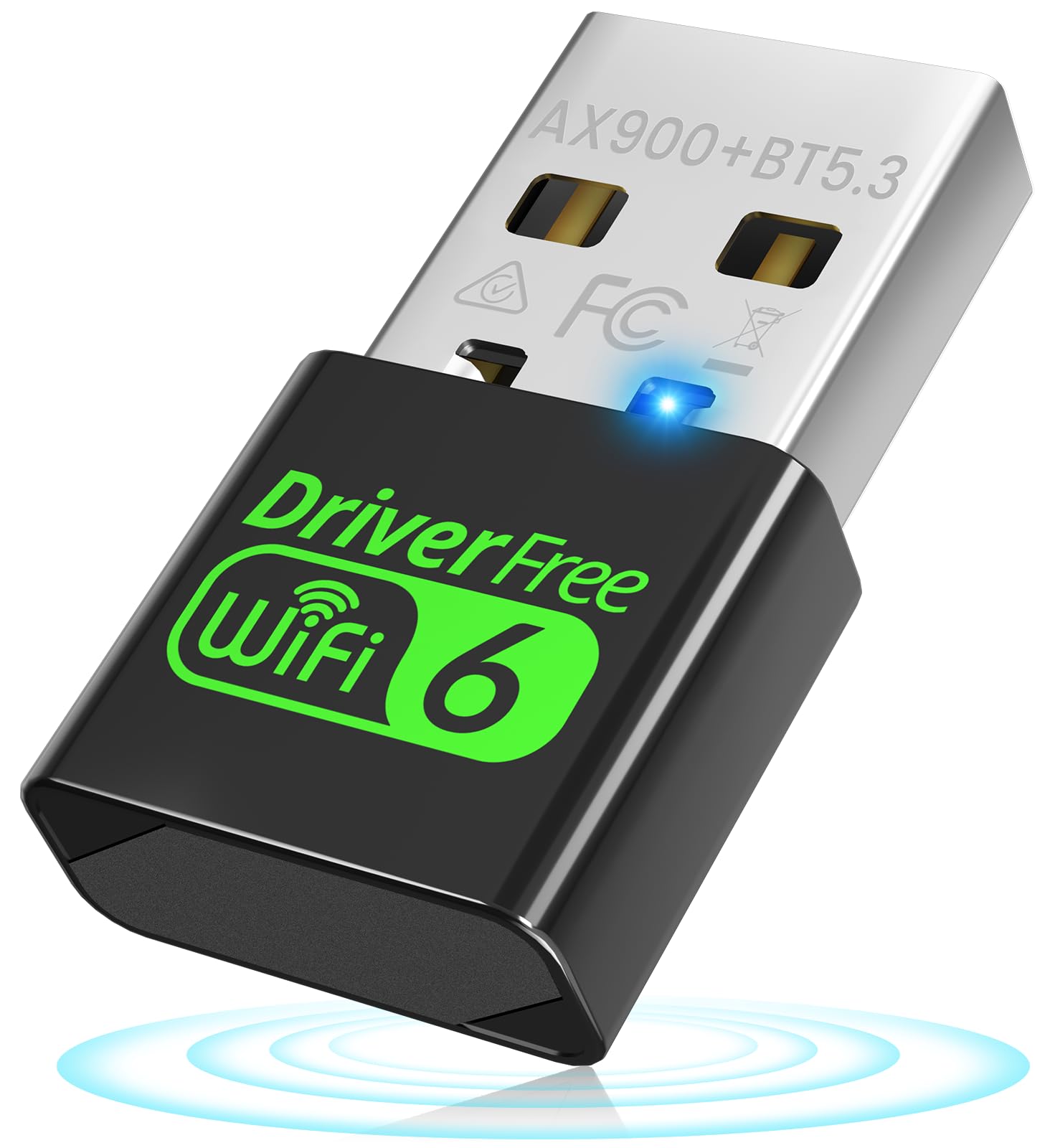
The Auscoumer AX900 WD-AX905 is built around the Realtek RTL8851BU chipset and supports simultaneous pairing of up to seven Bluetooth devices. This is the highest multi-device count in this roundup, making it the best option for a workstation or gaming setup that needs to keep a headset, controller, mouse, keyboard, and smartphone all connected at once. The Bluetooth 5.3 standard provides low-latency connections that keep audio and input lag to a minimum.
The dual-mode function allows switching between WiFi receiver mode and AP hotspot mode, which turns a wired Ethernet connection into an instant WiFi network—a useful feature for hotel rooms or temporary setups. The Realtek chipset supports OFDMA and 1024-QAM on the WiFi side, matching the performance of the BrosTrend and TP-Link AX900 adapters. Driver installation on Windows 11 is plug-and-play, and the compact form factor keeps the profile low.
Some users reported minor confusion during initial setup because the adapter requires disabling the existing internal network adapter on older laptops before the external adapter activates. Once configured, the connection is stable and fast. The 1-year manufacturer warranty provides a basic safety net, and the device operates quietly without generating noticeable heat during sustained use. For anyone managing a multi-peripheral workspace, the seven-device limit is a genuine differentiator.
Why it’s great
- Supports up to seven simultaneous Bluetooth connections
- Dual-mode WiFi receiver and AP hotspot function
- Realtek RTL8851BU chipset for stable low-latency performance
Good to know
- Initial setup on older laptops may require disabling internal network adapter
- Not compatible with macOS or Linux without manual configuration
4. Edimax BT-8500

The Edimax BT-8500 is a nano-sized Bluetooth 5.0 adapter that prioritizes broad operating system compatibility, particularly for Linux users. It is Bluetooth SIG Certified and works plug-and-play with Linux kernel 5.8 and above, including Ubuntu, Mint 21, and Slackware 15.0. For older Linux builds from kernel 2.6.32 to 5.8, Edimax provides dedicated drivers for Fedora and Ubuntu. Windows 11, 10, and 8.1 are also supported, making this one of the few adapters that works across three major OS families out of the box.
The adapter uses a single-chip Bluetooth 5 controller that supports dual-mode BR/EDR plus LE, which ensures backward compatibility with Bluetooth 2.1 devices and older peripherals. Data transfer rates reach up to 3 Mbps, adequate for file transfers and audio streaming, though the SBC-only codec limits high-resolution audio. The nano design is the smallest Bluetooth 5.0 USB adapter on Amazon and sits flush with the port, reducing the risk of accidental damage.
One limitation is the range, which hovers around 12 feet unobstructed based on user reports. This is shorter than the newer generation adapters and reflects the trade-off of the nano form factor. The Edimax brand has decades of networking hardware experience, and the price reflects a fair balance between build quality and feature set. For a Linux user who needs a drop-in Bluetooth solution without wrestling with drivers, the BT-8500 is the most reliable option in this roundup.
Why it’s great
- Plug-and-play on Linux kernel 5.8 and above without drivers
- Smallest nano form factor sits flush with the USB port
- Bluetooth SIG Certified for maximum compatibility
Good to know
- Range is limited to roughly 12 feet unobstructed
- Audio codec limited to SBC, no aptX or LDAC support
5. ASUS PCE-AX1800

The ASUS PCE-AX1800 is a full PCIe x1 WiFi 6 card with Bluetooth 5.2, delivering total data rates up to 1800 Mbps on the WiFi side. This is the only internal card in this roundup, which means it occupies one PCIe slot and requires a USB 2.0 header connection on the motherboard for Bluetooth functionality. The two external antennas provide superior range and signal penetration compared to any USB dongle, especially for a desktop tower tucked under a desk.
Bluetooth 5.2 supports LE Audio for improved audio quality and lower latency compared to Bluetooth 5.0, and the WiFi 6 implementation with OFDMA and MU-MIMO reduces lag spikes during gaming. Users report that download speeds closely match wired Ethernet after driver installation, with some achieving 550 Mbps on a 600 Mbps connection. The driver setup requires downloading the official ASUS software from the support page, which is a one-time step that grants access to full Bluetooth and WiFi configuration tools.
Installation requires basic PC-building comfort—opening the case, inserting the card into a PCIe slot, and connecting the USB header cable. The Bluetooth function is not compatible with macOS, Linux, or game consoles, but the card works with PS4 and Xbox controllers when connected to a Windows PC. The WPA3 security protocol adds a layer of network protection. For a desktop user who wants the best possible WiFi performance alongside stable Bluetooth, the ASUS card is the highest-throughput option available.
Why it’s great
- Dual external antennas deliver superior range through metal chassis and walls
- 1800 Mbps total WiFi throughput nearly matches wired Ethernet speeds
- OFDMA and MU-MIMO reduce latency during competitive gaming
Good to know
- Requires one PCIe slot and a USB 2.0 header on the motherboard for Bluetooth
- Drivers must be downloaded from ASUS—not fully plug-and-play
FAQ
Can I use a Bluetooth adapter with a desktop that already has built-in Bluetooth?
Does Bluetooth 5.4 make my old headphones sound better than Bluetooth 5.0 did?
Why does my Bluetooth adapter keep disconnecting after 15 minutes of use?
Final Thoughts: The Verdict
For most users, the best bluetooth adapter for pc winner is the TP-Link Archer TX10UB Nano because it combines WiFi 6 AX900 speed with Bluetooth 5.3 in a single nano dongle that disappears into any USB port and works without any driver hassle on Windows. If you want the absolute newest Bluetooth generation and plan to connect up to five devices, grab the BrosTrend 2-in-1 AX900. And for a Linux user who refuses to fight with firmware installation, nothing beats the Edimax BT-8500 for its verified plug-and-play compatibility across Ubuntu, Mint, and Slackware.

Mo Maruf
I created WellFizz to bridge the gap between vague wellness advice and actionable solutions. My mission is simple: to decode the research and give you practical tools you can actually use.
Beyond the data, I am a passionate traveler. I believe that stepping away from the screen to explore new environments is essential for mental clarity and physical vitality.