Our readers keep the lights on and my smoothie glass nicely filled. As an Amazon Associate, I earn from qualifying purchases.
Picking the wrong one slows you down and introduces errors.
I’m Mohammad Maruf — the founder and writer behind WellFizz. I’ve spent years analyzing hardware specifications and user workflows to match engineers, architects, and students with calculators that deliver accurate, reliable performance under real academic and field conditions.
Whether you’re entering a calculus exam or laying out roof rafters on a job site, choosing the right device is critical. This guide cuts through the noise to help you find the best calculator for engineering that matches your specific workload and budget.
How To Choose The Best Calculator For Engineering
An engineering calculator needs to handle more than basic arithmetic — it must process algebraic expressions, perform statistical regressions, and sometimes visualize complex curves. Here are the critical factors to weigh before you buy.
Graphing vs. Scientific: Which Do You Actually Need?
Not every engineering discipline requires a full graphing calculator. If your work involves calculus, differential equations, or heavy data plotting — like in electrical or mechanical engineering — a graphing model with a high-resolution LCD is essential. For construction, dimensional math, or field measurements, a specialized scientific calculator with built-in feet-inch-fraction logic and trig functions often serves better and is more durable.
Function Library and Memory
Look for a calculator that offers at least 300 functions, including polynomial solvers, matrix operations, complex number support, and statistical analysis tools. Memory matters too — more memory allows you to store formulas, previous calculations, and custom variables without needing to re-enter data, which speeds up repetitive engineering tasks.
Build Quality and Power Source
Engineering calculators endure heavy daily use, whether in a backpack, a workshop, or on a construction site. Opt for models with reinforced plastic or rubber armor, a protective slide case, and long battery life — some calculators run for months on a single set of batteries. Avoid models with flimsy buttons or fragile screens if you plan to use them in rugged environments.
Quick Comparison
On smaller screens, swipe sideways to see the full table.
| Model | Category | Best For | Key Spec | Amazon |
|---|---|---|---|---|
| Texas Instruments TI-83 Plus | Graphing | Calculus and advanced math | 64 x 96 pixel LCD display | Amazon |
| Calculated Industries 4080 Construction Master Pro Trig | Construction | Rafter, stair, and material calculations | Full trig functions with sine/cosine/tangent | Amazon |
| Nadex NXTE-1699 Scientific Calculator with Graph Functions | Scientific | AP math and college prep | 360 functions including linear regression | Amazon |
| EAI Texas Instruments TI-36X Pro | Scientific | Standardized testing and general engineering | Four-line MultiView display | Amazon |
| Franklin FGC-100BK Graphing Calculator | Graphing | Affordable alternative for algebra and statistics | 20 built-in graphs and 3 operating modes | Amazon |
| NEWYES AC0501 Graphic Science Calculator | Graphing/Scientific | Middle and high school STEM courses | 360 functions with high-res graphical display | Amazon |
| Calculated Industries 4020 Measure Master Pro | Construction | Imperial/metric conversions and area calculations | Built-in circular math for arcs and radius | Amazon |
In‑Depth Reviews
1. Texas Instruments TI-83 Plus Graphing Calculator

The TI-83 Plus remains a benchmark for engineering education, handling calculus, trigonometric, and financial functions with ease. Its 64 x 96 pixel LCD provides a clear split-screen view, allowing you to trace graphs while scrolling through table values — a critical feature for analyzing function behavior in real time. The renewed units offer like-new performance at a fraction of the cost of a brand-new model.
With fourteen interactive zoom features and built-in memory for up to ten matrices, this calculator supports advanced linear algebra and data analysis without lag. It’s approved for SAT, ACT, AP, and International Baccalaureate exams, making it a versatile tool for high school through graduate-level coursework.
Battery performance is excellent — the included lithium battery lasts through months of daily use. The only drawback is the lack of a fraction function button, though fractions can still be entered manually. The gray plastic casing feels solid, and the compact size fits easily into a front pouch or backpack.
Why it’s great
- Split-screen graphing shows table and graph simultaneously
- Renewed units perform like new at a value price
Good to know
- No dedicated fraction function key
- Does not include an operator’s manual
2. Calculated Industries 4080 Construction Master Pro Trig

Designed specifically for architects, engineers, and contractors, the Construction Master Pro Trig solves dimensional math in feet-inch-fractions, yards, and metric — including full trig functions like sine, cosine, and tangent. This is invaluable for calculating square-ups, rafters (hip, valley, jacks), rake-walls, slopes, and stair layouts without manual conversion errors.
The built-in paperless tape feature records your entry strings, letting you review and correct mistakes before finalizing material estimates. It also includes advanced solutions for arcs, arches, circles, columns, and compound miter functions for crown molding — saving significant time on complex millwork projects.
The rubber Armadillo Gear protective case makes it shock- and moisture-resistant, perfect for outdoor job sites. Battery life is excellent, and the button-cell compartment is secured with a tool-required fastener, meeting Reese’s Law safety requirements. The only limitation is the three memory slots — you may need five or six for complex formula sequences.
Why it’s great
- Full trig functions for rafter and stair calculations
- Rugged rubber armor case for field durability
Good to know
- Only three memory slots for storing formulas
- Manual required for advanced features
3. Nadex NXTE-1699 Scientific Calculator with Graph Functions

The Nadex NXTE-1699 packs over 360 functions, including complex number calculations, linear regression, standard deviation, permutations, and variable solving — covering everything from pre-algebra to calculus and statistics. It features three operating modes: Calculation Mode, Angular Measurement Mode, and Display Mode, allowing you to tailor the interface to your specific task.
This calculator is designed as a student-friendly alternative to the TI-84, with a large 2.5-inch LCD screen that displays equations and graphic visuals simultaneously. It’s approved for PSAT/NMSQT, SAT, ACT, and AP exams, making it a strong choice for high school and college engineering prep courses. The included protective cover and secondary replacement battery add convenience.
Reviewers note it works great for honors and AP math classes, with a booklet explaining all functions. The plastic casing with steel components feels durable enough for daily use, though it is not a full graphing calculator — the graph functions are meant for formula visualization, not complex plotting.
Why it’s great
- Over 360 functions including linear regression and complex numbers
- Includes secondary replacement battery in the chamber
Good to know
- Graph functions are for visualization, not full plotting
- Initial learning curve for new users
4. EAI Texas Instruments TI-36X Pro Scientific Calculator
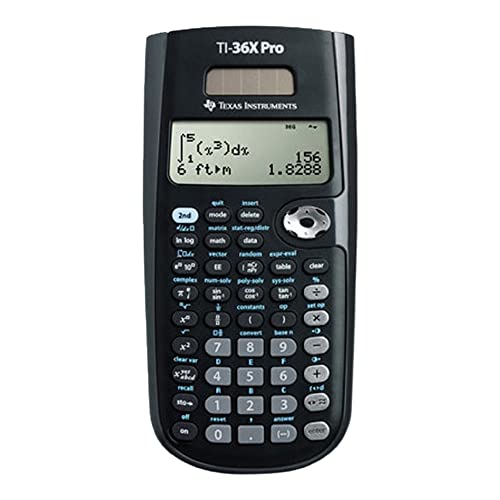
The TI-36X Pro is a trusted workhorse for engineering students and professionals, offering a four-line MultiView display that shows multiple calculations simultaneously. This allows you to compare results side by side without scrolling back — a huge time-saver during exams or complex problem solving. It supports one- and two-variable statistics, polynomial solvers, and system of linear equations.
Choose between degrees/radians, floating/fix, and number format modes, plus three solvers: numeric equation, polynomial, and system of linear equations. This makes it suitable for a wide range of engineering disciplines, from electrical to civil. The calculator is approved for standardized testing including the SAT, ACT, and AP exams.
The compact design weighs just 4.8 ounces and runs on a single included nonstandard battery. Some users find the slide cover a bit awkward, but overall durability is excellent — many reviewers report years of reliable use. It’s a great choice if you need a robust scientific calculator without the bulk of a graphing model.
Why it’s great
- Four-line MultiView display shows multiple calculations at once
- Three built-in solvers for equations, polynomials, and linear systems
Good to know
- Slide cover can feel awkward to use
- Nonstandard battery type may be harder to find
5. Franklin FGC-100BK Graphing Calculator
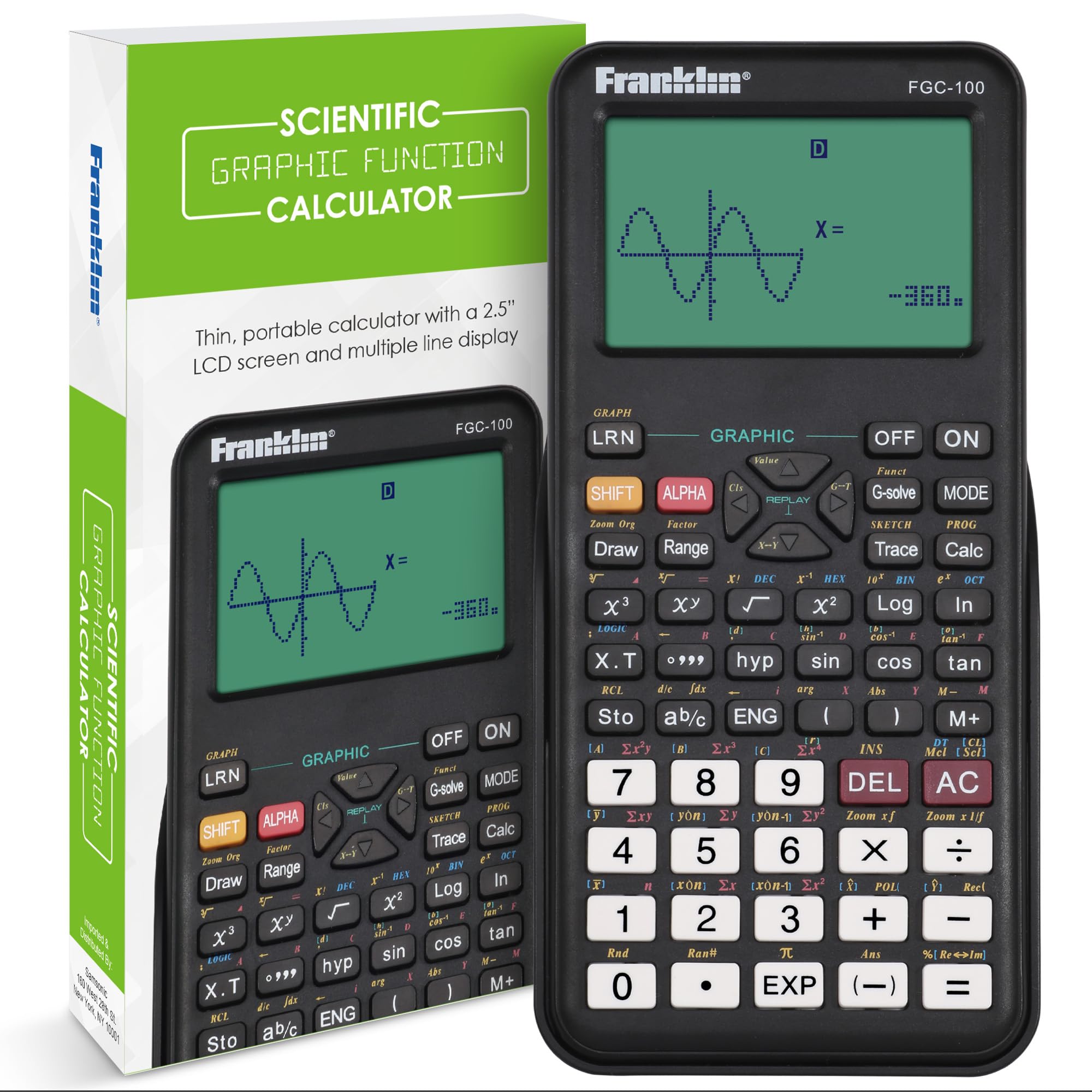
The Franklin FGC-100BK delivers graphing capabilities at a budget-friendly price, making it an attractive alternative to premium models like the TI-84. It includes 20 built-in graphs and three operating modes, covering algebra, geometry, calculus, and statistics. The 2.5-inch LCD screen offers clear visuals, and the black plastic casing is lightweight at a compact size.
This calculator is ideal for high school students taking the ACT or AP courses, as well as entry-level college math. Reviewers note it exceeds expectations for geometry and algebra classes, and its affordable price allows multiple purchases for classroom sets or backup units. The protective cover helps keep the screen safe in a backpack.
Keep in mind that the user manual is essential — finding some functions takes practice, and online instructional videos are not available. The key feel is solid and responsive, though the screen may appear small for users accustomed to larger displays. It’s a capable tool for basic graphing needs, but serious engineering professionals may want more advanced features.
Why it’s great
- Affordable graphing option with 20 built-in graphs
- Lightweight and compact with protective cover
Good to know
- No online instructional videos available
- Manual required to locate advanced functions
6. NEWYES AC0501 Graphic Science Calculator
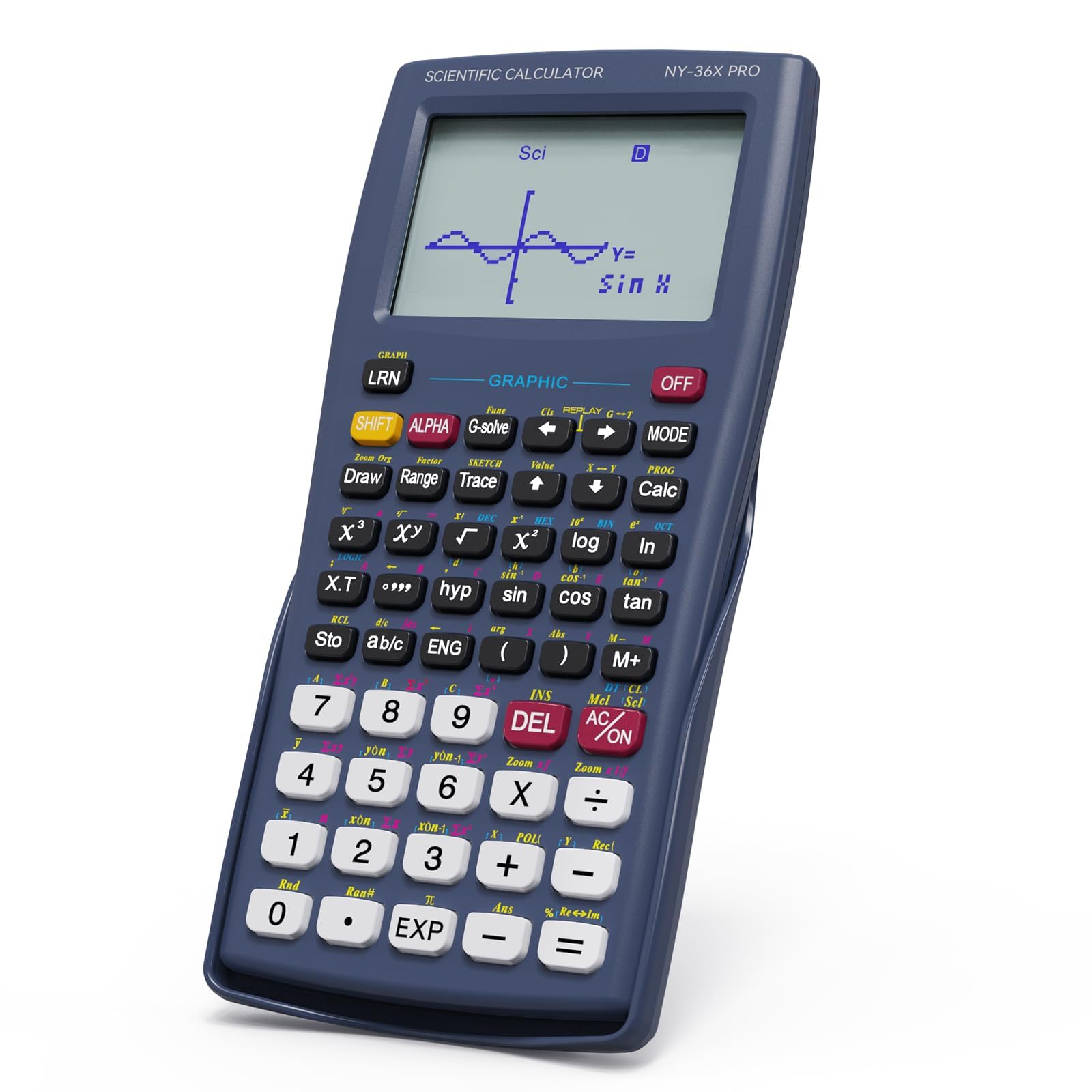
The NEWYES AC0501 is a sleek graphic scientific calculator with over 360 functions, covering fractions, statistical analysis, complex numbers, and advanced mathematics like calculus and linear algebra. Its high-resolution graphical display transforms formulas into clear graphs, and the large screen shows function graphs and equations simultaneously for real-time comparison.
Three intelligent operating modes — angle measurement, calculation, and display — let you switch between tasks quickly, improving efficiency during exams or problem sessions. The blue color option adds a touch of personality, and the ergonomic design (6.8 x 3.2 inches) fits comfortably in hand for extended use. It’s suitable for middle school through college-level STEM courses.
Some users report that the initial mode defaults to fractions — to switch to decimals, press ON > MODE > 3. The buttons feel slightly cheap, and the screen can be hard to read in bright light, but for a value-priced graphing alternative, it performs reliably. Battery life lasts months with indoor use.
Why it’s great
- Over 360 functions with high-resolution graphical display
- Three intelligent operating modes for flexible use
Good to know
- Buttons feel less premium than higher-end models
- Screen visibility decreases in direct sunlight
7. Calculated Industries 4020 Measure Master Pro

The Measure Master Pro is a dedicated construction math calculator that excels at converting between U.S. Imperial and metric units — critical for architects and engineers working with global suppliers or plans. It performs linear, area, and volume measurements, and can find weight per volume, making material estimation straightforward and reducing waste.
Built-in circular math provides formula-free solutions for circles, areas, circumference, radius, and arcs — perfect for laying out a circular driveway, determining curved deck requirements, or calculating gazebo arches. The paperless tape feature lets you double-check entries without re-entering values, preventing costly dimensional errors.
This pocket-sized calculator (5.75 x 3 inches) includes a protective hard slide cover, reference guides in English and Spanish, and long-life batteries. Reviewers praise it as a life-saver for construction pros and a must-have for newcomers to the U.S. measuring system. The only caution is that buttons may wear out after years of heavy use.
Why it’s great
- Instant imperial/metric conversions with linear, area, and volume measurements
- Paperless tape feature prevents entry errors
Good to know
- Buttons may wear out after several years of heavy use
- Some units arrived in questionable packaging
FAQ
What is the difference between a graphing and a scientific calculator for engineering?
Are TI calculators still the standard for engineering programs?
Can I use a construction calculator for general engineering?
What battery type should I expect in an engineering calculator?
Final Thoughts: The Verdict
For most users, the best calculator for engineering winner is the Texas Instruments TI-83 Plus because it delivers proven graphing performance, broad exam approval, and excellent battery life at a value price. If you need specialized construction math with full trig functions, grab the Calculated Industries 4080 Construction Master Pro Trig. And for a budget-friendly entry into graphing, nothing beats the Franklin FGC-100BK.

Mo Maruf
I created WellFizz to bridge the gap between vague wellness advice and actionable solutions. My mission is simple: to decode the research and give you practical tools you can actually use.
Beyond the data, I am a passionate traveler. I believe that stepping away from the screen to explore new environments is essential for mental clarity and physical vitality.