Our readers keep the lights on and my smoothie glass nicely filled. As an Amazon Associate, I earn from qualifying purchases.
The weight of constant worry and the struggle to stay present while being physically absent define the challenge of caring for an aging loved one from a distance. A dedicated monitoring system offers a direct line of sight and sound, providing reassurance without requiring a caregiver to be in the same room at every moment. The right device transforms a passive check-in into an active, responsive part of daily care.
I’m Mohammad Maruf — the founder and writer behind WellFizz. I’ve spent over a decade researching home health technology, analyzing how specific hardware specs like sensor fields of view and two-way audio latency directly affect a caregiver’s ability to respond quickly. The following guide breaks down seven very different systems, from dedicated non-WiFi monitors to multi-camera AI setups, to help you find the precise tool for your situation.
After evaluating dozens of models on signal reliability, alert accuracy, and ease of daily use, here is my detailed breakdown of the best camera to monitor elderly family members in 2025.
How To Choose The Best Camera To Monitor Elderly
Selecting a monitoring system for an elderly person is different from buying a standard security camera. The primary goal is not theft prevention but safety, reassurance, and maintaining dignity. You must weigh connectivity, alert features, and the user’s technical comfort level.
Dedicated Monitor vs. WiFi Camera
The fundamental choice is between a closed-loop system (dedicated monitor and camera communicating on a private frequency) and a WiFi camera that streams to your phone. Dedicated monitors like those from CallToU and Sair pet offer a direct video feed with zero risk of hacking, no internet dependency, and a physical screen that feels familiar to a non tech-savvy senior. WiFi cameras, such as the Google Nest Cam or eufy S350, provide remote viewing from anywhere, AI alerts, and cloud or local recording. If your loved one lives alone and you are frequently away, a WiFi system offers more flexibility, but requires a stable internet connection and a higher tolerance for tech setup.
Alert Capabilities: SOS Button vs. AI Detection
Two distinct alert philosophies exist. A physical SOS button (included with the Sair pet and CallToU monitors) allows a senior to call for help by pressing a large button, triggering an alarm on the caregiver’s screen. This is tactile, immediate, and does not rely on the person remembering to call a phone number. On the other hand, AI-driven systems like the eufy S350 and CINMOORE pack use motion and sound detection (crying, falling) to notify you automatically. The ideal scenario often combines both: a physical button for conscious alerts and AI for passive motion or fall detection. For dementia patients, a physical button may be more reliable, while for a mobile senior who might wander, AI motion tracking is superior.
Field of View, Pan, Tilt, and Night Vision
A camera that only sees a static 90-degree cone misses critical events. Look for a motorized pan and tilt range—most dedicated monitors offer 355° horizontal and 90° vertical coverage. The eufy S350 elevates this with dual lenses and auto-tracking, which follows a person as they move. Night vision quality is equally critical. Many cameras switch to black-and-white infrared at night, but the clarity of that image dictates whether you can see if your loved one is in bed or has fallen on the floor. The eufy’s 32-foot IR range is excellent for a large living room or bedroom.
Quick Comparison
On smaller screens, swipe sideways to see the full table.
| Model | Category | Best For | Key Spec | Amazon |
|---|---|---|---|---|
| eufy Security 4K Indoor Cam S350 | Premium WiFi | High-res remote monitoring with no fees | Dual lenses, 8× hybrid zoom, 4K | Amazon |
| JubileeTV Remote Care System | Premium TV Hub | TV-based control, video calls, and check-ins | TV control via phone, auto-answer video | Amazon |
| CallToU 2-Way Talk Monitor | Dedicated Monitor | Private, non-WiFi monitoring with SOS | 2.4GHz FHSS, 720p, 2.8″ screen | Amazon |
| Sair pet Elderly Monitor | Dedicated Monitor | Feature-packed non-WiFi system, medicine reminders | 5″ screen, 3500mAh batter, SOS button | Amazon |
| Google Nest Cam Indoor (Wired, 3rd Gen) | Smart WiFi | AI alerts and Google Home integration | 2K HDR, 152° FOV, Gemini AI | Amazon |
| Aurumbach Indoor Security Camera | Smart WiFi with Screen | Interactive video calls and AI conversation | 4MP display, 355° pan, AI detection | Amazon |
| CINMOORE 4-Pack Security Camera | Budget Multi-Pack | Monitoring multiple rooms on a tight budget | 4 cameras, free local AI detection | Amazon |
In‑Depth Reviews
1. eufy Security 4K Indoor Cam S350
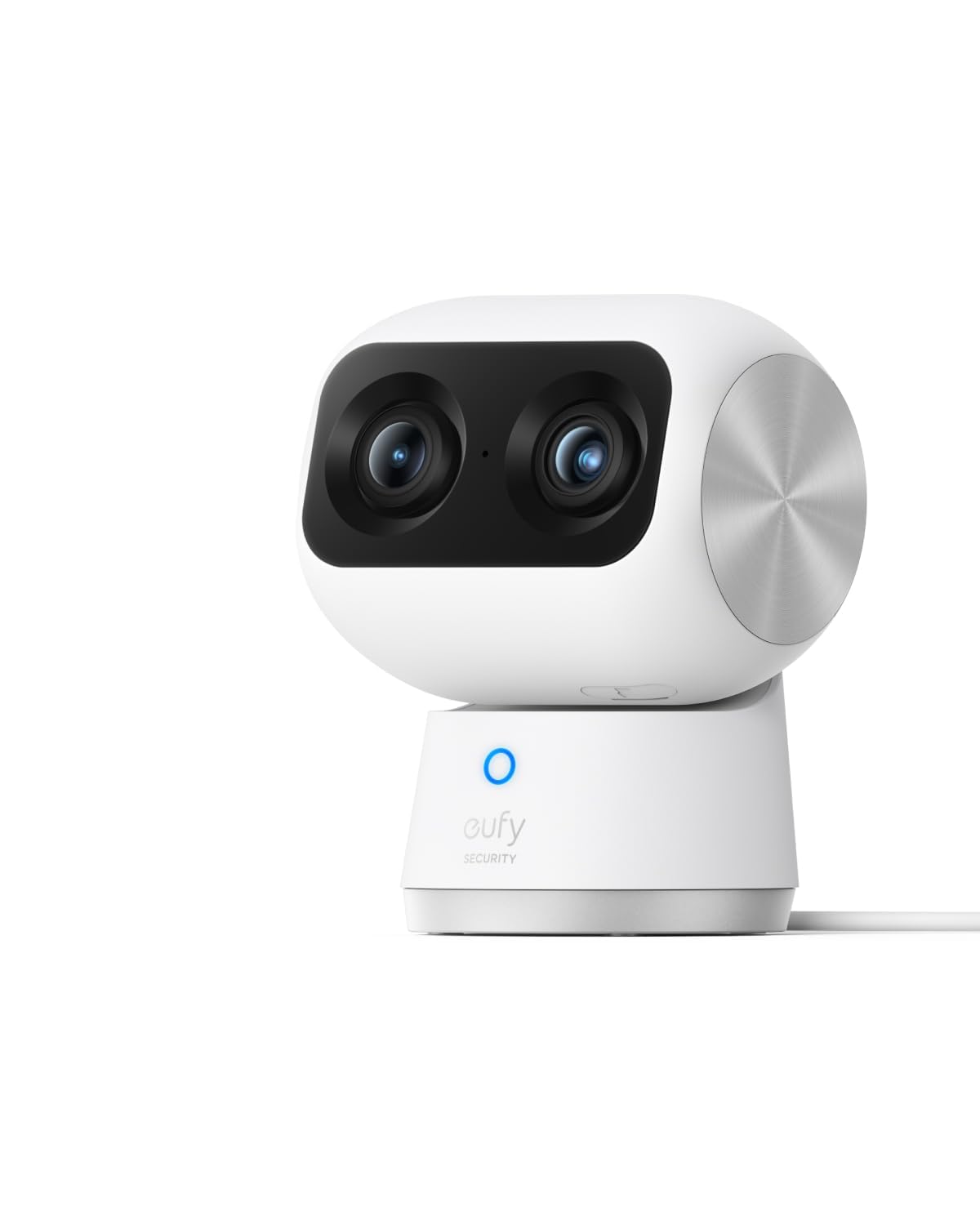
The eufy S350 is the pinnacle of indoor monitoring for elderly care, distinguished by its dual-lens design that combines a 4K wide-angle view with a dedicated 2K telephoto lens. This allows you to see the full room and simultaneously zoom in 8× to inspect medication or check for subtle movements without losing resolution. The motorized pan, tilt, and auto-tracking feature follows your loved one as they move from bed to chair, a capability no other camera in this list matches at this level.
What truly sets the S350 apart for caregivers is the absence of any mandatory subscription fees. All AI alerts (human, pet, cry detection) and local recording to a microSD card operate without a monthly charge. The night vision is exceptional, using two powerful infrared LEDs to illuminate up to 32 feet in pitch darkness, allowing you to see if a senior has woken up or fallen out of bed. The two-way audio is clear and full-duplex, enabling natural conversation.
This is a wired camera requiring a power outlet and a stable 2.4/5 GHz WiFi connection. Setup via the eufy Security app is straightforward, but it requires a smartphone and a willingness to configure network settings. For caregivers who want the highest resolution, no recurring costs, and intelligent motion tracking, the S350 is the benchmark.
Why it’s great
- No monthly fees for AI alerts or local recording
- Dual lenses with 8× hybrid zoom for detailed remote checks
- Auto-tracking follows movement across the room
- Excellent 32 ft. infrared night vision
Good to know
- Requires stable WiFi and a power outlet
- Does not support HomeKit or HomeBase 2
- Initial SD card formatting may require app troubleshooting
2. JubileeTV Remote Care System for Seniors
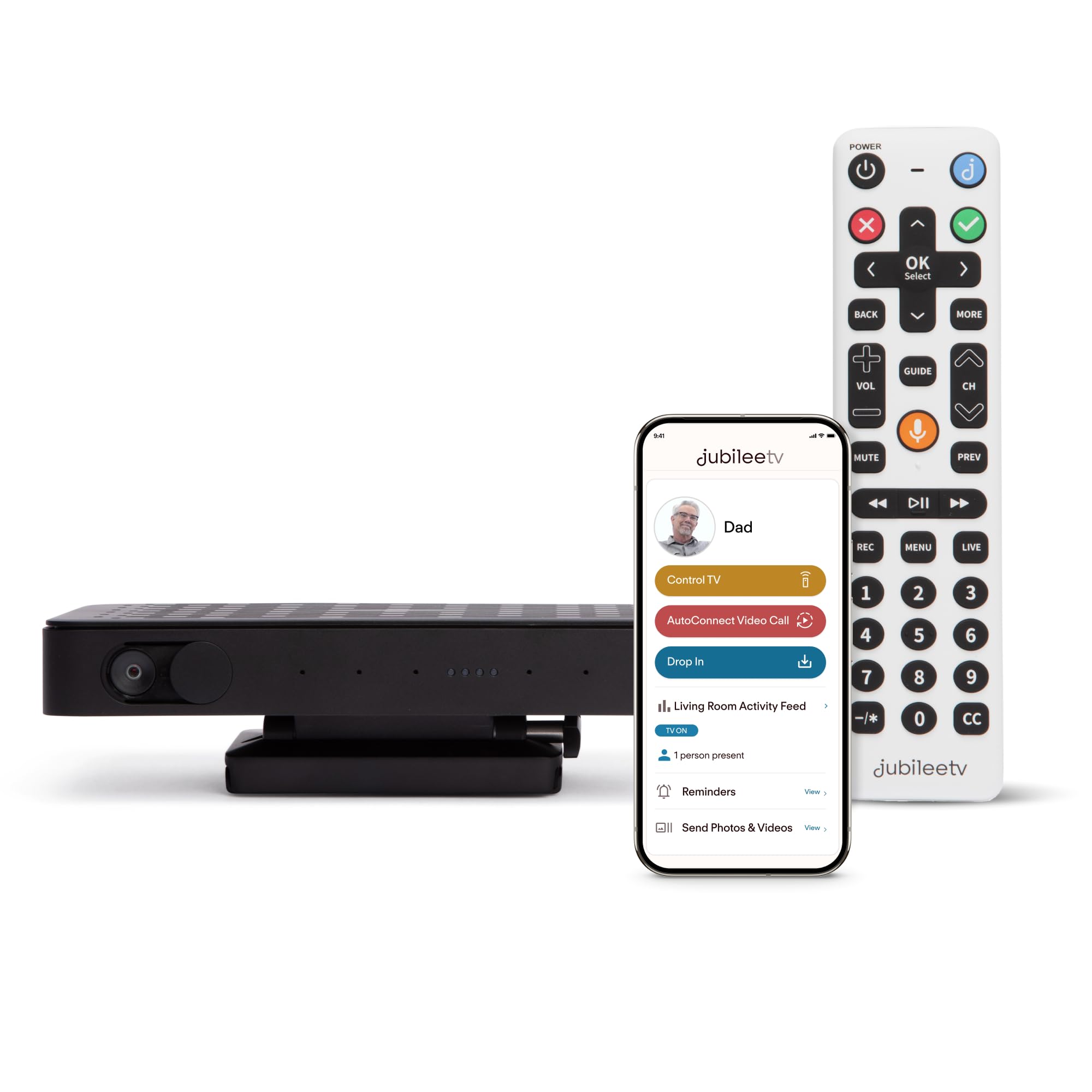
The JubileeTV system is not a traditional camera; it is a comprehensive remote care hub that uses your loved one’s existing TV as the interface. The hardware includes a voice remote with large backlit buttons and a small box that connects to their TV, cable box, and streaming device. The true innovation is in the app: from your phone, you can turn the TV on and off, change channels, and adjust volume, which solves the common frustration of a senior struggling with multiple remotes.
Beyond TV control, the system enables direct-to-TV video calls that auto-answer, allowing you to see the full room without your loved one needing to accept the call. The “Drop In” feature provides a one-way video and audio feed for a quiet status check. It also logs TV activity (when it’s turned on, what’s watched), giving you subtle insights into daily routines and potential changes in behavior. The built-in speaker supports sending medication reminders and photos directly to the TV screen.
The biggest consideration is the monthly membership fee (/month), which is required to access the video calling, remote control, and monitoring features. Setup is more involved than a simple camera, requiring connection to their existing entertainment system, and it only works in the U.S. For families where the senior watches a lot of TV and struggles with technology, this system delivers unmatched remote assistance.
Why it’s great
- Allows full remote control of the TV from your phone
- Auto-answer video calls and “Drop In” check-in feature
- Monitors room activity and TV usage patterns
- Senior-friendly voice remote with large buttons
Good to know
- Requires a /month subscription for core features
- Setup is more complex than a standalone camera
- Compatibility issues reported with some cable boxes (e.g., ATT)
3. CallToU 2-Way Talk Baby Monitors for Elderly
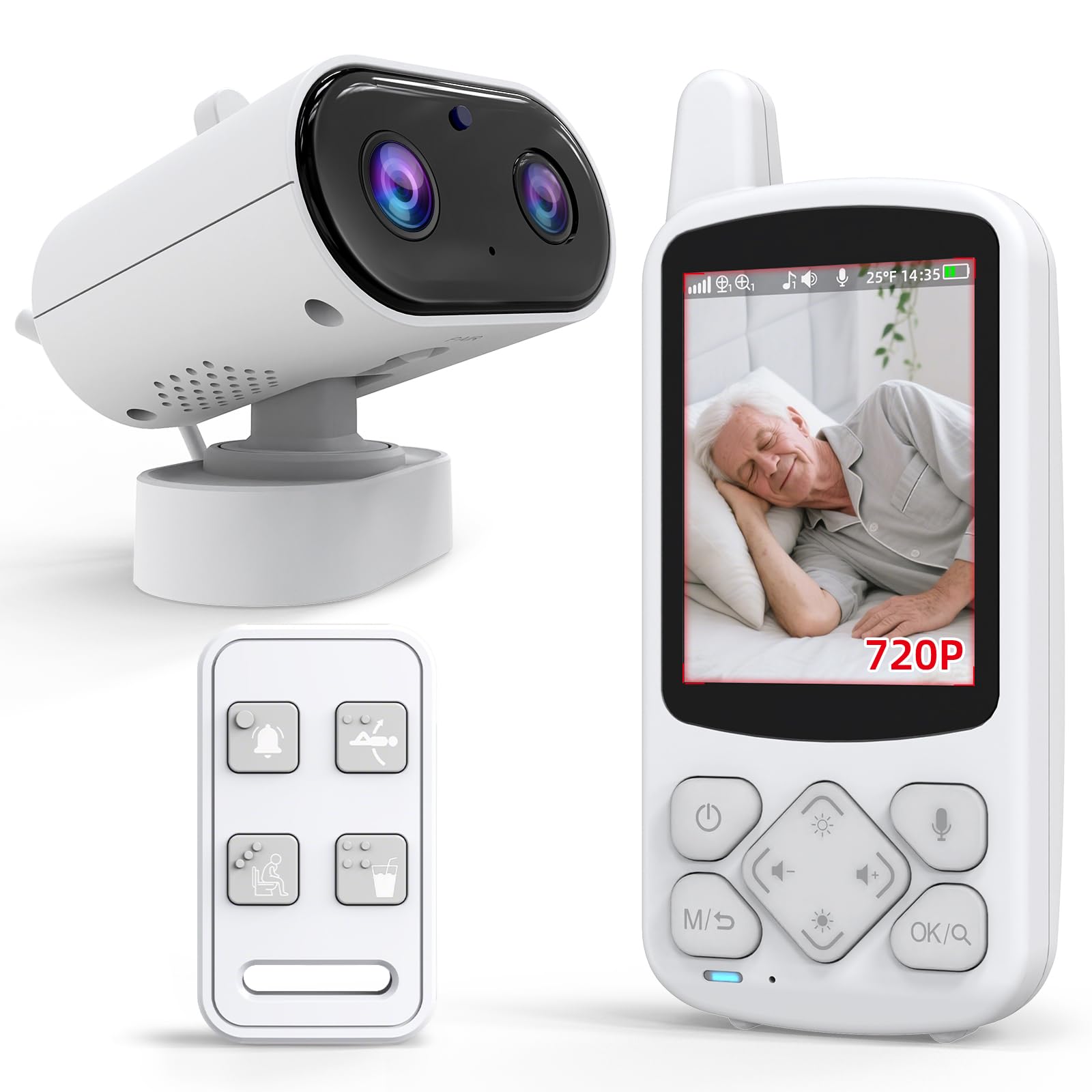
The CallToU system is a dedicated, closed-circuit monitor that operates without any internet connection, making it the gold standard for privacy and simplicity. It uses a secure 2.4GHz FHSS signal to transmit video and audio directly from the camera to the included 2.8-inch receiver. This means zero risk of hacking, zero dependency on a home WiFi network, and zero app setup. For caregivers who value absolute reliability, this is a compelling choice.
The system includes a one-press SOS button that the senior can wear or keep nearby. When pressed, it triggers a loud alarm on the caregiver’s monitor, providing an immediate summons for help. Additional daily alerts (drink water, move, toilet) can be set to remind the user of routine tasks. The 720p resolution on the 2.8-inch screen is adequate for seeing whether a person is in bed or has moved, but it lacks the fine detail of higher-resolution WiFi cameras.
Night vision switches to black-and-white infrared, which is sufficient for seeing movement but not for reading small text. The audio has been noted by some users as lacking a low volume setting, which can be disruptive in a quiet room. For a caregiver who wants a no-fuss, privacy-first system with a physical call button, this is the most straightforward option available.
Why it’s great
- Totally private — no WiFi or internet needed
- Physical SOS button provides immediate alert capability
- Long battery life on the portable receiver
- Simple plug-and-play setup for non-tech users
Good to know
- Small 2.8-inch screen with basic 720p resolution
- Lowest audio volume may still be too loud for some
- No ability to view remotely when away from home
4. Sair pet Elderly Monitor with Camera and Audio

The Sair pet monitor is a dedicated non-WiFi system that packs an unusual number of caregiver-specific features into a single package. Beyond standard two-way talk and night vision, it includes a programmable medicine feeding reminder, a temperature alarm, and a one-button assistance device that triggers distinct sounds for fall, toilet, water, and SOS alerts. This makes it one of the most thoughtfully designed dedicated monitors for dementia and medication management.
The 5-inch screen has a crisp 1280×720 resolution and a 3500mAh battery rated for up to 72 hours of use, allowing you to carry it around the house without constantly searching for a charger. The camera offers 355° horizontal and 90° vertical panning, providing wide room coverage whether placed on a desk or mounted on a wall. The 1000-foot range claim is ample for a typical home, and reviews confirm it works reliably through walls from a detached garage.
Some units have exhibited reliability issues, including random shutdowns, poor audio quality (low maximum volume), and intermittent horizontal lines on the monitor screen. The sound quality is the most common concern—the microphone picks up sounds poorly when the camera is placed six feet from the bed. For the price, the feature set is generous, but build quality consistency varies.
Why it’s great
- Built-in medication and temperature reminders
- Large 5-inch display with good battery life
- Multifunction SOS button for multiple alert types
- No WiFi required for complete privacy
Good to know
- Audio volume reported as low by several users
- Some units experience random shutdowns or screen artifacts
- Microphone sensitivity is limited at distance
5. Google Nest Cam Indoor (Wired, 3rd Gen)

The third-generation Google Nest Cam Indoor leverages the power of Google’s Gemini AI to deliver some of the most intelligent notifications in the consumer market. The 2K HDR sensor with a 152-degree field of view produces exceptionally clear video, both in color during the day and in black-and-white at night. The camera reliably distinguishes between people, vehicles, and animals, significantly reducing false alerts—a critical feature for not panicking a caregiver unnecessarily.
The deep integration with the Google Home ecosystem is a double-edged sword. Creating routines is seamless if you already use Google devices, and you can view the feed on a Nest Hub. However, the most powerful AI features, such as facial recognition, detailed event summaries (“Kids are playing soccer in the living room”), and 30 days of event history, require a paid Google Home Premium subscription. Without it, you get the live feed and basic motion alerts.
The hardware is wired (no battery option), and it is not compatible with the older Nest app. Setup is done exclusively through the Google Home app, which is quick but requires a Google account. The included magnet mount has been noted as weak, often requiring a third-party L-mount for secure placement. For those already invested in Google’s smart home ecosystem who are willing to pay for premium AI, this is a powerful, easy-to-use indoor cam.
Why it’s great
- Excellent 2K HDR video with wide 152° FOV
- AI-powered person, animal, and vehicle detection
- Seamless Google Home and Nest Hub integration
- Easy setup via the Google Home app
Good to know
- Advanced AI features require a subscription
- Wired only — no battery backup option
- Magnet mount may be insufficient for some surfaces
6. Aurumbach Indoor Security Camera with 4″ Screen
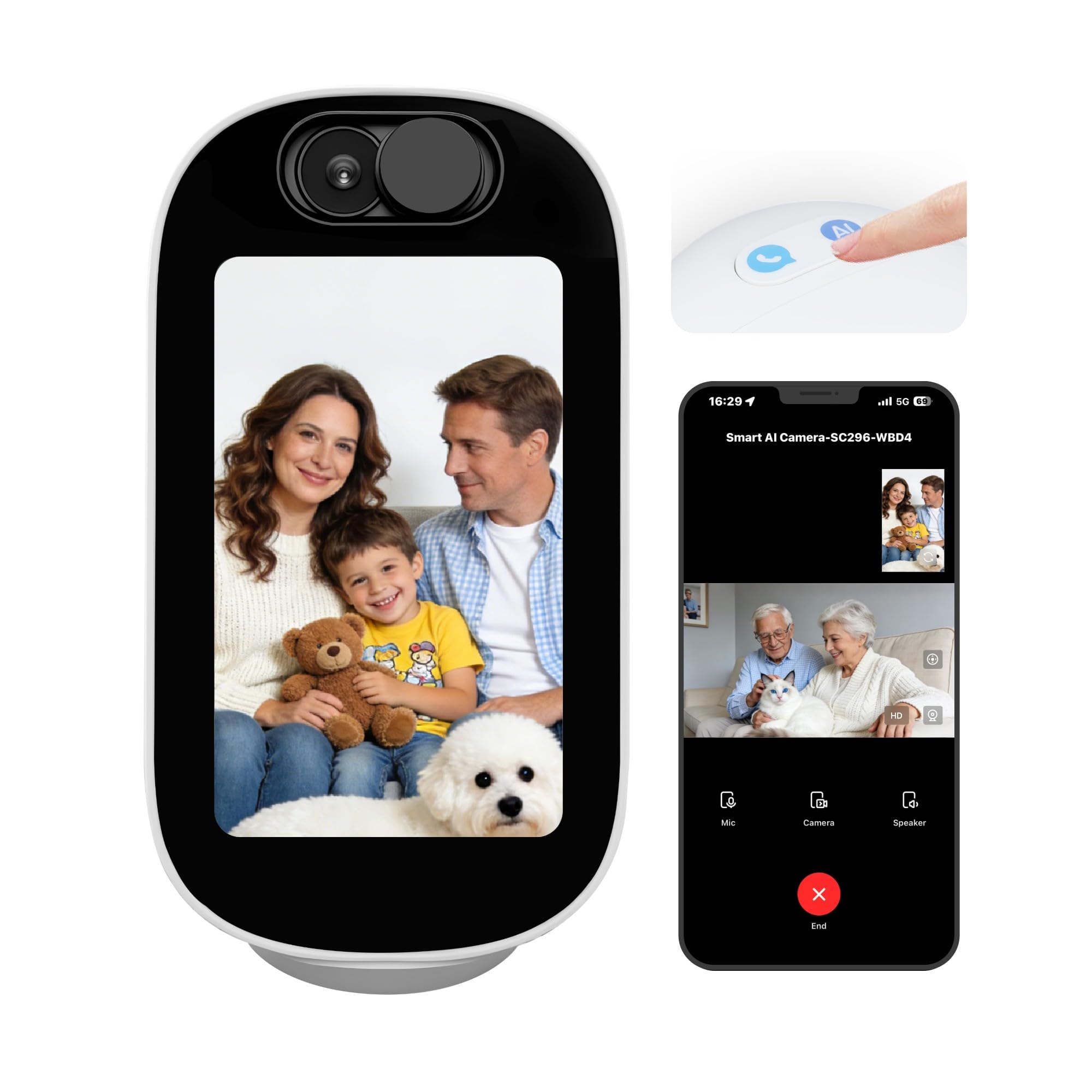
The Aurumbach camera uniquely integrates a 4-inch smart display into the camera unit, transforming it into an interactive home device rather than a passive observer. This allows the senior to initiate and receive face-to-face video calls with a single tap, rather than relying on a smartphone or a separate tablet. It also serves as a digital photo frame and can display time and weather, adding daily utility beyond monitoring.
The camera leverages AI for conversation, storytelling, and simple Q&A, which can provide companionship for a senior who lives alone. This is a distinct feature absent from every other product on this list. For monitoring, it offers 4MP resolution (higher than standard 1080p), 355-degree pan, auto-tracking, and dual-band WiFi (2.4G/5G) for smooth streaming. The AI can detect human motion, pet movement, and baby crying, sending push notifications to your phone.
Security concerns have been raised by users who discovered the cloud server is located in Hong Kong, with some ISPs flagging it as a threat. The call feature on one unit failed entirely after a few days of use. While the feature set is innovative, the reliability and data privacy questions prevent it from being a universal recommendation for elderly care.
Why it’s great
- Built-in 4-inch screen for easy two-way video calling
- AI conversation feature offers companionship
- High 4MP resolution with smooth pan/tilt
- Auto-tracking follows moving subjects
Good to know
- Cloud server location raises data privacy flags
- Some units have reported hardware failures (call feature)
- AI features may be intrusive for some users
7. CINMOORE 2.5K Indoor Security Camera 4-Pack
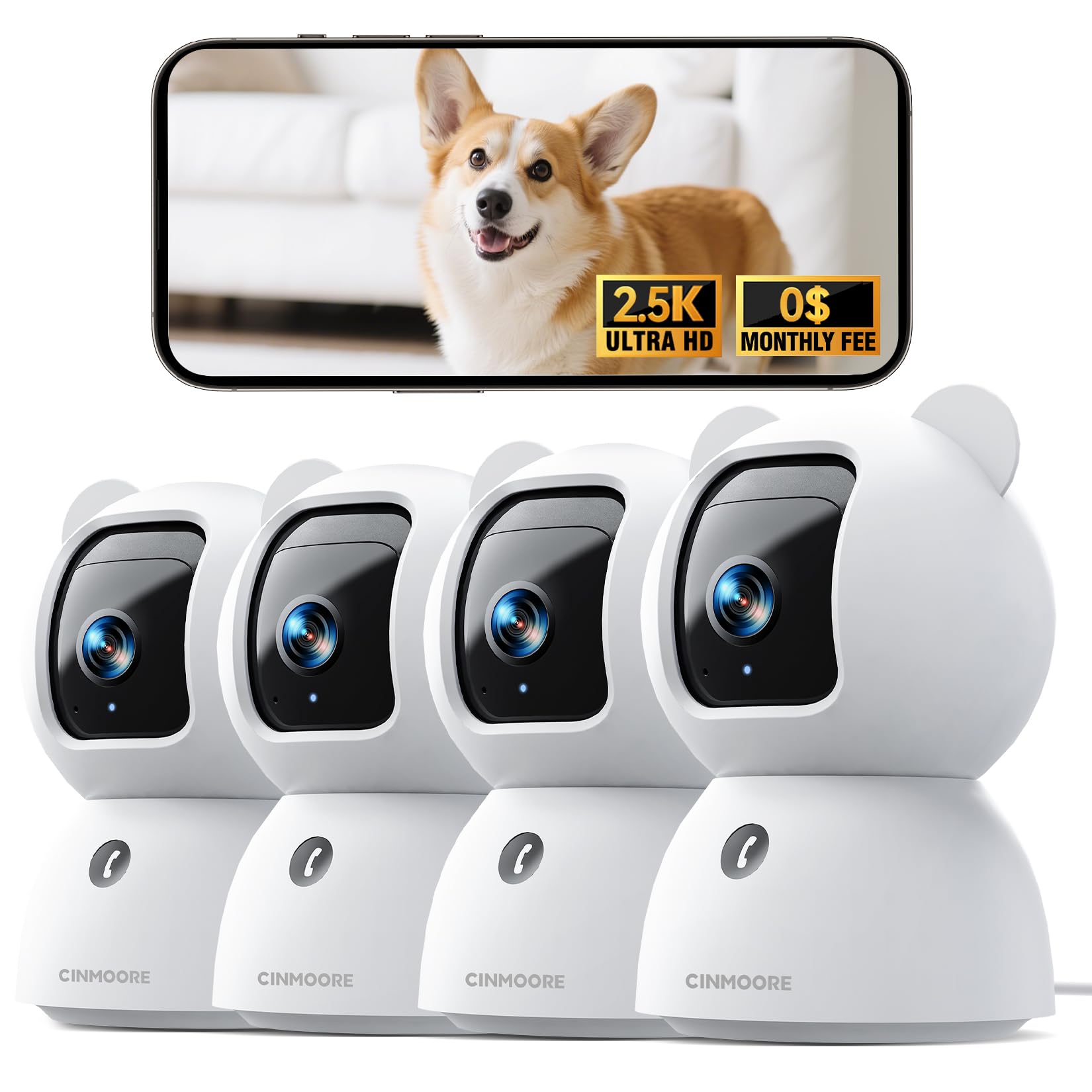
The CINMOORE 4-pack is the most economical way to cover multiple rooms, making it ideal for a senior’s home with a living room, kitchen, bedroom, and hallway. Each camera delivers true 2.5K UHD resolution—not an upscaled 2K—providing clear enough details to see if a person has fallen or is moving unsteadily. The package includes four cameras, power adapters, and mounting hardware, all at a price that undercuts single-unit competitors.
The standout feature for cost-conscious caregivers is the free local AI detection for persons, pets, and baby crying, with no subscription required. The cameras support 360-degree pan and tilt, motion tracking, and full-duplex two-way audio. The clever “Bluetooth Magic” setup pairs the camera via Bluetooth to your 2.4GHz WiFi, which users report takes about two minutes. Local storage to a microSD card (up to 256GB) is supported, with an optional AWS cloud backup.
The primary limitation is that each camera requires its own microSD card and power outlet, which can clutter a room. The 2.4GHz-only WiFi band is a constraint for very crowded networks, but it ensures longer range through walls. For a family needing to equip an entire home on a budget without sacrificing AI alerts, this multi-pack is the clear winner.
Why it’s great
- Excellent value for 4 cameras with free AI detection
- True 2.5K resolution for clear detail
- Pan, tilt, and motion tracking on each camera
- Very fast setup with Bluetooth/WiFi pairing
Good to know
- Each camera requires its own power outlet
- Only supports 2.4GHz WiFi (no 5GHz)
- Cloud storage requires a separate subscription
FAQ
Do I really need a monthly subscription for an elderly monitoring camera?
What is better for a dementia patient: a dedicated monitor or a WiFi camera?
Can I use a standard baby monitor for an elderly relative?
Final Thoughts: The Verdict
For most users, the best camera to monitor elderly loved ones is the eufy Security 4K Indoor Cam S350 because it offers the highest resolution, dual-lens zoom, and intelligent auto-tracking with no recurring fees. If you want a privacy-first, no-WiFi solution with a physical SOS button for dementia patients, grab the CallToU 2-Way Talk Monitor. And for families needing to monitor multiple rooms on a tight budget without sacrificing AI alerts, nothing beats the CINMOORE 4-Pack.

Mo Maruf
I created WellFizz to bridge the gap between vague wellness advice and actionable solutions. My mission is simple: to decode the research and give you practical tools you can actually use.
Beyond the data, I am a passionate traveler. I believe that stepping away from the screen to explore new environments is essential for mental clarity and physical vitality.