Our readers keep the lights on and my smoothie glass nicely filled. As an Amazon Associate, I earn from qualifying purchases.
A cheap mouse should never force you to choose between a sore wrist, a dead battery every week, and a sensor that skips across the screen. The budget computer mouse market has quietly improved, with models now offering 4000-plus DPI sensors, vertical ergonomic grips, and multi-device Bluetooth switching for under . The hard part is sorting the ones that actually deliver durable performance from the ones that feel flimsy within a month.
I’m Mohammad Maruf — the founder and writer behind WellFizz. I’ve analyzed hundreds of input devices, tracking sensor accuracy, click durability ratings, and battery efficiency specs to separate real value from marketing noise.
Whether you’re grinding through spreadsheets, editing photos, or just tired of wrist fatigue, the right budget computer mouse can transform your daily workflow without draining your wallet.
How To Choose The Best Budget Computer Mouse
Finding a capable mouse for under means focusing on three pillars: sensor accuracy, connection reliability, and physical comfort. Skip the marketing fluff and check these specs instead.
DPI and Sensor Performance
DPI (dots per inch) dictates how fast your cursor moves across the screen. A 1200 DPI baseline works for most office tasks, but adjustable levels up to 4000 or even 8000 DPI let you slow down for precise design work or speed up for gaming. Avoid mice that lock you into a single sensitivity.
Ergonomic Design and Hand Size
Flat mice force your wrist into an unnatural pronated position, leading to fatigue and potential strain over long sessions. Vertical mice support a handshake grip that keeps your wrist straight, but some models are sized for small-to-medium hands only. Measure your hand length before buying any ergonomic option.
Connection Type: Wired, 2.4GHz, or Bluetooth
Wired mice offer zero-latency response and no battery worries — ideal for competitive gaming and stationary workstations. 2.4GHz wireless delivers near-wired speeds with a tiny USB dongle. Bluetooth sacrifices a few milliseconds for convenience across multiple devices. For a budget mouse, 2.4GHz with a storage slot for the receiver is the safest bet.
Quick Comparison
On smaller screens, swipe sideways to see the full table.
| Model | Category | Best For | Key Spec | Amazon |
|---|---|---|---|---|
| Logitech G203 | Wired Gaming | Low-latency gaming and precise cursor control | 8000 DPI optical sensor | Amazon |
| Acer Ergonomic Neo | Vertical Ergo | Multi-device office workflows with wrist strain relief | 59° vertical tilt angle | Amazon |
| Uineer Pink Vertical | Rechargeable Ergo | Wrist comfort with built-in rechargeable battery | 500mAh rechargeable battery | Amazon |
| Uineer Black Vertical | Dual-mode Ergo | Wrist relief with three-device syncing | 7-color ambient LED | Amazon |
| wegear Wireless | Ultra Budget | Simple plug-and-play with exceptional battery life | 24-month battery life | Amazon |
In-Depth Reviews
1. Logitech G203 Wired Gaming Mouse

The Logitech G203 punches far above its price class with an 8000 DPI optical sensor that uses zero filtering or smoothing — the same sensor tech found in more expensive gaming peripherals. The 1000Hz polling rate delivers responsive input for competitive play, while the mechanical primary buttons use tensioned metal springs for crisp, reliable clicks rated to withstand heavy use. The LIGHTSYNC RGB lighting is customizable through Logitech G HUB, allowing you to sync colors across other gear or react to on-screen action.
Six programmable buttons give you room to map commands for games or productivity shortcuts, and the on-board memory stores up to five DPI profiles so you can cycle settings on the fly without the software running in the background. The cable measures 2.1 meters, though some users note it’s slightly stiff and benefits from a bungee for clean desk routing. At roughly 85 grams, the weight sits in the middle ground — not too heavy for flick shots, not too light for precise movements.
Long-term durability is solid for a budget-tier mouse, but the scroll wheel has been reported to develop wobble or inconsistent scrolling after about 18 months of daily use. The G Hub software is straightforward and does not require account login, which is a relief compared to some competitors. For anyone who values consistent wired performance over the convenience of wireless, the G203 is a reliable workhorse that handles both gaming sessions and office tasks with equal competence.
Why it’s great
- 8000 DPI sensor with zero smoothing for precise tracking on any surface
- Mechanical spring-tensioned buttons provide tactile, durable clicks
- On-board memory stores up to five DPI profiles without software
Good to know
- Scroll wheel may develop issues after 12–18 months of heavy use
- Cable is somewhat stiff and may require a bungee for clean cable management
2. Acer Ergonomic Mouse Wireless Neo
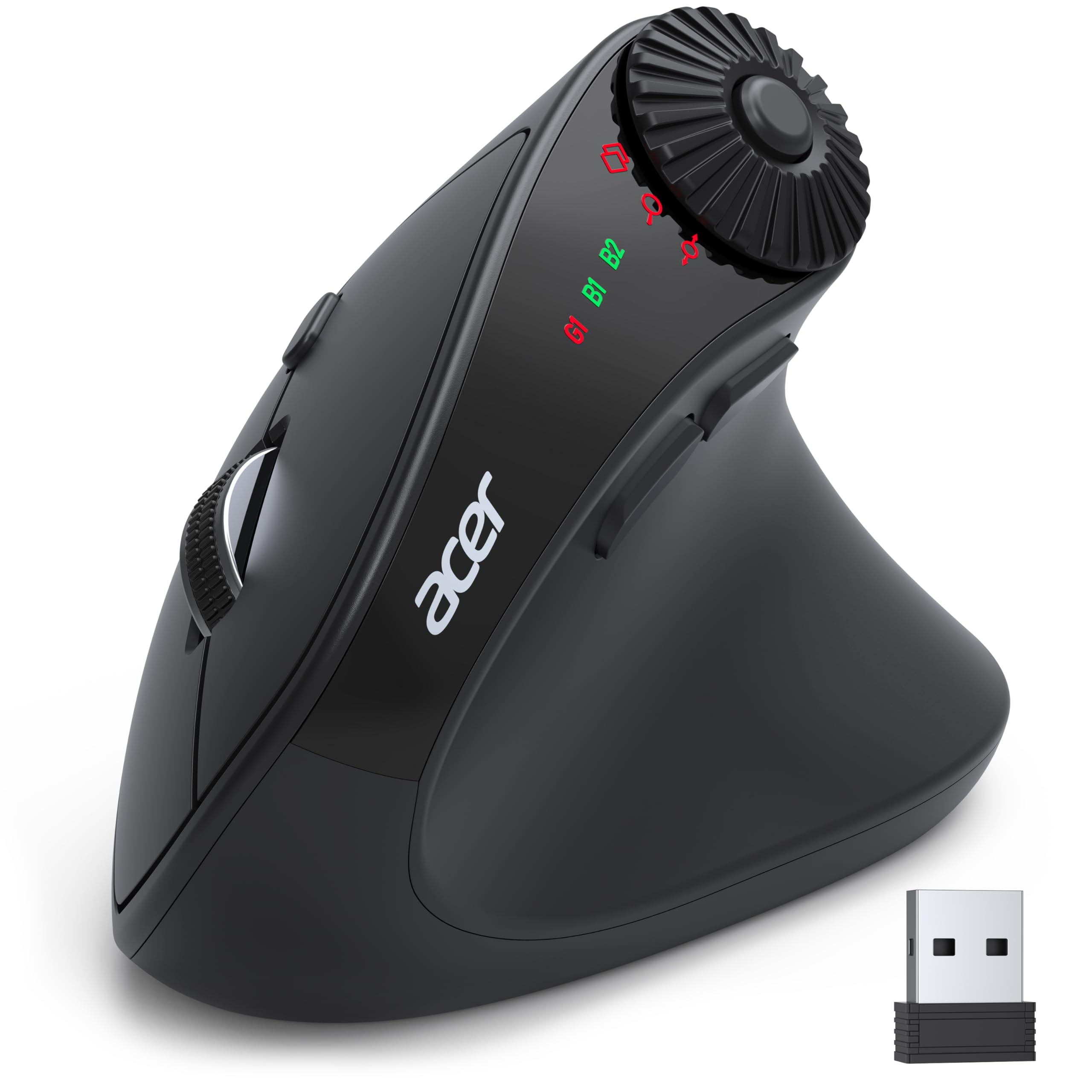
The Acer Neo targets users with small to medium hands who need serious wrist relief without moving to a bulky vertical mouse. Its 59-degree vertical tilt positions your hand in a natural handshake posture, reducing forearm pronation and the associated strain that builds up during long workdays. The mouse runs on two AAA batteries (not included) and uses both Bluetooth 5.2 and 2.4GHz wireless, allowing you to connect up to three devices and switch between them by double-clicking the DPI button.
A standout feature here is the 3-in-1 side scroll wheel, which cycles between window toggle, zoom in/out, and horizontal scrolling functions — a genuine productivity boost for anyone working with wide spreadsheets or photo editing timelines. The 4-level DPI adjustment ranges from 1200 to 4000, giving you flexibility for both detailed tasks and fast cursor sweeps. At only 87 grams, the Neo feels light and glides smoothly on most surfaces, and the Bluetooth pairing is fast with no driver installation required.
The biggest downside is that the click switches are not silent — they produce a distinct audible click that may annoy others in a quiet office. Some users report that the mouse enters a deep hibernation sleep mode after 10 minutes of inactivity, requiring a deliberate double-click to wake it up, which introduces a slight delay. For users who prioritize ergonomic relief and multi-device flexibility, the Acer Neo delivers excellent value at a competitive price point, though the lack of rechargeability means you’ll need to keep spare batteries on hand.
Why it’s great
- 59° vertical tilt reduces wrist strain for small to medium hands
- 3-in-1 side scroll wheel boosts productivity for spreadsheet and design work
- Dual-mode Bluetooth and 2.4GHz connects up to three devices seamlessly
Good to know
- Clicks are audible and not silent — may not suit quiet environments
- Requires two AAA batteries; not rechargeable
- Deep sleep mode causes a slight wake delay after idle periods
3. Uineer Ergonomic Wireless Mouse Pink (Rechargeable)
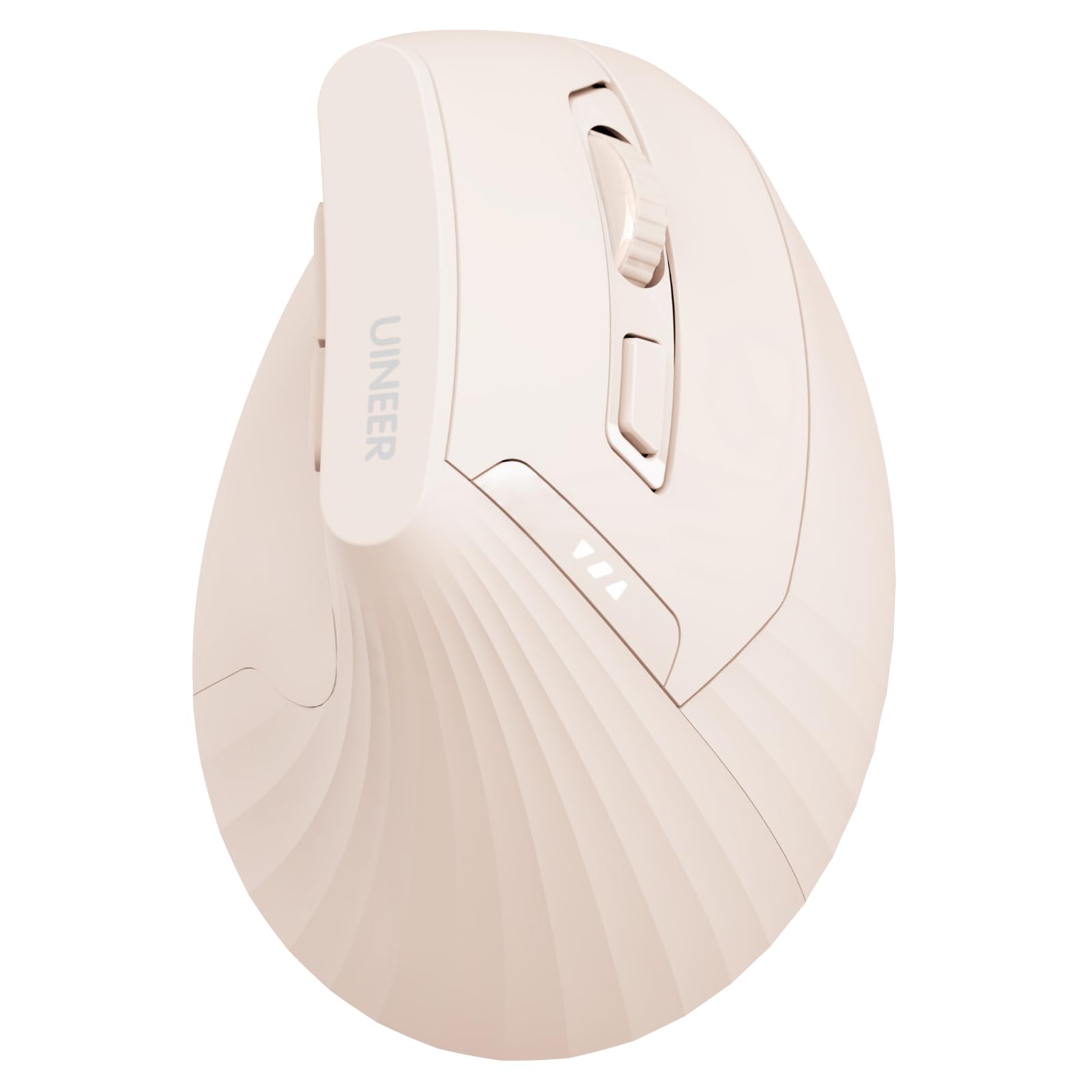
The Uineer Pink Vertical brings a soft-touch matte finish and a handshake-grip design that feels close to the Logitech MX Vertical experience but at a fraction of the cost. Built with an ABS plastic enclosure, the mouse is lightweight at roughly 71 grams and measures 4.57 by 3.03 inches — suited for small to medium hands. The rechargeable 500mAh battery eliminates the environmental waste and recurring cost of disposable cells, with user reports indicating 20-plus hours of runtime per charge depending on usage patterns.
In terms of connectivity, the Uineer supports dual Bluetooth 5.0/4.0 plus 2.4GHz via a USB-A receiver stored discreetly at the bottom, letting you sync up to three devices simultaneously. The 4-level DPI adjustment (800/1200/1600/2400) covers everyday sensitivity needs, and the left and right buttons offer soft clicks that are noticeably quieter than standard mice. The visible battery indicator shows remaining charge in real time, which helps avoid sudden cutoffs during critical work.
The main trade-off is the wake delay from sleep mode — it takes 5 to 10 seconds to reconnect after the mouse has been idle for more than 10 minutes, which can be frustrating during rapid task switching. Also, the side buttons (forward/back) are not recognized on macOS, so Mac users lose some functionality. If you want a quiet, rechargeable ergonomic mouse that keeps your wrist comfortable over long hours, the Uineer Pink Vertical is a thoughtful choice that balances features and cost effectively.
Why it’s great
- Built-in 500mAh rechargeable battery with visible power indicator
- Soft, quiet clicks reduce noise in shared workspaces
- Dual-mode wireless connects up to three devices with seamless switching
Good to know
- Wake delay of 5–10 seconds from deep sleep can interrupt workflow
- Side buttons do not function on macOS systems
4. Uineer Ergonomic Wireless Mouse Black (Dual-mode)
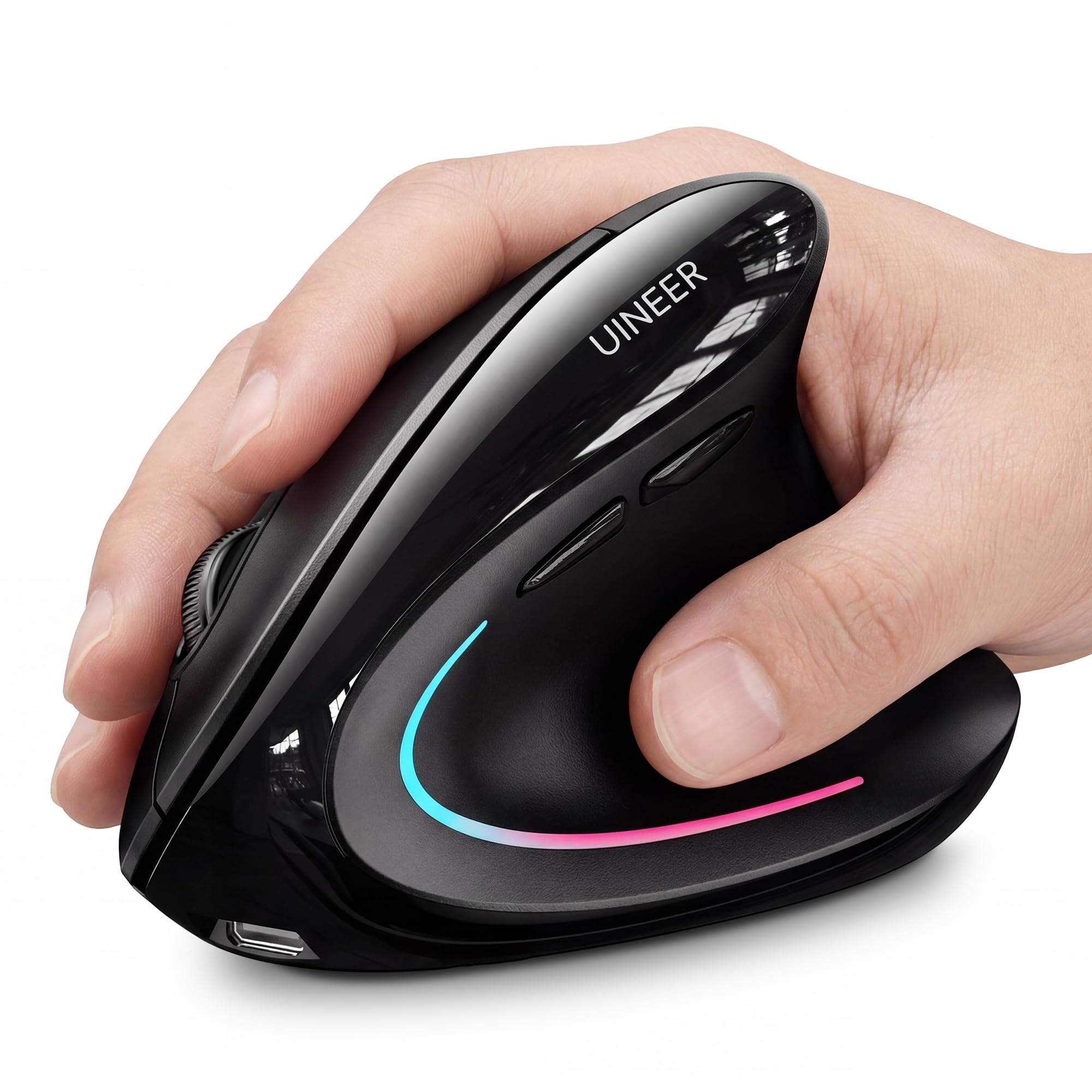
The Uineer Black Vertical is the non-rechargeable sibling of the pink version, but it brings a few distinct advantages that earn it a separate spot. The vertical handshake design effectively reduces wrist strain, and the 7-color ambient LED adds a subtle visual flair that cycles through hues without being overwhelming. This model uses a single AA battery (included in the box) and features intelligent power-saving that triggers auto-sleep after 10 to 30 minutes of inactivity, with a low-battery LED reminder to prevent surprises.
Connectivity options include dual Bluetooth 5.0/4.0 and 2.4GHz via USB-A, supporting up to three connected devices with quick switching. The 4-level DPI adjustment (800/1200/1600/2400) allows smooth transitions between document editing and web browsing. User reviews highlight the crisp, precise left and right clicks and the overall responsive tracking, with several owners noting that it replaced much more expensive ergonomic mice without sacrificing comfort.
Where this mouse falls short is the small-to-medium hand sizing — users with larger hands may find the grip a bit cramped. A few users reported that the scroll wheel can develop a squeak after several weeks, though this is typically resolved with a drop of lubricant. The side buttons also do not work on macOS. For budget-conscious buyers who want proven wrist relief and don’t mind swapping a battery every few months, the Uineer Black Vertical is a reliable mid-range pick that won’t break the bank.
Why it’s great
- Vertical handshake grip effectively reduces wrist and forearm strain
- 7-color ambient LED adds subtle aesthetic customization
- Dual-mode wireless with three-device support and smart power-saving
Good to know
- Designed for small to medium hands — larger hands may feel cramped
- Scroll wheel can squeak after extended use; may need lubrication
- Side buttons are non-functional on macOS
5. wegear USB Wireless Mouse Pink
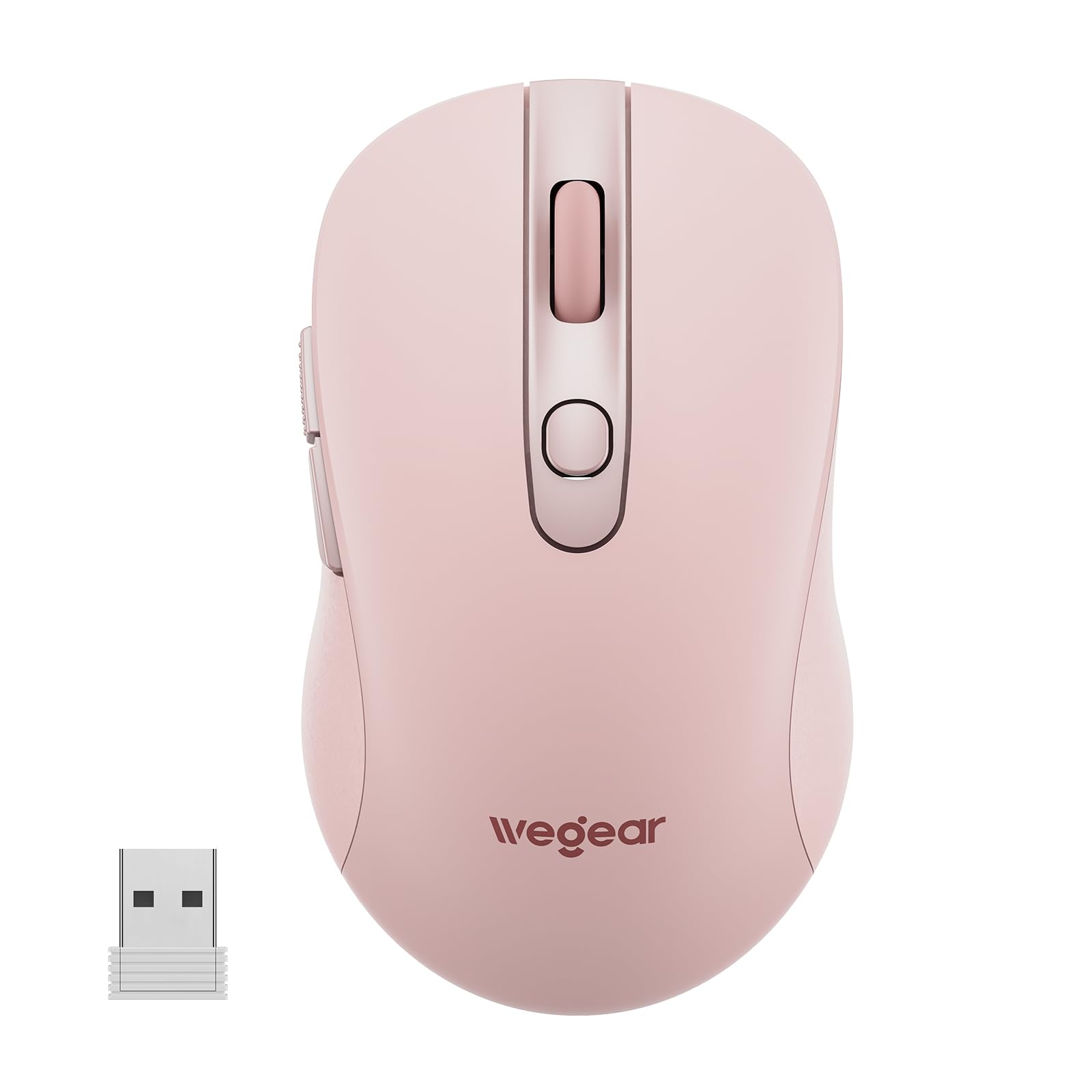
The wegear Wireless Mouse strips away all unnecessary complexity and delivers a straightforward plug-and-play experience for the lowest price in this lineup. Its standout claim is a 24-month battery life on a single AA battery (not included), powered by an aggressive auto-sleep mechanism that kicks in after 8 minutes of inactivity — ideal for users who don’t want to worry about recharging or replacing batteries frequently. The contoured design is right-handed and reduces hand strain during extended use, though it lacks the vertical tilt of ergonomic competitors.
Performance-wise, the 5-level DPI adjustment (800/1200/1600/2400/4000) provides enough range for both basic office tasks and more demanding cursor work. The 6-button layout includes forward and back side buttons that streamline document and web navigation, though these buttons are not recognized on macOS. The 2.4GHz wireless connection reaches up to 33 feet and maintains a stable link without interference, and the USB receiver stores neatly in the bottom compartment for travel — a simple but appreciated design detail.
The click durability is rated at 5 million presses, which is lower than the 10 to 20 million found on premium models, meaning heavy users may wear this mouse out faster. The plastic enclosure has a matte finish that feels budget-conscious rather than premium. If you need a basic, reliable wireless mouse for a secondary workstation, a laptop bag, or a kid’s computer, the wegear delivers exactly what you need — and nothing more — with an impressive battery life that eliminates the most common annoyance of budget wireless peripherals.
Why it’s great
- 24-month battery life from a single AA battery with efficient auto-sleep
- 5-level DPI adjustment up to 4000 for flexible cursor sensitivity
- True plug-and-play setup with no drivers required
Good to know
- Click durability rated at 5 million presses — less robust than premium options
- Side buttons are not functional on macOS
- Budget plastic build feels less solid than metal or textured alternatives
FAQ
Is 4000 DPI enough for a budget computer mouse?
Does a vertical ergonomic mouse really reduce wrist pain?
Final Thoughts: The Verdict
For most users, the budget computer mouse winner is the Logitech G203 because it combines an 8000 DPI optical sensor, durable mechanical clicks, and reliable wired performance at a price that outperforms everything in its class. If you want wrist relief and multi-device flexibility, grab the Acer Ergonomic Neo for its 59-degree vertical tilt and side scroll wheel. And for the absolute lowest entry point without sacrificing battery life, the wegear Wireless delivers 24-month runtime and simple plug-and-play operation for a secondary workstation or travel bag.

Mo Maruf
I created WellFizz to bridge the gap between vague wellness advice and actionable solutions. My mission is simple: to decode the research and give you practical tools you can actually use.
Beyond the data, I am a passionate traveler. I believe that stepping away from the screen to explore new environments is essential for mental clarity and physical vitality.