Our readers keep the lights on and my smoothie glass nicely filled. As an Amazon Associate, I earn from qualifying purchases.
Digitizing a shoebox of old 35mm slides or film strips is a race against chemical decay and physical damage, but the wrong scanner turns that race into a soul-crushing marathon of blurry crops and washed-out colors. The single largest pain point in 35mm scanning is the trade-off between speed and true resolution; dedicated batch units can chew through fifty slides while you sleep, but entry-level consumer models often rely on screen-capture interpolation that sacrifices the fine grain structure of the original film.
I’m Mohammad Maruf — the founder and writer behind WellFizz. My research process involves parsing hundreds of customer stress-tests, comparing CMOS versus CCD sensor architectures, measuring real-world dynamic range claims against actual user output, and evaluating software ecosystems from one-button auto-scan to professional-grade RAW workflows.
The key to matching a 35mm scanner to your collection is understanding whether you need archival-grade 7200 dpi with infrared dust removal, mid-range 22MP convenience for family snapshots, or a budget-friendly option for quick social-media sharing.
How To Choose The Best 35mm Scanner
Not all film scanners are built the same. A device that works beautifully for 50mm mounted slides may produce muddy, cropped results on 110 negatives. Before you click buy, understand three critical factors that define the quality ceiling of any 35mm scanner.
Optical Resolution vs. Interpolated Megapixels
True optical resolution, measured in DPI (dots per inch), defines how much real film grain detail the sensor can resolve. A 35mm scanner at 7200 dpi extracts approximately 69 megapixels of actual optical data from a single frame. Beware of consumer units advertising 22MP or 24MP — these are often 14MP sensors with software interpolation. For enlargements beyond 8×10 inches or for archiving fine-grained Kodachrome, an optical DPI rating above 3600 is mandatory.
Sensor Technology: CCD vs. CMOS
CCD (charge-coupled device) sensors are the gold standard in professional film scanning because they use a true RGB linear array rather than a Bayer color filter pattern. This delivers wider dynamic range, lower noise in shadow areas, and more accurate color separation. Most consumer-priced 35mm scanners use CMOS sensors, which are adequate for web sharing or small prints but often produce clipped highlights or muddy blacks on high-contrast slide film.
Software and Dust Removal
Infrared-based dust and scratch removal (iSRD, ICE, or SRDx) is a non-negotiable feature for anyone scanning color negatives. The scanner shoots an infrared pass that detects dust hiding in the emulsion, then software removes it without softening the image. This feature is found only in mid-range and premium units like those from Plustek and Pacific Image. Consumer-level scanners without it will require extensive manual retouching, which rapidly becomes impractical at scale.
Quick Comparison
On smaller screens, swipe sideways to see the full table.
| Model | Category | Best For | Key Spec | Amazon |
|---|---|---|---|---|
| Plustek OpticFilm 8200i SE | Premium Dedicated | Archival dust-free scans | 7200 dpi / iSRD Infrared | Amazon |
| Pacific Image PowerSlide X Plus | High-Volume Batch | Auto-feed 50 slides at once | 10000 dpi / True CCD | Amazon |
| KODAK REELS 8mm Digitizer | Motion Picture | 8mm and Super 8 film transfer | 1080p / Frame-by-frame | Amazon |
| HP Touch Screen Film Scanner | Touchscreen Mid-Range | Ease of use with touch UI | 13MP CMOS / 5″ Touch | Amazon |
| KODAK Slide N SCAN | Consumer Standard | Quick family digitization | 22MP Interpolated / 5″ LCD | Amazon |
| ClearClick Virtuoso 3.0 | Mid-Range Standalone | No-computer scanning workflow | 22MP / 7″ LCD Preview | Amazon |
| BEONEGLOBAL ClearScan P7 | Large Screen Mid-Range | Comfortable preview on 7″ screen | 24MP / CMOS / SD Card | Amazon |
| Magnasonic FS71 | Value Workhorse | Large batch 35mm negatives | 24MP / 5″ LCD / 128MB | Amazon |
| DigitPro C190 | Budget Entry | Occasional slide conversion | 1080p / 5″ LCD / One-Touch | Amazon |
In‑Depth Reviews
1. Plustek OpticFilm 8200i SE

The Plustek 8200i SE is the gateway to real archival-grade film scanning for anyone who refuses to compromise on grain detail. Its 7200 x 7200 dpi optical resolution and true 48-bit color depth extract the full dynamic range of color slides, black-and-white negatives, and Kodachrome without the mushy artifacts common in interpolated CMOS units. The integrated infrared channel (iSRD) detects dust and scratches embedded in the emulsion and removes them automatically during the scan pass, a feature that alone saves hours of retouching per roll.
Bundled with LaserSoft Imaging SilverFast SE Plus 9, the scanner supports multi-exposure HDRi mode for recovering shadow detail and highlight roll-off, though the learning curve for the software is steep. User reports note that a single 3600 dpi scan with iSRD enabled takes roughly three minutes per frame, and a full 7200 dpi two-pass scan can push 27 minutes for four frames. This is not a device for speed; it is a device for fidelity.
The build quality is dense and quiet, with a plastic carrier that has slight lateral play requiring manual nudging for perfect frame alignment. The 8200i SE does not include a USB-C cable natively, so Mac users with modern laptops will need an adapter. For anyone scanning fewer than five thousand frames and demanding the best resolution per dollar, this is the reference standard.
Why it’s great
- True 7200 dpi optical resolution delivers 69MP of real grain detail
- Infrared dust removal eliminates spotting on color negatives
- SilverFast SE Plus software enables HDRi and 48-bit output
Good to know
- Scan speed is slow — expect 3 minutes per frame at 3600 dpi
- No USB-C cable included; requires adapter for modern Macs
- SilverFast interface has a steep learning curve
2. Pacific Image PowerSlide X Plus

When your slide collection numbers in the thousands, the PowerSlide X Plus transforms scanning from a manual chore into a set-and-forget batch operation. The included slide magazine holds up to 50 mounted slides and feeds them automatically through a true RGB linear CCD sensor that captures at a staggering 10,000 dpi optical resolution with a 4.2 dynamic range. Unlike CMOS-based alternatives that mask dust with Bayer interpolation, this CCD array reads each color channel linearly, producing raw DNG files that retain the full emulsion grain.
The trade-off is software nuance. The bundled application is functional but unintuitive, with a manual that offers sparse guidance. Users report approximately one jam per thousand slides, usually caused by damp or damaged cardboard mounts. The device is quiet, steady, and fast enough that a 50-slide magazine completes in far less time than any single-frame consumer unit. Output files at maximum resolution run roughly 15MB for a 4000×6000 pixel JPG, which is enough headroom for 16×20 inch prints.
For professionals or institutions digitizing large collections, the PowerSlide X Plus is the only scanner in its class under five figures that offers automatic batch feed with true CCD color separation. It requires a modern computer with at least 4GB of RAM and 50GB of free disk space, and it sends DNG RAW files for post-processing in Lightroom or Capture One.
Why it’s great
- Auto-feed magazine scans 50 slides without manual intervention
- True RGB CCD sensor avoids Bayer interpolation artifacts
- Outputs DNG RAW format for professional post-processing
Good to know
- Software interface is dated and documentation is sparse
- Damp or damaged slide mounts can cause jams
- Requires a dedicated workstation with ample disk space
3. KODAK REELS 8mm & Super 8 Digitizer

The KODAK REELS Digitizer solves a specific niche that no flatbed or slide scanner can touch: converting 8mm and Super 8 motion picture film into digital MP4 files without a projector or camera rig. Its 8.08-megapixel sensor captures each frame individually onto an SD card at 1080p resolution, and the 5-inch LCD interface lets you adjust exposure, sharpness, and tint on the fly. No computer is required for the capture step, making it accessible for non-technical users who just want their grandfather’s home movies viewable again.
The frame-by-frame capture process is slow by design. A standard 3-inch reel containing about 3 minutes of film takes roughly 30 minutes to digitize, and a 400-foot reel can run over 4 hours. The unit records at 20 frames per second, which is faster than the original 16 fps of standard 8mm or 18 fps of Super 8, so post-processing in software like ffmpeg is needed to restore natural motion cadence. Users report that the default bitrate is low and can introduce blocky artifacts in high-contrast scenes, but a firmware tweak can raise the bitrate at the risk of voiding the warranty.
This is not a set-it-and-forget device — old film splices break, sprocket holes tear, and the loading guides require patience. However, for families with twenty reels of irreplaceable footage, the REELS Digitizer beats paying a professional service hundreds of dollars per reel, provided you are willing to invest the time and monitor the process.
Why it’s great
- No computer needed for capture — standalone digitization of 8mm film
- Built-in exposure and tint controls for adjusting faded film
- Cost-effective alternative to professional service for large collections
Good to know
- Extremely slow — 3 minutes of film takes about 30 minutes to scan
- Default bitrate can produce blocky compression artifacts
- Old film splices and sprocket damage require active babysitting
4. HP Touch Screen Film Scanner (HPFS500)

The HP FilmScan FS500 stands out in the mid-range segment by replacing the typical button-and-dial interface with a fully interactive 5-inch touchscreen. The all-angle LCD allows you to preview, zoom, and adjust images intuitively before saving them to an SD card, and the gallery mode doubles as a digital picture frame. A 13MP CMOS sensor delivers native capture at 2889 dpi, with software interpolation up to 22MP, which is sufficient for high-quality 8×10 prints from well-exposed negatives.
Users who processed over two thousand slides over two months report the unit runs reliably without overheating, but note a slight red saturation bias that requires minor correction in external photo software. The quick-load tray handles 135, 126, and 110 format film strips and mounted slides, and the entire device is powered over USB-C — no wall wart required if connected to a computer, though an optional 5V adapter is recommended for standalone use. The 1-year limited warranty covers defects, and HP’s customer support is responsive for a consumer scanner.
The trade-off for the touchscreen convenience is that the image quality ceiling is below that of a CCD-based unit like the Plustek. Shadow noise is visible in underexposed frames, and the interpolation cannot recover grain detail that the sensor never captured. For users who prioritize speed and an intuitive interface over absolute archival fidelity, the HPFS500 is the most pleasant consumer 35mm scanner to operate.
Why it’s great
- Responsive touchscreen eliminates button hunting for brightness and color
- USB-C power and data simplifies desktop setup
- Reliable build quality for sustained scanning of thousands of frames
Good to know
- Noticeable red saturation bias in default scans
- Interpolated 22MP cannot match true optical resolution above 3000 dpi
- Shadow noise visible on underexposed negatives
5. KODAK Slide N SCAN

The KODAK Slide N SCAN is the most recognizable name in consumer 35mm digitization, and for good reason: it hits the sweet spot of price, ease of use, and output quality for the average family. Its 5-inch LCD provides a bright preview for editing brightness and color before saving, and the quick-feeding tray technology allows continuous loading of film strips without wrestling with individual frames. The device supports 135, 126, and 110 formats for both negatives and mounted 50mm slides.
Resolution is 22 megapixels interpolated from a 14MP CMOS sensor, which produces JPG files suitable for 8×10 prints and sharing on social media. Users with over 1200 slides report the unit is fast enough to process hundreds of frames in a single afternoon, though the on-screen preview can appear grainier than the saved output. The USB-C connection powers the unit and allows direct file transfer to a computer without removing the SD card, though some users experience a screen freeze after transferring files and must power cycle the unit.
The biggest limitation is the lack of infrared dust removal. Dust and lint on the film surface appear as sharp white or black spots in the final image, requiring manual retouching or pre-cleaning with the included brush. The Slide N SCAN is also limited to SD cards of 32GB or less, which is rarely an issue but worth noting for users planning a massive single session. For most households, this is the only 35mm scanner they will ever need.
Why it’s great
- Fast continuous loading with quick-feed tray technology
- USB-C powered with direct file transfer to PC
- Wide format support from 110 to 135 and 50mm slides
Good to know
- No infrared dust removal — dust spots require manual cleanup
- Interpolated 22MP from 14MP sensor limits fine grain detail
- Screen freezing after file transfer may require power cycle
6. ClearClick Virtuoso 3.0

ClearClick’s Virtuoso 3.0 prioritizes preview real estate with a massive 7-inch LCD that makes framing and reviewing scans far more comfortable than any 5-inch competitor. The third-generation model scans 35mm, 110, and 126 negatives as well as 50mm slides at 14 native megapixels with 22MP interpolation, saving directly to an SD card without a computer. The large screen is especially useful for checking focus and dust spots before saving, reducing the number of rescans needed.
The HDMI output allows real-time viewing on a TV or monitor, which is a genuine advantage when sharing the digitization process with family members during a gathering. However, the screen itself is noted by users as having poor color accuracy and resolution, making the live preview look worse than the final scan saved to the card. The control layout is button-based, not touch, which some users prefer for tactile feedback and others find outdated.
Scan speed is competitive at a few seconds per frame, and a 2-year warranty from ClearClick — extendable to 3 years with product registration — provides better coverage than most consumer scanners. Users who processed between three and four thousand slides report the device as reliable, with the only recurring complaint being the fiddly slide positioning that requires a small stick to nudge frames into alignment. At its price point, the Virtuoso 3.0 offers the best display size for comfortable preview.
Why it’s great
- 7-inch LCD is the largest preview screen in its class
- Mini HDMI output enables TV viewing during scanning sessions
- 2-year warranty with free US-based tech support
Good to know
- Preview screen has poor color accuracy — trust the SD card output
- Slide positioning is fiddly and requires manual nudging
- No touchscreen interface and limited onboard editing
7. BEONEGLOBAL ClearScan P7
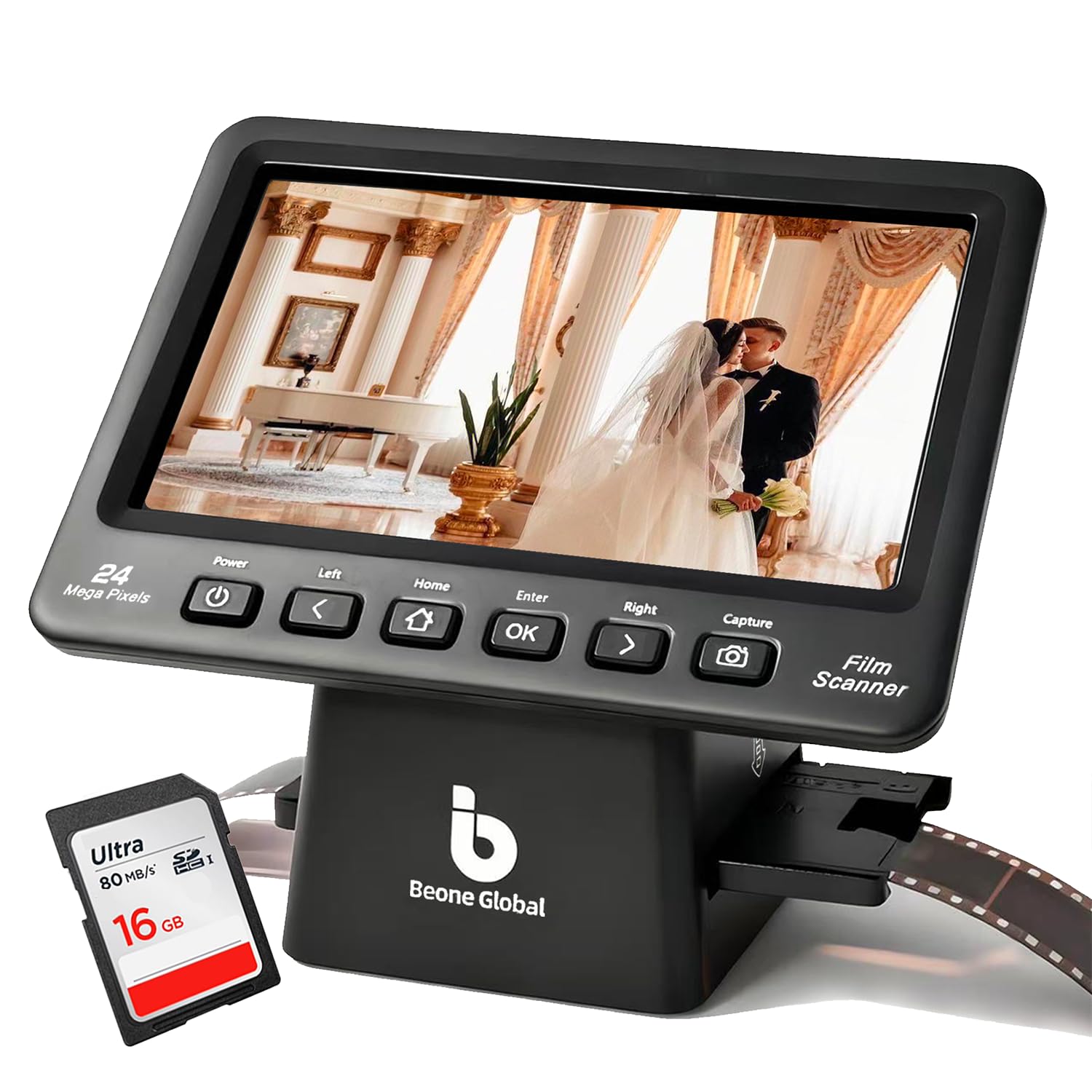
The BEONEGLOBAL ClearScan P7 enters the market with an upgraded 7-inch widescreen LCD and a 1/2.3-inch CMOS sensor that outputs 24MP interpolated scans. The ergonomic button layout places controls directly below the screen for comfortable one-handed operation, and the included branded SD card lets users start scanning immediately without a separate purchase. The unit supports 35mm, 135, 126, 110, and Super 8 film types, making it versatile for mixed collections.
Image quality is respectable within the consumer tier, with users reporting clear results for viewing on monitors and printing at 4×6 or 5×7 sizes. The scanner offers adjustable image size to customize the frame crop, which addresses a common pain point in cheaper units that cut off the edges of the slide mount. However, the slide holder design has attracted criticism for being too thick — it binds against the scanner slot and some users report needing to pry it open with a screwdriver for the first several uses.
The one-year manufacturer warranty is standard, and the inclusion of a premium SD card is a thoughtful touch that eliminates the most common frustration of buying a scanner only to realize no storage was included. For users who prioritize a large, clear preview and want a genuinely ready-out-of-box experience for mixed film types, the ClearScan P7 is a strong value proposition.
Why it’s great
- Large 7-inch widescreen LCD for comfortable previewing
- Premium SD card included — no extra purchase needed
- Adjustable image crop prevents edge-cutting of slide mounts
Good to know
- Slide holder can bind in the slot and requires force to insert initially
- Interpolated 24MP lacks true optical resolution for large prints
- Scan speed is slow for batch work compared to Magnasonic
8. Magnasonic All-in-One FS71
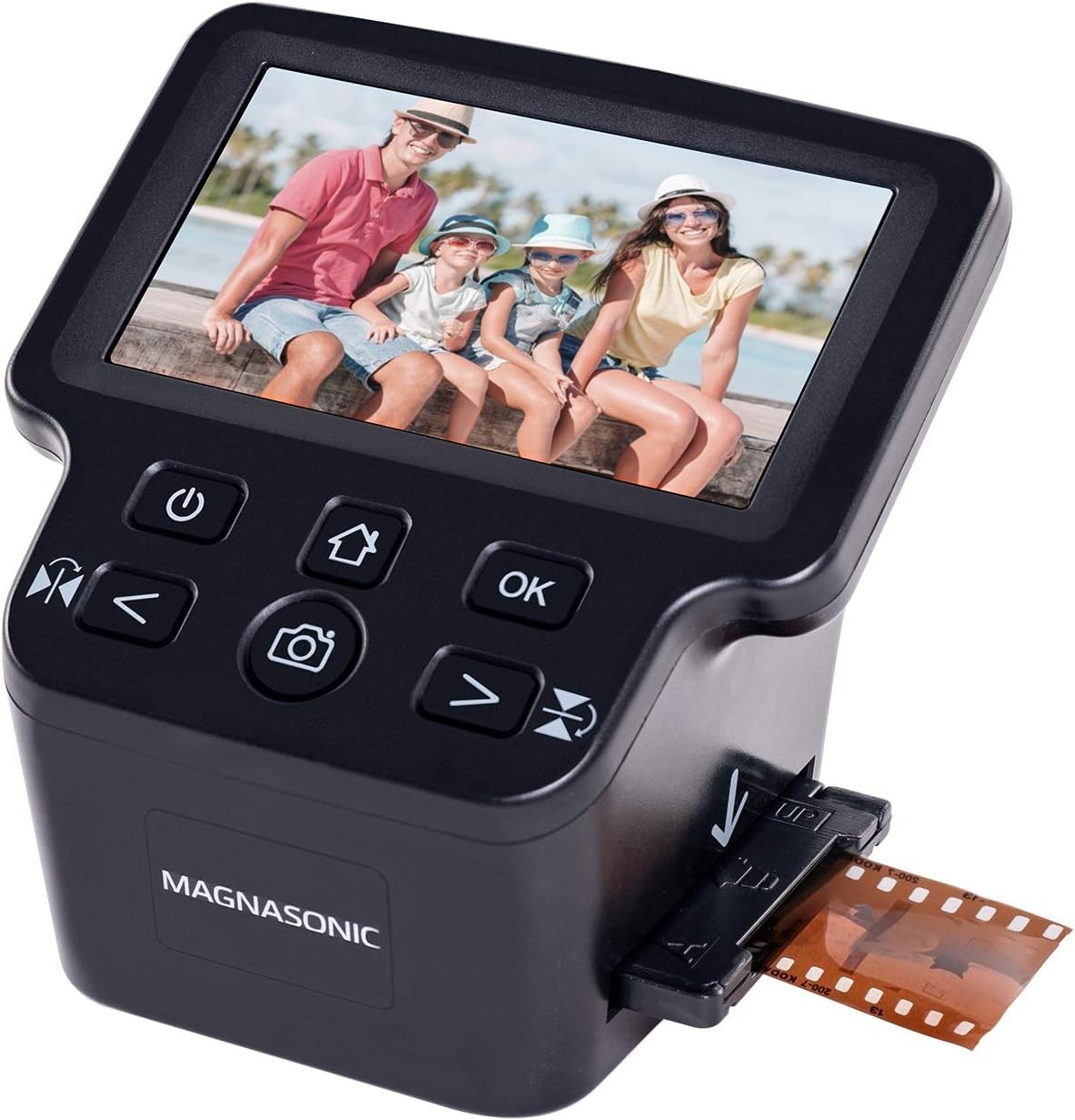
The Magnasonic FS71 has earned a reputation as the volume champion for users who need to plow through thousands of negatives without breaking the bank. Its fast-loading film trays allow continuous feeding of 35mm strips, and the 5-inch LCD provides a clear preview of brightness and color adjustments. One user reported scanning over 8,000 frames in approximately 40 to 60 hours, which works out to roughly 18 seconds per frame including handling time — the fastest per-frame throughput in this roundup among standalone units.
Image quality at 24MP interpolated is good enough for 4×6 prints and screen viewing, but the sensor tends to produce dark or flat default scans that require a +0.5 to +1.0 EV brightness adjustment. The scanner crops the top and bottom of the frame to a 4×6 aspect ratio, which means some of the original negative area is lost. There is no direct USB transfer mode; users must remove the SD card and use a card reader to move files to a computer. The internal 128MB storage holds about 15 images before needing a card.
The live preview flickers on very dark slides, and the unit has no clock battery so the date stamp resets every time it is unplugged. These are minor annoyances for a scanner that delivers reliable, fast digitization of large collections at a low per-frame cost. For the user with several shoeboxes of 35mm negatives, the FS71 is the most efficient way to get them all digital in a weekend.
Why it’s great
- Fastest per-frame throughput for high-volume 35mm negative batches
- Fast-loading trays reduce handling time between strips
- Simple standalone operation with no computer required
Good to know
- Scans dark by default and requires brightness compensation
- Crops images to 4×6 aspect ratio, losing negative edges
- No direct USB transfer — must use SD card reader
9. DigitPro C190 Film and Slide Scanner
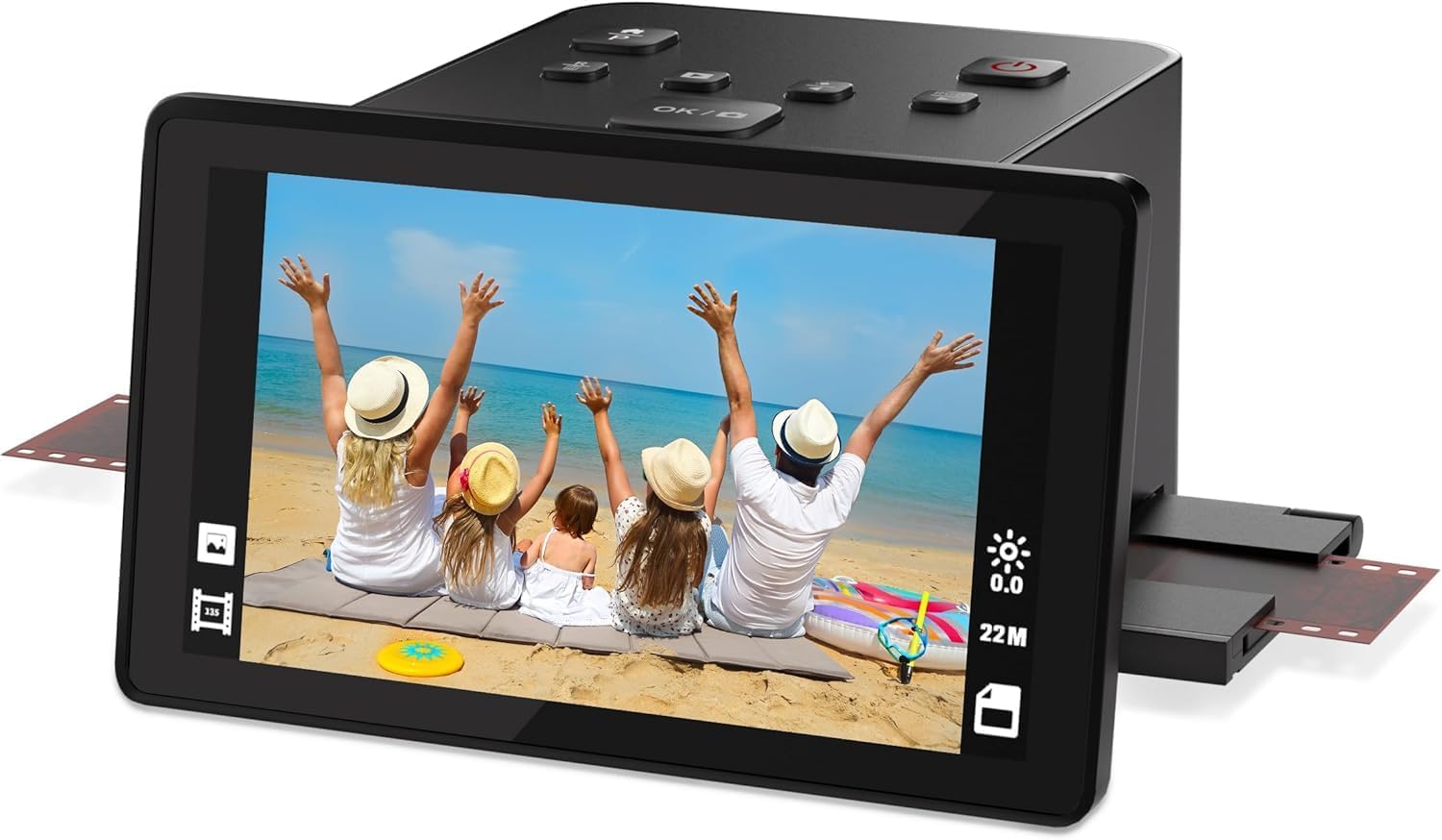
The DigitPro C190 is a true entry-level option for those who want to test the waters of film digitization without a major financial commitment. It supports 35mm, 126, 110 negatives, 50mm slides, and Super 8 film, with one-touch scanning that saves images directly to the built-in 128MB memory or an external SD card. The 5-inch LCD screen provides real-time previews for color and brightness adjustment, and the included HDMI output allows TV viewing for family sharing.
Resolution is 1080p (roughly 2 megapixels), which is adequate for viewing on monitors, sharing on social media, or printing wallet-size photos. Users note that the scanning process works reliably but is slow for batch work, as each slide or negative strip must be loaded and scanned individually. The onboard editing tools are basic — limited to color, brightness, and date/time stamps — so dust removal and advanced corrections require external software.
The C190 comes with a full accessory kit including multiple film holders, a cleaning brush, and a 12-month warranty. Build quality reflects the budget price point: the chassis is lightweight plastic, and the buttons feel less substantial than mid-range competitors. For a grandparent wanting to digitize a single carousel of slides or a first-time buyer curious about film scanning, the DigitPro C190 offers a functional, low-risk introduction to the hobby.
Why it’s great
- Lowest financial barrier to entry for 35mm and slide digitization
- Includes HDMI output for instant TV viewing of scans
- Complete accessory kit with multiple film holders included
Good to know
- Only 1080p resolution limits print size to wallet or 4×6 at best
- Very slow for batch work — each slide must be loaded individually
- Plastic build feels less durable than mid-range alternatives
FAQ
Can a 35mm scanner also handle 110 and 126 format film?
Is 7200 dpi actually necessary for scanning 35mm film?
Why do my scanned slides look cropped or missing the edges?
Can I scan black-and-white film with infrared dust removal?
Final Thoughts
For most users, the 35mm scanner winner is the Plustek OpticFilm 8200i SE because it delivers true 7200 dpi optical resolution with infrared dust removal at a price that undercuts dedicated batch systems by thousands. If you need to auto-feed fifty slides at once for a large institutional collection, grab the Pacific Image PowerSlide X Plus. And for a quick, family-friendly way to digitize old negatives without a computer, nothing beats the KODAK Slide N SCAN for its combination of speed, ease of use, and reliable output.

Mo Maruf
I created WellFizz to bridge the gap between vague wellness advice and actionable solutions. My mission is simple: to decode the research and give you practical tools you can actually use.
Beyond the data, I am a passionate traveler. I believe that stepping away from the screen to explore new environments is essential for mental clarity and physical vitality.