Our readers keep the lights on and my smoothie glass nicely filled. As an Amazon Associate, I earn from qualifying purchases.
The jump from a standard 60Hz or 144Hz panel to a 240Hz 1440p display is one of the most tangible upgrades you can make for competitive gaming. You stop noticing the blur of a fast strafe, and every flick shot feels connected directly to your hand—not buffered through a sluggish LCD. The choice today isn’t whether to go high refresh; it’s which panel technology—OLED, QD-OLED, or fast IPS—best balances your need for motion clarity, color fidelity, and long-term burn-in peace of mind.
I’m Mohammad Maruf — the founder and writer behind WellFizz. I’ve spent countless hours dissecting panel specifications, refresh rate implementations, and adaptive sync behavior to separate genuine performance gains from spec-sheet hype in the high-refresh monitor space.
After reviewing eleven of the most compelling models on the market, one thing is clear: the best 1440p 240hz monitor for you depends entirely on whether you prioritize OLED’s infinite contrast or IPS’s raw speed and text clarity.
How To Choose The Best 1440p 240Hz Monitor
Picking the right 1440p 240Hz monitor goes far beyond checking a refresh rate box. The panel technology, adaptive sync implementation, and physical connectivity all determine whether your investment delivers the smooth, tear-free experience you’re paying for.
Panel Technology: OLED vs. Fast IPS
OLED panels (including QD-OLED and WOLED variants) offer per-pixel lighting for infinite contrast, true blacks, and response times as low as 0.03ms. Fast IPS panels, like the one in the Alienware AW2723DF, trade some contrast for higher sustained brightness and zero risk of burn-in. If you play in a dark room and want the most immersive image, OLED wins. If your monitor doubles as a productivity screen with static UI elements, IPS remains the safer bet.
Connectivity for Full Bandwidth
To actually drive 1440p at 240Hz, you need DisplayPort 1.4 with Display Stream Compression (DSC) or HDMI 2.1. Older HDMI 2.0 ports cap out at 144Hz at this resolution. Check that your graphics card and the monitor both support these standards—otherwise, you’ll be stuck at a lower refresh rate despite paying for 240Hz.
Adaptive Sync and VRR
FreeSync Premium, G-Sync Compatible, and G-Sync Ultimate all aim to eliminate screen tearing. Most modern OLEDs support both AMD FreeSync and NVIDIA G-Sync over DisplayPort. However, some OLED panels can exhibit flicker during VRR operation when frame rates fluctuate rapidly. Look for models with dedicated anti-flicker features, like the ASUS ROG Strix XG27AQDMG, if you’re sensitive to this.
Burn-in Mitigation on OLEDs
OLED burn-in is a real concern for monitors used for static desktop work. Manufacturers now include features like pixel shifting, pixel refresh cycles, and OLED Care software to prolong panel life. The MSI MAG 271QP and ASUS ROG Swift PG27AQDM include robust heatsinks and automated maintenance routines. If you plan to keep your monitor for five years, prioritize models with a proven burn-in prevention system and a warranty that covers it.
Quick Comparison
On smaller screens, swipe sideways to see the full table.
| Model | Category | Best For | Key Spec | Amazon |
|---|---|---|---|---|
| MSI MAG 271QP QD-OLED X28 | QD-OLED | Best Overall Value | 280Hz / 0.03ms / QD-OLED | Amazon |
| Acer Predator X27U W1 | QD-OLED | Budget OLED Entry | 240Hz / 0.03ms / QD-OLED | Amazon |
| LG 27GX704A-B | WOLED | Glossy WOLED Clarity | 240Hz / 0.03ms / Glossy OLED | Amazon |
| Alienware AW2725DF | QD-OLED | 360Hz Competitive Edge | 360Hz / 0.03ms / QD-OLED | Amazon |
| ASUS ROG Strix XG27AQDMG | WOLED | Premium Build & Features | 240Hz / 0.03ms / WOLED | Amazon |
| AOC Agon PRO AG276QZD2 | QD-OLED | Great All-Rounder | 240Hz / 0.03ms / QD-OLED | Amazon |
| Samsung Odyssey OLED G6 G61SH | QD-OLED | Trusted Brand OLED | 240Hz / 0.03ms / Glare-Free | Amazon |
| INNOCN 2780s | QD-OLED | Budget QD-OLED | 280Hz / 0.03ms / QD-OLED | Amazon |
| Alienware AW2723DF | IPS | Zero Burn-In IPS | 280Hz OC / 1ms / IPS | Amazon |
| Deco Gear R1000 | VA | Ultrawide Immersion | 240Hz / 2.3ms / 49″ VA | Amazon |
| ASUS ROG Swift PG27AQDM | OLED | Ultimate Pro OLED | 240Hz / 0.03ms / OLED | Amazon |
In‑Depth Reviews
1. MSI MAG 271QP QD-OLED X28
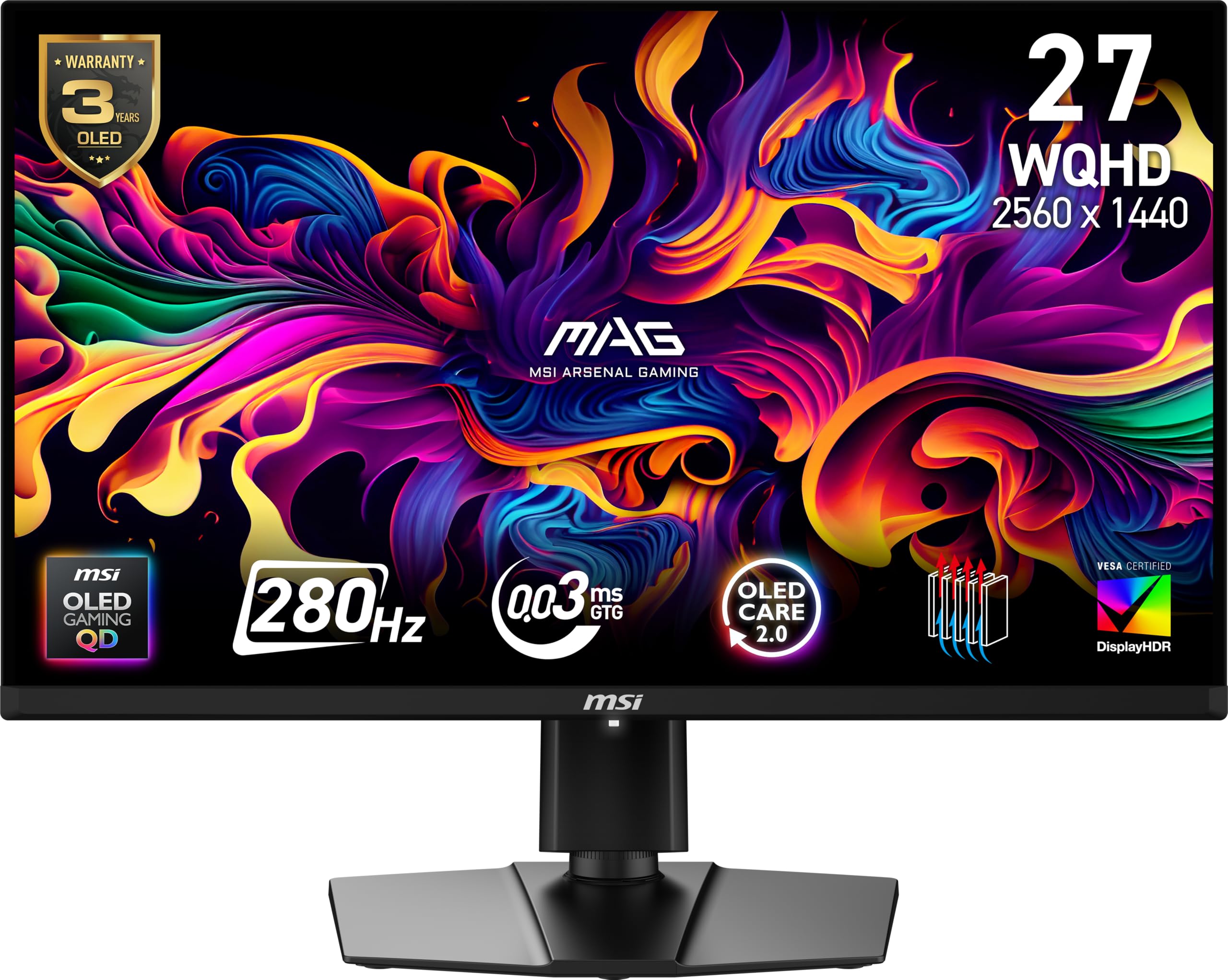
The MSI MAG 271QP combines a 280Hz refresh rate with a 10-bit Quantum Dot OLED panel and a graphene heatsink designed to improve durability. The Delta E ≤2 color accuracy and 99% DCI-P3 coverage make it equally suited for color-sensitive work as for fast-paced gaming. At 27 inches and WQHD resolution, it hits the sweet spot where pixel density is high enough for sharp text without taxing your GPU as heavily as 4K.
Connectivity includes DisplayPort 1.4a and two HDMI 2.1 ports, ensuring you can run the panel at its full 280Hz refresh rate from both modern PCs and consoles. The 15W USB-C Power Delivery is a welcome addition for laptop users, though it won’t charge a high-power gaming laptop at full speed. The stand offers height, tilt, and swivel adjustment, and VESA 100mm mounting is supported.
The real-world image quality is stunning. Blacks are truly black thanks to the self-emissive pixels, and the 1,500,000:1 contrast ratio makes HDR content look significantly better than any IPS panel in this price range. The included OLED Care 2.0 software provides pixel shifting and refresh scheduling to mitigate burn-in. Some users note the panel isn’t the brightest in a sunny room, but for a dark or moderately lit gaming space, it’s exceptional.
Why it’s great
- Outstanding QD-OLED image quality with true blacks and vibrant colors.
- 280Hz refresh rate and 0.03ms response time for buttery-smooth gameplay.
- Robust OLED Care 2.0 software and graphene heatsink for burn-in prevention.
Good to know
- Peak brightness is lower than some premium OLEDs, limiting HDR pop in bright rooms.
- 15W USB-C PD is too low for charging high-performance laptops.
2. ASUS ROG Swift PG27AQDM

The ASUS ROG Swift PG27AQDM sits at the top of the performance pyramid with its 240Hz OLED panel and native G-Sync module. The image quality is reference-grade: colors are deeply saturated, blacks are absolute, and the 0.03ms response time eliminates any perceivable motion blur. For competitive players who also want the best possible HDR experience in single-player titles, this monitor delivers on every front.
The build quality is distinctly premium. The stand is rock-solid with full ergonomic adjustment, and the anti-glare coating on the glossy OLED panel handles reflections better than most matte finishes without washing out the image. The connectivity suite includes DisplayPort 1.4 and HDMI 2.1, fully supporting 1440p at 240Hz with VRR enabled. There are no built-in speakers, so plan for a separate audio solution.
Owners consistently report that this is the best PC upgrade they’ve ever made, citing the night-and-day difference from any LCD panel. The text clarity on white backgrounds is slightly softer than a high-end IPS, a trade-off inherent to the OLED subpixel layout. The 3-year warranty that covers burn-in provides peace of mind for long-term ownership, making this a safe investment despite the premium entry point.
Why it’s great
- Absolutely stunning OLED picture quality with deep blacks and vivid HDR.
- Native G-Sync module provides flawless tear-free performance.
- Excellent build quality and 3-year burn-in warranty.
Good to know
- Premium price positions it as a serious investment.
- No built-in speakers; text clarity slightly softer than IPS.
3. Alienware AW2725DF

The Alienware AW2725DF pushes the refresh rate envelope to 360Hz on a QD-OLED panel, making it the ultimate choice for esports players who want the smoothest possible motion. The combination of a 0.03ms response time and 360Hz means that even the fastest mouse flicks produce zero visible ghosting. The 1440p resolution keeps GPU demands reasonable while offering significantly more detail than 1080p.
Alienware includes AMD FreeSync Premium Pro and VESA AdaptiveSync certification, ensuring tear-free gameplay with both major GPU brands. The 99.3% DCI-P3 color coverage and Delta E<2 accuracy mean it also doubles as a credible content creation display. The stand provides full height, tilt, swivel, and pivot adjustment, and the Lunar Light design is clean and understated. The 3-year burn-in warranty is a significant trust signal from Dell.
User feedback highlights the incredible motion clarity and vibrant colors, but there are quirks. The pixel refresh cycle runs every few hours and briefly interrupts the display. Some units exhibit a slight purple tint in certain lighting conditions, and the glossy screen can be a fingerprint magnet. For competitive gamers who prioritize raw speed above all else, this is the monitor to beat.
Why it’s great
- 360Hz refresh rate provides the smoothest motion clarity available in a 1440p OLED.
- Stunning QD-OLED image quality with excellent color accuracy.
- 3-year burn-in warranty and robust build quality.
Good to know
- Pixel refresh cycles can be disruptive during long sessions.
- Glossy coating attracts fingerprints; text clarity is slightly soft.
4. LG 27GX704A-B

The LG 27GX704A-B uses a glossy WOLED panel that delivers a particularly crisp and punchy image. The 240Hz refresh rate and 0.03ms response time are standard for the OLED category, but LG’s implementation stands out for its accurate color reproduction and excellent out-of-box calibration. The 98.5% DCI-P3 coverage and 1.5M:1 contrast ratio produce deep blacks and bright highlights that make games look spectacularly vivid.
LG has focused on eye comfort with three UL certifications for anti-glare, flicker-free, and low blue light. The glossy finish actually handles reflections better than many matte screens, maintaining contrast and clarity even in rooms with ambient light. Connectivity is generous with dual HDMI 2.1 ports and DisplayPort 1.4, supporting full 240Hz on both PC and next-gen consoles. The Hexagon lighting adds a subtle aesthetic touch.
Users consistently praise this monitor for its value proposition, noting it competes with more expensive models in image quality. The auto pixel care cycles run during standby, and the On-Screen Control software makes it easy to adjust settings. Some users coming from QD-OLED panels note that colors are slightly less vibrant, but the trade-off is more accurate skin tones and less eye strain during long sessions.
Why it’s great
- Glossy WOLED panel delivers excellent contrast and color accuracy.
- Triple UL certification for eye comfort during extended use.
- Great value for a high-quality OLED gaming monitor.
Good to know
- Colors slightly less vibrant than QD-OLED competitors.
- Auto pixel care can be distracting if you are not using a dedicated power strip.
5. AOC Agon PRO AG276QZD2

The AOC Agon PRO AG276QZD2 delivers a 240Hz QD-OLED experience with a native 280Hz revision on newer units. The self-luminous OLED panel produces genuine blacks and over 1.07 billion colors, making it a visual treat for both gaming and media consumption. The inclusion of HDR10 support with a 101% DCI-P3 color gamut ensures that HDR content looks rich and immersive.
Build quality is solid, though the stand has been noted to be slightly wobbly when the desk is bumped. The monitor includes built-in speakers, which are serviceable for casual use but not a replacement for dedicated audio. The AOC G Menu software allows for easy calibration and settings adjustment. The glossy QD-OLED finish delivers vibrant colors, but it may show reflections in brightly lit rooms.
The latest revisions of this monitor fix the earlier HDR washout issue, making it a much more polished product. The factory calibration report included in the box is a nice touch for users who care about color accuracy. Text fringing, a common QD-OLED complaint, is present but not severe. For the price, this monitor offers a fantastic entry point into the QD-OLED ecosystem without sacrificing core performance.
Why it’s great
- Excellent QD-OLED image quality with vibrant colors and deep blacks.
- Newer revisions include native 280Hz support and fixed HDR issues.
- Factory calibration report ensures good out-of-box color accuracy.
Good to know
- Stand feels slightly wobbly; monitor may need a VESA arm for stability.
- Glossy screen reflects light; built-in speakers are mediocre.
6. Acer Predator X27U W1

The Acer Predator X27U W1 is the budget-friendly gateway to QD-OLED gaming. It offers a 240Hz refresh rate, 0.03ms response time, and 99% DCI-P3 color gamut at a price that undercuts most OLED competitors. The image quality is phenomenal for the cost: blacks are absolute, colors are rich, and the motion clarity is flawless in fast-paced games.
The build is where corners are trimmed. The plastic housing feels less premium than the MSI or ASUS alternatives, and the stand has some wobble. The glossy finish is a fingerprint magnet, and the brightness maxes out lower than premium OLEDs—meaning HDR content looks good but not spectacular. Connectivity includes two DisplayPort 1.4 and two HDMI 2.1 ports, making it fully compatible with modern GPUs and consoles.
Customer feedback is overwhelmingly positive, with many calling it a “budget OLED that checks all the right boxes.” The text clarity is decent for a QD-OLED, and the image retention refresh feature helps prevent burn-in. Some units have arrived with minor cosmetic damage to the stand, so inspect the package carefully. If you want OLED performance without breaking the bank, this is one of the strongest options available.
Why it’s great
- Incredible QD-OLED image quality at a very competitive price point.
- Full HDMI 2.1 and DP 1.4 connectivity for all modern hardware.
- 240Hz and 0.03ms response time for fluid, blur-free gaming.
Good to know
- Plastic build feels less premium; stand can be wobbly.
- Lower peak brightness than premium models, limiting HDR impact.
7. Samsung Odyssey OLED G6 G61SH

The Samsung Odyssey OLED G6 G61SH brings Samsung’s brand reliability and QD-OLED expertise to the 240Hz 1440p market. The glare-free technology is a standout feature, keeping the screen readable and contrast-rich even in rooms with windows or overhead lights. The Pantone Validated certification means it reproduces over 2100 colors and 110 skin tone shades accurately, making it a viable option for creative work.
The OLED Safeguard system uses thermal modulation to actively prevent burn-in, giving it a strong longevity story. The 240Hz refresh rate and 0.03ms response time are standard for the category, but the implementation is smooth and reliable with both FreeSync Premium and G-Sync Compatibility. The stand offers height, tilt, swivel, and pivot adjustments, providing excellent ergonomic flexibility.
Users upgrading from 1440p 144Hz IPS panels report a dramatic improvement in color vibrancy and black levels. The monitor works perfectly with both AMD and NVIDIA GPUs, and the 3-year warranty provides additional confidence. A minor inconvenience is that the monitor rearranges dual-monitor window positions when powered off, requiring a workaround with an always-on power strip. For a well-rounded, no-compromise OLED, this is a top contender.
Why it’s great
- Excellent glare-free QD-OLED panel for use in various lighting conditions.
- Pantone Validated for accurate color reproduction.
- Reliable OLED Safeguard burn-in prevention and 3-year warranty.
Good to know
- Window management quirk when monitor powers off can be annoying.
- Text clarity is slightly worse than high-end IPS panels.
8. INNOCN 2780s

The INNOCN 2780s offers a 280Hz QD-OLED panel at a highly competitive price point, making it another strong contender in the budget OLED segment. The 0.03ms response time and 1.5M:1 contrast ratio deliver the hallmark OLED benefits of deep blacks and fluid motion. It is compatible with major consoles and PCs via HDMI 2.1 and DisplayPort inputs.
The design is clean and minimal, available in white, and includes a fully adjustable stand with height, tilt, and pivot. The built-in speakers are weak—fine for system sounds but not for gaming or media consumption. The monitor lacks some advanced OSD features found on premium brands, but the core image quality is impressive for the price. The white color scheme may not suit everyone’s setup.
First-time OLED buyers are consistently blown away by the upgrade in visual quality from their previous VA or IPS panels. The main criticisms center on the limited picture adjustment range and the poor speaker quality. INNOCN offers lifetime technical support, which is a nice bonus. If you’re looking for a no-frills QD-OLED that prioritizes raw panel performance over extra features, this is a compelling pick.
Why it’s great
- Stunning QD-OLED image quality at a budget-friendly price.
- 280Hz refresh rate and fully ergonomic stand included.
- HDMI 2.1 and DP 1.4 support for full bandwidth connectivity.
Good to know
- Built-in speakers are very low quality.
- Limited OSD adjustments for fine-tuning the picture.
9. Alienware AW2723DF

The Alienware AW2723DF is a Fast IPS panel that overclocks to 280Hz, offering the smoothest non-OLED experience available. The 1ms GtG response time and NVIDIA G-Sync Compatible certification ensure tear-free, low-latency gameplay. For users who need their monitor for 8+ hours of static desktop work daily, the IPS technology eliminates any burn-in concern entirely.
Dell’s build quality is excellent, with a robust stand that offers full ergonomic adjustment. The IPS Nano Color technology delivers 95% DCI-P3 coverage and VESA DisplayHDR 600 certification, providing vibrant colors and decent HDR performance. The Legend 2.0 design in Lunar Light looks clean, and the 360-degree ventilation helps with thermal management. AlienFX lighting adds a subtle customizable glow.
The main drawback is the IPS glow and backlight bleed that is typical of the technology, which prevents the deep blacks that OLED users enjoy. The HDR performance is mediocre compared to OLED competition, and there is no HDMI 2.1. For competitive FPS players who value consistent performance and zero risk of image retention, however, this monitor remains a top-tier choice. The 3-year warranty is a solid bonus.
Why it’s great
- 280Hz overclocked IPS with excellent motion clarity and no burn-in risk.
- Rock-solid build quality and full ergonomic stand.
- NVIDIA G-Sync Compatible for flawless tear-free gaming.
Good to know
- IPS glow and backlight bleed are noticeable in dark scenes.
- Mediocre HDR performance; no HDMI 2.1 for consoles.
10. Deco Gear R1000
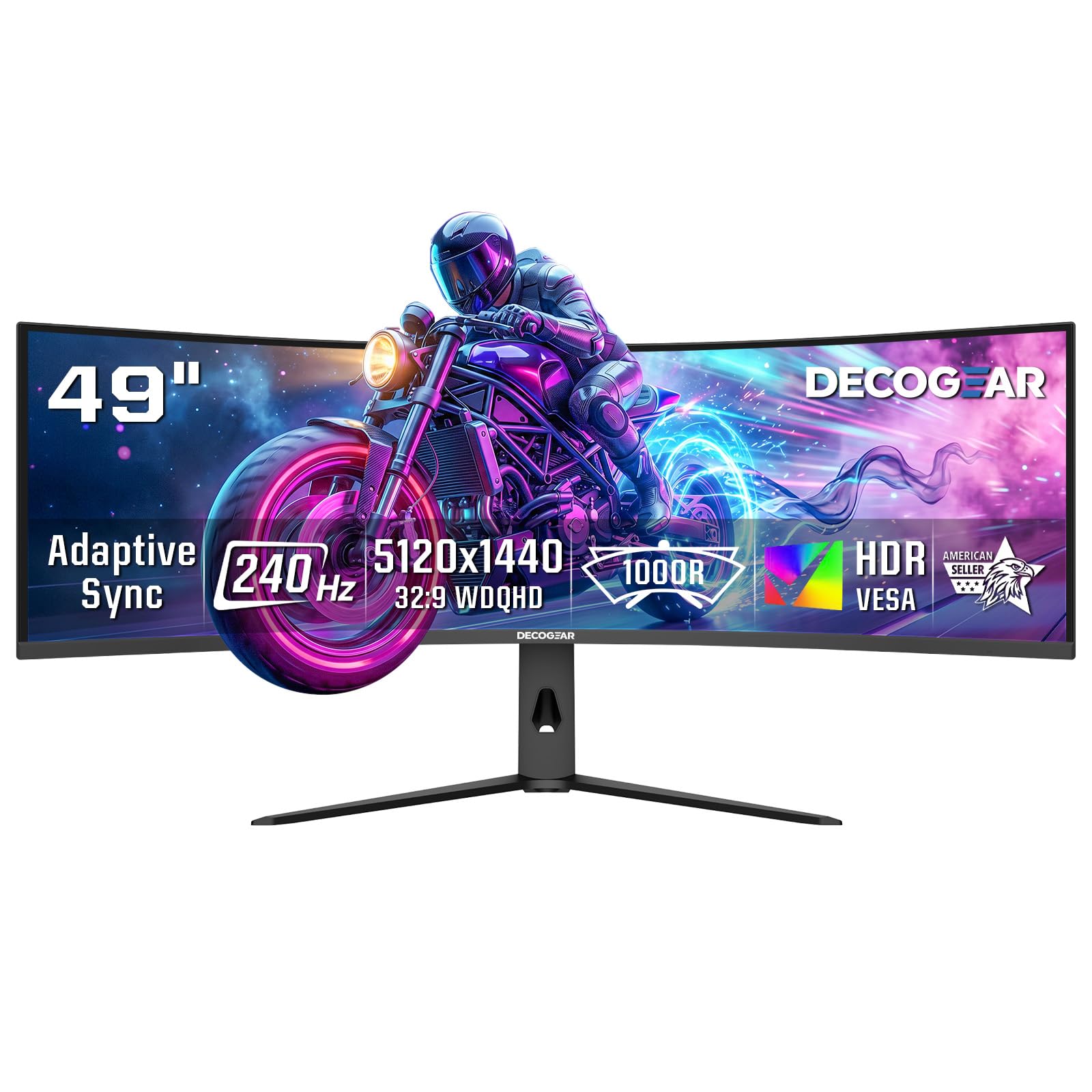
The Deco Gear R1000 is a 49-inch super ultrawide 32:9 monitor offering a dual QHD resolution of 5120×1440 at 240Hz. This is a completely different beast from the 27-inch standard; it replaces two 27-inch monitors with a single seamless curved display. The 1000R curvature provides an immersive field of view that wraps around your peripheral vision, ideal for sim racing, flight sims, and productivity.
The VA panel delivers a 3000:1 contrast ratio, which is significantly better than IPS for deep blacks, and the 2.3ms overdrive response time keeps motion blur in check. Connectivity is a strong point with two HDMI 2.1 ports (48 Gbps) and DisplayPort 1.4, allowing the full 240Hz refresh rate at the monitor’s native resolution. Picture-in-Picture and Picture-by-Picture modes allow you to use it as effectively two monitors side-by-side from a single input.
User feedback indicates that the monitor offers excellent value for the size and specs, with good brightness and color after calibration. The stock color settings are poor and require adjustment. HDR performance on a VA panel at this price is limited. This monitor is not a direct competitor to the 27-inch OLEDs; it is for users who want maximum screen real estate and immersion above all else. Be prepared for the massive physical footprint.
Why it’s great
- Massive 49-inch 32:9 ultrawide screen with immersive 1000R curve.
- 240Hz refresh rate with full HDMI 2.1 bandwidth support.
- Excellent for multitasking and sim racing with PIP/PBP modes.
Good to know
- Requires significant desk space and GPU power to drive.
- Stock color settings are poor; HDR is limited.
11. ASUS ROG Swift OLED PG27AQDM
This is the previous-generation ASUS ROG Swift PG27AQDM, a 240Hz OLED monitor that set the standard for high-refresh OLED gaming. It delivers the same 0.03ms response time and perfect blacks as the newer models, but lacks the latest QD-OLED enhancements and HDMI 2.1 bandwidth. It is still an exceptional monitor for pure image quality and motion clarity.
The build quality is classic ASUS ROG—solid, premium, and fully adjustable. The anti-glare coating on the OLED panel is well-regarded for reducing reflections without washing out contrast. It includes a native G-Sync module, ensuring the most stable variable refresh rate experience available. The connectivity is limited to DisplayPort 1.4 and HDMI 2.0, which means you need to use DisplayPort to achieve 240Hz at 1440p.
Owners consistently describe the image as “spectacular” and the gaming experience as transformative. The main limitations are the lack of HDMI 2.1 (limiting console use to 120Hz), no built-in speakers, and the high price tag. For a pure PC gaming setup where image quality is the top priority, this monitor remains a fantastic choice. It is a premium option that asks for a significant investment but delivers a correspondingly premium experience.
Why it’s great
- Reference-level OLED image quality with perfect blacks and vivid colors.
- Native G-Sync module for the most stable tear-free experience.
- Premium build quality with excellent anti-glare coating.
Good to know
- Limited to HDMI 2.0, capping console use at 120Hz.
- Premium price point; no built-in speakers.
FAQ
Do I need HDMI 2.1 to get 240Hz at 1440p?
Is OLED burn-in a real problem for gaming monitors?
Can my graphics card run 1440p at 240Hz?
What is the difference between G-Sync and FreeSync?
Final Thoughts: The Verdict
For most users, the best 1440p 240hz monitor winner is the MSI MAG 271QP QD-OLED X28 because it hits the perfect balance of price, performance, and burn-in protection. If you want the ultimate competitive advantage with a 360Hz refresh rate, grab the Alienware AW2725DF. And for a zero-compromise productivity monitor that eliminates burn-in worry, nothing beats the Alienware AW2723DF.

Mo Maruf
I created WellFizz to bridge the gap between vague wellness advice and actionable solutions. My mission is simple: to decode the research and give you practical tools you can actually use.
Beyond the data, I am a passionate traveler. I believe that stepping away from the screen to explore new environments is essential for mental clarity and physical vitality.