Our readers keep the lights on and my smoothie glass nicely filled. As an Amazon Associate, I earn from qualifying purchases.
A business travel laptop endures a unique double life: it must disappear into a carry-on yet roar through spreadsheets, video calls, and client presentations the moment you sit down. The wrong choice means shoulder pain from a heavy chassis or a dead battery halfway through a layover.
I’m Mohammad Maruf — the founder and writer behind WellFizz. I spent months analyzing processor benchmarks, chassis materials, display color accuracy, battery capacities, and port configurations across every major business laptop line to find the machines that genuinely handle road-warrior demands.
Whether you need a featherlight ultrabook for cross-country flights or a workstation-class machine for data-heavy work, this guide cuts through the noise to deliver the best business travel laptop for every kind of mobile professional.
How To Choose The Best Business Travel Laptop
A business travel laptop is a compromise machine by nature — balancing portability against performance. To choose wisely, you need to prioritize three things: how much weight your back can handle, how long the battery lasts between outlets, and whether the ports match the cables you already own.
Weight and Chassis: Magnesium Alloy Is Your Best Friend
Every extra pound multiplies on a 12-hour travel day. Look for magnesium alloy or aerospace-grade aluminum builds — they shave 20 to 30 percent off the weight of plastic chassis without sacrificing rigidity. A sub-3-pound machine like the GEEKOM X14 Pro or LG Gram 17 can genuinely disappear in a messenger bag, while a 4.5-pound “thin” laptop still feels like a brick after security line number three.
Battery Capacity: Watt-Hours Matter More Than “Up To” Claims
Ignore marketing numbers like “up to 16 hours” — those are measured at minimum brightness with Wi‑Fi off. Instead, check the actual watt-hour (Wh) rating. A 72Wh battery paired with a low-power Intel Ultra or Snapdragon X Elite consistently delivers 10 to 12 hours of real mixed use. Anything under 50Wh will leave you hunting for an outlet by mid-afternoon. Fast charging (50 percent in 30 minutes) is a non-negotiable for tight airport turnarounds.
Port Selection: The No-Dongle Test
A true business travel machine needs at least one Thunderbolt 4 or USB4 port for high-speed docking, plus a legacy USB-A port for that one dongle-free flash drive. HDMI 2.1 saves you from carrying an adapter for hotel TV presentations. RJ‑45 Ethernet is a bonus for reliable hotel wired connections. If you must carry a dongle to plug in a mouse and a monitor, that machine failed the test.
Display Quality: Anti-Glare and Color Coverage
An anti-glare matte finish is worth far more than a glossy OLED on a window seat at noon. If you want vibrant colors, look for 100 percent sRGB or DCI‑P3 coverage — that ensures your client deck looks right on your screen and on the projector. Touchscreens are nice for scrolling but add weight and glare; decide if you genuinely need one.
Keyboard and Build Reliability
A backlit keyboard with decent key travel (1.5mm or more) prevents typos in dim cabins. Spill resistance and a sturdy hinge that survives 20,000 open-close cycles separate a travel laptop from a desk ornament. A fingerprint reader is faster and more reliable than typing a password in turbulence.
Quick Comparison
On smaller screens, swipe sideways to see the full table.
| Model | Category | Best For | Key Spec | Amazon |
|---|---|---|---|---|
| GEEKOM GeekBook X14 Pro | Premium Ultraportable | All-day carry-on computing | 2.2 lbs / 2.8K OLED 120Hz | Amazon |
| LG Gram 17 (2025) | Premium Ultra-Light | Large screen on the road | 3.2 lbs / 17″ 2560×1600 touch | Amazon |
| Microsoft Surface Laptop (2024) | Copilot+ PC | ARM efficiency + AI features | Snapdragon X Elite / 20hr battery | Amazon |
| Lenovo ThinkPad E16 Gen 3 | Business Workstation | Docking & legacy port needs | Thunderbolt 4 + RJ-45 | Amazon |
| HP EliteBook (650 G10) | Enterprise Business | Corp standard-issue replacement | Spill-backlit keyboard / FP reader | Amazon |
| Dell Latitude 5550 | Business AI PC | Heavy multitasking + 2x Thunderbolt 4 | 64GB DDR5 / 2TB SSD | Amazon |
| HP Flagship 17 (64GB) | Budget Workstation | Max RAM for spreadsheets | 64GB DDR4 / 17″ FHD | Amazon |
| HP 17 Business (64/2.2TB) | Storage Monster | Massive local file storage | 64GB + 2.2TB total storage | Amazon |
| Lenovo IdeaPad (40GB/2.5TB Set) | Value Max Spec | Budget multi-monitor setup | 40GB RAM + docking station | Amazon |
| Lenovo IdeaPad (40GB/2.5TB) | Value Max Spec | Touchscreen + MS Office included | 40GB RAM / 2.5TB total | Amazon |
| HP Flagship 17 (32GB) | Large Screen Value | Budget 17″ workhorse | 32GB / 1TB / Ryzen 5 | Amazon |
| HP 15 Touchscreen | Value Touchscreen | Touch + Iris Xe light duties | i7-1355U / 16GB RAM | Amazon |
| Dell Inspiron 15 Touch | Entry-Level Business | Budget business with Ryzen 7 | Ryzen 7 7730 / 1TB SSD | Amazon |
In‑Depth Reviews
1. GEEKOM GeekBook X14 Pro

The GEEKOM GeekBook X14 Pro rewrites what a travel laptop can be. At just 2.2 pounds with a magnesium alloy CNC unibody, it undercuts every mainstream ultrabook while packing an Intel Core Ultra 9 185H with 16 cores and a dedicated NPU for Copilot AI acceleration. The 14-inch 2.8K OLED panel at 120Hz delivers true blacks and 100% DCI‑P3 coverage — a rare combination in a sub-2.5-pound chassis. With 32GB of LPDDR5x RAM at 7500MHz and a 1TB Gen4 SSD, this machine handles 20 Chrome tabs, Fusion 360, and a Zoom call without stutter.
The 72Wh battery delivers a verified 14 to 16 hours of mixed productivity, and the included 65W GaN charger fits into a shirt pocket. The IceBlade 2.0 thermal system keeps fan noise whisper-quiet even under sustained load. Two USB4 ports with 40Gbps bandwidth plus HDMI 2.1 mean you can drive three 4K displays without a dock — a genuine no-dongle experience for client presentations.
The touchpad is adequate rather than excellent, and the bottom-firing speakers lack bass for media consumption. The fingerprint reader works reliably but Windows Hello facial recognition is absent. For the road warrior who prioritizes weight, display quality, and raw compute over brand badge prestige, this is the most balanced travel machine on the market right now.
Why it’s great
- Ultra-light 2.2lb magnesium alloy build
- 2.8K OLED 120Hz with 100% DCI‑P3
- 72Wh battery delivers 14+ hours real use
- USB4 + HDMI 2.1 — no dongle needed
Good to know
- Touchpad feels average for the price tier
- Speakers are underwhelming for media
- No Windows Hello facial recognition
2. LG Gram 17 (2025)

No other laptop combines a 17-inch workspace with a 3.2-pound carry weight. The LG Gram 17 uses a nano-carbon magnesium alloy chassis to achieve this near-miracle, and the 2560×1600 WQXGA touchscreen with anti-glare coating provides ample real estate for sprawling spreadsheets and multi-window workflows. The Intel Core Ultra 7 258V processor with integrated NPU handles AI-enhanced tasks in Copilot+ smoothly.
The 32GB of LPDDR5X RAM and 2TB PCIe Gen4 SSD provide headroom for heavy project files, while the port selection — Thunderbolt 4, USB4, HDMI 2.1, and Wi‑Fi 7 — ensures future-proof connectivity. Battery life hovers around 12 to 15 hours in practical use, and the fanless-under-light-load design means silent operation in quiet conference rooms. The backlit keyboard has generous 1.5mm key travel, making extended typing sessions comfortable.
The bottom-mounted speakers are mediocre and muffle on soft surfaces. The trackpad occasionally confuses left and right clicks. The lid has some flex due to the ultra-light construction. For professionals who refuse to choose between screen size and portability, this machine remains in a class of its own.
Why it’s great
- Only 3.2 lbs for a 17-inch display
- High-res anti-glare touchscreen
- Thunderbolt 4 + Wi‑Fi 7 connectivity
- Excellent battery endurance on the road
Good to know
- Bottom speakers muffle on laps or beds
- Trackpad is not the most precise
- Lid flex noticeable due to thin build
3. Microsoft Surface Laptop (2024)

The 2024 Surface Laptop marks Microsoft’s full pivot to ARM architecture with the Snapdragon X Elite, and the result is a machine that sips power rather than guzzles it. With 32GB of RAM and a 1TB SSD, this 15-inch Copilot+ PC delivers a claimed 20 hours of battery life — and in real-world testing with Office apps, web browsing, and video playback, it consistently hits 16 to 18 hours. The 15-inch touchscreen display supports HDR content and maintains excellent brightness in well-lit rooms.
The chassis retains the signature Surface wedge design and feels premium in hand. Dolby Atmos stereo speakers produce clear, room-filling audio that surpasses most ultrabooks. The keyboard deck remains cool even after hours of use, and the haptic trackpad is among the best on any Windows machine. For the productivity user who lives in a web browser and Microsoft 365, this laptop is nearly perfect.
ARM compatibility remains the elephant in the room. Some legacy x86 applications — particularly VPN clients, virtualization tools like VMware, and niche dev tools — either run slowly through emulation or refuse to run at all. If your workflow depends on Docker Desktop, WSL 2, or ARM-native compilers, the situation improves weekly but isn’t bulletproof yet. Evaluate your specific software stack before committing.
Why it’s great
- Amazing 20-hour real-world battery life
- Premium build with excellent keyboard
- Best-in-class haptic trackpad
- Powerful NPU for Copilot+ AI features
Good to know
- ARM architecture breaks some legacy apps
- No Thunderbolt 4 — only USB-C with USB4
- Pricey for the RAM-to-storage ratio
4. Lenovo ThinkPad E16 Gen 3

The ThinkPad E16 Gen 3 brings enterprise connectivity standards to a relatively travel-friendly chassis. It features a Thunderbolt 4 port, a USB-C with 20Gbps, two USB-A ports, HDMI 2.1, and — crucially — an RJ-45 Ethernet jack, making it the go-to choice for consultants who still plug into hotel wired networks. The Intel Core Ultra 7 255H with 16 cores handles heavy data analysis and multiple VMs without straining.
The 16-inch 1920×1200 WUXGA IPS anti-glare display provides extra vertical real estate for code editors and long spreadsheets. The full-size backlit keyboard with numeric keypad is spill-resistant and has the classic ThinkPad key feel. The fingerprint reader is integrated into the power button for seamless Windows Hello login. Build quality feels robust, and the hinge opens 180 degrees for flat-on-table presentations.
The 45% NTSC color coverage is acceptable for business documents but disappointing for any creative color work — the display looks washed out compared to premium OLED options. The speakers are tinny and lack bass, making external headphones necessary for media. The 32GB DDR5 RAM is soldered in some configurations, so confirm upgradeability before purchase if you anticipate needing more memory later.
Why it’s great
- Full enterprise port selection with RJ-45
- Thunderbolt 4 for high-speed docking
- Spill-resistant backlit keyboard
- 180-degree hinge for flat presentations
Good to know
- 45% NTSC display — poor for color work
- Speakers are tinny and underwhelming
- RAM soldered on some configs
5. HP EliteBook (650 G10)

The HP EliteBook line exists for one reason — to survive the corporate road warrior lifestyle without failure. This 650 G10 packs a 13th-gen Intel Core i7-1355U with 10 cores, 32GB of DDR4 RAM, and a 1TB PCIe SSD into a MIL-STD-810H-tested chassis. The 15.6-inch anti-glare FHD display is perfectly fine for documents, and the spill-resistant backlit keyboard lets you type through your coffee disaster.
Port selection includes Thunderbolt 4, USB-C, two USB-A, HDMI 2.1, and RJ-45 — every connection you’d need at a corporate desk. The fingerprint reader works reliably, and the dual stereo speakers handle conference calls clearly. Battery life sits around 8 to 10 hours of mixed use, which is adequate for a standard workday but not great for transatlantic flights. Windows 11 Pro and Copilot AI support ship standard.
The DDR4 RAM (not DDR5) feels dated at this price tier, and the display lacks the color accuracy expected for creative work. The 3.8-pound weight, while not heavy, is noticeable compared to the magnesium-alloy ultrabooks above. For IT departments that prioritize manageability and durability over glamour, this remains a solid fleet choice — but individual travelers may prefer lighter options.
Why it’s great
- MIL-STD-810H durability certification
- Full enterprise port selection
- Spill-resistant backlit keyboard
- Reliable fingerprint reader
Good to know
- DDR4 RAM — not DDR5
- Display is fine but not color-accurate
- Battery life only average for travel
6. Dell Latitude 5550
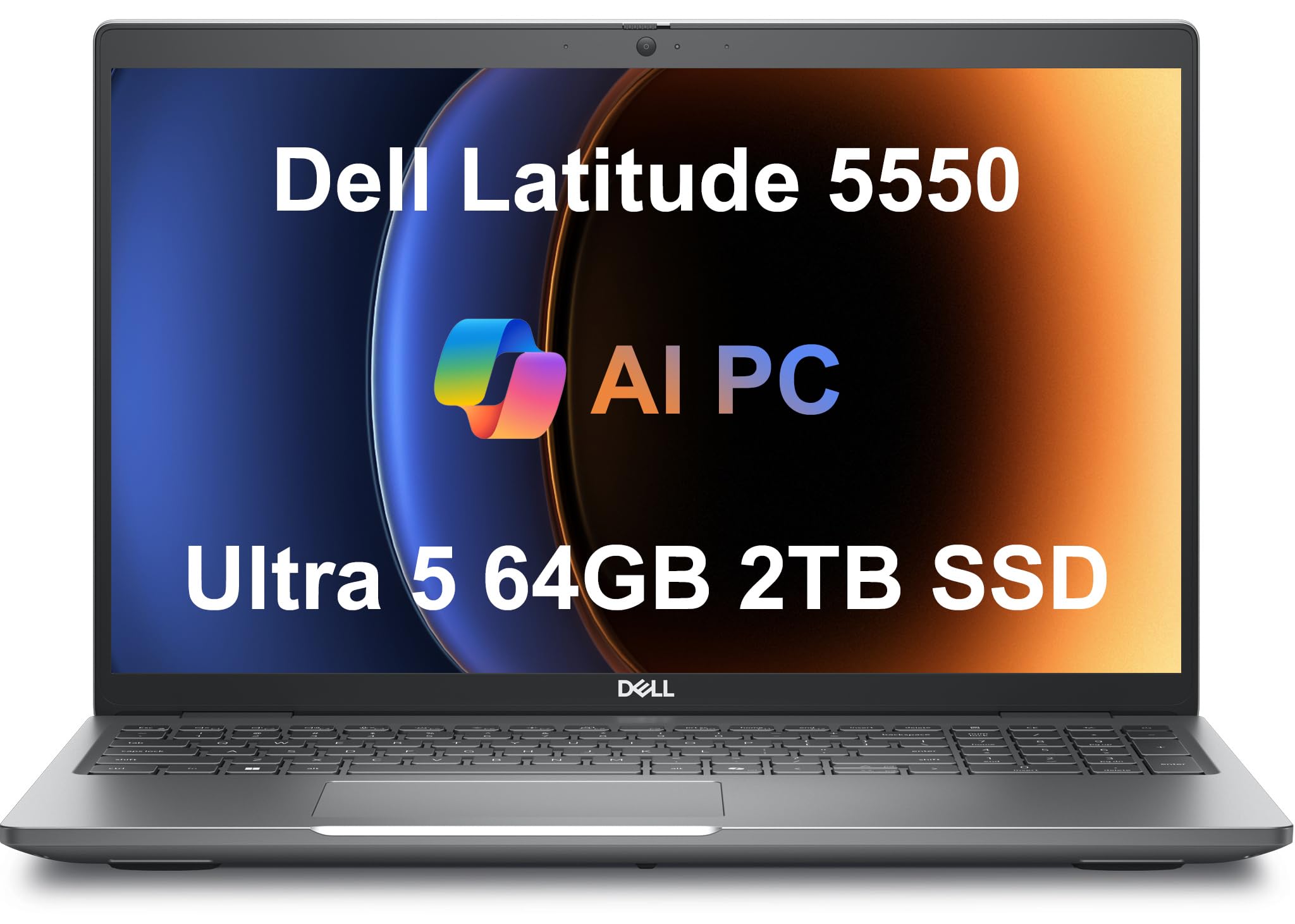
For the mobile professional who runs multiple heavy applications simultaneously — data science notebooks, local virtual machines, and dozens of browser tabs — the Dell Latitude 5550 with 64GB of DDR5 RAM is the right answer. The Intel Core Ultra 5 125U with 12 cores may not be the fastest CPU on paper, but the 64GB memory headroom means you never have to close a tool to open another. The 2TB PCIe Gen4 SSD provides ample fast storage.
The 15.6-inch FHD anti-glare display with IPS technology reduces eye fatigue during long work sessions. Two Thunderbolt 4 ports at full 40Gbps alongside HDMI 2.1, USB-A, and RJ-45 Ethernet mean you can connect to any docking setup without dongles. The backlit keyboard with numeric keypad is comfortable for extended typing, and the FHD HDR RGB webcam with privacy shutter delivers clear video calls. Battery life hits about 11 hours of mixed productivity.
The Latitude 5550 uses a standard Dell chassis that feels more functional than premium — the gray plastic build lacks the elegance of a Surface or ThinkPad. The 4.2-pound weight makes it a better briefcase laptop than a carry-on laptop. The RAM and SSD are upgraded by a third party, so ensure warranty coverage is clear before purchase. For pure multitasking capacity at a reasonable price, it’s hard to beat this configuration.
Why it’s great
- 64GB DDR5 RAM for extreme multitasking
- Dual Thunderbolt 4 ports at full speed
- RJ-45 Ethernet for wired connections
- Good 11-hour battery endurance
Good to know
- 4.2 lbs — heavier than ultraportables
- Chassis feels functional, not premium
- Third-party RAM/SSD upgrade — check warranty
7. HP Flagship 17 (64GB / 2TB)
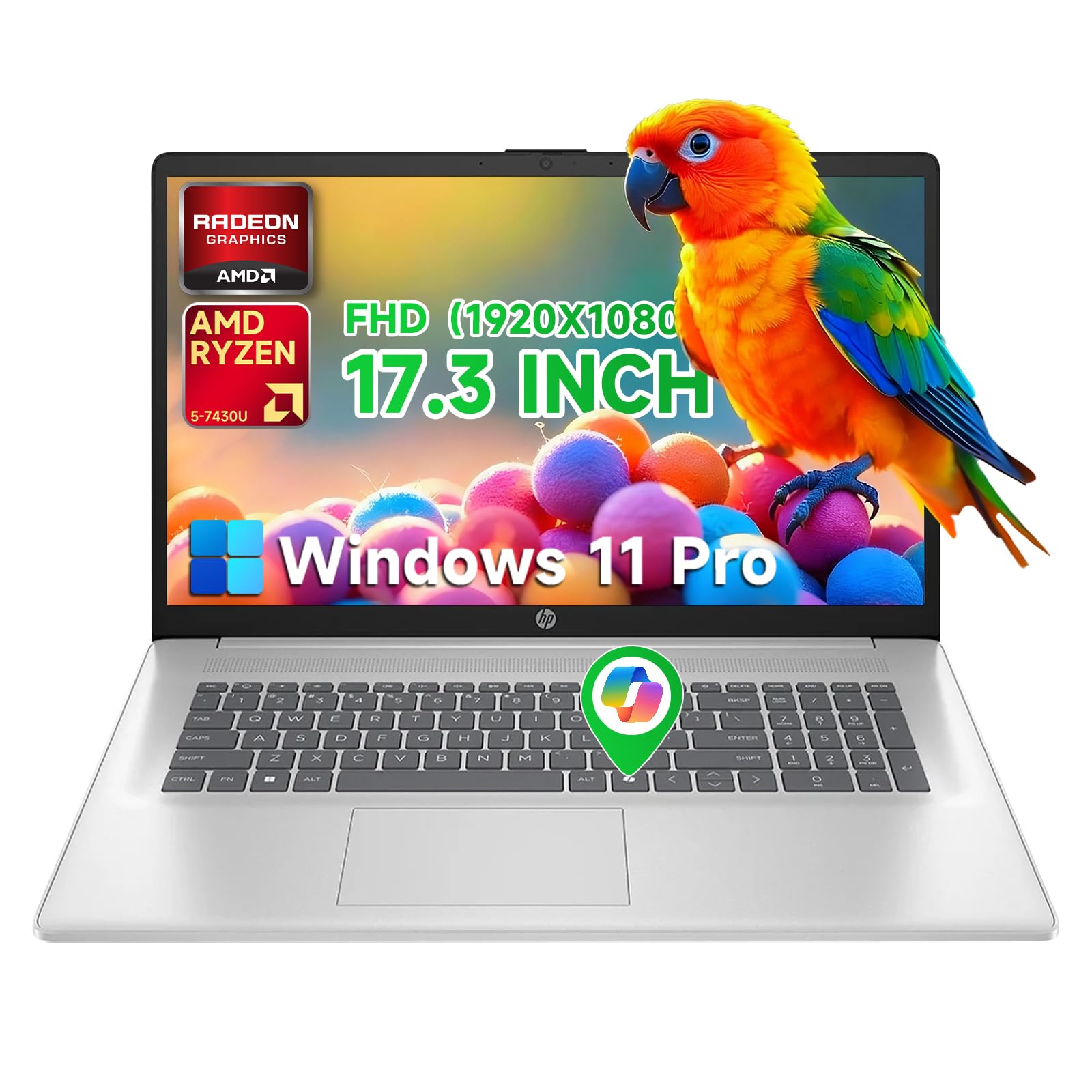
The HP Flagship 17 with 64GB RAM and a 2TB SSD offers immense memory and storage for professionals who work with massive datasets, virtual machines, or multiple large applications. The AMD Ryzen 5 7430U provides six efficient cores with up to 4.3GHz boost, delivering smooth everyday performance without the battery drain of high-wattage Intel chips. The 17.3-inch FHD anti-glare IPS display gives you plenty of screen real estate for complex workflows.
HP Fast Charge technology refuels to 50 percent in 30 minutes, which is crucial when you have limited time between meetings. The port selection includes USB-C, USB-A, and HDMI for external monitors. The inclusion of Windows 11 Pro and free Office 365 for the web adds value for business users. The battery life is rated at up to 9 hours, which matches the screen size — expect around 7 to 8 hours in practice.
The display resolution is only 1920×1080 on a 17.3-inch panel, resulting in lower pixel density than similarly sized competitors. The chassis is constructed from standard plastic rather than premium materials, and the laptop weighs over 4.5 pounds, making it a “briefcase” machine rather than a travel ultrabook. Some units have been reported to run warm under sustained load. It’s best for users who prioritize RAM quantity over weight and display sharpness.
Why it’s great
- 64GB DDR4 RAM at an attractive price point
- Large 17.3-inch anti-glare display
- HP Fast Charge for quick power-ups
- Windows 11 Pro + Office 365 included
Good to know
- Only 1080p on a 17-inch screen
- Heavier than 4.5 lbs — not ultralight
- Plastic chassis feels less durable
8. HP 17 Business (64GB / 2.2TB)

This HP 17 Business laptop targets users whose primary pain point is local storage. With 64GB DDR4 RAM and a 2.2TB total storage configuration — 2TB SSD plus a 256GB docking station — you can keep your entire project archive, media library, and virtual machine repository on the device without external drives. The Intel Core i5 with 10 cores and 12 threads provides sufficient processing power for most business applications.
The included docking station adds multiple USB-A and USB-C ports, along with two microSD card slots, making file transfer from cameras and other devices straightforward. The 17.3-inch 1600×900 display is adequate for spreadsheets and documents but falls short of modern FHD standards. The backlit keyboard is absent, which is a notable omission for a laptop at this tier.
The 1600×900 resolution is a significant drawback — text and images appear less sharp than on any FHD panel. Some users report overheating under heavy load, and the lack of a backlit keyboard makes working in dim conference rooms or airplane cabins frustrating. The weight exceeds 5 pounds, making it a poor choice for frequent flyers. It’s best suited for a semi-portable office setup where storage capacity is the primary concern.
Why it’s great
- Massive 2.2TB total storage capacity
- 64GB DDR4 RAM for heavy multitasking
- Includes a docking station for extra ports
- Strong value for raw specs
Good to know
- 1600×900 display — not FHD
- No backlit keyboard
- Overheating risk under sustained load
- Very heavy compared to travel options
9. Lenovo IdeaPad 15.6 (40GB / 2.5TB Set)

The Lenovo IdeaPad 15.6 (40GB / 2.5TB Set) offers an extraordinary amount of memory and storage for the price, making it a compelling choice for budget-conscious professionals who need to run multiple heavy applications. The Intel Core i5-1235U with 10 cores provides enough power for office tasks, while the 40GB of DDR4 RAM ensures you can keep dozens of browser tabs, Excel models, and communication apps open simultaneously without swapping.
The 15.6-inch FHD touchscreen display with anti-glare coating is a pleasant surprise at this tier — it supports intuitive navigation during presentations. The package includes Microsoft Office with a lifetime license and a pair of PLUSERA earphones. Windows 11 Pro is pre-installed, and the numeric keypad aids data entry. The laptop includes USB-C, USB-A, HDMI, and an SD card reader for broad connectivity.
Build quality feels less premium than the Ideapad name suggests — the chassis has some flex, and the trackpad action is inconsistent. Battery life is average at around 6 to 7 hours of mixed use, which requires midday charging on travel days. Some units have been reported to restart randomly, suggesting possible quality-control issues. This is a machine for users who prioritize spec quantity over build refinement.
Why it’s great
- 40GB RAM and 2.5TB total storage for the price
- Includes Microsoft Office lifetime license
- FHD touchscreen with anti-glare coating
- Numeric keypad for data entry
Good to know
- Build quality feels less premium
- Battery life only average for travel
- Random restart issues reported
- Trackpad action is inconsistent
10. Lenovo IdeaPad 15.6 (40GB / 2.5TB)
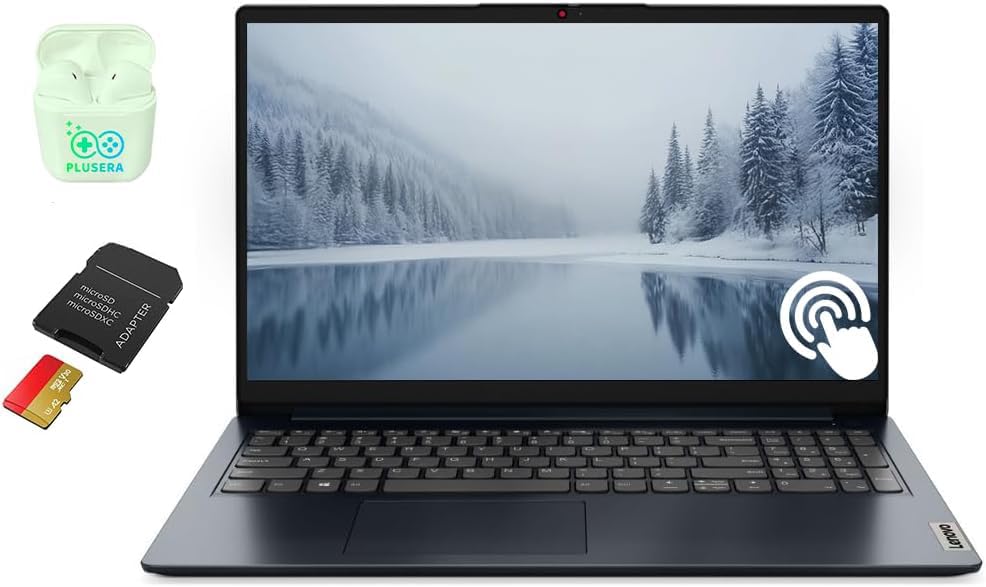
This Lenovo IdeaPad 15.6 (40GB / 2.5TB) provides the same core specs as the set version above but without the bundled docking station. It still packs 40GB of DDR4 RAM and a 2.5TB total storage configuration — a 2TB SSD plus a 512GB SD card — making it one of the most memory-heavy options at this price tier. The Intel Core i5-1235U with 10 cores and Intel Iris Xe graphics handles general business multitasking without strain.
The FHD touchscreen display supports Windows 11 Pro gestures and includes a privacy shutter for the webcam. Microsoft Office is included with a lifetime license, and the numeric keypad aids spreadsheet work. The blue color finish is unique and visually appealing. Battery life is adequate for a full workday if you manage brightness, but heavy usage will require a mid-day charge.
Like its sibling, the build quality leans toward budget-friendly rather than premium. Some units experience random shutdowns, and the USB-C port lacks DisplayPort alt mode support, limiting external monitor options. The trackpad is adequate but not precise. This is a strong choice for users who need maximum RAM and storage on a constrained budget, but expect trade-offs in build and reliability consistency.
Why it’s great
- 40GB RAM and 2.5TB storage at low cost
- Touchscreen display with anti-glare
- Microsoft Office lifetime license included
- Numeric keypad and camera shutter
Good to know
- Build quality could be better
- USB-C port lacks DisplayPort alt mode
- Random shutdowns reported by some users
- Average battery life for travel
11. HP Flagship 17 (32GB / 1TB)
The HP Flagship 17 (32GB / 1TB) is the more affordable sibling of the 64GB version, dropping RAM to 32GB while keeping the same large 17.3-inch FHD anti-glare display and AMD Ryzen 5 7430U processor. For most business users — heavy spreadsheet work, document editing, video conferencing, and light data analysis — 32GB remains more than sufficient, and the Ryzen 5’s six cores handle everyday tasks with low power draw.
HP Fast Charge technology replenishes the battery to 50 percent in 30 minutes, and the rated 9-hour battery life translates to about 7 to 8 hours of real-world mixed use. The port selection includes USB-C, USB-A, HDMI, and a headphone jack. Windows 11 Pro and Office 365 for the web add immediate value. The silver color option looks professional on a desk.
The display is only 1920×1080 on a 17.3-inch panel, resulting in lower pixel density — text can appear blocky compared to higher-resolution screens. The plastic chassis is durable but feels less premium than metal alternatives. At over 4.5 pounds, this is a desk-to-desk laptop rather than a flight companion. Some units have been incorrectly advertised with touchscreen or display size inaccuracies, so verify the listing details carefully before purchase.
Why it’s great
- 32GB RAM is ample for most business work
- Fast Charge to 50% in 30 minutes
- Large 17-inch anti-glare display
- Windows 11 Pro and Office 365 included
Good to know
- 1080p on 17-inch — low pixel density
- Plastic chassis feels less refined
- Weighs over 4.5 lbs — not ultraportable
- Listing accuracy issues reported
12. HP 15 Touchscreen

The HP 15 Touchscreen delivers a capable 13th-gen Intel Core i7-1355U with 10 cores and Intel Iris Xe graphics at a price point that undercuts many competitors. The 15.6-inch FHD IPS touchscreen supports tap, swipe, and zoom gestures that enhance navigation in presentations or while scrolling documents. The silver chassis is thin at 0.73 inches and weighs about 3.52 pounds, making it genuinely portable for its class.
The 16GB DDR4 RAM and 512GB PCIe SSD handle the standard business workload — Office 365, web conferencing, project management tools, and light data analysis — without bottlenecking. Wi‑Fi 6 and Bluetooth 5.3 ensure fast wireless connectivity, and the port selection includes USB-C, USB-A, and HDMI for external displays. The HP Fast Charge function can reach 50 percent battery in 45 minutes, though total battery life is limited to about 4 to 5 hours of mixed use.
The battery life is the biggest weakness here — at 4 to 5 hours, you’ll need to find an outlet before lunch on most travel days. Some users report that the Microsoft 365 trial is only 7 days, contrary to some marketing claims. The display is functional but lacks the brightness and color accuracy needed for creative work. For users who primarily work at a desk with occasional mobility, this is a solid value — but it’s not built for all-day carry-on computing.
Why it’s great
- 13th-gen i7 with Iris Xe graphics
- FHD IPS touchscreen display
- Lightweight 3.52lb chassis
- Wi‑Fi 6 and Bluetooth 5.3
Good to know
- Battery life only 4-5 hours in practice
- Microsoft 365 trial is only 7 days
- Display lacks brightness and color accuracy
13. Dell Inspiron 15 Touch
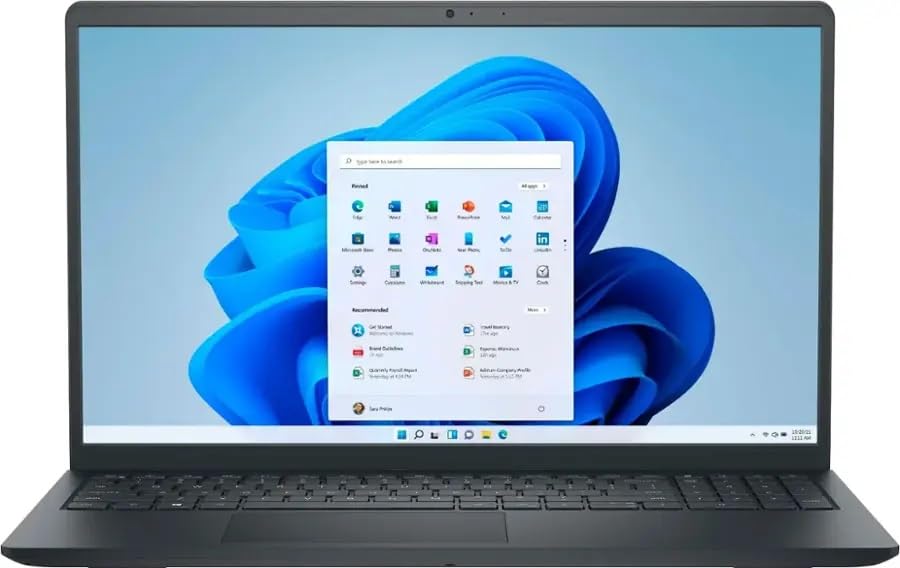
The Dell Inspiron 15 Touch starts the list as the most affordable option, offering an AMD Ryzen 7 7730U with 8 cores and 16 threads that handily beats many Intel i7-1255U chips in multi-threaded tasks. For the entry-level business user — document editing, web research, email, light spreadsheet analysis — this machine provides smooth performance at a budget-friendly price. The 16GB DDR4 RAM and 1TB SSD cover the basics without breaking the bank.
The 15.6-inch FHD IPS touchscreen with anti-glare coating reduces eye strain during extended use. Windows 11 Pro ships standard, and the Copilot AI integration provides helpful productivity shortcuts. The thin and lightweight design (under 4 pounds) fits into most backpacks, and the port selection includes USB-C, USB-A, and HDMI for basic connectivity needs. The integrated graphics handle everyday video conferencing and media playback without issue.
This machine lacks a keyboard backlight, which is a genuine inconvenience in low-light travel environments — the dim cabin of a plane or a dark conference room will leave you hunting for keys. Some units have been reported with screen blackout issues, and the build quality uses more plastic than the premium options above. Battery life is average at around 6 to 7 hours. It is a solid entry-level business travel laptop only if you can live without a backlit keyboard and prioritize price over polish.
Why it’s great
- Ryzen 7 7730U outperforms many i7 options
- FHD IPS touchscreen with anti-glare
- 16GB RAM and 1TB SSD for basic needs
- Windows 11 Pro with Copilot AI
Good to know
- No keyboard backlight
- Screen blackout issues reported
- Average battery life for travel
- Plastic build feels less durable
FAQ
How much RAM do I actually need for business travel work?
Is a touchscreen worth it on a business travel laptop?
Should I worry about ARM compatibility with the Surface Laptop?
What is the ideal weight for a carry-on laptop?
Final Thoughts: The Verdict
For most users, the business travel laptop winner is the GEEKOM GeekBook X14 Pro because it combines a stunning 2.8K OLED display, genuine 14-hour battery life, and a 2.2-pound magnesium alloy chassis into one remarkably balanced package — no trade-off between portability and performance. If you need a massive 17-inch workspace without the weight penalty, grab the LG Gram 17 (2025). And for the best battery endurance in a premium all-day machine, nothing beats the Microsoft Surface Laptop (2024) — provided your software stack is ARM-ready.

Mo Maruf
I created WellFizz to bridge the gap between vague wellness advice and actionable solutions. My mission is simple: to decode the research and give you practical tools you can actually use.
Beyond the data, I am a passionate traveler. I believe that stepping away from the screen to explore new environments is essential for mental clarity and physical vitality.