Our readers keep the lights on and my smoothie glass nicely filled. As an Amazon Associate, I earn from qualifying purchases.
The most expensive part of owning a printer isn’t the paper—it’s the tiny plastic cartridges that run dry just when you need them most. Every frustrated search for a replacement cartridge at the last minute, every glance at the staggering cost per page, points to the same solution: a machine that simply drinks ink from a bottle.
I’m Mohammad Maruf — the founder and writer behind WellFizz. I’ve spent years analyzing the hardware specifications of cartridge-free printers, comparing printhead longevity, tank capacity, page yields, and real-world cost-per-page data to separate genuine long-term value from marketing hype.
This guide cuts through the confusion to help you find the right fit. Whether you need a workhorse for a home office or a compact unit for school projects, here is everything you need to know about choosing the perfect best cartridge-free printer for your home or small business.
How To Choose The Best Cartridge-Free Printer
Switching to a cartridge-free model is a long-term investment. Unlike disposable cartridges, the refillable tank system, printhead technology, and connectivity options will define your experience for years. Here is what to scrutinize before clicking buy.
Page Yield and Included Ink
The single most important spec is the number of pages you get from the included ink bottles. Most models ship with enough ink for 6,000 to 8,000 pages. Compare this to the annual volume of your household or office—if you print 200 pages a month, a model with 6,000-page capacity means you refill roughly once every two and a half years. Higher page yield means fewer interruptions and lower long-term cost.
Printhead Design and Longevity
Cartridge-free printers use either fixed or replaceable printheads. Fixed printheads (common in Epson EcoTank models) are engineered to last the life of the printer, but if they clog, the entire unit may need replacement. Replaceable printheads (found in many HP Smart Tank and Canon MegaTank models) add a potential service point but allow you to swap a worn or clogged head without junking the whole machine. Consider the replaceability factor before buying.
Connectivity and Mobile Printing
Wireless connectivity is standard, but the implementation varies. Look for dual-band Wi-Fi (2.4 and 5 GHz) for stable connections, support for Apple AirPrint and Android Mopria for direct mobile printing, and a dedicated app that handles scanning and ink level monitoring reliably. Models with Ethernet ports offer the most stable connection for busy home offices.
Physical Footprint and Paper Handling
Cartridge-free printers with large ink tanks are physically deeper than traditional models. Check the dimensions, especially the depth, to ensure the printer fits your desk or shelf. Paper handling matters too—automatic duplex printing saves paper and frustration, and a rear specialty feed lets you print on envelopes, labels, or card stock without swapping trays.
Ink Type: Dye vs. Pigment
Dye-based inks produce vibrant colors and smooth gradients, making them ideal for photos and craft projects. Pigment-based inks are water-resistant and produce sharper black text, making them superior for business documents and archival needs. Some models use pigment black for text and dye colors for graphics—a hybrid approach that works well for general use. Match the ink type to your primary output.
Quick Comparison
On smaller screens, swipe sideways to see the full table.
| Model | Category | Best For | Key Spec | Amazon |
|---|---|---|---|---|
| HP Smart Tank 7001 | Mid-Range | Home office with AI formatting | 15 ppm B&W / 9 ppm Color | Amazon |
| Canon MegaTank GX2020 | Premium | Small office with ADF needs | 35-sheet auto document feeder | Amazon |
| Epson EcoTank ET-4760 | Premium | Business productivity with fax | 7,500 pages B&W yield | Amazon |
| Canon MegaTank GX6120 | Premium | High-speed heavy printing | 24 ppm B&W / 15.5 ppm Color | Amazon |
| Epson EcoTank Pro ET-5800 | Premium | High-volume pro office | 500-sheet dual-tray capacity | Amazon |
| HP Smart Tank Plus 570 | Mid-Range | Budget-friendly high volume | 8,000 color pages included | Amazon |
| Canon MegaTank G3290 | Mid-Range | Crafters and photo printing | 6,000 B&W / 7,700 color pages | Amazon |
| Epson EcoTank ET-2980 (White) | Entry-Level | Family home printing | 6,600 pages B&W included | Amazon |
| Epson EcoTank ET-2980 (Black) | Entry-Level | Family home printing | 15 ppm B&W PrecisionCore | Amazon |
In‑Depth Reviews
1. HP Smart Tank 7001 Wireless All-in-One Ink Tank Printer

The HP Smart Tank 7001 strikes the best balance between print speed, included ink volume, and smart features. It delivers 15 pages per minute in black and 9 in color, with an automatic duplexer that saves paper without slowing you down. The included ink bottles supply up to 8,000 color pages or 6,000 black pages—easily two years of typical home office output.
What sets this model apart is the AI-assisted print formatting. The HP Smart app automatically removes ads and awkward layouts from web pages and emails before printing, saving paper and frustration. The mess-free refill system uses keyed bottles that only fit the correct tank, making refills nearly spill-proof.
Build quality is solid, with a compact gray chassis that fits most desks. The LCD display is small and monochrome, a trade-off for the lower price point. Some users report a slightly involved initial setup requiring the HP Smart app and a 2.4 GHz Wi-Fi connection, but once configured, wireless performance is stable.
Why it’s great
- Ink for 8,000 color pages included in the box
- AI formatting cleans up web prints automatically
- Automatic duplex printing saves paper
Good to know
- Small monochrome LCD screen is basic
- Setup requires the HP Smart app and 2.4 GHz Wi-Fi
- No Ethernet port for wired networking
2. Canon MegaTank MAXIFY GX2020 All-in-One Wireless Color Printer

The Canon MegaTank GX2020 is engineered for productivity, combining a 35-sheet auto document feeder, automatic duplex printing, and pigment-based ink for water-resistant documents. At 15 pages per minute in black and 10 in color, it keeps pace with busy small offices. The 2.7-inch LCD color touchscreen simplifies navigation through scan and copy settings.
Pigment ink is the defining feature here—it delivers sharp, smudge-resistant text that holds up to highlighter marks, making this printer ideal for business correspondence and archival documents. The GI-25 ink bottles yield up to 3,000 pages per set, and the replaceable printhead design means you can service the unit rather than replace it if clogging occurs.
Compact dimensions fit small desks, and the 250-sheet paper tray handles letter and legal sizes. Some users note that cardstock prints may show curl, and the printer is louder than entry-level models, but for document-heavy workflows, the trade-offs are minor.
Why it’s great
- 35-sheet auto document feeder for multi-page jobs
- Pigment ink resists water and highlighter smears
- Replaceable printhead for long-term serviceability
Good to know
- Print quality on cardstock may show curl
- Operates louder than entry-level models
- Initial printhead setup requires careful alignment
3. Epson EcoTank ET-4760 Wireless All-in-One Supertank Printer
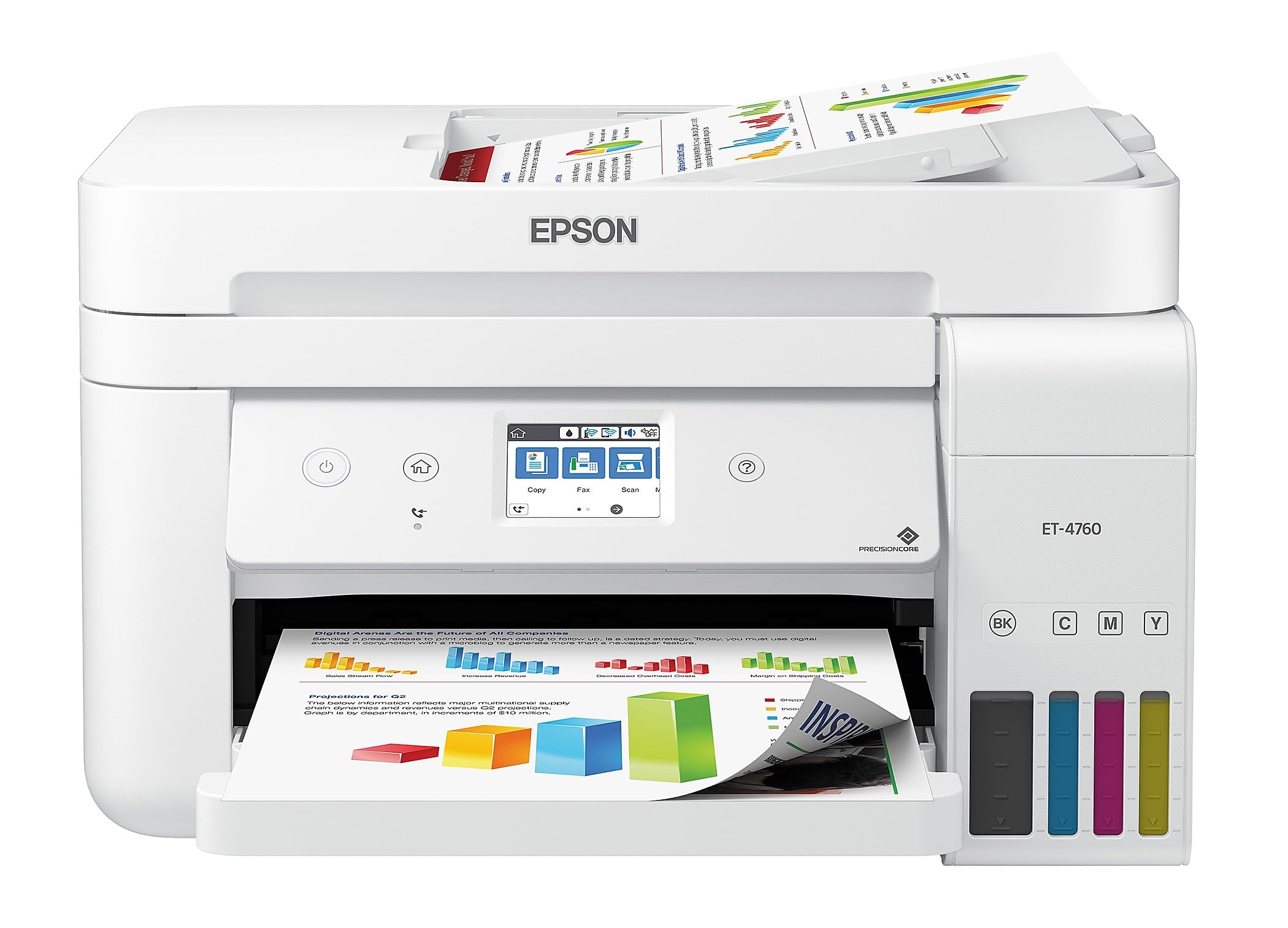
The Epson EcoTank ET-4760 is a fully featured business machine with built-in fax, an auto document feeder, and Ethernet connectivity for stable wired networking. The PrecisionCore Heat-Free printhead delivers 15 pages per minute in black with sharp Claria ET pigment black ink, while the 250-sheet paper tray and automatic duplexing handle high-volume days without constant refills.
The included ink set yields up to 7,500 black pages and 6,000 color pages, which translates to roughly two years of typical office printing. The 2.4-inch color touchscreen provides intuitive control for copying, scanning, and faxing, and the Epson Smart Panel app enables mobile printing and ink level monitoring from anywhere on the network.
Users consistently praise the low cost per page and the clean software experience free of bloatware. The printer is compact for its feature set, though the front-loading paper tray adds to the desk footprint. Some reviews mention that the touchscreen is vertically oriented and slightly small, but it remains responsive and easy to navigate.
Why it’s great
- Business-grade features: fax, ADF, Ethernet
- PrecisionCore Heat-Free technology for fast prints
- 7,500-page black yield from included ink
Good to know
- Print head cleaning kit may be needed over time
- Touchscreen is vertically oriented and small
- No rear specialty feed for heavy paper
4. Canon Megatank GX6120 Wireless All-in-One Printer
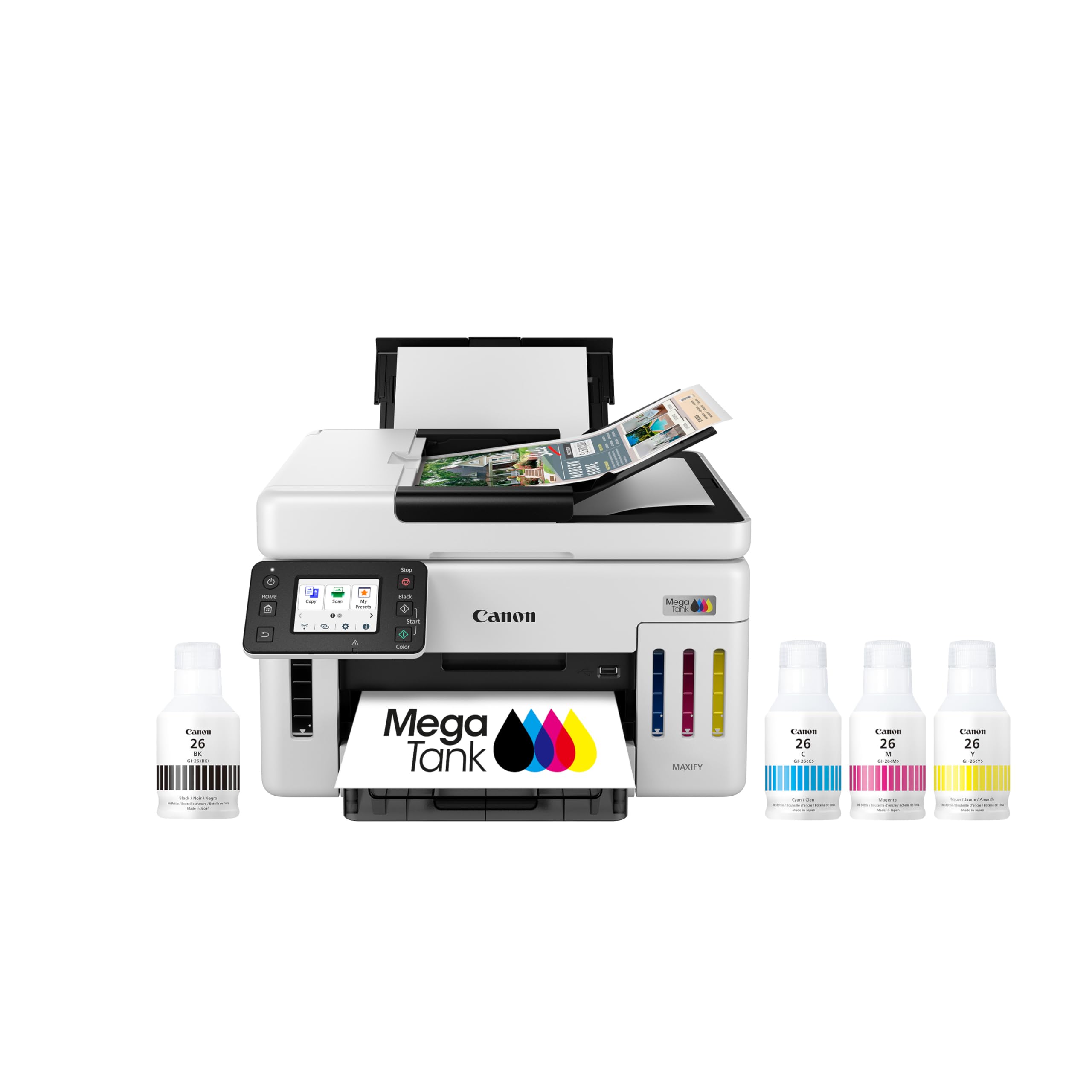
The Canon MegaTank GX6120 is the fastest cartridge-free printer on this list, churning out 24 pages per minute in black and 15.5 in color. This speed makes it a strong candidate for offices where multiple users queue jobs throughout the day. The 2.7-inch LCD touchscreen provides quick access to settings, and the automatic duplex printing keeps paper waste low.
Setup is near plug-and-play, with wireless connectivity that pairs seamlessly on the first attempt. The included ink bottles supply roughly two years of printing at 200 pages per month, though the exact page yield depends on print coverage. The compact footprint is slightly deeper than average due to the tank system, but the white chassis blends into most office environments.
Some users report occasional network connection drops that require a firmware update or router reboot. The paper tray holds 250 sheets, which may feel limited for high-volume settings. For the speed and reliability it offers, the GX6120 is a solid investment for anyone who regularly prints dozens of documents daily.
Why it’s great
- Fastest print speed in this comparison
- Easy setup with seamless Wi-Fi pairing
- Included ink lasts up to two years
Good to know
- Some units experience network connection drops
- 250-sheet tray may be small for high volume
- No fax function for business users
5. Epson EcoTank Pro ET-5800 Wireless All-in-One Supertank Printer

The Epson EcoTank Pro ET-5800 is the heaviest hitter in this lineup, with print speeds up to 25 pages per minute in black and a total 500-sheet paper capacity across two front trays plus a rear specialty feed. The DURABrite pigment ink delivers instant-dry, smudge-resistant prints that are ideal for professional correspondence and client documents.
The included ink set is generous—two bottles of black and two each of cyan, magenta, and yellow—yielding up to 7,500 black pages and 6,000 color pages. The motorized output tray extends automatically when you start a print job, a refined touch that signals build quality. The large tilting LCD screen simplifies navigation and ink level monitoring.
Setup is straightforward, with Ethernet and Wi-Fi options for flexible networking. Some users report that the web interface for managing settings lacks certain fields, and the printer’s depth at 19 inches requires a deep desk. For high-volume offices, the ET-5800’s reliability and low cost per page justify the premium placement.
Why it’s great
- 500-sheet capacity with dual front trays
- Fast 25 ppm black print speed
- Motorized output tray and large LCD screen
Good to know
- Depth of 19 inches needs a deep desk
- Web interface missing some configuration fields
- Photo quality is decent but not exceptional
6. HP Smart Tank Plus 570 Wireless All-in-One Ink Tank Printer
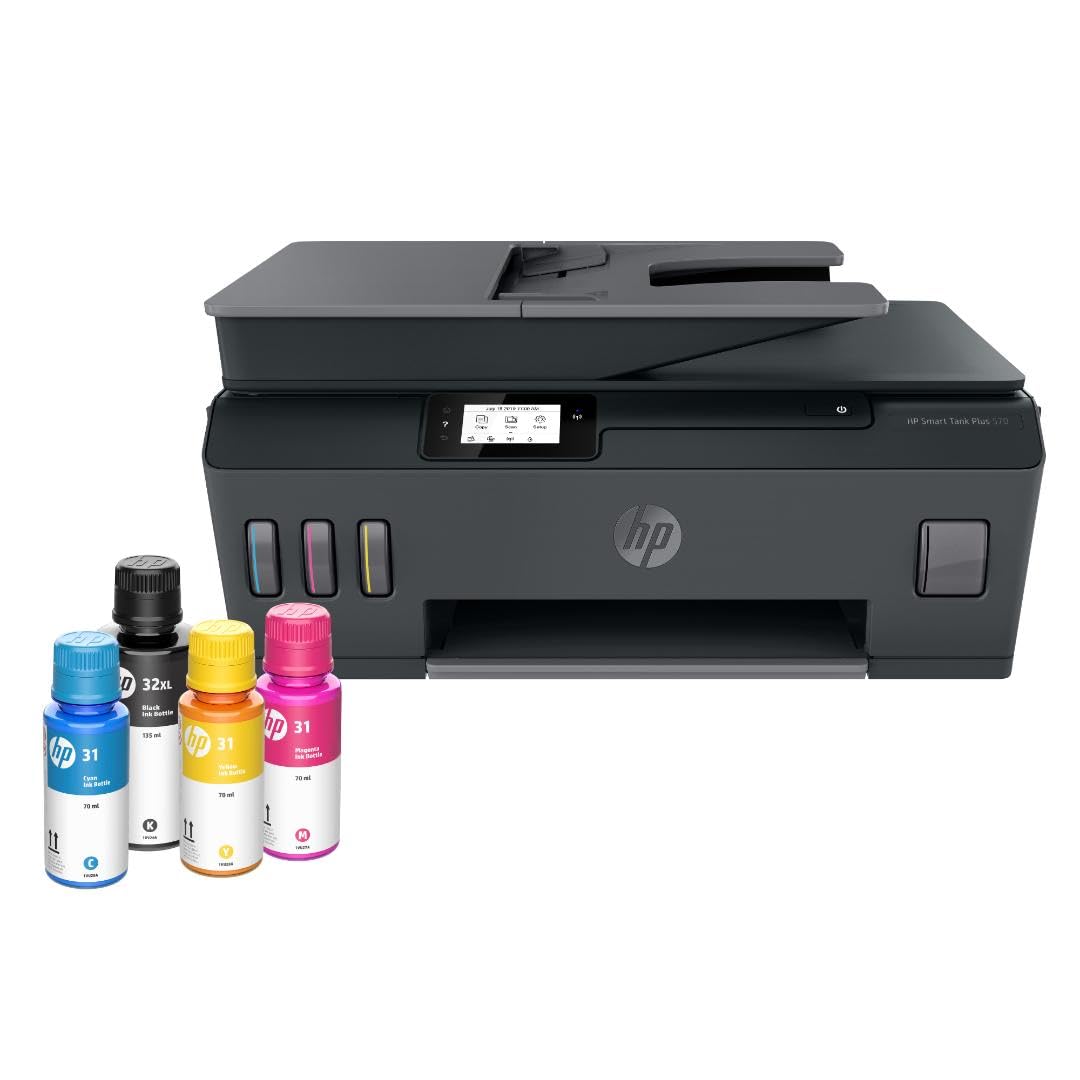
The HP Smart Tank Plus 570 offers the highest included-page yield of any mid-range model: up to 8,000 color pages or 6,000 black pages from the ink bottles in the box. This makes it a standout for families or home offices that print high volumes but want to keep upfront costs manageable. Print speeds of 11 pages per minute in black and 5 in color are adequate for most home tasks.
The mess-free refill system uses keyed ink bottles that drain into the tanks without squeezing, and a visible LED indicates ink levels at a glance. The integrated scanner and copier handle basic document workflows, and wireless printing from mobile devices works reliably through the HP Smart app. Borderless photo printing is supported for 4×6 and 5×7 sizes.
Build quality is functional rather than premium—the plastic chassis feels light, and the lack of automatic duplex printing is a notable omission at this tier. Some users report that the setup process is involved and that the printer requires a 2.4 GHz Wi-Fi connection for initial configuration. For volume-focused buyers on a budget, this HP delivers exceptional ink value.
Why it’s great
- 8,000 color pages of ink included in the box
- Mess-free keyed ink bottle refill system
- Borderless photo printing supported
Good to know
- No automatic duplex printing
- Print speeds are slower than mid-range peers
- Setup can be involved and requires 2.4 GHz Wi-Fi
7. Canon Megatank G3290 All-in-One Wireless Supertank Printer

The Canon MegaTank G3290 uses dye-based inks that produce vibrant, saturated colors ideal for craft projects, school handouts, and photo prints. With yields of 6,000 black pages and 7,700 color pages from the included GI-21 ink bottles, this model offers outstanding color value. The 2.7-inch LCD color touchscreen and automatic duplex printing add convenience for daily use.
Wireless setup is straightforward, and the Canon PRINT app provides reliable mobile printing and scanning. Users report that draft mode still produces crisp, saturated prints without lines or discoloration, making this a frugal choice for high-volume color work. The replaceable printhead design allows for service if clogging occurs over time.
Some users note that the printer is noisy compared to competitors, and the top paper feed requires about a foot of clearance above the unit. Ink level visibility is limited—you need to open the top cover to see the tanks clearly. For crafters who print dozens of color pages weekly, the G3290’s color quality and low operating cost are hard to beat.
Why it’s great
- Excellent color saturation from dye-based inks
- 7,700 color pages included in the box
- Replaceable printhead for long service life
Good to know
- Printer is noticeably noisy during operation
- Top feed needs 12 inches of overhead clearance
- Ink levels are hard to see without opening the cover
8. Epson EcoTank ET-2980 Wireless All-in-One Supertank Printer (White)

The Epson EcoTank ET-2980 is an entry-level cartridge-free printer that delivers genuine value for families. The included ink supplies up to 6,600 black pages or 5,500 color pages—roughly three years of typical household printing. PrecisionCore Heat-Free technology enables print speeds of 15 pages per minute in black, and the automatic duplex printing reduces paper usage without manual intervention.
The EcoFit ink bottle system uses a no-spill keyed design that makes refilling simple and clean. The 1.44-inch color LCD screen is small but functional for basic navigation. The Epson Smart Panel app handles mobile printing and scanning reliably, and wireless setup works smoothly on both 2.4 GHz and 5 GHz networks.
Some users report that the printer occasionally requires reconnection to the computer, and the lack of an auto document feeder means multi-page scanning is manual. Print quality for text is sharp, but color photos are not at the same level as dye-based competitors. For budget-conscious households that need reliable text and graphics, the ET-2980 is a solid starting point.
Why it’s great
- Three years of ink included for typical home use
- Automatic duplex printing is standard
- No-spill EcoFit ink bottle design
Good to know
- No auto document feeder for scanning
- Small 1.44-inch screen with narrow viewing angle
- Photo quality not as strong as dye-based rivals
9. Epson EcoTank ET-2980 Wireless All-in-One Supertank Printer (Black)

The black variant of the Epson EcoTank ET-2980 offers identical specifications to the white version—PrecisionCore Heat-Free technology, 15 pages per minute in black, and automatic duplex printing—in a slightly more understated chassis. The included ink set yields up to 6,600 black pages, and the EcoFit bottle system ensures refills are clean and straightforward.
The 1.44-inch color screen is small but provides clear feedback for navigation. The Epson Smart Panel app works reliably for mobile printing and scanning, and the wireless connection supports both 2.4 GHz and 5 GHz bands. The compact footprint of 14.8 inches wide by 13.7 inches deep fits easily on a small desk or shelf.
Users appreciate the low cost per page and the reduced waste from eliminating cartridges. Some report that initial setup can be time-consuming, particularly when connecting to Windows 11 over WiFi-Direct. The printer handles documents well but is not designed for high-quality photo printing. For a straightforward, low-maintenance cartridge-free printer for the home, the black ET-2980 delivers consistent performance.
Why it’s great
- Compact design fits small workspaces
- Supertank ink system drastically lowers cost per page
- Automatic duplex printing is included
Good to know
- Setup can be time-consuming on Windows
- Small LCD screen has limited viewing angles
- Photo quality is not a priority for this model
FAQ
Do cartridge-free printers really save money compared to cartridge printers?
Can I use refillable ink bottles from third-party brands in my tank printer?
How long does a printhead last on a cartridge-free printer?
Is a cartridge-free printer good for photo printing?
Final Thoughts: The Verdict
For most users, the best cartridge-free printer winner is the HP Smart Tank 7001 because it combines generous included ink, AI-powered formatting, automatic duplex, and a mess-free refill system—all at a practical price point. If you need an auto document feeder and water-resistant pigment ink for business documents, grab the Canon MegaTank GX2020. And for high-volume office environments where speed and paper capacity matter most, nothing beats the Epson EcoTank Pro ET-5800.

Mo Maruf
I created WellFizz to bridge the gap between vague wellness advice and actionable solutions. My mission is simple: to decode the research and give you practical tools you can actually use.
Beyond the data, I am a passionate traveler. I believe that stepping away from the screen to explore new environments is essential for mental clarity and physical vitality.