Our readers keep the lights on and my smoothie glass nicely filled. As an Amazon Associate, I earn from qualifying purchases.
A consumer-grade router wasn’t designed to handle twenty simultaneous Zoom sessions or a warehouse full of IoT sensors, yet that’s exactly what too many small offices try to force. When clients walk in and the guest network buckles, the problem isn’t your internet plan — it’s the hardware you chose to broadcast it.
I’m Mohammad Maruf — the founder and writer behind WellFizz. I’ve spent years dissecting network hardware specifications, from MU-MIMO stream counts and PoE budgets to the real-world thermal limits of ceiling-mounted access points, so you don’t have to guess which box delivers true business-grade coverage.
This guide cuts through the noise to find the best business wifi access point for offices, warehouses, hotels, and retail spaces, focusing on the specs that actually separate a reliable network from a constant headache.
How To Choose The Best Business WiFi Access Point
Choosing the right access point for a business environment is different from picking a home router. You’re designing for density, reliability, and manageability — not just raw speed. Here are the critical factors to weigh before you buy.
PoE and Installation Flexibility
Power over Ethernet (PoE) lets you run a single Cat6 cable to your AP for both data and power. This is the difference between a clean ceiling-mount installation and a mess of extension cords. Look for 802.3af/at support, which delivers up to 30W per port, enough to power even WiFi 6 access points with multiple spatial streams without a nearby outlet.
Wi-Fi Generation and Client Capacity
WiFi 6 (802.11ax) is the baseline for any serious business deployment today. It handles high-density environments much better than WiFi 5 thanks to OFDMA and MU-MIMO, which divide the channel into smaller sub-channels so more devices can talk simultaneously. Consider WiFi 6E or 7 only if your office has many 6 GHz-capable clients or you’re future-proofing for three-plus years.
Management and Security Features
Business APs fall into two camps: cloud-managed (subscription or license-free) and on-premise controller-based. Cloud-managed options like Netgear Insight or HPE Instant On let you configure VLANs, SSIDs, and captive portals from a mobile app. On-premise options like Ubiquiti’s UniFi controller give you full local control. Either way, make sure the unit supports WPA3 encryption and client isolation for guest networks.
Quick Comparison
On smaller screens, swipe sideways to see the full table.
| Model | Category | Best For | Key Spec | Amazon |
|---|---|---|---|---|
| Ubiquiti U7-LR | Premium | Large indoor open spaces | Up to 150 ft range (indoor) | Amazon |
| NETGEAR WAX610 | Premium | High-client-density offices | Up to 200 clients, 2.5G port | Amazon |
| HPE AP22 | Premium | Small-to-medium business | 2×2:2 WiFi 6, Cloud-managed | Amazon |
| Ubiquiti U6+ | Mid-Range | UniFi ecosystem users | 3 Gbit/s aggregate speed | Amazon |
| ASUS EBA63 | Mid-Range | AiMesh integration with ASUS routers | Up to 100 clients, 5 SSIDs | Amazon |
| Cudy AP3600 | Mid-Range | Budget WiFi 7 upgrade | 2.5G port, 4K-QAM | Amazon |
| TP-Link EAP615-Wall | Mid-Range | Hotel/dorm in-wall installs | 4 Gigabit ports, PoE passthrough | Amazon |
| TP-Link Deco X50-PoE | Mid-Range | Ceiling-mount mesh networks | 2x 2.5G ports, AI-driven mesh | Amazon |
| WAVLINK WL-WN573HX3 | Outdoor | Farm/campus/RV outdoor use | IP67, 8dBi antennas, 200-300m range | Amazon |
In‑Depth Reviews
1. Ubiquiti UniFi U7-LR
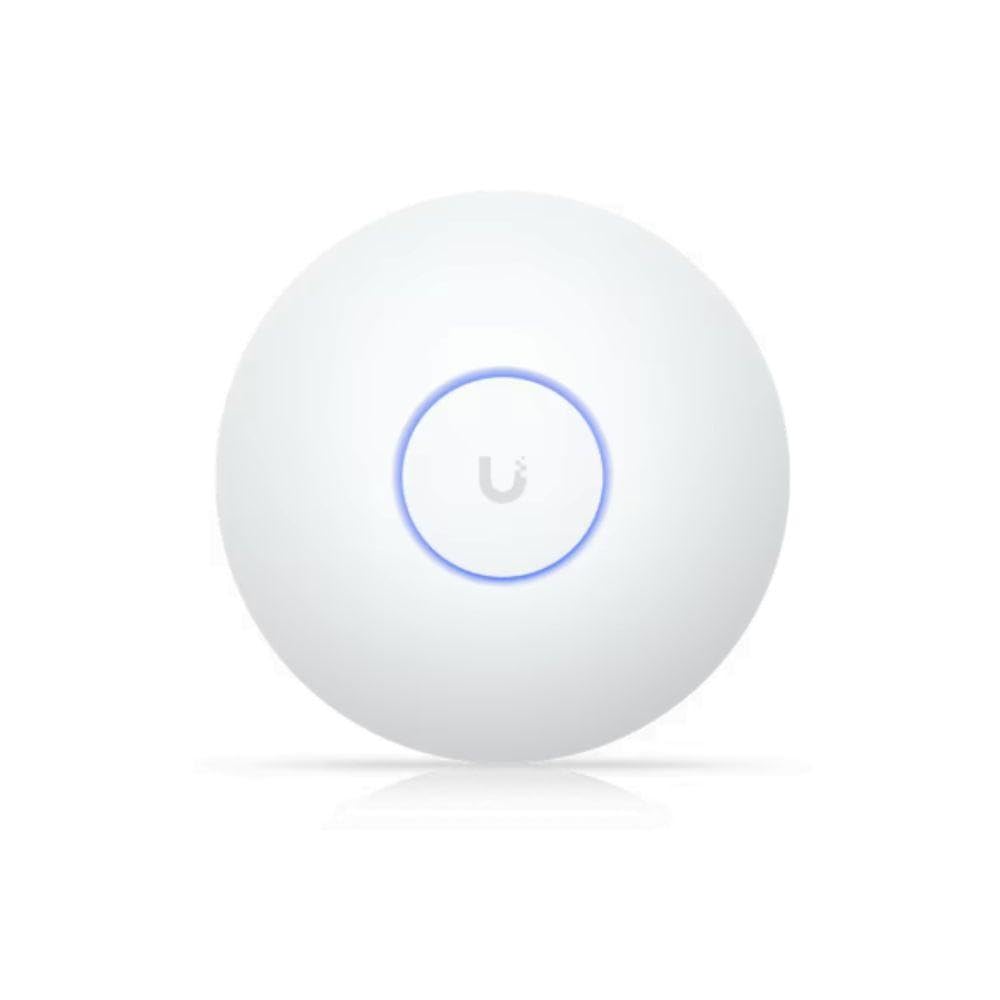
The U7-LR is built for one job: pushing a reliable signal across large indoor areas without adding extra units. Ubiquiti’s proprietary antenna design delivers a rated indoor range of up to 150 feet, which means a single access point can often cover an entire floor of a small office or a wide-open retail space. Network engineers consistently report that the U7-LR handles high client counts without requiring constant reboots, a hallmark of Ubiquiti’s mature UniFi controller ecosystem.
Setup follows the familiar UniFi adoption process — plug it in, adopt it from the controller, and the AP pulls configuration automatically. The unit supports 802.11ax on both 2.4 GHz and 5 GHz bands, and it includes band-steering to push clients to the less congested 5 GHz channel. Keep in mind it does not support the 6 GHz band, so WiFi 6E clients will fall back to 5 GHz, but for most IoT devices and laptops today this is a non-issue.
Long-term reliability is where the premium pays off. The U7-LR runs cool even in enclosed spaces like a linen closet or electrical room, and users have reported zero dropouts over months of continuous operation. If you already have a UniFi gateway or switch, this is the easiest AP to add to your fleet.
Why it’s great
- Exceptional indoor range; often covers an entire floor with one unit
- Very stable with no crashes or reboots reported over extended use
- Familiar UniFi controller adoption makes fleet management simple
Good to know
- No 6 GHz support despite being a premium-tier AP
- Requires separate UniFi gateway or software controller for management
- Packaging is minimal; PoE injector not included
2. NETGEAR WAX610
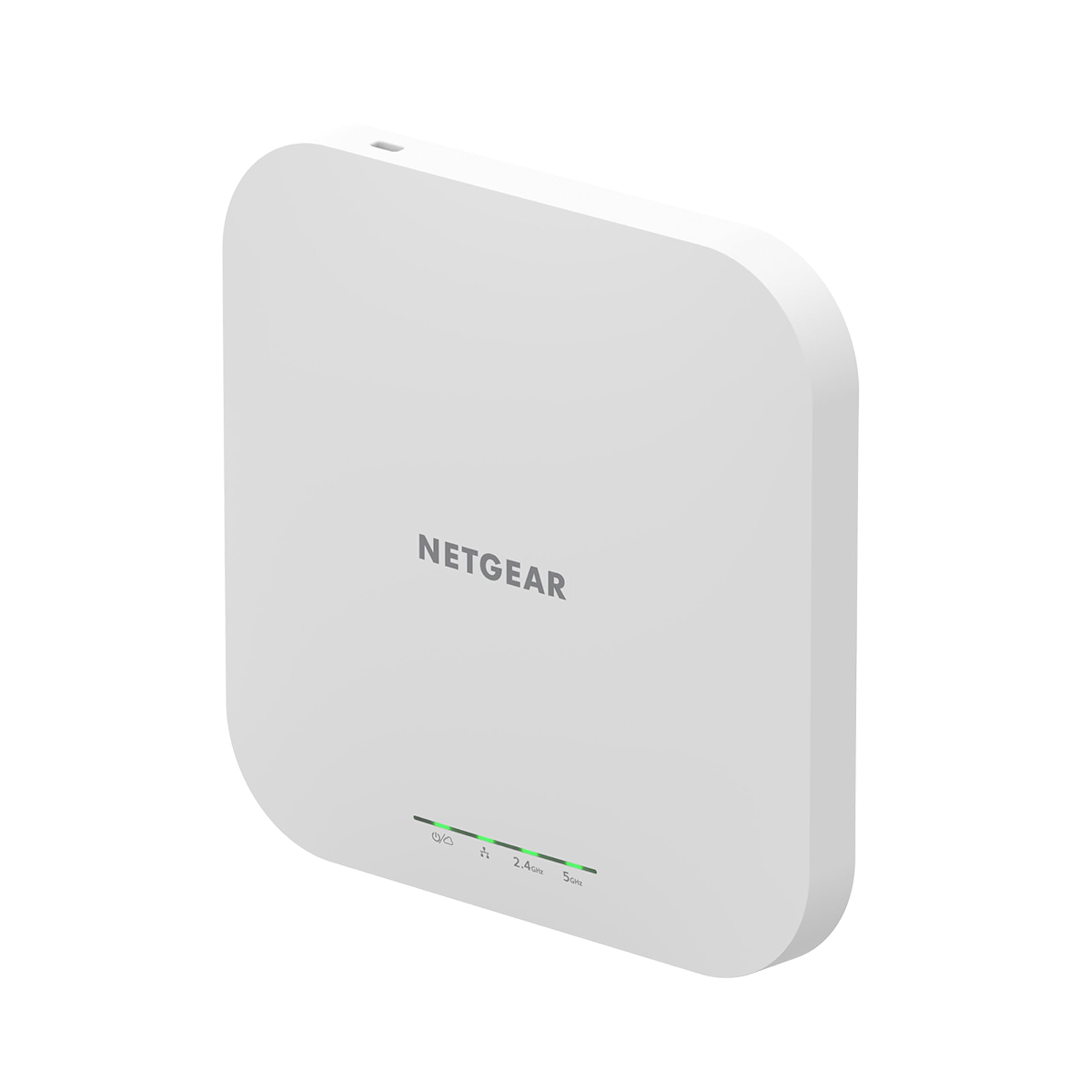
The NETGEAR WAX610 targets the mid-market sweet spot: it packs a 2.5G uplink port, WiFi 6 dual-band AX1800 performance, and a licensed client capacity of up to 200 devices. That makes it a strong candidate for offices with dense seat counts, conference rooms, or co-working spaces where twenty or more clients connect per AP at peak hours. The 2.5G port prevents the WAN connection from becoming a bottleneck when the AP is handling heavy simultaneous traffic.
NETGEAR includes a one-year free subscription to NETGEAR Insight, a cloud-based management platform that lets you configure VLANs, SSIDs, and band-stealing from a mobile app. After the first year, the subscription is optional for basic monitoring, though advanced features like guest captive portals require it. The web UI also provides local configuration for those who want to avoid cloud dependency.
Performance consistency is the WAX610’s standout quality. A single unit covers up to 2,500 square feet, and users upgrading from consumer mesh systems note a dramatic reduction in VR streaming latency and bufferbloat. One quirk: the AP requires a specific 12V/2.5A power adapter or a proper 802.3at PoE+ injector — standard PoE injectors may trigger an amber LED and reduce throughput.
Why it’s great
- 2.5G uplink port ensures no speed bottleneck even with heavy traffic
- Supports up to 200 clients; ideal for busy office environments
- Cloud management with free first year of NETGEAR Insight subscription
Good to know
- Standard PoE injectors may not deliver enough power; needs PoE+
- Some advanced features require ongoing Insight subscription after first year
- Operating temperature can get warm; ensure good ventilation
3. HPE Networking Instant On AP22

HPE’s Instant On AP22 is engineered specifically for the small-to-medium business owner who wants enterprise-grade reliability without an enterprise IT team. The 2×2:2 WiFi 6 architecture delivers 1.2 Gbps aggregate throughput, and the included power adapter (in this bundle) means you can get it running with zero extra purchases if you don’t have a PoE switch yet. The Instant On mobile app walks you through setup in under five minutes, with no license fees or subscriptions needed for ongoing cloud management.
Smart Mesh support is a key differentiator here. If your office layout changes or you add a new room, you can extend the network by adding another Instant On AP wirelessly, no Ethernet drop required. The AP22 also includes Cloudflare DNS integration for secure web browsing and supports up to eight SSIDs with VLAN tagging, making it simple to isolate guest traffic from the internal finance or inventory systems.
Veteran network administrators have praised the AP22 for its stability — one 20-year engineer called it the first AP that gave him “peace” after years of tweaking mesh routers. The trade-off is that raw throughput is lower than some competitors, and the mobile app, while easy, doesn’t expose every advanced setting without the web portal. For a coffee shop, a small law office, or a medical practice, this is the set-and-forget champion.
Why it’s great
- Five-minute setup via mobile app with no subscription fees
- Smart Mesh allows wireless AP extension without running new cables
- Includes power adapter; no separate PoE switch required to start
Good to know
- Peak throughput is lower than comparable AX3000 competitors
- Mobile app does not expose all settings; web portal required for advanced VLAN config
- Requires online account for initial setup
4. Ubiquiti UniFi U6+

The Ubiquiti U6+ is the company’s latest entry in the affordable business AP lineup. It supports a 3 Gbit/s aggregate wireless data rate across dual bands (2.4 GHz and 5 GHz) and relies on the proven UniFi Controller software for management. The U6+ is Wi-Fi 6 certified, meaning it handles OFDMA and MU-MIMO to keep multiple devices running smoothly even when the network is busy. Its compact design blends into ceiling tiles without drawing attention, and the mounting kit supports both wall and suspended ceiling installations.
Adoption is typical UniFi: you need either a UniFi gateway, a self-hosted software controller, or a Cloud Key. Once adopted, the U6+ supports multiple SSIDs, client isolation for guest networks, and band-steering to push dual-band clients to 5 GHz. Users consistently report that the U6+ never needs manual rebooting and provides seamless handoff when paired with other UniFi APs across a building.
One limitation to note: the U6+ does not have a 2.5G uplink port — it uses a standard Gigabit Ethernet link. This means the total Wi-Fi throughput is capped at around 1 Gbps to the wired network, even if the wireless aggregate speed is higher. For most small offices with under 500 Mbps internet plans, this is irrelevant. But if you have multi-gig fiber, you may want the U7-LR or a model with a faster uplink.
Why it’s great
- 3 Gbit/s aggregate wireless speed, real multi-user performance
- Seamless roaming when paired with multiple UniFi APs
- Clean, low-profile design that blends into ceilings
Good to know
- Gigabit Ethernet uplink caps wired throughput below wireless potential
- Requires separate UniFi controller (hardware or software) to manage
- No power adapter or PoE injector included in the box
5. ASUS ExpertWiFi EBA63

ASUS’s ExpertWiFi EBA63 is designed to slide into an existing ASUS router network as an AiMesh node, turning a consumer-grade router into a distributed business network. It supports AX3000 speeds and up to 100 concurrent clients, with five SSIDs that can each be assigned different VLANs for traffic segmentation. The hardware also meets the UL94 5VB flammability standard and IEC 60601-1-2 for medical environments, so it’s suitable for clinics and labs.
Installation is straightforward if you already have an ASUS router: press the AiMesh button in the router’s web UI or mobile app, and the EBA63 is adopted as a mesh node within minutes. The unit supports PoE+ (802.3at) or AC adapter power, and the included mounting kit works with both T-bar ceilings and standard electrical junction boxes. Users upgrading to the EBA63 for AiMesh report that it resolves the roaming issues common with less sophisticated mesh extenders.
One gotcha: the default wireless backhaul setting halves throughput. You must manually set the backhaul priority to Ethernet in the app to force a wired connection to the router. Also, the EBA63 does not support passive PoE — it strictly requires 802.3at PoE+ or the included adapter. If you are building a network from scratch, you’ll need a PoE+ switch or injector.
Why it’s great
- Natively integrates as AiMesh node with any ASUS router
- Five SSIDs with VLAN tagging for traffic segmentation
- UL94-5VB and IEC medical-compliant for specialized environments
Good to know
- Default wireless backhaul must be manually switched to wired for full speed
- Does not support passive PoE; needs 802.3at PoE+ or AC adapter
- Browser-based setup can be finicky; mobile app often works better
6. Cudy BE3600 AP3600

The Cudy AP3600 is one of the most affordable ways to get a WiFi 7 access point into a business or home office. It supports dual-band 4K-QAM technology with aggregate speeds up to 3600 Mbps and a 2.5G uplink port that keeps the connection from bottlenecking. Behind the scenes, a 2 GHz quad-core Linux-based processor drives the AP, handling WireGuard, OpenVPN, and IPsec VPNs without breaking a sweat — a feature rarely seen at this price point.
Deployment flexibility is high: it can be powered via 802.3at PoE, passive PoE, or 12V DC (adapter not included, despite some shipping variances). Cloud and local management options are available through the Cudy app, which does not require an account to create — a welcome privacy advantage. Users report that the AP3600’s range through cinder-block walls is surprisingly strong, maintaining over 50% signal strength 60 feet through interior masonry.
One practical consideration: the AP is still relatively new, and the Cudy ecosystem is smaller than Ubiquiti’s or Netgear’s. The firmware is actively updated, but community forums and troubleshooting guides are thinner. If you are comfortable with a modern web UI and basic Linux networking, this AP delivers incredible value for the raw specs. If you need phone-based enterprise support, stick with the bigger brands.
Why it’s great
- WiFi 7 with 4K-QAM and 2.5G uplink at an entry-level price
- Supports WireGuard, OpenVPN, and IPsec VPN protocols
- Strong signal penetration through concrete-block construction
Good to know
- Ecosystem and community support are smaller than major rivals
- DC adapter may or may not be included depending on the shipping batch
- Limited advanced troubleshooting resources available online
7. TP-Link EAP615-Wall

The EAP615-Wall reimagines the access point as a wall-plate switch, ideal for hotel rooms, dormitories, and cubicle layouts where a ceiling mount isn’t practical. It packs a single uplink PoE-powered port (802.3af/at) plus three gigabit downlink ports, one of which supports PoE passthrough to power a desk phone or camera. The WiFi 6 AX1800 radio delivers solid throughput within a ~500-square-foot radius, and the front-panel LED can be dimmed or disabled for low-light environments like bedrooms or theaters.
Integration into the Omada SDN ecosystem is seamless — adopt it via the Omada hardware controller, software controller, or cloud portal, and it inherits network-wide SSID, VLAN, and captive portal configurations. Standalone mode is also available for simple one-off deployments without a controller. Users consistently note that the EAP615-Wall outperforms the comparable Ubiquiti In-Wall HD in both speed and edge coverage, often pulling 50-100 Mbps more to WiFi 5 clients.
One critical flaw surfaced in customer reviews: the Omada platform does not support Layer 2 client isolation on the guest network, meaning multicast protocols like AirPlay and Google Cast can still reach across APs. For most business environments this is a non-issue, but if you manage a high-security guest network, you may need to pair this with a VLAN-capable gateway that handles isolation at the switch level.
Why it’s great
- Combines Wi-Fi LAN and pass-through PoE in a single wall-plate footprint
- Seamless Omada SDN adoption with cloud or local controller
- Better real-world throughput than Ubiquiti In-Wall HD at a lower cost
Good to know
- Omada APs lack built-in Layer 2 client isolation for guest SSIDs
- Coverage range is limited to roughly 538 square feet
- One of the downlink ports may pass PoE only; check power budget carefully
8. TP-Link Deco X50-PoE

The TP-Link Deco X50-PoE is a Wi-Fi 6 mesh node that uses PoE+ for both power and data, enabling clean ceiling-mount installations without visible cables. It includes two 2.5G Ethernet ports — both act as wired backhaul links — which is a rarity at this price level. Each unit covers a wide area with AX3000 dual-band speeds, and the Deco app provides intuitive network management with basic HomeShield security features, including antivirus and IoT protection.
AI-Driven Mesh technology learns device usage patterns and optimizes handoffs between nodes, ensuring that a roaming video call never drops. The Deco app also handles remote monitoring, guest network toggling, and speed tests. For multi-story offices or retail stores, adding more X50-PoE units is as simple as plugging them into PoE+ ports — the system auto-discovers and integrates them without manual configuration.
The trade-off: the Deco ecosystem lacks the advanced VLAN and custom firewall rules that enterprise IT admins demand. You cannot create multiple SSIDs with different VLAN assignments per node — the system is designed for simplicity, not granular control. If you need per-port isolation or complex routing, the Omada or UniFi lines are better fits. For a growing business that wants reliable mesh coverage without an IT degree, this is the strongest contender.
Why it’s great
- Two 2.5G ports per node for fast wired backhaul or multi-gig clients
- AI-Driven Mesh optimizes roaming and adjusts to network load patterns
- Simple app-based setup and management; auto-discovers new nodes
Good to know
- Limited VLAN and advanced network segmentation options compared to Omada/UniFi
- Cannot create per-SSID VLAN assignments across the mesh
- Requires PoE+ switch; injectors sold separately for each node
9. WAVLINK WL-WN573HX3

The WAVLINK WL-WN573HX3 is built to survive the elements while delivering AX3000 WiFi 6 speeds across expansive outdoor areas. It features four detachable 8 dBi omni-directional fiberglass antennas, two high-power amplifiers, and an IP67-rated waterproof enclosure with 15 kV ESD protection and 6 kV lightning protection. Under optimal conditions, it blankets a 200-300 meter radius — enough to cover a farm, a large yard, or a remote building on a campus.
Setup is mode-flexible: supports AP, Router, Repeater, and Mesh modes, though Mesh mode only works with other WAVLINK series products. The unit is powered via active 802.3af/at PoE or passive PoE, and the included PoE injector handles the power conversion. Users have reported streaming 4K video 80 yards away from the AP with no buffering, and covering a five-acre homestead from a single chimney-mount position.
One important caveat: the PoE converter is not waterproof, so it must be installed indoors or inside a weatherproof enclosure. The included mounting hardware is generous, but you’ll want CAT5E or better cable for runs up to 328 feet. This is not a general office AP — it’s a niche solution for extending a business network across outdoor spaces, construction sites, or RV parks where standard APs would fail.
Why it’s great
- IP67 waterproof enclosure with lightning and ESD protection for all-weather use
- Four high-gain 8 dBi antennas deliver massive outdoor range
- Multiple operating modes (AP, Mesh, Repeater) for flexible deployment
Good to know
- PoE injector is not waterproof; must be installed indoors
- Mesh mode only compatible with other WAVLINK series products
- Bulkier form factor compared to indoor APs; requires sturdy mounting
FAQ
Can I use a consumer router instead of a business access point for my office?
Do I need a separate controller for Ubiquiti UniFi access points?
What is the difference between a mesh system and multiple standalone access points?
Final Thoughts: The Verdict
For most businesses, the best business wifi access point winner is the Ubiquiti U7-LR because it delivers unmatched indoor range and rock-solid stability within the most mature ecosystem for SMBs. If you want seamless mesh that installs in minutes without an IT background, grab the TP-Link Deco X50-PoE. And for outdoor coverage across a warehouse, farm, or construction site, nothing beats the weatherproof range of the WAVLINK WL-WN573HX3.

Mo Maruf
I created WellFizz to bridge the gap between vague wellness advice and actionable solutions. My mission is simple: to decode the research and give you practical tools you can actually use.
Beyond the data, I am a passionate traveler. I believe that stepping away from the screen to explore new environments is essential for mental clarity and physical vitality.