Our readers keep the lights on and my smoothie glass nicely filled. As an Amazon Associate, I earn from qualifying purchases.
Your router is working overtime, but your workshop, back patio, or upstairs office still drops to a single bar. The problem isn’t your internet plan; it’s that you are asking a single consumer router to punch through concrete, steel, and long hallways. The real solution is a dedicated access point that handles the heavy lifting of wireless distribution. Choosing the right one means understanding the difference between a mesh node that talks to other mesh nodes and a true access point that talks directly to your wired network.
I’m Mohammad Maruf — the founder and writer behind WellFizz. I spend weeks analyzing networking hardware specifications, customer validation reports, and real-world deployment patterns so you can skip the guesswork and buy with confidence.
Whether you are outfitting a home office, a small business, or a multi-story residence, finding the right hardware starts with this guide to the best access points wifi 6 on the market today.
How To Choose The Best Access Points WiFi 6
Selecting an access point comes down to matching the hardware to your physical space, device count, and management preferences. Focus on four core areas to narrow your options quickly.
Power over Ethernet (PoE) Standard
PoE lets you run data and power over a single Ethernet cable, eliminating the need for a nearby outlet. Most units use 802.3af (PoE) or 802.3at (PoE+). The higher power budget of PoE+ is required for radios with higher transmit power or for units that drive additional USB ports. If you already have a PoE switch, verify its standard matches the access point’s requirement.
Data Rate and Spatial Streams
WiFi 6 access points are typically rated as AX1800, AX3000, or AX5400. The number reflects the sum of maximum speeds across both bands. AX3000 units (like most on this list) offer a solid balance of speed and price. Spatial streams determine how many data channels the AP can use at once. A 2×2 configuration is sufficient for most homes, while 4×4 setups handle heavy concurrent streaming in larger deployments.
Management and Control
Some access points run in standalone mode with a basic web interface or mobile app. Others are designed for a centralized controller — hardware like the TP-Link Omada OC200 or a software SDN controller. If you plan to deploy multiple units with seamless roaming and band steering, a controller-based ecosystem saves significant configuration time.
Environment and Mounting
Indoor units are often ceiling-mounted and designed to blend into office or home decor. Outdoor units require an IP67 or IP68 rating to handle rain, snow, and extreme temperatures. Wall-mounting is common for smaller spaces but can limit signal propagation compared to a ceiling placement. Always check the included mounting kit: some units require a separate purchase for gang-box or T-bar attachments.
Quick Comparison
On smaller screens, swipe sideways to see the full table.
| Model | Category | Best For | Key Spec | Amazon |
|---|---|---|---|---|
| TP-Link EAP610-Outdoor | Outdoor AP | Backyard & garage coverage | AX1800 · IP68 | Amazon |
| Cudy AP3000 | Budget AP | Value-driven home deployment | AX3000 · 2.5G port | Amazon |
| TP-Link Deco X50-PoE | Mesh AP | Whole-home mesh with PoE | AX3000 · 2x 2.5G | Amazon |
| ASUS EBA63 | AiMesh AP | ASUS router ecosystem | AX3000 · 2400 sq ft | Amazon |
| Ubiquiti U6+ | Enterprise AP | UniFi ecosystem users | AX · 3 Gbps total | Amazon |
| HPE Instant On AP22 | Business AP | Small business reliability | AX · 2×2:2 | Amazon |
| NETGEAR WAX610 | Cloud Managed | Remote management | AX1800 · 2500 sq ft | Amazon |
| WAVLINK AX3000 | Outdoor Extreme | Large outdoor areas | AX3000 · IP67 · 4 antennas | Amazon |
| Amazon eero PoE 6 | Premium Whole-Home | Professional install | AX · 1.6 Gbps · TrueMesh | Amazon |
In‑Depth Reviews
1. TP-Link EAP610-Outdoor

TP-Link’s EAP610-Outdoor delivers professional-grade WiFi 6 at a price that undercuts most enterprise outdoor APs by a wide margin. Its IP68-rated housing withstands rain, snow, and temperature extremes, making it a reliable choice for covering backyards, pool areas, or construction trailers. The retractable high-gain antennas provide focused coverage, and users consistently report signal penetration through walls and trees at distances beyond 200 feet.
The Omada SDN ecosystem gives you the option to run this AP in standalone mode via the app or centralize management with a hardware controller. Real-world speeds hit around 400 Mbps on the 5 GHz band when used as a repeater, and even higher when wired with a PoE+ switch. The included passive PoE adapter simplifies initial deployment, though swapping to a standard PoE+ switch is straightforward for permanent installs.
Multiple customer reviews highlight its ability to transform a dead zone into a fully usable network. One user saw pool deck speeds jump from 16 Mbps to 588 Mbps after a 30-minute installation. The only caveat is that seamless roaming requires the Omada controller; running purely in standalone mode limits you to basic AP or extender functionality without mesh handoff.
Why it’s great
- IP68 weatherproof rating for harsh outdoor conditions
- Long-range coverage with retractable high-gain antennas
- Integrates into Omada SDN for centralized management
Good to know
- Seamless roaming requires an Omada controller
- Standalone mode lacks mesh handoff
- Passive PoE adapter included but 802.3at PoE+ recommended for full power
2. Cudy AP3000

Cudy may not be a household name, but its AP3000 punches well above its tier. The AX3000 spec includes a 2.5Gbps RJ45 port that prevents wired backhaul bottlenecks, a feature rarely found at this level. Support for DL/UL OFDMA and MU-MIMO lets the unit handle over 100 connected devices without degrading performance, making it suitable for dense smart homes or small offices.
Setup is straightforward via the web interface, and the firmware is based on OpenWRT, giving advanced users flexibility for custom configurations. The internal antennas produce solid coverage across a typical 1,400-square-foot range. Ceiling and wall mount kits are included, and the unit can be powered via 802.3at PoE or a DC adapter.
Customer feedback highlights the build quality and reliability, with several noting that Cudy was founded by former TP-Link engineers. The main criticism is the physical size — at roughly the diameter of a large salad bowl, it’s bulkier than many competitors. Make sure your mounting location has clearance. A few users also wished for a built-in controller option, as this unit is standalone-only.
Why it’s great
- 2.5Gbps Ethernet port prevents speed bottlenecks
- OpenWRT-based firmware allows advanced customization
- Handles 100+ devices with OFDMA and MU-MIMO
Good to know
- Larger physical footprint than most indoor APs
- Standalone mode only; no centralized controller support
- DC adapter not included in the package
3. TP-Link Deco X50-PoE

The Deco X50-PoE bridges the gap between a consumer mesh system and a proper business AP. Each unit is powered via PoE+ and includes two 2.5Gbps Ethernet ports, which is rare for a mesh node at this price. When wired backhaul is used, the X50-PoE delivers near-gigabit throughput throughout the home and supports seamless handoff between nodes with zero configuration overhead.
Setup is handled entirely through the Deco app, which guides you through network creation in minutes. AI-driven mesh technology learns your network load patterns and adjusts band steering and client steering automatically. The X50-PoE is fully compatible with other Deco models, so you can expand coverage incrementally. Newer firmware updates have also resolved early reliability concerns.
Users consistently praise the reliable coverage and easy installation, especially when paired with a PoE+ switch like the TL-SG1005P. The main limitation is the lack of advanced VLAN customization found in Omada or UniFi systems. If you need per-SSID VLAN mapping, consider a controller-based alternative. For most homes and small businesses, however, the Deco X50-PoE offers the simplest path to whole-home WiFi 6.
Why it’s great
- Two 2.5Gbps Ethernet ports for wired backhaul
- AI-driven mesh with seamless roaming
- Easy setup with the Deco mobile app
Good to know
- Limited VLAN and advanced networking settings
- Ceiling mount required for best performance
- Requires TP-Link ID for initial setup
4. ASUS ExpertWiFi EBA63

ASUS built the EBA63 specifically for users who already run an ASUS router and want to extend coverage without leaving the AiMesh ecosystem. The AX3000 dual-band radio delivers up to 3000 Mbps aggregate speed, and the unit supports up to five separate SSIDs with VLAN tagging. This makes it a strong candidate for offices that need guest networks segregated from internal traffic.
Deployment is flexible with both ceiling and wall mount options, and the power supply can be PoE+ or the included AC adapter. The device also meets IEC 60601-1-2 medical equipment standards, indicating low electrical interference for healthcare environments. Integration with an existing ASUS router is nearly seamless — the EBA63 appears as a mesh node in the ASUS router interface.
Customer feedback emphasizes the simple five-minute setup and stable operation after months of use. Speeds in the 300-600 Mbps range are typical with gigabit backhaul. The downside is that setup is locked to the ASUS app; there is no web-based configuration option. Additionally, the EBA63 requires 802.3at PoE+ and does not support passive PoE, so verify your switch compatibility before purchasing.
Why it’s great
- Seamless integration with ASUS AiMesh routers
- Up to 5 SSIDs with VLAN support for guest networks
- Compliant with medical equipment interference standards
Good to know
- Setup requires the ASUS app; no web interface
- Requires 802.3at PoE+; passive PoE not supported
- Customer support response times can be slow
5. Ubiquiti U6+

Ubiquiti’s U6+ is the entry point into the UniFi ecosystem, offering a 3 Gbps aggregate data rate in a compact, ceiling-mountable form. It supports 2×2 MU-MIMO on both bands and is powered by standard 802.3af PoE, meaning it works with almost any PoE switch on the market. The clean white design blends into most ceilings, and the unit runs cool even under heavy load.
Adoption into the UniFi controller is nearly instant, and the software gives you granular control over SSIDs, VLANs, guest policies, and RF optimization. The U6+ covers approximately 1,500 square feet per unit, and multiple units can be deployed with seamless roaming and band steering. The controller can run on a Cloud Key, a dedicated server, or even a Raspberry Pi.
Users who switched from consumer mesh systems report dramatically improved stability and fewer dropouts. The typical complaint is that the U6+ requires a Ubiquiti router or gateway for full functionality — it is not a standalone device. You will also need a PoE+ injector if your switch does not provide PoE. For existing UniFi users, the U6+ is a no-brainer upgrade from older AC models.
Why it’s great
- 3 Gbps aggregate data rate with WiFi 6
- Simple adoption into the UniFi ecosystem
- Runs on standard 802.3af PoE
Good to know
- Requires Ubiquiti gateway or router for full features
- No built-in web interface; controller software needed
- PoE injector not included
6. HPE Instant On AP22

Hewlett Packard Enterprise’s Instant On AP22 brings enterprise-grade reliability to small businesses without requiring a dedicated IT staff. The 2×2:2 WiFi 6 radio supports dual-band operation and is Wi-Fi Certified 6, ensuring interop with a wide range of client devices. The included 12V power adapter gives you the option to skip PoE deployment if needed, though the unit also supports 802.3af PoE.
Management is handled through the Instant On mobile app or web portal, both of which are free and require no subscription. Smart Mesh support lets you add additional APs wirelessly if running Ethernet to every location is impractical. Features like Cloudflare DNS integration and multi-network management are accessible without an external gateway, simplifying the setup for small offices.
Users consistently highlight the rock-solid stability — many report zero crashes or disconnects after months of operation. The range is adequate for open-plan offices but slightly weaker than dedicated long-range APs in dense environments. One caveat: initial setup requires creating an HPE online account, which may be a minor inconvenience for those preferring local-only management.
Why it’s great
- Enterprise reliability from HPE at a small business price
- Free cloud management app with no subscription
- Smart Mesh support for wireless backhaul
Good to know
- Setup requires an online HPE account
- Range is average compared to outdoor or high-power APs
- Power adapter included only in the bundle version
7. NETGEAR WAX610
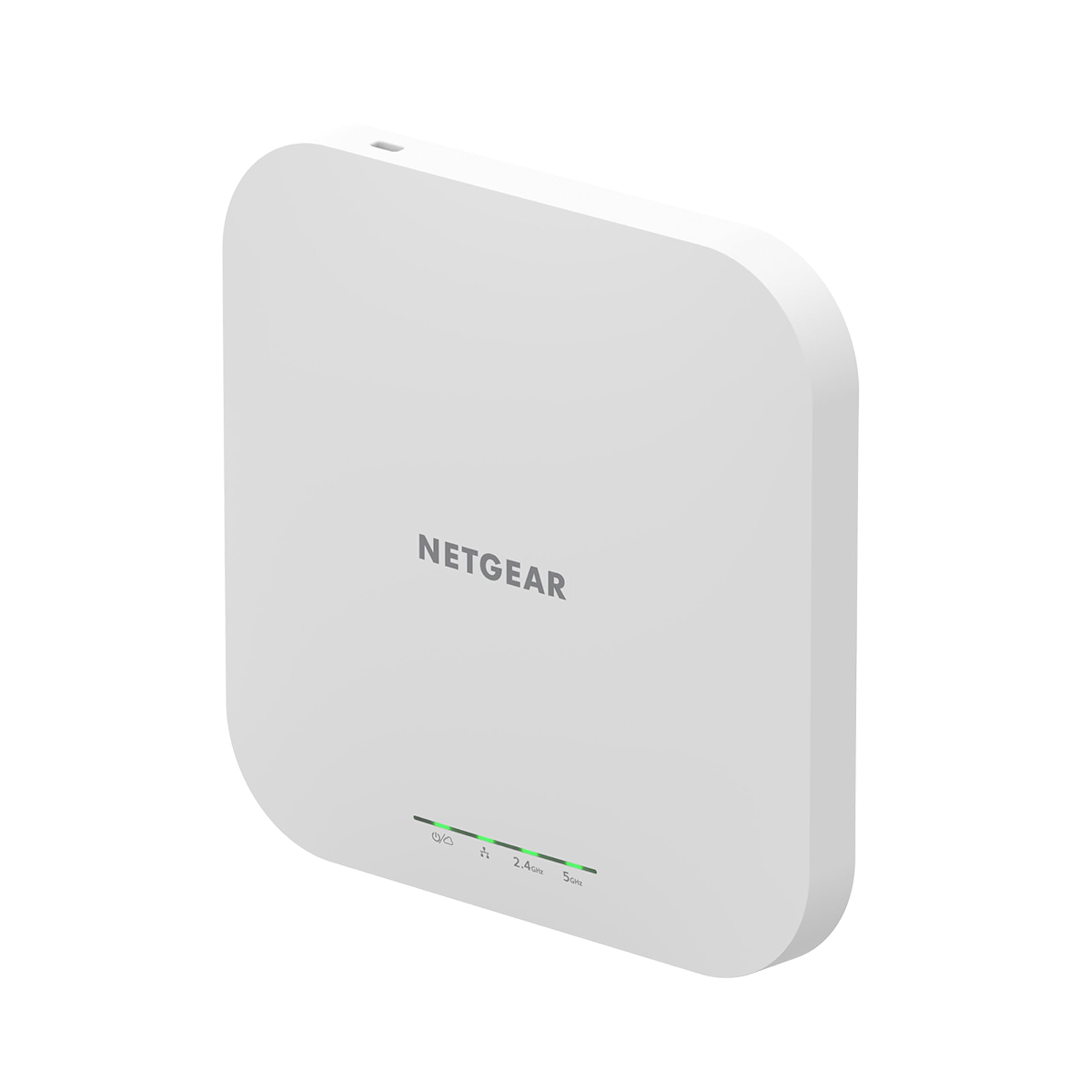
NETGEAR’s WAX610 is built for businesses that want remote cloud management without third-party platforms. The AX1800 dual-band radio covers up to 2,500 square feet and supports up to 200 client devices thanks to MU-MIMO and OFDMA. A 2.5Gbps Ethernet port ensures the wired backhaul never becomes the bottleneck, even under high traffic loads.
The unit ships with a one-year free NETGEAR Insight subscription, which unlocks remote monitoring, configuration, and alerts via the Insight app. You can also manage it locally through the web interface if you prefer to avoid cloud services. Security features include WPA3, rogue AP detection, and client isolation — all critical for business environments handling sensitive data.
Customer feedback is overwhelmingly positive about the signal strength and stability. One user reported solving VR headset stuttering after switching to the WAX610, with throughput hitting 1.2 Gbps on the 5 GHz band. The main drawbacks are the heat output — the enclosure runs noticeably warm — and the fact that the power adapter is sold separately. The Insight ecosystem also locks some advanced features behind the subscription after the first year.
Why it’s great
- 2.5Gbps Ethernet port for high-speed backhaul
- 1-year free NETGEAR Insight cloud management
- Supports up to 200 client devices
Good to know
- Runs hot during continuous operation
- Power adapter sold separately
- Advanced Insight features require ongoing subscription after year one
8. WAVLINK AX3000

When you need to blanket a large outdoor area with WiFi 6, the WAVLINK AX3000 brings serious transmitter power. Rated at 600mW with four fiberglass tube omni-directional antennas, it can cover open spaces like farms, campsites, and large backyards. The IP67 enclosure protects against rain, snow, and dust, while 15kV ESD and 6kV lightning protection add durability for exposed installations.
The unit supports multiple operating modes including AP, router, repeater, and mesh. The mesh mode supports seamless roaming when paired with multiple WAVLINK units. It also works with Starlink and other ISP-provided routers if configured as a repeater. The included passive PoE converter and 54V power adapter get you started, though the adapter is not waterproof and must be housed indoors.
Users report strong signal penetration through walls and trees, with reliable connections even during heavy Florida rain. Some customers noted a learning curve during setup, particularly around antenna labeling and SSID configuration. A minority experienced reliability issues after extended use, and support responsiveness has been inconsistent. For the price, the raw power and weather resistance are compelling for challenging outdoor environments.
Why it’s great
- 600mW transmit power with four high-gain antennas
- IP67 enclosure with lightning and ESD protection
- Supports mesh, AP, and repeater modes
Good to know
- Setup can be complex; antenna labeling is small
- PoE converter and power adapter not waterproof
- Customer support quality varies based on reports
9. Amazon eero PoE 6

The eero PoE 6 is designed for professional installations where a clean, wired backbone is essential. Each unit is powered entirely over Ethernet (802.3af PoE) and mounts to a ceiling or wall, eliminating visible power cables. TrueMesh technology intelligently routes traffic across multiple eero nodes, reducing drop-offs and providing a consistent experience across 2,000 square feet per unit.
Setup takes minutes through the eero app, which automatically detects and configures new PoE nodes. The system supports over 100 connected devices and handles mixed environments with smart home gadgets, security cameras, and streaming devices simultaneously. Automatic firmware updates keep security current, and the eero app provides simple network management without requiring technical expertise.
Customer feedback underscores the reliability and ease of use, especially for larger homes with complex layouts. One user in a 6,000-square-foot brick home deployed seven PoE 6 units with a wired backhaul and achieved 900 Mbps down/up on WiFi with AT&T Fiber. The main tradeoff is the premium cost compared to standalone APs. Additionally, advanced features like VLANs and custom DNS require the separate eero subscription, and the system is tightly locked to the eero ecosystem.
Why it’s great
- TrueMesh technology provides seamless, intelligent traffic routing
- PoE-powered for clean professional installations
- Handles 100+ devices with automatic firmware updates
Good to know
- Premium price compared to standalone access points
- Advanced features require a separate eero subscription
- Locked to the eero ecosystem; no third-party controller support
FAQ
Can I use a WiFi 6 access point with an older router?
Do I need a separate controller for seamless roaming?
What is the difference between an access point and a mesh node?
How many access points do I need for a 3,000 square foot home?
Can I mount an indoor access point outside?
Final Thoughts: The Verdict
For most users, the access points wifi 6 winner is the TP-Link EAP610-Outdoor because it offers enterprise-grade weatherproofing, excellent range, and integration with the versatile Omada SDN platform at a price that undercuts most outdoor APs. If you want a simple mesh experience with PoE convenience, grab the TP-Link Deco X50-PoE. And for a premium professional install that covers every corner of a large home, nothing beats the Amazon eero PoE 6.

Mo Maruf
I created WellFizz to bridge the gap between vague wellness advice and actionable solutions. My mission is simple: to decode the research and give you practical tools you can actually use.
Beyond the data, I am a passionate traveler. I believe that stepping away from the screen to explore new environments is essential for mental clarity and physical vitality.