Our readers keep the lights on and my smoothie glass nicely filled. As an Amazon Associate, I earn from qualifying purchases.
Staring at a blank page, willing a complex image onto it, only to have proportions go haywire — that is the exact frustration an art projector for tracing is built to eliminate. Whether you are a professional muralist scaling a sketch to a wall, a crafter transferring a quilt pattern, or a parent hoping to boost a child’s drawing confidence, the fundamental tool remains the same: a device that projects a clear, traceable image onto your working surface. The real challenge is cutting through the noise of toys, light pads, and miniature projectors to find the unit that actually delivers crisp lines, usable brightness, and the right magnification for your specific project.
I’m Mohammad Maruf — the founder and writer behind WellFizz. My research involves comparing optical lens quality, lumen output, auto-focus precision, and app integration across dozens of art projection products to separate serious tools from frustrating gimmicks.
This guide breaks down the distinct categories of projection tools, from simple battery-operated sketch projectors for young children to app-driven smart projectors for serious artists. You will learn exactly which features matter for your tracing work, ensuring you invest in the best art projector for tracing that fits your skill level, surface size, and workspace lighting conditions.
How To Choose The Best Art Projector For Tracing
The market for art projectors is deceptively broad, spanning toddler sketch toys, ultra-bright mini LED projectors, and professional enlargers. Choosing the wrong one means dealing with blurry images, weak brightness, or a unit that simply can’t magnify a standard 8.5×11 print. Focus on these four criteria to narrow your search.
Projection Brightness and Ambient Light Tolerance
The single biggest complaint across all budget levels is that the projection is too dim to trace. Lower-cost units, especially those using simple LEDs or standard bulbs, require a completely dark room to produce a visible line. Premium models like the Artograph LED Tracer use a high-intensity LED board that delivers usable contrast even in dim, but not pitch-black, conditions. If you plan to trace in a living room with windows or overhead lights, prioritize a unit with higher lumen output and an opaque design that blocks stray light.
Enlargement Ratio and Copy Size
An art projector’s primary function is scaling. A toy projector might project a small image approximately 1:1 onto a sheet of paper. A professional unit like the Artograph can enlarge a 5×5-inch source image up to 14 times its original size onto a wall. If you are working on murals, large canvas paintings, or wall decor, look for a unit that explicitly states its maximum enlargement ratio and the maximum copy size it accepts. For purely tabletop tracing on standard paper, a smaller copy size is acceptable, but flexibility is never wasted.
Opaque vs. App-Based vs. Disc-Based Systems
There are three distinct architecture types. Opaque projectors (like the Artograph) project an image from a physical print, photo, or piece of paper placed on the bed. App-based projectors (like the Caydo P1) connect to your phone to project digital images and offer software scaling, grid overlays, and photo-to-sketch filters. Disc-based projectors (like the Thin Air Brands unit) use pre-loaded slides — great for kids but useless for custom work. Choose based on whether you need to work from physical reference materials or digital files. Serious artists and crafters almost always prefer app-based or opaque units for maximum creative control.
Auto Focus, Keystone Correction, and Image Stability
Tracing requires a sharp, stable image, not a wobbly or distorted one. A projector pressed against a tabletop without adjustment often produces a trapezoid-shaped image (keystone distortion) if angled. Premium units include auto-focus and auto-keystone correction, which mechanically adjust the lens to keep the image square and sharp. Budget units rely on manual focus knobs and physical angling, which can be fiddly. For repetitive or detailed work, the automatic features save hours of frustration.
Quick Comparison
On smaller screens, swipe sideways to see the full table.
| Model | Category | Best For | Key Spec | Amazon |
|---|---|---|---|---|
| Caydo P1 | App-Based | Serious Artists & Professionals | 4K Support, Auto Keystone | Amazon |
| Artograph LED Tracer | Opaque | Wall Art & Mural Enlargement | 14X Enlargement Ratio | Amazon |
| Caydo T3 | AI Smart | Kids & Step-by-Step Learners | 3-in-1 Modes, RG0 Safe | Amazon |
| Yoturetoys AI Projector | App-Based | Photo-to-Sketch Tracing | Voice Learning, Flicker-Free | Amazon |
| YINGWOND Light Pad | LED Light Pad | Diamond Painting & Quilting | Rechargeable, 6 Brightness | Amazon |
| Gohero Drawing Kit | Disc-Based Toy | Preschool Beginners (Ages 3-5) | 64 Projection Images | Amazon |
| Thin Air Brands Projector | Disc-Based Toy | Toddlers (Ages 3-6) | 32 Animal Drawings | Amazon |
In‑Depth Reviews
1. Caydo P1 Art Projector
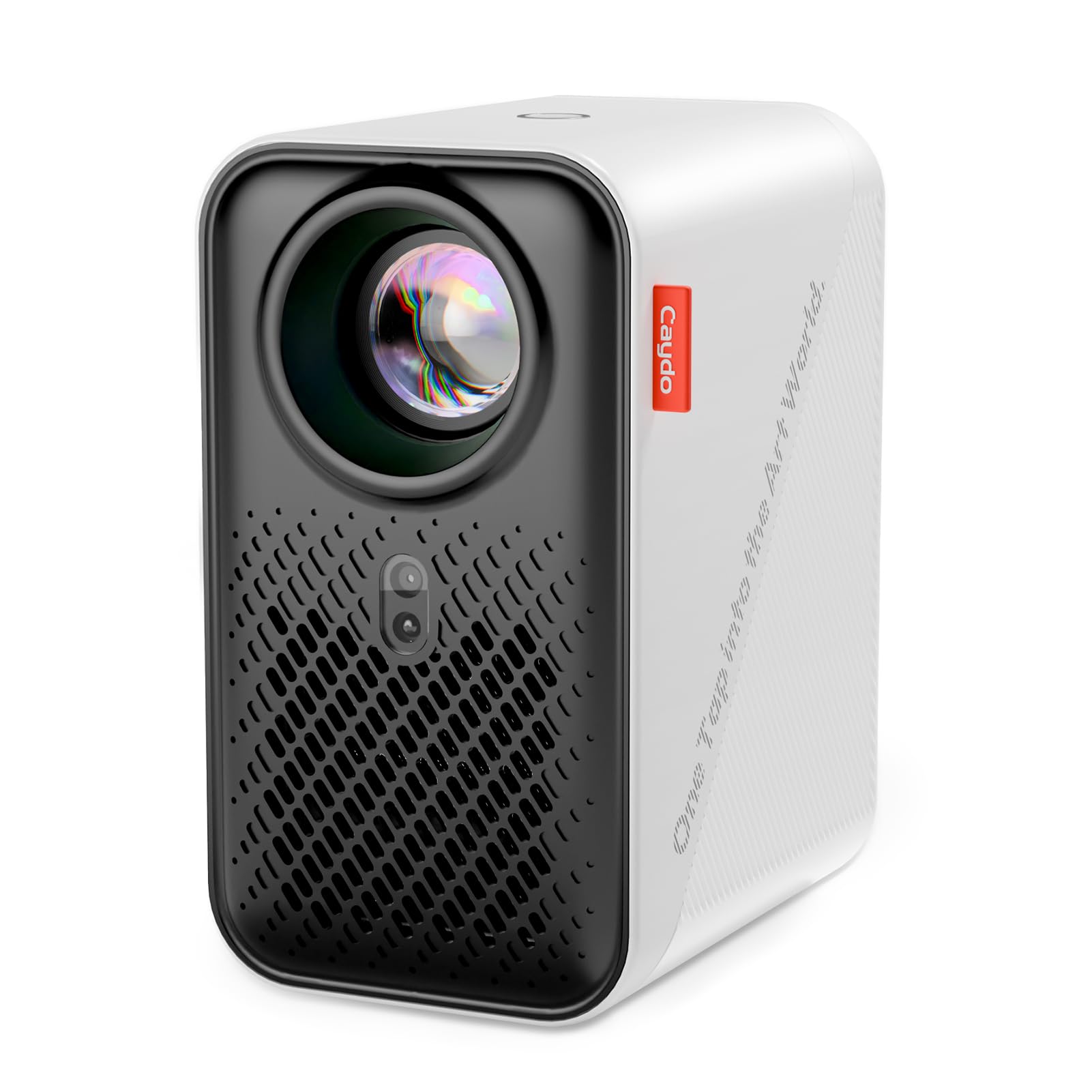
The Caydo P1 redefines what a drawing projector can be by integrating a full Android-based operating system with a dedicated art drawing app, auto-focus, and auto-keystone correction into a compact, portable chassis. Unlike traditional opaque projectors that require a physical print and a pitch-black room, the P1 projects digital images directly from your phone or its internal storage, with built-in tools like Gridify and Sketchify that overlay grids or convert photos into line art in seconds.
The mechanical auto-focus and keystone correction are the standout hardware features for tracing work. They allow you to angle the projector downward onto a desk or backward onto a wall without the image becoming trapezoid-shaped or blurry. The projection distance ranges from roughly 3 to 10 feet, and the image can scale up to 100 inches diagonally, making it viable for both tabletop tracing and wall mural work.
Its dual-band 5G WiFi and Bluetooth 5.0 enable smooth screen mirroring and file transfer via the Caydo app. While some users noted that the art app interface can feel basic initially and that photo transfer via QR code is preferred over WiFi for stability, the hardware itself outclasses any toy projector on the market. The sealed optical core prevents dust from degrading image quality over time.
Why it’s great
- Auto-focus and auto-keystone eliminate manual setup frustration.
- Built-in art software with grid, sketch, and comic modes enhances tracing precision.
- 4K support and 100-inch projection give room to grow into wall murals.
Good to know
- Art app can be basic; some users prefer connecting via mobile hotspot.
- Bluetooth is for audio only, not video transmission.
2. Artograph LED Tracer Opaque Projector

The Artograph LED Tracer is the gold standard for artists who work from physical reference materials. Its 200 mm optical glass lens and high-intensity LED board allow it to enlarge any 5 x 5-inch printed image up to 14 times its original size onto a wall or easel. The unit is small enough to be moved between a studio table and a living room, measuring roughly 12.75 inches deep and weighing 3 pounds.
Unlike app-based projectors, the Artograph is entirely hardware-driven — there is no software to configure, no app crashes, and no dependence on phone battery. You simply place your source image under the unit on the baseboard, turn on the LED, and begin tracing the projected image. The LED bulb is rated for 10,000 hours of use and runs cooler than older CFL bulbs, which means less heat stress on your reference materials.
The critical tradeoff is that the room must be very dark to see the projection clearly. The opaque design relies on reflecting light from the print, making it significantly dimmer than a digital projector that shines light through a lens. This is a non-issue for studio settings with blackout curtains, but it will frustrate anyone expecting TV-level brightness in a lit living room. The 5×5 copy size also limits the size of your reference image.
Why it’s great
- Reliable, old-school optical magnification with no app or connectivity needed.
- 14X enlargement ratio is ideal for painting large canvases and murals.
- Durable metal and plastic build with a high-quality glass lens.
Good to know
- Requires near-total darkness for a clear, bright projection.
- Limited to copying images up to 5×5 inches from physical prints.
3. Caydo T3 AI Drawing Projector
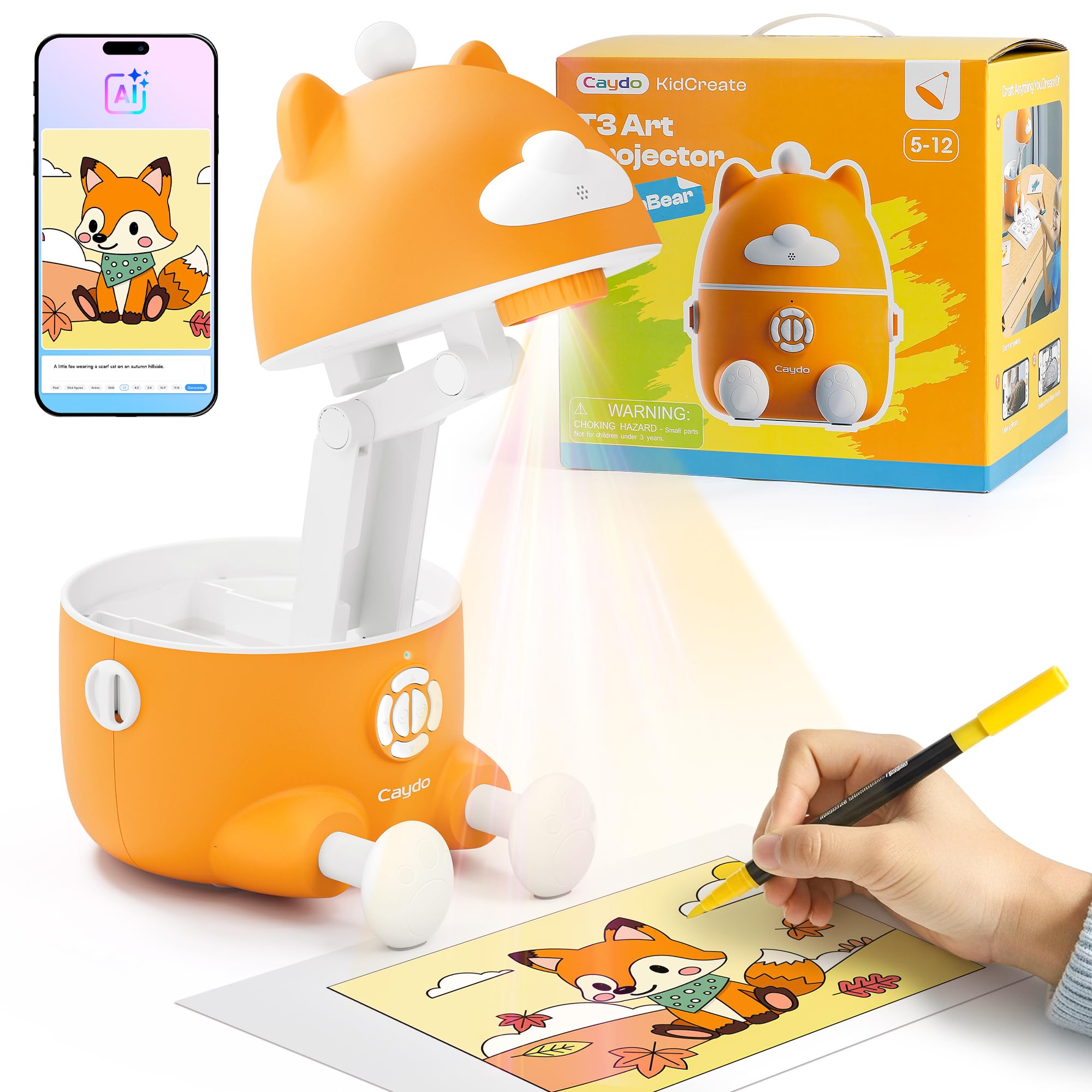
Positioned between a basic toy and a professional tool, the Caydo T3 introduces a structured three-mode system: Simple Tracing for absolute beginners, Step-by-Step Drawing for building skills, and an AI Creative Studio for advanced imagination work. It includes over 100 built-in step-by-step lessons covering animals, space, dinosaurs, and vehicles, with new content available monthly via app updates. This makes it a rare device that can grow with a child for several years.
The T3 is SGS certified with an RG0 (Risk Group 0) rating for blue light hazard, meaning it emits no optical radiation risk even with extended use. It also includes an auto-brightness sensor and a break timer that you can set to 0, 0.5, 1, or 2 hours. For tracing work, the photo-to-sketch feature is the highlight — snap a picture of a pet or toy with the Caydo app, and the projector displays a clean line version ready for tracing.
Setup is straightforward with no assembly required, and the included remote control makes it easy to switch between images without standing up. The image remains bright and clear even with some room light, which is a significant improvement over cheaper toys. The main physical limitation is that the projected image size is fixed by the lens system and cannot be zoomed in or out.
Why it’s great
- Structured learning progression from tracing to freehand drawing.
- RG0 eye-safety certification reassures parents about prolonged use.
- Photo-to-sketch feature personalizes tracing projects.
Good to know
- No ability to resize the projected image once cast.
- Power cord could be longer for flexible placement.
4. Yoturetoys AI Drawing Projector
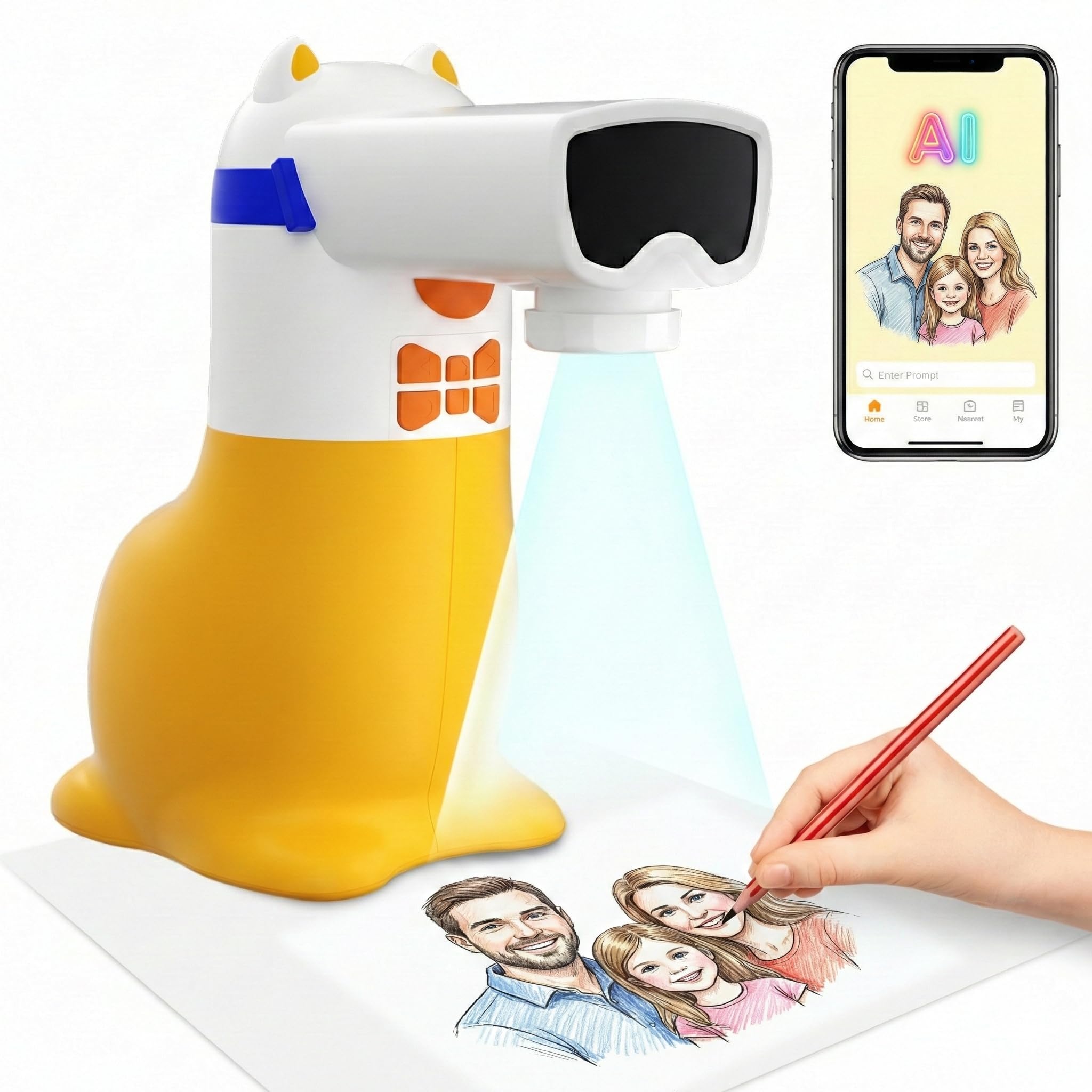
The Yoturetoys AI Drawing Projector takes a different approach by using voice and text prompts to generate custom tracing images. Instead of just projecting pre-loaded slides, a child can say “dancing dragon” or type a sentence into the companion app, and the AI will generate a unique line-art image to trace. This completely removes the creative bottleneck of running out of pictures and keeps engagement high.
The hardware is corded-electric, meaning it plugs into a wall outlet or a 5V/1A power bank for portability. The absence of an internal lithium battery is a deliberate design choice for longer lifespan and safety — the unit can stay plugged in indefinitely without battery degradation. The screen is flicker-free and low-blue-light certified, reducing eye strain during extended tracing sessions.
It also includes a voice-enhanced word-learning feature that reads numbers and English words aloud as the image appears, combining tracing practice with early vocabulary building. The projection is sharp enough for tracing, though the maximum image size is smaller than what the Caydo T3 or P1 deliver. The app-based AI generation requires a stable internet connection, which may limit use during travel.
Why it’s great
- AI text-to-sketch turns any idea into a traceable image.
- Voice learning adds an educational layer for preschoolers.
- No battery to degrade; safe for extended plugged-in use.
Good to know
- Requires a constant internet connection for AI image generation.
- Projection image is smaller and not designed for large wall murals.
5. YINGWOND Rechargeable A4 LED Light Pad

The YINGWOND A4 Light Pad is not a projector in the traditional sense, but it is an essential tool for tracing tasks that involve transferring designs from paper to paper — such as calligraphy, quilting, diamond painting, and stained glass work. Instead of projecting an image onto a surface, the pad backlights your tracing paper, making the source image visible through the top sheet for direct hand-drawn tracing.
The battery delivers between 4 and 6 hours of wireless use on a full charge, and the two separate brightness adjustment buttons make it easy to fine-tune the illumination without cycling through all six levels. The built-in stand provides an ergonomic viewing angle that reduces neck and shoulder fatigue during long tracing sessions. The padded carrying case protects the acrylic surface and adds portability.
At 13.4 x 9.8 inches, the A4 size accommodates most standard paper sizes but cannot handle oversized blueprints or large fabric pieces. The light panel does not get hot even after hours of use, which is a safety consideration for children and crafters. While it lacks the enlargement capability of a projector, it offers unmatched line clarity for overlay tracing tasks.
Why it’s great
- Exceptional for direct overlay tracing where a projector is impractical.
- Rechargeable battery and padded case allow mobile crafting.
- Adjustable brightness preserves eye comfort during long sessions.
Good to know
- Does not enlarge images; limited to same-size tracing.
- Not recommended to use while charging to protect battery health.
6. Gohero Drawing Projector for Kids

The Gohero Drawing Kit is built as a complete sketching starter set for children ages 3 to 6. It comes with 64 pre-loaded projection images on slides, 10 color pens, 3 drawing stencils, and a pack of drawing paper — all stored in a hard plastic case that doubles as the projector housing. The unit itself is lightweight and made entirely of plastic, designed for rough handling by young children.
The projector head can rotate 360 degrees and tilt up and down, allowing a child to aim the image onto a piece of paper placed flat on a table. A focus button on the top of the unit lets you sharpen the image by turning it, though the degree of sharpness is limited by the plastic lens. The images are simple outlines of animals, vehicles, and characters, appropriate for toddlers who are still developing fine motor control.
Assembly is required, and the unit requires 3 AA batteries (not included). The built-in storage case is a strong feature for travel and cleanup — everything can be packed away inside, preventing lost crayons or slides. The image quality is best described as “toy-grade,” with visible fuzziness at the edges, but it is perfectly adequate for teaching a 3-year-old to trace basic shapes.
Why it’s great
- All-in-one kit with pens, stencils, and paper included.
- Rotatable projector head allows aiming onto a tabletop.
- Storage case keeps everything organized and portable.
Good to know
- Image sharpness is limited by the plastic lens design.
- Requires AA batteries which are not included.
7. Thin Air Brands Drawing Projector for Kids
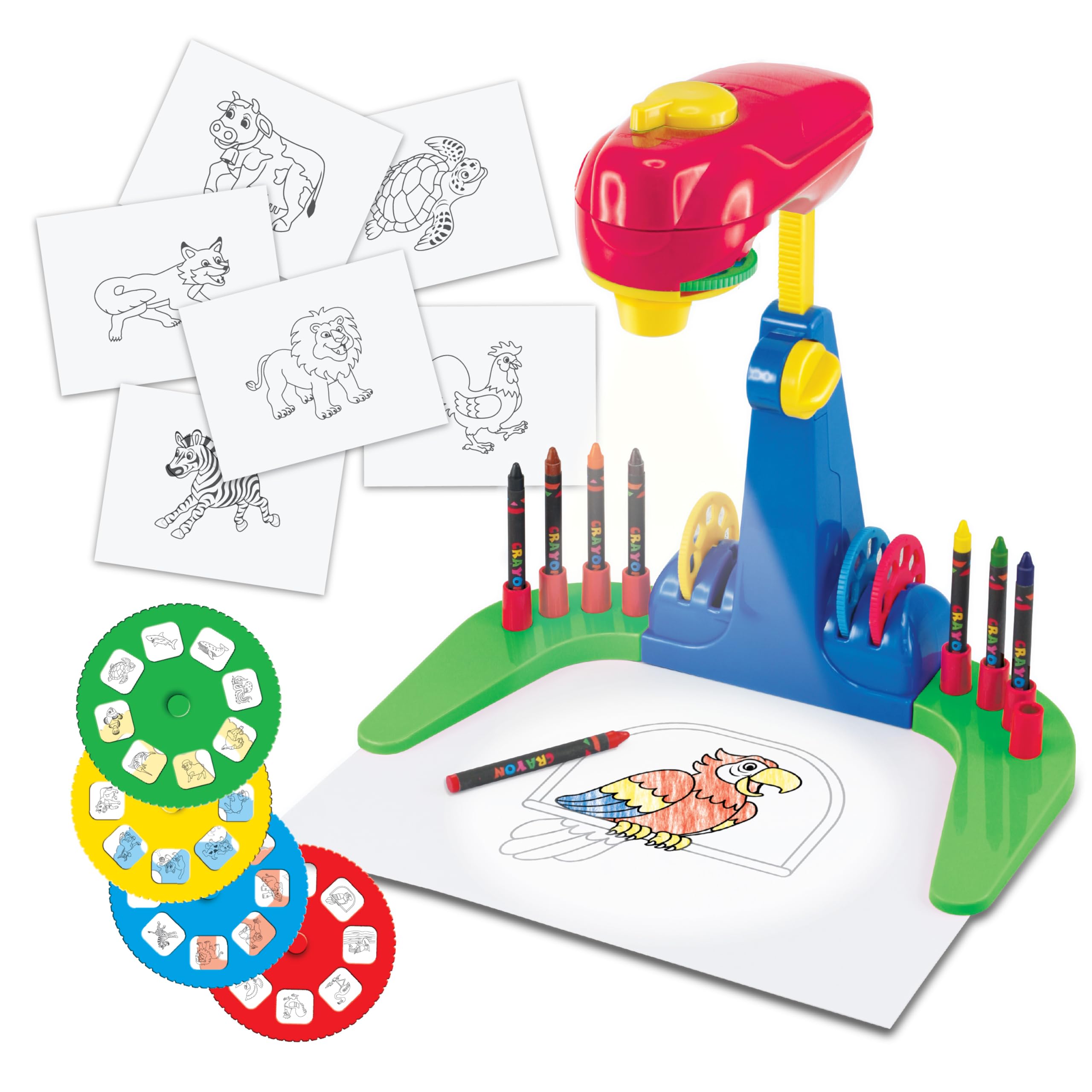
The Thin Air Brands projector is a straightforward, low-cost tracing toy for preschoolers. It ships with four durable plastic discs containing a total of 32 simple animal sketches, 8 crayons, and a pad of drawing paper. The unit is made from rugged ABS plastic designed to survive drops and impacts — a genuine concern for households with energetic toddlers.
Operation is simple: insert 3 AA batteries, place a sheet of paper under the projector arms, turn the knob, and slide a disc into the slot. The image projects downward onto the paper, and the child traces the outline. The discs are thick and resist bending, which is a practical improvement over paper slide sets that often tear. The included crayons and paper mean the kit is usable right out of the box with no extra purchases.
The biggest drawback is the limited content. With only 32 images and no way to add more, a highly engaged child can complete every drawing within a few days. There is no built-in storage for the discs and crayons, so small parts can become lost. The projection brightness is adequate in a dim room but washes out entirely under normal room lighting.
Why it’s great
- Extremely durable ABS plastic construction resists breakage.
- Ready to use immediately with crayons and paper included.
- Simple knob-and-disc operation teaches cause and effect.
Good to know
- Only 32 images total; no option to add custom slides.
- Requires total purchase of AA batteries before first use.
FAQ
Can I trace from my phone using an opaque projector like the Artograph?
Why does my kid’s drawing projector only work in the dark?
What is the difference between a light pad and a projector for tracing?
How many images do I get with disc-based projectors, and can I add more?
Final Thoughts: The Verdict
For most users, the best art projector for tracing winner is the Caydo P1 because it merges professional-grade auto-focus and keystone correction with a versatile digital app that adapts to any source image. If you want a classic optical enlarger for mural work with no app dependency, grab the Artograph LED Tracer. And for a child-focused learning projector that builds skills from tracing to freehand, nothing beats the Caydo T3.

Mo Maruf
I created WellFizz to bridge the gap between vague wellness advice and actionable solutions. My mission is simple: to decode the research and give you practical tools you can actually use.
Beyond the data, I am a passionate traveler. I believe that stepping away from the screen to explore new environments is essential for mental clarity and physical vitality.