Our readers keep the lights on and my smoothie glass nicely filled. As an Amazon Associate, I earn from qualifying purchases.
The jump to a 40-inch OLED monitor is a leap into a new visual dimension—one where deep, inky blacks meet the kind of immersive screen real estate that makes standard 27-inch panels feel claustrophobic. But the path from “I want one” to “this is perfect” is paved with critical choices about resolution, pixel density, curve radius, and connectivity that can make or break the experience. The wrong pick leaves you squinting at fuzzy text or dealing with a screen that feels more like a window than a display.
I’m Mohammad Maruf — the founder and writer behind WellFizz. I’ve spent hundreds of hours analyzing the intricate interplay of OLED sub-pixel layouts, luminance stability, and color volume across dozens of flagship monitors to separate genuine performance from marketing noise.
Whether you are a competitive gamer chasing every millisecond of response time or a creative professional demanding color-accurate 5K2K canvas space, finding the perfect 40 inch oled monitor comes down to understanding four core specs that define the entire category. Choose wisely, and every session feels like an upgrade.
How To Choose The Best 40 Inch OLED Monitor
The 40-inch OLED market is not a monolith. You are choosing between two fundamentally different panel types—WOLED (LG’s white OLED with color filters) and QD-OLED (Samsung’s quantum-dot-enhanced panel). Each handles brightness, color volume, and text rendering differently. Beyond the panel type, your decision hinges on resolution, curvature, and the connectivity needed to drive this many pixels at high frame rates.
Resolution & Pixel Density: The Text Clarity Cliff
A 3440×1440 panel on a 45-inch screen yields around 83 PPI—fine for gaming immersion but noticeably soft for reading code or editing spreadsheets. The sweet spot for a 40-inch class monitor is 5120×2160 (5K2K), which pushes PPI to approximately 125 PPI. This is the threshold where text appears crisp and color fringing (chromatic aberration on white text) becomes a non-issue. If productivity is a primary use case, do not compromise on resolution.
Refresh Rate & Adaptive Sync: Matching Your GPU
240Hz is the current ceiling for OLED gaming monitors, but actually driving 5K2K at 240Hz requires DisplayPort 2.1 (UHBR20 providing 80 Gbps). HDMI 2.1 caps at 48 Gbps, limiting you to 165Hz at that resolution. If you own an RTX 4090 or 5080, DP 2.1 is non-negotiable for full-bandwidth performance. For 3440×1440 panels, HDMI 2.1 bandwidth is sufficient for 240Hz, making them a better match for mid-range GPUs.
Curvature: Immersion vs. Productivity Distortion
800R curvature wraps the screen aggressively around your field of view, creating a genuinely immersive cockpit-like feel for simulators and FPS games. However, this extreme curve distorts straight lines in productivity software like CAD or spreadsheet grids. A milder 1800R or 3800R curve is better for mixed-use scenarios, offering peripheral wrap without introducing noticeable geometric distortion. Measure your desk depth—800R panels require at least 36 inches of viewing distance to avoid eye strain.
OLED Panel Care & Burn-In Mitigation
Every OLED monitor includes pixel refresh, logo dimming, and screen move features, but the implementation varies. LG’s OLED Care suite offers a 2-year panel warranty and aggressive auto-refresh cycles. ASUS’s OLED Care Pro goes further with a Neo proximity sensor that detects user absence and blacks out the screen to prevent static burn-in. Samsung and MSI offer 3-year burn-in warranties on select models, which provides extra peace of mind for heavy productivity users who leave static elements on screen for hours.
Quick Comparison
On smaller screens, swipe sideways to see the full table.
| Model | Category | Best For | Key Spec | Amazon |
|---|---|---|---|---|
| LG 45GX950A-B | 5K2K Gaming | Immersive 5K2K gaming & productivity | 5120×2160 / 125 PPI | Amazon |
| LG 40WP95C-W | Nano IPS | Mac-focused creative productivity | 5120×2160 / 72Hz | Amazon |
| Dell UltraSharp U4025QW | IPS Black | Professional color-critical work | 5120×2160 / 120Hz | Amazon |
| ASUS ROG Swift PG32UCDMR | 4K QD-OLED | Competitive 4K gaming & HDR | 3840×2160 / 240Hz | Amazon |
| ASUS ROG Swift PG32UCDMZ | 4K QD-OLED | Premium 4K gaming & Dolby Vision | 3840×2160 / 240Hz | Amazon |
| MSI MPG 322URX | 4K QD-OLED | High-value 4K gaming & 3-year warranty | 3840×2160 / 240Hz | Amazon |
| LG 39GX90SA-W | WQHD Gaming | Mid-range curve & cloud gaming | 3440×1440 / 240Hz | Amazon |
| LG 45GX900A-B | WQHD Gaming | Large-screen curve FPS gaming | 3440×1440 / 240Hz | Amazon |
| Samsung Odyssey G9 G93SD | DQHD Racing | 32:9 ultrawide racing & flight sims | 5120×1440 / 240Hz | Amazon |
| Philips Evnia 49M2C8900L | DQHD Productivity | Multi-screen replacement with KVM | 5120×1440 / 144Hz | Amazon |
| Samsung Odyssey G9 G95SD | Smart Gaming | All-in-one gaming & streaming hub | 5120×1440 / 240Hz | Amazon |
| GIGABYTE AORUS CO49DQ | Budget DQHD | Entry-level ultrawide OLED gaming | 5120×1440 / 144Hz | Amazon |
| INNOCN 49Q1S | Budget 32:9 | Dual-source PIP/PBP productivity | 5120×1440 / 240Hz | Amazon |
In‑Depth Reviews
1. LG 45GX950A-B 45-inch 5K2K OLED Curved Gaming Monitor

The LG 45GX950A-B is the world’s first 5K2K WUHD OLED gaming monitor, and it nails the resolution-to-size ratio that makes a 45-inch screen genuinely usable for both work and play. At 5120×2160 with 125 PPI, text is crisp enough for hours of spreadsheet work, while the 0.03ms response time and 165Hz native refresh rate deliver fluid gaming. The 800R curve wraps around your peripheral vision, creating a deeply immersive cockpit experience in simulators and FPS titles without the distortion issues of flatter ultrawides.
Dual Mode is the standout productivity feature: press a hotkey to switch from 5K2K at 165Hz down to Wide Full HD at 330Hz for esports titles that benefit from extreme frame rates. The DisplayPort 2.1 (80 Gbps) connection means you are actually getting full-bandwidth 5K2K at 165Hz—something HDMI 2.1 cannot deliver. The panel also boasts up to 1300 nits peak brightness and DisplayHDR True Black 400, with 98.5% DCI-P3 coverage that makes HDR content pop without crushing shadow details.
Build quality is robust, with a solid metal stand that offers height, tilt, and swivel adjustment. The USB-C port delivers 90W power delivery, enough to charge a MacBook Pro or high-end gaming laptop. The on-screen joystick for input switching takes some getting used to, and the 2-year limited warranty on the OLED panel is shorter than the 3-year burn-in warranties offered by MSI and ASUS. For users who need 125 PPI clarity combined with DP 2.1 bandwidth and an 800R immersive curve, this is the definitive 40-inch class OLED monitor.
Why it’s great
- World-first 5K2K OLED at 125 PPI eliminates text fringing
- DisplayPort 2.1 at 80 Gbps enables full-bandwidth 5K2K 165Hz
- Dual Mode hot-switches to 330Hz for competitive esports
- 800R curve creates genuinely immersive FOV wrap
Good to know
- 2-year panel warranty is shorter than some QD-OLED competitors
- Joystick-based input switching is awkward for multi-device setups
- Requires RTX 5080-class GPU to drive native 5K2K at 165Hz
2. LG 40WP95C-W 40-inch 5K2K Nano IPS Monitor

The LG 40WP95C-W is the Mac user’s productivity dream: a 40-inch 5120×2160 Nano IPS panel that delivers approximately 140 PPI, making text razor-sharp for hours of coding or writing. While it uses Nano IPS rather than OLED, the 98% DCI-P3 color gamut and HDR10 support rival OLED vibrancy for photo and video editing. The 72Hz refresh rate is modest by gaming standards but perfectly smooth for desktop scrolling and light creative work.
Thunderbolt 4 connectivity with 96W power delivery is the killer feature for MacBook users—a single cable handles video, data, and charging at full bandwidth. The 3-side virtually borderless design makes multi-monitor setups feel seamless, and the included tilt/height/swivel stand is fully adjustable. Built-in speakers with rich bass are adequate for video conferences and casual media consumption without needing external speakers.
The 1000:1 contrast ratio is a significant downgrade from true OLED black levels, and the 72Hz refresh rate means it is not suitable for serious gaming. Some users report image retention after extended use with static elements, despite LG’s pixel refresh software. For creative professionals who prioritize Thunderbolt 4 connectivity and high PPI over gaming performance and infinite contrast, this is a well-rounded choice.
Why it’s great
- 140 PPI provides exceptional text clarity for productivity
- Thunderbolt 4 with 96W PD charges MacBook via single cable
- 98% DCI-P3 coverage suitable for color-accurate creative work
Good to know
- Nano IPS contrast ratio (1000:1) falls far short of OLED black levels
- 72Hz refresh rate restricts gaming potential
- Some longevity concerns with image retention on static elements
3. Dell UltraSharp U4025QW 40-inch 5K2K Curved Monitor

Dell’s UltraSharp U4025QW uses an IPS Black panel to deliver 2000:1 contrast ratio—double that of standard IPS panels—giving it deeper blacks that approach OLED territory while avoiding OLED’s burn-in risk entirely. The 5120×2160 resolution on a 39.7-inch viewable area yields a crisp 125 PPI, making it a favorite among financial analysts, video editors, and legal professionals who live in dense spreadsheets and timelines.
The 120Hz refresh rate is a major upgrade over the 60Hz panels traditionally found in this productivity segment, providing smooth scrolling and cursor movement. The built-in KVM switch with Ethernet pass-through allows seamless toggling between a work laptop and a desktop without cable swapping. 600 nits brightness handles well-lit office environments, and the anti-glare coating reduces reflections better than glossy OLED panels.
The response time at 5ms is adequate for office work but notably slow for gaming, and the lack of DisplayHDR True Black certification means HDR performance is decent but not class-leading. The ports face downward, making reconnection difficult after the monitor is mounted. For professionals who need 2000:1 contrast, 125 PPI clarity, and a reliable built-in KVM without worrying about OLED burn-in, this is the best productivity-first monitor in the 40-inch class.
Why it’s great
- IPS Black panel offers 2000:1 contrast with zero burn-in risk
- Integrated KVM with Ethernet pass-through for dual-PC setups
- 120Hz refresh rate smooths productivity workflows
Good to know
- 5ms response time makes it unsuitable for fast-paced gaming
- Downward-facing ports are inconvenient for desk reconfigurations
- HDR brightness (600 nits) lags behind premium OLED displays
4. MSI MPG 322URX QD-OLED 32-inch 4K Gaming Monitor

The MSI MPG 322URX is a 32-inch 4K QD-OLED monitor that offers a compelling mix of speed, color accuracy, and peace of mind. The 3rd-generation QD-OLED panel delivers 99% DCI-P3 coverage and VESA DisplayHDR True Black 400, producing deep blacks and vibrant highlights that make games and movies look extraordinary. The 240Hz refresh rate and 0.03ms GtG response time eliminate motion blur and ghosting in competitive shooters.
DisplayPort 2.1a (UHBR20) with 80 Gbps bandwidth ensures you can run 4K at 240Hz with 10-bit color without chroma subsampling—a capability most HDMI 2.1 monitors cannot match. Delta E ≤ 2 factory calibration makes it suitable for photo and video editing out of the box. MSI includes a 3-year burn-in warranty through OLED Care 2.0, which is rare at this price point and gives confidence for mixed-use scenarios.
The biggest drawback is the fragile QD-OLED panel coating: several users have reported scratches and blemishes from minimal contact, so careful handling is essential during setup. The built-in speakers are weak and tinny, and the stand takes up significant desk depth. For buyers who want 4K QD-OLED performance with a strong burn-in warranty and DP 2.1a future-proofing, this offers exceptional value.
Why it’s great
- DP 2.1a (80 Gbps) supports native 4K 240Hz with 10-bit color
- 3-year burn-in warranty provides industry-leading peace of mind
- Factory Delta E ≤ 2 calibration for professional color work
Good to know
- QD-OLED panel coating is prone to scratches during handling
- Built-in speakers are weak and not suitable for gaming audio
- Large stand footprint requires generous desk space
5. ASUS ROG Swift OLED PG32UCDMZ 4K QD-OLED Gaming Monitor

The ASUS ROG Swift PG32UCDMZ is a 32-inch 4K QD-OLED gaming monitor that distinguishes itself with Dolby Vision certification, a feature rare among PC monitors. The QD-OLED panel delivers perfect blacks, 99% DCI-P3 coverage, and HDR brightness that makes compatible movies and games look spectacular. The 240Hz refresh rate and 0.03ms response time provide elite-level motion clarity for competitive gaming.
ASUS OLED Care Pro includes a Neo proximity sensor that detects when you leave your desk and automatically blacks out the screen, reducing burn-in risk from static content. The 90W USB-C power delivery can charge a high-end gaming laptop while transmitting video. The hardware anti-flicker technology reduces eye strain during long sessions, and the passive cooling system eliminates the need for a noisy fan.
The PG32UCDMZ lacks DisplayPort 2.1, relying on HDMI 2.1 (48 Gbps) for 4K 240Hz connectivity, which means you need to use DSC (Display Stream Compression) to achieve full bandwidth. Some users report a barely perceptible local flicker in high-contrast HDR transitions. For gamers who prioritize Dolby Vision HDR performance and ASUS’s robust OLED care features, this is a top-tier 32-inch choice.
Why it’s great
- Dolby Vision certification for superior HDR movie and game presentation
- Neo proximity sensor blacks out screen when you walk away
- 90W USB-C power delivery handles high-end gaming laptops
Good to know
- No DisplayPort 2.1; relies on HDMI 2.1 with DSC for 4K 240Hz
- Local flicker reported in high-contrast HDR transitions
- Premium price reflects Dolby Vision licensing and sensor hardware
6. LG 39GX90SA-W 39-inch Ultragear WQHD OLED Gaming Monitor

The LG 39GX90SA-W brings smart TV functionality to a gaming monitor with built-in webOS 24, giving you direct access to Netflix, Prime Video, Disney+, and cloud gaming services like NVIDIA GeForce NOW without needing a separate PC or console. The 39-inch WQHD (3440×1440) OLED panel features an 800R curve that wraps the image around you, and the 240Hz refresh rate with 0.03ms response time handles fast-paced games smoothly.
The anti-glare OLED surface minimizes reflections better than glossy QD-OLED panels, making it easier to use in rooms with ambient lighting. Dynamic Tone Mapping and AI Picture sharpen visuals automatically, and the AI Personalized Picture Wizard customizes settings to your taste. The 2-year limited warranty covers the OLED panel, and pixel cleaning tools help maintain display uniformity over time.
The 3440×1440 resolution at 39 inches yields approximately 83 PPI, which is noticeably soft for reading text in productivity applications. The white color scheme may not suit all desk aesthetics, and the built-in speakers lack bass for immersive gaming. For users who want a self-contained smart gaming monitor with a steep 800R curve and 240Hz performance, this is a unique all-in-one solution.
Why it’s great
- Built-in webOS 24 offers streaming and cloud gaming without a PC
- 800R curve provides immersive peripheral wrap for gaming
- Anti-glare OLED surface reduces reflections in lit rooms
Good to know
- 83 PPI is noticeably soft for productivity and text-heavy work
- White color scheme may not match darker gaming setups
- Built-in speakers are adequate for streaming but weak for gaming
7. LG 45GX900A-B 45-inch WQHD OLED Curved Gaming Monitor

The LG 45GX900A-B offers a massive 45-inch WQHD (3440×1440) OLED panel with an aggressive 800R curve and up to 1300 nits peak brightness (APL 1.5%). This combination creates an intensely immersive gaming experience, particularly in racing simulators and first-person shooters where peripheral vision matters. The 240Hz refresh rate and 0.03ms response time ensure buttery-smooth motion without ghosting.
Connectivity is robust with HDMI 2.1, DisplayPort 1.4, and USB Type-C with 65W power delivery. AMD FreeSync Premium Pro and NVIDIA G-Sync compatibility eliminate screen tearing across both PC and console gaming. The UL-verified flicker-free and low blue light certifications reduce eye strain during long sessions, and OLED Care tools help prevent burn-in through pixel cleaning.
The 3440×1440 resolution on a 45-inch screen results in low pixel density (approximately 83 PPI), making text appear fuzzy and soft for desktop productivity. The 2-year panel warranty is shorter than competitors offering 3-year burn-in coverage. For dedicated gamers who prioritize immersive size and 240Hz speed over pixel density and productivity sharpness, this is an excellent choice.
Why it’s great
- 1300 nits peak brightness delivers spectacular HDR highlights
- 800R curve creates deep immersion for simulators and shooters
- FreeSync Premium Pro and G-Sync compatibility for tear-free gaming
Good to know
- 83 PPI makes text soft and unsuitable for productivity work
- 2-year panel warranty is shorter than many QD-OLED alternatives
- DisplayPort 1.4 limits bandwidth compared to DP 2.1 monitors
8. Samsung Odyssey OLED G9 G93SD 49-inch DQHD Gaming Monitor
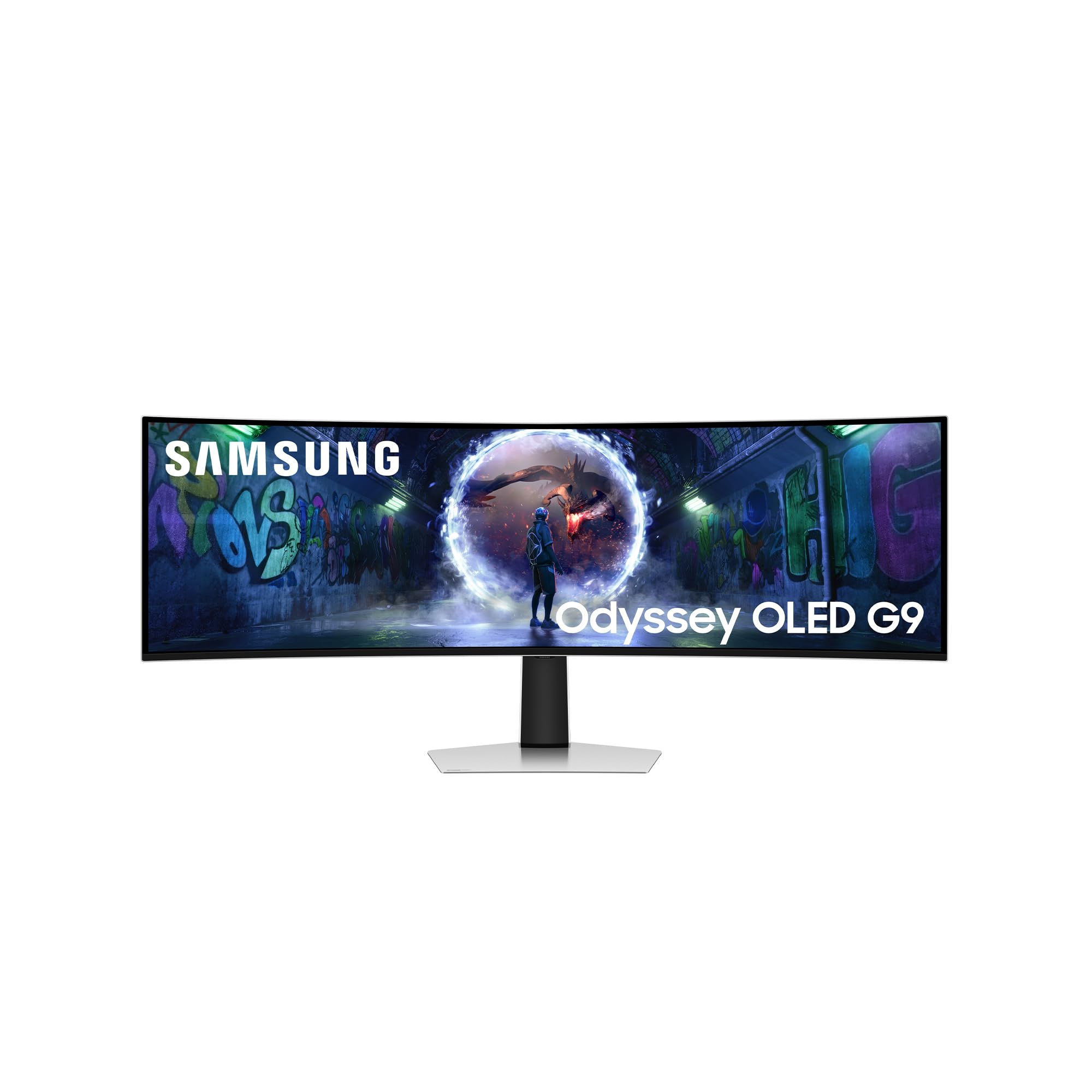
The Samsung Odyssey OLED G9 G93SD is a 49-inch DQHD (5120×1440) QD-OLED monitor with a 32:9 aspect ratio that effectively replaces two 27-inch monitors side by side without a bezel. The Samsung Glare Free technology significantly reduces reflections while maintaining the deep blacks and vibrant colors of QD-OLED, making it ideal for rooms with overhead lighting or windows.
The 240Hz refresh rate and 0.03ms response time deliver elite-level motion clarity for competitive racing and FPS gaming. AMD FreeSync Premium Pro and G-Sync compatibility ensure tear-free gameplay across a wide range of GPUs. The 1800R curvature is gentler than LG’s 800R panels, reducing geometric distortion for productivity tasks while still providing peripheral immersion.
This monitor lacks built-in speakers and does not include a remote control, which feels like an oversight at this price tier. The 49-inch width (119.4 cm) requires a deep desk at least 80 cm deep to maintain comfortable viewing distance. Some users note that Samsung’s warranty in certain regions does not cover OLED burn-in, which is a concern for heavy productivity use. For ultrawide enthusiasts who prioritize 240Hz speed and Samsung’s Glare Free QD-OLED panel, this is a top contender.
Why it’s great
- 49-inch 32:9 QD-OLED replaces dual-monitor setups seamlessly
- Glare Free technology maintains image quality in lit rooms
- 240Hz refresh rate with 0.03ms response for competitive gaming
Good to know
- No built-in speakers or remote control included
- 49-inch width requires a very deep desk for comfortable use
- Burn-in warranty coverage varies by region and may not be included
9. Philips Evnia 49M2C8900L 49-inch DQHD OLED Curved Gaming Monitor
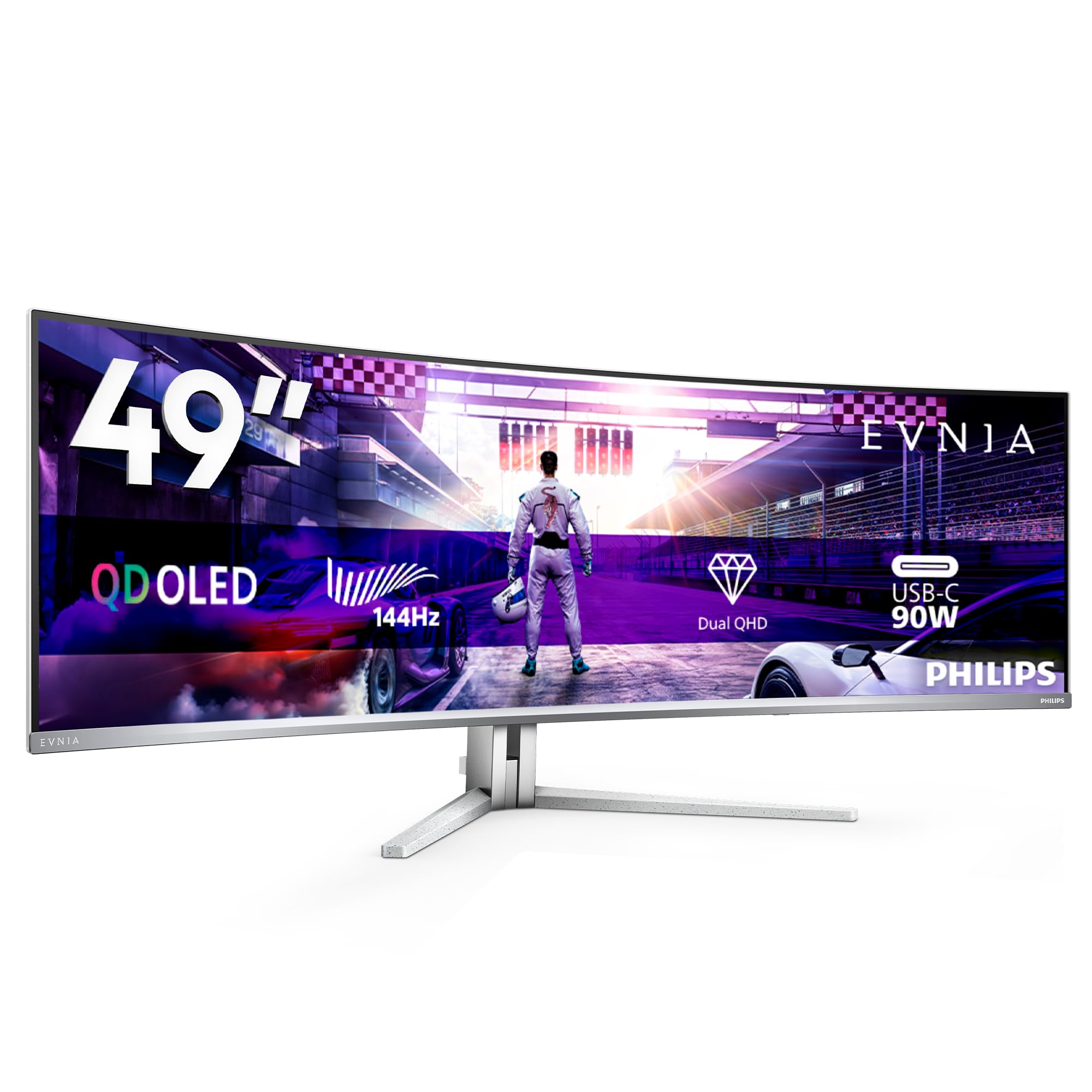
The Philips Evnia 49M2C8900L is a 49-inch DQHD (5120×1440) QD-OLED gaming monitor built around productivity and dual-PC workflows. The integrated KVM switch with USB hub allows you to control two computers with a single keyboard and mouse, and the Picture-by-Picture mode lets you display content from two HDMI sources simultaneously—ideal for running a work laptop and a gaming desktop on the same screen.
The 144Hz refresh rate is lower than the 240Hz found on many competitors, but the QD-OLED panel delivers 1000 nits peak brightness and DisplayHDR TrueBlack 400 for exceptional contrast. The 1800R curve is comfortable for both gaming and productivity, and the Ambiglow LED lighting creates ambient backlighting that reduces eye strain in dark rooms. The built-in 4×7.5W speakers with DTS Sound provide surprisingly robust audio for a monitor.
The 144Hz refresh rate may be a dealbreaker for competitive esports players who demand 240Hz. The pixel refresh process requires manual initiation and takes several minutes, which can be disruptive during work. For users who need a 49-inch KVM hub for dual-PC productivity with occasional gaming, the Evnia offers unique value.
Why it’s great
- Integrated KVM with USB hub for seamless dual-PC control
- Picture-by-Picture mode supports two HDMI sources side by side
- Strong built-in audio with 4×7.5W speakers and DTS Sound
Good to know
- 144Hz refresh rate is lower than 240Hz competition
- Manual pixel refresh process is disruptive during work
- Ambiglow implementation is less effective than Philips TVs
10. Samsung Odyssey G9 OLED G95SD 49-inch Smart Gaming Monitor
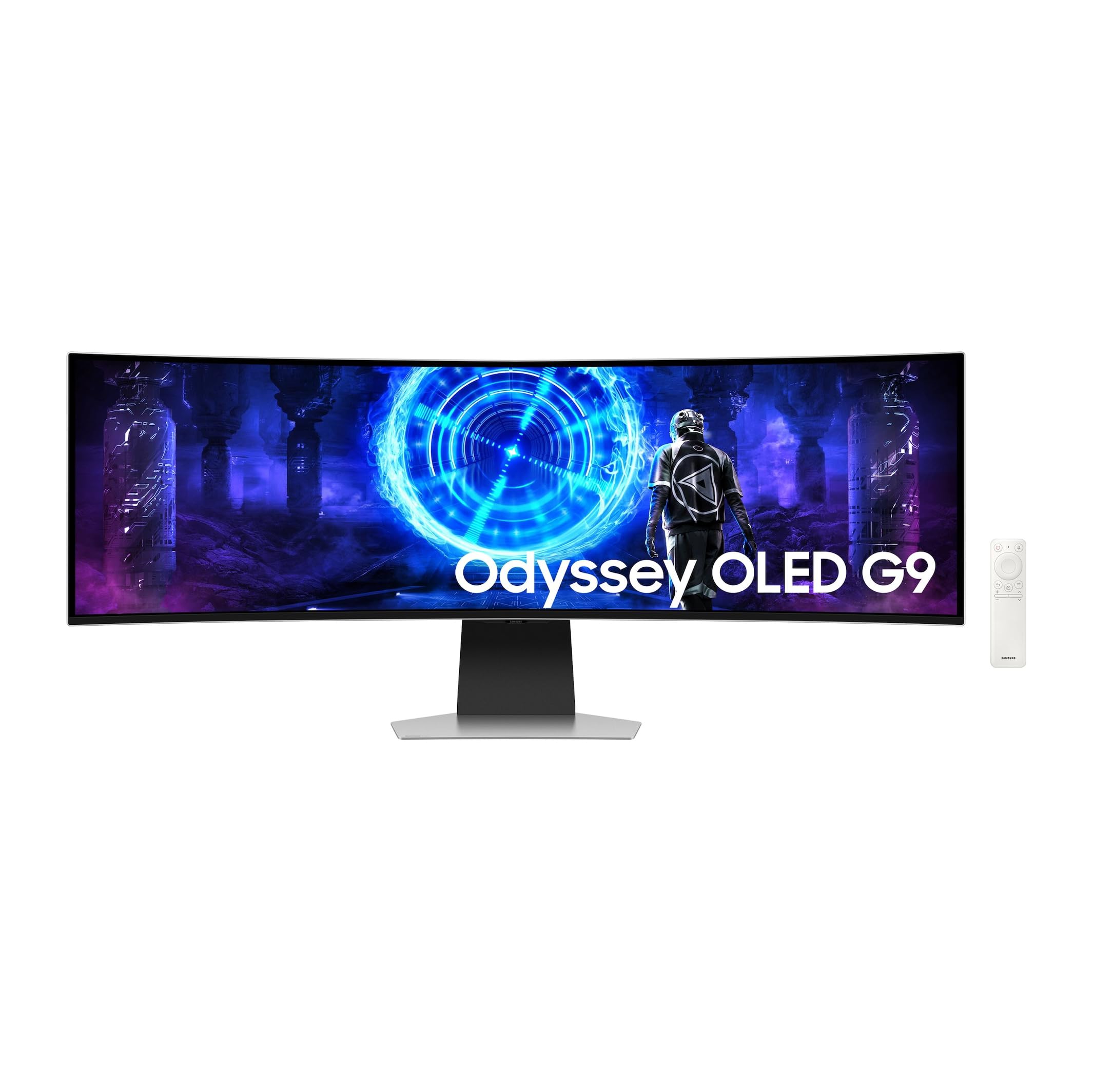
The Samsung Odyssey G9 G95SD combines a 49-inch DQHD (5120×1440) QD-OLED panel with a built-in Smart TV interface, providing direct access to Netflix, YouTube, and other streaming services without requiring a PC or console. The 240Hz refresh rate and 0.03ms response time ensure competitive gaming performance, while the 1800R curve balances immersion with productivity usability.
The monitor is notably thinner and lighter than its predecessor, with an external power supply that reduces heat inside the chassis. The metal stand is sturdy and provides a stable base, and the included remote control makes navigating the Smart Hub interface convenient. The 450 nits brightness is modest compared to LG’s 1300-nit panels, but sufficient for most lighting conditions.
Connectivity is a significant weak point: the monitor includes only one HDMI 2.1 port and one Micro HDMI port, which is restrictive for multi-device setups. Some macOS users report that achieving full 5K resolution requires specific DisplayPort-to-USB-C cables and is not supported over HDMI or Thunderbolt. For users who want an all-in-one smart gaming monitor with a sleek build and strong gaming specs, this is a compelling option despite the connectivity limitations.
Why it’s great
- Smart TV interface with remote for direct streaming access
- Thinner and lighter design with stable metal stand
- 240Hz QD-OLED delivers excellent gaming performance
Good to know
- Limited connectivity: 1x HDMI 2.1 and 1x Micro HDMI only
- Full 5K resolution on macOS requires specific DP-to-USB-C cable
- 450 nits brightness is modest compared to premium OLED panels
11. GIGABYTE AORUS CO49DQ 49-inch DQHD OLED Curved Gaming Monitor

The GIGABYTE AORUS CO49DQ is a 49-inch DQHD (5120×1440) OLED gaming monitor that provides an entry point into the ultrawide OLED world without the premium price of Samsung or LG flagships. The 144Hz refresh rate is adequate for immersive single-player and sim racing games, and the 0.03ms response time eliminates motion blur. FreeSync Premium Pro ensures tear-free gameplay with AMD GPUs.
The Gigabyte Control Center software allows granular control over display settings, OLED care features, and RGB lighting. The 1500000:1 dynamic contrast ratio produces deep blacks typical of OLED technology. The monitor supports split-screen functionality for displaying two input sources simultaneously, which is useful for dual-PC setups.
The 144Hz refresh rate limits its appeal for competitive esports, and the brightness at 250 nits typical is dimmer than higher-end OLED panels. Some users report occasional flickering on black backgrounds with white text, a known QD-OLED quirk. For budget-conscious buyers who want 49-inch DQHD OLED size without breaking the bank, this is a solid entry-level choice.
Why it’s great
- Budget-friendly entry point to 49-inch DQHD OLED format
- Gigabyte Control Center provides intuitive software control
- Split-screen PBP mode for dual-source productivity
Good to know
- 144Hz refresh rate is not competitive-ready for esports
- 250 nits typical brightness is dimmer than premium alternatives
- Occasional black-background flickering reported by users
12. INNOCN 49Q1S 49-inch DQHD OLED Curved Gaming Monitor

The INNOCN 49Q1S is a 49-inch DQHD (5120×1440) OLED curved gaming monitor that focuses on connectivity and dual-source functionality. The monitor includes USB-C with 90W power delivery, DisplayPort 1.4, HDMI 2.1, and a built-in USB hub, along with an RJ45 Ethernet port for wired network connectivity. The PIP/PBP split-screen technology allows you to display content from two separate input sources simultaneously.
The 240Hz refresh rate and 0.03ms response time match the specs of premium competitors, making it suitable for competitive gaming. The 1800R curvature provides a comfortable field of view for both gaming and productivity. The built-in surrounding speakers offer adequate audio for casual use without external speakers.
Reliability is a significant concern: multiple users report units failing after 6-14 months, and the 1-year warranty is shorter than the industry standard for monitors in this price tier. Customer support responsiveness varies, and some replacement units have also failed. For buyers who prioritize specs and connectivity over long-term reliability, this is a gamble that may pay off.
Why it’s great
- Extensive connectivity including 90W PD and RJ45 Ethernet
- PIP/PBP mode for displaying two input sources simultaneously
- 240Hz refresh rate matches premium OLED specifications
Good to know
- Significant reliability concerns with failures after 6-14 months
- 1-year warranty is shorter than industry standard
- Customer support responsiveness is inconsistent
13. ASUS ROG Swift OLED PG32UCDMR 32-inch 4K Gaming Monitor
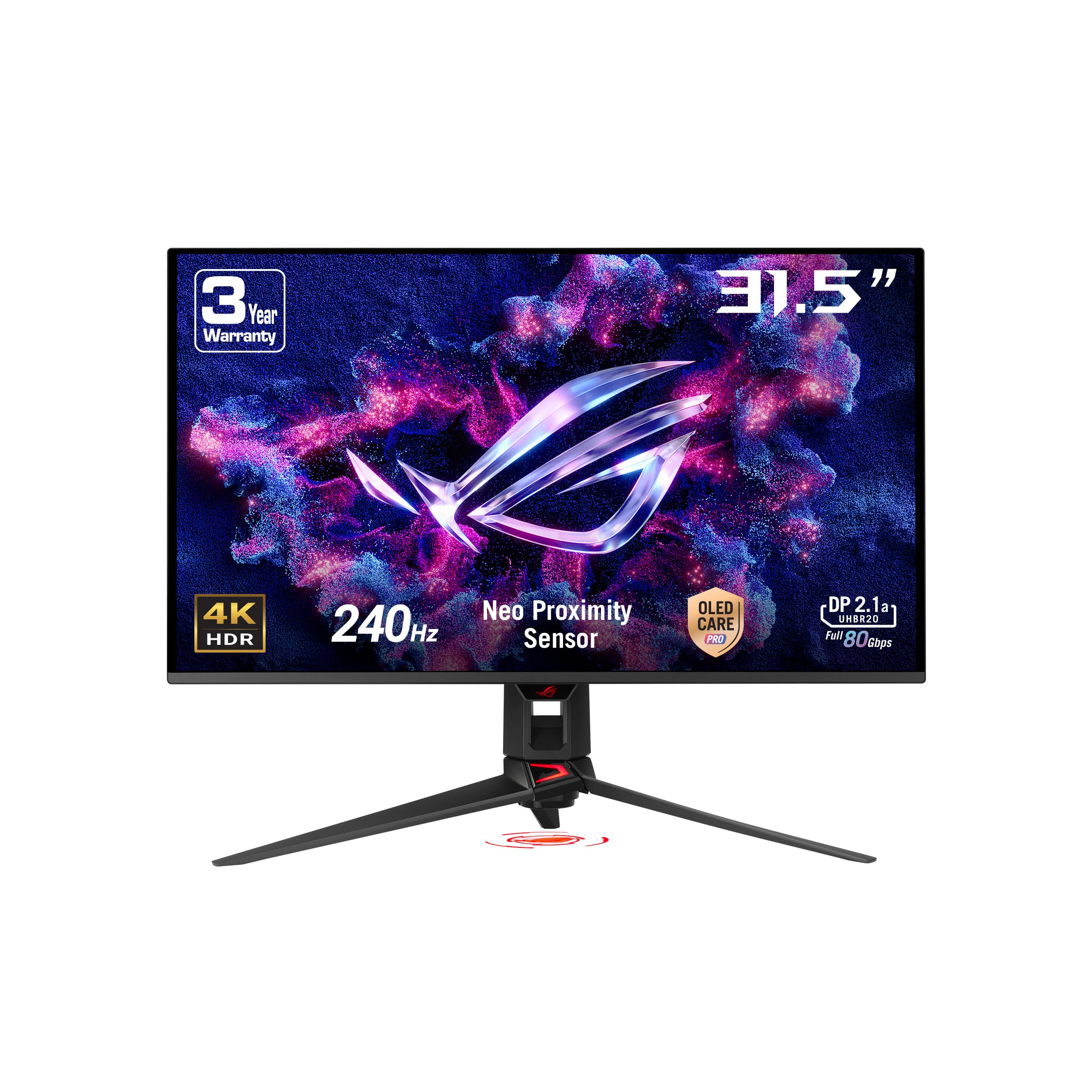
The ASUS ROG Swift OLED PG32UCDMR is a 32-inch 4K QD-OLED gaming monitor that offers DisplayPort 2.1 connectivity, allowing native 4K 240Hz with 10-bit color without chroma subsampling. The 240Hz refresh rate and 0.03ms response time deliver elite-level motion clarity, and the 99% DCI-P3 coverage with Delta E<2 ensures accurate color reproduction out of the box.
ASUS OLED Care Pro includes a Neo proximity sensor that detects user absence and blacks out the screen to reduce burn-in risk, along with optional uniform brightness adjustment for consistent luminance levels. The DisplayWidget Center software allows mouse-based control over monitor settings and OLED care functions. Extensive connectivity includes DisplayPort 2.1, HDMI 2.1, and USB-C with 90W Power Delivery.
The monitor’s high price makes it a significant investment, and the limited full-screen brightness (around 250 nits typical) is a fundamental characteristic of OLED technology rather than a flaw. Some users report that the large stand takes up considerable desk space, making a monitor arm a practical upgrade. For buyers who want DisplayPort 2.1 bandwidth and ASUS’s robust OLED care features in a 32-inch format, this is a premium pick.
Why it’s great
- DisplayPort 2.1 supports native 4K 240Hz 10-bit color
- Neo proximity sensor reduces burn-in risk from static content
- 90W USB-C PD charges high-end gaming laptops during use
Good to know
- Premium price reflects DisplayPort 2.1 and sensor hardware
- Limited full-screen brightness is an OLED characteristic
- Large stand footprint may require a monitor arm
FAQ
Can a 40-inch OLED monitor replace my dual-monitor setup for productivity?
What GPU do I need to drive a 40-inch 5K2K OLED monitor at 240Hz?
Is the 800R curve too aggressive for everyday productivity work?
How noticeable is color fringing on white text in QD-OLED vs WOLED monitors?
Final Thoughts: The Verdict
For most users, the 40 inch oled monitor winner is the LG 45GX950A-B because it solves the core tension between gaming immersion and productivity clarity with its industry-first 5K2K resolution delivering 125 PPI, DisplayPort 2.1 bandwidth, and a sub-pixel layout that minimizes text fringing. If you need Thunderbolt 4 connectivity and max PPI for Mac-focused creative work, grab the LG 40WP95C-W. And for professional color-critical work requiring 2000:1 contrast without any burn-in worry, nothing beats the Dell UltraSharp U4025QW with its IPS Black panel and built-in KVM.

Mo Maruf
I created WellFizz to bridge the gap between vague wellness advice and actionable solutions. My mission is simple: to decode the research and give you practical tools you can actually use.
Beyond the data, I am a passionate traveler. I believe that stepping away from the screen to explore new environments is essential for mental clarity and physical vitality.