Our readers keep the lights on and my smoothie glass nicely filled. As an Amazon Associate, I earn from qualifying purchases.
A prebuilt PC at a budget price should open games, not browser tabs. The reality is that the sub- market is flooded with decade-old office machines given a coat of RGB paint and a fresh Windows license. The difference between a usable starter rig and an overpriced paperweight comes down to three things: the GPU generation, the motherboard’s upgrade path, and whether the power supply can survive a second year. This guide cuts through the marketing to find the towers that actually deliver 1080p gaming without catching fire.
I’m Mohammad Maruf — the founder and writer behind WellFizz. I’ve spent years analyzing the secondary electronics market, cross-referencing component age against seller claims, and tracking failure patterns in budget prebuilt PCs to separate legitimate value from e-waste.
After reviewing over a dozen systems across three price tiers, the best budget prebuilt pc balances a modern platform with a discrete GPU that can actually play today’s titles without immediate upgrades.
How To Choose The Best Budget Prebuilt PC
Every budget prebuilt involves a compromise. The goal is to avoid the wrong compromise — the one that leaves you with a dead-end machine six months later. These four filters will keep you on the right track.
GPU Generation: The Real Gaming Limiter
A GeForce GT 1030 or Radeon RX 550 will struggle with modern titles at 1080p even on low settings. Aim for at least an RX 580 8GB, GTX 1660 Super, or RTX 3050. Anything below that belongs in an office PC, not a gaming rig.
Motherboard and Upgrade Path
Proprietary motherboards from Dell or HP OEM desktops kill your ability to swap the power supply or case later. A standard micro-ATX board with standard connectors allows you to upgrade the GPU, RAM, and PSU without rebuilding the entire system.
Power Supply Reliability
Budget prebuilts often skimp on the PSU — generic 60W or unbranded units that fail under sustained load. Look for a system with at least a 450W 80 PLUS bronze unit from a known brand. A failing PSU can take your whole system down.
RAM Configuration vs Capacity
16GB is the sweet spot, but dual-channel configuration matters as much as the total. A single 16GB stick halves memory bandwidth in CPU-bound games. Two 8GB sticks in dual-channel mode will outperform a single 16GB module in most gaming scenarios.
Quick Comparison
On smaller screens, swipe sideways to see the full table.
| Model | Category | Best For | Key Spec | Amazon |
|---|---|---|---|---|
| NOVATECH Phantom | Premium Tier | Clean build with upgrade potential | RX 580 8GB + M.2 SSD | Amazon |
| SKYESEV R5 5600 | Premium Tier | Modern CPU with RTX 3050 | Ryzen 5 5600 + 32GB | Amazon |
| ZER-LON i7 RTX 3050 | Mid-Range Tier | RTX 3050 at entry-level price | RTX 3050 8GB + 16GB | Amazon |
| Blackout Eclipse | Mid-Range Tier | 1TB NVMe + RX 580 balance | RX 580 8GB + 1TB NVMe | Amazon |
| HP GTX 1660 Super | Mid-Range Tier | Best GPU in class for the price | GTX 1660 Super 6GB | Amazon |
| YAWYORE Ryzen 5 5600GT | Mid-Range Tier | Integrated Vega plus easy GPU add | R5 5600GT + 1TB NVMe | Amazon |
| suevery R5 3050 | Mid-Range Tier | RTX 3050 with modern Ryzen 5 | R5 + RTX 3050 6GB | Amazon |
| abyteSpark i7 RX 590 | Budget Tier | RX 590 8GB for 1080p gaming | RX 590 8GB + 16GB | Amazon |
| STGAubron i5 RX 550 | Budget Tier | Light gaming and office use | RX 550 4GB + 16GB | Amazon |
| STGAubron Xeon RX 550 | Budget Tier | Server CPU for multitasking | Xeon E5 + RX 550 4GB | Amazon |
| Dell OptiPlex GT 1030 | Entry Tier | Monitor and peripherals included | GT 1030 + 24″ Monitor | Amazon |
In‑Depth Reviews
1. NOVATECH Phantom

The NOVATECH Phantom hits the sweet spot of budget prebuilts by pairing a server-grade Xeon E3-1230v6 (effectively an i7-7700) with an RX 580 8GB, 16GB of DDR4, and a 512GB M.2 SSD. That GPU handles 1080p gaming at medium-to-high settings across Fortnite, GTA V, and Minecraft without breaking a sweat. The case features clean cable management and quality fans that keep noise levels reasonable under load.
Build quality sets this apart from the competition. The chassis uses a standard configuration with proper airflow — not a gutted office tower. The M.2 SSD delivers boot times under 15 seconds, and the preinstalled Windows 11 Pro skips the bloatware that plagues budget systems. Buyer reports show 70+ FPS in GTA V and 100+ FPS in Minecraft at 1080p.
The one-year warranty and responsive US-based support add peace of mind that most sub- builds lack. Some units shipped with the Xeon’s turbo boost disabled in BIOS, but that’s a five-minute fix. The proprietary motherboard limits the CPU upgrade path, but for the price, this is a turnkey 1080p machine that doesn’t require immediate surgery.
Why it’s great
- RX 580 8GB delivers genuine 1080p gaming
- Clean build with standard connectors and good airflow
- One-year warranty with responsive US support
Good to know
- Proprietary motherboard limits CPU upgrade
- Xeon turbo boost may be disabled by default
2. SKYESEV Gaming Desktop

The SKYESEV Gaming Desktop is the only system in this roundup that pairs a modern AMD Ryzen 5 5600 processor with an RTX 3050 6GB and a full 32GB of dual-channel DDR4 RAM. That 6-core, 12-thread CPU on the AM4 platform gives you a real upgrade path — drop in a Ryzen 7 or 9 later — while the RTX 3050 handles ray tracing and DLSS at entry level. Boot times are instant thanks to the 1TB M.2 NVMe SSD.
Thermals are managed by five ARGB 120mm fans with a remote control, and the 550W 80 PLUS bronze power supply provides a stable foundation. Real-world performance shows 60+ FPS in Call of Duty and Overwatch at 1080p high settings, and the 32GB of RAM leaves headroom for streaming or heavy multitasking. The MSI A520M-A PRO motherboard is a standard mATX board, not a proprietary part.
The main friction point is the lack of clear setup instructions — users have to remove shipping foam from the case interior before powering on, and the default Windows admin account needs to be switched. A small number of units experienced random shutdowns, likely related to thermal paste application. For the upgrade headroom and GPU performance, this is the best value.
Why it’s great
- Modern Ryzen 5 5600 with AM4 upgrade path
- 32GB dual-channel DDR4 and 1TB NVMe
- RTX 3050 with ray tracing and DLSS support
Good to know
- Requires removing shipping foam before first boot
- Occasional reports of thermal-related shutdowns
3. ZER-LON Gaming PC
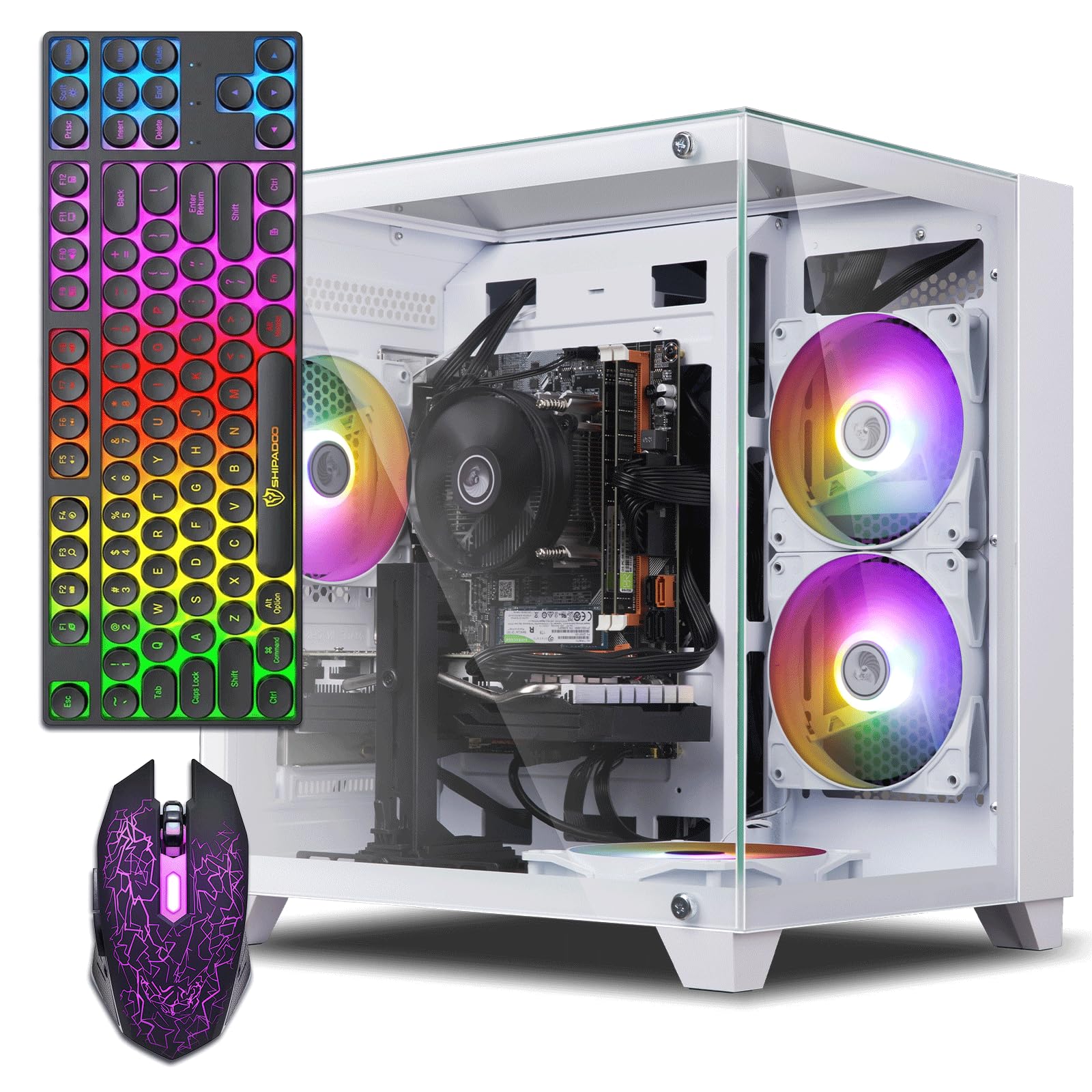
The ZER-LON Gaming PC packs an RTX 3050 8GB (the higher VRAM variant) with an Intel Core i7-4770, 16GB of RAM, and a 512GB SSD. The RTX 3050 is the star here — it supports ray tracing, DLSS, and modern API features that older GPUs like the RX 580 can’t match. In 1080p gaming, this card delivers 60+ FPS in Fortnite, Warzone, and Hogwarts Legacy at medium settings.
The case includes five RGB fans, a graphics card support bracket, and a full gaming peripheral set (keyboard, mouse, mouse pad). The i7-4770 is a decade-old chip, but for budget gaming at 1080p, the GPU is the bottleneck, not the CPU. The 512GB SSD provides fast boot times and enough space for a few modern titles.
The power supply is the weak link — it’s a generic unit that some users report overheating under sustained gaming loads. The proprietary motherboard also limits upgrades. For buyers focused on getting the RTX 3050 at the lowest entry price, this delivers, but plan to replace the PSU within a year for reliability.
Why it’s great
- RTX 3050 8GB supports ray tracing and DLSS
- Includes RGB keyboard, mouse, and mouse pad
- Graphics card support bracket included
Good to know
- Generic power supply may require early replacement
- CPU and motherboard are decade-old designs
4. Blackout Computers Eclipse
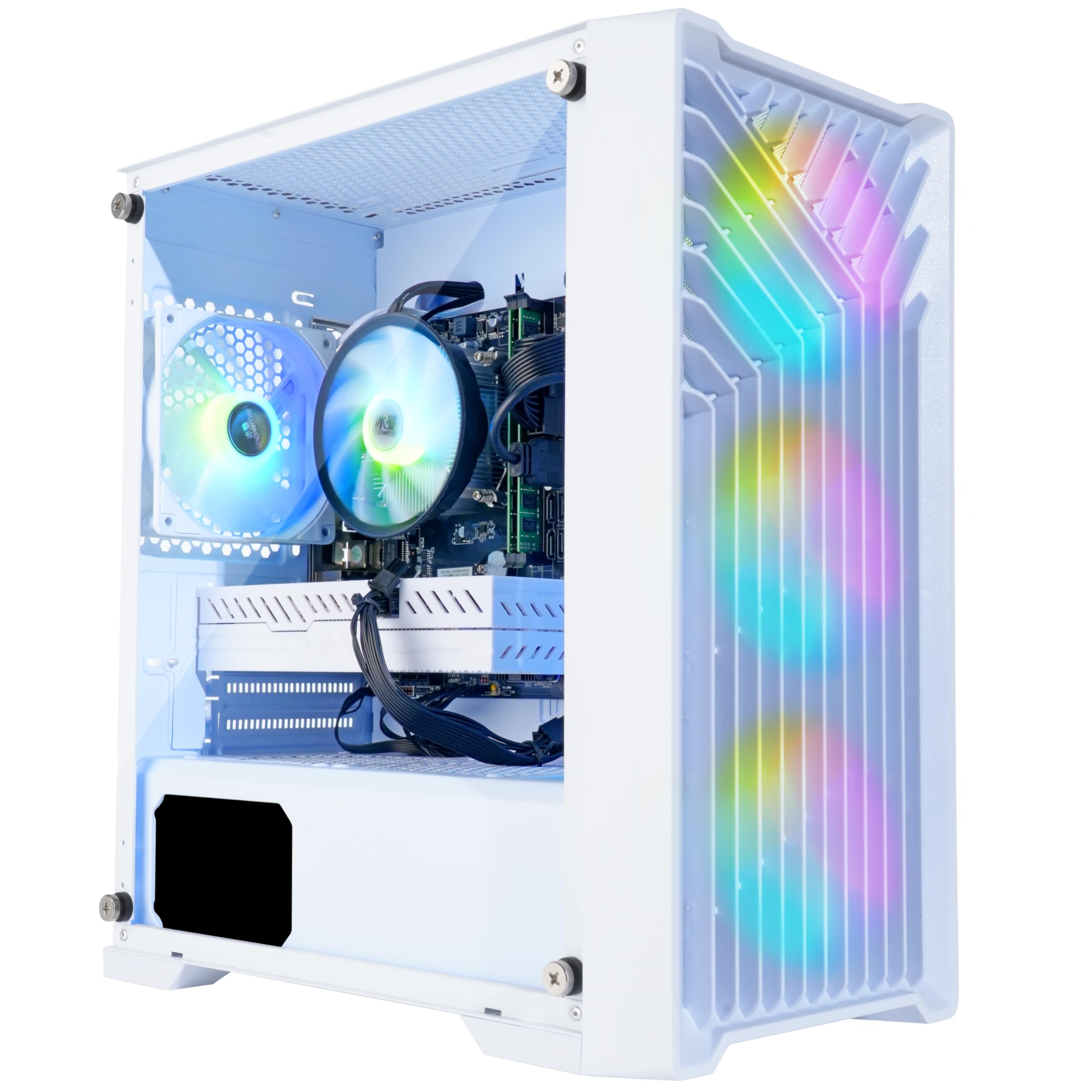
The Blackout Eclipse is assembled in the USA and configured with an i7-4790, an RX 580 8GB, 16GB of RAM, and a 1TB NVMe SSD — that’s 30x faster storage than a traditional HDD. The RX 580 8GB is the most common GPU in budget builds for good reason: it handles 1080p gaming at medium-to-high settings with consistent 60 FPS in titles like Warzone, GTA V, and Apex Legends.
The Eclipse chassis uses a front mesh design with four RGB fans for maximum airflow, and the tempered glass side panel shows off the interior. The 1TB NVMe SSD means you can install a dozen modern games without worrying about space. It also supports 4K resolution output if you want to use it for media or light creative work.
Customer support is a standout feature — users report quick replacement of failed components, particularly graphics cards. The i7-4790 lacks TPM 2.0, which may cause Windows 11 compatibility issues on some builds. The included WiFi adapter is a USB dongle, not an internal card, so expect slightly slower wireless performance.
Why it’s great
- 1TB NVMe SSD for massive storage
- Assembled in the USA with responsive support
- Excellent airflow with mesh front and 4 RGB fans
Good to know
- CPU lacks TPM 2.0 for Windows 11
- USB WiFi dongle instead of internal card
5. HP Gaming Desktop (Renewed)

This HP renewed system packs the best GPU-to-price ratio in the entire roundup: a GTX 1660 Super 6GB with 32GB of DDR4 RAM, a 128GB SSD for the OS, and a 3TB hard drive for game storage. The GTX 1660 Super is roughly 30% faster than an RX 580 and supports modern encoding features for streaming. Users report 60 FPS in Diablo 4 and Call of Duty at 1080p high settings.
The 32GB of DDR4 memory is overkill for gaming but makes this system viable for video editing, 3D modeling, or heavy multitasking. The RGB case lighting and included gaming peripherals add polish. The renewed status means it’s been inspected and tested, though the hardware is still an older Intel i5-7500 on a proprietary HP motherboard.
The main risk is the renewed condition — some units arrive with dead motherboards or failing GPUs, and the included USB WiFi adapter is notoriously unreliable (expect to buy an internal card). The CPU is pinned at 3.8GHz and cannot be upgraded to Windows 11 without workarounds. At this price, the GPU alone makes it worth considering for buyers willing to troubleshoot.
Why it’s great
- GTX 1660 Super is the fastest GPU in this price tier
- 32GB DDR4 for heavy multitasking
- 3TB HDD plus SSD for massive storage
Good to know
- Renewed units have mixed reliability
- Proprietary HP board limits upgrades
6. YAWYORE Ryzen 5 5600GT

The YAWYORE uses a Ryzen 5 5600GT with integrated Vega graphics, 16GB of DDR4 3200MHz, and a 1TB NVMe SSD — no dedicated GPU out of the box. The integrated Vega handles eSports titles like Fortnite at around 30 FPS, but the real value is the upgrade potential. The 550W 80 PLUS bronze power supply and standard mATX motherboard let you add a used RX 580 or GTX 1070 Ti in 15 minutes.
The MSI A520M-A PRO motherboard is a quality budget board with an AM4 socket, meaning you can drop in a Ryzen 7 or 9 later without swapping the platform. Five ARGB fans with remote control keep the system cool and quiet. Users who added a used RX 580 reported 80 FPS in Fortnite — a massive uplift for a used GPU.
The integrated graphics are not suitable for modern AAA gaming, so this is only a good buy if you plan to add a discrete GPU immediately. The case uses a sea-view (fish tank) design with tempered glass that shows off the interior. The included shock-absorbing foam must be removed from inside the case before first boot.
Why it’s great
- Modern AM4 platform with easy GPU upgrade path
- 550W 80 PLUS bronze PSU from quality brand
- Quiet 5-ARGB fan setup with remote control
Good to know
- No discrete GPU; integrated Vega only for light games
- Must remove foam from inside case before boot
7. suevery Prebuilt Gaming PC
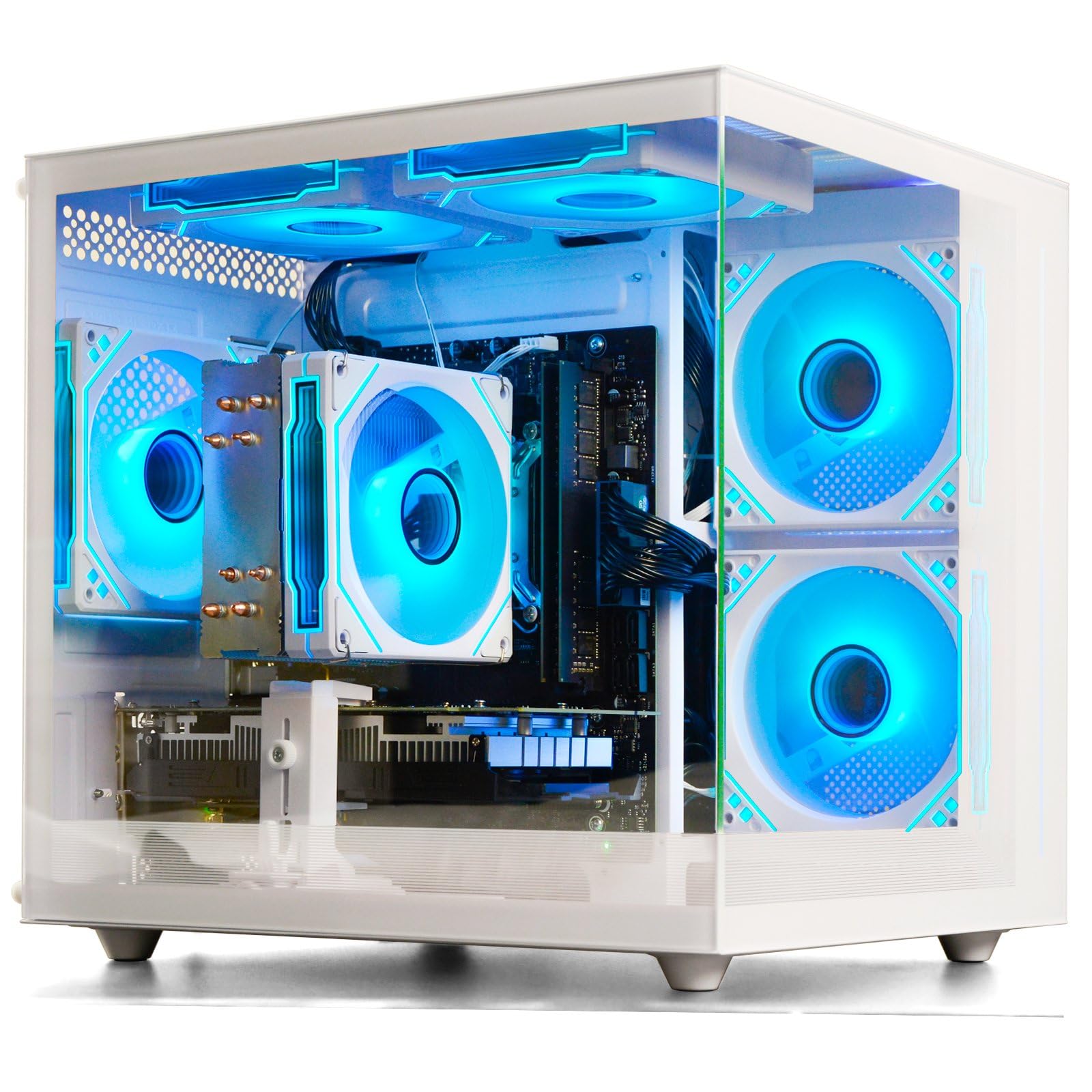
The suevery gaming PC pairs an AMD Ryzen 5 6-core processor with an RTX 3050 6GB, 16GB of DDR4 3200MHz, and a 512GB M.2 NVMe SSD. The Ryzen 5 architecture is considerably more modern than the i7-4770 found in many budget builds, offering better single-thread performance and power efficiency. The RTX 3050 6GB handles 1080p gaming with ray tracing and DLSS support.
The white chassis with customizable RGB lighting is a standout design choice for desk setups where aesthetics matter. The system includes Wi-Fi 6 for low-latency wireless gaming and runs quietly even under sustained load. Dual screen support via HDMI and DisplayPort is built in, making it a reasonable choice for streamers or multitaskers.
The RTX 3050 in this build is the 6GB variant, not the 8GB version found in some competitors — performance difference is minimal in 1080p but noticeable in VRAM-heavy titles. Some units shipped with the GPU driver not installed, requiring a manual download. A single 16GB RAM stick leaves one slot open for a future upgrade to 32GB dual-channel.
Why it’s great
- Modern Ryzen 5 CPU with RTX 3050
- White chassis with customizable RGB
- Wi-Fi 6 and quiet operation
Good to know
- RTX 3050 is the 6GB variant
- May require manual GPU driver installation
8. abytespark i7 RX 590

The abytesSpark system uses an i7-4770 paired with an RX 590 8GB — essentially an overclocked RX 580 with similar thermal characteristics. The RX 590 handles 1080p gaming at medium-to-high settings with good frame rates, and the 8GB of VRAM is enough for modern textures. The system includes a full peripheral set: RGB keyboard, mouse, mouse pad, and four RGB fans.
One user reported running BONEWORKS in VR, which is impressive for a budget system. Preinstalled Windows 11 Home boots quickly from the 512GB SSD. The rear I/O includes HDMI, DisplayPort, and DVI, supporting triple-monitor setups for productivity or sim racing.
The i7-4770 is a 2013 chip that lacks TPM 2.0, meaning Windows 11 compatibility is technically unsupported. The listing was flagged for misrepresentation because the CPU is over a decade old. The RX 590 also runs hot — the four fans keep it cool, but the case airflow is average at best. For pure 1080p gaming performance per dollar, the GPU carries this build.
Why it’s great
- RX 590 8GB for solid 1080p performance
- Includes RGB keyboard, mouse, and mouse pad
- VR capable with BONEWORKS
Good to know
- i7-4770 is a 2013 chip with no Windows 11 support
- Listing flagged for hardware misrepresentation
9. STGAubron i5 RX 550

The STGAubron system pairs an Intel Core i5 with a Radeon RX 550 4GB, 16GB of DDR4 RAM, and a 512GB SSD. The RX 550 is a budget card designed for light gaming — it handles Roblox, Minecraft, and Sims 4 comfortably but struggles with modern AAA titles. The included RGB keyboard and mouse plus Wi-Fi 6 and Bluetooth 5.0 make this a complete plug-and-play package.
Users report easy setup and fast boot times. The system runs quietly under light loads and supports 60+ FPS in Fortnite at low settings. The 16GB of RAM is generous for the price tier and allows smooth multitasking with browser tabs, Discord, and a game running simultaneously.
The RX 550 is not a gaming GPU by modern standards — it’s comparable to integrated graphics from a few generations ago. The no-name power supply and generic cooling system are weak points that may cause issues over time. Several users reported WiFi cutting out periodically. This is strictly a casual gaming and office machine, not a gaming PC.
Why it’s great
- Easy setup with complete peripherals included
- 16GB of DDR4 RAM for multitasking
- Wi-Fi 6 and Bluetooth 5.0 built in
Good to know
- RX 550 is too weak for modern AAA gaming
- Generic PSU and cooling may fail over time
10. STGAubron Xeon RX 550

This STGAubron variant swaps the consumer i5 for a server-grade Intel Xeon E5 processor, marketed as an i7 equivalent. The Xeon E5-2620 v3 is a 6-core, 12-thread chip with a base clock of 2.4GHz — fine for multi-threaded workloads but slow for gaming due to low single-core performance. It’s paired with an RX 550 4GB, 16GB of RAM, and a 512GB SSD.
The system includes three RGB fans, an RGB keyboard and mouse, and Windows 11 Home preinstalled. For basic tasks like web browsing, office work, and light gaming (Roblox, Minecraft), it gets the job done. The Xeon’s higher core count helps with streaming or running multiple applications.
Gaming performance is poor — the Xeon’s low clock speed combined with the RX 550 means most modern titles will struggle to maintain 30 FPS. Boot issues and hard drive failures are reported, and some units arrived with video card problems. The Xeon platform is also on a dead-end socket (LGA 2011-3) with no upgrade path. Only consider this if your workload is purely multi-core productivity, not gaming.
Why it’s great
- Xeon provides 6 cores and 12 threads for multitasking
- Includes RGB peripherals and Windows 11
- Quiet operation at idle
Good to know
- Xeon single-core performance is poor for gaming
- Dead-end platform with no upgrade path
11. Dell OptiPlex RGB (Renewed)

The Dell OptiPlex is a refurbished business workstation with an RGB front panel, an i7-4770, a GeForce GT 1030 2GB, 16GB of RAM, and a 512GB SSD. It also includes a 24-inch HDMI monitor, keyboard, mouse, and headset — making it the only complete desktop setup in this roundup. The GT 1030 is the lowest-end discrete GPU here, handling CS:GO, DOTA 2, and GTA V at low-to-medium settings.
The RGB panel with remote control adds some flair to an otherwise standard black office tower. The monitor is a decent 1080p LED display that works well for productivity and casual gaming. Refurbished units are tested and repackaged, and the included 90-day warranty provides minimal coverage.
The 60W power supply is dangerously underpowered — it failed under extended gaming use for one reviewer, and the old business motherboard cannot accommodate any meaningful GPU upgrade. The GT 1030 2GB is not capable of modern gaming, and the Windows 11 license on some units was flagged as illegitimate. For a non-gamer who needs a complete office setup with a little RGB flair, it works. For gaming, skip it.
Why it’s great
- Complete setup with 24-inch monitor and peripherals
- RGB front panel with remote control
- 16GB RAM with 512GB SSD for fast boot
Good to know
- 60W PSU is dangerously underpowered for gaming
- GT 1030 cannot handle modern games
FAQ
Can a budget prebuilt PC run modern games at 1080p?
What GPU should I look for in a budget prebuilt under the mid-range tier?
Is a Xeon processor good for gaming in a budget prebuilt?
How much RAM does a budget gaming PC really need?
Can I upgrade a budget prebuilt PC later?
Final Thoughts: The Verdict
For most users, the best budget prebuilt pc winner is the NOVATECH Phantom because it combines an RX 580 8GB with a quality chassis and one-year warranty at a fair price. If you want a modern platform with an RTX 3050, grab the SKYESEV Gaming Desktop. And for the best immediate gaming performance per dollar, nothing beats the HP GTX 1660 Super — just be prepared to replace the WiFi adapter.

Mo Maruf
I created WellFizz to bridge the gap between vague wellness advice and actionable solutions. My mission is simple: to decode the research and give you practical tools you can actually use.
Beyond the data, I am a passionate traveler. I believe that stepping away from the screen to explore new environments is essential for mental clarity and physical vitality.