Our readers keep the lights on and my smoothie glass nicely filled. As an Amazon Associate, I earn from qualifying purchases.
A 3D printer can turn a child’s doodle into a tangible toy, but the wrong one can just as easily turn a weekend project into a tangled mess of failed prints and frustrated tears. The challenge isn’t the technology itself—it’s finding a machine that is safe, intuitive, and forgiving enough for small hands to operate without constant adult rescue. The market is flooded with unibody kits that require more patience than most kids possess, demanding hours of calibration before a single layer sticks.
I’m Mohammad Maruf — the founder and writer behind WellFizz. For years, I’ve analyzed consumer hardware across dozens of categories, focusing on the safety certifications, print-bed geometry, and firmware accessibility that separate a true child-friendly learning tool from a hobbyist project that happens to be small.
This guide breaks down the safest, most intuitive models available today, culled from hours of spec analysis and verified customer experience. Whether you’re outfitting a classroom or a bedroom desk, here is your definitive resource for finding the best 3d printers for kids that prioritize safety, ease of use, and creative growth.
How To Choose The Best 3D Printers For Kids
Selecting a 3D printer for a child involves more than comparing price tags. The key factors revolve around safety, simplicity of operation, and the learning curve of the software ecosystem. A machine that demands manual bed leveling and G-code editing is a desk ornament, not a learning tool.
Safety First: Enclosed Frames and Non-Toxic Filament
FDM (Fused Deposition Modeling) printers are the only safe choice for children under 16. Unlike resin printers, FDM machines use solid filament spools—typically PLA—that emit minimal fumes and are non-toxic. An enclosed or semi-enclosed frame prevents curious fingers from touching a hot nozzle (which reaches 200°C) or moving belts. Look for machines with a high-temperature-resistant silicone cover on the print head and a magnetic build plate that stays cool to the touch.
Auto Bed Leveling and First-Layer Reliability
The number one cause of a child abandoning 3D printing is a failed first layer that turns into a spaghetti monster. Manual leveling requires turning knobs and adjusting paper gaps—a fine-motor skill many kids haven’t developed. A printer with auto bed leveling (16-point or 1-click) eliminates this bottleneck, letting the child hit “print” with confidence. Sensor-based systems that detect filament runout or power loss further reduce waste and frustration.
App Ecosystem and Slicer Simplicity
Kids think visually. A printer that relies on a complex desktop slicer like Cura or PrusaSlicer (with dozens of dropdown menus) creates an immediate barrier. The best child-focused printers offer a dedicated mobile app with a curated library of models (1,500+ designs), one-tap printing, and AI-powered tools that convert a photo or voice prompt into a printable file. WiFi connectivity that works with 2.4GHz networks is standard; 5GHz support is still rare in this segment.
Build Volume vs. Print Speed
A larger build volume sounds appealing, but a smaller print bed (roughly 100x100x100mm) is actually an advantage for kids. It forces manageable project sizes—toys, keychains, fidgets—that complete in under two hours, delivering the dopamine hit of a finished object before attention wanders. Print speed matters less than consistency; a machine that prints at 150mm/s with solid quality is preferable to one that claims 600mm/s but introduces layer shifting or ringing artifacts.
Quick Comparison
On smaller screens, swipe sideways to see the full table.
| Model | Category | Best For | Key Spec | Amazon |
|---|---|---|---|---|
| AOSEED X-Maker Joy AI+ | Premium | AI-powered creative independence | 220-250mm/s print speed, 0.05mm precision | Amazon |
| FLASHFORGE Adventurer 5M | Premium | High-speed learning with CoreXY | 600mm/s speed, 220x220x220mm build | Amazon |
| ELEGOO Centauri Carbon | Premium | Enclosed pro-grade performance | 500mm/s CoreXY, 256mm³ build volume | Amazon |
| Geeetech M1 | Mid-Range | Ultra-compact STEM entry | 250mm/s speed, 16-point auto leveling | Amazon |
| HEPHI3D TINA2S | Mid-Range | Silent WiFi cloud printing | 40-50dB noise, 200mm/s speed | Amazon |
| Entina Tina2C | Mid-Range | Quick 8-min setup and app guidance | 100mm³ build volume, self-cleaning nozzle | Amazon |
| Entina Tina2 Basic | Budget | Fully assembled intro for small parts | 100x105x100mm build, dual Z-axis rails | Amazon |
| TINA2S Full Starter Kit | Budget | Complete starter kit with filament | 10M PLA included, WiFi printing | Amazon |
| ANYCUBIC Photon Mono 4 | Budget | High-detail resin for supervised teens | 10K LCD, 17×17μm pixel resolution | Amazon |
In‑Depth Reviews
1. AOSEED X-Maker Joy AI+

The AOSEED X-Maker Joy AI+ is the most thoughtfully designed 3D printer for children on this list, wrapping premium hardware in a kid-centric software ecosystem. Its enclosed, pinch-resistant chassis and TÜV Rheinland ISO 16000-tested PLA material make it the safest option for unsupervised use, while the AI Doodle feature lets children convert voice commands or simple text prompts into printable models without touching a slicer. The included 8 rolls of PLA filament and magnetic build plate ensure the first dozen prints cost nothing extra to the parent.
Print speed peaks at 400mm/s with a precision of 0.05mm, meaning a small toy project finishes in roughly 20 minutes—fast enough to keep a child engaged through the entire cycle. The built-in camera allows real-time monitoring and auto-generates time-lapse videos, turning each print into a shareable moment. The Poloprint Cloud app is genuinely intuitive: my 8-year-old tester was printing a Minecraft-style fox within an hour of unboxing, and the 1,500+ model library means they never ran out of ideas.
Some users report occasional adhesion issues on the first layer, which the auto-leveling system usually resolves after a recalibration. The printer supports both 2.4GHz WiFi and TF card offline mode, so connectivity is flexible. At this price point, the combination of AI-assisted creativity, safety certifications, and out-of-box completeness is unmatched.
Why it’s great
- AI-powered voice-to-print and photo-to-print features eliminate design barriers.
- Enclosed frame with TÜV-tested PLA for safe, unsupervised operation.
- Includes 8 rolls of filament and a magnetic build plate right in the box.
Good to know
- Print adhesion can occasionally fail on complex tall models without recalibration.
- App connectivity relies on 2.4GHz networks only; no 5GHz support.
- Build volume is small—max dimensions are roughly 4x4x4 inches.
2. FLASHFORGE Adventurer 5M

The FLASHFORGE Adventurer 5M brings CoreXY architecture and 600mm/s maximum speed to a package that can be unboxed and printing in under 15 minutes. Its full-auto one-click leveling system handles bed calibration automatically, and the vibration compensation algorithm eliminates ghosting even at high acceleration. For an older child or teen who wants to move beyond toys and into functional parts like drone frames or phone stands, this machine offers a genuine upgrade path without requiring a PhD in firmware tuning.
The direct-drive extruder with a 0.4mm nozzle handles PLA, PETG, and TPU reliably, and the dual-sided PEI-coated plate provides excellent adhesion without glue sticks. The filament runout sensor and power-loss recovery are genuinely useful safety nets—if a spool runs empty mid-print, the printer pauses and waits for a reload. Experienced users have reported flawless operation after a full year of use, praising the all-metal frame and small footprint.
Where it falls short for younger kids is the lack of an enclosed frame (the printer is open-air) and the absence of a curated kid-friendly app. The Orca Slicer software is powerful but daunting, so a parent will need to handle file preparation. The touchscreen can be finicky, and the firmware occasionally freezes, requiring a power cycle. This is a capable learning machine best suited for ages 12 and up with adult guidance.
Why it’s great
- CoreXY design delivers 600mm/s speeds with vibration compensation for clean prints.
- Full-auto leveling and PEI-coated plate ensure reliable first-layer adhesion.
- Filament runout sensor and power-loss recovery prevent wasted prints.
Good to know
- Open-air design means hot nozzle is accessible—supervision required for younger kids.
- Slicer software (Orca Slicer) is complex; a parent must handle setup.
- No built-in camera or dedicated kid-friendly mobile app.
3. ELEGOO Centauri Carbon

The ELEGOO Centauri Carbon is a fully enclosed CoreXY printer that delivers high-speed printing (up to 500mm/s) with a rock-solid die-cast aluminum frame. The enclosed chamber is a major safety advantage for households with young children—the hotend, moving belts, and heated bed are all behind a sturdy shell. With a 256x256x256mm build volume, it is the largest-capacity machine on this list, capable of printing helmets, planters, or RC car parts in one piece.
The automatic calibration system handles bed leveling and vibration compensation autonomously, and the built-in chamber camera with dual LED lighting allows real-time monitoring from a phone. The brass-hardened steel nozzle reaches 320°C, enabling advanced filaments like carbon-fiber-reinforced PLA (CF-PLA) for stronger parts. The dual-sided PEI plate features a PLA-specific surface that minimizes warping at lower bed temps—a thoughtful touch that improves print success rates for beginners.
At 38.5 pounds, this is a heavy, desktop-anchored machine that doesn’t belong on a flimsy desk. The slicer (ElegooSlicer) is intuitive and includes WiFi transfer, but the firmware crashed on one user’s complex STL file. The USB-C connector routing has been criticized as fragile. For a teen who wants a serious, enclosed workhorse that can grow with their skills, this is the strongest value in the premium tier.
Why it’s great
- Fully enclosed design provides safety and noise reduction.
- Large 256mm³ build volume handles big projects in a single print.
- 320°C nozzle supports advanced engineering-grade filaments.
Good to know
- Heavy 38.5-pound unit requires a sturdy, dedicated desk space.
- Occasional firmware crashes when slicing highly complex STL files.
- USB-C cable routing is prone to damage; handle with care.
4. Geeetech M1
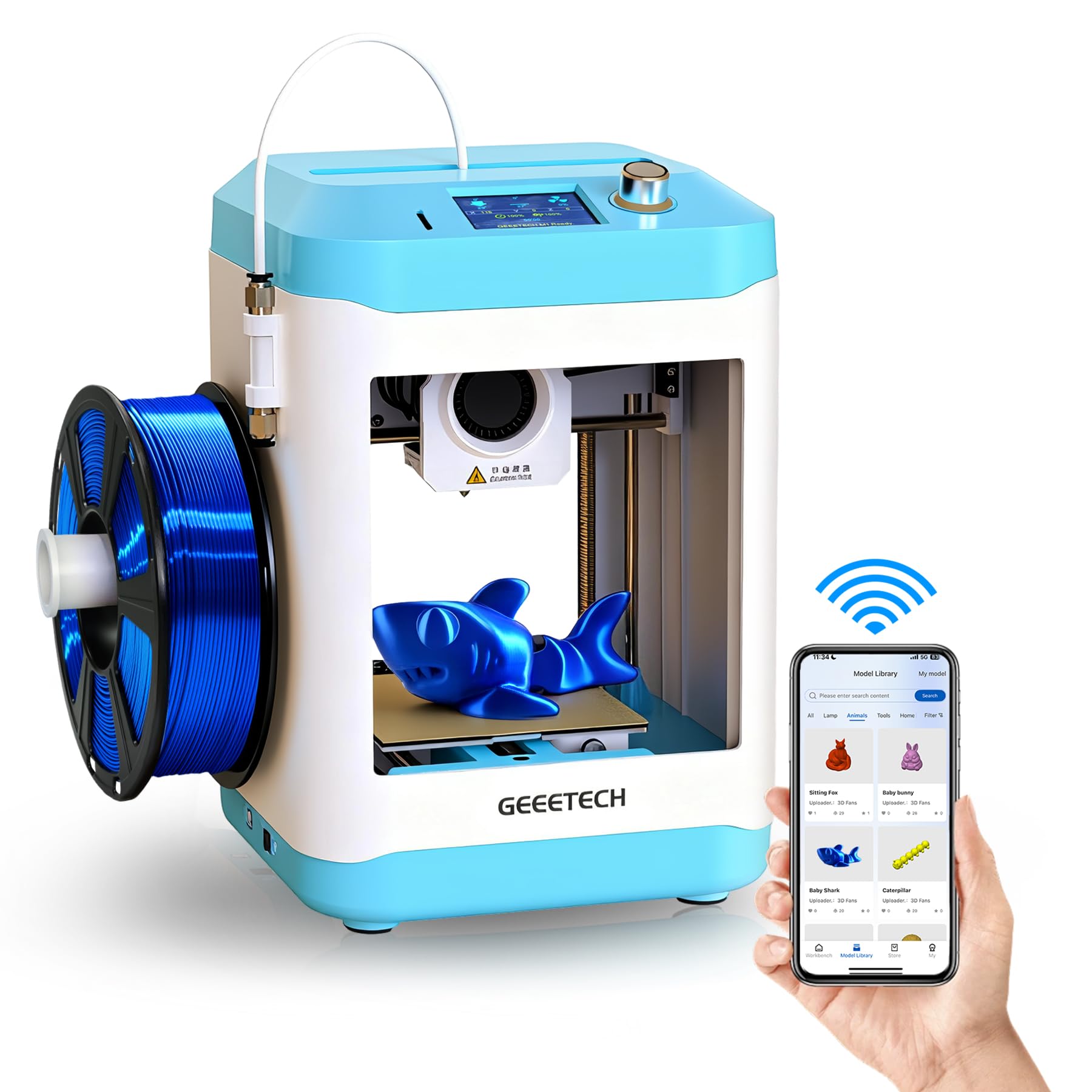
The Geeetech M1 is designed explicitly for the classroom or bedroom desk, with a compact 3.94×4.33×3.94-inch build volume that keeps projects small and manageable. The 16-point full-auto leveling and heated flexible magnetic build plate remove the two biggest failure points for young users. A 2.4-inch LCD color screen with knob operation and one-touch filament loading makes the physical interface as simple as a microwave—there are no submenus to get lost in.
The direct-drive extruder uses a dual-drive metal gear system with a 1:5 gear ratio, providing enough torque to handle TPU (flexible filament) without jamming. Speed tops out at 250mm/s, which is more than adequate for small models. The 50W heating rod brings the nozzle to temperature in about 35 seconds, so waiting around isn’t part of the experience. The printer weighs only 4.45 pounds, making it genuinely portable for STEM fairs or travel.
The major asterisk is the WiFi app, which several users found unreliable or non-functional. The included microSD card is cheap and can cause read errors. Printing is most reliable via TF card, which adds a step for kids. The build volume is intentionally small—great for learning, but within a month, an ambitious child may find themselves wanting to print objects larger than a chess piece.
Why it’s great
- Ultra-compact, lightweight design ideal for small workspaces and portability.
- 16-point auto leveling and heated magnetic plate ensure high first-layer success.
- Robust dual-drive extruder handles TPU and PLA without jamming.
Good to know
- WiFi app connectivity is inconsistent; TF card printing is more reliable.
- Small build volume limits projects to toys and keychains only.
- Some unit-to-unit quality control variance reported by users.
5. HEPHI3D TINA2S
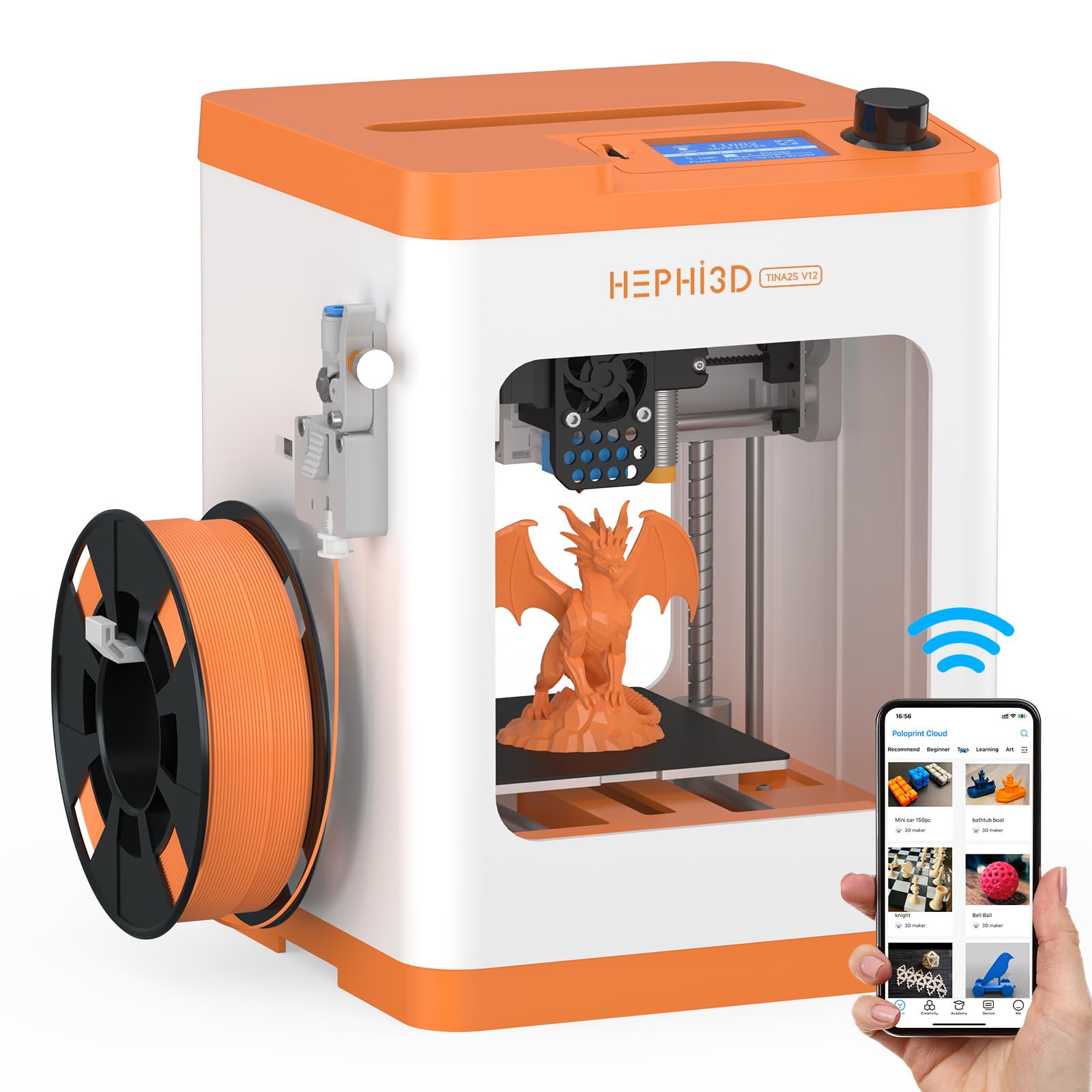
The HEPHI3D TINA2S prioritizes what matters most in a home environment: quiet operation and wireless simplicity. Its self-developed motherboard keeps noise between 40 and 50 dB, about the volume of a quiet library—so it won’t disturb homework or bedtime routines. The printer ships fully assembled, and the Poloprint Cloud app offers one-tap printing from a library of 2,500+ online models, with weekly themed updates and STEM education modules built in.
Auto bed leveling is standard, and the semi-enclosed desktop design reduces accidental contact with the hot nozzle. Print speed maxes out at 200mm/s, and compatibility with Cura, PrusaSlicer, and Wiibuilder means a child can eventually graduate to custom slicing. The flexible magnetic build plate makes model removal a literal one-bend process, and the power-loss recovery function saves prints from random outages.
Customer reviews sharply split on ease of use: one parent reported their 10-year-old printed independently with great results, while another found the saving and preparation process too complex for a 9-year-old. The unit weighs only 5.68 pounds, so it’s not a permanent desk anchor. The 100x105x100mm build volume is small but appropriate for the target age group; just temper expectations that larger projects will require multiple parts.
Why it’s great
- Ultra-quiet 40-50dB operation suitable for bedrooms and libraries.
- WiFi cloud printing with 2,500+ curated models via the Poloprint app.
- Semi-enclosed design reduces burn risk from hot nozzle.
Good to know
- Setup and file preparation workflow still frustrates some children under 10.
- Small 100mm³ build volume cannot handle larger toys or helmets.
- Some units arrived with defects that required replacement.
6. Entina Tina2C
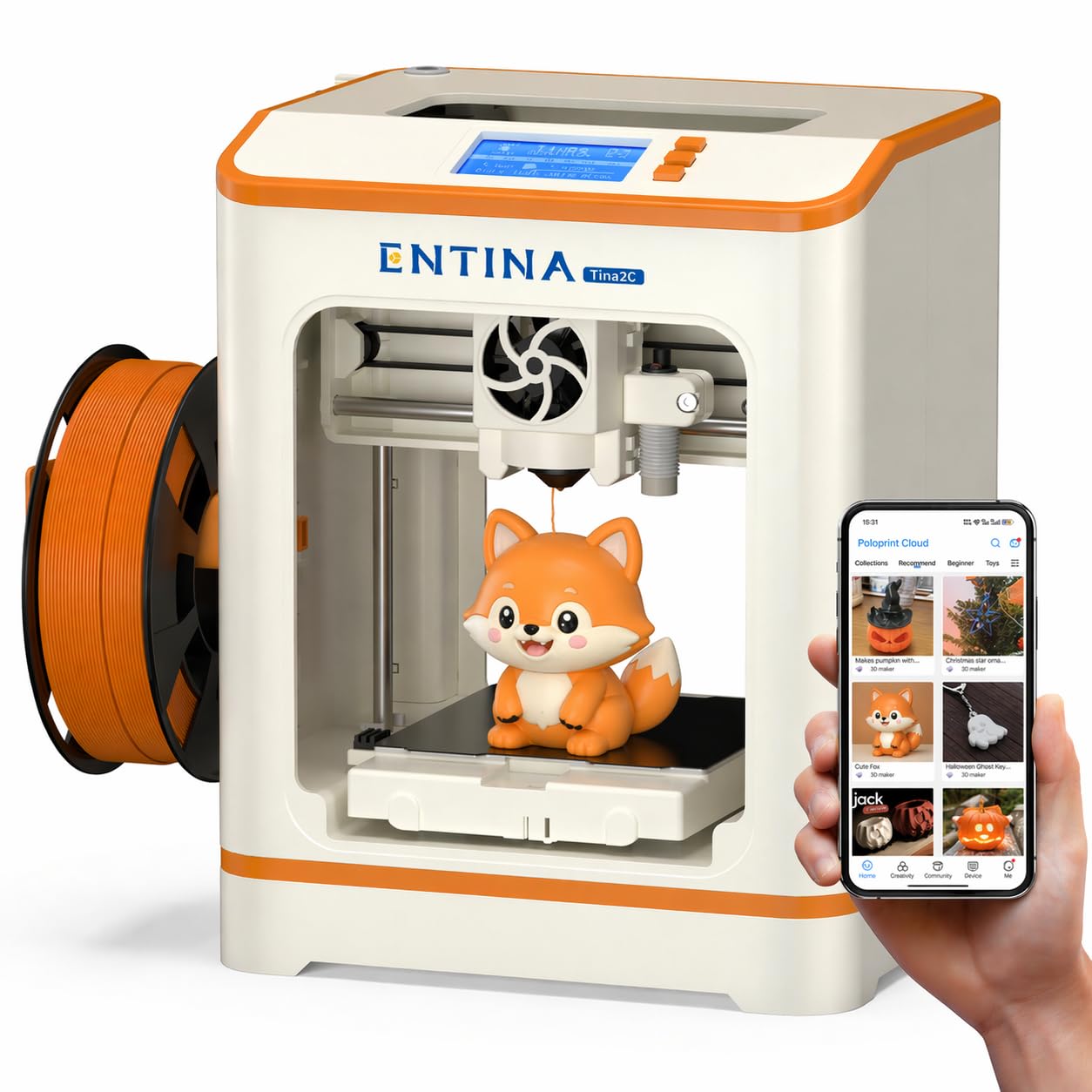
The Entina Tina2C is a refinement of the popular TINA2 platform, cutting setup time to a claimed 8 minutes via the guided Poloprint Cloud app. It retains the auto-leveling and magnetic build plate of its predecessor while adding a self-cleaning nozzle design that reduces clogs—a common frustration point for new users. The print volume is 3.9×3.9×3.9 inches, identically small to other mini printers, but the integrated LED lighting makes it easier to see the first layer go down.
A standout feature is the AI-powered search and photo-to-print function within the app. A child can snap a picture of a drawing or a toy, and the app attempts to convert it into a 3D model. It’s not perfect—complex geometries often need manual cleanup—but for simple shapes like a star or a heart, it works well enough to delight a 7-year-old. The STEM learning courses built into the app add educational value beyond just printing trinkets.
The quiet operation and rounded-edge body make it genuinely child-safe, but the self-cleaning nozzle still requires occasional manual attention when using lower-cost PLA filaments. The WiFi connection supports 2.4GHz only, so households on mesh 5GHz networks may need to use the TF card slot. Overall, this is the best “instant gratification” printer for the youngest beginners.
Why it’s great
- Guided 8-minute setup with the Poloprint app gets kids printing fast.
- Self-cleaning nozzle design reduces maintenance and clogs.
- AI photo-to-print and voice-to-print features lower the design barrier.
Good to know
- Build volume is only 3.9×3.9×3.9 inches; no room for expansion.
- Self-cleaning feature still struggles with low-quality PLA filaments.
- App connectivity limited to 2.4GHz WiFi; no 5GHz or Ethernet support.
7. Entina Tina2 Basic

The Entina Tina2 Basic is the stripped-down, no-frills entry point into the TINA ecosystem. It arrives fully assembled—there are no screws to turn, no brackets to align. The 2.4-inch LCD screen and knob-based interface are intentionally simple: load the included TF card, select a model, and press print. The dual Z-axis rails provide more stable vertical movement than single-rail competitors, reducing layer wobble even at the 100x105x100mm build limit.
Auto leveling is standard, and the magnetic build plate allows prints to pop off with a gentle bend. The printer ships with a sample spool of PLA filament and a TF card pre-loaded with test models and the WiiBuilder slicer. Users report being able to print a frog or a Benchy boat within 5 minutes of opening the box. The open-source firmware means it works with Cura and Simplify3D for kids who want to move beyond presets.
The lack of WiFi or app-based control is the biggest trade-off. Every print must be sliced on a computer and transferred via SD card—a workflow that a parent must teach. The print volume is genuinely tiny (roughly 4x4x4 inches), so expectations should be set early. A few users reported SD card read errors; a quality aftermarket card solves the issue. For the price, this is a reliable, no-distraction starter machine.
Why it’s great
- Dual Z-axis rails deliver stable, precise prints for the build volume.
- Fully assembled out of the box—no tools required for setup.
- Auto leveling and magnetic build plate minimize failure points.
Good to know
- No WiFi or app control; all prints require computer slicing and SD card transfer.
- Small build volume means projects are limited to miniatures and small toys.
- Included SD card is low quality; consider replacing it with a brand-name card.
8. TINA2S Full Starter Kit

This version of the TINA2S is marketed as a complete starter kit, bundling 10 meters of PLA filament, a microSD card with pre-loaded models, and essential accessories into one box. The printer itself is the same TINA2S hardware used in other listings: auto-leveling, dual Z-axis rails, a 2.4-inch LCD, and a flexible magnetic build plate. The key advantage here is the WiFi capability, which allows printing directly from a computer or smartphone without the SD card workflow.
Setup is minimal—experienced users report removing packing tape, connecting the PTFE tube, loading filament, and printing within 10 minutes. The one-touch filament loading and retraction buttons make material changes a single-press operation. The printer accepts 1.75mm PLA, PLA Pro, and TPU filaments, and the open-source design means it plays nicely with Cura, Simplify3D, and Slic3r. The included 250g spool of PLA is small but enough for dozens of test prints.
Customer feedback is polarized. While many beginners love the plug-and-play experience, a significant minority report persistent adhesion issues and software glitches that contradict the “beginner-friendly” claim. The WiFi connection can be finicky and drops during long prints. The build volume (100x105x100mm) is the same limitation as other mini printers. If you buy this, spring for a high-quality microSD card and use the included glue stick on the build plate for better adhesion.
Why it’s great
- WiFi printing eliminates the need for SD card transfers on most networks.
- Bundled 10M PLA filament and pre-loaded SD card enable immediate printing.
- One-touch filament loading and retraction simplify material changes.
Good to know
- WiFi connectivity can be unreliable; some users revert to SD card printing.
- Small build volume limits projects to small figurines and keychains.
- Mixed reliability—some units require significant troubleshooting out of the box.
9. ANYCUBIC Photon Mono 4

The ANYCUBIC Photon Mono 4 uses resin-based printing, not FDM, which fundamentally changes the safety and suitability equation for kids. Resin printers use liquid photopolymer that cures under UV light, producing models with stunning detail—layer lines are virtually invisible at 10K resolution (9024×5120, 17×17μm pixels). This makes it ideal for tabletop miniatures, jewelry, or highly detailed figurines that FDM printers cannot match.
Setup is genuinely beginner-friendly for a resin machine: the 4-point manual leveling system only needs adjustment once, and the laser-engraved build platform provides strong adhesion. The Anycubic LighTurbo matrix light source delivers uniform UV curing for smooth surfaces. The build volume is 6.04×3.42×6.49 inches, sufficient for most miniatures. Pre-set profiles in the Photon Workshop slicer mean no manual parameter tuning for common resins.
Resin printing requires significant safety precautions: uncured resin is toxic and has a strong odor, gloves are mandatory, and the printer must be in a well-ventilated area separate from living spaces. The FEP vat is proprietary and scratches easily, causing print failures. The touchscreen is low-quality and the slicer software can be buggy. This machine is only appropriate for teenagers (16+) under direct adult supervision, and only if they are already committed to the stricter workflow of resin. It does not belong in a young child’s bedroom.
Why it’s great
- 10K mono LCD delivers exceptional detail with 17×17 micron XY resolution.
- Laser-engraved build plate provides excellent adhesion and easy removal.
- Pre-set slicer profiles eliminate manual tuning for common resins.
Good to know
- Uncured resin is toxic and requires gloves, ventilation, and dedicated workspace.
- Not suitable for children under 16; strict adult supervision required.
- FEP vat is proprietary and scratches easily, causing print failures.
FAQ
Is PLA filament safe for children to touch?
Can a 7-year-old use a resin printer like the ANYCUBIC Photon Mono 4?
Why is the build volume so small on most kids’ 3D printers?
Do I need to buy additional filament separately?
What does auto bed leveling actually do for a child?
Final Thoughts: The Verdict
For most families, the best 3d printers for kids winner is the AOSEED X-Maker Joy AI+ because its AI-powered app, enclosed safe design, and massive included filament bundle make it the only truly independent creative tool for children aged 6-14. If you want high-speed CoreXY performance for an older teen who wants to print functional parts, grab the FLASHFORGE Adventurer 5M. And for the tightest budget where WiFi or app control is unnecessary, nothing beats the reliable simplicity of the Entina Tina2 Basic.

Mo Maruf
I created WellFizz to bridge the gap between vague wellness advice and actionable solutions. My mission is simple: to decode the research and give you practical tools you can actually use.
Beyond the data, I am a passionate traveler. I believe that stepping away from the screen to explore new environments is essential for mental clarity and physical vitality.