Our readers keep the lights on and my smoothie glass nicely filled. As an Amazon Associate, I earn from qualifying purchases.
If your PC relies on tinny monitor speakers or a headphone-only setup, you are missing depth, spatial awareness, and fatigue-free listening. A dedicated Bluetooth speaker for PC cuts the cable tangle, frees up USB ports, and lets you toggle between work calls and gaming audio without unplugging anything.
I’m Mohammad Maruf — the founder and writer behind WellFizz. My research focuses on desktop audio ergonomics, driver configurations, and how Bluetooth codecs and DAC quality actually translate into real-world PC performance rather than marketing specs.
After evaluating seven models across size, connectivity, power output, and build quality, I assembled this guide to help you choose the best bluetooth speaker for pc that matches your desk space and listening habits.
How To Choose The Best Bluetooth Speaker For PC
Desktop speakers live in near-field — your ears are two to three feet away. That changes everything about driver choice, power rating, and connection priority compared to a living room Bluetooth speaker.
Driver Configuration and Power
A single full-range driver handles mids and highs but lacks bass extension. Look for a two-way design (dedicated tweeter plus mid-bass driver) or at least a passive radiator if you want low-end punch without a subwoofer. Power around 20W to 60W total is ideal for a desk — enough to fill a medium room without distortion at close range.
Bluetooth Version and Latency
Bluetooth 5.0 or later improves connection stability and range, but latency is what matters for PC use. If you watch videos or game, a speaker with AUX or USB-C input as a fallback ensures zero lip-sync delay. Some models support simultaneous wired and Bluetooth connections, letting you keep the PC wired and take phone calls wirelessly.
Form Factor and Desk Fit
A clunky tower speaker may block your monitor or crowd your mouse pad. Monitor-mounted soundbars save space but limit stereo separation. Compact bookshelf-style speakers with a small footprint (around 4 to 6 inches tall) give the best balance of soundstage and desktop real estate. Also check cable length — short inter-speaker wires can force awkward placement.
Quick Comparison
On smaller screens, swipe sideways to see the full table.
| Model | Category | Best For | Key Spec | Amazon |
|---|---|---|---|---|
| Bluedee Computer Speakers | Desktop 2.0 | RGB gaming setup | 20W peak, 6 drivers | Amazon |
| Logitech Z207 | Desktop 2.0 | Easy device switching | Passive radiator | Amazon |
| OHAYO 60W | Bookshelf 2.0 | Hi-Fi desktop audio | 30W x 2, MDF cabinet | Amazon |
| Ortizan C7 | Studio Monitor | Content creation | 3.5″ + 0.75″ drivers | Amazon |
| Cyber Acoustics CA-2890BT | Soundbar | Monitor-mounted calls | 5W, built-in mic | Amazon |
| Anker Soundcore 2 | Portable | Long battery desk use | 24-hour battery | Amazon |
| JBL Go 3 | Ultra-portable | Minimalist travel pad | IP67, 5 hours | Amazon |
In‑Depth Reviews
1. Bluedee Computer Speakers

The Bluedee packs two tweeters, two full-range drivers, and two passive radiators into a compact stereo pair — an unusually high driver count at this price tier. The DSP tuning keeps vocals crisp and smooths out harsh highs, while the passive radiators add palpable bass without requiring a subwoofer on your desk. Bluetooth 5.4 provides fast pairing and stable streaming to a PC or laptop.
The all-in-one control knob handles volume, playback, lighting effects, and input switching in a single tactile dial. Eight RGB lighting effects (including an off mode) let you match the look to your gaming rig or keep it subtle for a professional workspace. The speakers are powered directly via a single USB or USB-C cable, which means zero wall wart clutter.
Some users report the inter-speaker cable is short — about 50 inches — which can be tight for side-by-side placement on a wide desk with dual monitors. Otherwise, the sound quality and feature set make this the most complete desktop Bluetooth solution for daily PC use, from music to video calls to gaming.
Why it’s great
- Six-driver configuration delivers wide stereo imaging and real bass.
- USB/USB-C powered eliminates power brick.
- RGB with off mode adapts to any desk aesthetic.
Good to know
- Inter-speaker cable may be too short for large setups.
- Max volume distorts slightly on bass-heavy tracks.
2. OHAYO 60W Computer Speakers

The OHAYO speakers are built around a 0.75-inch carbon fiber silk dome tweeter paired with a 3-inch carbon fiber full-range driver in each cabinet, delivering 30 watts per channel. The MDF wooden enclosure suppresses cabinet resonance, which translates to cleaner mids and tighter bass than you get from plastic shells. A rear bass port extends low-end depth without boominess.
Input flexibility is a standout — Bluetooth 5.3, RCA, AUX, and USB are all on board. You can keep the PC connected via USB or AUX for zero-latency audio while still pairing a phone via Bluetooth for quick playlist changes. The front-mounted volume knob is convenient for gaming sessions, allowing instant adjustments without fumbling behind the desk.
These are near-field bookshelf speakers meant for desktop or small room use. They excel at gaming footsteps, rock and metal genres, and dialogue clarity in movies. The bass is present but not floor-shaking — if you crave subwoofer-level rumble, a 2.1 system may suit you better. At typical listening levels, power draw stays under one watt, so they are energy efficient for all-day use.
Why it’s great
- MDF cabinet gives warm, resonance-free audio.
- Multiple wired inputs eliminate Bluetooth latency on PC.
- Very low idle power consumption.
Good to know
- Bass extension is moderate — not for bass-heads.
- Requires AC power; no USB-only option.
3. Ortizan C7 Studio Monitors

The Ortizan C7 is a true near-field monitor pair designed for accurate audio reproduction. A 3.5-inch carbon fiber mid-bass driver and a 0.75-inch silk dome tweeter are matched with an electronic two-way crossover, aiming for a flat frequency response. The built-in 24-bit DAC via USB-C minimizes signal loss, making this a solid choice for content creators who need to trust what they hear.
Connectivity is professional-grade: 6.35mm TRS balanced inputs let you interface with mixers, audio interfaces, and instruments. You also get two AUX unbalanced inputs and a front-panel headphone out. Bluetooth 5.3 is included for casual streaming, with a range of about 18 meters. A Monitor/Music mode toggle lets you switch between flat response for editing and a slightly colored sound for enjoyment.
The trade-offs are typical of budget monitors: bass extension is modest (rolls off around 45Hz), and there is a faint idle hiss that some users notice in quiet rooms. The volume knob can feel jumpy during fine adjustments. Build quality is robust with a wood-ABS-metal hybrid enclosure. If your primary use is music production or critical listening, the C7 delivers accuracy that consumer speakers cannot match.
Why it’s great
- Near-flat frequency response for accurate monitoring.
- TRS balanced input plus USB-C DAC.
- Separate Monitor/Music voicing modes.
Good to know
- Audible idle hiss in silent environments.
- Volume knob has coarse steps — not smooth.
4. Logitech Z207

The Logitech Z207 uses one active driver and one passive radiator per speaker to deliver full-range audio with extended bass in a compact, upright form factor. The total package is slim enough to fit beside most monitors without crowding. Logitech’s Easy-Switch technology lets you pause audio on one device and press play on another to toggle — handy for shifting from a PC video call to a phone music stream.
Bluetooth 4.2 is older but still stable for daily desktop use. A 3.5mm AUX input gives a wired fallback for zero-latency gaming or video playback. The front headphone jack and conveniently placed volume/power knob make daily operation simple. Connecting cable length is generous, allowing flexible placement on a desk or shelf.
Bass is present but subtle — the passive radiators add warmth rather than thump. For podcasts, office work, and casual music, the Z207 sounds clear and natural. Audiophiles and competitive gamers looking for deep low-end will want a 2.1 system. Multiple long-term reviews confirm these speakers remain reliable after six or more years of daily use.
Why it’s great
- Seamless device switching via Easy-Switch.
- Long-term build durability confirmed by owners.
- Headphone jack and wired input included.
Good to know
- Bluetooth 4.2 — not the latest standard.
- Bass is modest; best for spoken word and pop.
5. Cyber Acoustics CA-2890BT

The Cyber Acoustics CA-2890BT is a monitor-mounted soundbar that connects to your PC via USB and simultaneously pairs with a smartphone via Bluetooth 5.0. The dual-connection capability is its killer feature — you can keep your PC wired for low-latency audio while taking phone calls wirelessly through the same speaker. The built-in microphone with mute LED indicator handles Zoom and Teams meetings without a separate headset.
At 5W output, this is not a high-volume speaker. It is designed to replace weak monitor speakers with clearer dialog and music at a moderate desk volume. The space-saving clamp attaches to the bottom of most monitors, freeing up desk area. Setup is truly plug-and-play: no drivers, no software — just USB power and audio over the same cable.
The clamp may not fit all monitor bezels — some users report it is too heavy for a laptop screen and causes wobble. Sound quality is good for voice and acceptable for background music, but expect minimal bass and moderate max volume. For a clutter-free work-from-home or dorm desk, this is a practical solution that prioritizes function over audio performance.
Why it’s great
- Simultaneous USB PC audio and Bluetooth phone audio.
- Built-in microphone with mute indicator.
- Zero-install USB connection, includes USB-C adapter.
Good to know
- 5W power limits volume and bass.
- Clamp may not fit thick or thin monitor edges.
6. Anker Soundcore 2
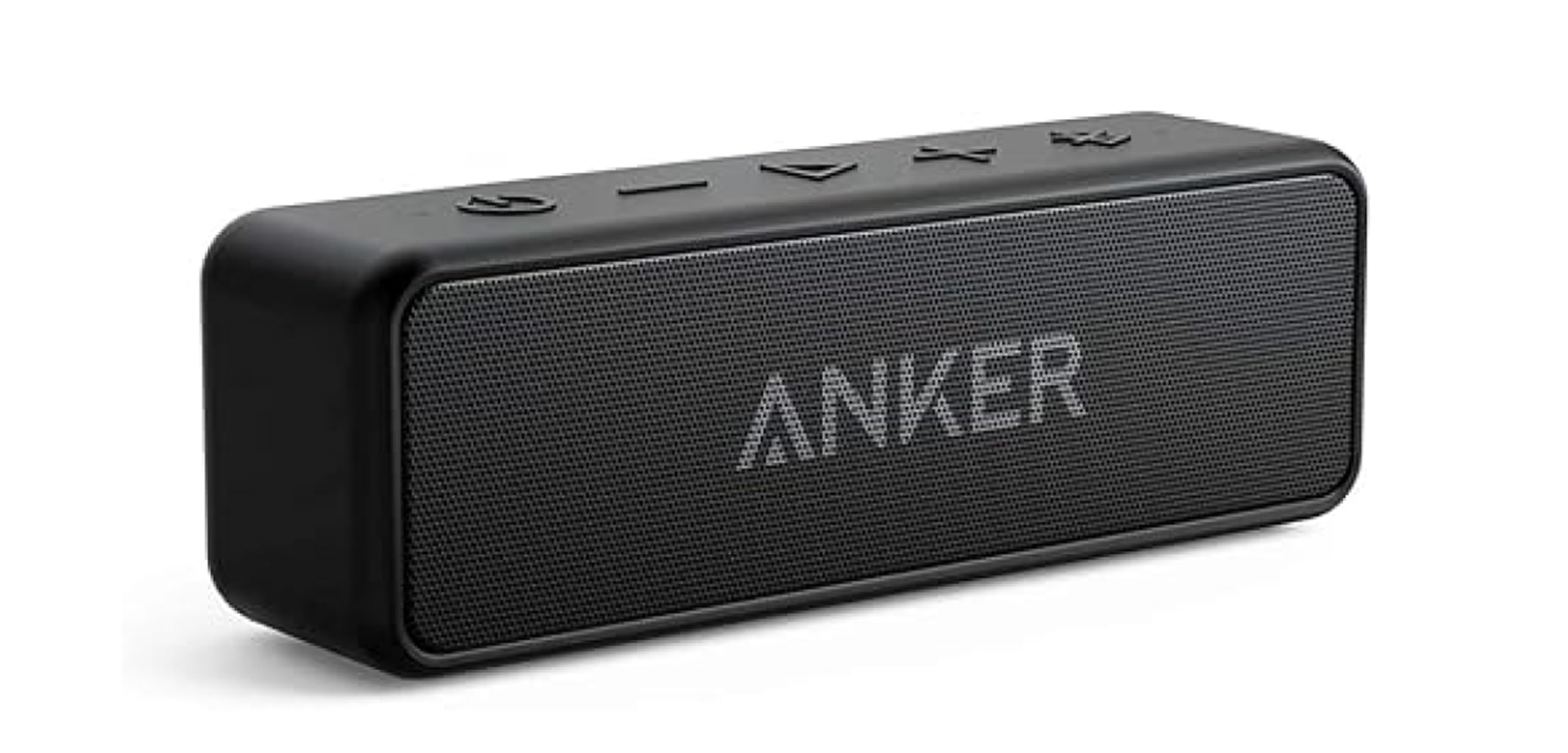
The Anker Soundcore 2 is a portable Bluetooth speaker repurposed for stationary PC use. Its standout spec is the 5,200mAh battery that delivers up to 24 hours of playback — you can leave it connected on your desk for days without recharging. The 12W output with dual neodymium drivers and BassUp technology provides a noticeably punchier low-end than similarly priced mini speakers.
IPX7 waterproofing means it survives accidental spills and desk-side water bottles. Bluetooth 5.0 keeps the connection stable through walls if you move around the house. The sound profile is V-shaped (boosted bass and treble), which makes movies and games feel lively. At moderate volume on a desk, the Soundcore 2 easily fills a bedroom or home office.
This speaker lacks a dedicated wired PC input — it relies entirely on Bluetooth. That introduces latency, which can cause lip-sync issues during video playback depending on your PC’s Bluetooth codec support. The stereo output is also mono-summed in a single enclosure, so you lose left-right separation. If battery life and ruggedness are priorities over stereo imaging, this is a flexible desk companion that also goes to the beach.
Why it’s great
- 24-hour battery life is unmatched for cable-free desks.
- BassUp technology adds real low-end punch.
- Rugged IPX7 build resists desk accidents.
Good to know
- Bluetooth-only — no wired input for zero latency.
- Single enclosure means no stereo separation.
7. JBL Go 3

The JBL Go 3 is a pocket-sized Bluetooth speaker that delivers surprisingly clear audio and punchy bass from a chassis small enough to clip onto a backpack. For a PC setup, it works best as a secondary travel speaker that you can dock at your desk for casual background music or podcast listening. The IP67 rating means it is fully dust-tight and submersible — overkill for a desk, but reassuring if it gets knocked into a coffee mug.
JBL’s signature sound tuning emphasizes clarity in the mids and highs, with a modest bass bump from the small passive radiator. At moderate desk volume, the Go 3 stays distortion-free, though it cannot compete with larger desktop speakers for volume or low-end. The 5-hour battery is short by portable standards, but enough for a full workday if you remember to charge overnight.
Bluetooth pairing is simple and stable within the standard 10-meter range. There is no AUX input, so all audio runs through Bluetooth, which adds latency for video. The Go 3 is not a primary desktop speaker — it is a minimalist option for users who want a tiny, rugged speaker that can travel between the desk and the outdoors without compromise.
Why it’s great
- Extremely portable with integrated loop clip.
- IP67 waterproof and dustproof for total durability.
- Surprisingly clear audio for its palm-sized enclosure.
Good to know
- 5-hour battery requires daily charging.
- Bluetooth-only — no zero-latency wired option.
FAQ
Can I connect a Bluetooth speaker to my PC without a Bluetooth adapter?
Will a portable Bluetooth speaker sound good on a desk compared to dedicated PC speakers?
Why does my Bluetooth speaker lag behind the video on my PC?
How much power do I need from a PC Bluetooth speaker for a medium-sized room?
Final Thoughts: The Verdict
For most users, the bluetooth speaker for pc winner is the Bluedee Computer Speakers because it combines six drivers, USB-C power, and RGB in a compact desktop-friendly package that sounds great for music, gaming, and calls. If you want near-reference accuracy for content creation, grab the Ortizan C7 Studio Monitors. And for a zero-clutter work-from-home setup where call quality and monitor mounting matter most, nothing beats the Cyber Acoustics CA-2890BT.

Mo Maruf
I created WellFizz to bridge the gap between vague wellness advice and actionable solutions. My mission is simple: to decode the research and give you practical tools you can actually use.
Beyond the data, I am a passionate traveler. I believe that stepping away from the screen to explore new environments is essential for mental clarity and physical vitality.