Our readers keep the lights on and my smoothie glass nicely filled. As an Amazon Associate, I earn from qualifying purchases.
A 27-inch business monitor is the single most impactful productivity upgrade you can make this year. That extra diagonal inch compared to 24-inch panels translates into dramatically more spreadsheet columns, code editor panes, and document windows visible without scrolling—a direct efficiency gain measured in hours saved per week. The wrong choice yields eye fatigue, color inconsistencies in presentations, and a desk cluttered with cables, while the right 4K IPS panel with USB-C power delivery turns your laptop into a true workstation.
I’m Mohammad Maruf — the founder and writer behind WellFizz. My research focuses on the measurable performance specs that separate a mediocre monitor from a legit business tool: contrast ratio stability across a workday, DCI-P3 color gamut coverage for visual accuracy, and the real-world power delivery consistency of USB-C connections in mixed-device environments.
Whether you need crisp text for hours of coding, precise sRGB for design work, or a clutter-free single-cable setup with your MacBook, the best 27 monitors for business all share one trait: they eliminate friction between you and the work you’re trying to do.
How To Choose The Best 27 Monitors For Business
Business monitors prioritize different specs than gaming or entertainment displays. The focus shifts from maximum refresh rates to sustained color accuracy, ergonomic flexibility, and connectivity that reduces desk clutter. Here are the three most critical factors when selecting a 27-inch display for your professional workflow.
Resolution & Panel Technology Matter Most
For a 27-inch monitor, 4K UHD (3840 x 2160) is the clear baseline for business use. The pixel density of roughly 163 PPI makes text razor-sharp without scaling headaches on Windows or macOS. IPS panels are the standard choice here—they maintain consistent color and brightness across wide viewing angles, essential for collaborative screen sharing or dual-monitor setups. Avoid VA panels for business unless budget is the only constraint; their gamma shift at off-angles distorts color for anyone not sitting dead-center.
USB-C With Power Delivery Is a Desk-Simplifier
A single USB-C cable carrying video signal, data, and power—typically 60W to 90W—is the defining feature of a modern business monitor. This eliminates the need for separate power adapters, HDMI cables, and USB hub docks when using a laptop. Verify that the monitor’s power delivery rating actually meets your laptop’s charging needs. A MacBook Pro 14-inch draws up to 67W, so a monitor offering only 60W PD will slowly drain the battery during heavy workloads. The difference between 65W and 90W PD can determine whether you end the day at 100% or 40%.
Ergonomic Adjustments & Color Accuracy
A business monitor should have a stand that allows height adjustment, tilt, swivel, and pivot (portrait mode). Fixed-tilt stands force you into a fixed posture, which leads to neck and shoulder fatigue over a 40-hour workweek. VESA mount compatibility (100x100mm standard) is valuable if you plan to use monitor arms. For color-critical work—graphic design, photo editing, video—look for monitors with Delta E < 2 factory calibration and coverage of 100% sRGB or 95%+ DCI-P3. Even for general office work, accurate color prevents miscommunication in presentations and branded materials.
Quick Comparison
On smaller screens, swipe sideways to see the full table.
| Model | Category | Best For | Key Spec | Amazon |
|---|---|---|---|---|
| LG 27UP850K-W | Premium | Mac-centric single-cable setups | 95% DCI-P3, USB-C 90W PD | Amazon |
| Dell S2725QS | Mid-Range | All-day comfort & smooth scrolling | 120Hz, 1500:1 contrast ratio | Amazon |
| ASUS ProArt PA279CV | Premium | Color-critical creative work | Delta E < 2, 100% sRGB/Rec.709 | Amazon |
| INNOCN 27C1U-D | Mid-Range | Budget 4K with Mac compatibility | USB-C 65W PD, full ergonomic stand | Amazon |
| ASUS ProArt PA278CV | Mid-Range | Color-accurate QHD productivity | Delta E < 2, USB-C 65W PD | Amazon |
| LG 27US500-W | Entry-Level | Affordable 4K with sharp text | 4K UHD IPS, 300 cd/m² brightness | Amazon |
| Alienware AW2725DM | Mid-Range | Fast refresh for mixed use | 180Hz, 95% DCI-P3, QHD | Amazon |
| Samsung M5 M50D | Entry-Level | All-in-one smart monitor & TV | Built-in streaming, 3000:1 VA contrast | Amazon |
| Dell Ultrasharp U2718Q | Premium | Color-critical legacy workstation | 1.07B colors, factory calibration report | Amazon |
In‑Depth Reviews
1. LG 27UP850K-W

The LG 27UP850K-W is the business monitor that checks every box: 4K IPS panel with 95% DCI-P3 color gamut, a fully adjustable ergonomic stand with height, tilt, swivel, and pivot, and—critically—USB-C connectivity with 90W power delivery. That 90W PD rating is the highest in this roundup, meaning it can genuinely charge a 14-inch MacBook Pro at full tilt without slowly draining the battery. The 400-nit brightness and 1200:1 contrast ratio deliver punchy, readable text and vibrant images in any office lighting condition.
Built-in stereo speakers with Waves MaxxAudio are a genuine bonus for conference calls and video playback, though external speakers will still sound better for serious listening. The white finish and ultra-thin bezel design look clean and modern, but the glossy back may show fingerprints over time. Onscreen Control software allows easy split-screen multitasking, a genuine productivity boost for managing multiple documents or browser windows.
Where this monitor truly shines is in the single-cable lifestyle for Mac users. A single USB-C connection handles video, data, and laptop charging, eliminating the need for a separate dock or power brick. The only trade-off is the 60Hz refresh rate, which is perfectly adequate for productivity but not smooth for fast-paced gaming. For the professional who wants a premium, feature-complete experience, this is the monitor to beat.
Why it’s great
- 90W USB-C PD charges full-size laptops without draining
- Fully adjustable stand with pivot for portrait coding
- Excellent 95% DCI-P3 color for design and media work
- Built-in speakers are decent for calls and casual use
Good to know
- 60Hz refresh rate limits gaming smoothness
- White finish may show dirt or stains over time
2. Dell S2725QS

The Dell S2725QS is an unusual and welcome entry in the business monitor space because it delivers a 120Hz refresh rate at 4K resolution without a premium gaming price tag. For productivity users, 120Hz makes scrolling through spreadsheets, code, and long documents dramatically smoother than the standard 60Hz—each scroll gesture feels fluid and responsive rather than stuttery. The 1500:1 contrast ratio is noticeably deeper than the typical 1000:1 IPS panel, producing richer blacks and greater perceived depth in images and UI elements.
ComfortView Plus reduces harmful blue light emissions to 35% or less without washing out color, which is a significant advantage for all-day desk work. The inclusion of AMD FreeSync Premium ensures tear-free motion during any occasional gaming or video playback. The built-in speakers are a notable upgrade over the previous generation, offering deeper frequency response and higher output, though they still lack the clarity of dedicated desktop speakers.
The ash white finish and ultra-thin bezels give it a clean, modern aesthetic, though the stand only offers tilt and height adjustment—no swivel or pivot, which may be a limitation for some workflows. HDR performance is decent for the class but limited by the 350-nit peak brightness and lack of local dimming. For the business user who spends hours in documents and spreadsheets, the 120Hz fluidity alone justifies the upgrade over a standard 60Hz panel.
Why it’s great
- 120Hz refresh rate transforms scrolling smoothness for productivity
- 1500:1 contrast ratio delivers deeper blacks than typical IPS
- ComfortView Plus reduces eye strain effectively
- Decent built-in speakers for a monitor
Good to know
- Stand lacks swivel and pivot adjustments
- HDR performance is limited by 350-nit peak brightness
3. ASUS ProArt PA279CV

The ASUS ProArt PA279CV is the definitive choice for creative professionals who require factory-calibrated color accuracy. It covers 100% sRGB and 100% Rec. 709 with a Delta E < 2 out of the box, verified by an individual Calman certification report included in the box. The 4K IPS panel delivers consistent color across 178-degree viewing angles, and the matte screen finish reduces glare without crushing shadow detail. For graphic designers, video editors, and photographers, this monitor eliminates the guesswork of color matching between screen and print.
Connectivity is equally business-focused: USB-C with 65W power delivery handles laptop charging and video in one cable, plus a four-port USB 3.1 hub for peripherals. DisplayPort daisy-chaining allows you to connect up to four monitors in a seamless multi-display setup—a genuine productivity multiplier for financial analysts, developers, and video editors. The ergonomic stand offers full adjustment: height, tilt, swivel, and 90-degree pivot for portrait mode coding or document review.
The 60Hz refresh rate and 5ms response time are standard for productivity, but the PA279CV is not built for gaming. The on-screen display (OSD) is controlled via a five-way joystick that’s intuitive and quick to navigate. One minor frustration: the USB-C port is limited to 65W PD, which may not fully charge larger 16-inch laptops under heavy load, and some users report a slight green tint that requires manual calibration adjustment. For color-critical business use, however, this remains a top-tier value proposition.
Why it’s great
- Factory-calibrated Delta E < 2 with individual report for color accuracy
- USB-C 65W PD with DisplayPort daisy-chaining for multi-monitor setups
- Full ergonomic stand with height, tilt, swivel, and pivot
- 100% sRGB and Rec. 709 coverage for professional creative work
Good to know
- 65W PD may not fully charge larger 16-inch laptops
- Minor green tint reported by some users requiring adjustment
4. INNOCN 27C1U-D

The INNOCN 27C1U-D is a compelling budget-friendly 4K monitor that refuses to cut corners where it matters most for business users. It packs a genuine 4K IPS panel with 400 nits brightness, HDR400 certification, and 1.07 billion colors (8-bit+FRC) into a package that includes a fully adjustable ergonomic stand with height, tilt, swivel, and 90-degree pivot—features typically reserved for monitors costing significantly more. The Delta E < 2 color accuracy claim holds up in practice, making it suitable for photo editing and design work on a budget.
Connectivity is well-thought-out for a modern workspace: USB-C with 65W power delivery charges your laptop and carries video simultaneously, plus there’s a DisplayPort 1.4 and HDMI 2.1 port. The HDMI 2.1 support is notable for connecting newer gaming consoles at 4K 60Hz, though the monitor itself is capped at 60Hz. The 65W PD is sufficient for most ultrabooks and MacBook Air models, but may struggle to maintain charge on a 16-inch MacBook Pro under sustained heavy load.
The biggest compromises are aesthetic and interface-related. The built-in speakers are notably weak—tinny and lacking bass, they are best avoided for anything beyond system sounds. The on-screen display menu is controlled by finicky buttons on the bottom bezel rather than a joystick, making adjustments tedious. Some users report that the single USB-C port serves as the only video input option for charging, which can be limiting for multi-device setups. For the price, however, you get a solid 4K experience with a genuinely good stand and adequate color accuracy for most business tasks.
Why it’s great
- USB-C 65W PD with full ergonomic stand at a competitive price
- Delta E < 2 color accuracy suitable for design work
- HDMI 2.1 connectivity for modern devices
- VESA mountable for monitor arm setups
Good to know
- Weak built-in speakers lack bass and clarity
- OSD buttons are finicky and less intuitive than a joystick
5. ASUS ProArt PA278CV

The ASUS ProArt PA278CV is the QHD (2560 x 1440) counterpart to the PA279CV, and it makes a specific case for business users who value color accuracy and ergonomic flexibility over raw pixel count. At 27 inches, QHD provides a pixel density of about 109 PPI—sharper than standard 1080p but not as retina-crisp as 4K. The trade-off is lower GPU demand, longer battery life on laptops driving the display, and a noticeably lower price point. For general office work, web development, and even photo editing, QHD is still a substantial upgrade from 1080p.
What sets this monitor apart is its pro-grade features at a mid-range price. It is Calman Verified with Delta E < 2 accuracy and covers 100% sRGB and 100% Rec. 709. The 75Hz refresh rate is a meaningful step up from standard 60Hz, making scrolling feel perceptibly smoother without the cost of high-refresh gaming panels. Adaptive-Sync (FreeSync) compatibility prevents tearing during any video or casual gaming. The four-port USB 3.2 hub and DisplayPort daisy-chaining capability make multi-monitor setups clean and cable-efficient.
USB-C with 65W power delivery handles laptop charging and video in a single cable, though the 65W rating may not be sufficient for larger laptops under full load. The stand is fully adjustable: height, tilt, swivel, and 90-degree pivot for vertical coding or document review. The major limitation is the lack of HDMI 2.1 support, meaning console gamers or users with newer devices may be capped at lower refresh rates over HDMI. For the business professional who prioritizes color work and ergonomic comfort over 4K resolution, this is a smart, balanced choice.
Why it’s great
- Calman Verified Delta E < 2 with 100% sRGB/Rec. 709 color coverage
- 75Hz refresh rate for smoother scrolling than standard 60Hz
- USB-C 65W PD with DisplayPort daisy-chaining for multi-monitor setups
- Full ergonomic stand with pivot for portrait mode
Good to know
- QHD is less sharp than 4K for text-heavy workflows
- 65W PD may not fully charge larger 16-inch laptops
- No HDMI 2.1 support for high-refresh console gaming
6. LG 27US500-W

The LG 27US500-W is the entry-level 4K monitor that proves you don’t need to spend a premium for sharp, readable text. The 27-inch IPS panel delivers 3840 x 2160 resolution with 300 cd/m² brightness and a 1000:1 contrast ratio—specs that are perfectly adequate for document work, spreadsheets, and web browsing in a typical office environment. The 90% DCI-P3 color gamut coverage is surprisingly good for a budget-tier display, making photos and videos look vibrant without oversaturation.
The borderless design and thin bezels look modern, and the white finish is a refreshing departure from the standard black. However, the stand is a limitation: it offers tilt adjustment only. For serious ergonomics, you will need to use the VESA mount (100x100mm) with a monitor arm or aftermarket stand. Connectivity includes DisplayPort and HDMI inputs, but there is no USB-C port and no built-in speakers, so you will need to budget separately for audio and any laptop video connection adapters.
Customer feedback highlights the 4K clarity as transformative for Linux users struggling with font rendering at lower resolutions. The Flicker Safe technology reduces eye strain during long sessions. The lack of USB-C means you will need a separate power cable and video cable for your laptop, adding desk clutter. For the budget-conscious professional who prioritizes 4K resolution above all else and already has a monitor arm, this LG is a solid, affordable choice.
Why it’s great
- True 4K IPS panel at a highly accessible entry price
- Sharp text rendering ideal for coding and document work
- Thin bezels and clean white aesthetic
- VESA mountable for monitor arm setups
Good to know
- Stand offers only tilt adjustment; no height or pivot
- No USB-C or built-in speakers; requires separate purchases
7. Alienware AW2725DM

The Alienware AW2725DM technically falls into the gaming monitor category, but its 180Hz QHD IPS panel and robust ergonomic stand make it a surprisingly compelling choice for business users who also game or work with fast-moving video content. The QHD (2560 x 1440) resolution offers a good balance of sharpness and performance, requiring less GPU power to drive than 4K while still looking significantly sharper than 1080p. The 95% DCI-P3 color coverage and VESA DisplayHDR 400 certification deliver vibrant, punchy visuals that enhance both productivity and entertainment.
The stand offers full adjustment: height, tilt, swivel, and pivot—unusual for a monitor in this price tier. The 180Hz refresh rate is genuinely useful beyond gaming; scrolling through code, spreadsheets, and long documents is buttery smooth, reducing perceived eye fatigue during marathon work sessions. The G-Sync and FreeSync compatibility ensures tear-free motion regardless of your GPU brand. The anti-glare coating is effective, and the sturdy build quality inspires confidence.
The primary trade-off is the lack of USB-C connectivity. You will need to use DisplayPort or HDMI for video, and there is no power delivery for laptop charging. There are also no built-in speakers, which is expected for a gaming-focused display but worth noting for all-in-one office setups. The QHD resolution means text won’t be as razor-sharp as a 4K panel at 27 inches, but the fluidity and color quality make this an excellent choice for a mixed-use professional who values motion clarity.
Why it’s great
- 180Hz refresh rate delivers unmatched scrolling smoothness
- Full ergonomic stand with height, tilt, swivel, and pivot
- 95% DCI-P3 color gamut and DisplayHDR 400 certification
- Sturdy build with G-Sync and FreeSync compatibility
Good to know
- No USB-C; requires separate video and power cables
- No built-in speakers for all-in-one setups
- QHD is less sharp than 4K for text-heavy work
8. Samsung M5 M50D

The Samsung M5 M50D reimagines the business monitor as a standalone smart device. It doubles as a streaming TV with built-in Samsung TV Plus, Netflix, and other OTT apps, plus Samsung Gaming Hub for cloud gaming without a console. The VA panel delivers a 3000:1 contrast ratio—three times deeper than typical IPS monitors—resulting in rich blacks and excellent perceived image depth for watching video content. At 1080p resolution, however, the pixel density is low by modern standards, making text noticeably less sharp than a 4K or QHD panel at 27 inches.
The smart features include remote desktop access, Microsoft 365 integration, and IoT device control via a 3D Map View. For a small office, dorm room, or home workspace where space is tight, this eliminates the need for a separate TV or streaming device. The built-in speakers are functional but lack bass and clarity at higher volumes. The stand is basic, offering only tilt adjustment—no height or pivot—which limits ergonomic customization. Bluetooth and Wi-Fi connectivity enable wireless keyboard and mouse pairing.
The 1080p resolution is the hardest limitation to ignore for professional productivity. Spreadsheets, code, and design work will look less crisp compared to any 4K monitor in this guide. The VA panel also exhibits gamma shift at off-angles, making colors look washed out when viewed from the side—problematic for collaborative screen sharing. For the business user who primarily consumes content and needs a versatile second display for light productivity, the M5 is a creative option, but it is not a primary workstation monitor for serious professional work.
Why it’s great
- Built-in streaming apps and cloud gaming without a PC
- 3000:1 VA contrast delivers deep blacks for video
- Remote desktop and Microsoft 365 integration for productivity
- Built-in speakers and remote control for all-in-one use
Good to know
- 1080p resolution is noticeably less sharp for text-heavy work
- VA panel gamma shift at off-angles distorts color
- Stand offers only tilt adjustment
9. Dell Ultrasharp U2718Q
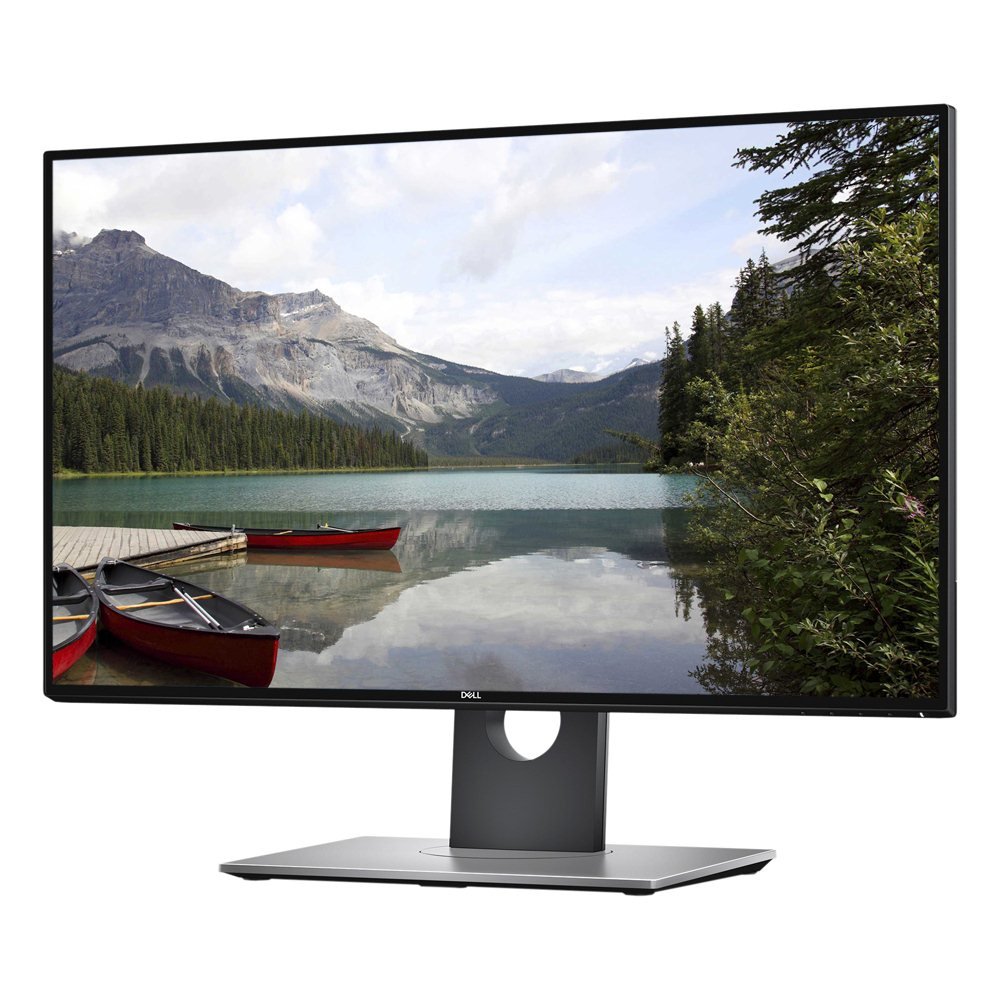
The Dell Ultrasharp U2718Q is a proven, long-standing 4K IPS monitor that remains in demand for color-critical business applications. The 27-inch panel covers 99.9% sRGB and renders 1.07 billion colors (10-bit) through an 8-bit+FRC panel, delivering smooth gradients and accurate color reproduction out of the box. It ships with a factory calibration report, giving creative professionals confidence that the display matches industry color standards. The ultra-thin bezels make it ideal for multi-monitor setups where minimizing bezel gap is a priority.
Connectivity includes DisplayPort, HDMI, USB 3.0 upstream, and Bluetooth 4.0 for Dell Universal Pairing peripherals. The stand offers height, tilt, swivel, and pivot adjustments, ensuring ergonomic flexibility. The 350-nit brightness is adequate for most office environments, though HDR performance is limited by the lack of local dimming and the 1000:1 contrast ratio. This is not a true HDR monitor by modern standards, but for SDR productivity work, the image quality remains excellent.
The primary drawbacks are age-related. The U2718Q is capped at 60Hz, has no USB-C with power delivery, and uses older DisplayPort and HDMI standards that may require adapters for the latest laptops. Some units have been reported with backlight bleed, and the input switching between sources can be slow at 5-8 seconds. At a premium price point relative to newer competitors, this monitor relies heavily on its proven track record and Dell’s professional warranty. For established offices with standardized Dell setups, it remains a reliable choice, but newer alternatives offer better connectivity and similar color quality for less.
Why it’s great
- Factory-calibrated 1.07 billion color support for professional accuracy
- Ultra-thin bezels for seamless multi-monitor arrays
- Full ergonomic stand with height, tilt, swivel, and pivot
- Proven reliability with Dell’s professional warranty support
Good to know
- No USB-C for modern single-cable laptop connectivity
- Slow input switching between connected devices
- Premium pricing compared to newer 4K competitors
FAQ
Is 4K resolution necessary on a 27-inch monitor for business?
What is the difference between IPS and VA panels for professional work?
Why do some business monitors include built-in speakers while others don’t?
Does a higher refresh rate (120Hz vs 60Hz) benefit business productivity?
Final Thoughts: The Verdict
For most users, the best 27 monitors for business winner is the LG 27UP850K-W because it combines a premium 4K IPS panel, 95% DCI-P3 color, and the highest USB-C power delivery (90W) in this roundup with a fully adjustable ergonomic stand—all in a clean, modern white design. If you need smooth scrolling and low eye strain for all-day document work, grab the Dell S2725QS with its 120Hz panel and ComfortView Plus. And for color-critical creative professionals who demand factory-calibrated accuracy, nothing beats the ASUS ProArt PA279CV with its Delta E < 2 certification and full ergonomic flexibility.

Mo Maruf
I created WellFizz to bridge the gap between vague wellness advice and actionable solutions. My mission is simple: to decode the research and give you practical tools you can actually use.
Beyond the data, I am a passionate traveler. I believe that stepping away from the screen to explore new environments is essential for mental clarity and physical vitality.