Our readers keep the lights on and my smoothie glass nicely filled. As an Amazon Associate, I earn from qualifying purchases.
Finding a 27-inch monitor that balances a sharp picture with a reasonable cost has become the defining challenge for anyone building a home office or a gaming setup on a budget. The market is flooded with options that promise high refresh rates and crisp resolutions, but the real test is whether the price translates into a panel that won’t cause eye strain or produce ghosting during fast movement.
I’m Mohammad Maruf — the founder and writer behind WellFizz. My research cuts through the marketing jargon by focusing on measurable specs like refresh rate variance, color gamut coverage, adaptive sync compatibility, and the real-world durability of budget-tier panels.
After sifting through dozens of models and hundreds of validated reviews, these recommendations deliver the clearest path to the best budget 27 inch monitor that doesn’t force you to compromise on the features that actually matter for daily use.
How To Choose The Best Budget 27 Inch Monitor
The sheer volume of 27-inch monitors under scrutiny can be overwhelming, but isolating the right one comes down to four pillars: resolution, refresh rate, panel technology, and connectivity. Understanding how these interact with your specific workload or gaming habits will prevent a purchase you’ll regret six months later.
Resolution: FHD vs QHD on a 27-Inch Screen
A 27-inch monitor at 1080p (FHD) has a pixel density of roughly 81 PPI, which is acceptable for general productivity and budget gaming. However, if you work with text-heavy documents, spreadsheets, or photo editing, the extra real estate of 2560×1440 (QHD) at 109 PPI provides noticeably sharper text and more screen space. The trade-off is that QHD demands more from your graphics card, especially in games.
Refresh Rate and Response Time: Beyond the Numbers
A standard office monitor runs at 60Hz, but most budget-friendly 27-inch panels now start at 100Hz. This jump makes scrolling and window animations feel smoother. For gamers, 180Hz is a meaningful upgrade over 100Hz, reducing motion blur and input lag. Response time, measured in milliseconds (ms), indicates how quickly a pixel changes color. Look for 1ms MPRT or 0.5ms GTG for fast-paced titles, though IPS panels typically hover around 4ms GTG.
Panel Type: IPS, VA, or TN for Budget Monitors
IPS (In-Plane Switching) panels dominate the budget segment for good reason: they offer superior color accuracy and wide 178-degree viewing angles. VA panels provide deeper black levels and higher contrast ratios (3000:1 vs 1000:1 on IPS), making them better for dark-room movie watching, but they suffer from slower pixel response in dark transitions. TN panels are rare at 27 inches today and offer fast response times at the cost of poor viewing angles and color reproduction.
Connectivity and Ergonomic Adjustments
The ports on the back of the monitor determine its longevity. HDMI 2.0 is standard for 1080p at 144Hz or 1440p at 144Hz, while DisplayPort 1.4 unlocks higher bandwidth for 180Hz at QHD. Built-in USB hubs simplify cable management for keyboards and mice. A stand that offers tilt is the minimum, but height adjustment and VESA mount compatibility (100x100mm) provide far better ergonomics for long sessions.
Quick Comparison
On smaller screens, swipe sideways to see the full table.
| Model | Category | Best For | Key Spec | Amazon |
|---|---|---|---|---|
| Dell SE2725HM | Office | Productivity | 100Hz FHD IPS | Amazon |
| LG 27GS50F-B | Gaming | Budget Gaming | 180Hz 1ms MBR | Amazon |
| Amazon Basics | Office | Versatile Work | IPS 100Hz Speakers | Amazon |
| Acer Nitro KG271U | Gaming | QHD Gaming | 180Hz QHD IPS | Amazon |
| AOC Q27G4XN | Gaming | Competitive Play | 180Hz QHD 400 nits | Amazon |
| HP Series 3 327se | Office | Ergonomic Work | FHD 100Hz IPS | Amazon |
| ASUS TUF VG277Q1A | Gaming | FPS Gaming | 165Hz VA 1ms | Amazon |
| Alienware AW2725DM | Premium | High-End Gaming | 180Hz QHD IPS | Amazon |
| Dell S2725QS | Premium | 4K Productivity | 4K 120Hz IPS | Amazon |
In‑Depth Reviews
1. Acer Nitro KG271U N3bmiipx

The Acer Nitro KG271U bridges the gap between entry-level and premium by offering a true QHD resolution (2560×1440) on a 27-inch IPS panel with a 180Hz refresh rate. The 0.5ms GTG response time is aggressive for the price tier, making it a strong contender for fast-paced titles like Call of Duty or Apex Legends. The DCI-P3 95% color gamut coverage also means photo editors and digital artists can work with relatively accurate hues without needing a calibration tool immediately.
Connectivity includes one DisplayPort 1.2 and two HDMI 2.0 ports, which allows simultaneous hookup to a PC and a console. The zero-frame design keeps the bezels slim, reducing distraction in a multi-monitor setup. The FreeSync support works across the entire 48-180Hz range, minimizing screen tearing effectively during variable frame rate gameplay.
The bundled stand is the weakest link — it offers no height adjustment and wobbles on uneven desks. Users planning long sessions should budget for a VESA mount (100x100mm) to unlock proper ergonomics. The built-in speakers are useful for system audio but lack bass and volume for immersive gaming or movie watching.
Why it’s great
- QHD resolution at a competitive price
- Vibrant DCI-P3 95% color coverage
- 180Hz with 0.5ms GTG response
- Dual HDMI and DisplayPort connectivity
Good to know
- Stand has no height adjustment and wobbles
- Built-in speakers are underwhelming
- Requires VESA mount for ergonomic use
2. AOC Q27G4XN

The AOC Q27G4XN packs a bright 400-nit panel with a 180Hz refresh rate over DisplayPort 1.4 and a 1ms GTG response time, making it one of the sharpest budget displays for competitive gaming. The 127.8% sRGB color gamut pushes vibrancy beyond standard coverage, which translates to punchy colors in games like Overwatch 2 or Horizon Forbidden West. The adaptive sync support works with both FreeSync and G-Sync compatible GPUs, so screen tearing is effectively eliminated across Nvidia and AMD setups.
The three-sided frameless design and narrow bezel make this monitor a natural fit for multi-monitor configurations. The stand includes height adjustment, tilt, and rotation into portrait mode — a rarity at this price point. The 2K QHD resolution at 27 inches delivers a pixel density of 109 PPI, which makes text appear crisp for productivity work between gaming sessions.
There is no built-in audio output beyond a 3.5mm headphone jack, so you will need external speakers or a headset for sound. The VA panel variant in some reviewer units exhibited dark ghosting in fast transitions, though the IPS version tested in this unit performed cleanly. The on-screen display menu controls are handled by a single joystick at the bottom edge, which is intuitive once you learn the layout.
Why it’s great
- High brightness at 400 nits
- Full height-adjustable stand included
- Wide color gamut coverage
- Supports FreeSync and G-Sync
Good to know
- No built-in speakers
- VA panel may show dark ghosting
- OSD joystick takes adjustment time
3. Alienware AW2725DM

The Alienware AW2725DM brings a 27-inch QHD IPS panel with a 180Hz refresh rate and VESA DisplayHDR 400 certification, making it one of the most feature-complete monitors that still fits a budget-conscious build. The DCI-P3 95% color coverage ensures saturated, accurate colors out of the box, and the hardware-based low blue light filter preserves color integrity while reducing eye strain. The 1ms gray-to-gray response time keeps motion handling clean without visible ghosting.
The stand is a standout feature at this tier — it offers full height, swivel, pivot, and tilt adjustments, which is rare to find in monitors below the premium threshold. The anti-glare coating works well in brightly lit rooms, minimizing reflections during daytime use. The inclusion of a USB Type-B 5Gbps upstream port and downstream USB-A ports adds real utility for connecting peripherals directly to the monitor.
To achieve the full 180Hz refresh rate, you must use a DisplayPort 1.4 connection; HDMI 2.0 is capped at 144Hz. There are no built-in speakers or a headphone jack, so a separate audio solution is mandatory. Some units exhibit IPS glow in the corners during dark scenes, though this is within normal behavior for IPS panels and not specific to this model.
Why it’s great
- Excellent color accuracy out of the box
- Fully adjustable stand (height, swivel, pivot)
- VESA DisplayHDR 400 certified
- Built-in USB hub for peripherals
Good to know
- No built-in speakers or headphone jack
- 180Hz requires DisplayPort connection
- Some IPS glow in dark scenes
4. Dell S2725QS

The Dell S2725QS delivers a true 4K UHD resolution (3840×2160) on a 27-inch IPS panel with a smooth 120Hz refresh rate and AMD FreeSync Premium support. The 99% sRGB color gamut coverage and 1500:1 contrast ratio produce deep blacks and accurate colors, making this an excellent choice for photo editing, video production, and spreadsheet-heavy workflows. The ComfortView Plus feature reduces blue light emissions to ≤35% without shifting the display to a yellow tint, preserving color fidelity.
The stand offers full ergonomic adjustments including height, swivel, pivot, and tilt, so you can dial in the perfect viewing angle for long workdays. The integrated dual 2W speakers have been re-engineered from the previous generation, offering clearer mids and wider frequency response than typical monitor speakers. The ultra-thin bezels in an ash white finish give the monitor a clean, modern look that fits minimalist desk setups.
While 120Hz is smooth for desktop navigation and casual gaming, competitive players will notice ghosting in fast-paced titles due to the panel’s pixel response. The 4K resolution also requires a powerful GPU to drive games at native resolution above 60fps. Some users report a slight vignetting effect on the right edge of the panel, though this appears to be unit-specific rather than a widespread defect.
Why it’s great
- Sharp 4K resolution with 120Hz refresh
- Excellent sRGB color accuracy
- Full ergonomic stand adjustments
- Effective low blue light filter
Good to know
- Ghosting present in competitive gaming
- Requires powerful GPU for 4K gaming
- Some units may have edge vignetting
5. ASUS TUF Gaming VG277Q1A

The ASUS TUF Gaming VG277Q1A is built for players who prioritize raw speed over resolution, delivering a 165Hz refresh rate on a VA panel with a 1ms MPRT response time. The VA panel technology yields a 3000:1 contrast ratio, which produces noticeably deeper blacks than IPS alternatives, making dark scenes in games like Resident Evil or Alan Wake more immersive. The FreeSync Premium certification ensures tear-free gameplay across the entire refresh range.
Shadow Boost technology brightens dark areas without overexposing highlights, giving a competitive advantage in games where enemies hide in shadows. The Extreme Low Motion Blur (ELMB) syncs with adaptive sync to reduce ghosting further, though enabling both simultaneously may introduce slight brightness flicker. The connectivity includes HDMI and DisplayPort, and the tilt-adjustable stand offers basic ergonomic adjustment.
The stand lacks height adjustment, which forces the panel lower on standard desks — users may need a monitor arm or riser. The VA panel also exhibits slower pixel transitions in dark-to-dark scenarios, leading to visible trailing in very dark environments. The 1080p resolution on a 27-inch panel results in lower pixel density (81 PPI), which means text and icons appear slightly less sharp compared to QHD options.
Why it’s great
- High 3000:1 contrast ratio for deep blacks
- 165Hz with 1ms MPRT response
- Shadow Boost for dark game scenes
- FreeSync Premium certified
Good to know
- No height adjustment on stand
- FHD resolution less sharp on 27-inch
- Dark-to-dark transitions can trail
6. LG 27GS50F-B
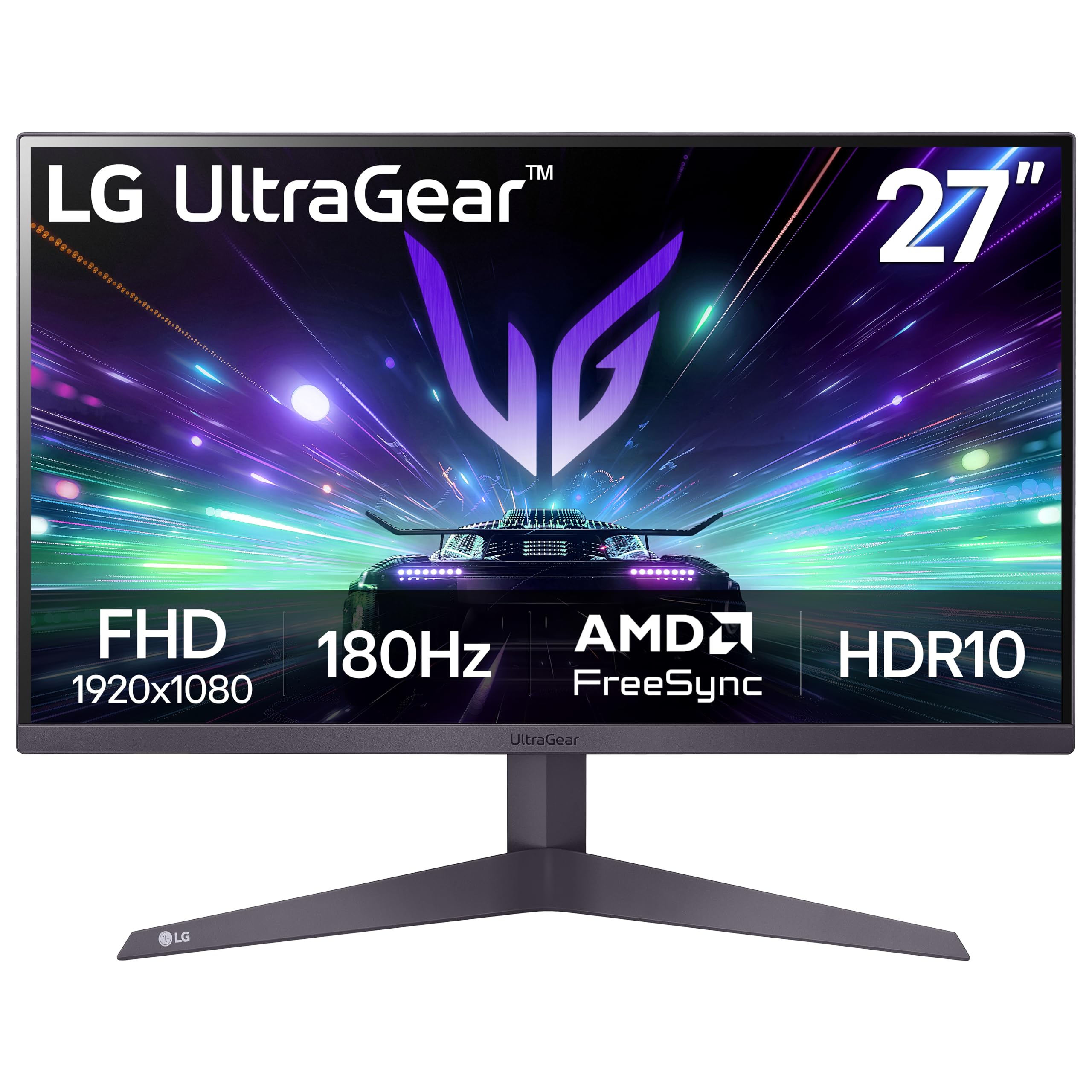
The LG 27GS50F-B offers a stellar combination of a 180Hz refresh rate and 1ms Motion Blur Reduction (MBR) at a price that undercuts most gaming-oriented monitors. The FHD resolution (1920×1080) ensures even mid-range graphics cards can push high frame rates, making this an ideal entry point for competitive esports titles like Valorant or Rocket League. The AMD FreeSync support covers a wide range, preventing screen tearing during fluctuating frame rates.
The three-side virtually borderless design gives the monitor a clean, modern look, and the tilt-adjustable stand allows basic angle customization. The Black Stabilizer and Dynamic Action Sync features are useful for adjusting visibility in dark game scenes and reducing input lag.
The 250-nit brightness is adequate for indoor use but struggles in brightly lit rooms or near windows. The stand offers tilt only, so users needing height adjustment will require a VESA arm. Some reviewers note that the 1ms MBR reduces overall brightness slightly, and the effect can be noticeable in well-lit scenes.
Why it’s great
- Very high 180Hz refresh rate
- Low price-to-performance ratio
- FreeSync covers wide refresh range
- Black Stabilizer for competitive play
Good to know
- Moderate 250-nit brightness
- Stand only offers tilt adjustment
- MBR reduces brightness when active
7. HP Series 3 327se

The HP Series 3 327se is a productivity-focused monitor that delivers a 27-inch FHD IPS panel with a 100Hz refresh rate and a 1300:1 contrast ratio. The Eyesafe certification on the low-blue light filter means it reduces eye strain without the common yellow tint that plagues many budget monitors, making it suitable for eight-hour workdays. The IPS panel provides consistent colors and 178-degree viewing angles, so you can share your screen with a colleague without color shifting.
The stand offers 4-way adjustability including height, swivel, pivot, and tilt — a rarity in this price segment. The built-in dual 2W speakers are adequate for conference calls and system sounds, though they lack the power for music or video immersion. Connectivity covers VGA, HDMI 1.4, and DisplayPort 1.2, ensuring compatibility with older laptops and desktops alike.
The 1300:1 contrast ratio is an improvement over typical 1000:1 budget panels, but it still falls short of VA panels for deep black levels. The 100Hz refresh rate is a noticeable upgrade over 60Hz for scrolling and window management, but motion clarity in fast-paced games is inferior to the 165Hz or 180Hz gaming alternatives. The enclosure is made with at least 90% post-consumer recycled plastics, which appeals to environmentally conscious buyers.
Why it’s great
- Full height-adjustable ergonomic stand
- Eyesafe low blue light certification
- 1300:1 contrast ratio for deeper blacks
- Built-in dual 2W speakers
Good to know
- FHD resolution on 27-inch less sharp
- Speakers adequate for voice only
- Not ideal for high-refresh gaming
8. Dell SE2725HM

The Dell SE2725HM is a straightforward 27-inch FHD IPS monitor with a 100Hz refresh rate that prioritizes reliability over flashy gaming features. The built-in power supply unit and cable holder keep the desk clean, eliminating the external power brick that clutters many budget setups. The ComfortView Plus technology filters harmful blue light without washing out colors, which is beneficial for users who spend long hours reading or coding.
The 100Hz refresh rate makes window animations and scrolling noticeably smoother than a standard 60Hz monitor, though it is not designed for competitive gaming. The adaptive sync via FreeSync handles casual gaming well, preventing screen tearing in lighter titles. The tilt-adjustable stand provides basic ergonomics, and the VESA mount compatibility (100x100mm) opens the door for monitor arms.
The lack of built-in speakers means you will need external audio, and the panel’s 250-nit brightness is on the lower end of the spectrum, making it less suitable for rooms with strong ambient light. Connectivity is limited to one HDMI port and one VGA port — there is no DisplayPort or USB hub, which may be a dealbreaker for users with newer laptops that lack VGA output.
Why it’s great
- Built-in power supply reduces desk clutter
- ComfortView Plus blue light filter
- 100Hz refresh for smoother workflow
- VESA mount compatible
Good to know
- No built-in speakers
- Only one HDMI and one VGA input
- 250-nit brightness is modest
9. Amazon Basics 27 Inch Monitor

The Amazon Basics 27-inch monitor covers the essentials for everyday computing with a 1080p IPS panel, 100Hz refresh rate, and built-in dual speakers that save desk space. The inclusion of four USB-A ports functions as a USB hub, allowing you to connect a keyboard, mouse, and thumb drive directly to the monitor, which simplifies cable management for a clean desk setup. The IPS panel provides wide viewing angles and decent color reproduction for document editing, web browsing, and video playback.
The 100Hz refresh rate is a significant step up from standard 60Hz panels, making scrolling through long documents and web pages feel more fluid. The built-in speakers deliver clear audio for conference calls and YouTube videos, though they lack the low-end frequency for music or cinematic content. The monitor supports HDMI, DisplayPort, and VGA connectivity, offering broad compatibility with older and newer devices.
The stand only offers tilt adjustment, with no height or swivel functionality, which may necessitate a VESA arm or monitor riser for ergonomic positioning. Some users have reported that the protective film on the panel surface can be difficult to remove, and if left on, it causes a hazy image. The 1500:1 contrast ratio is respectable for an entry-level IPS panel, but it still cannot match the deep blacks of VA alternatives.
Why it’s great
- Built-in USB hub for peripherals
- Integrated speakers save desk space
- 100Hz refresh rate for smoother use
- HDMI, DisplayPort, and VGA inputs
Good to know
- Stand only offers tilt adjustment
- Protective film can be tricky to remove
- Speakers lack bass for music
FAQ
Is 1080p resolution acceptable on a 27-inch monitor?
What refresh rate should I look for in a budget gaming monitor?
Does a budget monitor support G-Sync or FreeSync?
Why do budget monitors sometimes have a flimsy stand?
Final Thoughts: The Verdict
For most users, the budget 27 inch monitor winner is the Acer Nitro KG271U because it delivers a QHD resolution, 180Hz refresh rate, and wide color coverage at a price that typically demands compromises. If you want a fully adjustable stand and higher brightness, grab the AOC Q27G4XN. And for office productivity with ergonomic flexibility and eye comfort, nothing beats the HP Series 3 327se.

Mo Maruf
I created WellFizz to bridge the gap between vague wellness advice and actionable solutions. My mission is simple: to decode the research and give you practical tools you can actually use.
Beyond the data, I am a passionate traveler. I believe that stepping away from the screen to explore new environments is essential for mental clarity and physical vitality.