Our readers keep the lights on and my smoothie glass nicely filled. As an Amazon Associate, I earn from qualifying purchases.
Finding a television that balances a low entry point with reliable performance and modern features has never been more challenging. The market is flooded with sub-720p panels and obscure brands that sacrifice picture quality and smart functionality to hit a bottom-tier price, leaving you with a frustrating viewing experience that fails to justify even the modest initial outlay.
I’m Mohammad Maruf — the founder and writer behind WellFizz. Over the last several years, I have analyzed hundreds of display panels, upscaling engines, and smart TV operating systems to understand which budget-tier models deliver the sharpest image and the most responsive interface for the least money.
This guide dissects the real-world performance of the nine most compelling options on the market today so you can confidently select your next best cheap tv without wasting hours scrolling through deceptive listings.
How To Choose The Best Cheap TV
The budget television segment is the most crowded in consumer electronics, and the spec sheets are designed to confuse. Before you buy, focus on three non-negotiable pillars: native resolution, smart platform maturity, and the panel type itself. A poor decision on any one of these will sour the experience for years.
Native Resolution Is the Hard Ceiling
A 720p panel cannot display crisp text or fine detail on a 43-inch or larger screen from a standard viewing distance. If your primary use is an 8-foot living room distance, skip any model under 1080p unless you are buying a 24- to 32-inch secondary bedroom set. For main rooms, 4K UHD even at an entry-level tier will look noticeably sharper on streaming and gaming content.
Smart Platform Determines Daily Sanity
Roku’s interface is famously snappy and ad-light, while Fire TV (found on many budget units) offers deeper Alexa integration but can feel sluggish after a few years of OS updates. The operating system is the brain of the TV — a slow or cluttered interface will annoy you every single time you turn it on.
Panel Type and Backlight Technology
Direct LED backlighting is the norm here, but the implementation matters. Some cheap TVs use edge-lit panels that produce uneven brightness and light bleed. A full-array backlight with local dimming is rare at this price, but a direct-lit LED panel with a decent contrast ratio (at least 3000:1) will save you from washed-out blacks and grayish shadows during movie nights.
Quick Comparison
On smaller screens, swipe sideways to see the full table.
| Model | Category | Best For | Key Spec | Amazon |
|---|---|---|---|---|
| Hisense 50″ E6 | Hi-QLED 4K | Best overall value & performance | 50″ 4K / QLED / Dolby Vision | Amazon |
| TOSHIBA 50″ C350 | 4K Fire TV | Processing & feature depth | 50″ 4K / REGZA AI Upscaler / Dolby Atmos | Amazon |
| Samsung 43″ U8000F | 4K Smart TV | Design & brand reliability | 43″ 4K / Crystal Processor / Knox Security | Amazon |
| Samsung 43″ U8000H | 4K AI TV | Latest Vision AI features | 43″ 4K / Crystal Processor / Motion Xcelerator | Amazon |
| INSIGNIA 50″ F50 | 4K Fire TV | Entry-level 4K landscape | 50″ 4K / HDR10 / DTS Virtual-X | Amazon |
| Hisense 40″ QD4 | Hi-QLED FHD | Compact QLED color | 40″ 1080p / QLED / Fire TV | Amazon |
| Roku 32″ 1080p | HD Smart TV | Rock-solid Roku OS & headphones | 32″ 1080p / Bluetooth Headphone Mode | Amazon |
| Roku 32″ 720p | HD Smart TV | Minimalist guest room setup | 32″ 720p / Voice Remote / AirPlay | Amazon |
| Amazon Ember 32″ | Fire TV HD | Alexa integration & art mode | 32″ 720p / Wi-Fi 6 / Omnisense | Amazon |
In‑Depth Reviews
1. Hisense 50″ E6 Cinema Series Hi-QLED 4K UHD Smart Fire TV
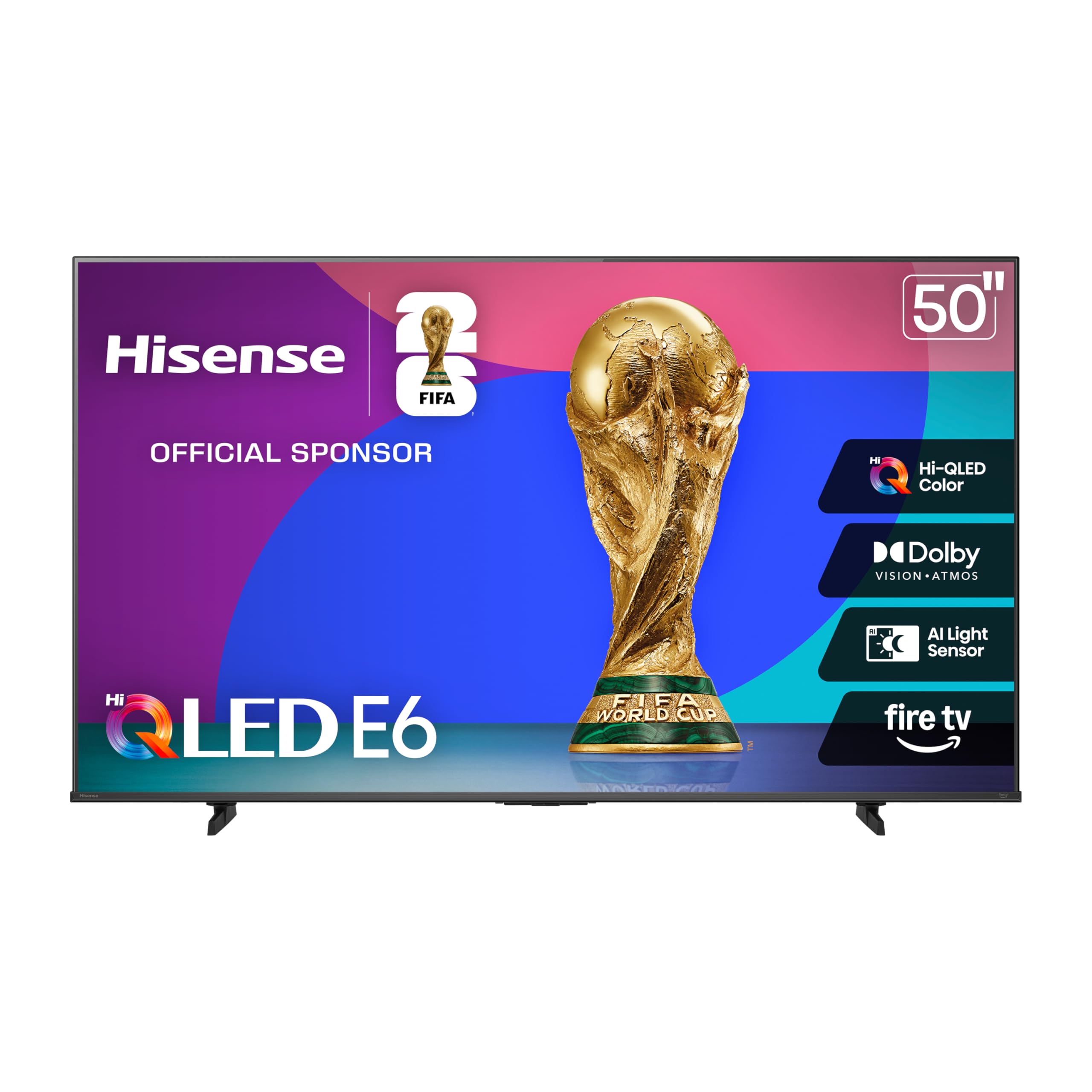
The Hisense 50″ E6 sits at the sweet spot of the budget 4K segment because it actually delivers the HDR experience the label promises. The Hi-QLED panel combined with Dolby Vision and HDR10+ Adaptive produces a luminance range that makes streaming movies look genuinely dynamic instead of flat. The Motion Rate 120 processing also handles fast sports cuts without introducing the tearing you’d expect at this tier.
Fire TV integration is snappy out of the box, and the Alexa voice remote lets you launch apps or control smart home devices without digging through menus. The AI light sensor automatically adjusts backlight intensity based on room brightness, a feature typically reserved for far more expensive sets. For a 50-inch 4K display, the color saturation from the quantum dot layer is noticeably richer than standard LED panels at a similar price.
Where the E6 stumbles is in the onboard audio stage — the stereo speakers lack bass punch and can sound hollow at higher volumes. Pairing with a basic soundbar solves this, but it’s an added cost to factor. The remote also exhibits a slight initial lag that a firmware update should address, but it’s worth noting for those who expect instant response.
Why it’s great
- Hi-QLED quantum dot panel delivers vibrant colors and deep blacks
- Full Dolby Vision and HDR10+ Adaptive support for genuine HDR
- 50-inch 4K screen at an aggressive price point
Good to know
- Built-in speakers lack low-end presence
- Remote response can feel sluggish at first
- Fire TV interface is heavier than Roku OS
2. TOSHIBA 50″ C350 Series LED 4K UHD Smart Fire TV

Toshiba’s REGZA Engine ZR is the standout feature here — it’s an AI-driven upscaler that analyzes incoming pixels and reconstructs near-4K detail from standard 1080p and even 720p sources. This matters because a large portion of cable and streaming content isn’t native 4K, and the C350 makes low-resolution channels and older movies watchable on a 50-inch panel without the soft blur typical of cheaper sets.
The Dolby Vision and Dolby Atmos pairing punches above the price bracket. The picture mode delivers excellent contrast for a direct-lit LED, and the Super Contrast Booster emphasizes depth without crushing shadow detail. Sports Mode tweaks the motion handling to reduce stutter on fast plays, and the inclusion of Game Mode with ALLM support makes this a viable option for casual console gaming.
On the downside, the out-of-the-box color temperature skews warm, giving faces a slight yellow tint that needs manual calibration in the settings to correct. The remote also exhibits a minor delay when navigating live streaming services like YouTube TV — not enough to ruin the experience, but perceptible to anyone sensitive to input lag.
Why it’s great
- REGZA AI upscaler makes non-4K content look sharp
- Dolby Vision + Dolby Atmos for immersive cinema sound
- Excellent contrast and motion handling for the price
Good to know
- Out-of-box color needs calibration for neutral tones
- Remote has slight delay on live streaming apps
- Annual energy consumption is 175 kWh
3. Samsung 43″ U8000F Crystal UHD 4K Smart TV

Samsung brings its engineering polish to the budget tier with the U8000F. The single-sheet MetalStream design and slim bezel make this 43-inch set feel far more premium than its price suggests — it blends into a living room without the chunky plastic frame typical of entry-level TVs. The Crystal Processor 4K handles upscaling competently, and the Color Booster feature pushes saturation on HDR content without the oversaturation artifacts seen on older models.
One of the strongest differentiators here is Samsung Knox Security, which protects your connected IoT devices and personal data. It’s a rare inclusion at this level and matters if you plan to use the smart TV for banking, shopping, or smart home control. The Samsung TV Plus platform gives you over 2,700 free channels without a subscription, which is genuinely useful for cord-cutters.
Setup, however, is unnecessarily cumbersome — the phone-based app process frustrates less tech-savvy users. The remote is sensitive and occasionally lags, which some users solve by switching to a Roku remote. The 60Hz panel and Motion Xcelerator are adequate for sports but won’t satisfy competitive gamers looking for 120Hz support.
Why it’s great
- Premium build quality with a single-sheet metal chassis
- Knox Security protects personal data from phishing
- Massive library of free Samsung TV Plus channels
Good to know
- Setup process requires a phone app and multiple steps
- Remote sensitivity can cause accidental inputs
- Only 60Hz panel — not ideal for competitive gaming
4. Samsung 43″ U8000H Crystal UHD 4K Smart TV (2026)

The 2026 iteration of Samsung’s entry-level 4K line adds Vision AI smarts that refine the experience beyond just raw pixel count. The Crystal Processor again drives upscaling, but the Color Booster now works with AI scene detection to push vibrancy selectively — foliage in nature documentaries and neon signs in cyberpunk movies get an extra layer of punch without washing out skin tones.
Motion Xcelerator at 4K 60Hz provides smooth frame transitions for sports and fast-action content. The panel itself is crisp and bright enough for most living rooms, even with some ambient light. The Samsung TV Plus library here expands to over 2,700 free channels including premium live channels, which is a real budget saver if you’re looking to ditch cable completely.
Minor annoyances persist from the U8000F generation — the setup still requires the SmartThings app, and the remote design is identical, with the same sensitivity and tiny button layout. Some users report that the interface can slow down after several months of app installations, though a factory reset typically restores responsiveness.
Why it’s great
- AI-driven Color Booster adapts to scene content
- Sturdy build and slim profile design
- Extensive free channel line-up included
Good to know
- App-based setup is not beginner-friendly
- Interface may slow down over long-term use
- Speaker output is serviceable but not loud
5. INSIGNIA 50″ F50 Series LED 4K UHD Smart Fire TV

The INSIGNIA F50 is a pure volume proposition — a 50-inch 4K panel with Fire TV built-in at a price that often undercuts smaller 43-inch models from bigger brands. The 4K resolution with HDR10 support provides a noticeable step up from 1080p sets, and the brightness is adequate for a dim to moderately lit room. The DTS Virtual-X processing widens the soundstage beyond what the physical speakers can produce, adding a sense of space.
Connectivity is generous for the price: three HDMI ports (one with eARC for passing full-resolution audio to a soundbar), a USB port, Ethernet, and composite A/V inputs for legacy devices. The parental controls are granular, letting you block content by rating or entire channels, which is handy for a family living room setup.
That said, the build quality and user experience feel every bit the budget product. The remote has tiny, hard-to-read buttons, and the setup process is notorious for a first-time update loop that can take over an hour. A small percentage of units have reported issues with auto shut-off during pauses and blacked-out app icons, suggesting inconsistent quality control.
Why it’s great
- 50-inch 4K screen at an entry-level price point
- Three HDMI ports with eARC for soundbar passthrough
- Granular parental controls for family safety
Good to know
- Setup can involve a lengthy update loop
- Remote control buttons are obnoxiously small
- Quality control inconsistency among units
6. Hisense 40″ QD4 Series Hi-QLED FHD Smart Fire TV
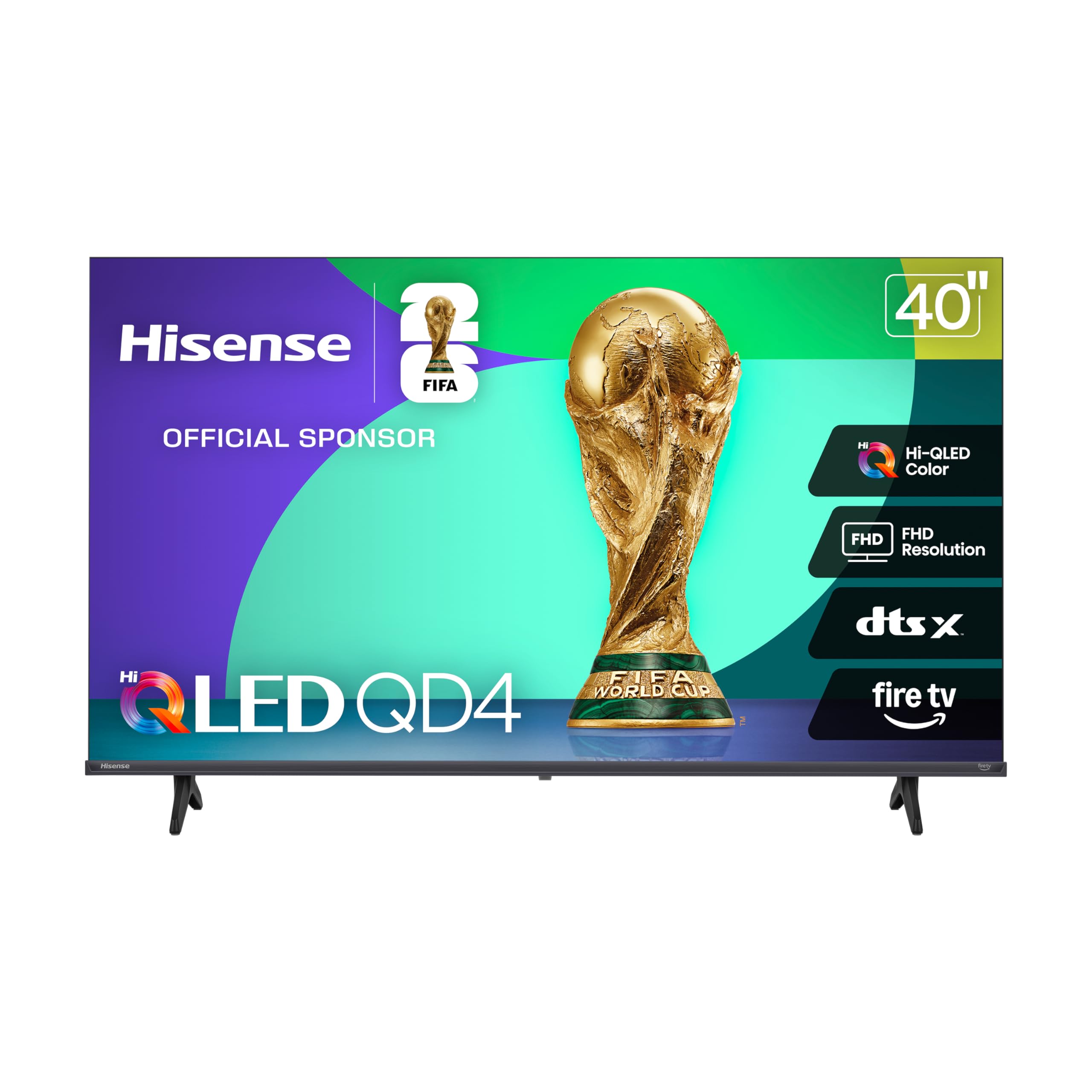
What makes the 40-inch Hisense QD4 stand out is the Hi-QLED quantum dot layer applied to a 1080p panel. This gives it color volume that surpasses standard HD LED sets — reds are deeper, greens are more saturated, and overall vibrancy is closer to what you’d see on a larger 4K QLED. The Full Array LED backlight also ensures even brightness across the screen without the cloudy edges common on edge-lit budget TVs.
Gamers on a tight budget will appreciate the dedicated Game Mode that cuts input lag down to around 16ms, making this a viable secondary monitor for console play. The DTS Virtual:X processing provides a wider sound field than typical built-in speakers, and the Alexa voice remote keeps navigation fast for streaming apps. The slim bezel design gives it a cleaner silhouette than most similarly priced 40-inch models.
Two caveats: the Fire TV software can feel slightly sluggish when switching between apps, especially after installing many streaming services. The audio, while improved by Virtual:X, still lacks bass and will benefit from even a cheap soundbar. And at 1080p resolution, text and fine details on a 40-inch screen viewed close-up will show pixel structure.
Why it’s great
- Quantum dot layer provides exceptional color saturation for 1080p
- Game Mode achieves 16ms input lag
- Full Array backlight for even brightness distribution
Good to know
- 1080p panel lacks the sharpness of 4K up close
- Fire TV interface has some app switching lag
- Speakers still benefit from an external upgrade
7. Roku 32″ 1080p Full HD Smart TV (Select Series)
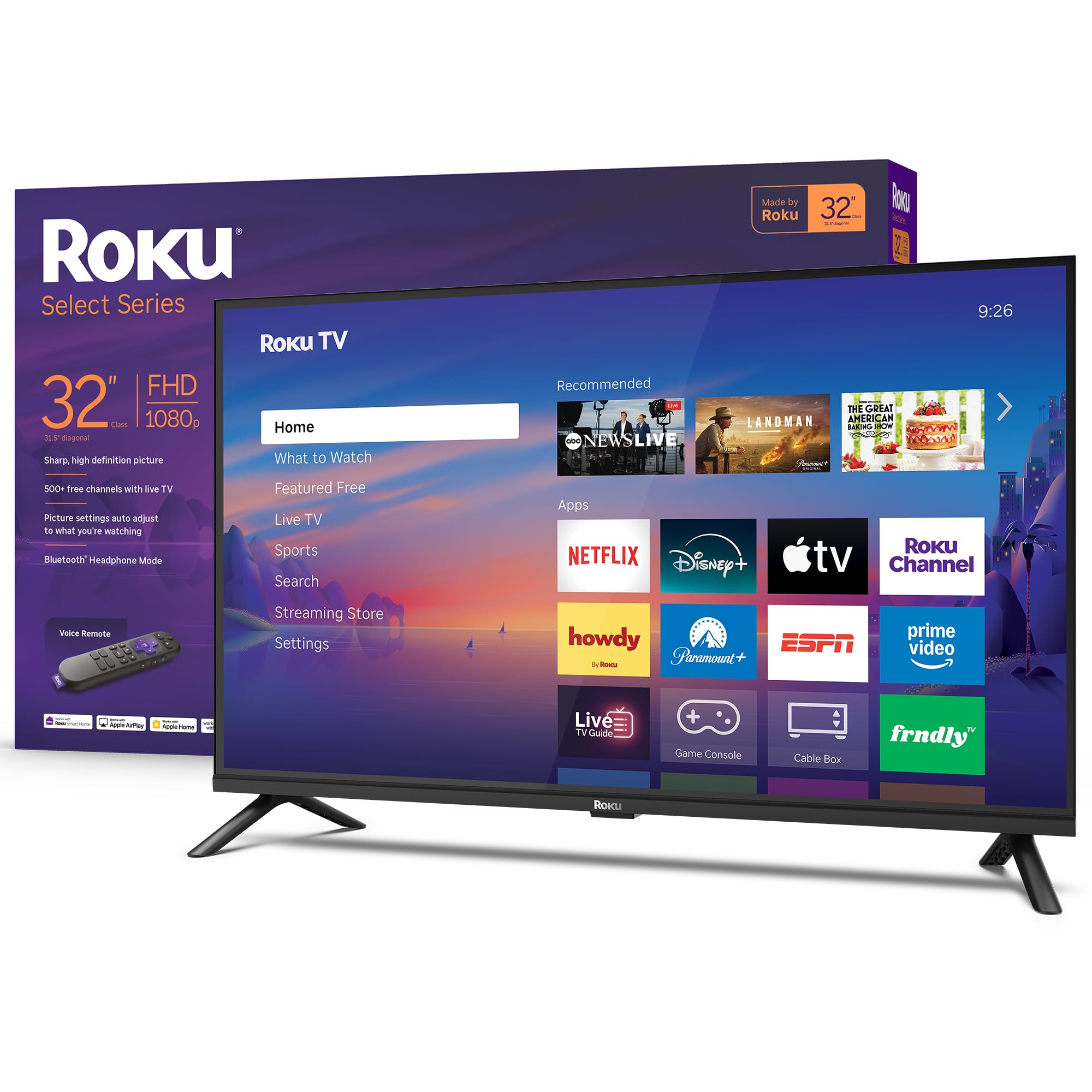
The Roku Select Series at 1080p is the definitive answer to the “bedroom or guest room” question. The 32-inch panel delivers crisp 1080p resolution that looks sharp at typical 5- to 7-foot viewing distances, and the Roku OS is the gold standard for simplicity — apps load fast, the home screen is clean, and there’s no bloatware pushing subscriptions you don’t own. The Voice Remote with Bluetooth lets you search across apps hands-free.
Bluetooth Headphone Mode is a killer feature for shared living situations. Pair your wireless headphones directly to the TV and the speakers cut out automatically, letting you watch late-night shows or movies without disturbing anyone. The Roku Smart Picture processing also cleans up low-quality broadcast signals and optimizes the preset picture modes for sports, movies, and standard content.
The biggest compromise here is the built-in audio. The speakers produce clear dialogue but are thin on bass and volume, and the audio processing lacks any speech or night-leveling modes. A small soundbar or even a Bluetooth speaker will drastically improve the experience. Additionally, the “Recommended” row on the home screen cannot be removed, which some users find intrusive.
Why it’s great
- Fast, uncluttered Roku smart platform experience
- Bluetooth Headphone Mode for private listening
- Sharp 1080p panel ideal for smaller rooms
Good to know
- Weak built-in speakers with no audio leveling modes
- “Recommended” row cannot be removed from home screen
- Automatic updates cannot be paused manually
8. Roku 32″ 720p HD Smart TV (Select Series)
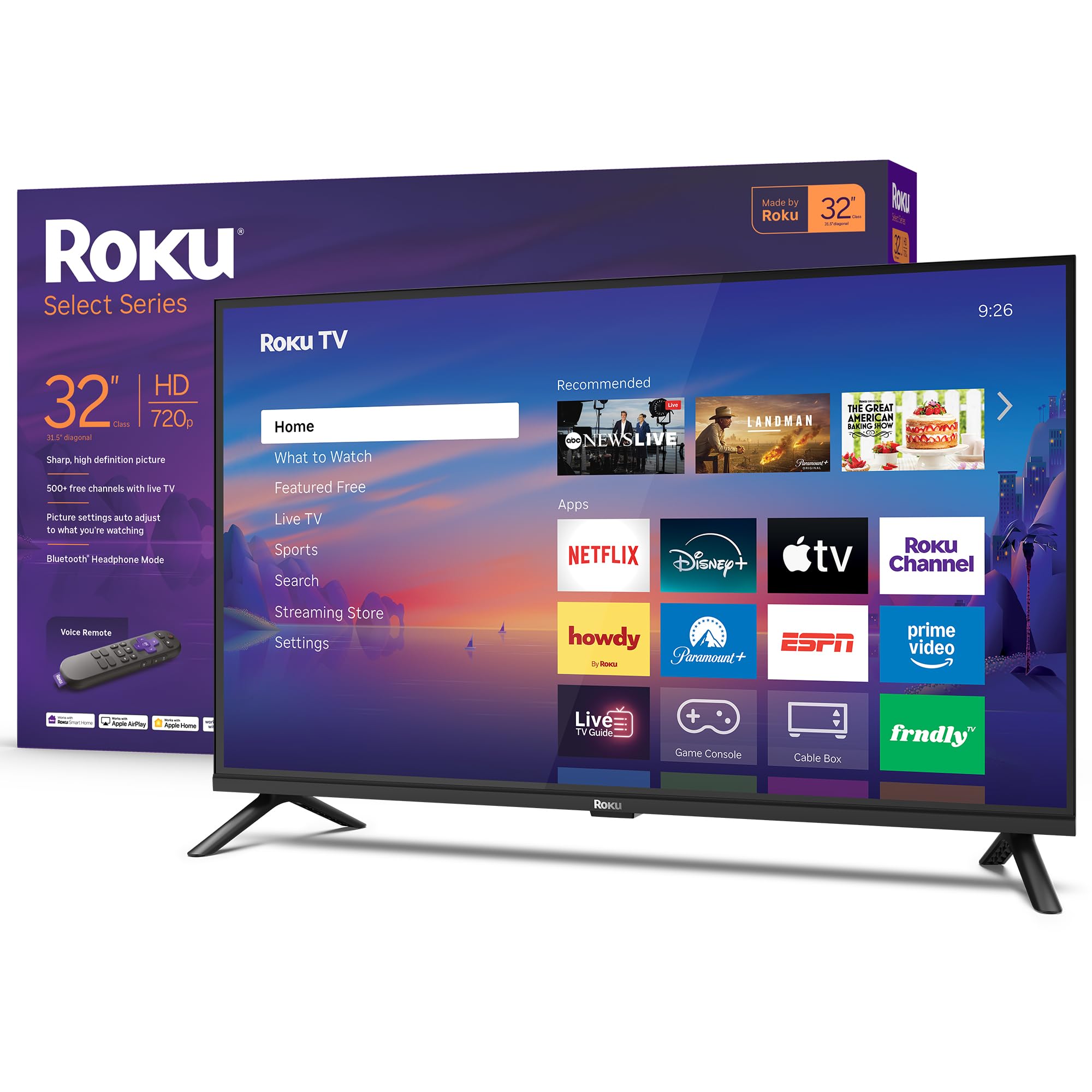
This is the absolute floor for a new-name-brand smart TV — a 720p panel at a price that undercuts even refurbished units. For its intended use cases, like a kitchen counter, a garage workstation, or a child’s playroom, the 720p resolution is acceptable because viewing distances are close and the screen is only 32 inches. The same excellent Roku OS and Bluetooth Headphone Mode carry over from the 1080p version, making the software experience identical to its higher-resolution sibling.
The Roku Smart Picture processing does squeeze the most out of the limited panel by cleaning up noisy broadcast signals and picking the right picture mode for the content. Apple AirPlay support is included, which is rare at this price point, allowing iPhone and iPad users to mirror content effortlessly. The voice remote works across thousands of streaming apps, and the automatic software updates keep the platform secure.
The 720p panel is quite obviously the limiting factor. Text in app menus can look slightly fuzzy, and fine detail in movies is noticeably softer than on a 1080p panel. The audio is also entry-level — it handles dialogue clearly but distorts at higher volumes. This is a functional tool, not a home cinema centerpiece, and should be judged strictly within its role as a secondary or utility screen.
Why it’s great
- Rock-bottom price for a name-brand smart TV
- Fast Roku OS and Bluetooth Headphone Mode included
- Apple AirPlay support for iOS mirroring
Good to know
- 720p panel shows softness in fine detail
- Speakers distort at higher volume levels
- No audio leveling or speech enhancement modes
9. Amazon Ember 32″ 2-Series with Fire TV (2026)

The Amazon Ember 2-Series is a 720p TV designed around one thing: deep Alexa integration. The custom Omnisense technology wakes the display when you enter the room and can show your favorite artwork or photo collection in a frame-like standby mode — a feature usually found on premium Samsung “The Frame” TVs. Wi-Fi 6 support gives it a real-world advantage over budget sets with older Wi-Fi 5 chips, especially in homes with multiple connected devices.
The quad-core processor and new Fire TV interface feel snappy for app launches and navigation. The voice remote with preset buttons for Prime Video, Netflix, and other services reduces the need to hunt through menus. For someone fully invested in the Amazon ecosystem — Prime, Alexa smart home, Amazon Music — this TV becomes a natural hub.
The 720p resolution is the main compromise, and the onboard speakers are borderline weak even for a secondary room. The Ambient Experience (art mode) automatically turns off after five minutes with no setting to keep it permanently on, which undercuts its promise as a decorative piece. For the same price, the Roku 720p offers a better smart OS experience and slightly better audio tuning.
Why it’s great
- Wi-Fi 6 support for faster, more stable streaming
- Unique Omnisense wake and art standby mode
- Fast Fire TV processing and deep Alexa integration
Good to know
- 720p panel lacks sharpness for detailed content
- Ambient Mode turns off after 5 minutes with no override
- Speakers are underpowered for the price tier
FAQ
Is a 720p TV still worth buying for a primary living room today?
Does HDR on a cheap TV actually make a visible difference?
Which smart platform is faster on entry-level hardware: Roku or Fire TV?
Can I use a budget 4K TV as a computer monitor?
How important is HDMI eARC on a budget TV?
Final Thoughts: The Verdict
For most users, the best cheap tv winner is the Hisense 50″ E6 Cinema Series because it packs a genuine Hi-QLED 4K panel with full Dolby Vision and HDR10+ Adaptive support at a price that undercuts many 1080p competitors. If you want the best processing engine for upscaling standard-def and HD content, grab the Toshiba 50″ C350 with its REGENA AI upscaler. And for a compact, no-nonsense secondary display with the best smart platform in the business, nothing beats the Roku 32″ 1080p Select Series.

Mo Maruf
I created WellFizz to bridge the gap between vague wellness advice and actionable solutions. My mission is simple: to decode the research and give you practical tools you can actually use.
Beyond the data, I am a passionate traveler. I believe that stepping away from the screen to explore new environments is essential for mental clarity and physical vitality.