Our readers keep the lights on and my smoothie glass nicely filled. As an Amazon Associate, I earn from qualifying purchases.
Choosing a 2TB external hard drive is rarely about finding more space—it’s about trusting that space with years of photos, essential documents, game saves, and creative projects. The market is flooded with options that appear identical on paper but differ drastically in real-world reliability, transfer speed consistency, and the physical protection of your data when you’re on the move. This guide cuts through the spec-sheet noise to help you buy the drive that genuinely matches how you store and access your files.
I’m Mohammad Maruf — the founder and writer behind WellFizz. I’ve spent years analyzing storage hardware benchmarks, poring over customer failure-rate data, and comparing the subtle differences in spindle speeds, cache buffers, and enclosure builds that separate a drive that lasts five years from one that fails after the warranty expires.
Whether you need a rugged companion for travel, a silent workhorse for daily backups, or a console-ready vault for your game library, each drive in this curated lineup of the best 2tb external hard drive options has been selected for a distinct use case and tested against real-world demands.
How To Choose The Best 2TB External Hard Drive
Most buyers grab the cheapest 2TB option without considering that sustained write speeds, warranty terms, and physical ruggedness vary enormously. Understanding three core factors will save you from buying a drive that feels fast for the first 100GB and then grinds to a halt.
Spindle Speed & Drive Technology (CMR vs. SMR)
The physical rotation speed of the platter—5,400 RPM or 7,200 RPM—determines how quickly the drive can read and write sequential data. A 7,200 RPM drive transfers large files around 20-30% faster, but it also generates more heat and noise. More critically, budget drives increasingly use Shingled Magnetic Recording (SMR), which slows write speeds drastically once the onboard cache fills up—usually after 50–100GB of continuous writing. For heavy backup tasks or video editing, a drive with Conventional Magnetic Recording (CMR) or a clear 7,200 RPM rating is worth the premium.
Enclosure Build & Durability Rating
A portable hard drive lives in bags, pockets, and backpacks. Basic plastic enclosures offer no drop protection, while ruggedized drives with a silicone bumper or rubber sleeve can survive a 4-foot drop onto concrete. The ADATA HD710 Pro is one of the few in this capacity range with an official IP68 rating (dust-tight and submersible). If your drive stays on a desk, a slim metal or plastic enclosure is fine. If it travels daily, prioritize a drive with at least a rubberized sleeve or military-grade shock certification.
Connectivity & Bus Power
All drives listed use USB 3.0 (also labeled as USB 3.2 Gen 1) with a maximum theoretical speed of 5Gbps. In real-world use, a mechanical hard drive rarely saturates that bandwidth, so USB 3.0 is sufficient. The critical detail is whether the drive is bus-powered (draws power from the USB port) or requires an external AC adapter. All 2.5-inch drives in this guide are bus-powered, meaning they work with a single cable. A 3.5-inch desktop drive typically requires a wall outlet. For laptop users, bus-powered drives offer genuine portability, but be aware that some USB ports on older devices may not supply enough power—a Y-cable may be needed in rare cases.
Quick Comparison
On smaller screens, swipe sideways to see the full table.
| Model | Category | Best For | Key Spec | Amazon |
|---|---|---|---|---|
| WD 2TB Elements | Portable | Reliable daily backups | USB 3.2 Gen 1 / 5Gbps | Amazon |
| Seagate Portable 2TB | Portable | College / daily carry | 130 MB/s max transfer | Amazon |
| ADATA HD710 Pro | Rugged | Outdoor / travel durability | IP68 / MIL-STD-810G | Amazon |
| Seagate Game Drive for Xbox | Console | Xbox / PlayStation game vault | Xbox Certified / Green LED | Amazon |
| Toshiba Canvio Basics | Portable | Long-term quiet storage | 5.4K RPM / 2.5-inch | Amazon |
| Avolusion 2TB Gaming | Console | Budget PS4 storage | Pre-formatted for PS4 | Amazon |
| iDiskk MFi Certified | Mobile | iPhone / iPad photo backup | Built-in 5000mAh battery | Amazon |
In‑Depth Reviews
1. WD 2TB Elements Portable External Hard Drive

The WD Elements is the benchmark for a reason—it delivers exactly what a 2TB portable drive should without gimmicks or unnecessary software. The enclosure is compact and lightweight, fitting easily into a laptop bag pocket, and the USB 3.2 Gen 1 interface provides consistent transfer speeds around 110-130 MB/s for typical file copies. It’s a 5,400 RPM drive with CMR technology, which means sustained writes stay predictable even after the cache fills. Users report flawless plug-and-play operation on Windows and easy reformatting for macOS, with reliability stretching past three years of daily use in many cases.
What sets the Elements apart from budget competitors is the quiet hum under load and the absence of failed drives out of the box. While the plastic enclosure offers no shock protection, the drive is engineered for desktop and laptop backup scenarios where drop risk is low. The included 18-inch USB cable is short but functional. For general-purpose storage—Time Machine backups, document archives, media libraries—this drive remains the safest mid-range recommendation in the category.
One subtle issue worth noting: the drive can cause signal interference with USB wireless peripherals if plugged directly into a nearby port. Extending the cable length or using a USB extension cord resolves the issue, but it’s a known behavior with certain host controllers. Otherwise, the Elements is a quietly excellent product that earns its top spot.
Why it’s great
- Reliable CMR recording ensures consistent write speeds
- Ultra-compact footprint for a 2TB bus-powered drive
- Broad compatibility with Windows, Mac, and Linux after reformat
Good to know
- Plastic enclosure offers no drop protection
- Short included cable limits placement options
- Known to cause USB wireless interference in some setups
2. Seagate Portable 2TB External Hard Drive

Seagate’s portable 2TB drive targets the student and casual user who needs simple drag-and-drop functionality without wrestling with formatting or drivers. The drive is recognized immediately on Windows out of the box and, like most competitors, requires reformatting for macOS (APFS or ExFAT). The included Rescue Data Recovery Service is a legitimate safety net—if the drive fails within the first year, Seagate will attempt to recover your data, which is a service few manufacturers offer at this price tier. Real-world transfer speeds hover around 120 MB/s for large sequential files, which is adequate for backing up a semester’s worth of coursework, photos, and media.
Several user reviews highlight the drive’s quiet operation and slim profile, making it easy to slip into a backpack daily. However, this unit employs SMR technology, meaning sustained write speeds can drop to around 25 MB/s after the cache is exhausted (typically after 50-100GB of continuous writes). For users who frequently move massive video libraries or run full-disk backups, this slowdown is noticeable. For lighter use—storing documents, music, and occasional large file transfers—the performance remains perfectly acceptable.
The build quality is typical for a budget-to-mid-range portable drive: a matte black plastic shell with minimal branding. It’s not rugged, but it’s light and durable enough for careful daily carry. The 18-inch USB 3.0 cable is adequate for laptop use but short for desktop setups. Overall, the Seagate Portable earns its reputation as a reliable, affordable option for college students and casual users who value simplicity and peace of mind over peak performance.
Why it’s great
- Includes 1-year Rescue Data Recovery Service
- Plug-and-play simplicity for Windows users
- Very quiet and lightweight for daily carry
Good to know
- SMR technology causes slowdowns during heavy sustained writes
- Requires reformatting for Mac compatibility
- Basic plastic enclosure offers no drop protection
3. ADATA HD710 Pro 2TB External Hard Drive

The ADATA HD710 Pro is built for a different environment than every other drive on this list. With an IP68 rating, it is dust-tight and can survive submersion in up to 1.5 meters of water for 30 minutes. It also passes the MIL-STD-810G 516.6 shock test, meaning it can withstand a drop from 1.22 meters onto concrete. The triple-layer construction—a rubberized outer shell, shock-absorbing inner core, and a metal-reinforced USB connector—makes this the only drive here you can toss into a backpack without a protective case. The cable management notch on the side keeps the USB cord secure during transport, eliminating a common failure point.
The trade-off for this ruggedness is a larger, heavier footprint compared to slim drives like the WD Elements. It’s about the size of a thick smartphone and noticeably heavier in the hand. The USB 3.1 interface delivers sequential read/write speeds in line with other 5,400 RPM portable drives—around 125 MB/s for reads—but the real value here is data security, not speed. Many users report surviving two to three years of rough handling, drops, and even spills without data loss, which is exactly what this drive promises.
One buyer noted the USB connector is an older micro-B type, requiring the specific cable that ships with the drive. Losing that cable means finding a replacement with the right latch design, which is not always easy. That said, the built-in rubber flap protects the port from moisture and dust when not in use. For photographers, field workers, students, or anyone who carries a drive in a bag full of gear, the ADATA HD710 Pro is the clear durable choice.
Why it’s great
- IP68 waterproof and dustproof certification
- MIL-STD-810G shock resistant to 1.22m drops
- Integrated cable management prevents cord loss
Good to know
- Bulkier and heavier than standard portable drives
- Uses proprietary micro-B connector cable
- Slower than premium 7,200 RPM or SSD options
4. Seagate Game Drive for Xbox 2TB
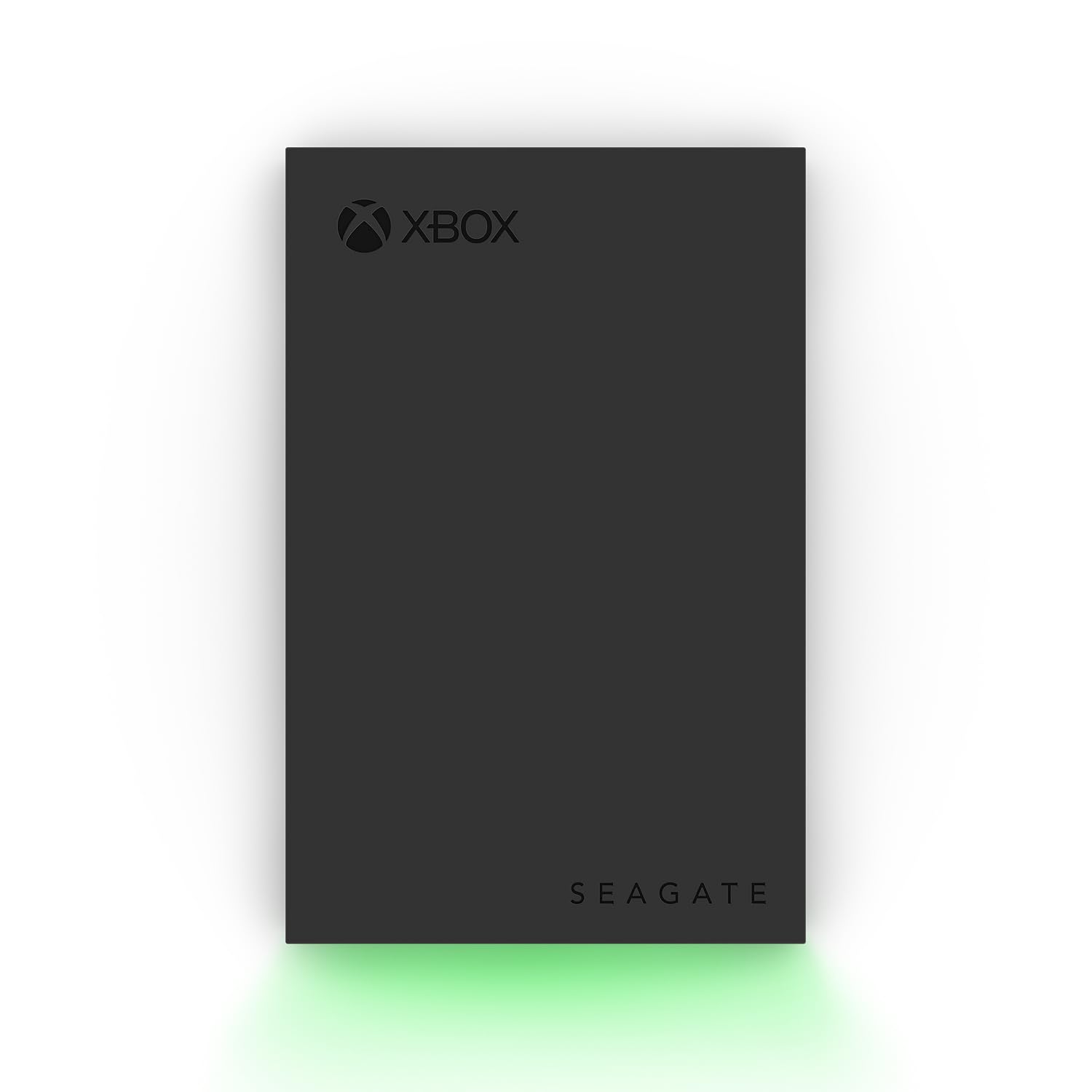
The Seagate Game Drive for Xbox is certified for Xbox Series X|S and Xbox One, which means it is pre-formatted in the correct file system and recognized immediately upon connection. The built-in green LED bar adds a subtle gamer aesthetic that lights up your setup without being distracting. With 2TB of capacity, you can store roughly 40 to 50 games, depending on title size, and move them between internal and external storage seamlessly. The USB 3.2 Gen 1 interface provides transfer speeds up to 600 MB/s in burst mode, though sustained rates are more typical for a 5,400 RPM HDD.
Critically, this drive cannot play Xbox Series X|S optimized games directly—those require the internal SSD or the expansion card. It does serve as an excellent cold storage vault for Series X|S games you aren’t actively playing and can run all Xbox One, Xbox 360, and original Xbox titles directly from the drive. For PlayStation users, the drive works with PS4 games on PS5 but is not compatible with PS5-native titles. Setup is genuinely plug-and-play: connect the included cable, and the console prompts you to format and name the drive within seconds.
A few users reported a minor boot recognition issue where the drive isn’t detected after a console restart. Unplugging and reconnecting resolved it every time. The 3-year Rescue Data Recovery Services add value, especially for digital game libraries that can be time-consuming to re-download. If you need a console-centric drive with a clean look and reliable performance, the Seagate Game Drive is the purpose-built mid-range option.
Why it’s great
- Xbox certified for instant plug-and-play setup
- Stylish green LED bar complements gaming rigs
- Includes 3-year Rescue Data Recovery Services
Good to know
- Cannot play Xbox Series X|S optimized games directly
- Short micro-USB 3.0 cable limits placement
- Occasional boot detection issue requires re-plug
5. Toshiba Canvio Basics 2TB Portable External Hard Drive

The Toshiba Canvio Basics is the quietest 2TB portable drive we’ve tested in this range. The aluminum and glass enclosure not only dissipates heat effectively but also dampens the vibration and acoustic noise that plagues cheaper plastic drives. Users consistently describe it as silent in normal operation, with only a faint hum during heavy writes. It connects via USB 3.0 and is bus-powered, requiring no external adapter. On Windows, it is recognized instantly with no software to install, making it a truly frictionless experience for PC users.
There are two important nuances to be aware of. First, like many portable drives in this tier, it uses 5,400 RPM platters with SMR technology. This means sustained write performance drops after the cache fills, so it is not ideal for continuous heavy workloads like video editing from the drive. Second, it is not pre-formatted for Mac out of the box, requiring manual reformatting to APFS or ExFAT. However, once configured, users report it mounts, erases, and partitions noticeably faster than comparable Seagate drives on macOS, which is a welcome quirk for the price.
The build quality feels more premium than the plastic-shell competition. The matte finish resists smudges, and the compact card-like size slips into a laptop pocket with room to spare. There is no hardware encryption included, and the plastic clip on the USB port is basic, but for pure silent storage that won’t rattle on a desk, the Toshiba Canvio Basics is a standout mid-range option.
Why it’s great
- Virtually silent operation with aluminum chassis
- Compact, smudge-resistant design
- Faster mounting and partitioning than competitors on Mac
Good to know
- Uses SMR technology with cache-limited sustained writes
- No hardware encryption or backup software included
- Requires reformatting for Mac compatibility
6. Avolusion 2TB USB 3.0 External Gaming Hard Drive

The Avolusion 2TB drive is pre-formatted for PlayStation 4 (Original, Slim, and Pro), which eliminates the need for time-consuming console setup. Plug it into a USB port, and the PS4 detects it as extended storage within seconds. The ultra-slim design is noticeable—it’s thinner than most portable drives, making it easy to leave plugged into the console without adding bulk. The 2TB capacity holds roughly 40-50 PS4 titles, depending on file sizes, and works equally well for PS5 owners who need extra space for their PS4 game library.
Performance is adequate for console use. USB 3.0 delivers data transfer speeds suitable for game loading times, though it will not match the internal SSDs of PS5 or Xbox Series X|S. A few users reported the drive runs slightly warm in continuous use and that the cooling fan in some consoles can create audible vibration noise when the drive is mounted nearby. The drive also functions as standard storage for PC and Mac, offering versatile use beyond the console.
The reliability track record is mixed—while most customers report months of trouble-free gaming, a small number experienced drive failure after several months, with the unit becoming unreadable. This variance is not unusual for budget-tier HDDs. The included 2-year warranty provides some recourse. For console gamers on a tight budget who need a quick, simple storage expansion, the Avolusion is the entry-level solution, but it’s not a buy-it-for-life product.
Why it’s great
- Pre-formatted for PS4 with instant plug-and-play setup
- Ultra-slim profile fits neatly next to a console
- Functions as standard PC/Mac storage when needed
Good to know
- Mixed long-term reliability with some early failures reported
- Runs slightly warm during extended gaming sessions
- Transfer speed is slower than premium gaming drives
7. iDiskk MFi Certified 2TB External Hard Drive for iPhone/iPad

The iDiskk drive is a unique hybrid that fills a specific gap: offloading photos and videos from an iPhone or iPad without relying on cloud syncing. It is MFi certified, meaning it directly connects to an Apple Lightning (or USB-C) port and uses a companion app for one-tap backup of your camera roll. The built-in 5,000mAh battery means the drive can operate without draining your phone’s battery during a large backup session—a critical feature that most portable drives lack. This makes it genuinely useful for travelers, photographers, or anyone whose phone storage is perpetually full.
The setup process requires downloading the iDiskk Player app and, according to several users, the included instructions are not always clear. The most reliable guide comes from the Amazon product listing’s Q&A section or from the company’s PDF manual. Once configured, the backup process is fast and reliable—users report transferring over 1TB of photos and videos with zero failure rate on an iPhone 16 Pro Max. The drive also works with Android devices, PCs, and Macs, though its primary value proposition is iOS backup.
The trade-offs are size and speed. The iDiskk is thicker than standard portable drives because of the internal battery. The data transfer rate tops out at around 140 Mbps, which is slower than a direct-photo transfer to a PC over USB 3.0. Also, its proprietary form factor makes it less practical for general-purpose storage. For users who simply need a portable hard drive for laptop backups, the iDiskk is overcomplicated and overpriced. But if your pain point is reclaiming phone storage without monthly iCloud fees, it is the most purpose-built solution on the list.
Why it’s great
- MFi certified for direct iPhone/iPad connection
- Built-in 5000mAh battery for backup without draining the phone
- One-tap auto-backup of camera roll via companion app
Good to know
- Thicker and heavier than standard portable drives
- Setup instructions can be confusing
- Slower transfer speed than equivalent USB 3.0 HDDs
FAQ
Can I use a 2TB external hard drive for gaming on PS5 or Xbox Series X?
How do I format a 2TB external hard drive for my Mac?
Final Thoughts: The Verdict
For most users, the best 2tb external hard drive winner is the WD 2TB Elements because it combines consistent CMR-based performance, a compact form factor, and legendary reliability at a fair mid-range cost. If you need a rugged drive that survives drops and splashes, grab the ADATA HD710 Pro. And for gaming console owners who want plug-and-play expansion without formatting hassles, nothing beats the Seagate Game Drive for Xbox.

Mo Maruf
I created WellFizz to bridge the gap between vague wellness advice and actionable solutions. My mission is simple: to decode the research and give you practical tools you can actually use.
Beyond the data, I am a passionate traveler. I believe that stepping away from the screen to explore new environments is essential for mental clarity and physical vitality.