Our readers keep the lights on and my smoothie glass nicely filled. As an Amazon Associate, I earn from qualifying purchases.
A dim, flickering screen with washed-out colors will drain your focus and strain your eyes long before your workday ends. Choosing the right display for a home office means balancing picture quality, ergonomic comfort, and connectivity without spending more than necessary.
I’m Mohammad Maruf — the founder and writer behind WellFizz. I’ve spent years analyzing panel technologies, refresh rate impacts, and color accuracy metrics to help remote workers find displays that deliver professional-grade performance at sensible prices.
After comparing dozens of models, I’ve sorted through the specs to bring you a clear, practical guide to the best budget monitor for working from home.
How To Choose The Best Budget Monitor For Working From Home
A budget-friendly monitor isn’t just about a low sticker price. It must deliver consistent performance, comfortable viewing, and the right ports to keep your workflow smooth. Here’s what to look for.
Panel Type: IPS vs VA vs LED
IPS panels offer superior color consistency and wide viewing angles, making them ideal for collaborative work or any task where screen positioning shifts. VA panels provide higher contrast ratios for deeper blacks, which can be beneficial for media consumption. Basic LED-backlit TN panels often sacrifice viewing angles for faster response times. For a home office, an IPS panel generally offers the best all-around experience.
Refresh Rate and Adaptive Sync
While 60Hz is the baseline, a 100Hz refresh rate makes scrolling through documents and web pages noticeably smoother, reducing visual fatigue. Adaptive Sync technologies like AMD FreeSync help eliminate screen tearing during video calls or casual gaming, providing a more stable visual experience.
Ergonomics and Connectivity
A stand that offers tilt, swivel, pivot, and height adjustment allows you to align the screen with your natural line of sight, reducing neck and back strain. Connectivity should include at least one HDMI port, a DisplayPort for cleaner digital signals, and ideally a USB-C port for modern laptops and power delivery. VESA mount compatibility adds future flexibility for monitor arms.
Quick Comparison
On smaller screens, swipe sideways to see the full table.
| Model | Category | Best For | Key Spec | Amazon |
|---|---|---|---|---|
| Dell 27 Monitor – SE2725HM | Mid-Range | All-Day Comfort & Blue Light Reduction | 100Hz, TÜV Rheinland 3-Star | Amazon |
| LG 27US500-W Ultrafine | Premium | 4K Detail & Vibrant Color | 4K UHD, DCI-P3 90% | Amazon |
| ASUS ProArt PA247CV | Premium | Color-Accurate Design & Editing | 100% sRGB, USB-C 65W PD | Amazon |
| Dell 27 Plus 4K S2725QS | Premium | High-Resolution Productivity | 4K 120Hz, 1500:1 Contrast | Amazon |
| HP Series 3 327se | Mid-Range | Built-In Speakers & Eco Build | IPS, Built-In Speakers | Amazon |
| ViewSonic VS2725-2K | Mid-Range | 1440p Clarity on a Budget | 1440p, 100Hz, VA Panel | Amazon |
| Samsung 24″ Essential S3 | Mid-Range | Immersive Curved Setup | 1800R Curved, 100Hz | Amazon |
| ASUS VA27DQSB | Mid-Range | Full Ergonomic Adjustability | 75Hz, Full Tilt/Swivel/Pivot | Amazon |
| 2X Pack 24 Inch Monitor | Budget | Dual Monitor Setup on a Dime | 100Hz, Built-In Speakers | Amazon |
In‑Depth Reviews
1. Dell 27 Monitor – SE2725HM

The Dell SE2725HM hits the sweet spot for home office work with a 27-inch Full HD IPS panel that delivers crisp text and vibrant colors right out of the box. Its 100Hz refresh rate makes scrolling through long spreadsheets and documents feel fluid, while the built-in ComfortView Plus technology minimizes harmful blue light without washing out the image.
Setup is straightforward thanks to a small-footprint stand with a built-in cable holder that keeps your desk tidy. The anti-glare coating is effective in bright rooms, and TÜV Rheinland 3-Star certification adds peace of mind for all-day use. Connectivity includes HDMI and VGA, though you won’t find DisplayPort or USB-C here.
This monitor is a reliable choice for anyone upgrading from a basic 60Hz display. The tilt adjustment is sufficient for most desks, and VESA mount compatibility allows for future arm upgrades. It’s a well-rounded performer that balances price, features, and visual comfort.
Why it’s great
- 100Hz refresh delivers smoother scrolling than standard 60Hz panels.
- ComfortView Plus reduces eye strain with always-on blue light filtering.
- Small footprint and cable management keep the workspace clean.
Good to know
- Lacks DisplayPort and USB-C connectivity options.
- No built-in speakers for audio output.
2. LG 27US500-W Ultrafine Monitor

Bringing true 4K UHD resolution to the home office, the LG 27US500-W offers an IPS panel with DCI-P3 90% color gamut coverage, making it a fantastic choice for photo editors and multitaskers. Text is razor-sharp at 3840×2160, allowing you to tile multiple windows without losing detail.
The white borderless design is sleek and modern, while the HDR10 support provides improved contrast when viewing compatible content. Connectivity includes HDMI and DisplayPort, but you’ll need an adapter for USB-C laptops. The stand only offers tilt adjustment, though VESA compatibility solves this for arm users.
While it lacks built-in speakers and a fully adjustable stand, the picture quality at this price tier is exceptional. The Reader Mode reduces blue light for late-night work sessions, and the Flicker Safe technology helps prevent eye fatigue over long hours.
Why it’s great
- 4K UHD resolution provides exceptional clarity for detailed work.
- DCI-P3 90% color gamut delivers rich, accurate colors.
- Borderless design looks clean and modern on any desk.
Good to know
- Stand is tilt-only with no height or swivel adjustment.
- No built-in speakers included.
3. ASUS ProArt Display PA247CV

The ASUS ProArt PA247CV is built for professionals who demand color accuracy without the high price tag. It covers 100% sRGB and 100% Rec. 709, with factory calibration achieving a Delta E of less than 2. This makes it an excellent companion for photo retouching, graphic design, and video editing from a home office.
The standout feature is USB-C connectivity with 65W Power Delivery, allowing you to power and display from a single cable connected to a modern laptop. The 24-inch Full HD IPS panel may feel small next to 27-inch alternatives, but the color fidelity and ergonomic stand (tilt, swivel, pivot, height) make it a serious tool.
Included cables cover HDMI, DisplayPort, and USB-C, while the USB 3.1 hub adds convenience for peripherals. The anti-glare screen is effective, and the five-year warranty with registration demonstrates ASUS’s confidence. For color-critical work, this is a standout value.
Why it’s great
- Factory-calibrated Delta E < 2 ensures accurate color out of the box.
- USB-C with 65W Power Delivery simplifies laptop connection.
- Full ergonomic stand offers height, tilt, swivel, and pivot.
Good to know
- 24-inch screen may feel small for users accustomed to 27-inch displays.
- No calibration software is included for custom profiling.
4. Dell 27 Plus 4K Monitor – S2725QS

The Dell S2725QS combines a 27-inch 4K IPS panel with a 120Hz refresh rate and AMD FreeSync Premium, making it a rare high-performance contender in the affordable segment. Text is exceptionally crisp at 3840×2160, and the 1500:1 contrast ratio adds depth to images without the black crush common in lower-end screens.
ComfortView Plus reduces blue light emission to 35% or less, which is a major advantage for those spending 10+ hours at the screen. The built-in speakers have been redesigned for fuller sound, and the stand offers full ergonomic adjustment including height, swivel, and pivot. The ash white finish with ultra-thin bezels looks premium on any desk.
Connectivity covers HDMI and DisplayPort, though a USB-C port would have made it even more versatile. The matte coating is effective but shows a slight grain on solid colors. For the price, this monitor delivers a fluid, high-resolution experience that rivals far more expensive models.
Why it’s great
- 4K resolution with 120Hz offers unmatched clarity and smoothness for productivity.
- ComfortView Plus reduces blue light while preserving color accuracy.
- Full ergonomic stand and improved built-in speakers enhance daily use.
Good to know
- Lacks USB-C connectivity for single-cable laptop setups.
- Matte coating can exhibit a slight grain on uniform backgrounds.
5. HP Series 3 27 inch FHD Monitor – 327se

HP’s Series 3 327se brings a thoughtful package to the home office with a 27-inch IPS panel, 100Hz refresh rate, and an enhanced 1300:1 contrast ratio that delivers deeper blacks than typical 1000:1 panels. The built-in dual 2W speakers are adequate for video calls and background music, saving desk space from external speakers.
The design is environmentally conscious with at least 90% post-consumer recycled plastics in the enclosure. HP Eye Ease with Eyesafe certification provides always-on low-blue light filtering that doesn’t distort color. The micro-edge bezel makes multi-monitor setups nearly seamless.
Connectivity includes VGA, HDMI 1.4, and DisplayPort 1.2, covering most modern and legacy devices. The stand only offers tilt adjustment, which may be limiting for some users, but VESA mount compatibility opens up arm options. For a green-minded buyer who wants integrated audio, this is a strong candidate.
Why it’s great
- 1300:1 contrast ratio provides excellent depth for an IPS panel.
- Built-in dual speakers are convenient for calls and casual listening.
- Eco-friendly construction with high recycled content.
Good to know
- Stand offers tilt only, no height or swivel adjustment.
- Speakers are best for voice, not music or immersive sound.
6. ViewSonic VS2725-2K 27 Inch 1440p Monitor
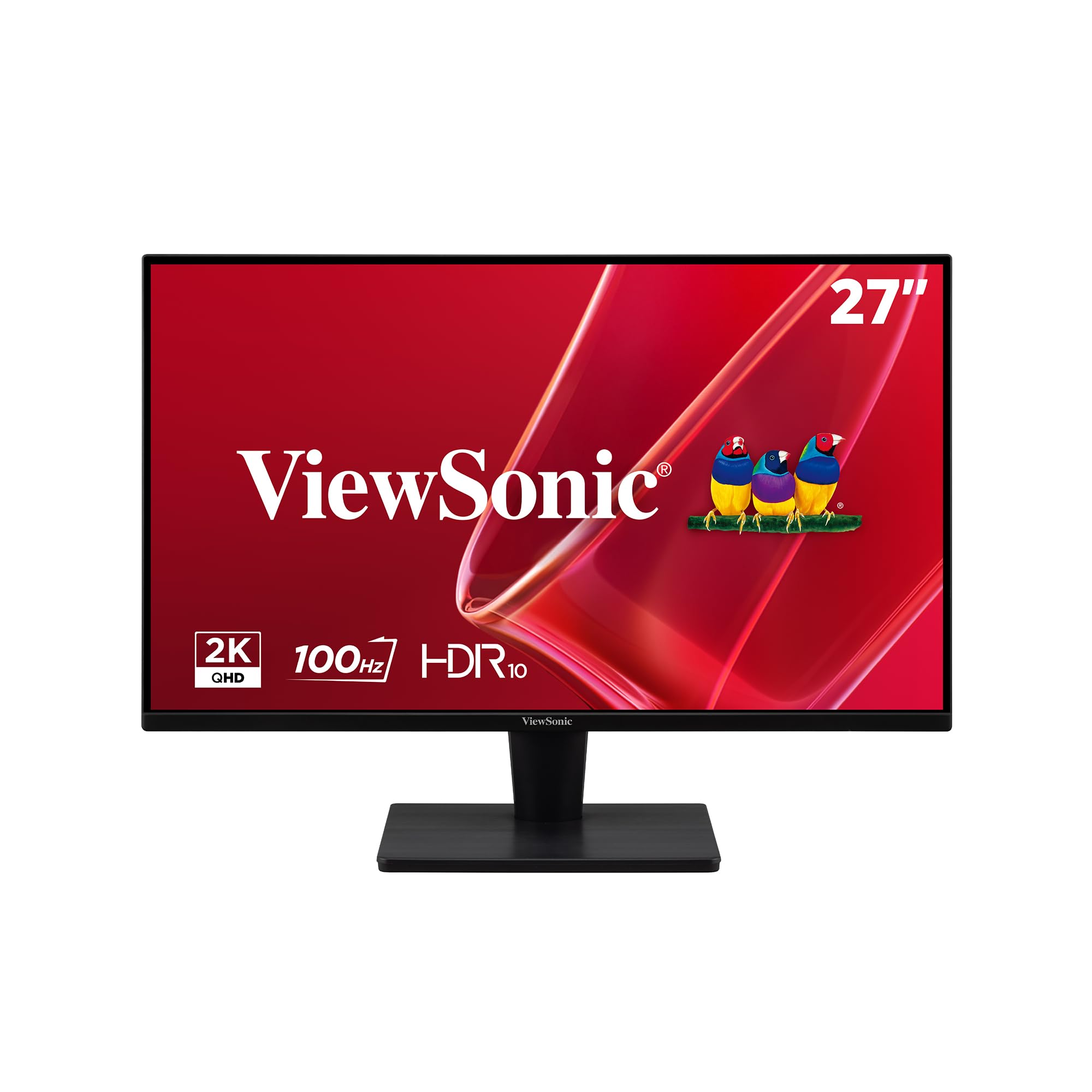
ViewSonic offers a compelling mid-range option with the VS2725-2K, featuring a 27-inch 1440p VA panel that delivers a 4000:1 contrast ratio. This means deeper blacks and more punchy visuals than typical IPS screens, making it a strong choice for anyone who values contrast over wide viewing angles.
The 100Hz refresh rate with Variable Refresh Rate support keeps motion smooth, while Flicker-Free and Blue Light Filter technologies reduce eye strain during long sessions. The frameless design looks clean, and connectivity includes both HDMI and DisplayPort inputs.
One trade-off is the stand, which lacks full ergonomic adjustment; the joystick control on the back can also be fiddly in multi-monitor setups. The VA panel’s slight off-axis brightness shift may be noticeable to some, but for straight-on viewing, the image quality is excellent at this price.
Why it’s great
- 4000:1 contrast ratio provides deep blacks and high dynamic range.
- 1440p resolution offers more screen real estate than 1080p.
- 100Hz refresh with VRR delivers smooth motion for work and light gaming.
Good to know
- Stand lacks height adjustment and full ergonomic flexibility.
- Rear joystick control is difficult to reach in dual-screen setups.
7. Samsung 24″ Essential S3 (S36GD) Curved Monitor
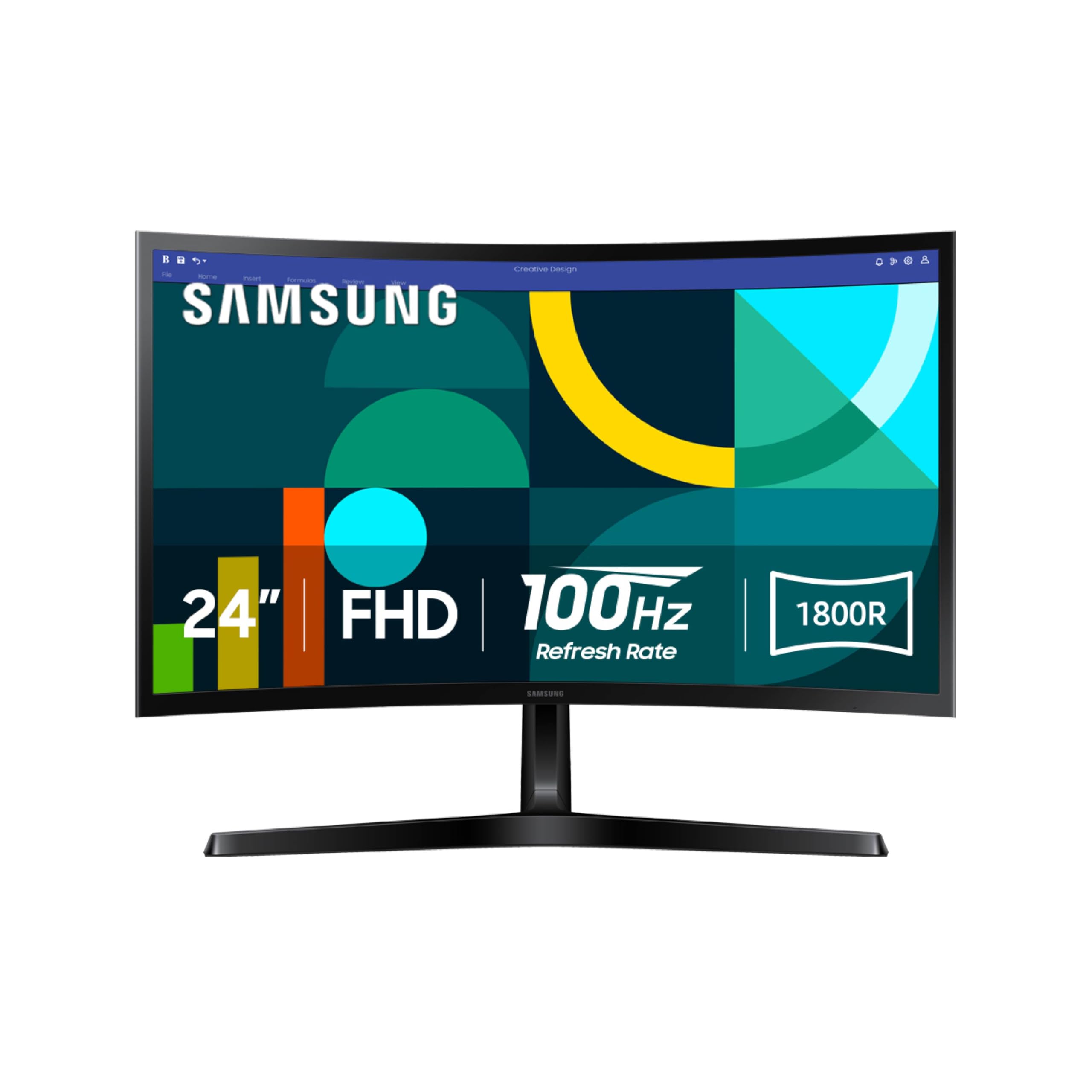
Samsung brings curve immersion to the budget segment with the 24-inch S36GD, featuring an 1800R curvature that wraps comfortably around your field of view. This design helps reduce peripheral distractions and can make focusing on tasks feel more natural, especially in a dedicated home office space.
The VA panel delivers a 3000:1 contrast ratio for vivid colors and deep blacks, while the 100Hz refresh rate and FreeSync support ensure smooth scrolling and tear-free video. Advanced Eye Comfort technology, certified by TÜV, minimizes blue light and flicker for extended sessions.
Connectivity includes HDMI and D-sub ports, which cover most modern and older devices. The stand is not adjustable, limiting ergonomic customization, but the curved design itself can enhance perceived depth. For users seeking a more engaging single-monitor setup, this is a unique value.
Why it’s great
- 1800R curvature reduces peripheral distraction and enhances immersion.
- 3000:1 contrast ratio delivers vivid, punchy visuals.
- 100Hz and FreeSync provide smooth performance for work and play.
Good to know
- Stand is non-adjustable, lacking tilt, swivel, and height options.
- Limited to HDMI and D-sub connectivity; no DisplayPort.
8. ASUS VA27DQSB 27” Monitor

The ASUS VA27DQSB is designed for users who prioritize ergonomic flexibility above all else. Its stand offers full tilt, swivel, pivot, and height adjustment, allowing you to position the 27-inch IPS panel exactly where your neck and eyes want it. This can dramatically reduce fatigue during long work sessions.
The 75Hz refresh rate with Adaptive-Sync is a modest but noticeable upgrade over basic 60Hz screens, and the 178-degree viewing angles ensure color consistency from any position. Connectivity is extensive with HDMI, DisplayPort, D-sub, and a built-in USB hub for easy peripheral access.
ASUS Eye Care technology, certified by TÜV Rheinland, includes Flicker-Free and Low Blue Light modes, plus a Rest Reminder feature to prompt breaks. The VESA mount compatibility allows for monitor arm attachment. For those who adjust their screen often, this is the most versatile stand in the budget category.
Why it’s great
- Fully adjustable stand with tilt, swivel, pivot, and height control.
- Built-in USB hub adds convenient connectivity for peripherals.
- Extensive port selection includes HDMI, DP, D-sub, and VGA.
Good to know
- 75Hz refresh is a modest upgrade, not a dramatic jump.
- Built-in speakers are weak; better to use external audio.
9. 2X Pack – 24 Inch Monitor FHD 100Hz

This two-pack bundle is a practical solution for anyone building a dual-monitor home office on a tight budget. Each 24-inch FHD panel runs at 100Hz and covers 99% sRGB, providing a consistent visual experience across both screens. The built-in speakers save desk space and eliminate the need for separate audio devices.
Connectivity options include dual HDMI ports and VGA, making it easy to hook up multiple devices. The monitors feature VESA mount compatibility and tilt adjustment, though the stands are basic. The 1ms blur reduction and FreeSync support add value for light gaming outside work hours.
The main trade-off is the generic brand, which may not match the consistency and warranty support of established names like Dell or ASUS. However, for the price of a single mid-range monitor, you get two functional displays that can significantly boost multitasking productivity right away.
Why it’s great
- Two monitors for the price of one, perfect for dual-screen setups.
- 100Hz refresh and 99% sRGB ensure good image quality.
- Built-in speakers and dual HDMI ports add convenience.
Good to know
- Generic brand may have limited support and consistency.
- Stands are basic with only tilt adjustment.
FAQ
Is a 100Hz monitor worth it for office work?
What is the ideal monitor size for a home office desk?
Do I need a 4K monitor for working from home?
Final Thoughts: The Verdict
For most users, the budget monitor for working from home winner is the Dell 27 Monitor SE2725HM because it combines a smooth 100Hz refresh, effective blue light reduction, and reliable build quality at a sensible price. If you want uncompromised 4K clarity for design work, grab the LG 27US500-W Ultrafine. And for the most ergonomic flexibility to prevent neck strain, nothing beats the ASUS VA27DQSB.

Mo Maruf
I created WellFizz to bridge the gap between vague wellness advice and actionable solutions. My mission is simple: to decode the research and give you practical tools you can actually use.
Beyond the data, I am a passionate traveler. I believe that stepping away from the screen to explore new environments is essential for mental clarity and physical vitality.