Our readers keep the lights on and my smoothie glass nicely filled. As an Amazon Associate, I earn from qualifying purchases.
The jump from a standard 27-inch or 32-inch panel to a 43-inch 4K monitor is a shift in how you manage your entire desktop. You are not just buying extra diagonal inches; you are buying the ability to tile four full-HD windows side-by-side without bezels, turning your workflow into a command center. But this category demands decisions that smaller screens don’t—like whether you need the full speed of a gaming-focused high refresh rate or the color-critical accuracy of a professional IPS panel.
I’m Mohammad Maruf — the founder and writer behind WellFizz. I’ve spent years analyzing the hardware specifications and real-world use cases that separate a genuinely useful 43-inch monitor from one that overwhelms your desk without adding practical value.
This guide breaks down the top contenders for the 43 inch monitor market, evaluating each on pixel density, connectivity depth, ergonomic support, and whether its panel technology matches your primary use case—from productivity stacking to competitive gaming.
How To Choose The Best 43 Inch Monitor
A 43-inch 4K monitor occupies a unique space: it is large enough to replace a multi-monitor array yet compact enough for a single deep desk. Choosing wisely requires matching panel type, refresh rate, and connectivity to your daily software demands.
Panel Technology: IPS vs VA vs OLED
IPS panels (common on professional Dell Ultrasharp models) offer wide viewing angles and stable color reproduction, critical for design work and spreadsheets viewed from off-center positions. VA panels (found on the Samsung M7 and QET series) deliver superior contrast ratios—often 4000:1 to 5000:1—making blacks deeper and HDR content more convincing. OLED panels (like the LG 45GS95QE) provide infinite contrast and perfect blacks but come with higher burn-in risk for static taskbars and a significantly higher price per inch.
Refresh Rate and Response Time
Most 43-inch monitors top out at 60Hz, which is perfectly adequate for office work, coding, and media consumption. If your primary driver is competitive gaming, look for 120Hz or 165Hz panels—models like the LG 37G800A and Samsung Odyssey G7 push 165Hz with 1ms response times. Be aware that driving 4K at high frame rates demands a powerful GPU, so your graphics card may be the real bottleneck.
Connectivity and Built-in KVM
The best 43-inch monitors function as a central hub. USB-C with power delivery (65W or higher) lets you connect a laptop with a single cable for video, data, and charging. A built-in KVM switch, like the one on the Dell U4323QE, lets you control two or three different PCs from one keyboard and mouse—essential for hybrid setups where you bounce between a work laptop and a personal desktop.
Quick Comparison
On smaller screens, swipe sideways to see the full table.
| Model | Category | Best For | Key Spec | Amazon |
|---|---|---|---|---|
| LG 45GS95QE | OLED Gaming | Immersive high-refresh gaming | 240Hz / 0.03ms | Amazon |
| Dell U4323QE | Professional IPS | Multi-PC productivity hub | USB-C 90W PD / KVM | Amazon |
| LG 37G800A | High-Refresh Gaming | Fast-paced 4K gaming | 165Hz / 1ms | Amazon |
| Samsung M7 M70F | Smart Monitor | Monitor and TV hybrid | VA panel / 5000:1 contrast | Amazon |
| ViewSonic VX4381-4K | Value MVA | Multi-source viewing | 4x FHD PiP/PbP | Amazon |
| Samsung M7 M70D | Smart Monitor | All-in-one smart features | Gaming Hub / Solar Remote | Amazon |
| Samsung QET Series | Commercial Signage | Digital signage / retail | MagicInfo Lite Player | Amazon |
| Samsung Odyssey G7 | Curved Gaming | Immersive curved 4K gaming | 1000R curve / 165Hz | Amazon |
| Dell U4320Q | Professional IPS | Reliable office 4K workspace | IPS panel / 4x USB | Amazon |
| INNOCN 49C1S | Ultrawide Gaming | Ultrawide immersion (49-inch) | 240Hz / 32:9 ratio | Amazon |
| TouchWo 43” Touch | Touch Display | Interactive kiosk / table | 10-point capacitive touch | Amazon |
In‑Depth Reviews
1. Dell UltraSharp U4323QE
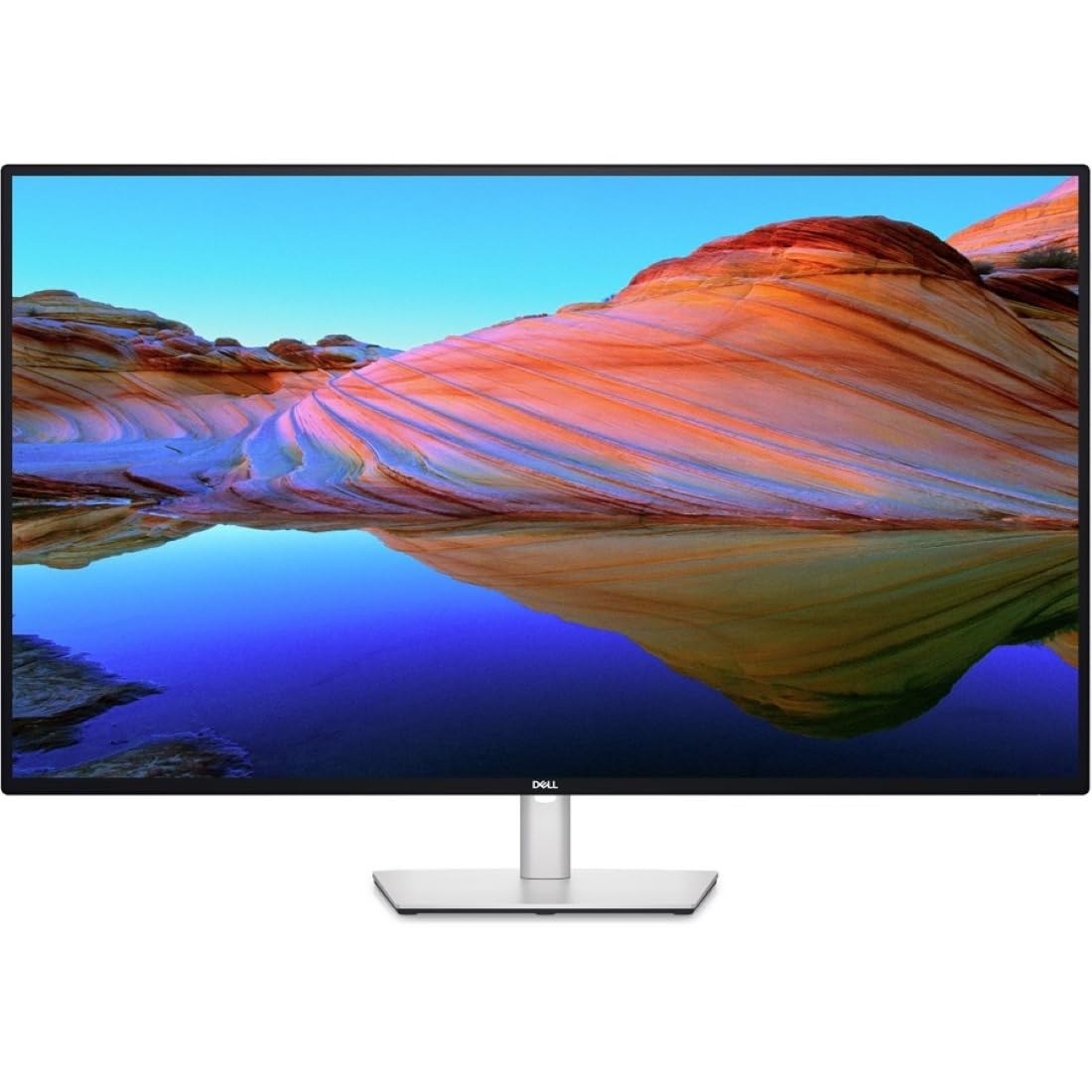
The Dell U4323QE is the definitive 43-inch productivity monitor. Its IPS panel delivers accurate, consistent colors from every viewing angle, and the 4K resolution at this size yields roughly 103 PPI—enough that text is crisp at 100% scaling but large enough to avoid squinting. The real differentiator is the built-in KVM with Auto KVM support, allowing you to seamlessly control up to four PCs using a single keyboard and mouse. The front-facing pop-out USB ports are a thoughtful touch for plugging in peripherals without reaching behind the panel.
Connectivity is among the best in class: a single USB-C upstream port delivers 90 watts of power delivery, so a MacBook Pro or a Dell XPS stays charged throughout the workday. The inclusion of a built-in Ethernet port and an integrated iMST feature lets you partition the screen into four distinct 1080p sections without third-party software. This makes the U4323QE a true hub for users juggling a work laptop, a personal desktop, and a test rig.
No monitor at this size is perfect. The 60Hz refresh rate is fine for office tasks but rules out competitive gaming. Some users report uneven corner backlight bleed, though this is within normal IPS tolerance. The built-in speakers are adequate for system sounds but lack the bass for serious media consumption. If your priority is a rock-solid, flexible workspace that minimizes cable clutter, this is the benchmark.
Why it’s great
- Single USB-C cable charges laptop and handles video/data
- Auto KVM switches seamlessly between multiple PCs
- iMST splits screen into four clean 1080p zones
Good to know
- 60Hz refresh rate limits gaming use
- IPS glow may be visible in dark rooms
- KVM can occasionally require a manual reset via the OSD
2. LG 45GS95QE Ultragear OLED
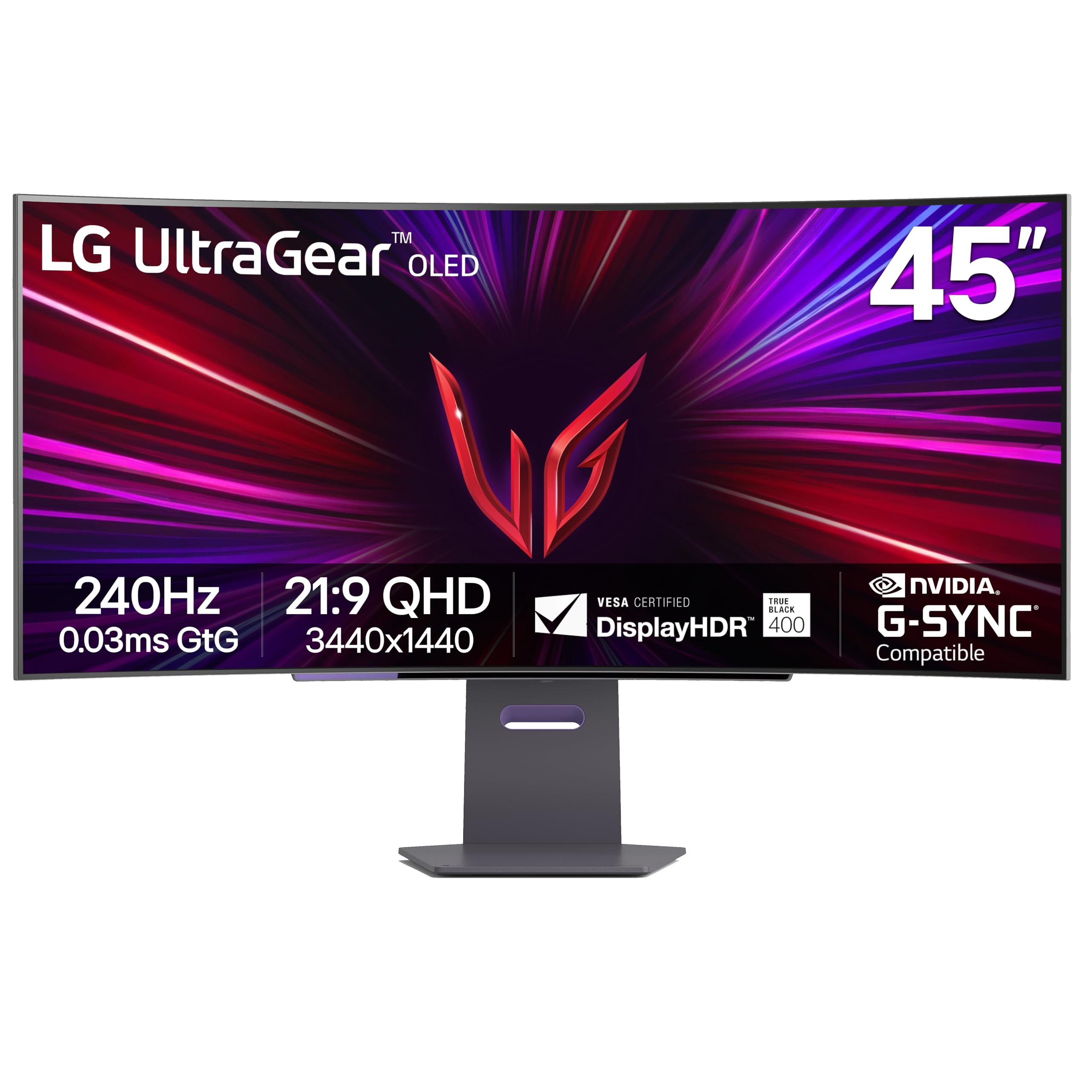
The LG 45GS95QE is a 45-inch OLED ultrawide with a 21:9 aspect ratio and an aggressive 800R curvature that wraps the image around your peripheral vision. It operates at 3440×1440 resolution rather than full 4K, which is a deliberate trade-off: the pixel density is lower than a 43-inch 16:9 panel, but the 240Hz refresh rate and 0.03ms response time make it one of the fastest gaming monitors at any size. The Micro Lens Array technology boosts typical brightness to 275 nits, and the OLED panel delivers perfect black levels with infinite contrast.
For story-driven single-player games and fast-paced shooters, the visual fluidity is transformative. The 21:9 format eliminates black bars in movies and is better supported in modern titles than the more extreme 32:9 ratio. The anti-glare coating with low reflection keeps the image clear even in a well-lit room, and the included HDMI 2.1 ports support full 240Hz bandwidth from next-gen consoles.
The concessions are real: text rendering is noticeably softer than a 4K IPS panel, making prolonged spreadsheet work less comfortable. The 800R curve is dramatic and requires a deep desk—at least 30 inches of viewing distance. Burn-in is a long-term risk with static UI elements, though LG’s pixel cleaning routine mitigates it. This monitor is a specialist tool for immersive gaming, not a universal productivity panel.
Why it’s great
- Infinite OLED contrast and perfect blacks for HDR gaming
- 240Hz with 0.03ms response for virtually no motion blur
- Aggressive 800R curve enhances peripheral immersion
Good to know
- 3440×1440 resolution means lower PPI than 4K panels
- Text clarity is subpar for document-heavy work
- OLED burn-in risk with static desktop elements over years
3. LG 37G800A Ultragear 4K
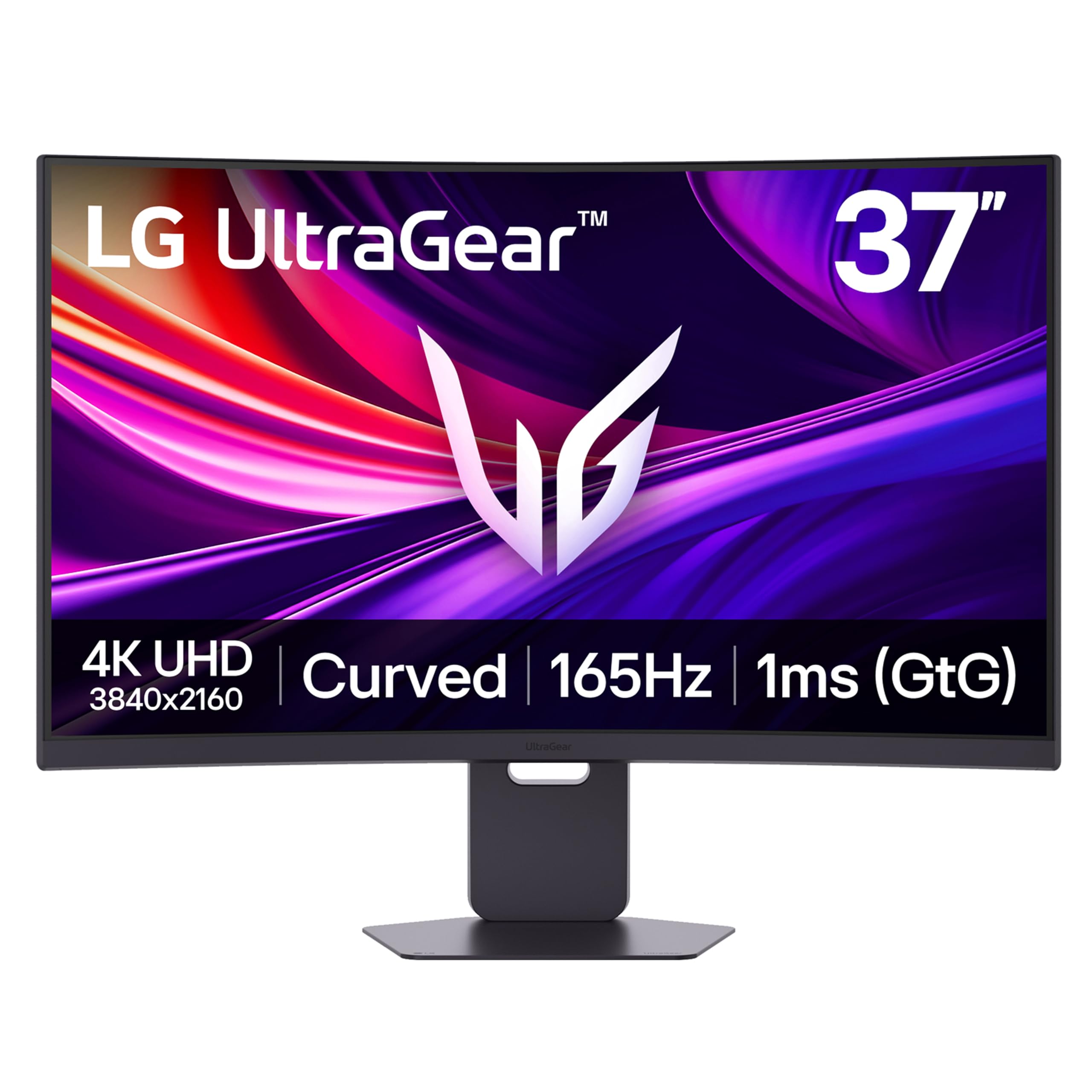
The LG 37G800A hits a rare sweet spot: true 4K resolution at 37 inches with a 165Hz refresh rate and a 1ms GtG response time. It uses a VA panel with a 4000:1 native contrast ratio, delivering deep blacks that make HDR content pop, especially when paired with the VESA DisplayHDR 600 certification. The 37-inch diagonal is a smart compromise—it offers more desktop real estate than a 32-inch but doesn’t require the same desk depth as a 43-inch, and the curved screen helps maintain consistent viewing angles.
Connectivity is future-proofed with dual HDMI 2.1 ports, DisplayPort 1.4, and a USB-C port with 65W power delivery. This makes it a strong match for both a high-end gaming PC and a PS5 or Xbox Series X, which can run at 4K/120Hz over HDMI 2.1. The ergonomic stand offers height, tilt, and swivel adjustments, a rarity among larger gaming monitors. The 95% DCI-P3 color coverage is also strong enough for light creative work.
The main downside is the VA panel’s viewing angle: colors and contrast shift if you sit off-axis, so it’s best used in a direct-facing setup. Some users report that the on-screen joystick menu at the rear is awkward to navigate when the monitor is mounted on an arm. The built-in speakers are thin and better replaced with external audio. Given the premium refresh rate and color performance, it is a top-tier choice for gamers who also need a large productivity screen.
Why it’s great
- Rare combo of 4K resolution and 165Hz on a large VA panel
- Dual HDMI 2.1 ports support full-bandwidth console gaming
- USB-C with 65W charging simplifies laptop connection
Good to know
- VA panel viewing angles are narrow compared to IPS
- Rear joystick OSD is inconvenient during arm mounting
- Speakers are weak and best supplemented with a soundbar
4. Samsung 43” Smart Monitor M7 (M70F)

The Samsung M7 M70F is a 43-inch smart monitor that functions as a standalone entertainment device. It runs Samsung’s Tizen operating system, giving you direct access to streaming apps like Netflix, YouTube, and Disney+ without needing a connected PC. The 4K VA panel offers a 5000:1 contrast ratio, producing deep blacks that enhance movie watching in a dim room. The 2025 model adds Samsung Vision AI, which adapts picture settings to the content type automatically.
For productivity, the USB-C port supports video, data, and charging, while the ability to run Microsoft 365 apps directly on the monitor means you can handle light document editing without a computer. The built-in SolarCell Remote charges via ambient light and controls both the monitor and connected devices. The Active Voice Amplifier uses AI to boost dialogue clarity in noisy environments, a feature genuinely useful for office break rooms or open-plan living spaces.
The 60Hz refresh rate and 4ms response time make this unsuitable for competitive gaming, though the Samsung Gaming Hub does allow cloud gaming over Wi-Fi for casual play. The VA panel’s viewing angles mean color shifts when viewed from the side. Some users reported compatibility issues with certain PCs, where the monitor failed to wake from sleep reliably. It is best for users who want a large 4K display that doubles as a living-room TV.
Why it’s great
- Full smart TV platform built in, no external streaming device needed
- VA panel with 5000:1 contrast for excellent black levels
- Remote runs on solar power, eliminating battery waste
Good to know
- 60Hz refresh rate limits gaming and fast motion clarity
- No DisplayPort input narrows PC connectivity options
- VA panel viewing angles degrade color accuracy off-center
5. ViewSonic VX4381-4K
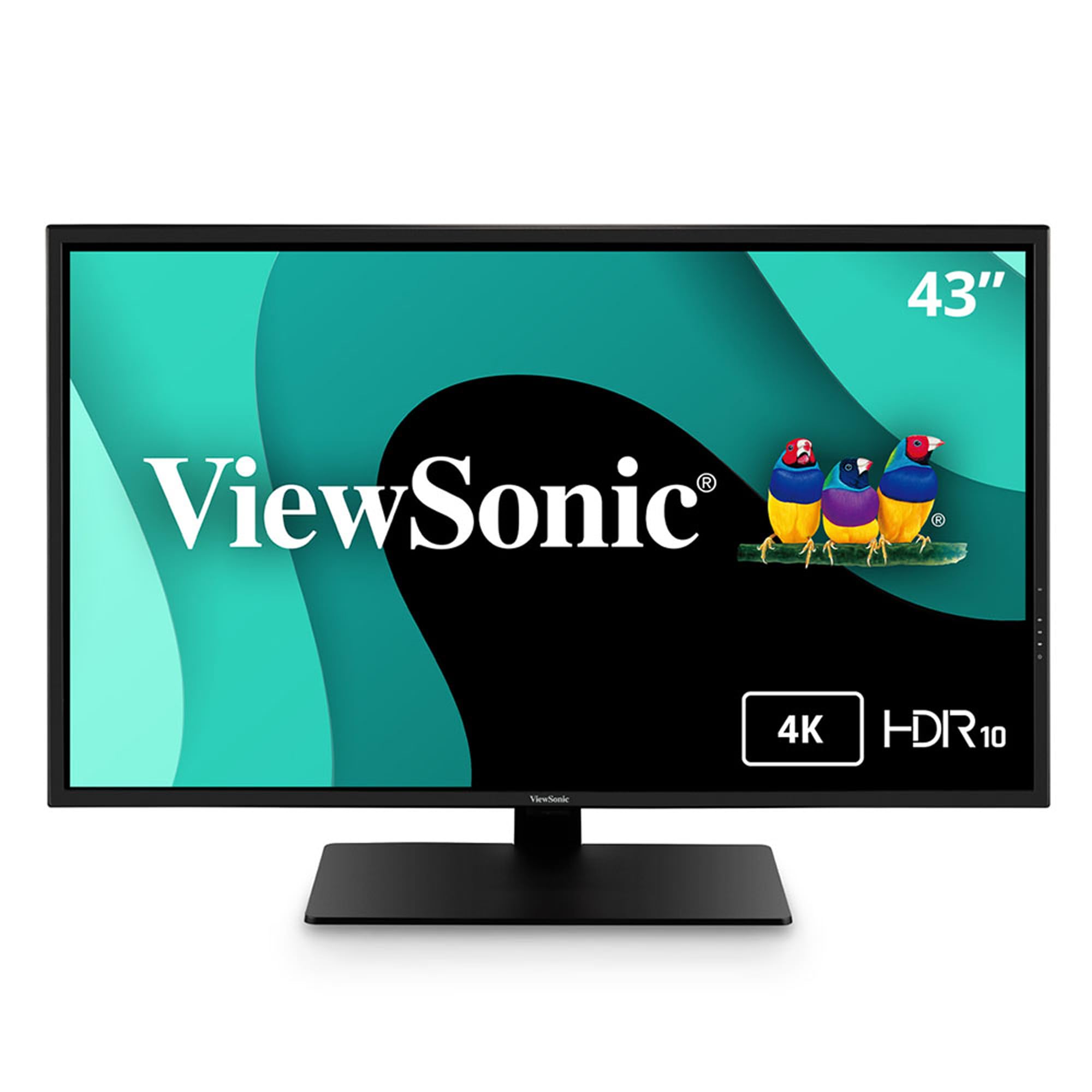
The ViewSonic VX4381-4K distinguishes itself with a robust multi-picture system that can display up to four 1080p sources simultaneously. This makes it a serious tool for security camera feeds, financial dashboards, or trading setups where real-time data from multiple computers needs to be visible on one screen. The 43-inch MVA panel reaches 450 nits of brightness, making it readable in well-lit environments, and the 4000:1 contrast ratio provides solid depth for video monitoring.
Connectivity is generous: two HDMI ports, a DisplayPort, a Mini DisplayPort, and multiple USB inputs give flexibility for hooking up several machines. The Flicker-Free technology and Blue Light Filter reduce eye fatigue during long monitoring sessions. The built-in speakers are functional for system alerts but not for music or dialogue. The bezel is thin enough that multiple units can be arrayed with minimal visual interruption for a video wall.
The MVA panel has narrow viewing angles and suffers from color shift when not viewed dead-center. Some users report a grainy or dithered appearance on solid colors, suggesting the panel may use a lower color depth with temporal dithering to simulate 10-bit. This makes it unsuitable for photo editing or color-critical work. The 60Hz refresh rate and slower pixel response also rule out fast-paced gaming. It is a niche product optimized for surveillance and multi-source data monitoring.
Why it’s great
- Four-source PiP/PbP displays multiple inputs simultaneously at 1080p
- High 450-nit brightness works well in ambient light
- Flicker-Free and Blue Light Filter reduce eye strain over long shifts
Good to know
- Color depth perception issues may affect display accuracy
- 60Hz and slow response time are poor for gaming
- Built-in speakers are tinny and inadequate for media
6. Samsung 43-Inch M7 (M70D) Smart Monitor

The Samsung M70D is the previous-generation version of the M70F, sharing the same 43-inch 4K VA panel and Tizen smart platform. It offers the same OTT streaming capability, Samsung Gaming Hub for cloud gaming, and the solar-powered remote control that eliminates disposable batteries. The core experience is identical: you get a full smart TV interface built into a monitor frame, with USB-C connectivity for a single-cable laptop setup.
Where this model stands out is its accessibility tools. The M70D includes Vision Accessibility features like screen magnification, color switching, and audio descriptions for TV settings, making it a thoughtful choice for low-vision users. The built-in Far-Field Voice Interaction lets you control streaming and smart home devices hands-free. The 4-port setup (USB-C, HDMI, USB-A) covers the basics without adapters.
The panel is identical to the M70F in brightness and contrast, so the same strengths and weaknesses apply: excellent black levels from the VA panel, but narrow viewing angles and a 60Hz cap. Some users reported plug-and-play incompatibility with Lenovo laptops, which required troubleshooting. The remote-only menu system can be frustrating when used purely as a PC monitor. It remains a strong value option for anyone wanting a dual-use display for work and entertainment.
Why it’s great
- Streaming apps and Gaming Hub integrated without a PC
- SolarCell Remote is environmentally friendly and convenient
- Accessibility features like magnification aid low-vision users
Good to know
- 60Hz refresh rate is not suitable for fast gaming
- Some laptops may have compatibility issues for detection
- TV-style remote interface can feel clunky for monitor use
7. Samsung 43” QET Series LFD Display

The Samsung QET Series is a commercial-grade digital signage display, not a consumer monitor. It is built to operate 16 hours a day, 7 days a week, with a full 3-year onsite warranty backing its reliability. The 43-inch 4K panel uses a VA matrix with a 4000:1 contrast ratio and an anti-glare screen, making it readable in brightly lit lobbies or retail environments. The integrated MagicInfo Lite player allows you to schedule and play content from a USB drive without an external media player.
The design is industrial and purposeful: a super-slim bezel minimizes distraction when mounted in a video wall, and the display can be controlled remotely via the MagicInfo server for updates across multiple locations. It includes Ethernet, HDMI, and USB 2.0 ports, though it lacks consumer niceties like USB-C or built-in speakers (it does have speakers, but they are utilitarian). The included stand is basic, with VESA mounting the intended primary configuration.
This is not a monitor for home office use. The 60Hz refresh rate, low 72% color gamut, and lack of ergonomic adjustments make it unsuitable for design work or gaming. The anti-glare coating helps visibility in bright spaces but reduces perceived contrast in dark rooms. Some buyers reported receiving units with screen defects, which Samsung’s commercial warranty handled, but the return process was less smooth than consumer retail.
Why it’s great
- Rated for 16/7 continuous operation with commercial warranty
- Integrated MagicInfo Lite player for standalone content scheduling
- Anti-glare panel works well in high-ambient-light environments
Good to know
- Low color gamut (72%) is not suitable for creative work
- Limited to 60Hz and lacks gaming features
- QC issues reported with screen defects on arrival
8. Samsung 37” Odyssey G7 (G75F)

The Samsung Odyssey G7 G75F is a 37-inch curved gaming monitor with a steep 1000R radius that matches the human field of view. This curvature makes the 4K display feel wrap-around and cinematic, particularly in first-person games where peripheral awareness matters. The VA panel delivers a 3000:1 contrast ratio with VESA DisplayHDR 600 certification, providing bright highlights and deep shadows without the blooming associated with edge-lit IPS panels.
With a 165Hz refresh rate and 1ms GtG response time, the G75F pairs well with mid-to-high-end GPUs that can push 4K frame rates. It supports AMD FreeSync Premium Pro and is G-Sync Compatible, eliminating screen tearing within the variable refresh rate window. The ergonomic stand offers height, tilt, and swivel adjustments, and the 37-inch size is more manageable on a standard desk than a full 43-inch flat panel. Software engineers have praised it as a single large display for coding with four virtual windows.
The aggressive curve is polarizing: it helps immersion for gaming but can distort straight lines in CAD or spreadsheet work. The 37-inch diagonal at 4K yields a pixel density that is sharp without requiring full 200% scaling, but it is not as dense as a 32-inch 4K panel. Some users report an occasional wake-from-sleep issue that requires a restart. If you want a curved gaming monitor that also functions as a productivity powerhouse, this is a strong contender.
Why it’s great
- 1000R curve creates strong immersive feel for gaming
- 165Hz with 1ms response and HDR 600 for smooth, vibrant visuals
- Good 4K PPI balance for both gaming and coding
Good to know
- Aggressive curve can distort lines in productivity apps
- Occasional sleep/wake connectivity issues reported
- Priced competitively but OLED alternatives exist at similar cost
9. Dell U4320Q UltraSharp

The Dell U4320Q is the predecessor to the U4323QE and remains a capable 43-inch 4K IPS monitor for professional use. It offers the same 16:9 aspect ratio and 3840×2160 resolution, with an IPS panel that provides wide viewing angles and consistent color reproduction. The 350-nit brightness is adequate for typical office lighting, and the Flicker-Free technology reduces eye fatigue during long work sessions. The stand is sturdy and provides tilt, swivel, and height adjustments.
Connectivity includes HDMI, DisplayPort, USB-C with power delivery, and multiple USB-A ports, allowing it to serve as a hub for several peripherals. The USB-C port can charge a connected laptop, though at a lower wattage than the later U4323QE. The Dell Display Manager software enables easy window partitioning, making it simple to snap applications into a 2×2 grid. The multi-source capability lets you view inputs from up to four computers simultaneously via PiP/PbP.
The U4320Q is locked to 60Hz, so it is not for gaming. The 1000:1 contrast ratio is typical of IPS panels, meaning blacks appear gray in a dark room. Some users noted that the BGR subpixel layout can cause text fringing on Windows without proper ClearType tuning. The speakers are basic but functional for conference calls. If you can find it at a discount, it is a solid entry point into a large-format IPS workstation.
Why it’s great
- IPS panel offers wide viewing angles and stable color
- Multi-source PiP/PbP supports up to four input devices
- Dell Display Manager simplifies window grid management
Good to know
- 60Hz refresh rate and slow response limit gaming use
- BGR pixel layout may cause minor text fringing on Windows
- IPS contrast ratio means blacks appear gray in dark rooms
10. INNOCN 49C1S 49-Inch Ultrawide
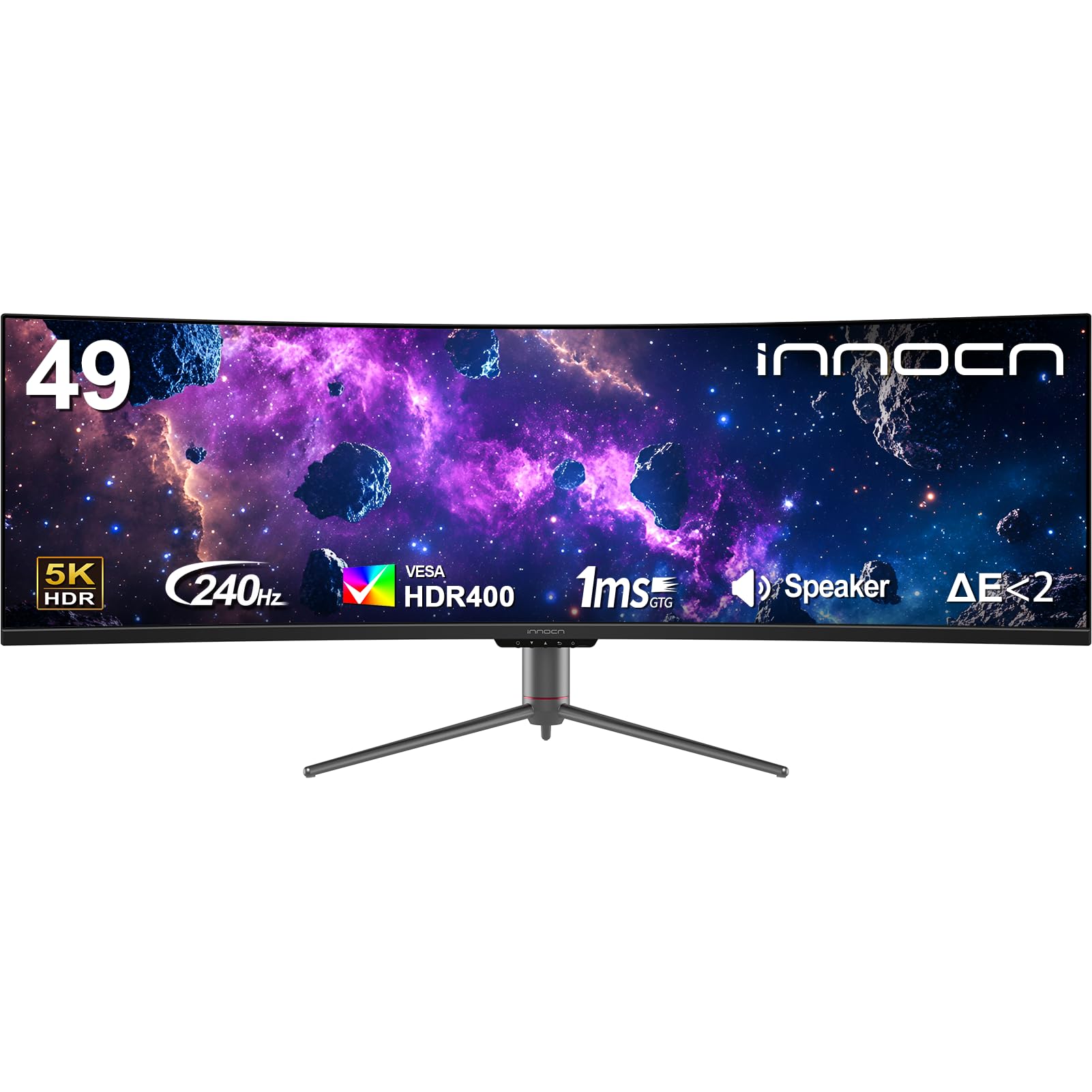
The INNOCN 49C1S is a 49-inch super-ultrawide monitor with a 32:9 aspect ratio, effectively replacing two 27-inch 1440p monitors side-by-side without a bezel gap. The 5120×1440 resolution offers the vertical height of a 1440p panel with double the horizontal space, making it ideal for timelines, trading charts, and software development. The 1800R curve is less aggressive than LG’s 800R but still wraps the image around your field of view for better peripheral engagement.
The 240Hz refresh rate and G-Sync compatibility make it a formidable gaming panel for supported titles. The VA panel offers a 3000:1 contrast ratio with HDR400 certification, providing decent black levels and highlights for gaming and video. Connectivity is comprehensive: two DisplayPort 1.4 ports, HDMI 2.1, USB-C with 65W power delivery, and a built-in KVM switch. The ability to switch between input sources while sharing one keyboard and mouse is a productivity multiplier.
The 5120×1440 resolution is less pixel-dense than a 43-inch 4K panel, so text is less sharp. The input switching interface requires multiple OSD clicks, and the KVM functionality is not as seamless as Dell’s Auto KVM. Some units have arrived with dead pixels or screen artifacts, though Amazon’s return policy covers replacements. The monitor also runs warm after extended use, and the built-in speakers are an afterthought.
Why it’s great
- 32:9 ultrawide eliminates monitor bezels for dual-screen workflows
- 240Hz with G-Sync delivers smooth gaming performance
- USB-C with 65W PD and KVM simplifies multi-device setups
Good to know
- 5120×1440 has lower PPI than 4K for text clarity
- Input switching interface is cumbersome and slow
- QC variability; some units may arrive with screen defects
11. TouchWo 43” Capacitive Touch Monitor

The TouchWo 43” is a specialized 1080p capacitive touch monitor designed for interactive kiosks, classroom whiteboards, and restaurant menu boards. The 10-point multi-touch capability lets multiple users interact simultaneously, and the IP65-rated front panel resists dust and water splashes, making it suitable for high-traffic environments. The aluminum alloy frame and VESA mount support both portrait and landscape orientations.
Compatibility is broad: it works plug-and-play with Windows, macOS, Android, Linux, and Raspberry Pi over a single USB cable for touch input, while video is handled by HDMI, VGA, or DVI. The 1080p resolution at 43 inches yields a low pixel density of roughly 51 PPI, so text and images appear pixelated and soft. This is acceptable for signage and basic point-of-sale applications but not for general desktop computing or detailed graphics.
Build quality is robust: the monitor has survived drops and high dust exposure in warehouse environments. However, one buyer reported that the monitor fried their laptop battery when connected, suggesting a potential power backfeed issue on certain USB ports. The 60Hz limit and basic panel quality make it unsuitable for gaming or media consumption. It is a niche product for commercial touch interaction, not a consumer monitor.
Why it’s great
- 10-point capacitive touch with glove support and high durability
- IP65 front panel resists dust and water in commercial settings
- Broad OS compatibility including Linux and Raspberry Pi
Good to know
- 1080p at 43 inches results in very low pixel density
- USB power delivery may pose a risk to some laptop batteries
- Not suitable for desktop productivity or gaming use
FAQ
Can a 43-inch 4K monitor replace two 27-inch monitors?
Is a 43-inch monitor too big for a standard 60-inch desk?
Final Thoughts: The Verdict
For most users, the 43 inch monitor winner is the Dell UltraSharp U4323QE because it combines a quality IPS panel, 90W USB-C charging, and a built-in KVM into a package that transforms a multi-PC workflow into a single-cable experience. If you want high-refresh gaming at 4K, grab the LG 37G800A. And for immersive ultrawide immersion, nothing beats the LG 45GS95QE.

Mo Maruf
I created WellFizz to bridge the gap between vague wellness advice and actionable solutions. My mission is simple: to decode the research and give you practical tools you can actually use.
Beyond the data, I am a passionate traveler. I believe that stepping away from the screen to explore new environments is essential for mental clarity and physical vitality.