Our readers keep the lights on and my smoothie glass nicely filled. As an Amazon Associate, I earn from qualifying purchases.
VTubing demands a camera that can deliver crisp, clean video at 1080p while keeping your face locked in focus through rapid movements and changing light. A standard webcam often blurs or clips highlights, breaking the immersion for your viewers.
I’m Mohammad Maruf — the founder and writer behind WellFizz. I’ve spent months analyzing sensor sizes, AI tracking systems, and frame rate capabilities to find cameras that actually perform under the specific demands of avatar-driven streaming.
This guide breaks down the top mirrorless and PTZ options for live streaming, helping you decide between a dedicated webcam, a gimbal camera, or an interchangeable lens system. Whether you prioritize AI pan-tilt-zoom tracking or razor-sharp lens quality, you’ll find the camera for vtubing that suits your setup.
How To Choose The Best Camera For VTubing
VTubing places unique demands on a camera: it must output a clean 1080p or 4K signal at a consistent frame rate, lock onto your face through rapid gesturing, and handle dim room lighting without introducing noise. Here are the three essential specs to evaluate.
Sensor Size and Low-Light Performance
A larger sensor, such as a 1-inch or APS-C format, captures significantly more light than the tiny sensors found in consumer webcams. This translates to smoother, less grainy video when you’re streaming from a bedroom or office with non-ideal lighting. For VTubing, a 1/1.28-inch or larger sensor is the baseline for a professional-looking feed.
Autofocus and AI Tracking
Static framing works for seated podcasters, but VTubers often lean, gesture, and move. AI-powered PTZ cameras physically pan and tilt to follow you, while mirrorless cameras use dual-pixel or phase-detection autofocus to keep your face sharp. Look for models with human face and eye detection to avoid the camera hunting for focus mid-stream.
Frame Rate and Output Resolution
Your avatar software, whether VSeeFace, VMagicMirror, or Warudo, consumes a video signal. A camera that outputs at 1080p60 delivers smoother motion for real-time animation than one capped at 30fps. 4K at 30fps is also viable if your capture card or USB bandwidth can handle it, but 1080p60 remains the sweet spot for latency-free tracking.
Quick Comparison
On smaller screens, swipe sideways to see the full table.
| Model | Category | Best For | Key Spec | Amazon |
|---|---|---|---|---|
| Sony Alpha 6700 | Mirrorless | Pro autofocus & sensor | 26MP APS-C / 4K120fps | Amazon |
| OBSBOT Tiny 3 | PTZ Webcam | Compact PTZ tracking | 1/1.28″ sensor / 1080p120 | Amazon |
| Insta360 Link 2 Pro | PTZ Webcam | Reliable AI tracking | 1/1.3″ sensor / 4K30 | Amazon |
| DJI Osmo Pocket 3 | Gimbal Camera | Ultra-portable stabilization | 1″ CMOS / 4K120fps | Amazon |
| Canon EOS R50 | Mirrorless | Beginner mirrorless | 24MP APS-C / 4K30 | Amazon |
| Sony ZV-E10 | Mirrorless | Vlogging & streaming | 24MP APS-C / 4K30 | Amazon |
| OM SYSTEM E-M10 IV | Mirrorless | Compact IL body | 20MP MFT / 4K30 | Amazon |
| OBSBOT Tail Air | PTZ Camera | Full PTZ plus NDI | 4K30 / AI Tracking | Amazon |
| Canon EOS R100 | Mirrorless | Entry-level budget | 24MP APS-C / 4K24 | Amazon |
In‑Depth Reviews
1. Sony Alpha 6700

The Sony Alpha 6700 sets the benchmark for VTubing with its dedicated AI processor and Real-time Recognition system. The 26MP Exmor R back-illuminated sensor paired with the BIONZ XR engine delivers oversampled 4K60p video from a 6K readout, producing exceptionally clean, detailed face tracking even in dim studio lighting. The 759 phase-detection autofocus points lock onto your eyes immediately and hold through fast head turns.
For VTubers who also create pre-recorded content, the 4K 120p recording mode allows for smooth slow-motion B-roll, while the 10-bit 4:2:2 color depth gives you room to grade in post. The compact magnesium alloy body and long battery life mean you can stream for hours without overheating or needing to swap lenses — the kit 16-50mm power zoom works fine at 16mm for a typical desktop setup.
The in-body stabilization is decent but not gimbal-level, though for a static desk stream it’s more than adequate. The menu system is deep and can take a few sessions to configure for video, but once set, the autofocus performance is best-in-class for this price tier. Overheating can occur after extended 4K60p recording in hot environments, so a small USB fan is a good precaution.
Why it’s great
- AI-based subject tracking locks onto eyes and face instantly.
- 6K oversampled 4K video delivers exceptional sharpness.
- 4K 120fps for slow-motion recording and future-proofing.
Good to know
- Menu system is complex and requires initial setup time.
- Overheating possible during extended 4K60p recording in warm rooms.
- No built-in flash for still photography.
2. OBSBOT Tiny 3

The OBSBOT Tiny 3 packs a large 1/1.28-inch CMOS sensor into a housing that’s 48% smaller than its predecessor, making it one of the most desk-friendly PTZ cameras for VTubing. The dual All-Pixel PDAF keeps your face sharp even when you lean in or out of your ideal lighting zone, and the AI Tracking 2.0 can follow a single person, a group, or over 200 types of objects — though for VTubing you’ll want it locked on human face mode.
At 1080p120, the Tiny 3 delivers buttery-smooth motion for real-time avatar rendering, and the 4K30 mode is solid for recording clean clips. The triple-mic array with five audio modes is surprisingly capable for a camera this small, capturing clear directional audio while rejecting room rumble. Voice and gesture controls let you zoom or trigger presets without touching your keyboard.
The magnetic mount works well on most monitors, though wide or curved screens may require the included adhesive pad or a small piece of Velcro. The camera does run warm after extended use, but I experienced no crashes during four-hour streams. The OBSBOT Center software gives you full control over exposure gamma and white balance offset, which is rare for a PTZ webcam at this tier.
Why it’s great
- Large 1/1.28-inch sensor for excellent low-light performance.
- Up to 1080p120 for ultra-smooth avatar tracking.
- Gesture and voice controls add hands-free convenience.
Good to know
- May need adapter for very wide or curved monitors.
- Runs warm during long streaming sessions.
- Setup instructions could be clearer for beginners.
3. Insta360 Link 2 Pro

The Insta360 Link 2 Pro is a refined PTZ webcam that brings a 1/1.3-inch sensor and natural bokeh to your VTubing setup through software rather than a large physical lens. The AI tracking physically pans and tilts the camera to follow your movements, and the integration with Elgato Stream Deck makes switching presets during a live stream as simple as pressing a button. The dual-mic beamforming system isolates your voice well in a noisy room.
Video quality at 1080p60 is sharp with good dynamic range, and the 4K30 mode offers extra headroom for cropping or recording standalone clips. The natural bokeh effect mimics a DSLR look by simulating depth of field in the Link Controller software, which helps separate you from a messy background without needing a green screen. Gesture control works reliably once you’ve practiced the palm-raise motion.
The included USB-C cable is shorter than ideal for many desk configurations, so you may need an extension. The camera is not compatible with ARM-based Windows systems or Windows Hello, which limits its use as a secondary login device. For pure VTubing, however, the physical PTZ tracking and solid 4K sensor make this a top choice for streamers who move around during their show.
Why it’s great
- Physical PTZ tracking keeps you centered during movement.
- Natural bokeh effect improves background separation.
- Stream Deck integration for fast scene switching.
Good to know
- Stock USB-C cable is short for larger desks.
- Not compatible with ARM-based Windows devices.
- Gesture control needs practice to trigger reliably.
4. DJI Osmo Pocket 3 Creator Combo
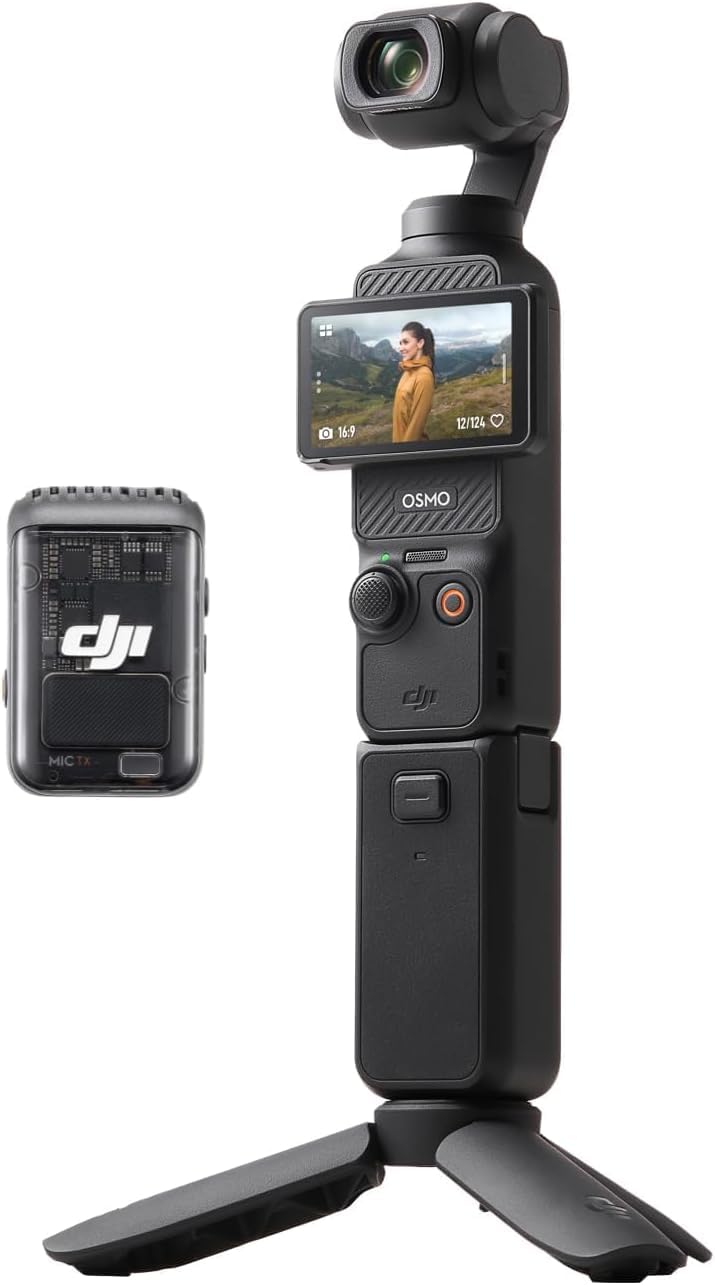
The DJI Osmo Pocket 3 is not a typical webcam — it’s a 3-axis stabilized gimbal camera with a 1-inch CMOS sensor that outputs 4K120fps video. For VTubing, you mount it on a small tripod, connect via USB-C in UVC mode, and let ActiveTrack 6.0 keep your face dead center with gimbal-smooth movement. The 2-inch rotatable touchscreen makes setup easy, and the included DJI Mic 2 transmitter delivers broadcast-quality audio straight into your stream.
The 1-inch sensor is a significant step up from typical PTZ webcam sensors, offering noticeably better dynamic range and low-light performance. At 4K120fps, you have headroom for slow-motion highlights, while 1080p60 output is sharp and clean for real-time avatar animation. The D-Log M 10-bit color profile allows for precise color grading if you record to an SD card for post-production.
The gimbal is inherently fragile — you cannot drop it or handle it roughly. The Creator Combo adds a battery handle, mini tripod, wide-angle lens, and carrying bag, making it a complete mobile studio. For a dedicated streaming setup, you’ll leave it stationary on the tripod, where the gimbal stabilization adds an extra layer of smoothness if you fidget or rock in your seat.
Why it’s great
- 1-inch sensor delivers best-in-class low-light performance.
- ActiveTrack 6.0 with 3-axis gimbal for butter-smooth tracking.
- Included DJI Mic 2 provides pro-level wireless audio.
Good to know
- Gimbal is fragile and requires careful handling.
- Price is high, especially with Creator Combo accessories.
- Battery life requires charging between long streams.
5. Canon EOS R50
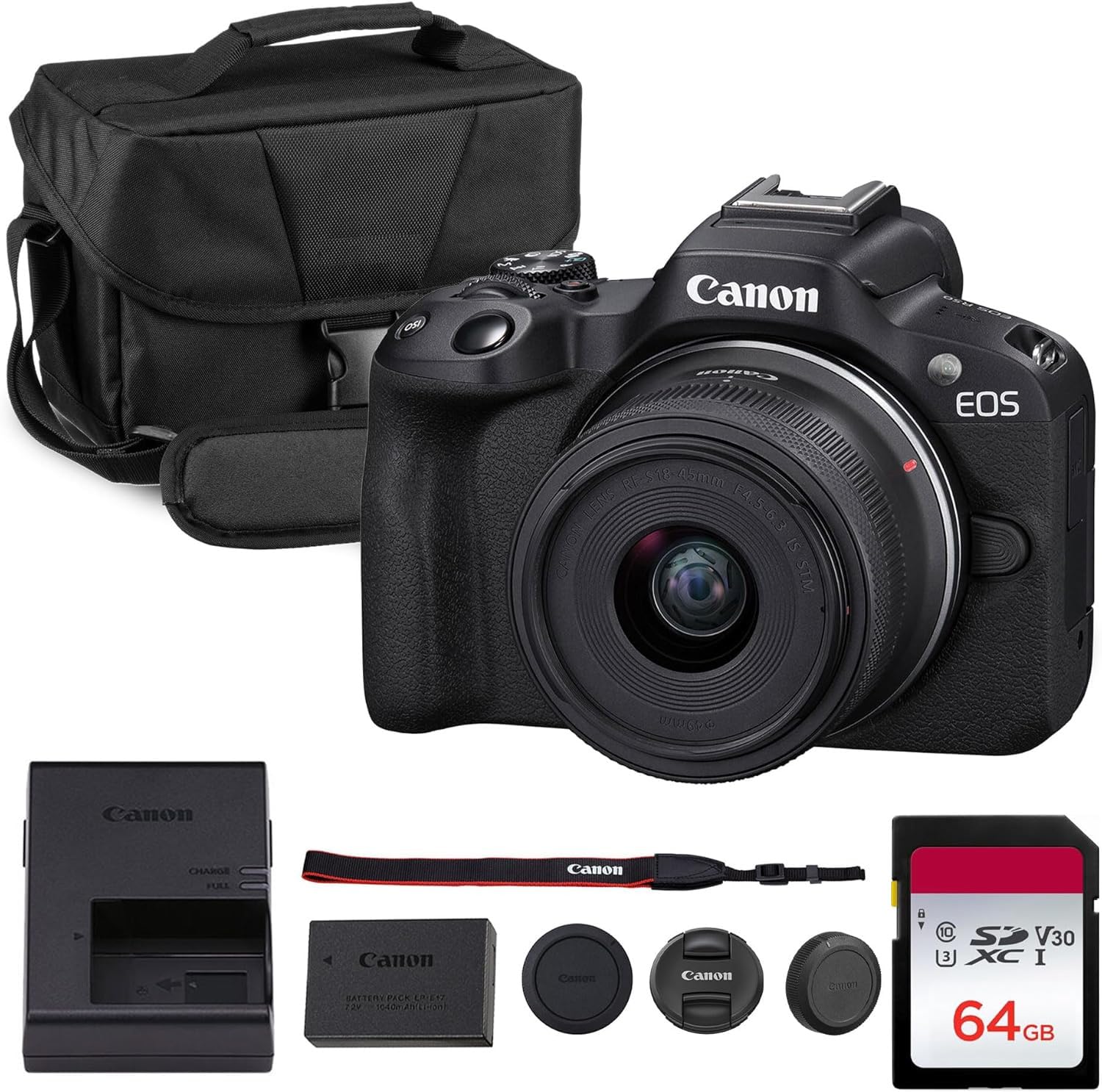
The Canon EOS R50 is an excellent entry point for VTubers who want an interchangeable lens system without the complexity of pro-grade menus. The 24.2MP APS-C sensor combined with Dual Pixel CMOS AF II provides reliable face and eye detection that tracks well during seated streams. The 18-45mm kit lens at its widest setting (18mm) captures your full upper body and desk, which is perfect for VTubers who use hand gestures as part of their character.
Oversampled 4K video from the full sensor width is sharp, and the vari-angle touchscreen makes it easy to frame yourself without moving the camera. The camera includes Creative Assist and vertical video modes, which are handy if you repurpose clips for TikTok or YouTube Shorts. The shoulder bag and 64GB SD card in this bundle mean you’re ready to shoot out of the box.
The 18-45mm kit lens is a variable aperture f/4.5-6.3, which means it lets in less light than a prime lens. You’ll want a decent key light to keep the image noise low. The R50 lacks in-body stabilization, so a small tripod is essential. For the price, it offers a huge jump in quality over any webcam, and the Canon color science produces flattering skin tones that look great behind an avatar.
Why it’s great
- Reliable Dual Pixel AF II with face and eye detection.
- Vari-angle touchscreen for easy framing.
- Oversampled 4K video with great Canon color science.
Good to know
- Kit lens is slow (f/4.5-6.3) and needs good lighting.
- No in-body stabilization — requires a tripod.
- Battery included, but no external charger in box.
6. Sony Alpha ZV-E10
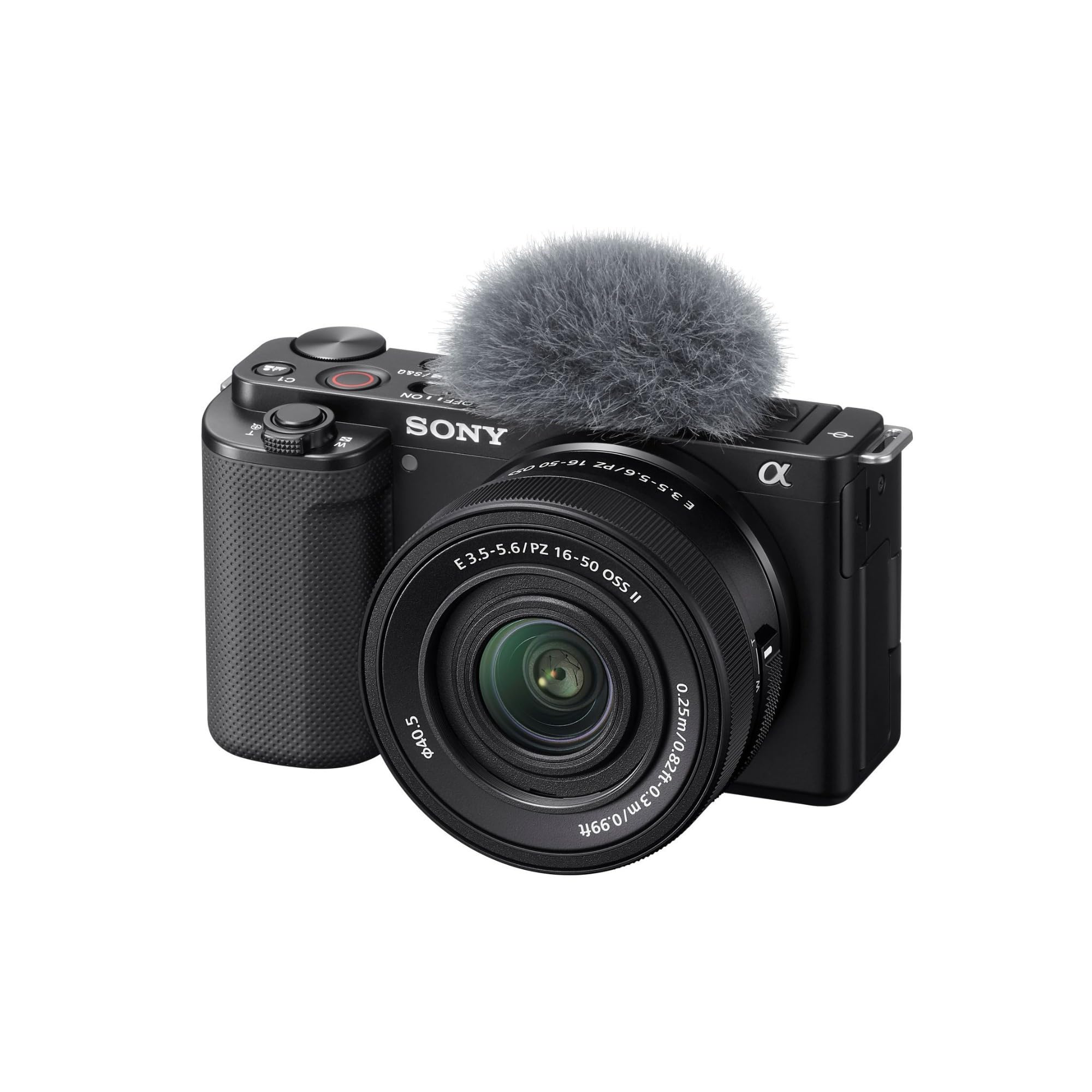
The Sony ZV-E10 is built from the ground up for content creators, and its feature set translates perfectly to VTubing. The 24.2MP APS-C sensor oversamples 4K from a 6K readout, producing video that is noticeably sharper than typical 4K from smaller sensors. The Product Showcase mode — which transitions focus from your face to an object you hold up — is less useful for VTubing, but the Background Defocus button instantly blurs your background with one press, saving CPU cycles on green screen processing.
The 425 phase-detection autofocus points with human eye detection are fast and reliable. The camera outputs 4K30 via USB streaming with no extra hardware, and the side-flip screen helps you check framing without a monitor. The 16-50mm power zoom lens covers the common focal lengths for a desk setup, and the built-in directional mic is decent for casual streams, though you’ll want a dedicated XLR or USB mic for serious audio.
The battery is rated for roughly 80 minutes of 4K recording, which means you’ll need a dummy battery or spare cells for all-day streams. The menu system is less intimidating than the Alpha 6700, but still has Sony’s characteristic depth. For the price, this is one of the best values in APS-C mirrorless streaming.
Why it’s great
- 6K oversampled 4K delivers excellent sharpness.
- Background Defocus button works instantly.
- USB streaming without extra capture hardware.
Good to know
- Battery life limits extendible to a few hours without dummy battery.
- Pancake zoom lens is adequate but not optically exceptional.
- No in-body stabilization for handheld use.
7. OM SYSTEM Olympus E-M10 Mark IV

The OM SYSTEM E-M10 Mark IV brings 5-axis in-body image stabilization to the VTubing world, which is a rarity at this price point. The 20MP Micro Four Thirds sensor is smaller than APS-C, but the IBIS compensates for any slight desk vibrations or fidgety movements, keeping your face steady without a gimbal. The flip-down screen triggers a dedicated selfie mode that’s surprisingly useful for checking your framing before a stream.
The 14-42mm EZ pancake lens is ultra-compact, making the entire camera body almost pocketable. The 16 Art Filters, including Instant Film, are fun for creative pre-stream photo sessions, but for live VTubing you’ll want to shoot in natural video mode for the cleanest tracking signal. The 4K30 video is solid, though the contrast-detect autofocus can hunt slightly in very dim conditions compared to phase-detect systems.
The battery life is good for a mirrorless camera, and the OI Share app allows wireless image transfer and remote control. The camera does not charge via USB-C, so you’ll need an external charger, and the included charger is basic. For VTubers who also enjoy photography as a hobby, the E-M10 IV is a fantastic dual-purpose tool that slides easily into a bag.
Why it’s great
- 5-axis IBIS eliminates need for a gimbal on desk.
- Ultra-compact pancake lens for minimal desk footprint.
- Excellent value for photo and video hybrid use.
Good to know
- Contrast-detect AF can hunt in very dim light.
- No USB-C charging — requires external charger.
- Smaller MFT sensor limits low-light ceiling vs APS-C.
8. OBSBOT Tail Air

The OBSBOT Tail Air is a dedicated PTZ streaming camera with a 320° horizontal rotation range, making it ideal for VTubers who move around a large desk or stand-up streaming area. The 23mm f/1.8 lens lets in significant light, and the upgraded AI tracking recognizes humans, animals, and objects — though for VTubing you’ll stick to human face tracking. The NDI capability (with a separate license key) allows you to stream wirelessly over your local network, reducing cable clutter.
Connectivity options are deep: Micro HDMI, USB-C, Ethernet, and Wi-Fi, plus RTMP/RTSP protocols for direct streaming to Twitch or YouTube. The companion OBSBOT Start app gives you full manual control over exposure, gain, and white balance, and the remote control with laser pointer is handy for testing angles without returning to your desk. The built-in battery lasts roughly 2.5 hours, giving you wireless freedom for short streams.
There are two reliability concerns to note. The first is that the battery is not user-replaceable, and if it fails, the camera becomes unusable even when plugged in — a critical flaw for long-term ownership. The second is that some units have suffered early failures within the first year. For these reasons, the Tail Air is best suited for VTubers who want a feature-packed PTZ and are comfortable with the risk or who plan to use it as a secondary camera.
Why it’s great
- 320° pan range covers a wide streaming area.
- NDI and Ethernet support for professional workflows.
- f/1.8 lens for excellent low-light performance.
Good to know
- Battery is non-replaceable — failure bricks the camera.
- Early reliability concerns reported by some users.
- NDI license key sold separately.
9. Canon EOS R100

The Canon EOS R100 is the most affordable gateway into a mirrorless system for VTubing. The 24.1MP APS-C sensor with Dual Pixel CMOS AF covers 143 zones with face and eye detection, which is sufficient for a seated streamer who doesn’t move aggressively. The DIGIC 8 processor handles 4K at 24fps — a cinematic frame rate that works for pre-recorded content but may feel slightly stuttery for real-time avatar tracking compared to 30fps or 60fps.
The 18-45mm kit lens covers the essential focal range for a desk stream, and the compact body weighs less than any other mirrorless option on this list, making it easy to mount on a lightweight tripod or boom arm. The Wi-Fi and Bluetooth connectivity allow wireless image transfer to your phone for quick social media posts. The camera supports Full HD at 60fps for smoother live output, which is a better choice for VTubing than the 4K24 mode.
The autofocus is reliable but slower than the R50 or Alpha 6700, and the 4K24fps limitation means you give up motion smoothness if you need to crop or slow down footage. The lack of a vari-angle screen forces you to rely on a separate monitor for framing. For the budget-conscious VTuber who wants to step up from a webcam, the R100 provides a huge sensor upgrade, but the frame rate and autofocus speeds require you to work within their limits.
Why it’s great
- APS-C sensor at the lowest entry price point.
- Lightweight and compact for easy desk mounting.
- Dual Pixel CMOS AF with face and eye detection.
Good to know
- 4K capped at 24fps — not ideal for smooth live tracking.
- Autofocus is slower than higher-tier Canon models.
- No vari-angle screen — requires external monitor for framing.
FAQ
Do I need a capture card to use a mirrorless camera for VTubing?
What is the minimum frame rate for smooth avatar animation?
Does a PTZ camera work better than a mirrorless camera for VTubing?
Should I prioritize 4K resolution or a high frame rate for VTubing?
Final Thoughts: The Verdict
For most users, the camera for vtubing winner is the Sony Alpha 6700 because its dedicated AI processor and 759-point autofocus system lock onto your face instantly and hold focus even through rapid movements. If you want a compact PTZ solution that physically tracks you around the desk, grab the OBSBOT Tiny 3. And for ultra-portable gimbal-stabilized setups with the best low-light performance in a pocket form factor, nothing beats the DJI Osmo Pocket 3.

Mo Maruf
I created WellFizz to bridge the gap between vague wellness advice and actionable solutions. My mission is simple: to decode the research and give you practical tools you can actually use.
Beyond the data, I am a passionate traveler. I believe that stepping away from the screen to explore new environments is essential for mental clarity and physical vitality.