Our readers keep the lights on and my smoothie glass nicely filled. As an Amazon Associate, I earn from qualifying purchases.
A photo editor’s monitor is the single most important hardware decision between your raw file and the final print or web output — yet most displays silently shift colors, crush shadows, or clip highlights in ways your eyes normalize until it’s too late. Choosing the wrong panel means spending hours correcting color casts that don’t actually exist, or worse, delivering work that looks different on every client’s screen.
I’m Mohammad Maruf — the founder and writer behind WellFizz. Over years of analyzing display hardware and color science for creative professionals, I’ve learned that the measurable difference between an accurate monitor and a bad one comes down to factory delta-E reports, gamut coverage data, and the panel’s ability to hold uniform luminance across the entire screen.
Whether you are retouching portraits or grading video, the right tool starts with verified specs. This guide breaks down the absolute best models available right now to help you find the perfect 4k monitor for photo editing that matches your budget and color workflow.
How To Choose The Best 4K Monitor For Photo Editing
Picking a monitor for photo editing requires understanding a few key metrics that consumer displays hide behind marketing terms. Focus on these three areas to avoid buying a screen that undermines your work.
Color Gamut Coverage: sRGB vs Adobe RGB
If you primarily edit for web and social media, sRGB coverage approaching 100% is sufficient. For print work — especially with inkjet printers — you need Adobe RGB coverage of at least 95%. A monitor with only sRGB coverage will clip the vibrant greens, deep reds, and rich blues that professional print profiles require.
Delta E (dE) Accuracy: The Tolerance Threshold
Delta E measures the difference between the intended color and what the monitor displays. For photo editing, look for a factory calibration report showing an average Delta E of 2 or less. Values above 3 introduce visible color shifts that will cause you to overcorrect in post-processing.
Panel Uniformity and Viewing Angles
Even a perfectly calibrated monitor is useless if brightness and color shift across the screen. IPS panels offer the widest, most consistent viewing angles for photo work — typically 178 degrees horizontally and vertically. VA panels can struggle with off-angle color shifts, while TN panels are not suitable for color-critical editing at all.
Quick Comparison
On smaller screens, swipe sideways to see the full table.
| Model | Category | Best For | Key Spec | Amazon |
|---|---|---|---|---|
| Apple Studio Display | Premium | Mac-centric color work | 5K (5120×2880) Retina | Amazon |
| BenQ PD3225U | Premium | MacBook Thunderbolt workflow | 2000:1 IPS Black contrast | Amazon |
| Dell UltraSharp U3225QE | Premium | High-brightness editing suite | 120Hz / Thunderbolt 4 | Amazon |
| ASUS ProArt PA329CV | Mid-Range | Large-screen color accuracy | Delta E < 2 / 32-inch | Amazon |
| BenQ PD3205U | Mid-Range | Mac designers with 32-inch | 99% Rec.709 / Delta E ≤3 | Amazon |
| Samsung ViewFinity S8 | Mid-Range | Color-accurate office setup | HDR10 / 32-inch 4K | Amazon |
| ASUS ProArt PA279CRV | Mid-Range | Adobe RGB editing | 99% Adobe RGB / 96W PD | Amazon |
| LG 27UP850-W | Mid-Range | Compact MacBook photo setup | USB-C 96W PD / 27-inch | Amazon |
| ViewSonic VP2756-4K | Mid-Range | Budget color-accurate 27-inch | Pantone Validated/27-inch | Amazon |
| LG 32UN650-W | Entry-Level | Big 32-inch at low entry cost | DCI-P3 95% / 32-inch | Amazon |
| Dell UltraSharp DELL-U3225QE | Premium | Office and graphic design | 120Hz / 27-inch IPS Black | Amazon |
In‑Depth Reviews
1. Apple Studio Display
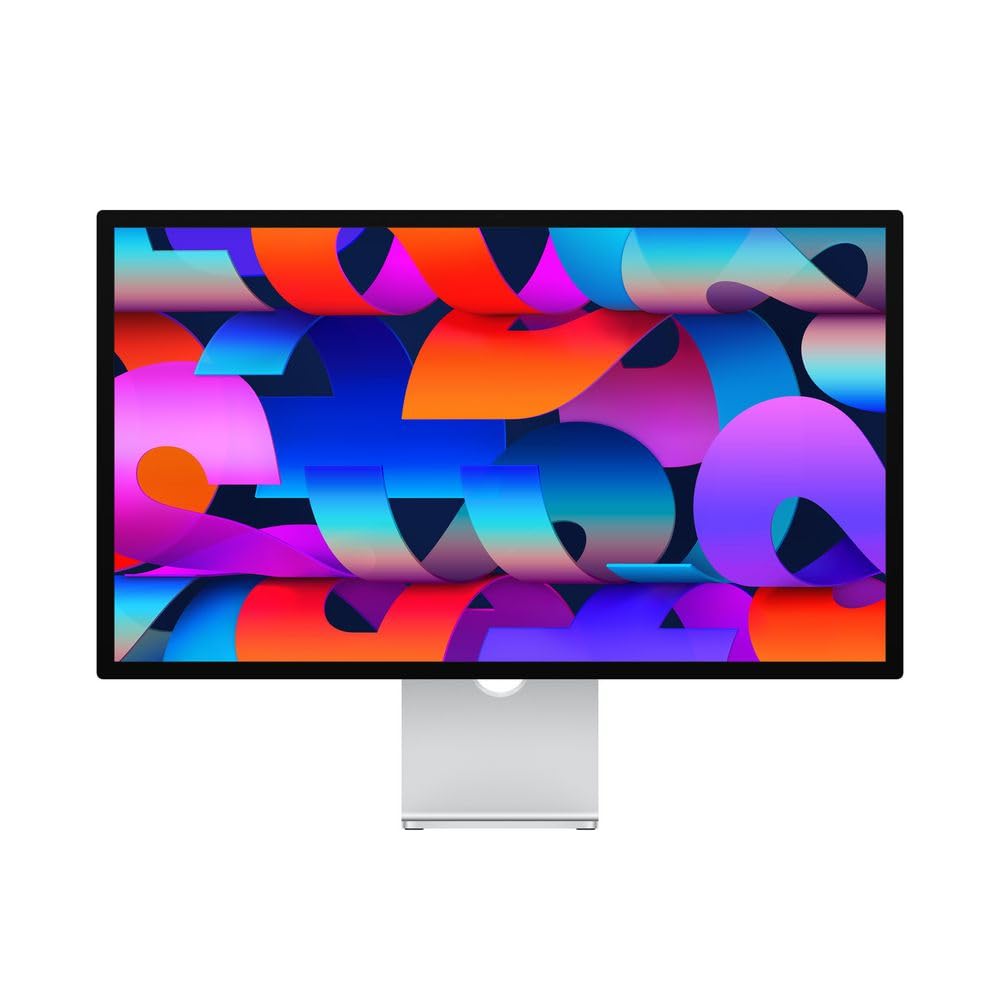
The Apple Studio Display is the gold standard for any photo editor deeply embedded in the Apple ecosystem. Its 27-inch 5K Retina panel delivers 600 nits of brightness, P3 wide color, and support for one billion colors — meaning your raw files render with the same color science as the MacBook and iMac screens you likely already own. The 5K resolution (5120 x 2880) gives you a pixel density of 218 PPI, which makes fine detail in high-resolution files razor sharp without requiring any scaling compromises on macOS.
The built-in 12MP Ultra Wide camera with Center Stage, studio-quality three-mic array, and six-speaker Spatial Audio system transform this into a full workstation hub, not just a display. The 96W power delivery over Thunderbolt 3 keeps your MacBook charged over a single cable, and the nano-texture glass option significantly reduces glare for brightly lit editing environments. The aluminum chassis is robust and visually indistinguishable from a MacBook or Mac mini design language.
The primary limitation is price — this is the most expensive option on this list by a wide margin. It is also locked to a 60Hz refresh rate, which matters if you occasionally game but is irrelevant for still photo editing. The stand options add further cost, and there is no built-in SD card slot or USB-A ports, requiring dongles for traditional peripherals.
Why it’s great
- Exceptional 5K Retina display with P3 wide color and 600 nits brightness
- Excellent camera, mic array, and six-speaker audio for video calls and content review
- Seamless single-cable Thunderbolt 3 connectivity with 96W laptop charging
Good to know
- High premium price point compared to comparable 4K professional monitors
- Lacks USB-A ports and SD card slot, requiring adapters for many photo editing workflows
- 60Hz refresh rate limits appeal for users who also want smooth gaming performance
2. BenQ PD3225U

The BenQ PD3225U is engineered for MacBook designers who demand deep contrast without sacrificing the accurate colors of an IPS panel. Its 32-inch IPS Black technology delivers a native 2000:1 contrast ratio — double that of standard IPS displays — which means shadows in your photos retain detail and depth without the muddy gray look common on other IPS monitors. The 98% P3 and 100% sRGB coverage, combined with a factory Delta E of 2 or less, provides reference-grade color right out of the box.
Thunderbolt 3 connectivity with 85W power delivery, daisy-chain support, and a built-in KVM switch make this a true hub for a multi-device workflow. The included HotKey Puck G2 gives you physical control over input switching, brightness, and color modes without diving into on-screen menus. The anodized metal base and stand offer full ergonomic adjustment (tilt, swivel, pivot, height), and the M-Book mode matches the color temperature and gamma of MacBooks for a seamless dual-monitor experience.
The 250-nit brightness ceiling is the main compromise here — this monitor is less suited for very bright rooms or HDR editing. Some users report that the Display Pilot 2 software can be buggy with certain macOS versions, and the speakers are serviceable but weak compared to a MacBook’s built-in audio. The price sits firmly in premium territory, though it undercuts the Apple Studio Display significantly.
Why it’s great
- IPS Black panel provides 2000:1 contrast ratio for deep, detailed shadows in photos
- Thunderbolt 3 with 85W PD, daisy-chain, and KVM for streamlined Mac-centric setups
- M-Book mode and bundled HotKey Puck offer seamless Mac color matching and easy control
Good to know
- 250-nit peak brightness is a notable compromise for brightly lit or HDR editing environments
- Display Pilot 2 software can be unstable with certain macOS versions
- Speakers are passable but fall short of the quality found in MacBooks or the Studio Display
3. Dell UltraSharp U3225QE
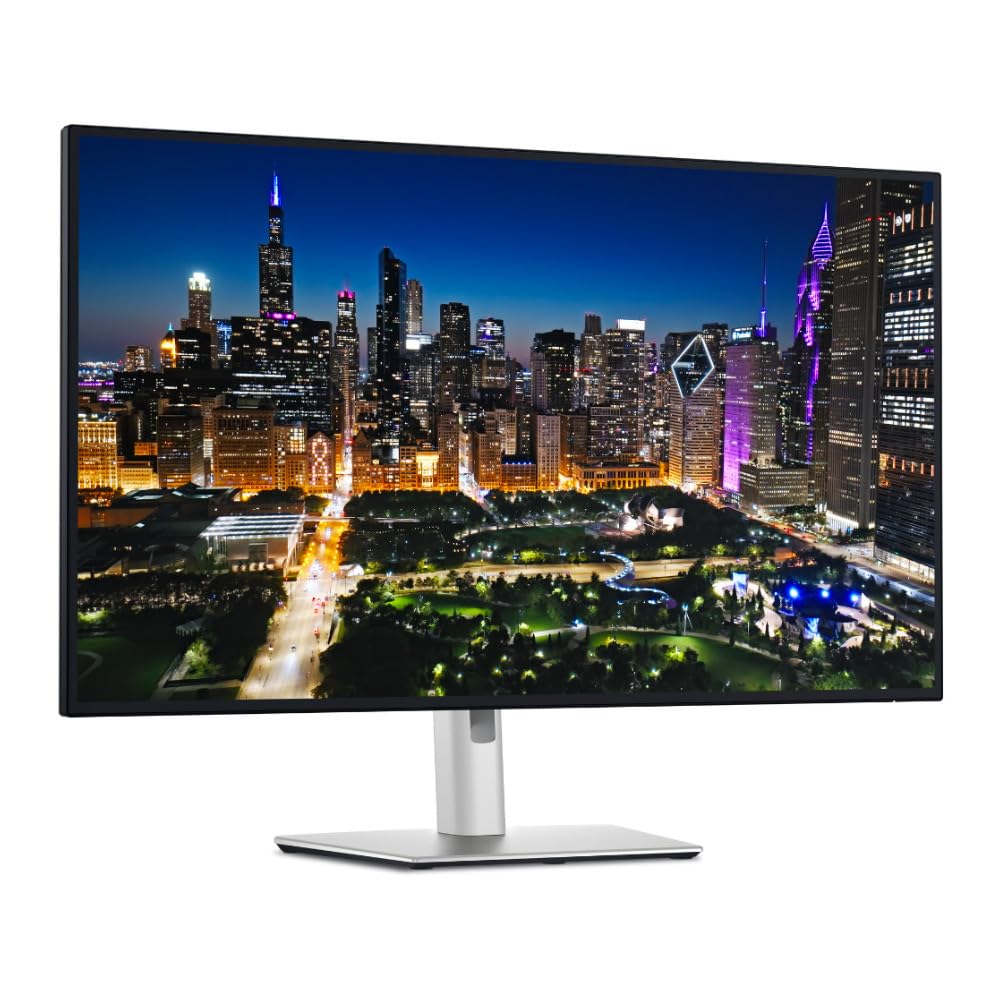
The Dell UltraSharp U3225QE combines a 32-inch 4K UHD IPS Black panel with a 120Hz refresh rate and Thunderbolt 4 connectivity, making it one of the most versatile monitors on this list. The 600-nit peak brightness is exceptional for an IPS monitor, ensuring specular highlights in photos pop without clipping. The 2000:1 contrast ratio from the IPS Black technology delivers deep blacks that rival VA panels, while maintaining the wide viewing angles IPS is known for.
The Thunderbolt 4 hub provides 140W of power delivery — enough to charge even demanding laptops — and includes a KVM function that lets you control two computers with a single keyboard and mouse. The stand offers full ergonomic adjustment, and the thin bezel design looks clean in any studio setup. The 120Hz refresh rate is a bonus for photo editors who also work with video or occasionally game, providing smooth scrolling through high-resolution files.
The price is steep, landing at the higher end of the premium tier. Some Mac users report wake-from-sleep issues that require firmware updates or a third-party app like BetterDisplay to achieve full 120Hz at certain resolutions. The monitor is also heavy, which may require a sturdy monitor arm if you choose to mount it.
Why it’s great
- 600-nit peak brightness with 2000:1 IPS Black contrast for stunning HDR and shadow detail
- Thunderbolt 4 hub with 140W PD and KVM for a powerful single-cable workstation
- 120Hz refresh rate provides smooth file navigation and flexibility for video work
Good to know
- Mac users may face wake-from-sleep quirks and need third-party tools for full 120Hz support
- High premium price that may be overkill if you only edit still photos
- Significant weight requires careful consideration for monitor arm compatibility
4. ASUS ProArt PA329CV

The ASUS ProArt PA329CV brings professional color accuracy to a 32-inch 4K IPS panel without the premium price tag of the BenQ PD3225U or Dell U3225QE. It delivers 100% sRGB and 100% Rec. 709 coverage, with factory pre-calibration to Delta E < 2. The 400-nit brightness is adequate for most indoor editing environments, and the 178-degree viewing angles keep the image consistent as you lean in to inspect fine details.
The USB-C port provides 96W power delivery and can drive the display from a single cable, while the built-in USB 3.1 hub with four downstream ports connects your card readers and backup drives. The ergonomic stand supports tilt, swivel, pivot, and height adjustment, and the VESA-compatible C-clamp is included for desk mounting. The monitor also comes with a 3-month Adobe Creative Cloud subscription, which can be a welcome bonus for new editors.
Some users note that build quality can feel less premium compared to the BenQ and Dell options, with a plastic chassis. The on-screen display buttons are rear-mounted and can be fiddly to use without memorizing their positions. The contrast ratio is standard IPS 1000:1, so it won’t deliver the deep blacks of IPS Black models.
Why it’s great
- 32-inch 4K IPS panel with 100% sRGB/Rec.709 and factory Delta E < 2 accuracy
- USB-C with 96W PD and four-port USB 3.1 hub for streamlined device connectivity
- Includes VESA C-clamp and full ergonomic stand for flexible desktop mounting
Good to know
- Build uses plastic elements that feel less robust than higher-priced competitors
- Rear-mounted OSD buttons are awkward to navigate without visual cues
- Standard 1000:1 contrast ratio lacks the shadow depth of IPS Black panels
5. BenQ PD3205U

The BenQ PD3205U is designed for Mac designers who want a large 32-inch 4K panel with robust connectivity. It covers 99% sRGB and Rec. 709 with an average Delta E of 3 or less, and comes with a factory calibration report. The USB-C port provides 90W power delivery to charge a MacBook Pro, and the built-in KVM switch lets you toggle between two computers while sharing a single keyboard and mouse.
The AQCOLOR technology ensures consistent color reproduction across the screen, and the Hotkey Puck G2 gives you physical dials to control brightness, volume, and input switching — a major convenience in a multi-monitor setup. The monitor also features DualView, which shows two color modes side by side for comparing sRGB and Adobe RGB renders of the same image. The 350-nit brightness is sufficient for typical indoor lighting.
The Delta E tolerance of 3 is slightly looser than the 2 offered by ASUS and BenQ’s own PD3225U. The speakers are tinny and lack bass, making external speakers a must for video review. Some users find the uniformity could be better toward the edges, and the monitor cannot rotate to portrait mode without the optional Ergo Arm.
Why it’s great
- 32-inch 4K with 99% Rec.709, factory calibration, and AQCOLOR uniformity technology
- USB-C 90W PD with KVM switch and Hotkey Puck for multi-device convenience
- DualView mode for side-by-side color space comparison during editing
Good to know
- Delta E ≤ 3 is slightly less precise than monitors offering Delta E ≤ 2 out of the box
- Built-in speakers are thin with minimal bass, requiring external audio for video review
- Cannot rotate to portrait without purchasing the separate BenQ Ergo Arm
6. Samsung ViewFinity S8 (S80D)

The Samsung ViewFinity S8 S80D is a 32-inch 4K UHD monitor that balances strong color performance with productivity-oriented features at an accessible price point. The HDR10 support provides true-to-life color representation with deeper contrast, and the 350-nit brightness works well in moderate indoor lighting. The anti-glare matte coating reduces reflections, which is helpful for long editing sessions in bright rooms.
The ergonomic stand supports height, tilt, swivel, and 90-degree pivot rotation — making it easy to review vertical compositions or compare images. The built-in USB hub with multiple ports (HDMI, DP, USB-A, USB-B) connects your peripherals without reaching for the back of the computer. The TÜV-certified Eye Saver Mode automatically adjusts brightness and color temperature to reduce eye strain during extended editing marathons.
This monitor is not factory calibrated to a specific Delta E target, so you will need to calibrate it yourself for color-critical work. Some users report that the on-screen menu buttons are unintuitive and difficult to navigate. There are no built-in speakers, which means you will need external audio for any video content.
Why it’s great
- 32-inch 4K with HDR10 and matte anti-glare coating for reduced reflections
- Full ergonomic stand with height, tilt, swivel, and 90-degree pivot rotation
- TÜV-certified Eye Saver Mode for comfortable extended editing sessions
Good to know
- No factory calibration, requiring a separate calibrator for Delta E accuracy
- On-screen menu buttons are unintuitive and frustrating to use
- Lacks built-in speakers, requiring external audio for video review
7. ASUS ProArt PA279CRV

The ASUS ProArt PA279CRV is a 27-inch 4K IPS monitor that delivers 99% DCI-P3 and 99% Adobe RGB coverage, making it one of the best mid-range options for print photographers. The factory pre-calibration to Delta E < 2 is Calman Verified, and the included calibration report means you can trust the colors immediately out of the box. The 96W USB-C power delivery charges a MacBook Pro directly, and the monitor supports daisy-chaining via DisplayPort for a multi-monitor setup.
The connectivity is comprehensive: two HDMI ports, DisplayPort in and out, USB-C with DP Alt Mode, and a four-port USB 3.1 hub. The ergonomic stand offers tilt, swivel, pivot, and height adjustment. The 3-month Adobe Creative Cloud subscription is a nice bonus for new buyers. The 5-year warranty (3 years plus 2 with online registration) provides long-term peace of mind.
Some users have reported defects with the USB-C port failing, and ASUS warranty service has been criticized for being slow and unresponsive. The on-screen display is controlled by a four-way joystick and buttons on the rear, which can be awkward to reach if the monitor is mounted. The 60Hz refresh rate is fine for photo editing but limits the appeal for gaming.
Why it’s great
- 99% Adobe RGB and DCI-P3 coverage with factory Delta E < 2 and Calman verification
- USB-C with 96W PD and DisplayPort daisy-chain for flexible MacBook integration
- 5-year warranty (with registration) for long-term investment protection
Good to know
- Some units have USB-C port failures, and ASUS warranty service has poor reviews
- Rear-mounted OSD controls are difficult to use when the monitor is on an arm
- 60Hz refresh rate feels sluggish if you also want to use the monitor for gaming
8. LG 27UP850-W

The LG 27UP850-W is a 27-inch 4K UHD IPS monitor that offers an excellent balance of color performance and modern connectivity for compact desk setups. It covers 95% of the DCI-P3 color gamut, which covers the color space used by most modern cameras and creative software. The VESA DisplayHDR 400 certification with a 400-nit peak brightness allows for decent HDR previewing of high-dynamic-range photos.
The standout feature is the USB-C port with 96W power delivery, which allows a single cable to transfer video, audio, data, and power to a MacBook. The 3-side virtually borderless design looks clean, and the ergonomic stand offers height, pivot, and tilt adjustment. The monitor also includes AMD FreeSync, which helps reduce screen tearing if you occasionally edit video or play casual games.
Some users have reported firmware issues that break USB-C connectivity, requiring a specific restart procedure to fix. The USB-A ports only provide 1A of power, which is insufficient to charge a Qi charger or other high-draw peripherals.
Why it’s great
- 27-inch 4K IPS with 95% DCI-P3 and VESA DisplayHDR 400 for decent color coverage
- USB-C with 96W PD provides single-cable power, video, and data for MacBooks
- Borderless design and full ergonomic stand for a clean, flexible desk setup
Good to know
- Not factory calibrated, requiring separate calibration for color-critical photo editing
- Some units experience USB-C firmware bugs that need a specific restart process to fix
- USB-A ports deliver only 1A, insufficient for charging power-hungry devices
9. ViewSonic VP2756-4K

The ViewSonic VP2756-4K is a 27-inch 4K ColorPro monitor that offers Pantone validation and 100% sRGB coverage at an accessible price point. The Delta E of less than 2 means the colors are accurate out of the box for sRGB work. The USB-C port provides 60W power delivery and acts as a hub for video, audio, data, and charging over a single cable — making it a clean addition to any desk.
The advanced ergonomic stand offers tilt, swivel, pivot, and height adjustment, providing full flexibility for long editing sessions. The flicker-free technology and blue light filter help reduce eye fatigue during extended use. The monitor includes HDMI, DisplayPort, and USB-A/B ports for connecting legacy devices.
The 60W power delivery is sufficient for a MacBook Air but may not keep a MacBook Pro 16 fully charged under heavy load. The on-screen display menus are clunky to navigate via the rear buttons, though the optional software control helps. The 60Hz refresh rate is standard for photo editing but limits the monitor’s appeal for any gaming use.
Why it’s great
- Pantone validated with 100% sRGB and Delta E < 2 accuracy out of the box
- USB-C with 60W PD simplifies connectivity for most laptops in a single cable
- Full ergonomic stand with tilt, swivel, pivot, and height adjustment included
Good to know
- 60W power delivery may not fully charge larger MacBook Pros under heavy workloads
- On-screen menu navigation via rear buttons is unintuitive and slow
- No high refresh rate option for users who also want to game on this monitor
10. LG 32UN650-W

The LG 32UN650-W is a 32-inch 4K UHD IPS monitor that delivers a 95% DCI-P3 color gamut at an entry-level price point, making it one of the most affordable ways to get a large, reasonably color-accurate display for photo editing. The 350-nit brightness is adequate for most indoor spaces, and the 178-degree viewing angles ensure consistent color when you lean in to inspect detail. The HDR10 compatibility allows you to preview high-dynamic-range images, though the 250-nit actual brightness limits the HDR impact.
The 3-side virtually borderless design minimizes bezels, which helps when using the monitor in a multi-monitor setup. The height-adjustable stand provides basic ergonomic flexibility, and the AMD FreeSync support helps reduce stutter if you also use the monitor for casual gaming. The IPS panel delivers vibrant colors that pop, making it a solid choice for both photo editing and general productivity.
The stand is basic and lacks pivot or swivel adjustment, and there are no USB ports built in — meaning you will need to connect peripherals directly to your computer. The 60Hz refresh rate is standard for editing but not suited for competitive gaming.
Why it’s great
- Large 32-inch 4K IPS panel with 95% DCI-P3 gamut at an accessible price point
- Vibrant colors and wide viewing angles for consistent image evaluation
- Borderless design works well in multi-monitor editing setups
Good to know
- No factory calibration, requiring a separate hardware calibrator for accuracy
- Basic stand lacks pivot and swivel, and no built-in USB ports are included
- Actual HDR brightness is limited, diminishing the HDR preview experience
11. Dell UltraSharp DELL-U3225QE
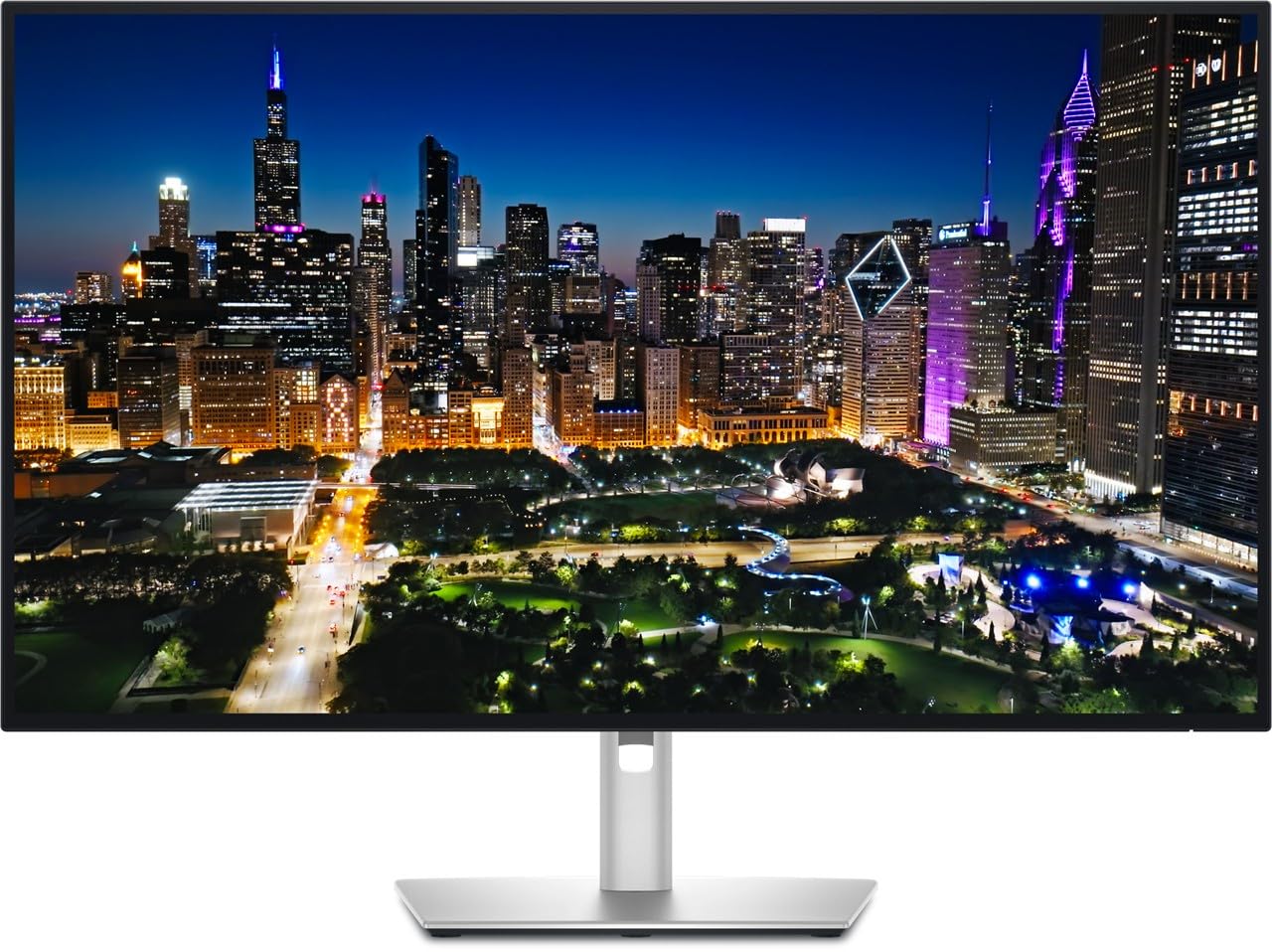
The Dell UltraSharp DELL-U3225QE is a 27-inch 4K IPS Black monitor that provides a 2000:1 contrast ratio and 120Hz refresh rate, making it a compelling option for photo editors who also want smooth scrolling and occasional video work. The 450-nit brightness delivers excellent clarity, and the IPS Black technology provides deep blacks that rival VA panels while maintaining IPS-level color consistency. The anti-glare and hard-coating 3H treatment reduces reflections in brightly lit rooms.
The built-in ambient light sensor automatically adjusts brightness to match your environment, and the ComfortView Plus technology reduces blue light without shifting colors. The ergonomic stand supports height, tilt, swivel, and pivot, and the monitor is G-Sync Compatible for smooth performance if you connect a gaming PC. The included cables (HDMI, DisplayPort, USB-C) provide everything you need out of the box.
This model’s 27-inch size is smaller than the 32-inch options on this list, which may be a limitation if you need large screen real estate for complex retouching. Some users have reported minor quality control issues with the display, and the premium price point means it competes directly with other high-end options. The 120Hz refresh rate is less effective on macOS due to resolution scaling limitations.
Why it’s great
- IPS Black panel with 2000:1 contrast ratio delivers deep blacks for photo editing
- 120Hz refresh rate provides smooth scrolling and flexibility for video work
- Ambient light sensor and ComfortView Plus reduce eye strain during long sessions
Good to know
- 27-inch size may feel cramped compared to 32-inch alternatives for complex editing
- Some users report quality control issues with the display panel
- High refresh rate is harder to utilize fully on macOS due to resolution scaling limitations
FAQ
What is the minimum Delta E I should accept for professional photo editing?
Do I need Adobe RGB coverage for photo editing, or is sRGB enough?
Is 27 inches or 32 inches better for photo retouching?
Can I use a gaming monitor for photo editing?
What is the difference between hardware calibration and software calibration?
Final Thoughts: The Verdict
For most users, the 4k monitor for photo editing winner is the ASUS ProArt PA279CRV because it delivers 99% Adobe RGB coverage, Delta E < 2 accuracy, and 96W USB-C power delivery at a mid-range price that covers the essential needs of both web and print photographers. If you want deep contrast for evaluating shadows without the gray IPS haze, grab the BenQ PD3225U. And for Mac users who prioritize the absolute sharpest pixel density and ecosystem integration, nothing beats the Apple Studio Display.

Mo Maruf
I created WellFizz to bridge the gap between vague wellness advice and actionable solutions. My mission is simple: to decode the research and give you practical tools you can actually use.
Beyond the data, I am a passionate traveler. I believe that stepping away from the screen to explore new environments is essential for mental clarity and physical vitality.