Our readers keep the lights on and my smoothie glass nicely filled. As an Amazon Associate, I earn from qualifying purchases.
Moving from a rattling external USB drive or a full cloud subscription to a dedicated 4-bay NAS changes how you store, stream, and protect your files — but choosing the wrong architecture means bottlenecked transfers, noisy fans, or expensive vendor lock-in. The 4-bay form factor is the sweet spot for home media libraries, small-office backups, and surveillance archives, giving you RAID flexibility without the rack-mount footprint or the cramped capacity of a 2-bay unit. With dual 2.5GbE ports becoming standard and Intel processors handling real-time 4K transcoding, the current generation of enclosures demands close attention to the controller, memory ceiling, and supported RAID modes.
I’m Mohammad Maruf — the founder and writer behind WellFizz. I’ve spent over a decade dissecting NAS hardware roadmaps, RAID controller benchmarks, and real user migration stories to separate the enclosures that deliver on their transfer-rate promises from those that drop connections under sustained write loads.
Whether you are a Plex enthusiast, a photographer backing up a decade of RAW files, or a small business owner needing versioned snapshots, this guide walks through the specific trade-offs in processor choice, expandability, and software ecosystem so you can confidently invest in a 4 bay nas that stays relevant for years.
How To Choose The Best 4 Bay NAS
Picking the right 4-bay chassis means weighing the CPU generation, network bandwidth, RAM expandability, and the software features that actually matter for your daily workflow — not just the biggest number on the spec sheet. The sections below break down the four most critical decision points.
Processor Architecture and Transcoding
The CPU is the heart of your NAS — it handles file serving, Docker containers, surveillance streams, and media transcoding. Intel Celeron processors with Quick Sync Video, like the N5105 or the newer N95, can transcode multiple 4K H.265 streams simultaneously without maxing out. ARM-based chips keep power draw low but struggle with Plex hardware transcoding and heavier app loads. If you plan to run Jellyfin, Emby, or Plex with remote clients, an Intel x86 CPU with integrated GPU acceleration is non-negotiable.
Network Throughput and Link Aggregation
A single Gigabit Ethernet port caps theoretical throughput at about 115 MB/s — fine for casual file access but a bottleneck when multiple users edit video or back up large photo libraries. Dual 2.5GbE ports raise the ceiling to roughly 300 MB/s with link aggregation or SMB multichannel, and they provide redundancy if one port fails. For mixed-speed networks, look for models that auto-negotiate with 1GbE switches while keeping the faster pipe available for latency-sensitive tasks.
RAID Flexibility and Data Protection
Traditional RAID 5 sacrifices one drive for parity, but proprietary hybrid systems like Synology SHR or TerraMaster TRAID let you mix drive capacities without wasting space. For example, combining a 4TB drive with an 8TB drive in a standard RAID 0 or 5 wastes the larger drive’s extra capacity, whereas SHR allocates only the overlapped portion for parity and leaves the remainder usable. Always verify that the NAS OS supports volume expansion and migration between RAID levels without reformatting.
Drive Caching and Expansion Options
M.2 NVMe slots have moved from a premium add-on to a standard feature on mid-range and high-end 4-bay enclosures. Caching accelerates frequent read/write access for database files, virtual machine disks, and large photo catalogs — expect IOPS improvements of 5x to 10x over spinning drives. Some vendors restrict NVMe drives to caching only, while others allow them as a dedicated storage pool. Also consider USB 3.2 Gen2 ports (10 Gbps) for connecting external expansion shelves or backup drives without saturating the main Ethernet link.
Quick Comparison
On smaller screens, swipe sideways to see the full table.
| Model | Category | Best For | Key Spec | Amazon |
|---|---|---|---|---|
| UGREEN NASync DH4300 Plus | Mid-Range | Entry-level home cloud with AI photo management | 8GB LPDDR4X, 2.5GbE, 4K HDMI | Amazon |
| Synology DS423 | Mid-Range | Family backup and surveillance up to 30 cameras | Intel Quad-Core, 2x Gig-E, SHR | Amazon |
| TERRAMASTER F4-425 | Mid-Range | Ultra-quiet Plex server with 4K transcoding | Intel x86 Quad-Core, 2.5GbE, 21dB | Amazon |
| Asustor AS5404T | Premium | Creative workflows and heavy Docker/virtualization | Intel N5105, 4x M.2 NVMe, dual 2.5GbE | Amazon |
| Synology DS925+ | Premium | Power users needing DSM ecosystem and SHR | Dual 2.5GbE, 522/565 MB/s throughput | Amazon |
| QNAP TS-453E-8G-US | Premium | ZFS pools, Bitdefender, and multi-protocol file serving | Intel Celeron J6412, 8GB DDR4, dual M.2 | Amazon |
| BUFFALO TeraStation Essentials 24TB | Premium | Out-of-box small office with drives included | 24TB (4x6TB), RAID 5 pre-configured | Amazon |
| BUFFALO TeraStation Essentials 32TB | Premium | Higher-capacity bundle for team collaboration | 32TB (4x8TB), 256-bit encryption | Amazon |
| TERRAMASTER D4-320U | Budget | Rack-mount DAS for direct-attach storage expansion | USB 3.2 Gen2, 10Gbps, 1U rackmount | Amazon |
In‑Depth Reviews
1. UGREEN NASync DH4300 Plus

The UGREEN DH4300 Plus hits the sweet spot for home users migrating from cloud subscriptions: it packs an 8GB LPDDR4X memory buffer, a 2.5GbE port that pushes transfers to around 312 MB/s, and a 4K HDMI output for direct media playback. The magnetic dust cover and tool-less drive trays make initial setup genuinely quick — install four 3.5-inch drives, run the NFC-assisted app, and the NAS appears on your network within minutes. The AI photo album recognizes people, pets, and objects, which simplifies searching through tens of thousands of family snapshots without manual tagging.
Under the hood, the processor supports Docker containers (though not virtual machines), and the UGREEN OS feels polished for a relative newcomer to the NAS space. Remote access relies on Tailscale VPN for a true zero-config cloud connection, but the built-in relay service works adequately for file browsing. Running Plex requires a manual Docker deployment because no native Plex app ships in the UGREEN app store — a point that power users should weigh before buying.
Acoustically, the unit is quiet with SSDs, but 7200 RPM hard drives cause noticeable vibration noise that the plastic chassis amplifies. Some owners add acoustic foam inside the case to tame the rumble. The single 2.5GbE port is adequate for a one- or two-person household, but if you plan to serve three or more simultaneous video streams, you will want link aggregation or SMB multichannel, which this model does not support natively.
Why it’s great
- Generous 8GB LPDDR4X RAM out of the box for Docker and multitasking
- 2.5GbE port provides fast transfers without upgrading to 10GbE infrastructure
- AI photo album with semantic search reduces manual organization work
Good to know
- Plastic enclosure amplifies HDD vibration; acoustic foam may be needed
- No native Plex support — requires manual Docker installation
- Single Ethernet port lacks redundancy and link aggregation
2. Asustor AS5404T

The Asustor AS5404T is built for users who demand both high-speed storage and heavy computational workloads. Its Intel Celeron N5105 processor, a quad-core chip that bursts to 2.9 GHz, handles simultaneous 4K H.265 transcoding, Docker containers, and even lightweight virtualization without choking. The standout feature is the four M.2 NVMe SSD slots — you can configure them as a read/write cache to accelerate database queries or as a dedicated all-flash storage pool for frequently accessed files. Dual 2.5GbE ports support link aggregation, pushing aggregate throughput past 500 MB/s in multi-client environments.
The AS5404T is certified for Adobe Creative Cloud workflows, meaning you can edit high-resolution video projects directly off the NAS over a wired 2.5GbE connection without proxy files. The HDMI 2.0b output streams 4K HDR content straight to a TV, bypassing the need for a separate media player. However, the M.2 slots are placed extremely close together — installing four NVMe drives with bulky heatsinks is impossible, so you must use slim, heatsink-free SSD modules for the inner slots.
Build quality is a mixed bag: the chassis feels solid, but multiple reports mention that the case screws strip easily with standard bits, which can prevent the device from powering on if the motherboard mounts are damaged. The Asustor ADM software is feature-rich but has a steeper learning curve than Synology’s DSM, and the English manual is not guaranteed to be in English — a detail the listing buries in fine print. For users who can work around these quirks, the raw performance per dollar is exceptional.
Why it’s great
- Four dedicated M.2 NVMe slots for high-speed caching or all-flash pools
- Intel N5105 with Quick Sync handles multiple 4K transcodes smoothly
- Dual 2.5GbE ports enable link aggregation and client redundancy
Good to know
- M.2 slots too close together for heatsinked NVMe drives
- Screws strip easily, potentially bricking the unit if overtightened
- ADM software interface less intuitive than Synology DSM
3. Synology DS925+
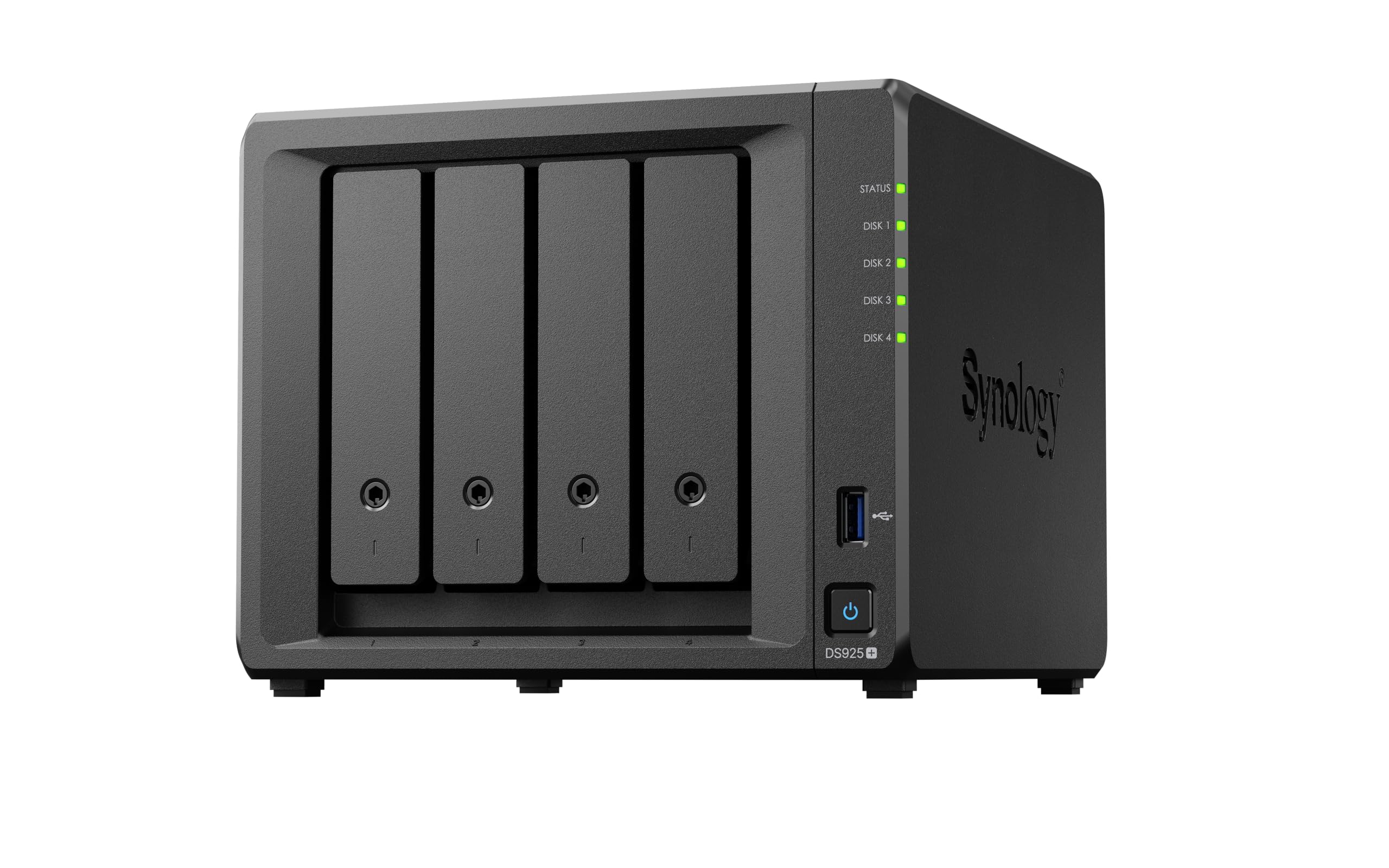
The Synology DS925+ delivers the mature DiskStation Manager experience that has made Synology the benchmark for NAS usability. Sequential read speeds of 522 MB/s and write speeds of 565 MB/s over its dual 2.5GbE ports ensure stable transfers for time-machine backups, large photo libraries, and 4K video files. The tool-less drive caddies and hot-swap bays make drive replacement frictionless, and the Synology Hybrid RAID system allows mixing drive capacities without wasting space — a 4TB and 8TB pair yields roughly 7.5 TB of usable storage rather than the 4 TB that traditional RAID 1 would limit.
NVMe caching is supported through the built-in M.2 slots, but Synology restricts the NVMe drives to its own branded modules unless you use a community script to add third-party drives — a controversial limitation that persists despite Synology relaxing it on newer models. The memory is expandable, though the factory 4 GB is modest for Docker-heavy users. The fan is quiet during idle but ramps up audibly under sustained load, which some owners describe as distracting in a home office.
Surveillance Station supports up to 30 IP cameras with the appropriate licenses, making the DS925+ a legitimate security recorder in addition to a file server. The DSM photo management app, Synology Photos, now includes object recognition alongside face detection, which is a practical upgrade for organizing huge photo archives. The 3-year hardware warranty and long software support window make this a safe long-term investment, even though the premium price excludes bundled drives.
Why it’s great
- Mature DSM software with extensive first-party apps for backup, media, and surveillance
- Hybrid RAID optimizes usable capacity when mixing different drive sizes
- Dual 2.5GbE ports for fast transfers and failover protection
Good to know
- NVMe slots only support Synology-branded drives for caching without workarounds
- Fan noise ramps up noticeably during heavy write operations
- Entry-level 4 GB RAM requires an upgrade for serious Docker usage
4. Synology DS423

The Synology DS423 is the entry-level 4-bay enclosure for users who want the DSM ecosystem without paying for the DS925+’s faster networking. It ships with two Gigabit Ethernet ports — fine for sequential transfers around 110 MB/s, but a bottleneck if you work with large 4K video files daily. The metal chassis keeps drives cooler than plastic alternatives, and the tool-less design simplifies initial setup. Synology Hybrid RAID works identically here, giving you the same mixed-drive efficiency as the pricier models in the family.
Surveillance Station supports up to 30 IP cameras, making the DS423 a capable security DVR for a small office or multi-camera home setup. Synology Photos, Drive, and Active Backup for Business are all included, turning the NAS into a centralized backup target for Windows PCs, macOS machines, and mobile devices. The 2-year warranty is shorter than the DS925+’s 3-year term, but the build quality is consistent with Synology’s reputation for reliability.
The main limitation is the single-core floating-point unit inside the Realtek processor — it lacks Intel Quick Sync Video, so 4K transcoding on Plex or Emby will be choppy or require direct play from clients. The plastic drive trays feel flimsier than the DS925+’s metal caddies, and reinstalling the front cover takes patience because the plastic alignment pins are tight. For pure file storage, scheduled backups, and camera recording, this is a strong value; for media streaming, look higher in the lineup.
Why it’s great
- Full DSM software suite with SHR, Drive, and Surveillance Station included
- Metal chassis provides better heat dissipation than plastic enclosures
- Affordable entry point into the Synology ecosystem with 2-year warranty
Good to know
- Realtek CPU lacks Quick Sync Video for hardware 4K transcoding
- Gigabit Ethernet only — slower than 2.5GbE competitors in the same price tier
- Front cover alignment pins are delicate and hard to seat correctly
5. QNAP TS-453E-8G-US
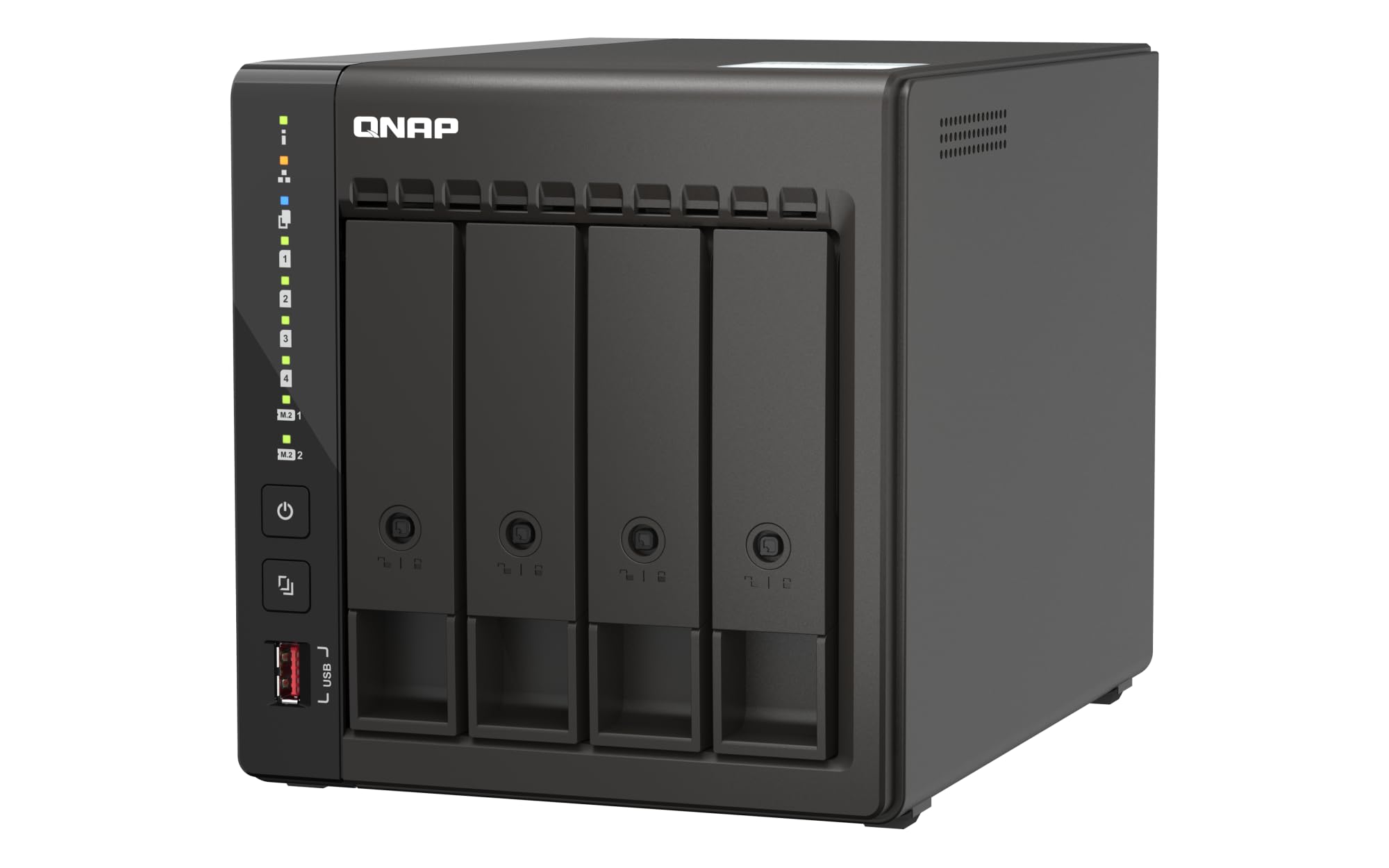
The QNAP TS-453E-8G-US distinguishes itself with native ZFS support, a filesystem that provides block-level snapshots, inline deduplication, and self-healing data integrity — features usually reserved for enterprise storage arrays. The Intel Celeron J6412 quad-core processor paired with 8 GB of DDR4 RAM (expandable to 16 GB) ensures responsive multitasking whether you are running Bitdefender antivirus scans, managing Docker containers, or serving files via SMB multichannel. Dual M.2 PCIe Gen3x2 NVMe slots allow SSD caching or storage pools, and the dual 2.5GbE ports support link aggregation for combined throughput approaching 500 MB/s.
QNAP’s QTS operating system is dense with features — the App Center includes Bitdefender, Qfiling for automated file organization, and QuMagie for AI-powered photo management. The hardware is built to last: the metal chassis, hot-swap bays, and 3-year warranty align with the premium price point. Real-world RAID10 throughput with QTier and multichannel SMB hovers around 500 MB/s, which is competitive for the class. However, the management interface can feel sluggish when navigating through nested menus, and the package lock on the front is cheap plastic that does not inspire confidence.
A significant caveat: initial volume creation can fail if the drives are not on QNAP’s compatibility list, and the setup process is less forgiving than Synology’s guided wizard. Several users report that the software and support documentation assume intermediate networking knowledge, making it a poor choice for absolute beginners. Once dialed in, though, the TS-453E offers bulletproof stability — units have been running continuously for over two years without a single drop in connection.
Why it’s great
- Native ZFS support for snapshots, deduplication, and self-healing data integrity
- Dual M.2 NVMe slots for caching or storage pools
- 3-year warranty and constant firmware updates with security patches
Good to know
- Setup complexity is high — not recommended for users without networking experience
- Front bezel lock feels flimsy and cheap
- Management UI lags during heavy navigation
6. TERRAMASTER F4-425
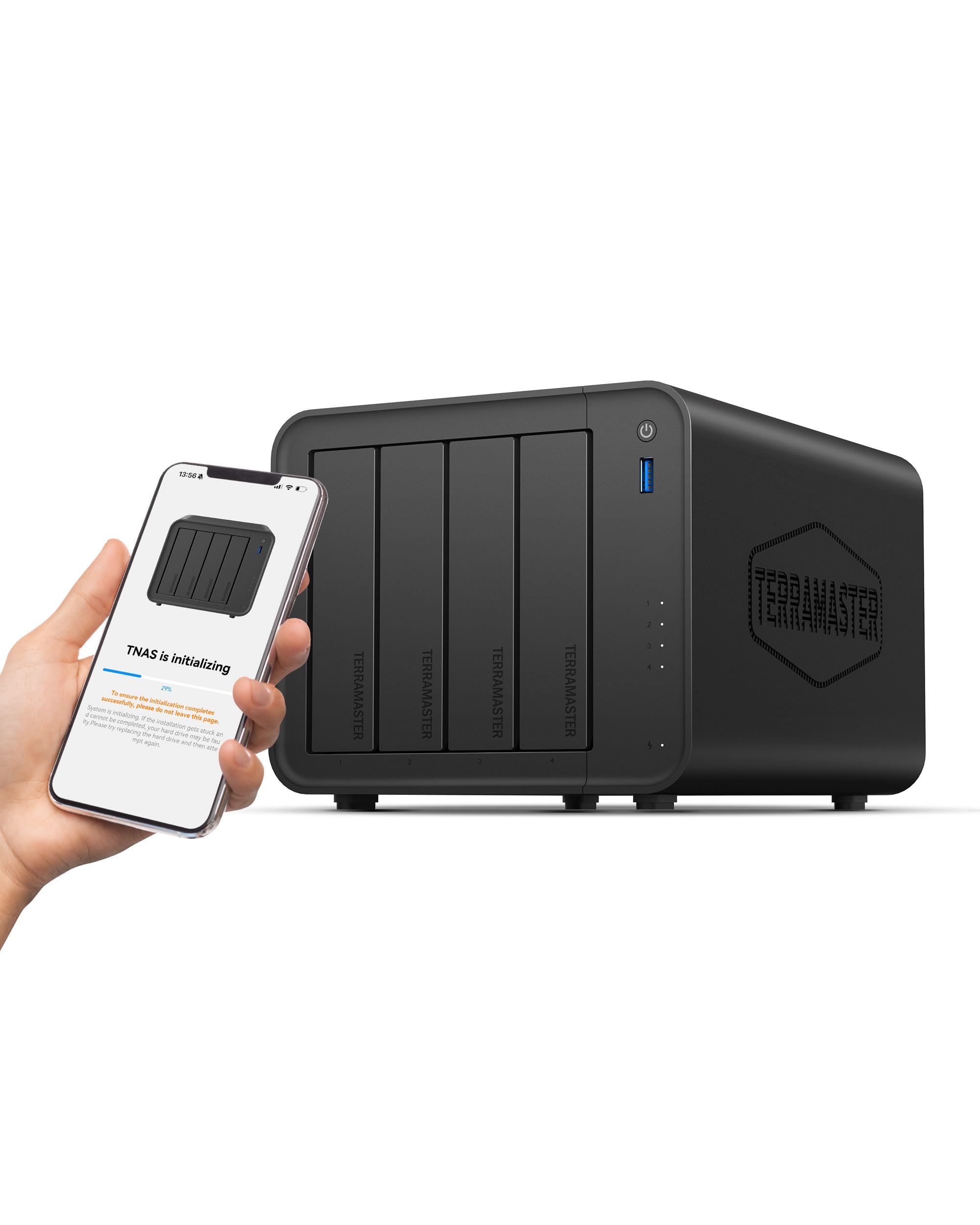
The TerraMaster F4-425 is built around the idea that a media server should be invisible — acoustically and physically. The fan system produces only 21 dB(A), which is quieter than most desktop computers at idle, and the tool-less Push-Lock HDD trays let you install drives in under ten seconds without a screwdriver. The Intel x86 quad-core processor handles 4K H.265 hardware decoding via Plex, Emby, or Jellyfin, and the single 2.5GbE port provides enough bandwidth for two to three concurrent high-bitrate streams.
TerraMaster’s TOS 6 operating system has matured significantly, now offering a desktop-like interface comparable to DSM for basic file management, CloudSync with Google Drive and OneDrive, and a mobile app that supports automatic photo and video backups. The TRAID array system provides approximately 30 percent more usable capacity than conventional RAID by intelligently distributing data across mixed-capacity drives. The memory is socketed — users have upgraded the stock 4 GB to 16 GB easily, which improves Docker and app performance.
The most persistent complaint revolves around boot time — the F4-425 takes 15 to 20 minutes to start up, which is abnormally long compared to rivals that boot in five minutes. There are also sporadic reports of the OS failing to retain user login credentials after a power cycle, requiring a full reset and reconfiguration. Customer support response times vary, and the community forum is smaller than Synology’s or QNAP’s, so troubleshooting obscure issues can be slow. For users comfortable with some software quirks, the hardware value and near-silent operation are unmatched at this tier.
Why it’s great
- Extremely quiet 21 dB(A) operation suitable for bedrooms or open-plan offices
- Intel x86 CPU with Quick Sync for smooth 4K transcoding
- Socketed RAM allows easy upgrade from 4GB to 16GB
Good to know
- Boot time of 15–20 minutes is unusually slow
- Occasional credential retention bugs require factory reset
- Smaller user community means slower troubleshooting support
7. BUFFALO TeraStation Essentials 24TB

The Buffalo TeraStation Essentials 24TB eliminates the most intimidating step of NAS ownership: sourcing and installing compatible drives. Four pre-tested 6TB hard drives ship already seated in the chassis, with RAID 5 configured out of the box to yield 18 TB usable. The 256-bit AES drive encryption and closed system design prioritize data security for small offices that lack dedicated IT staff. The native 2.5GbE port ensures faster-than-Gigabit transfers without requiring users to upgrade their switch infrastructure — the NAS negotiates down to 1 GbE automatically if the network lacks 2.5GbE support.
Setup is genuinely minimal: connect power and Ethernet, install the Buffalo setup utility on a Windows or macOS machine, and the NAS appears in the network within minutes. The web-based admin interface is simpler than Synology’s DSM or QNAP’s QTS, which is a strength for non-technical users but a limitation if you want Docker, virtual machines, or app stores. Cloud sync with Amazon S3, Dropbox, Azure, and OneDrive adds hybrid cloud flexibility without requiring third-party software.
Footprint is larger than competing desktop NAS units — the tower-style case takes up noticeable desk space. The fan is audible under continuous load but not intrusive, and the 3-year warranty covers the hard drives fully, including a data recovery service. The biggest drawback is the lack of expansion: there are no M.2 slots for caching, no USB 3.2 Gen2 ports for fast external backups, and the RAM is not user-upgradable. For a plug-and-play file server that just works, it is hard to beat; for a tinkerer’s media server, look elsewhere.
Why it’s great
- Drives included and RAID pre-configured — zero assembly required
- Native 2.5GbE port for faster transfers without infrastructure upgrades
- 3-year warranty with drive coverage and data recovery service
Good to know
- Large tower footprint takes up significant desk space
- No M.2 caching, no user-upgradable RAM, and limited ecosystem expansion
- Admin interface is basic compared to Synology/QNAP competitors
8. BUFFALO TeraStation Essentials 32TB
Effectively identical to the 24TB version in every way except drive capacity, the Buffalo TeraStation Essentials 32TB swaps in four 8TB drives for a raw capacity of 32 TB, with RAID 5 yielding 24 TB usable. This is the better pick if your media library or backup set pushes past the 12TB mark — the extra 6 TB of usable space postpones the need for an expansion shelf by a year or more. All the same connectivity, security, and warranty benefits apply: 2.5GbE networking, 256-bit drive encryption, and a 3-year warranty with data recovery.
The 5400 RPM drives that Buffalo ships are quieter and run cooler than 7200 RPM alternatives, which helps keep the chassis temperature stable during long backup windows. The closed OS means you cannot install third-party apps, but the built-in cloud sync and Time Machine support cover the most common home and small-business needs. The management GUI is identical to the 24TB version — functional but sparse, with online-only documentation that some users find inconvenient.
For teams or families that want to buy one box and have it work for three to five years without maintenance, the 32TB TeraStation is a straightforward recommendation. The lack of Docker or VM support is the main reason to skip it — if you can foresee wanting to run a Plex server, a WordPress instance, or a Git repository on your NAS, the closed Buffalo ecosystem will eventually feel limiting. But for pure storage and scheduled backup, reliability is excellent.
Why it’s great
- 32TB raw capacity out of the box with no drive shopping or installation
- 5400 RPM drives run quiet and cool, reducing chassis fan noise
- 3-year warranty with hard drive coverage and included data recovery
Good to know
- No app ecosystem — no Docker, no media server, no third-party packages
- Manual is online-only, which complicates initial setup without a second device
- RAM and drives are not user-replaceable without voiding warranty
9. TERRAMASTER D4-320U
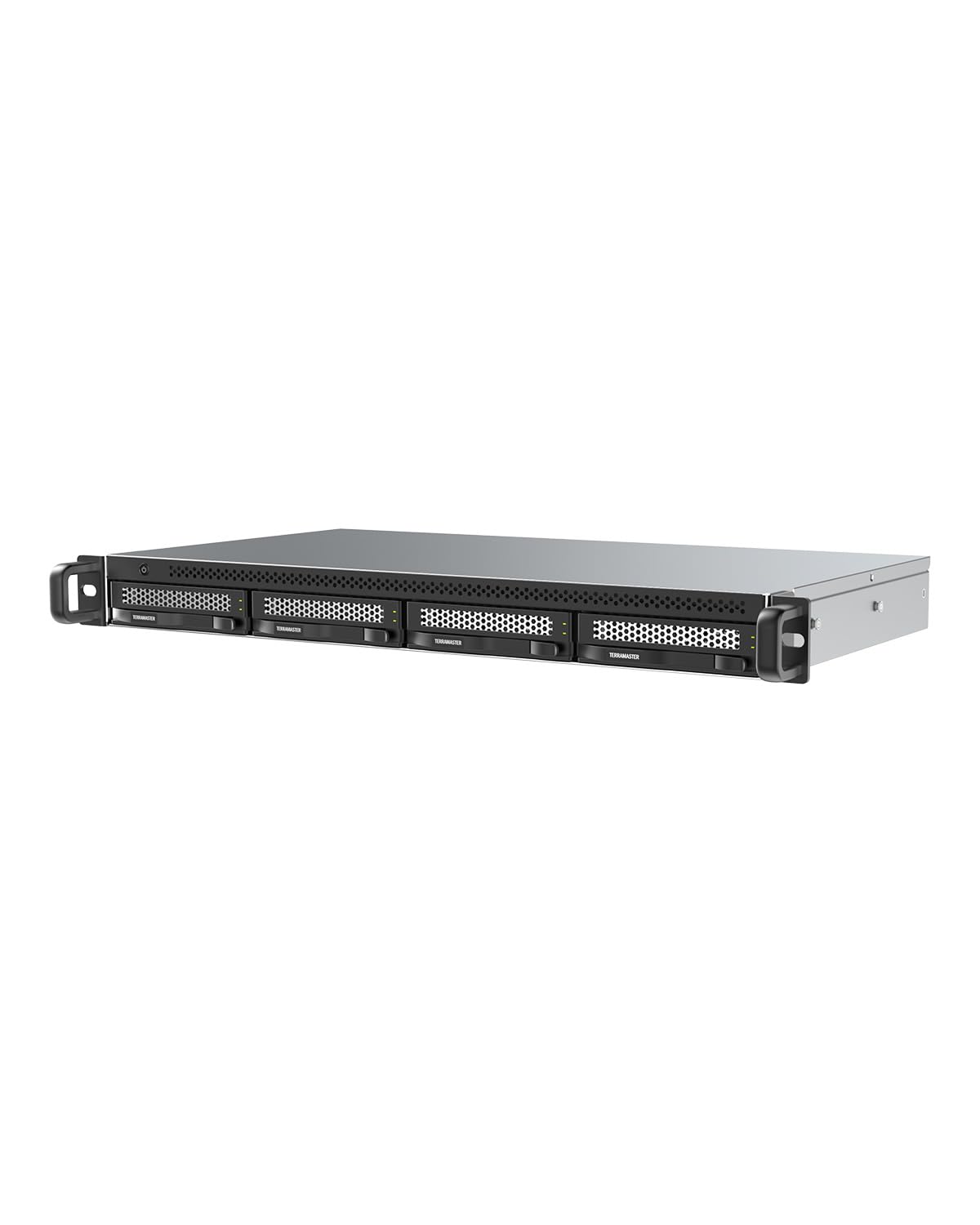
The TerraMaster D4-320U is a direct-attached storage enclosure, not a network-attached storage — it connects to a host PC or server via USB 3.2 Gen2 with a 10 Gbps Type-C interface, appearing as individual drives or a RAID array depending on the TOS configuration. The 1U rackmount chassis is only 9.5 inches deep, making it ideal for shallow racks, closets, or stairwells where a full-depth server will not fit. Without the network stack overhead, sequential transfer speeds can reach 1,016 MB/s with four SATA III SSDs installed, rivaling internal SATA throughput.
Setup is plug-and-play: no drivers are needed on Windows, macOS, or Linux, and the enclosure ships with both USB-C-to-C and USB-C-to-A cables. When paired with a TerraMaster NAS running TOS 5.1 or higher, the D4-320U expands the NAS storage pool via USB — effectively a cheaper alternative to a second NAS for capacity growth. The metal enclosure and quiet fan keep drives below 40°C even during sustained writes.
Reliability is inconsistent: some units drop the USB connection under sustained load, leading to unclean dismounts and potential data corruption — system logs on macOS show repeated bus resets during heavy write operations. The included USB cable is often too thin and long for stable 10 Gbps signaling; replacing it with a short, shielded 0.5-meter cable resolves many disconnection issues. Drives appear individually in the OS rather than as a single volume, requiring manual spanning or software RAID at the host level, which adds complexity for users expecting a turnkey DAS.
Why it’s great
- Ultra-compact 1U rackmount chassis fits where full-depth servers cannot
- 10 Gbps USB-C interface delivers near-SATA SSD speeds for direct-attach workflows
- Metal construction with low-noise fan keeps drives cool in confined spaces
Good to know
- USB connection can drop under sustained load, risking data corruption
- Drives appear individually — no hardware RAID management for single-volume use
- Stock USB cable is insufficient for 10 Gbps stability; a third-party cable is mandatory
FAQ
Can I mix different capacity drives in a 4-bay NAS?
What is the real-world benefit of dual 2.5GbE ports over a single port?
How important is NVMe caching in a 4-bay NAS?
Can I use a 4-bay NAS as a Plex server for remote streaming?
Final Thoughts: The Verdict
For most users, the 4 bay nas winner is the UGREEN NASync DH4300 Plus because it combines 8GB of LPDDR4X RAM, a 2.5GbE port, and an intuitive AI photo manager at a price that undercuts most Intel-based rivals. If you need heavy Docker workloads and NVMe caching, grab the Asustor AS5404T. And for a completely hands-off experience with drives included and RAID pre-configured, nothing beats the BUFFALO TeraStation Essentials 24TB.

Mo Maruf
I created WellFizz to bridge the gap between vague wellness advice and actionable solutions. My mission is simple: to decode the research and give you practical tools you can actually use.
Beyond the data, I am a passionate traveler. I believe that stepping away from the screen to explore new environments is essential for mental clarity and physical vitality.