If you own a modern Mac, you’ve likely discovered the frustrating gap between your digital life and a physical collection of CDs, DVDs, or Blu-rays. Finding a reliable drive that works seamlessly with macOS can feel like a compatibility minefield. This guide cuts through the noise to show you exactly which external drives deliver.
I’m Mohammad Maruf — the founder and writer behind WellFizz. My research involves deep-diving into market data and user feedback across thousands of specs to pinpoint where advertised features meet real-world macOS performance.
We’ve analyzed build quality, transfer speeds, and software quirks to present a clear, actionable list for anyone needing to access their physical media library on a modern Apple computer, helping you choose the best cd drive for mac for your specific needs.
How To Choose The Best Cd Drive For Mac
Selecting an external drive involves more than just plugging in a cable. For Mac users, the right choice balances future-proof connectivity, your specific media types, and the often-overlooked need for playback software. Let’s break down the key decision points.
Connectivity: USB-C is Non-Negotiable
Modern MacBooks exclusively use USB-C/Thunderbolt ports. While adapters exist, a drive with a native USB-C cable ensures a stable, high-speed connection and reduces cable clutter. Look for models that include both a USB-C and a legacy USB-A cable for maximum flexibility. Drives with only USB 2.0 will feel painfully slow for large file transfers.
Media Type: DVD, Blu-ray, or Data-Only?
First, identify what discs you need to read. Standard DVD/CD drives are common and affordable. If you have a Blu-ray movie collection or need to archive large amounts of data (25GB-100GB per disc), a Blu-ray burner is essential. Remember: playing commercial Blu-ray movies requires separate, often paid, playback software on a Mac, as macOS doesn’t include native support.
The Software Reality Check
This is the most critical caveat. No external drive includes licensed Blu-ray movie playback software in the box. For data reading and burning (CDs, DVDs, and data Blu-rays), macOS Finder and Disk Utility work fine. For watching Blu-ray films, you must purchase software like PowerDVD, Macgo Blu-ray Player, or configure VLC with additional libraries. Always budget for this if movie playback is your goal.
Quick Comparison
On smaller screens, swipe sideways to see the full table.
| Model | Type | Best For | Key Feature | Amazon |
|---|---|---|---|---|
| Wbacon External Blu-ray Drive | Blu-ray Burner | Professionals & Large Backups | HDMI & LAN ports, 100GB BDXL | Amazon |
| Dainty 7-in-1 External Drive | Blu-ray Burner | Desk Users Needing Ports | Built-in USB/SD card hub | Amazon |
| Yaeonku External Blu-ray Drive | Blu-ray Burner | Reliable Plug-and-Play | Dual-port (USB-C & USB-A) design | Amazon |
| Alphami External Blu-ray Drive | Blu-ray Burner | Simple, No-Fuss Operation | Plug & play, wide OS support | Amazon |
| Y-NX USB-C Blu-ray Player | Blu-ray Burner | Mac Aesthetic Match | Aluminum silver finish, slim | Amazon |
| Dainty External Blu-ray Drive | Blu-ray Burner | Travel & Expanded Connectivity | 6-in-1 port hub, portable | Amazon |
| iodd ST400 Variations | Virtual ODD/HDD | IT Pros & Security | Boots ISOs, hardware encryption | Amazon |
| Portable External USB DVD Drive | DVD/CD Burner | Basic DVD & CD Tasks | Embedded cable, entry-level | Amazon |
| Samsung Slim Blu-ray Writer | Blu-ray Burner | Legacy System Users | M-Disc support, proven reliability | Amazon |
In‑Depth Reviews
1. Wbacon External Blu-ray Drive
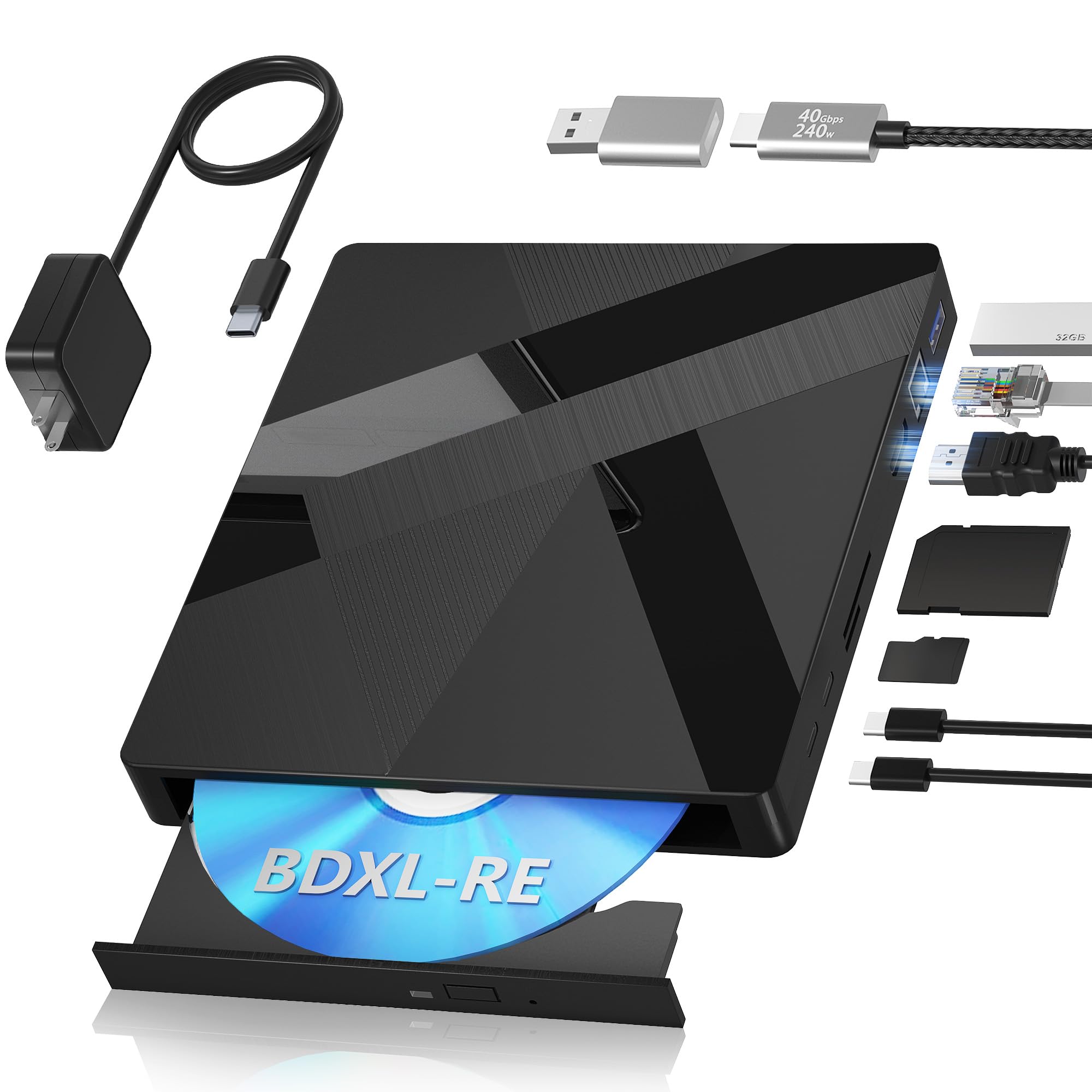
The Wbacon drive stands out as a premium, feature-packed solution that goes far beyond simple disc reading. Its support for 100GB BDXL-RE rewritable discs is a game-changer for videographers, photographers, or anyone needing to archive massive projects on a reusable, durable medium. This capability alone places it in a professional tier.
What truly sets it apart are the integrated HDMI and Gigabit Ethernet ports. The HDMI port works with compatible playback software to output protected commercial Blu-ray content directly to a monitor or TV. The LAN port allows for fast, stable file transfers to a NAS or home server, bypassing Wi-Fi entirely. It’s a uniquely versatile hub for power users.
In terms of macOS compatibility, it operates as a standard plug-and-play device for data reading and writing. As with all Blu-ray drives, playing commercial movies requires third-party software. Its build is solid yet portable, and the included power adapter also functions as a phone charger, reducing clutter. This drive is for the user who views their optical drive as a serious tool, not just an accessory.
Why it’s great
- Unmatched support for 100GB BDXL discs for huge backups.
- Unique combination of HDMI for video output and LAN for networking.
- Premium build quality with thoughtful extras like a dual-purpose power adapter.
- Plug-and-play for data functions on Mac, Windows, and Linux.
Good to know
- A premium investment, positioned at the higher end of the market.
- Blu-ray movie playback still requires separate software purchase.
- The disc tray mechanism can feel slightly lightweight compared to the sturdy exterior.
2. Dainty 7-in-1 External Blu-ray Drive
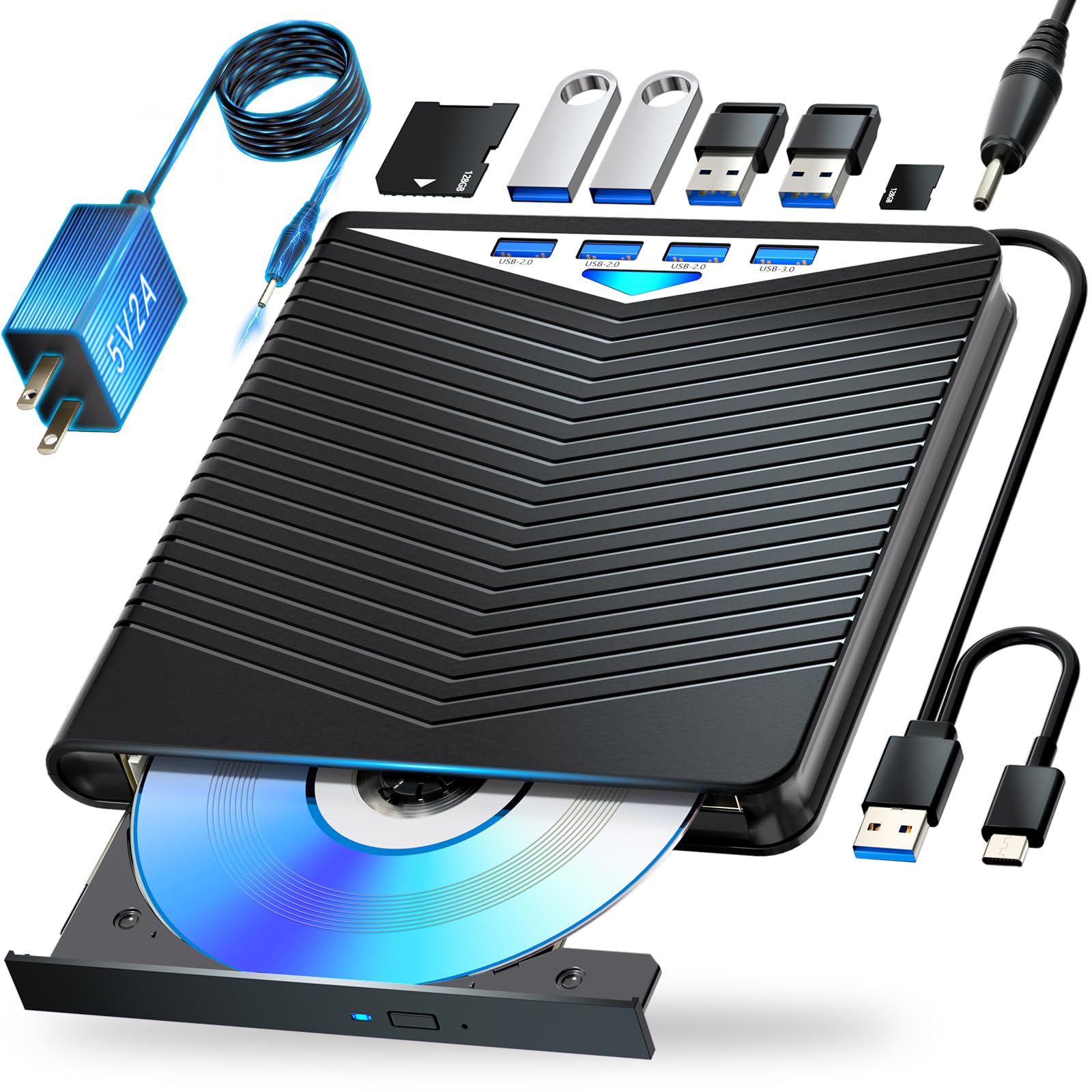
If your desk space is precious and your MacBook has limited ports, the Dainty 7-in-1 is a brilliantly efficient choice. It combines a full-featured Blu-ray burner with a versatile USB hub, offering additional ports for flash drives, SD/TF cards, and other peripherals. This consolidates two essential accessories into one compact unit.
Performance-wise, it delivers standard Blu-ray read/write speeds (6x for BD, 8x for DVD, 24x for CD) and supports M-Disc, a archival-grade disc format designed to last for centuries. The inclusion of both a USB-C and a USB-A cable in the box ensures compatibility with virtually any modern computer, including the latest MacBooks, without needing a separate adapter.
User reports confirm it works well for data tasks, though as expected, Blu-ray movie playback needs external software. Its design includes a clever cable storage area on the bottom, making it neat for travel. For the user who needs to free up their Mac’s ports and handle various memory cards while accessing optical media, this is a supremely practical mid-range option.
Why it’s great
- Excellent space-saver that combines a disc drive with a multi-port hub.
- Supports long-term data storage with M-Disc compatibility.
- Includes both cable types for universal connectivity.
- Compact design with built-in cable management.
Good to know
- The fixed USB data cable is somewhat short, which may limit placement.
- Some users note that writing to blank Blu-ray discs can require software tweaks.
- Playback software for movies is not included.
3. Yaeonku External Blu-ray/DVD Drive

The Yaeonku drive is a strong contender in the mid-range category, offering a balanced mix of essential features and reliable performance. Its standout design element is the built-in dual-port setup, featuring both USB 3.0 and USB-C connections on the drive itself. This eliminates the need for a separate dongle or adapter when connecting to a modern MacBook, providing a clean, direct link.
It performs admirably for standard disc operations, with users reporting successful Blu-ray data burning and DVD playback. A key insight from user reviews is the importance of power: for stable operation, it’s best to plug this drive directly into your Mac’s USB port rather than through an unpowered hub. When given sufficient power, it operates as a true plug-and-play device on macOS, Windows, and Linux for data functions.
This model represents a solid value proposition. It doesn’t have the extra ports or BDXL support of more premium drives, but it reliably handles the core tasks of reading and writing CDs, DVDs, and standard Blu-rays. For someone who needs a no-nonsense, portable burner for data backup, software installation, or media ripping, it delivers excellent utility.
Why it’s great
- Convenient dual-port design (USB-C and USB-A) integrated into the drive.
- Reliable plug-and-play performance for data reading and writing across multiple OS.
- Slim, lightweight, and truly portable for use anywhere.
- Strong value for a fully-featured Blu-ray burner.
Good to know
- Does not support 4K Ultra HD Blu-ray discs.
- Must be connected directly to a computer port for best reliability (not through a hub).
- Blu-ray movie playback requires separate software installation.
4. Alphami External Blu Ray Drive

Alphami’s drive is built around the principle of simplicity and broad compatibility. It’s advertised to work with an extensive list of operating systems, from legacy Windows XP right up to the latest macOS, making it a safe choice for multi-platform households or users with older systems. The “plug-and-play” claim holds true for CD and DVD data access, requiring no additional drivers.
The drive includes both USB-A and USB-C cables, covering all connection bases. Performance is in line with mid-range expectations, offering standard read/write speeds. User experiences highlight that it functions well for playing and ripping DVDs and CDs. For Blu-rays, the same universal rule applies: data discs work fine, but movie playback necessitates software like VLC (with configuration) or a paid program like PowerDVD.
This is a straightforward tool. It doesn’t try to be a hub or offer archival-grade features; it aims to be a reliable bridge to your optical media. Its slim profile and included cables make it easy to toss in a bag, and its compatibility matrix means you likely won’t face unexpected “device not recognized” errors on your Mac.
Why it’s great
- Exceptional compatibility with a vast range of old and new operating systems.
- True plug-and-play for DVDs and CDs, with both necessary cables included.
- Slim, quiet, and energy-efficient during operation.
- Uncomplicated design focused on core functionality.
Good to know
- Blu-ray movie playback is not a built-in function and requires separate software.
- Some users report the drive can be a bit noisy when reading discs.
- Packaging and instructions are noted to be minimal.
5. Y-NX USB-C Blu-ray Player for Mac

For users who prioritize aesthetics and want an accessory that complements their Mac’s design language, the Y-NX drive is a compelling choice. It features a slim, anodized aluminum chassis in a champagne silver finish that closely matches older MacBook colors. This focus on build quality helps it stand out from the sea of black plastic drives.
Functionally, it offers standard Blu-ray read/write capabilities via USB 3.0 and USB-C connections. It’s marketed as supporting 3D Blu-ray playback, though this requires a compatible 3D monitor and glasses. Users have found it to be a quiet and reliable performer for data tasks. As always, commercial Blu-ray movie playback is a software-dependent feature, not a hardware guarantee.
It’s important to note that user reviews are mixed regarding its Blu-ray movie playback out of the box, with some stating it only read DVDs. This underscores the critical point: success with commercial movie discs is 90% dependent on the software you use on your Mac. As a well-built, stylish data burner, however, it performs its job admirably.
Why it’s great
- Premium aluminum construction that visually pairs well with Apple products.
- Slim, lightweight, and portable with a distinctive aesthetic.
- Includes both USB-C and USB 3.0 cables for flexible connectivity.
- Generally quiet operation during use.
Good to know
- Blu-ray movie playback is not guaranteed and relies entirely on third-party software.
- Some listings claim 4K support, but the drive does not read 4K Ultra HD Blu-ray discs.
- Aesthetics come at a slight premium compared to basic plastic models.
6. Dainty External Blu-ray Drive
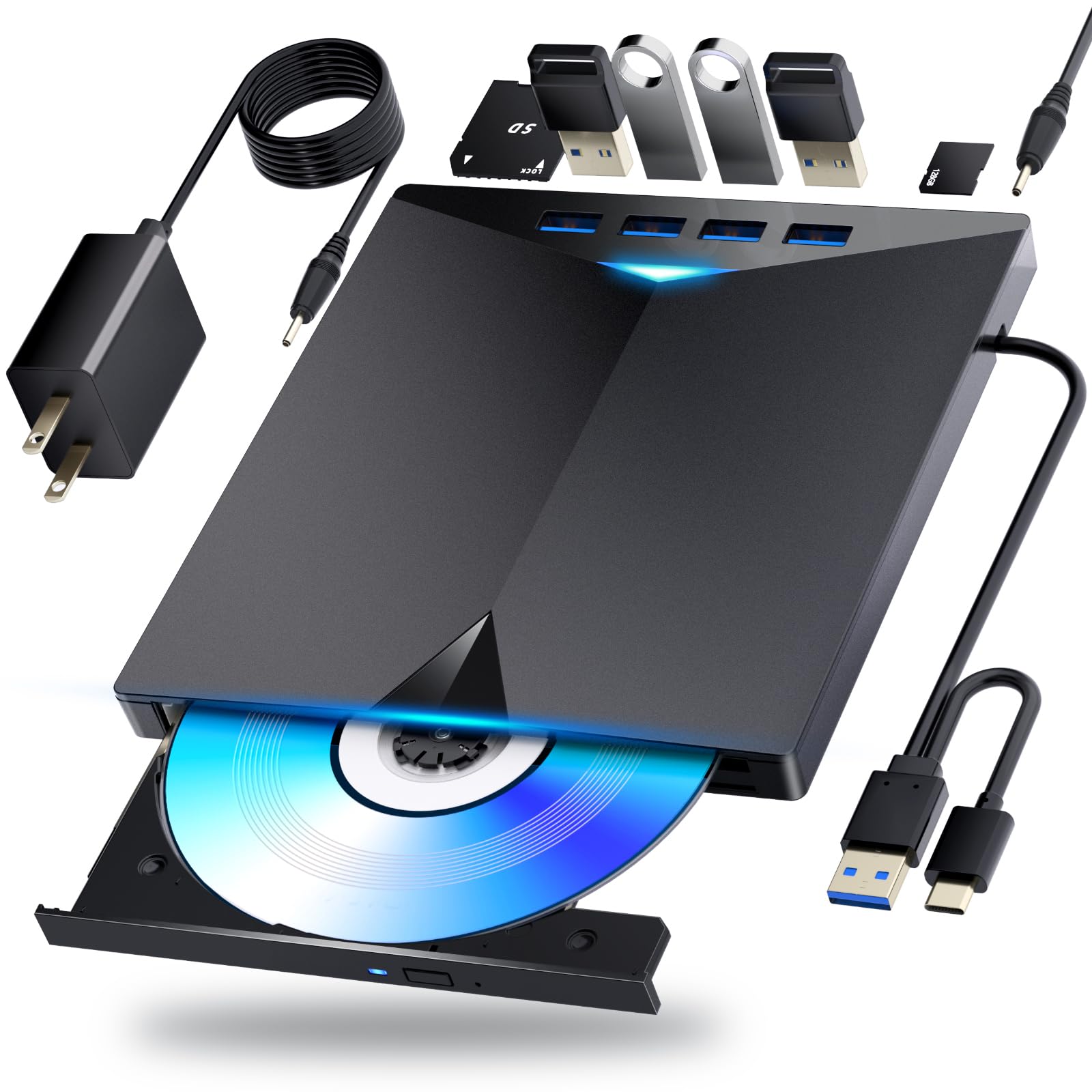
This Dainty model is the sibling to our “Best for Ports” pick, offering similar hub functionality in a slightly different configuration. It boasts six expansion ports, allowing you to connect USB devices, SD cards, and TF cards simultaneously. This makes it an excellent docking station for a laptop user with limited native ports, all while providing full Blu-ray burning capability.
It includes an additional USB power cable alongside the standard data cable. This is a useful feature if your computer’s USB port doesn’t provide sufficient power for stable operation—a common issue with some laptops or when connected through hubs. The drive itself is compact, with a built-in area to wrap and store the cable on the bottom, enhancing its portability.
User feedback confirms it works well for basic disc reading and writing tasks. However, experiences with burning Blu-ray discs are mixed, with some users reporting success and others encountering issues. This variability is not uncommon in this product category and often relates to the specific blank media used and the burning software settings on the Mac.
Why it’s great
- Acts as a powerful port expander, adding significant connectivity to a MacBook.
- Included extra power cable helps ensure stable operation on low-power ports.
- Very compact and travel-friendly with integrated cable storage.
- Supports a wide range of disc formats for data.
Good to know
- Blu-ray burning performance can be inconsistent depending on media and software.
- As with all, movie playback software is separate and required.
- The short, fixed data cable can limit placement options on a desk.
7. iodd ST400 Variations (NO SSD)

The iodd ST400 is a completely different kind of beast. It’s not a traditional optical disc drive at all. Instead, it’s an external enclosure that lets you install your own 2.5-inch SATA SSD or HDD. Its unique superpower is the ability to mount ISO, VHD, or disk image files as virtual, bootable optical drives or hard drives—a dream tool for IT professionals, sysadmins, or advanced users.
Imagine having a library of operating system installers (Windows, Linux), diagnostic tools, or game archives stored on the internal SSD. With the iodd’s onboard screen and buttons, you can select any of these ISO files and have your Mac see it as a physical DVD or Blu-ray drive inserted. It also features robust AES-256 hardware encryption, turning it into a secure, portable vault for your sensitive data.
For the average user wanting to play movie discs, this is not the right tool. But for a power user who needs to boot multiple OSes, carry a secure drive, or eliminate the need to burn physical discs altogether, the iodd is an incredibly versatile and unique premium device. The learning curve is steeper, but the functionality is unparalleled.
Why it’s great
- Eliminates the need for physical discs by mounting ISO/VHD files as virtual drives.
- Hardware-based AES-256 encryption provides strong data security.
- Can boot operating systems directly from stored image files.
- Extremely versatile for tech support, software testing, and data transport.
Good to know
- Does not read physical CDs, DVDs, or Blu-rays at all.
- Requires the user to supply their own 2.5-inch SSD or HDD.
- Interface and setup have a significant learning curve; documentation is poor.
- Premium price for a specialized tool.
8. Portable External USB DVD Drive

This drive is a straightforward, entry-level solution for users whose needs are strictly limited to CDs and DVDs. If you don’t own any Blu-ray media and just need to install old software, play music CDs, watch DVD movies, or access archived data on standard discs, this model covers the basics effectively. It represents a budget-friendly point of entry.
The design features an embedded USB-A cable that wraps around the body for storage, making it very tidy and hard to lose. It’s slim, lightweight, and truly plug-and-play on macOS for DVD/CD tasks—no external power adapter is needed. Some versions even bundle a disc with basic media playback software, though its utility on modern macOS versions may be limited.
It’s crucial to understand the limitation: this drive will not read Blu-ray discs of any kind. For many users, this is perfectly fine. DVD movie playback works natively in macOS with apps like DVD Player or VLC. It’s a simple, reliable tool for a specific, common set of tasks, offering good value for those who don’t need the expanded capacity or features of a Blu-ray burner.
Why it’s great
- Highly affordable and focused on core CD/DVD functionality.
- Convenient embedded cable design reduces clutter and loss.
- True plug-and-play on Macs for data and DVD video playback.
- Slim, portable, and requires no external power brick.
Good to know
- Does NOT support Blu-ray discs (neither reading nor writing).
- Bundled software may be outdated and incompatible with newer macOS.
- Build quality is functional but not premium.
- Uses older USB-A connectivity, so a dongle is needed for USB-C Macs.
9. SAMSUNG Slim Blu-ray Writer

The Samsung SE-506CB is a classic in the external drive space, renowned for its reliability and build quality. It’s a premium option from a well-known brand, and its long tenure on the market is a testament to its dependable performance. It supports M-Disc for archival-grade burning and covers all common CD, DVD, and Blu-ray formats.
It’s important to note its key technological limitation: it uses a USB 2.0 interface. This means data transfer speeds will be significantly slower than any USB 3.0 or USB-C drive on this list. For burning discs, this is less of an issue (as burning speed is limited by the disc and laser), but for reading large amounts of data from a disc to your Mac, you will notice the difference. The included cable is also notoriously short.
This drive is for the user who values proven, brand-name reliability above cutting-edge speed and who may have older systems without USB 3.0 ports. Userreports from Mac users confirm it works well for burning and playing Blu-rays when paired with the right software. It represents a reliable, if somewhat dated, premium choice.
Why it’s great
- Proven reliability and build quality from a major brand.
- Supports M-Disc for long-term, archival-quality data burning.
- Fully compatible with macOS for data functions and Blu-ray playback (with software).
- Clean, slim white design that is still visually appealing.
Good to know
- Uses slower USB 2.0 connectivity, which affects file transfer speeds.
- The included USB cable is very short.
- Positioned at the highest price point due to its brand and legacy status.
- May require a powered USB hub if the Mac’s port doesn’t supply enough power.
Understanding the Specs
Read/Write Speeds (24x, 8x, 6x)
These numbers (e.g., 24x CD, 8x DVD, 6x Blu-ray) represent the maximum speed at which the drive can read or write data to a disc. Higher “x” values mean faster operation. However, real-world speed is limited by the disc’s own rating and the USB connection. USB 2.0 drives will bottleneck these speeds significantly compared to USB 3.0 or USB-C.
M-Disc & BDXL Support
M-Disc is a special archival-grade recordable disc that uses a rock-like inorganic layer, claimed to last 1,000 years. A drive must be certified to write to M-Discs. BDXL refers to Blu-ray discs with extra layers, offering 100GB or 128GB capacities. Not all Blu-ray burners support BDXL; it’s a feature typically found in mid-range and premium drives for professional data backup.
FAQ
Do I need special software to play Blu-ray movies on my Mac?
Can I connect an external DVD drive to a MacBook with only USB-C ports?
Why won’t my external drive read a disc when plugged into a USB hub?
What is the difference between a Blu-ray reader and a Blu-ray burner?
Final Thoughts: The Verdict
For most people, the best cd drive for mac winner is the Wbacon External Blu-ray Drive because it combines professional-grade features like 100GB BDXL support and a built-in LAN port with the versatility needed for both data and media tasks. If you want maximized desk space and extra ports, grab the Dainty 7-in-1 External Blu-ray Drive. And for a simple, reliable, and budget-friendly option that nails the fundamentals, nothing beats the Yaeonku External Blu-ray/DVD Drive.

Mo Maruf
I created WellFizz to bridge the gap between vague wellness advice and actionable solutions. My mission is simple: to decode the research and give you practical tools you can actually use.
Beyond the data, I am a passionate traveler. I believe that stepping away from the screen to explore new environments is essential for mental clarity and physical vitality.