Choosing a 27-inch all-in-one computer isn’t just about specs on a page; it’s about creating a serene, focused space where work flows and stress doesn’t. A great all-in-one eliminates the tangled nest of cables, the bulky tower underfoot, and the mismatched components that quietly drain your attention. It’s a holistic upgrade to your digital habitat, combining a spacious display with silent, integrated power for a cleaner mind and a clearer desk.
I’m Mohammad Maruf — the founder and writer behind WellFizz. Over the last decade, I’ve developed a research methodology focused on decoding dense specification sheets and analyzing long-term user data to predict which tech products truly deliver lasting satisfaction versus short-term hype.
This guide is the result of analyzing thousands of data points across 11 current models, so you can find the perfect balance of screen, power, and elegant simplicity. Your ideal best 27 inch all-in-one computer should feel like an extension of your workspace, not a disruption to it.
How To Choose The Best 27 Inch All-In-One Computer
Selecting an all-in-one is a balance of performance, aesthetics, and daily usability. It’s the centerpiece of your desk, so it needs to perform reliably for years while fitting your workflow. Let’s break down the key decision points.
Define Your Core Use Case
Are you managing family schedules and streaming movies? A balanced mid-range model with a great screen and speakers is perfect. For professional work involving multitasking with dozens of browser tabs, spreadsheets, and video calls, prioritize a stronger multi-core processor (like an i5/Ryzen 5 or better) and at least 16GB of RAM. If your work touches on photo editing or light design, a model with dedicated graphics becomes a worthy consideration.
Prioritize the Display Experience
The 27-inch screen is your constant interface. An IPS panel offers wider viewing angles and better color accuracy than a standard TN panel. Touchscreens add intuitive interaction but often come with a glossy finish that can reflect light. Consider a matte, anti-glare finish if your workspace has windows or overhead lighting. Features like blue light reduction and a higher refresh rate (100Hz vs. standard 60Hz) contribute significantly to long-term eye comfort.
Understand the Performance Hierarchy
Processor generation matters as much as the model number. A 13th Gen Intel Core i5 often outperforms an older i7. Focus on getting the newest architecture you can within your budget. For storage, a PCIe NVMe SSD is non-negotiable for fast boot and load times—it’s dramatically quicker than a traditional hard drive or even a SATA SSD. Finally, consider upgradability; some AIOs allow you to add more RAM or storage later, while others are sealed units.
Quick Comparison
On smaller screens, swipe sideways to see the full table.
| Model | Type | Best For | Key Feature | Amazon |
|---|---|---|---|---|
| Lenovo IdeaCentre AIO 3i | Touchscreen | Family & Daily Use | Privacy Webcam, Harman Audio | Amazon |
| Acer Aspire C27 | Standard | Home Office & Value | High 91% Screen-to-Body Ratio | Amazon |
| HP 27″ FHD Touch (PLUSERA) | Touchscreen | Bundled Value | Includes 8-in-1 Hub & Windows 11 | Amazon |
| HP 27″ (Win 11 Pro) | Touchscreen | Prosumer / Home Office | Windows 11 Pro, 1080p IR Camera | Amazon |
| Dell 27 All-in-One | Standard | Clean Desk Aesthetics | Keyboard Storage Stand, Onsite Service | Amazon |
| Lenovo ThinkCentre AIO | Business | Office & Productivity | HDMI-In Port, 100Hz Display | Amazon |
| ASUS V470 AIO | Touchscreen | Modern Home Office | AI Noise-Canceling, Wi-Fi 6E | Amazon |
| HP 27″ (Ryzen 7) | Standard | Power Users & Multitasking | 32GB RAM, Ryzen 7 Processor | Amazon |
| Dell Inspiron 27 7720 | Touchscreen | Business & Creative Tasks | 10-Core i7, Dedicated GeForce MX550 | Amazon |
| Dell 27″ Touch (MX570A) | Touchscreen | Advanced Performance | NVIDIA MX570A Graphics, 32GB DDR5 | Amazon |
| Dell All-in-One 27″ (150U) | Touchscreen | Top-Tier Creative Work | 5.4GHz Turbo, 100Hz Touch Display | Amazon |
In‑Depth Reviews
1. Lenovo IdeaCentre AIO 3i

The Lenovo IdeaCentre AIO 3i strikes a remarkable balance that makes it an excellent choice for most households. It combines a responsive 27-inch FHD touch display with thoughtful family-centric features, like a pop-up 5MP webcam you can physically hide for instant privacy and a dedicated phone holder built into the stand. This focus on daily usability is its strongest suit.
Powered by a 12th Gen Intel Core i5 processor and Intel Iris Xe graphics, it handles everyday multitasking, schoolwork, and media streaming with ease. The Harman Kardon-tuned speakers provide clear, room-filling audio that’s a noticeable step up from typical built-in speakers, making movie nights or video calls more enjoyable. Its cable management design helps maintain that clean, all-in-one aesthetic.
Feedback highlights its easy setup and reliable performance for general use. Some users note the stand offers limited adjustability, and the 8GB RAM in the base configuration can feel tight for heavier multitasking—a consideration if you habitually run many programs at once. For a mid-range model, it delivers a polished, user-friendly experience.
Why it’s great
- Physical privacy webcam adds peace of mind.
- Excellent Harman Kardon speaker quality for an AIO.
- Thoughtful design with phone holder and cable management.
- Responsive touch interface on a bright display.
Good to know
- Base model’s 8GB RAM may require an upgrade for power users.
- Screen tilt and height adjustment are somewhat limited.
- Included USB ports can be quickly used up, necessitating a hub.
2. Acer Aspire C27

The Acer Aspire C27 is a standout in the value segment, offering a compelling specification sheet for a mid-range price. Its most striking feature is the ultra-slim bezel design, achieving a 91% screen-to-body ratio that makes the 27-inch Full HD IPS display feel even more immersive. This focus on a modern, minimalist look is a big part of its appeal.
It’s equipped with a 12th Gen Intel Core i5 processor, a generous 16GB of DDR4 RAM, and a fast 512GB NVMe SSD. This combination ensures snappy performance for office work, web browsing, and even some light creative applications. The display includes BlueLightShield technology, and the stand offers a useful tilt range (-5° to 25°) for better ergonomics, which are thoughtful touches for long sessions.
User reviews consistently praise its speed and the quality of the display. It’s important to note this is not a touchscreen model, which may be a pro for those wanting a matte finish or a con for those who prefer direct interaction. The included wireless keyboard and mouse complete a solid, ready-to-work package.
Why it’s great
- Exceptional screen-to-body ratio with very slim bezels.
- Strong out-of-the-box specs with 16GB RAM and NVMe SSD.
- Useful display tilt and blue light reduction feature.
- Includes wireless keyboard and mouse.
Good to know
- Display is not touch-enabled.
- Some users find the initial setup instructions for peripherals unclear.
- Integrated camera and speakers are described as decent, not exceptional.
3. HP 27″ FHD Touchscreen (PLUSERA)

This HP configuration, bundled by PLUSERA, presents a unique value proposition by including an 8-in-1 USB hub right in the box. This immediately solves the common AIO challenge of limited port access, providing extra USB ports, card readers, and more. It features an AMD Ryzen 5 processor and a 27-inch touchscreen, offering a capable platform for everyday computing.
The white chassis gives it a clean, modern look that fits well in home offices or shared family spaces. With 16GB of RAM and a full 1TB SSD, it offers ample space and smooth multitasking capability right from the start. The three-sided micro-edge display helps maximize screen real estate, and the anti-glare coating is a welcome feature for reducing reflections.
Users appreciate it as a good basic computer for everyday tasks. Some critical reviews mention potential issues with peripheral dongles or touchscreen responsiveness, which may be related to specific units or setup. The included keyboard has also received feedback about having faint lettering on the keys.
Why it’s great
- Exceptional value bundle including an 8-in-1 USB hub.
- Large 1TB SSD provides plentiful storage from day one.
- Modern white design with anti-glare touchscreen.
- Solid 16GB RAM for multitasking.
Good to know
- Included keyboard has low-contrast lettering that can be hard to see.
- A small subset of users reported technical issues requiring troubleshooting.
- As a bundle from a third-party, warranty details may differ from buying directly from HP.
4. HP 27″ All-in-One (Windows 11 Pro)

This HP model steps into the prosumer space by featuring the business-oriented Windows 11 Pro operating system, which adds features like enhanced security, remote desktop, and more granular control. It’s built around the efficient AMD Ryzen 5 7520U processor and includes a high-quality 1080p IR privacy camera with noise-reduction microphones, making it an excellent choice for serious video conferencing.
The 27-inch FHD touchscreen is an IPS panel with 99% sRGB color coverage, which is a boon for tasks where color accuracy is helpful. The 16GB of fast LPDDR5 RAM ensures smooth operation even with demanding professional applications, and the 1TB PCIe NVMe SSD offers both speed and capacity.
Its design is clean and professional. Long-time HP users have noted its reliability for daily office tasks. As with many all-in-ones, it’s a sealed system, so the onboard RAM is not upgradeable after purchase, making the 16GB configuration a long-term commitment.
Why it’s great
- Windows 11 Pro offers features useful for business and advanced users.
- High-quality 1080p IR camera with temporal noise reduction.
- Color-accurate 99% sRGB IPS touch display.
- Fast LPDDR5 RAM and PCIe NVMe storage.
Good to know
- RAM is soldered and not user-upgradeable.
- As a premium configuration, it sits at a higher tier than entry-level models.
- Some users have reported isolated hardware issues, as with any electronics.
5. Dell 27 All-in-One Desktop

Dell’s 27 All-in-One focuses intently on user well-being and desk organization. Its most innovative feature is the stand, which is designed with a recessed area to store the wireless keyboard underneath the screen when not in use. This simple idea promotes a remarkably clean desktop. It also includes a full year of onsite service, where a technician comes to you for hardware issues—a huge benefit for those who dread the hassle of returns.
The display features Dell’s ComfortView Plus technology, which reduces blue light emissions without distorting colors. A 5MP+IR pop-up camera ensures you look great on calls, and dual speakers with Dolby Atmos spatial sound provide an immersive audio experience. Performance is driven by an Intel Core 5 processor with 16GB of DDR5 RAM, making it a robust system for office and family use.
Users love its sleek look, easy setup, and surprisingly good speaker volume. Some note that the facial recognition login can be finicky. It’s a thoughtfully engineered package that prioritizes a holistic, hassle-free user experience.
Why it’s great
- Unique stand design with integrated keyboard storage.
- Includes 1-year onsite service for peace of mind.
- Excellent display with ComfortView Plus blue light reduction.
- High-quality pop-up camera and Dolby Atmos audio.
Good to know
- Windows Hello facial recognition can be inconsistent for some users.
- Non-touch display (a pro for those who prefer anti-glare matte).
- Premium features are reflected in its positioning.
6. Lenovo ThinkCentre All-in-One

The Lenovo ThinkCentre brings business-grade reliability and features to the all-in-one form factor. It’s powered by a capable 13th Gen Intel Core i5-13420H processor and comes with Windows 11 Pro. A standout spec is its 100Hz refresh rate display, which makes on-screen motion noticeably smoother than the standard 60Hz—a benefit for scrolling, dragging windows, and even casual gaming.
Its most unique feature is an HDMI-In port on the back. This allows you to connect another device, like a laptop or game console, and use the AIO’s high-quality 27-inch display as a secondary monitor. This dual functionality adds tremendous value. The wired keyboard and mouse signal a business-oriented, “set it and forget it” approach.
Feedback highlights its performance for multitasking and professional use. The Harman audio system is praised for clarity on calls. As a business-line product, it forgoes a touchscreen for a durable, anti-glare matte finish. Ensure you purchase from a reputable seller, as there have been isolated reports concerning warranty registration.
Why it’s great
- Versatile HDMI-In port to use as an external monitor.
- Smooth 100Hz refresh rate display for reduced eye strain.
- Business-grade build quality with Windows 11 Pro.
- Powerful 13th Gen Intel processor.
Good to know
- Does not include a touchscreen.
- Comes with a wired keyboard and mouse, not wireless.
- Be mindful of the seller to ensure full manufacturer warranty support.
7. ASUS V470 All-in-One

The ASUS V470 is a feature-packed all-in-one that incorporates modern connectivity and communication tech. It stands out with AI Noise-Canceling technology, which uses machine learning to filter out background noise from your voice during calls—a major upgrade for home offices in less-than-quiet environments. It also supports the latest Wi-Fi 6E standard for faster, less congested wireless connections.
Its 27-inch Full HD touchscreen is anti-glare, making it comfortable for long use. Inside, it leverages a 13th Gen Intel Core i5 processor, 16GB of speedy DDR5 RAM, and a large 1TB PCIe SSD. The 1080p camera and Dolby Atmos speakers round out a strong media and communication package.
Users report an easy setup and appreciate the space-saving design. The inclusion of a wired keyboard and mouse is noted, though some may prefer to swap them for wireless versions. It represents a modern, well-equipped choice for the connected home office.
Why it’s great
- AI Noise-Canceling for crystal-clear voice calls.
- Future-proof Wi-Fi 6E and Bluetooth 5.3 connectivity.
- Large 1TB SSD and fast DDR5 RAM.
- Anti-glare touchscreen display.
Good to know
- Includes a wired keyboard and mouse.
- Display height is not adjustable.
- As with many OEM systems, some pre-installed software may be present.
8. HP 27″ All-in-One (Ryzen 7)

This HP configuration is for those who demand serious multitasking headroom without venturing into the dedicated graphics tier. The heart of the system is the AMD Ryzen 7 7730U processor, an 8-core/16-thread chip that excels at handling heavy workloads. It’s paired with a massive 32GB of RAM, allowing you to run virtual machines, complex spreadsheets, dozens of browser tabs, and creative software simultaneously without a hiccup.
The 1TB SSD provides ample fast storage, and the ultra-slim three-sided micro-edge display offers an immersive view. It includes a tiltable pop-up privacy camera, maintaining HP’s focus on secure, quality video calls. The white chassis is sleek and professional.
Users upgrading from older computers are amazed by the performance leap. It’s explicitly noted as being excellent for home, student, and remote work use, though not designed for high-end gaming or 4K video editing. This is a powerhouse for productivity.
Why it’s great
- Substantial 32GB RAM for extreme multitasking.
- Powerful 8-core AMD Ryzen 7 processor.
- Slim-bezel, immersive display design.
- Great for power users who don’t need dedicated graphics.
Good to know
- Integrated AMD Radeon graphics, not a dedicated GPU.
- A premium option focused on CPU and RAM performance.
- As a sealed unit, the 32GB RAM is not upgradeable.
9. Dell Inspiron 27 7720

The Dell Inspiron 27 7720 marks a significant step up into the realm of dedicated graphics. It combines a 13th Gen 10-core Intel Core i7 processor with an NVIDIA GeForce MX550 GPU. This dedicated graphics card, while not meant for hardcore gaming, provides a substantial boost over integrated graphics for photo editing, light video work, CAD applications, and smoother overall visual performance.
It features a 27-inch touchscreen, 32GB of DDR4 RAM, and a 1TB PCIe SSD, creating a well-rounded package for demanding users. Windows 11 Pro is included for professional features. The design is sleek in white, with a wireless keyboard and mouse included.
Reviews praise its speed and capability for business and creative tasks. A common piece of feedback is that the included wireless keyboard is not full-sized and some find the key feel less than ideal, leading many users to replace it. A minor software quirk mentioned is the system occasionally entering a very deep sleep state that requires a couple of keystrokes to wake.
This is a premium configuration designed for users who need both strong CPU performance and dedicated graphics acceleration. The combination of a 10-core i7 and the GeForce MX550 makes it suitable for more demanding creative applications, light engineering software, and smoother multitasking with visual workloads.
How much RAM do I really need in an all-in-one?
For basic web browsing, email, and streaming, 8GB is the minimum but may feel constrained. 16GB is the sweet spot for most users, allowing comfortable multitasking with many browser tabs and applications open. If you work with large files, virtual machines, or want to future-proof your purchase for several years, 32GB is recommended.
Is a touchscreen worth it on a 27-inch AIO?
It depends on your interaction style. A touchscreen adds intuitive direct manipulation for scrolling, zooming, and casual use, which can be great for families or creative brainstorming. However, touchscreens often have glossy finishes that reflect more light, and they add to the cost. If you primarily use a keyboard and mouse for productivity, a non-touch matte display might offer better glare reduction and value.
Can I upgrade the RAM or storage later?
This varies drastically by model. Many consumer all-in-ones, especially sleek, thin models, have sealed chassis with soldered RAM and a single SSD slot that may be user-accessible. Business-oriented models (like some Lenovo ThinkCentres) are more likely to offer upgrade panels. Always check the manufacturer’s specifications or service manual for the specific model before assuming upgradability.
9. Dell Inspiron 27 7720
The Dell Inspiron 27 7720 is a premium all-in-one designed for users who need both strong CPU performance and dedicated graphics acceleration. It combines a 13th Gen Intel Core i7-1355U processor with an NVIDIA GeForce MX550 GPU, making it suitable for more demanding creative applications, light engineering software, and smoother multitasking with visual workloads.
It features a 27-inch FHD touchscreen, 32GB of DDR4 RAM, and a 1TB PCIe NVMe SSD, offering ample resources for professional tasks. Windows 11 Pro provides advanced security and management features. The sleek white design includes a wireless keyboard and mouse, though the keyboard has received mixed reviews.
Users report excellent performance for business and creative work. However, some note that the included keyboard feels cheap and may need replacing, and the system can occasionally enter a deep sleep mode that requires extra effort to wake. Despite these minor quirks, it’s a powerful option for those stepping up from integrated graphics.
Why it’s great
- Dedicated NVIDIA GeForce MX550 graphics for enhanced visual performance.
- Powerful 10-core Intel Core i7 processor.
- Generous 32GB RAM and 1TB SSD storage.
- Includes Windows 11 Pro for professional use.
Good to know
- Included wireless keyboard is often criticized for quality.
- Occasional deep sleep issue requires multiple keystrokes to wake.
- Positioned at a higher price point.
10. Dell 27″ Touch (MX570A)
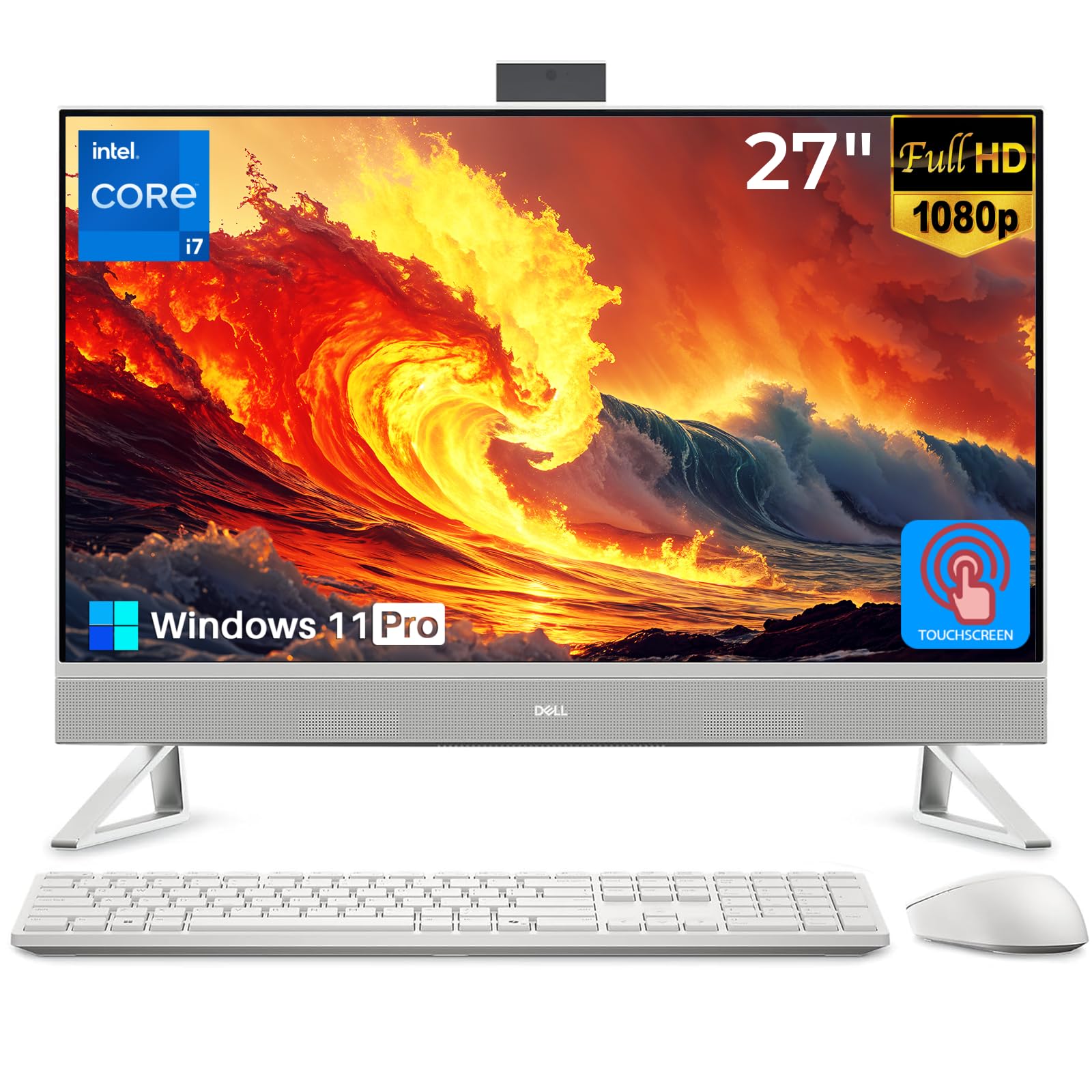
This Dell model takes performance further with the NVIDIA GeForce MX570A graphics card, which offers improved capabilities over the MX550. Paired with an Intel Core 7 150U processor and 32GB of RAM, it’s engineered for users who require robust graphics performance for photo editing, light video editing, and even casual gaming.
The 27-inch FHD touchscreen display is vibrant and responsive, and the system includes a pop-up IR camera for secure login. With 1TB of SSD storage and Wi-Fi 6E connectivity, it’s built for speed and efficiency. The design is clean and modern, with a white chassis that fits well in any office setting.
Feedback mirrors that of similar Dell models: exceptional speed and display quality, but recurring comments about the subpar included keyboard. Users appreciate the dedicated graphics boost but should be aware of the premium cost associated with this configuration.
Why it’s great
- Superior NVIDIA GeForce MX570A dedicated graphics.
- Strong Intel Core 7 processor and 32GB RAM for multitasking.
- Fast Wi-Fi 6E and ample 1TB SSD storage.
- High-quality touchscreen and pop-up privacy camera.
Good to know
- Included keyboard may not meet expectations for a premium system.
- Premium pricing reflects the high-end components.
- Similar deep sleep behavior reported in some reviews.
11. Dell All-in-One 27″ (150U)

Representing the pinnacle of this list, this Dell All-in-One combines top-shelf specifications for serious creative work. The Intel Core 7 150U processor can turbo boost up to 5.4GHz, paired with the NVIDIA GeForce MX570A graphics and 32GB of fast DDR5 RAM. This setup is designed to handle demanding applications with ease.
The display is a standout, featuring a 100Hz refresh rate for smoother motion and Dell ComfortView Plus for reduced blue light. With a 1TB SSD, Wi-Fi 6E, and a versatile HDMI-in port, it offers both performance and flexibility. The 5MP+IR pop-up camera ensures high-quality video conferences.
Users are highly satisfied with its speed, display quality, and overall performance. It’s praised as a perfect replacement for older systems, though it commands a premium price. For professionals who need the best balance of CPU, GPU, and display in an all-in-one form factor, this model is a compelling choice.
Why it’s great
- High turbo boost speed up to 5.4GHz for peak performance.
- 100Hz refresh rate display for smoother visuals.
- Dedicated NVIDIA MX570A graphics and 32GB DDR5 RAM.
- Comprehensive connectivity including HDMI-in.
Good to know
- At the top of the price spectrum for all-in-ones.
- As with other Dell models, peripheral quality may vary.
- Designed for users who need maximum performance without a separate tower.
Understanding the Specs
Processor Generations & Cores
Newer processor generations (e.g., 13th Gen Intel or Ryzen 7000 series) offer significant improvements in efficiency and performance over older ones, even with similar model numbers. Core count matters for multitasking; a quad-core is sufficient for basics, but 6-core or 8-core CPUs handle heavy workloads better. Pay attention to the specific model and generation rather than just i5 or i7 labels.
Display Technology & Touch
IPS panels provide better color accuracy and wider viewing angles than TN panels. Touchscreens add interactivity but often come with glossy finishes that can reflect light. Features like anti-glare coatings, blue light reduction (e.g., ComfortView Plus), and higher refresh rates (100Hz vs. 60Hz) contribute to long-term eye comfort and a smoother user experience.
FAQ
What is the main advantage of an all-in-one computer?
The primary advantage is space saving and a cleaner desk setup. By integrating the computer components into the monitor, it eliminates the need for a separate tower, reducing cable clutter and creating a more streamlined workspace. It’s also generally easier to set up and move.
Are all-in-one computers good for gaming?
Most all-in-ones are not designed for high-end gaming due to thermal constraints and integrated graphics. However, models with dedicated graphics cards (like the NVIDIA MX series) can handle casual gaming and less demanding titles. For serious gaming, a traditional desktop with upgradable components is recommended.
Can I connect external devices to an all-in-one?
Yes, allall-in-ones come with a variety of ports such as USB, HDMI, and sometimes USB-C or HDMI-in. It’s important to check the specific port selection on the model you choose, as it varies. Many users find that a USB hub is a useful accessory to expand connectivity.
How important is a dedicated graphics card in an AIO?
For general use, web browsing, and office tasks, integrated graphics are perfectly adequate. A dedicated GPU (like an NVIDIA MX series) becomes important if you engage in photo editing, light video editing, CAD work, or casual gaming. It offloads visual processing from the CPU, leading to smoother performance in those specific tasks.
Final Thoughts: The Verdict
For most people, the best 27 inch all-in-one computer winner is the Lenovo IdeaCentre AIO 3i because it masterfully blends daily usability, thoughtful features like the privacy webcam, and reliable performance at a mid-range point. If you want exceptional value without a touchscreen, grab the Acer Aspire C27. And for power users who need dedicated graphics for creative tasks, nothing beats the Dell All-in-One with Core 7 and MX570A for its balanced high-end performance.

Mo Maruf
I created WellFizz to bridge the gap between vague wellness advice and actionable solutions. My mission is simple: to decode the research and give you practical tools you can actually use.
Beyond the data, I am a passionate traveler. I believe that stepping away from the screen to explore new environments is essential for mental clarity and physical vitality.