Our readers keep the lights on and my smoothie glass nicely filled. As an Amazon Associate, I earn from qualifying purchases.
Choosing the right laser printer for your business is less about the flashiest features and more about matching durable hardware to your actual daily workflow. A misstep here can lead to frustrating slowdowns, hidden running costs, and hardware that can’t keep up with your team’s pace.
I’m Mohammad Maruf — the founder and writer behind WellFizz. My process involves dissecting market data and technical specifications to identify which models deliver reliable performance and which ones come with compromises you might not see on the box.
This guide cuts through the marketing to highlight models built for different office scales and needs, from solo entrepreneurs to bustling small teams, helping you secure a cornerstone tool that just works. After analyzing the data, the key is finding a best business laser printer that balances speed, duty cycle, and connectivity for your specific environment.
How To Choose The Best Business Laser Printer
Selecting a printer is a strategic decision. Beyond just printing pages, it’s about workflow efficiency, cost predictability, and hardware that supports your business growth. The wrong choice becomes a daily frustration.
Assess Your Volume and Duty Cycle
Look beyond the “pages per minute” (PPM) speed. The monthly duty cycle—the manufacturer’s recommended maximum pages per month—is your true durability guide. A printer with a 3,000-page duty cycle will wear out quickly in a 5,000-page environment. Match this number to your actual monthly output, with a comfortable buffer for busy periods.
Connectivity Is Key for Collaboration
For any team larger than one, built-in Ethernet is essential. It provides a stable, wired network connection that’s more reliable than Wi-Fi for multiple users. While Wi-Fi and Wi-Fi Direct are convenient for mobile printing, Ethernet should be your foundation. USB-only models are best suited for a single dedicated workstation.
Understand the Total Cost of Operation
The upfront cost is just the beginning. Investigate the yield (page count) of the standard and high-yield toner cartridges, and their replacement cost. Printers with separate drum units that last tens of thousands of pages offer lower long-term costs than those with integrated, shorter-life drums. Also, consider paper handling: a 250-sheet tray reduces refills versus a 150-sheet tray.
Functionality: Printer vs. All-in-One
Decide if you need just a printer or a multifunction device (print, copy, scan, fax). An automatic document feeder (ADF) is a massive time-saver for scanning or copying multi-page documents. If you regularly handle contracts, invoices, or archival documents, an ADF is worth the investment.
Quick Comparison
On smaller screens, swipe sideways to see the full table.
| Model | Type | Best For | Key Feature | Amazon |
|---|---|---|---|---|
| Brother HL-L2460DW | Laser Printer | Small Office Core Workhorse | Auto Duplex, 36 ppm, Ethernet | Amazon |
| HP LaserJet Pro MFP 3101sdw | All-in-One | Small Teams Needing Scan/Copy | 35 ppm, 250-Sheet Tray, ADF | Amazon |
| Brother MFC-L3720CDW | Color All-in-One | Professional Color Documents | Color Laser, Touchscreen, ADF | Amazon |
| Brother MFC-L2710DW | All-in-One | Budget-Friendly Multifunction | Print/Scan/Copy/Fax, Auto Duplex | Amazon |
| HP LaserJet Pro 4001dn | Laser Printer | Fast, Wired-Only Small Team | 42 ppm, Ethernet, High Security | Amazon |
| Canon imageCLASS LBP6230dw | Laser Printer | Compact, Reliable Desktop | 26 ppm, Auto Duplex, Compact | Amazon |
| Brother Premium MFC-L2690DW | All-in-One | Durable Compact Multifunction | Robust Build, 26 ppm, ADF | Amazon |
| Brother DCP-L2550DW | All-in-One | High-Volume Home Office | 36 ppm, 50-Sheet ADF, Duplex | Amazon |
| HP Laserjet MFP M140w | All-in-One | Micro Office with Space Limits | World’s Smallest Laser MFP | Amazon |
| HP LaserJet M209d | Laser Printer | Basic Wired Desktop Printing | Auto Duplex, USB Only | Amazon |
| Brother HL-L2405W | Laser Printer | Entry-Level Wireless Printing | Wireless, Compact, 30 ppm | Amazon |
In‑Depth Reviews
1. Brother HL-L2460DW

The Brother HL-L2460DW strikes a near-perfect balance for a small office core printer. It delivers robust features like automatic two-sided printing and a fast 36-page-per-minute engine without a premium cost. The inclusion of both Ethernet and dual-band Wi-Fi means you can set it up reliably on your office network while still allowing for easy mobile printing, making it adaptable for various user setups.
Its 250-sheet paper capacity handles a standard ream comfortably, reducing the frequency of refills during busy workdays. The toner yield from Brother’s Genuine cartridges is competitive, contributing to a sensible total cost of operation. Users consistently praise its reliable wireless connection, a notable contrast to the drop-off issues reported with some other brands.
While it’s a printer-only device, its focus is on doing one job exceptionally well. The compact design doesn’t dominate a workspace, and the straightforward control panel avoids complexity. For a growing team that needs fast, reliable, and efficient black-and-white document printing as its primary function, the HL-L2460DW is a dependable and smart choice.
Why it’s great
- Comprehensive connectivity with Ethernet, Wi-Fi, and USB.
- Fast print speed with automatic duplexing saves time and paper.
- Proven reliable wireless performance from user reports.
- Strong value for the feature set offered.
Good to know
- Print-only device (no scanning or copying).
- The included subscription trial requires careful setup to avoid unwanted services.
2. HP LaserJet Pro MFP 3101sdw

The HP LaserJet Pro 3101sdw is a capable all-in-one built for small teams that need more than just printing. Its 50-sheet automatic document feeder transforms multi-page scanning and copying from a chore into a quick task, while the 250-sheet input tray supports decent volume. Print speeds up to 35 pages per minute keep pace with office demands.
HP’s “self-resetting” Wi-Fi is designed to recover from common network hiccups, aiming for more consistent wireless connectivity—a frequent pain point in office environments. The device supports a full suite of mobile and cloud printing options via the HP Smart app, facilitating modern workflows. The print quality is consistently sharp, producing professional-looking documents.
It’s important to note HP’s firmware approach, which is designed to work only with cartridges using original HP chips. This can affect your choice of replacement toner. For teams that value the convenience of an integrated copier and scanner with reliable (if proprietary) performance, the 3101sdw is a strong mid-range multifunction contender.
Why it’s great
- Time-saving automatic document feeder for multi-page jobs.
- Robust paper handling with a 250-sheet tray.
- Wi-Fi with self-healing technology for better connectivity.
- Comprehensive all-in-one functionality in a manageable size.
Good to know
- HP’s chip policy locks toner choices to HP-branded cartridges.
- Firmware updates can enforce this restriction.
3. Brother MFC-L3720CDW

When your business documents require the impact of color—for charts, graphs, brochures, or internal communications—the Brother MFC-L3720CDW delivers professional-grade color laser printing. It goes beyond basic color by including a responsive 3.5-inch color touchscreen for easy navigation and direct cloud service access, elevating user interaction.
This is a full-featured all-in-one, equipped with a 50-sheet ADF for scanning/copying stacks of documents and automatic duplex printing. It handles a variety of media, including cardstock and envelopes, through its flexible paper path. The dual-band wireless networking ensures stable connectivity for multiple users, which is essential for a shared color resource.
Be mindful that color laser printing involves four toner cartridges (black, cyan, magenta, yellow), which increases consumable costs compared to monochrome. The print speed for color is a respectable 19 pages per minute. For a small office or design-focused team that regularly produces color materials, this printer provides a powerful, integrated solution.
Why it’s great
- Professional color laser output for business documents.
- Intuitive color touchscreen with cloud app shortcuts.
- Full all-in-one functionality with an automatic feeder.
- Strong media handling capabilities.
Good to know
- Higher consumable cost due to four color toners.
- Some users report the mobile app can be buggy.
- Heavier and larger than monochrome counterparts.
4. Brother MFC-L2710DW

The Brother MFC-L2710DW is the quintessential budget-friendly all-in-one laser, offering an impressive array of functions—print, scan, copy, and fax—without a steep entry point. It delivers reliable, fast monochrome printing at up to 32 pages per minute and includes automatic two-sided printing as a standard feature, which is excellent value.
It includes a flatbed scanner for books or odd-sized items, though its automatic document feeder is a single-pass design (not duplex scanning). Setup is generally straightforward, particularly for wired network connections, and users report long-term reliability. The toner and drum system offers high-yield options, keeping per-page costs low over the device’s lifespan.
This model has been on the market for several years, which speaks to its proven design. It’s a workhorse for a home office or micro-business that needs all the basic functions but wants to avoid the high costs and complexity of more premium multifunction machines. It gets the core jobs done efficiently.
Why it’s great
- Exceptional value with full all-in-one functionality.
- Fast printing with automatic duplex.
- Long-lasting drum unit reduces long-term costs.
- Consistently high user ratings for reliability.
Good to know
- ADF scans one side only (simplex).
- The control interface is more basic than newer models.
5. HP LaserJet Pro 4001dn

Built for speed and security in a wired office environment, the HP LaserJet Pro 4001dn is a monochrome powerhouse capable of printing up to 42 pages per minute. It’s designed for teams of up to 10 users and comes with HP Wolf Pro Security features, offering customizable protections for the printer and your data—a significant consideration for businesses handling sensitive information.
Its connectivity is purely wired via Ethernet and USB, omitting Wi-Fi entirely. This simplifies setup on a corporate network, eliminates wireless interference issues, and can enhance security. The automatic two-sided printing is a given at this tier. It’s built for higher monthly duty cycles than entry-level models, suited for a busy shared workspace.
The trade-off for this speed and focus is the lack of wireless convenience and any scanning capability. This is a dedicated, fast, and secure network printer. If your primary need is rapidly producing high volumes of black-and-white documents from multiple networked computers, and you have a structured IT environment, the 4001dn is a purpose-driven tool.
Why it’s great
- Very fast 42 ppm print speed for high-volume needs.
- Advanced security features for business environments.
- Stable, reliable Ethernet connectivity.
- Built for a higher monthly duty cycle.
Good to know
- No wireless connectivity of any kind.
- Printer only, with no scanning functions.
- Subject to HP’s toner chip policy.
6. Canon imageCLASS LBP6230dw

The Canon imageCLASS LBP6230dw is a time-tested, compact laser printer known for its reliability and straightforward operation. Its design is genuinely space-efficient, making it easy to fit on a crowded desk or in a small office nook. Despite its size, it doesn’t skimp on features, offering automatic duplex printing and a 250-sheet paper capacity.
Print speeds are a capable 26 pages per minute, and the first page out time is quick. Canon’s driver support has been consistent over the years, even for older operating systems, which speaks to its longevity. The print quality is crisp and professional, ideal for standard business documents. It offers both Ethernet and USB connectivity.
Some users note that the wireless setup can be less intuitive than modern implementations, sometimes requiring a direct connection for initial configuration. However, once set up, it operates as a dependable workhorse. This is an excellent choice for an individual or a very small team that values a compact footprint and proven reliability over the latest bells and whistles.
Why it’s great
- Extremely compact and space-saving form factor.
- Proven long-term reliability and driver support.
- Automatic duplex printing is standard.
- Crisp, consistent print quality.
Good to know
- Wireless setup can be challenging for some networks.
- Older model with a more basic control panel.
- Print-only device.
7. Brother Premium MFC-L2690DW

The “Premium” in this Brother MFC-L2690DW’s name refers to its sturdier construction, designed to withstand the rigors of a more active office environment. It feels solid and well-built, promising longevity. As an all-in-one, it provides print, copy, scan, and fax functions, anchored by a dependable 26-page-per-minute print engine with automatic duplexing.
It includes a flatbed scanner and an automatic document feeder for multitasking. The 250-sheet paper tray is generous, and the manual feed slot handles envelopes and cardstock reliably—a boon for small businesses that send mailings. Wireless connectivity is standard, facilitating easy setup in most offices.
While not the fastest in its class, it trades sheer speed for durability and consistent performance. Some users note the scanning software setup requires a bit of navigation. This model is ideal for a business that prioritizes a physically robust machine that will serve as a dependable multifunction hub for years, rather than chasing the highest speed specs.
Why it’s great
- Noticeably sturdy and durable build quality.
- Full all-in-one functionality in a reliable package.
- Excellent media handling for envelopes and cardstock.
- Designed for long-term office use.
Good to know
- Print speed is moderate at 26 ppm.
- Scanning setup can be less intuitive.
- Larger footprint than basic compact printers.
8. Brother DCP-L2550DW

The Brother DCP-L2550DW is a multifunction device engineered for users with higher printing and scanning volumes, such as a busy home office or a very small business. It combines a fast 36 ppm print speed with a generous 50-sheet automatic document feeder, making it efficient for copying or scanning large documents. Automatic duplex printing is included.
It forgoes the fax function of the MFC series, focusing on print, copy, and scan. Users report exceptional longevity, with many units running reliably for five years or more on original drums and aftermarket toner. The wireless connectivity is stable, and setup is generally hassle-free for network printing.
This model represents a sweet spot for the user who needs serious paper-scanning capability and fast print speeds but doesn’t require a fax machine. Its proven track record for durability and its efficient design for handling paper-intensive tasks make it a wise investment for a demanding individual or a micro-team.
Why it’s great
- Fast printing paired with a high-capacity ADF.
- Exceptional user-reported longevity and reliability.
- Efficient for scanning/copying multi-page documents.
- Strong value for its performance tier.
Good to know
- No fax function (prints, copies, scans only).
- Larger and heavier than basic models.
9. HP Laserjet MFP M140w
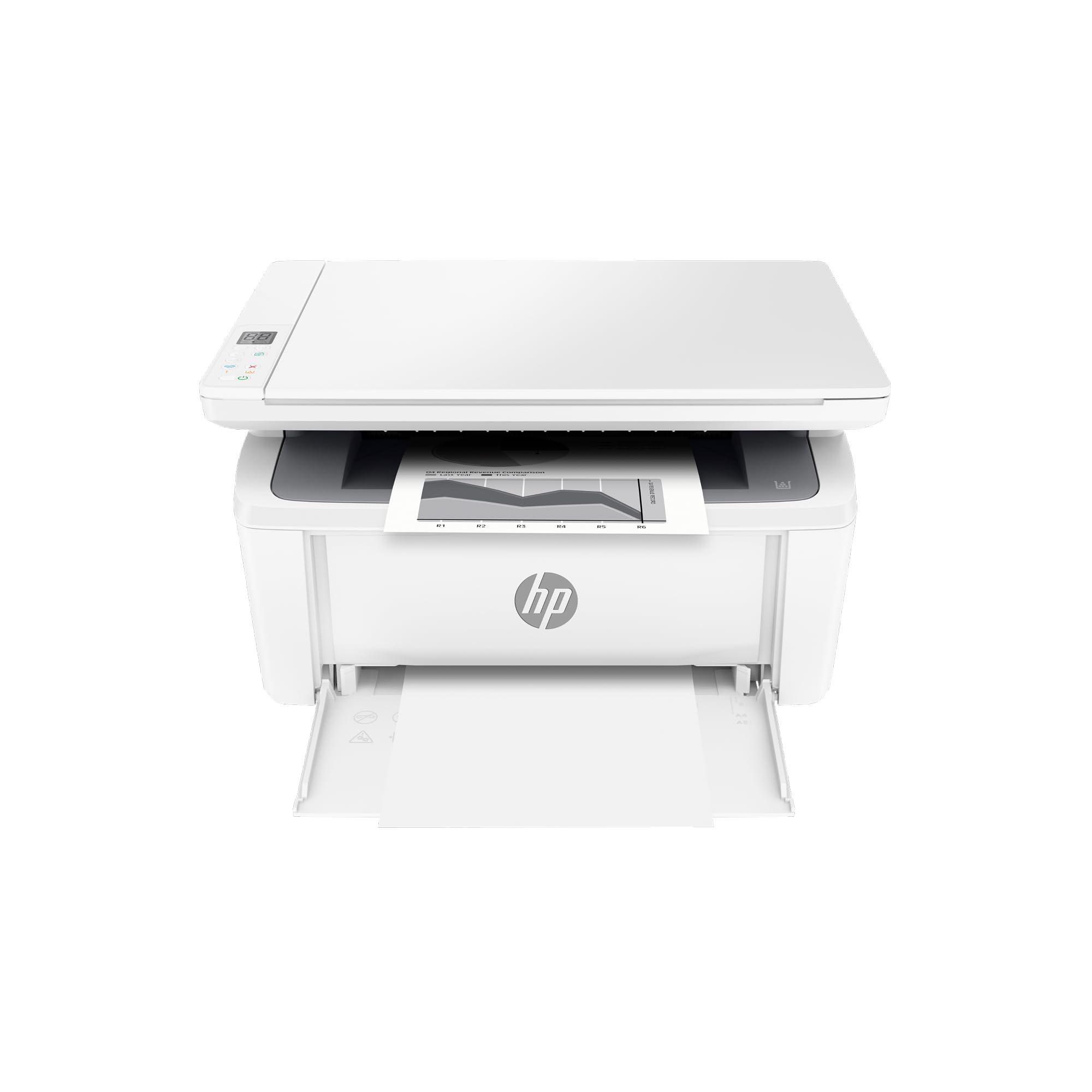
True to its claim, the HP M140w holds the title of one of the world’s smallest laser all-in-ones, making it a unique solution for spaces where every square inch counts. It packs print, scan, and copy functionality into a remarkably tiny footprint. Wireless connectivity is standard, and it supports mobile printing from virtually any device.
Print speeds are adequate at up to 21 pages per minute for very light or intermittent use. The flatbed scanner can copy ID cards by utilizing a special mode that scans both sides onto a single sheet. For a solo entrepreneur working from a tiny desk or a satellite office in a closet, its size is its superpower.
Compromises come with the miniaturization: the paper tray holds only about 100 sheets, and there is no automatic document feeder for multi-page scans. Some users report challenges with maintaining a consistent Wi-Fi connection. This printer is a niche product best suited for situations where space is the absolute primary constraint and volume is very low.
Why it’s great
- Extremely compact all-in-one design.
- Full functionality (print, copy, scan) in a tiny package.
- Easy wireless and mobile printing.
- Ideal for severely space-constrained environments.
Good to know
- Very small paper capacity (approx. 100 sheets).
- No automatic document feeder.
- Wi-Fi connectivity can be finicky.
- Lower duty cycle for very light use only.
Why it’s great
- Automatic duplex printing at an entry-level point.
- Simple, reliable USB setup with included cable.
- Compact design that fits easily on a desk.
- Consistently positive user feedback on print quality.
Good to know
- USB connection only; no wireless or Ethernet.
- Lower paper capacity (150 sheets).
- Print-only device.
Why it’s great
- Automatic duplex printing at an entry-level point.
- Simple, reliable USB setup with included cable.
- Compact design that fits easily on a desk.
- Consistently positive user feedback on print quality.
Good to know
- USB connection only; no wireless or Ethernet.
- Lower paper capacity (150 sheets).
- Print-only device.
11. Brother HL-L2405W

The Brother HL-L2405W serves as the most accessible entry point into wireless laser printing for a home office or sole proprietor. It provides the core benefit of laser printing—reliable, smudge-free text without dried ink worries—in a compact package. The dual-band wireless setup allows for flexible placement away from your computer.
Print speeds are a practical 30 pages per minute, and the 250-sheet paper tray is generous for its class. The Brother Mobile Connect app enables printing from smartphones and tablets, covering the basics of modern mobile workflows. Setup is generally reported as straightforward, though some users note initial Wi-Fi configuration can require patience, especially with certain mesh network systems.
This is a single-function printer without automatic duplexing; two-sided printing would be manual. It represents a focused tool for the user who primarily needs to print black-and-white documents from various devices without fuss, and for whom the absolute lowest entry cost with wireless is the priority. It’s a capable starter printer that gets the fundamental job done.
Why it’s great
- Most affordable wireless laser printer option.
- Compact size with a surprisingly large paper tray.
- Reliable print quality for everyday documents.
- Easy mobile printing via companion app.
Good to know
- No automatic duplex (manual two-sided only).
- Wireless setup may be tricky with some routers.
- Print-only device.
Understanding the Specs
Monthly Duty Cycle
This is the manufacturer’s recommended maximum number of pages a printer should output per month. Exceeding it regularly can lead to premature wear and failure. It’s not a guarantee, but a durability rating. A model with a 5,000-page cycle is built for more robust use than one rated for 1,500 pages.
Toner Yield vs. Cartridge Cost
Always check the page yield of toner cartridges (e.g., 1,200 pages vs. 3,000 pages). A mid-priced cartridge with a high yield often has a lower cost per page than a cheap cartridge with a low yield. Also, see if the drum is separate; drums lasting 12,000+ pages are more economical than those integrated into the toner cartridge.
FAQ
Is a laser printer better than inkjet for a business?
Do I need an all-in-one printer for my office?
What does automatic duplex printing mean?
Why is Ethernet connectivity important for a business printer?
Final Thoughts: The Verdict
For most people, the best business laser printer winner is the Brother HL-L2460DW because it delivers the perfect blend of speed, essential features like auto-duplex and Ethernet, and proven reliability at a mid-range point. If you want full all-in-one functionality including scanning and copying, grab the Brother MFC-L2710DW. And for professional color document needs, nothing beats the feature set of the Brother MFC-L3720CDW.

Mo Maruf
I created WellFizz to bridge the gap between vague wellness advice and actionable solutions. My mission is simple: to decode the research and give you practical tools you can actually use.
Beyond the data, I am a passionate traveler. I believe that stepping away from the screen to explore new environments is essential for mental clarity and physical vitality.