Our readers keep the lights on and my smoothie glass nicely filled. As an Amazon Associate, I earn from qualifying purchases.
The jump to a 4K OLED monitor isn’t just an upgrade; it’s a fundamental shift in how you see digital content. True black, infinite contrast, and pixel-perfect motion transform gaming, creative work, and media consumption from a viewing experience into an immersive one. But navigating the specs, panel types, and manufacturer promises requires a clear roadmap to avoid overspending or landing on a model with frustrating quirks.
I’m Mohammad Maruf — the founder and writer behind WellFizz. My expertise is in dissecting dense market data and technical specifications to map the real-world performance and value of wellness and lifestyle tech, separating marketing hype from the features that genuinely enhance your daily setup.
This guide is the result of deep-dive analysis into the latest QD-OLED and WOLED panels, comparing burn-in protection systems, connectivity, and ergonomic designs to find the best fit for your desk. We’ve analyzed the data to surface the monitors that deliver on the OLED promise without compromise, giving you the clarity needed to make a definitive choice for your next best 4k oled monitor.
How To Choose The Best 4K OLED Monitor
Selecting the right 4K OLED monitor is about balancing your primary use case with the nuances of OLED technology itself. It’s more than just resolution and size.
Panel Technology: QD-OLED vs. WOLED
This is the core choice. QD-OLED (Quantum Dot OLED) panels, primarily from Samsung Display, use a blue OLED layer with quantum dot filters to produce stunningly vibrant colors and higher peak brightness, especially for HDR highlights. WOLED (White OLED) panels, from LG Display, use a white OLED layer with color filters. They often have a slightly more subdued color volume but offer superior text clarity due to a standard RGB subpixel layout and maintain perfect blacks even in bright rooms. QD-OLED feels more “vibrant,” while WOLED can feel more “natural.”
Gaming Performance: Refresh Rate & Response
For fast-paced gaming, aim for a minimum of 240Hz. The near-instant 0.03ms response time is a given with OLED, eliminating ghosting. Ensure the monitor supports both AMD FreeSync Premium Pro and NVIDIA G-SYNC Compatible certification for tear-free performance across GPU brands. Some models offer a “Dual Mode,” switching to 1080p at 480Hz for ultra-competitive titles.
Burn-in Protection & Warranty
OLED screens are susceptible to image retention from static elements. Robust protection includes pixel shifting, logo/taskbar dimming, automatic pixel refresh cycles, and sophisticated cooling systems like heat pipes. A strong warranty that explicitly covers the OLED panel for 2-3 years is non-negotiable for peace of mind.
Design & Ergonomics
Consider your desk space. Premium stands offer full height, tilt, swivel, and pivot adjustment. The screen finish matters: glossy provides more vivid colors and deeper contrast but acts like a mirror in bright rooms; matte (anti-glare) diffuses reflections at the cost of some perceived clarity and vibrancy.
Quick Comparison
On smaller screens, swipe sideways to see the full table.
| Model | Type | Best For | Key Feature | Amazon |
|---|---|---|---|---|
| MSI MPG 321URX | QD-OLED | All-Rounder & KVM Users | 90W USB-C, Full Features | Amazon |
| ASUS ROG PG32UCDM | QD-OLED | Premium Gaming & Build | Custom Heatsink, 3-Yr Warranty | Amazon |
| LG 32GX870A-B | WOLED | Bright Rooms & Text Clarity | Matte Anti-Glare, Dual Mode | Amazon |
| MSI MAG 321UPX | QD-OLED | High-Refresh Gaming | 240Hz, Strong Value | Amazon |
| Samsung Odyssey G8 (G80SD) | QD-OLED | Smart Features & Media | Glare-Free, Smart TV OS | Amazon |
| ASUS ROG PG32UCDP | WOLED | Versatile Gaming | Dual Mode (4K 240Hz / FHD 480Hz) | Amazon |
| MSI MAG 321UP | QD-OLED | Entry 4K OLED Gaming | 165Hz, Reliable Performer | Amazon |
| KOORUI S3241XO | OLED | Feature-Rich Value | 240Hz, Ergonomic Stand | Amazon |
| Samsung Odyssey G8 (G81SF) | QD-OLED | Balanced Gaming | Dynamic Cooling, Glare-Free | Amazon |
| Dell 32 Plus S3225QC | QD-OLED | Productivity & Media | Built-in Spatial Audio Speakers | Amazon |
| LG Ultragear 32GS95UV | WOLED | Enthusiast-Grade Performance | Premium Dual Mode WOLED | Amazon |
In‑Depth Reviews
1. MSI MPG 321URX QD-OLED

The MSI MPG 321URX strikes what I consider the ideal balance for a high-end 4K OLED monitor. It delivers the full suite of premium features without pushing into the most extravagant price tier. Its third-generation QD-OLED panel provides breathtaking color vibrancy and the deep, infinite blacks OLED is famous for, making it exceptional for both immersive gaming and creative work.
Where it truly stands out is in its thoughtful extras. The inclusion of a full KVM switch lets you control two computers with one keyboard and mouse setup, a boon for hybrid workers. The 90W USB-C power delivery can charge even power-hungry laptops, reducing desk cable clutter to a single connection. MSI’s OLED Care 2.0 suite is comprehensive, and the included 3-year warranty that covers the panel offers significant peace of mind.
This monitor doesn’t force you to make hard choices. You get a brilliant 240Hz refresh rate for buttery-smooth gameplay, excellent HDR performance with True Black 400 certification, and a highly adjustable stand. For users who want a single display to excel at gaming, productivity, and media without any glaring omissions, the MPG 321URX is the most complete package available.
Why it’s great
- Excellent all-around feature set including KVM and high-power USB-C.
- Strong 3-year manufacturer warranty covering the OLED panel.
- Superb QD-OLED image quality with vibrant colors and perfect contrast.
- Robust anti-burn-in features via OLED Care 2.0.
Good to know
- The stand has a larger footprint, a monitor arm may be preferable.
- Like all glossy-screen OLEDs, it can show reflections in bright rooms.
2. ASUS ROG Swift PG32UCDM

The ASUS ROG PG32UCDM represents the pinnacle of no-compromise 4K OLED monitor engineering. It’s built with an explicit focus on maximizing panel longevity and heat dissipation. Its custom-designed heatsink and graphene film cooling solution are more extensive than what most competitors offer, actively working to keep temperatures down and theoretically reducing the long-term risk of burn-in.
This focus on durability is backed by confidence: ASUS includes a clear 3-year warranty that covers burn-in, which is a standout in the market. The monitor itself is a performance beast, with a stunningly calibrated QD-OLED panel that hits impressive brightness levels. The build quality feels exceptionally premium, from the solid stand to the thoughtful accessories included in the box.
If your priority is investing in what is arguably the most robust and well-built QD-OLED monitor on the market, with top-tier warranty support to match, the PG32UCDM is your choice. It’s for the user who wants the absolute best and is willing to invest for that extra margin of quality and manufacturer-backed security.
Why it’s great
- Industry-leading cooling solution with custom heatsink and graphene film.
- Comprehensive 3-year warranty that explicitly covers burn-in.
- Exceptional out-of-the-box calibration and peak brightness.
- Top-tier build quality and premium design aesthetic.
Good to know
- Commands a premium price for its high-end construction.
- The aggressive gamer-centric design may not suit all office environments.
3. LG 32GX870A-B Ultragear

The LG 32GX870A-B makes a compelling case for the WOLED path, especially if your workspace isn’t a controlled, dark environment. Its effective matte anti-glare coating diffuses ambient light from windows or overhead lamps, eliminating the distracting mirror-like reflections common on glossy OLEDs. This makes it uniquely suited for living rooms, bright offices, or any area where light control is difficult.
Beyond its practical finish, it’s a feature-packed monitor. The standout is its versatile Dual Mode, letting you toggle between 4K at 240Hz for immersive gaming and 1080p at a blistering 480Hz for competitive esports titles. The WOLED panel also uses an RGB subpixel layout, which delivers noticeably clearer text rendering for productivity compared to some QD-OLED models, making it a fantastic “everything” monitor.
You sacrifice a bit of the peak color vibrancy and “pop” found in glossy QD-OLEDs, but you gain tremendous versatility and day-to-day usability. For gamers who also work from their rig or anyone who needs an OLED that can perform flawlessly in a well-lit room, this LG is the definitive solution.
Why it’s great
- Excellent matte anti-glare coating perfect for bright environments.
- Versatile Dual Mode (4K 240Hz / FHD 480Hz) for all game types.
- Superior text clarity thanks to WOLED’s RGB subpixel layout.
- Includes USB-C with power delivery for laptop connectivity.
Good to know
- Matte coating can impart a slight “grainy” look on solid colors.
- Peak HDR brightness is generally lower than top QD-OLED panels.
4. MSI MAG 321UPX QD-OLED

The MSI MAG 321UPX is essentially the core gaming engine of the more expensive URX model, offered at a more accessible point. It delivers the same critical experience: a stunning 32-inch 4K QD-OLED panel running at a super-smooth 240Hz refresh rate with that flawless 0.03ms OLED response time. For pure gaming performance per dollar, this model is incredibly strong.
You still benefit from MSI’s robust OLED Care features and the same 3-year warranty, ensuring your investment is protected. The panel quality is identical to its sibling, meaning you get the same vibrant HDR highlights, infinite contrast, and tear-free gameplay with Adaptive Sync support. The core visual and performance experience is uncompromised.
The cost-saving comes from trimming back on peripheral features like the higher-wattage USB-C port and the KVM switch. If your primary goal is to get that top-tier 4K 240Hz OLED gaming experience without needing the extra productivity-focused connectivity, the MAG 321UPX represents outstanding value and a very smart purchase.
Why it’s great
- Delivers the essential 4K 240Hz QD-OLED gaming experience.
- Shares the same panel and warranty as more expensive MSI models.
- Strong value for high-refresh 4K OLED performance.
- Includes basic OLED protection features.
Good to know
- USB-C port is limited to 15W power delivery.
- Lacks the KVM switch and other extras of the URX model.
5. Samsung Odyssey OLED G8 (G80SD)

The Samsung G80SD is a unique hybrid that blurs the line between a premium gaming monitor and a high-end smart TV. It incorporates Samsung’s Tizen-based smart TV platform directly into the monitor, giving you instant access to streaming apps like Netflix, Disney+, and YouTube without needing a connected PC or console. This makes it a phenomenal choice for a bedroom, dorm, or secondary setup where it serves dual purposes.
On the monitor side, it doesn’t slack. It features Samsung’s latest QD-OLED panel with a very effective “Glare-Free” matte coating, a 240Hz refresh rate, and Samsung’s proprietary Dynamic Cooling System with a pulsating heat pipe for burn-in prevention. It even comes with a remote control, a rarity for monitors.
Be aware that this smart functionality defines its character. The interface can feel more TV-like, which some pure PC users might find intrusive. But if you want the convenience of a streamlined entertainment hub combined with a top-tier gaming monitor, the G80SD is in a category of its own.
Why it’s great
- Built-in Smart TV platform for standalone streaming.
- Includes a remote control and effective glare-free screen.
- Strong QD-OLED performance with advanced cooling.
- Elegant, sleek metal design.
Good to know
- Smart TV interface may not be desired by all PC users.
- Can have occasional handshake issues waking from sleep with a PC.
6. ASUS ROG Swift PG32UCDP

The ASUS PG32UCDP is built for the competitive gamer who refuses to choose between resolution and extreme speed. Its defining feature is a dedicated Dual Mode that lets you switch not just refresh rates, but the native resolution. You can run at the full 4K UHD (3840×2160) at 240Hz for stunning visual fidelity, or with a hotkey, drop to Full HD (1920×1080) at a staggering 480Hz for the absolute fastest motion clarity possible.
This makes it a uniquely flexible tool. Play story-driven AAA titles in all their 4K HDR glory, then instantly switch to a buttery-smooth 480Hz mode for tactical shooters like Counter-Strike or Valorant. It uses a matte-finish WOLED panel, providing the text clarity and reflection-handling benefits of that technology.
This monitor is for the enthusiast who wants the ultimate Swiss Army knife for gaming. While it shares the strong build and 3-year warranty of the ASUS OLED family, its core appeal is that unparalleled flexibility between high-resolution immersion and competitive-frame-rate speed.
Why it’s great
- True Dual Mode offering 4K 240Hz or FHD 480Hz natively.
- Ideal for gamers who play both AAA and competitive esports titles.
- Matte WOLED panel ensures good performance in various lighting.
- Robust ASUS build quality and warranty.
Good to know
- The 480Hz mode requires using a lower 1080p resolution.
- Some users report VRR flicker in certain scenarios, which may require settings adjustment.
7. MSI MAG 321UP QD-OLED
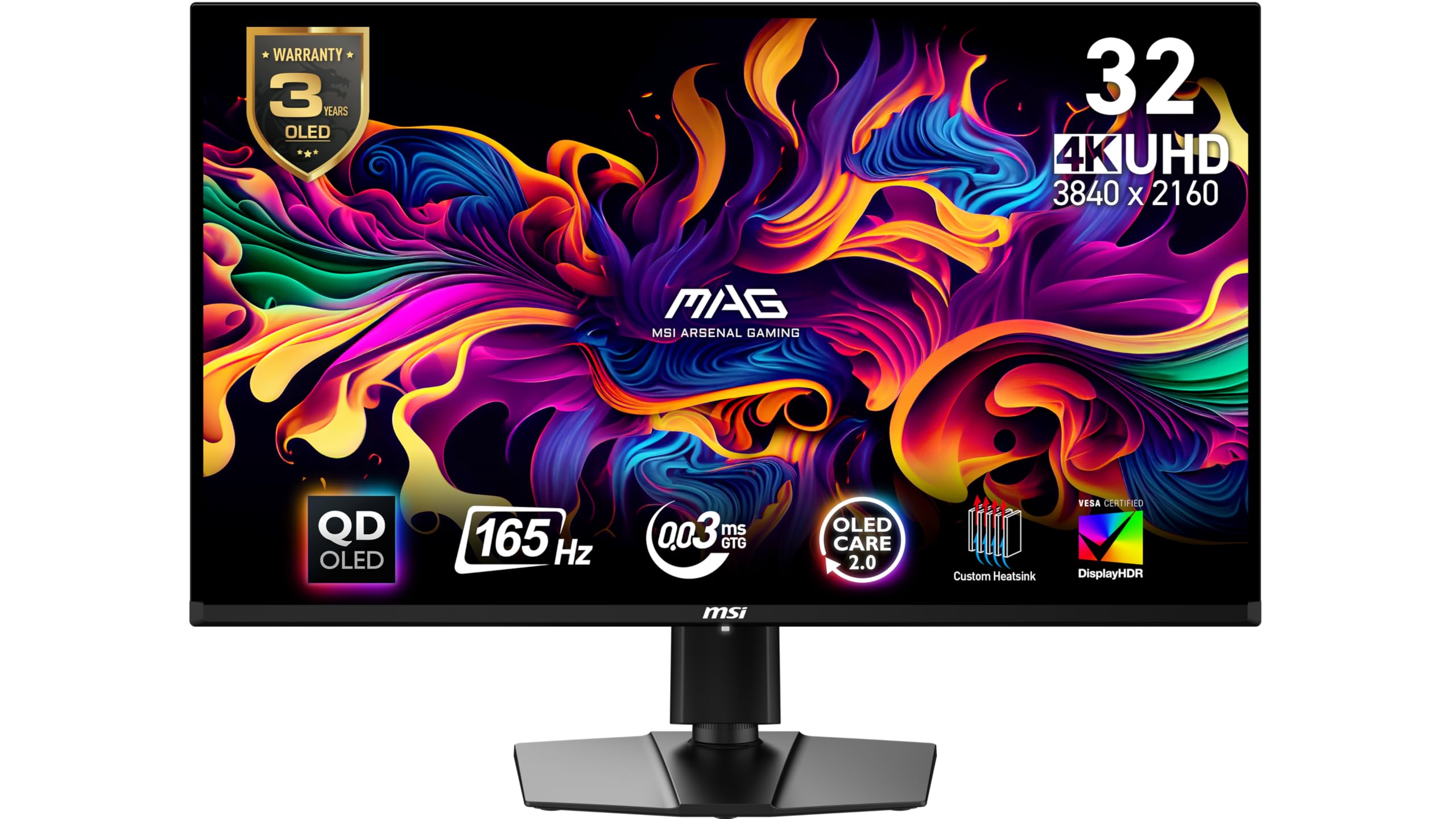
The MSI MAG 321UP serves as a fantastic gateway into the world of 4K OLED gaming. It offers the transformative visual quality of a QD-OLED panel—with its perfect blacks and vibrant color—at a refresh rate that is still highly capable for most gamers. The 165Hz refresh rate is a significant step up from standard 60Hz or even 144Hz displays and pairs perfectly with the instant OLED response time.
You’re getting the core OLED experience: stunning HDR, incredible contrast, and smooth, tear-free gameplay thanks to Adaptive Sync support. It includes essential OLED care features to protect your investment. The stand is fully adjustable, and the connectivity covers the basics with HDMI and DisplayPort.
This is the model to choose if you prioritize the leap in image quality above chasing the absolute highest frame rates. For single-player adventures, console gaming, and general use, the 165Hz refresh rate is more than sufficient, making this an excellent value-oriented entry point.
Why it’s great
- Most accessible way to experience 4K QD-OLED image quality.
- 165Hz is a great refresh rate for most non-competitive gaming.
- Includes essential gaming features like Adaptive Sync.
- Good ergonomic stand with full adjustability.
Good to know
- Lower 165Hz refresh rate compared to newer 240Hz models.
- Uses DisplayPort 1.4, which can limit bandwidth for very high refresh rates at 4K with full color.
8. KOORUI S3241XO

The KOORUI S3241XO is a compelling contender from a value-focused brand, packing high-end specs like a 240Hz refresh rate and a full ergonomic stand into a competitive package. It demonstrates how accessible 4K OLED technology has become, offering the key performance metrics that enthusiasts look for without the cost of the major gaming brands.
Its feature set is impressive for the category, including a stand that offers height, tilt, swivel, and even pivot (portrait) adjustment—something often missing even on more expensive models. Connectivity is comprehensive with dual HDMI 2.1, DisplayPort, and USB-C. The inclusion of HDR True Black 400 certification confirms it meets a recognized standard for contrast performance.
Choosing a value brand often involves a trade-off in areas like customer service, brand-specific software polish, or the refinement of the on-screen display. However, for the tech-savvy buyer who wants maximum specs and features and is comfortable with a less familiar brand, the KOORUI presents a very interesting option.
Why it’s great
- High 240Hz refresh rate at a value-oriented point.
- Exceptionally flexible stand with pivot adjustment.
- Comprehensive port selection including USB-C.
- HDR True Black 400 certified.
Good to know
- Brand has less established track record for support versus major manufacturers.
- Warranty terms may be more complex (e.g., 1 year on panel, 3 years on accessories).
9. Samsung Odyssey G8 (G81SF)

The Samsung G81SF is the more traditional monitor counterpart to the smart TV-equipped G80SD. It focuses squarely on delivering a high-performance QD-OLED gaming experience with Samsung’s signature “Glare Free” matte technology. This coating is engineered to be less aggressive than standard matte finishes, aiming to preserve more vibrancy while still effectively killing reflections.
It incorporates Samsung’s advanced OLED safeguarding tech, including the Dynamic Cooling System with a pulsating heat pipe and a Thermal Modulation System that adjusts brightness based on content to manage heat. The 240Hz refresh rate and 0.03ms response time provide top-tier gaming fluidity, and the stand offers solid ergonomics with a relatively small footprint.
This model is for the gamer who wants Samsung’s latest panel and cooling technology in a pure monitor form factor, without the smart TV layer. It’s a sleek, performance-driven display built to handle long gaming sessions with robust protection against burn-in.If your environment has challenging lighting but you still want the color benefits of QD-OLED, this model’s balanced approach makes it a strong contender.
Why it’s great
- Effective Glare-Free matte coating on a QD-OLED panel.
- Includes Samsung’s advanced Dynamic Cooling System.
- Clean, sleek design with a solid, adjustable stand.
- Full 240Hz gaming performance.
Good to know
- The matte coating, while improved, still reduces peak perceived clarity versus glossy.
- Some users report quality control issues with the control joystick.
10. Dell 32 Plus S3225QC
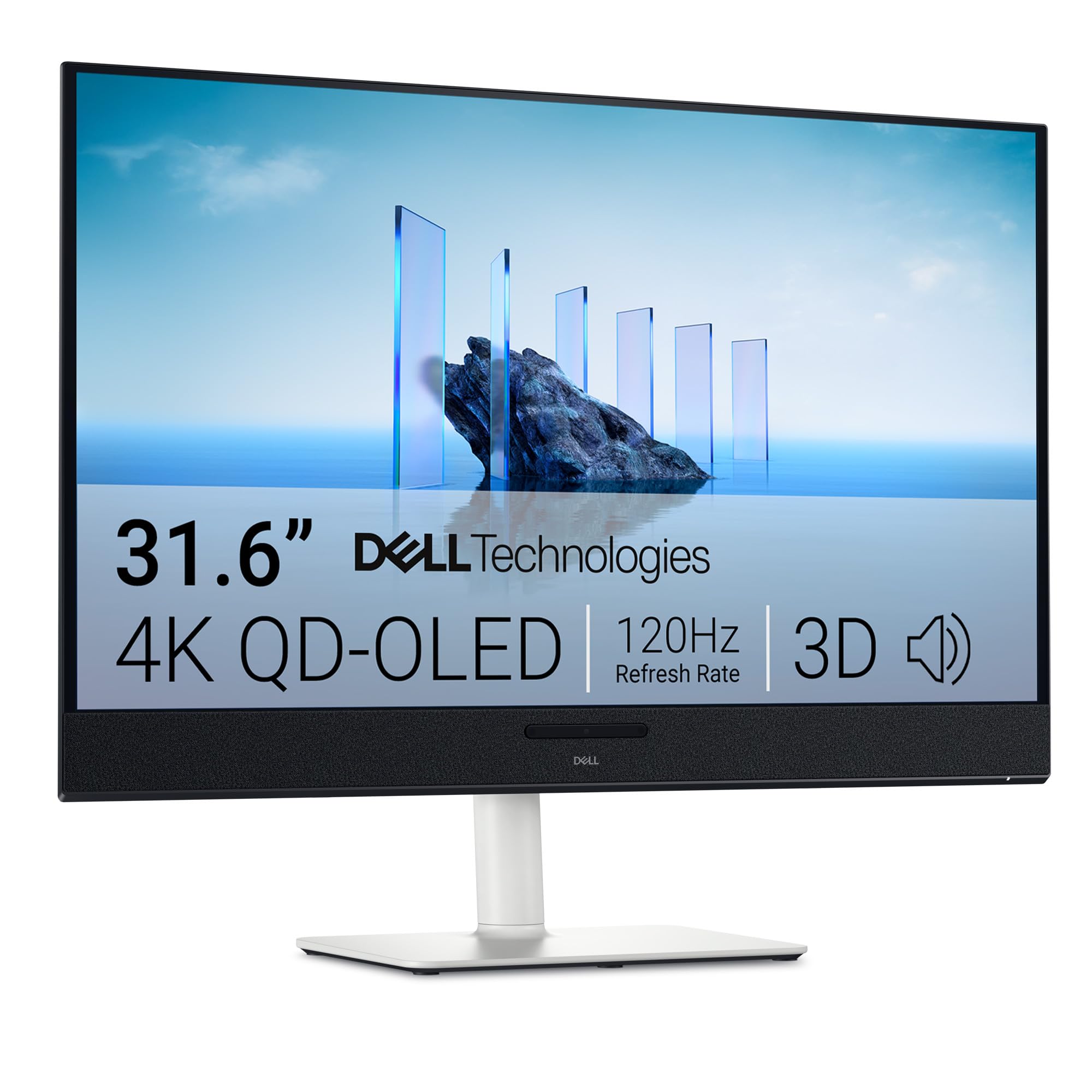
The Dell 32 Plus S3225QC carves out a unique niche by integrating a truly impressive audio system directly into the monitor. It features five built-in speakers powered by AI-driven spatial audio technology with head-tracking, creating a convincing and immersive soundscape that eliminates the need for external speakers or a soundbar for many users. This makes it an exceptional choice for a clean, minimalist desk setup or a shared media space.
Beyond audio, it’s a capable QD-OLED display with 4K resolution, 120Hz refresh rate, and support for Dolby Vision—a rarity among monitors that enhances streaming content. The 90W USB-C connectivity simplifies docking for laptops. Its design is professional and clean, with an ergonomic stand that offers full adjustability.
While its 120Hz refresh rate is lower than the gaming-focused models, it’s perfectly suited for productivity, content consumption, and casual or controller-based gaming. If you value integrated, high-quality audio as much as the visual quality and want to reduce peripheral clutter, this Dell is a uniquely practical and enjoyable solution.
Why it’s great
- Outstanding built-in spatial audio system with AI head-tracking.
- Supports Dolby Vision for enhanced streaming media quality.
- Clean, professional design with strong ergonomics.
- 90W USB-C for single-cable laptop docking.
Good to know
- 120Hz refresh rate is lower than gaming-centric OLEDs.
- Some users report firmware bugs related to sleep/wake and pixel refresh prompts.
11. LG Ultragear 32GS95UV-B

The LG 32GS95UV-B sits at the zenith of the WOLED monitor hierarchy, representing LG’s most advanced and feature-complete offering. It combines the superior text clarity and matte-screen practicality of WOLED with the same high-performance Dual Mode found in the 32GX870A (4K 240Hz / FHD 480Hz), making it a tool for the most demanding enthusiasts.
This model is distinguished by its peak brightness, which leverages LG’s latest MLA+ (Micro Lens Array) technology to achieve higher peak HDR highlights than standard WOLED panels. The build quality and design are premium, and it includes a comprehensive suite of OLED care features. It’s engineered for users who want the absolute best WOLED has to offer, with every performance feature enabled.
This is the monitor for the purist who prefers the WOLED characteristics—perfect blacks in any light, excellent text rendering—but refuses to compromise on gaming specs or HDR impact. It’s a no-holds-barred display that commands a premium but delivers a top-tier, versatile experience for work and play.
Why it’s great
- Top-tier WOLED with MLA+ for improved brightness.
- Includes the versatile 4K/240Hz & FHD/480Hz Dual Mode.
- Excellent text clarity and effective matte anti-glare coating.
- Premium build and design from a panel manufacturer.
Good to know
- Occupies the highest price tier.
- Like all matte WOLEDs, cannot match the color volume of glossy QD-OLED.
Understanding the Specs
Refresh Rate (Hz)
This is how many times per second the monitor updates the image. A higher refresh rate, like 240Hz, makes motion look incredibly smooth, which is crucial for fast-paced gaming. While 120Hz is a great upgrade from 60Hz, 165Hz and 240Hz offer progressively smoother visuals. Some monitors feature a “Dual Mode” that boosts the refresh rate even higher (e.g., 480Hz) when you switch to a lower 1080p resolution.
Response Time (GtG)
Measured in milliseconds (ms), this is how quickly a pixel can change from one color to another. A slow response time causes blurry trails behind moving objects, called ghosting. OLED technology excels here, with a near-instant 0.03ms response time that completely eliminates this blur, ensuring razor-sharp motion clarity at any refresh rate.
Panel Type: QD-OLED vs. WOLED
QD-OLED uses a blue OLED layer with quantum dots to produce light, resulting in exceptional color brightness and volume, making HDR highlights pop. WOLED uses a white OLED layer with color filters, often yielding more accurate whites, better text clarity due to a standard RGB subpixel layout, and maintained black levels in bright rooms. The choice is between vibrant pop (QD-OLED) and balanced versatility (WOLED).
VESA DisplayHDR True Black
This is the gold standard HDR certification for OLED and other perfect-black displays. Unlike the standard HDR400 or HDR600 tiers designed for LCDs, True Black 400 specifies much deeper black levels and stricter contrast ratios that OLEDs can easily meet. It ensures a genuinely impactful HDR experience with detailed shadows and bright highlights.
FAQ
Should I be worried about OLED burn-in on a monitor?
What is the difference between a glossy and matte screen finish?
Do I need a special graphics card for a 4K 240Hz OLED monitor?
Is USB-C connectivity important on a monitor?
Final Thoughts: The Verdict
For most people, the best 4k oled monitor winner is the MSI MPG 321URX QD-OLED because it masterfully balances breathtaking QD-OLED image quality, a full 240Hz refresh rate, and practical features like a 90W USB-C KVM switch, all backed by a strong 3-year warranty. If you want the most robust burn-in protection and premium build, grab the ASUS ROG Swift PG32UCDM. And for use in a bright room where reflections are a concern, nothing beats the LG 32GX870A-B with its effective matte finish and versatile Dual Mode.

Mo Maruf
I created WellFizz to bridge the gap between vague wellness advice and actionable solutions. My mission is simple: to decode the research and give you practical tools you can actually use.
Beyond the data, I am a passionate traveler. I believe that stepping away from the screen to explore new environments is essential for mental clarity and physical vitality.