Our readers keep the lights on and my smoothie glass nicely filled. As an Amazon Associate, I earn from qualifying purchases.
Navigating the world of affordable 1080p monitors can feel overwhelming, with endless specs and brands vying for your attention. The right screen isn’t just about the lowest price; it’s about finding the perfect balance of performance, reliability, and comfort for your specific needs, whether that’s work, gaming, or saving precious desk space.
I’m Mohammad Maruf — the founder and writer behind WellFizz. Over the years, I’ve developed a rigorous research framework, analyzing thousands of data points and customer experiences to cut through marketing hype and identify which specs actually translate to real-world value.
My goal here is to simplify that process, breaking down complex terms into practical advice and presenting you with clear, data-backed options. By focusing on the details that matter, you can confidently invest in a display that fits your life without compromise, securing your ideal best budget 1080p monitor.
How To Choose The Best Budget 1080P Monitor
Selecting the right monitor is about aligning specifications with your daily tasks. A great budget monitor doesn’t mean settling; it means making smart trade-offs in the right places. Focus on these core elements to find your match.
Prioritize Your Panel Type
The panel is the heart of your monitor. For most users, an IPS panel offers the best balance with accurate colors and wide viewing angles, ideal for work and content consumption. VA panels provide much deeper contrast and richer blacks, great for movies and immersive gaming, though sometimes at the cost of slower pixel response. If you’re always on the move, a portable IPS monitor offers surprising quality in a travel-friendly form.
Consider Refresh Rate and Response
For anything beyond basic document editing, aim for a refresh rate of at least 75Hz. This makes everyday scrolling and video playback noticeably smoother. If you enjoy casual gaming, 100Hz or 120Hz is a significant upgrade that reduces motion blur. Pair this with a low response time (5ms or lower is solid for budget tiers) to minimize ghosting in fast-paced scenes.
Evaluate Connectivity and Ergonomics
Ensure the monitor has the ports your devices need. At minimum, an HDMI port is essential. A second HDMI or a VGA port adds flexibility for older PCs or consoles. Think about your desk setup: does the stand offer tilt adjustment? Is it VESA mount compatible for future upgrades with an arm? These small ergonomic features drastically improve long-term comfort.
Quick Comparison
On smaller screens, swipe sideways to see the full table.
| Model | Type | Best For | Key Feature | Amazon |
|---|---|---|---|---|
| Acer KB242Y | Desktop | Balanced Performance | 120Hz IPS, 1ms | Amazon |
| Dell SE2725HM | Desktop | Office & Productivity | 27″ IPS, 100Hz, TÜV Certified | Amazon |
| Sceptre C248W Curved | Desktop | Immersive Gaming | Curved VA, 75Hz | Amazon |
| Philips 241V8LB | Desktop | Everyday Value | 24″ VA, 100Hz, Frameless | Amazon |
| ViewSonic VS2447M | Desktop | Eye Comfort Focus | 100Hz, Flicker-Free, Thin Bezels | Amazon |
| Philips 221V8LB | Desktop | Compact Secondary Screen | 22″ VA, 100Hz, Adaptive-Sync | Amazon |
| Acer KB272 | Desktop | Large Screen Real Estate | 27″ IPS, 120Hz, 99% sRGB | Amazon |
| Sceptre E248W Prime | Desktop | Gamers on a Budget | 99% sRGB, Built-in Speakers | Amazon |
| KOORUI 22 Inch | Desktop | Entry-Level Gaming | 120Hz VA, 4000:1 Contrast | Amazon |
| Ingnok Portable Monitor | Portable | Mobile Productivity | Ultra-Slim, Adjustable Stand | Amazon |
| MNN Portable Monitor | Portable | Ultra-Budget Secondary Display | Plug & Play, Smart Cover | Amazon |
In‑Depth Reviews
1. Acer KB242Y

The Acer KB242Y represents a sweet spot in the budget monitor category, delivering premium-tier gaming features without the associated cost. Its 23.8-inch IPS panel provides vibrant and consistent colors from almost any angle, making it suitable for both creative work and entertainment. The zero-frame design maximizes screen real estate and looks modern on any desk.
Where this monitor truly excels is in its motion handling. The 120Hz refresh rate, combined with a 1ms Visual Response Boost (VRB) and Adaptive-Sync support, creates an exceptionally smooth and tear-free visual experience. This isn’t just for hardcore gamers; the fluidity makes everyday scrolling, window dragging, and video playback feel more responsive and polished.
It maintains a straightforward, no-frills approach with essential HDMI and VGA connectivity, ensuring broad compatibility. While the stand offers only tilt adjustment, the monitor is VESA mount compatible for those wanting more ergonomic flexibility. For its category, it offers a remarkably balanced and performance-oriented package.
Why it’s great
- High 120Hz refresh rate provides superior smoothness for gaming and general use.
- Fast 1ms VRB response time minimizes ghosting and motion blur effectively.
- IPS panel ensures excellent color accuracy and wide viewing angles.
- Adaptive-Sync technology eliminates screen tearing without added cost.
Good to know
- The stand only offers tilt adjustment, lacking height or pivot options.
- No built-in speakers, so you’ll need external audio or headphones.
- Brightness is adequate for indoor use but may struggle in very bright rooms.
2. Dell SE2725HM

The Dell SE2725HM brings trusted brand reliability and thoughtful design to the larger screen budget segment. Its 27-inch IPS display offers ample workspace for multitasking, making it ideal for office productivity, academic work, or media consumption. The 100Hz refresh rate is a noticeable step up from standard 60Hz, delivering smoother on-screen motion.
Dell’s focus on user comfort is evident here. The monitor is TÜV Rheinland 3-Star certified and features ComfortView Plus, a built-in solution that reduces harmful blue light emissions without washing out colors. This makes long work or study sessions significantly easier on the eyes. The built-in power supply and cable management keeper also contribute to a clean, organized desk setup.
While it’s geared towards productivity, the 100Hz refresh rate and FreeSync compatibility mean it can handle casual gaming comfortably. The anti-glare screen coating is effective, and the stand provides smooth tilt adjustment. It’s a monitor that prioritizes thoughtful, user-centric features over flashy gaming aesthetics.
Why it’s great
- Large 27-inch IPS screen provides excellent space for productivity and multitasking.
- Dell’s ComfortView Plus offers superior eye comfort for extended use.
- Clean design with integrated cable management and a built-in power supply.
- 100Hz refresh rate adds a welcome smoothness to all tasks.
Good to know
- No built-in speakers, requiring an external audio solution.
- The stand lacks height and swivel adjustment.
- At 1080p on a 27-inch screen, pixel density is lower than on smaller displays.
3. Sceptre C248W Curved

The Sceptre C248W offers an engaging, immersive experience typically found in more expensive displays. Its 1500R curved VA panel wraps the image around your field of view, pulling you into games and movies. The VA technology delivers a high 3000:1 contrast ratio, producing deeper blacks and more dramatic visuals than standard IPS panels at this price.
With a 75Hz refresh rate and Adaptive-Sync support, it provides a clear advantage over basic 60Hz monitors for gaming and general use, reducing screen tearing and making motion appear smoother. The monitor includes two HDMI ports and a VGA port, offering convenient connectivity for multiple devices like a PC and a game console without constantly swapping cables.
It also features built-in speakers, which, while not suitable for critical listening, provide adequate sound for casual use and save desk space. The VESA mount compatibility allows you to upgrade to a more adjustable arm in the future, and the overall design is sleek and modern.
Why it’s great
- Curved VA panel provides an immersive viewing experience with excellent contrast.
- Dual HDMI ports offer great connectivity flexibility for multiple devices.
- 75Hz refresh rate with Adaptive-Sync ensures smoother gameplay.
- Includes built-in speakers, a rare find in budget monitors.
Good to know
- VA panels can have slower pixel response times, leading to slight smearing in very fast motion.
- The curve is a matter of personal preference and may not suit all productivity tasks.
- Stand offers only tilt adjustment and is made of plastic.
4. Philips 241V8LB

The Philips 241V8LB is a standout for delivering a premium visual experience at a mid-range point. Its 23.8-inch VA panel boasts a 3000:1 contrast ratio, yielding rich, vibrant images with deep blacks that are perfect for movie nights or gaming. The 100Hz refresh rate and Adaptive-Sync technology work together to deliver fluid motion without stuttering or tearing.
A key feature is its virtually bezel-free design on three sides. This not only looks sleek but is incredibly practical for multi-monitor setups, as the seams between screens become less distracting. Philips includes its LowBlue mode and flicker-free technology to help reduce eye strain during long sessions, a thoughtful addition for students and professionals.
The monitor comes with a solid 4-year advance replacement warranty, which is exceptionally generous and speaks to the brand’s confidence in its product. It’s a reliable, feature-packed workhorse that excels in both entertainment and productivity scenarios.
Why it’s great
- Excellent contrast and color performance from the VA panel.
- Three-sided frameless design is ideal for multi-monitor configurations.
- Includes a robust 4-year warranty for peace of mind.
- 100Hz refresh rate and Adaptive-Sync enhance smoothness in games and video.
Good to know
- Glossy screen finish can be reflective in bright rooms.
- No height adjustment on the stand, only tilt.
- Lacks built-in speakers.
5. ViewSonic VS2447M

The ViewSonic VS2447M is engineered for comfort and clean aesthetics. Its 24-inch display features thin bezels that maximize the screen area and give it a modern, professional look suitable for any home office. The 100Hz refresh rate, combined with Variable Refresh Rate support, ensures that your workflow and entertainment feel exceptionally smooth and responsive.
Where this monitor shines is in its dedicated eye-care technology. The flicker-free backlight and blue light filter are designed to minimize eye fatigue, making it an excellent choice for anyone who spends long hours in front of a screen. The image remains clear and stable, reducing the strain that can come from extended coding, writing, or design sessions.
It offers straightforward connectivity with HDMI and VGA ports, covering most modern and legacy devices. While the stand is basic, the monitor supports VESA mounting for those who want to use a monitor arm. It’s a smart, health-conscious choice that doesn’t sacrifice performance.
Why it’s great
- Effective flicker-free and blue light filter technology protects your eyes during long sessions.
- 100Hz refresh rate provides a smooth upgrade from standard 60Hz displays.
- Thin bezel design looks professional and is great for multi-screen setups.
- Reliable performance from the trusted ViewSonic brand.
Good to know
- The stand is somewhat basic and offers limited adjustability.
- No built-in speakers, so external audio is required.
- Contrast and color vibrancy are good but not as deep as some VA panel competitors.
6. Philips 221V8LB

The Philips 221V8LB proves that a compact footprint doesn’t mean compromising on performance. This 22-inch monitor packs a 100Hz refresh rate and Adaptive-Sync into a space-saving design, making it perfect as a secondary screen or for desks with limited real estate. The VA panel delivers a strong 3000:1 contrast ratio for rich, detailed images.
It shares many of the benefits of its larger sibling, including the LowBlue mode and flicker-free technology for reduced eye strain, and the same reliable 4-year warranty. The 178-degree wide viewing angle ensures the picture remains consistent even if you’re not sitting directly in front of it, which is helpful in shared or dynamic workspaces.
This monitor is an ideal companion for a laptop, providing a much-needed screen extension for productivity tasks. Its combination of smooth performance, eye comfort features, and trusted warranty at this size is difficult to beat.
Why it’s great
- 100Hz refresh rate in a compact 22-inch form factor is a rarity.
- High contrast VA panel delivers deep blacks and vibrant images.
- Backed by a strong 4-year advance replacement warranty.
- Excellent as a space-saving secondary or primary monitor for smaller desks.
Good to know
- The smaller screen size may feel cramped for extensive multitasking.
- Stand only offers tilt, with no height adjustment.
- Glossy screen coating can attract reflections.
7. Acer KB272

The Acer KB272 scales up the winning formula of the KB242Y to a more expansive 27-inch canvas. This larger IPS display is fantastic for users who need more room for multiple windows, detailed spreadsheets, or simply want a more immersive movie-watching experience. It maintains the high 120Hz refresh rate and 1ms VRB response time for buttery-smooth motion.
The 99% sRGB color gamut support ensures colors are vibrant and accurate, which is beneficial not just for entertainment but also for casual photo editing or design work. Adaptive-Sync support remains present, making it a capable gaming monitor that can keep up with action-packed titles without screen tearing.
While the pixel density at 1080p on a 27-inch screen is lower than on a 24-inch model, the trade-off is worthwhile for the increased workspace. Like its smaller counterpart, it offers essential connectivity and a tilt-adjustable stand, prioritizing core performance features.
Why it’s great
- Large 27-inch IPS screen provides ample real estate for productivity and play.
- High 120Hz refresh rate and 1ms response time ensure excellent motion clarity.
- Wide 99% sRGB color coverage is great for color-accurate tasks.
- Consistent performance and features from a trusted model line.
Good to know
- At 27 inches, the 1080p resolution is less sharp than on smaller displays.
- Stand is basic, offering only tilt adjustment.
- No built-in speakers, requiring an external audio solution.
8. Sceptre E248W Prime

The Sceptre E248W Prime is a versatile workhorse that packs a surprising number of features into a budget-friendly package. Its 24-inch display covers 99% of the sRGB color space, resulting in rich, well-saturated colors that are great for both work and media. The inclusion of two HDMI ports plus a VGA port offers outstanding connectivity options.
A significant advantage is the inclusion of built-in speakers. While you wouldn’t use them for critical audio, they provide a convenient, space-saving solution for video calls, casual YouTube watching, or system sounds. The monitor also includes game mode presets (FPS and RTS) and a blue light shift setting, adding customization for different use cases.
With a up to 100Hz refresh rate capability (often running at 75Hz), it provides smoother performance than standard office monitors. It’s a fantastic all-rounder for someone who wants a single screen to handle gaming, work, and entertainment without needing extra accessories.
Why it’s great
- Includes built-in speakers, a valuable convenience feature at this price.
- Wide 99% sRGB color gamut for vibrant and accurate colors.
- Dual HDMI ports allow easy switching between two devices.
- Offers gaming presets and blue light filter for versatility.
Good to know
- Speaker quality is basic and lacks bass.
- Refresh rate may be limited to 75Hz depending on connection
- Stand is very basic and offers minimal adjustability.
- Panel type is not specified but appears to be a standard TN or VA.
9. KOORUI 22 Inch
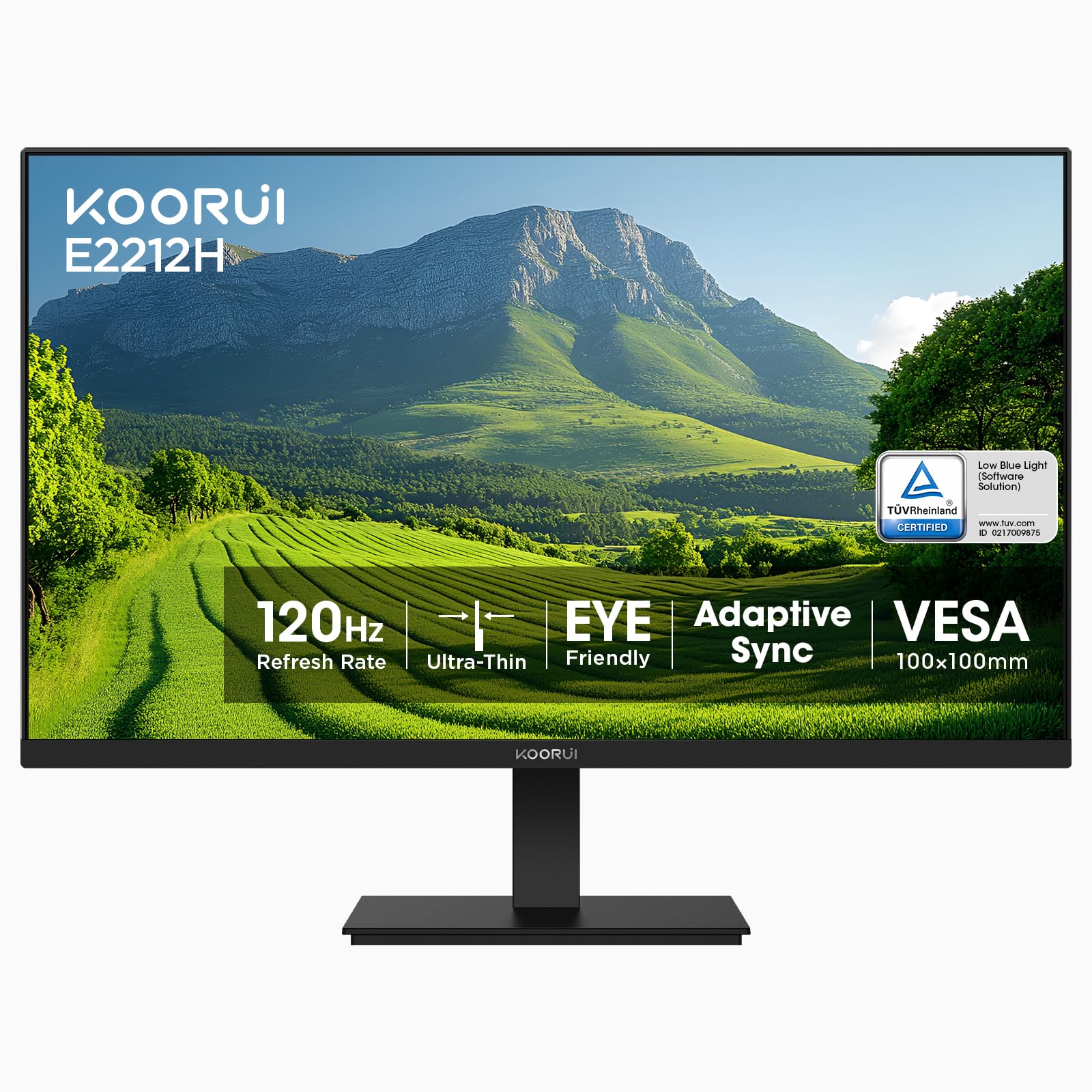
The KOORUI 22-inch monitor is a compelling entry-point for gamers seeking high refresh rates on a tight budget. Its standout feature is the 120Hz refresh rate paired with a VA panel that boasts an exceptional 4000:1 contrast ratio. This combination delivers remarkably deep blacks and bright highlights, creating a dynamic and immersive picture for games and movies.
It includes AdaptiveSync technology to minimize screen tearing and stutter, and is TÜV Rheinland certified for low blue light and flicker-free performance. The monitor offers tilt adjustment and is VESA mount compatible, providing some flexibility in setup. Connectivity includes HDMI and VGA, though note that it does not support DisplayPort.
While it excels in contrast and smooth motion, the trade-off is typically found in color accuracy and viewing angles compared to IPS panels. However, for its intended purpose of immersive, fast-paced entertainment, it delivers impressive performance that belies its entry-level positioning.
Why it’s great
- High 120Hz refresh rate enables very smooth gameplay.
- Exceptional 4000:1 contrast ratio produces deep, rich blacks.
- Includes AdaptiveSync and TÜV eye-care certification.
- VESA mount compatible for flexible installation.
Good to know
- Only supports HDMI and VGA, no DisplayPort.
- VA panel viewing angles and color accuracy are inferior to IPS.
- Build quality and stand are functional but basic.
10. Ingnok Portable Monitor
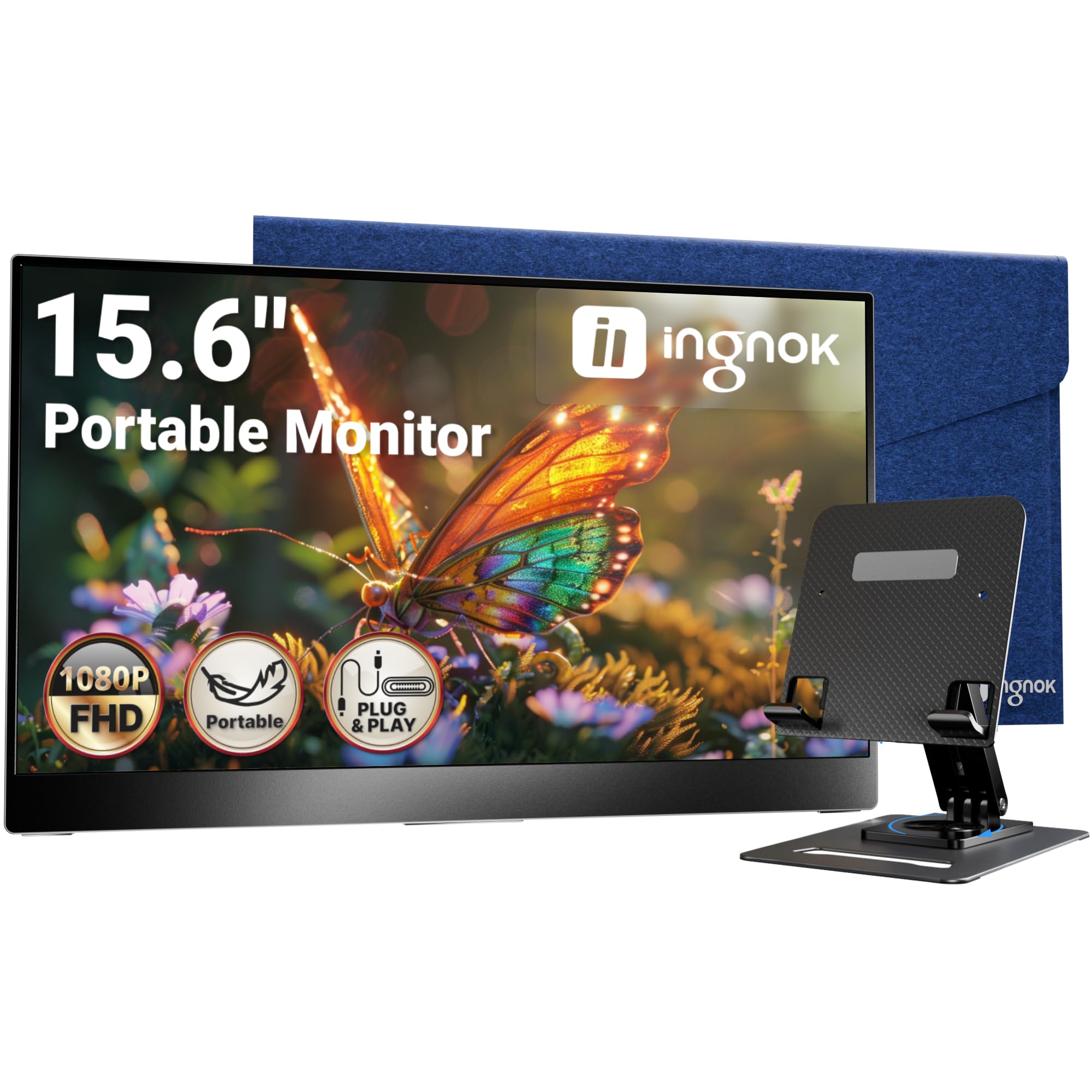
The Ingnok Portable Monitor refines the mobile secondary screen concept with thoughtful design and solid performance. Weighing just 1.5 pounds and incredibly slim, it’s truly built for travel. A key differentiator is the included adjustable stand, which provides stable and versatile viewing angles whether you’re at a coffee shop or a hotel desk.
Its 15.6-inch IPS panel delivers a sharp 1080p image with good color reproduction. Connectivity is streamlined through USB-C, allowing for single-cable operation with devices that support video output and power delivery. It also includes a mini HDMI port for broader compatibility with gaming consoles or older laptops.
The package includes a protective felt case, keeping the monitor and cables organized during transport. This attention to detail makes it a complete solution for mobile professionals, digital nomads, or anyone needing a reliable screen extension on the go.
Why it’s great
- Includes a practical and stable adjustable stand, a rarity for portable monitors.
- Extremely lightweight and slim, perfect for travel.
- Comes with a protective carrying case for full portability.
- Sharp IPS display with good color accuracy.
Good to know
- Built-in speakers are very quiet and low quality.
- The stand, while useful, sits quite low on the desk.
- Requires a device with USB-C DP Alt Mode for single-cable use.
11. MNN Portable Monitor

The MNN Portable Monitor is the most accessible entry point into the world of portable displays. For those who need a simple, functional second screen without complexity, this 15.6-inch monitor delivers. It features a matte IPS screen that reduces glare, and setup is genuinely plug-and-play with the included USB-C and HDMI cables.
A notable inclusion is the smart cover, which doubles as a protective case and a stand, allowing you to prop the monitor up in both landscape and portrait orientations. It also includes built-in speakers, though like most portable monitors, they are best for system sounds rather than serious audio.
It’s an ideal solution for students, remote workers needing a temporary dual-screen setup, or as a lightweight display for a Raspberry Pi. While it foregoes some premium features, it reliably performs its core function of adding screen real estate wherever you are.
Why it’s great
- Extremely straightforward plug-and-play setup.
- Includes a versatile smart cover that acts as both protection and a stand.
- Matte screen coating effectively reduces glare.
- Highly affordable way to add a portable secondary display.
Good to know
- Brightness is limited, so it struggles in very well-lit environments.
- Audio quality from built-in speakers is poor.
- Build quality feels lightweight and somewhat plasticky.
Understanding the Specs
Refresh Rate (Hz)
This is how many times per second the screen updates its image. A standard 60Hz is fine for basic tasks, but 75Hz, 100Hz, or 120Hz make everything from scrolling to gaming feel noticeably smoother and more responsive. It’s a key spec for improving the overall feel of your monitor.
Panel Type: IPS vs VA
IPS panels offer the best color accuracy and wide viewing angles, making colors look consistent even from the side. VA panels provide much higher contrast ratios for deeper blacks, making movies and games look more immersive, but can have slower pixel response. Choose IPS for color-critical work and VA for entertainment.
FAQ
Is a 1080p monitor still good in 2024?
What is the difference between HDMI and VGA?
Do I need a monitor with speakers?
What does Adaptive Sync or FreeSync do?
Final Thoughts: The Verdict
For most people, the best budget 1080p monitor winner is the Acer KB242Y because it delivers high-end gaming features like a 120Hz IPS panel and 1ms response at a mid-range point, offering exceptional balance. If you want maximum screen space and comfort, grab the Dell SE2725HM. And for truly mobile productivity, nothing beats the convenience of the Ingnok Portable Monitor with its included stand and case.

Mo Maruf
I created WellFizz to bridge the gap between vague wellness advice and actionable solutions. My mission is simple: to decode the research and give you practical tools you can actually use.
Beyond the data, I am a passionate traveler. I believe that stepping away from the screen to explore new environments is essential for mental clarity and physical vitality.