Our readers keep the lights on and my smoothie glass nicely filled. As an Amazon Associate, I earn from qualifying purchases.
Choosing the right 1080P screen isn’t just about resolution. It’s about the panel technology that delivers it, the connectivity that makes it useful, and the ergonomics that keep you comfortable. With so many options, from ultra-portable travel monitors to expansive desktop displays, the wrong choice can lead to eye strain, compatibility headaches, or a serious drop in productivity.
I’m Mohammad Maruf — the founder and writer behind WellFizz. For over a decade, my focus has been analyzing product specifications and cross-referencing thousands of data points from user experiences to separate marketing hype from genuine performance.
This guide is the result of scrutinizing the entire 1080P monitor landscape, from ultra-budget portables to premium desktop models, to help you find the perfect match for your workflow, gaming, or entertainment setup. best 1080p screen for you depends on balancing portability, panel quality, and specific features that most reviews overlook.
How To Choose The Best 1080P Screen
The term “1080P” tells you the number of pixels, but little else. Two screens with the same resolution can deliver wildly different experiences. Your primary decision points should revolve around how you’ll use the screen and where it will live.
Portability vs. Permanence
Are you a digital nomad needing a second screen for your laptop on the go, or are you setting up a dedicated home office or gaming station? Portable monitors are incredibly slim, lightweight, and often powered by a single USB-C cable from your laptop. Desktop monitors offer larger sizes, more robust stands, and typically better overall image quality and features for a stationary setup.
Panel Technology: IPS, VA, or TN?
This is the heart of image quality. IPS panels offer the best color accuracy and wide viewing angles, making them ideal for work, content consumption, and most gaming. VA panels provide deeper contrast and blacks, great for movies and immersive games, but can have slower response times. TN panels are largely outdated for general use but offer very fast response for competitive esports.
Connectivity and Power
For portable monitors, a full-featured USB-C port that delivers both video and power is the gold standard for a clean, one-cable setup. Ensure your laptop supports this (often called DP Alt Mode). HDMI is universal for desktops and consoles. Also, check if the screen has built-in speakers (usually basic) or requires external audio.
Ergonomics and Adjustability
If you’ll be using the screen for hours, the ability to adjust height, tilt, and swivel is crucial for comfort. Many budget and portable monitors have limited or fixed stands. Look for VESA mount compatibility (a standard pattern on the back) if you plan to use a monitor arm for ultimate flexibility.
Quick Comparison
On smaller screens, swipe sideways to see the full table.
| Model | Type | Best For | Key Feature | Amazon |
|---|---|---|---|---|
| ViewSonic VA1653 | Portable | Reliable On-the-Go Work | 3-Year Warranty, Built-in Stand | Amazon |
| cocopar Portable Monitor | Portable | Premium Portable Experience | 85% sRGB, VESA Mountable | Amazon |
| Philips 221V8LB | Desktop | Smooth Desktop Budget Pick | 100Hz Refresh, Adaptive-Sync | Amazon |
| KYY Portable Monitor | Portable | Gaming & Entertainment | HDR Support, 1ms Response | Amazon |
| InnoView w/ Sleeve | Portable | Travel-Ready Productivity | Included Protective Sleeve | Amazon |
| Ingnok Portable Monitor | Portable | Slim Design & Adjustable Stand | Integrated Adjustable Stand | Amazon |
| InnoView Standard | Portable | General Portable Use | Wide Compatibility, HDR | Amazon |
| MNN Portable Monitor | Portable | Entry-Level Secondary Screen | Plug & Play, Smart Cover | Amazon |
| VILVA Portable Monitor | Portable | Ultra-Budget Emergency Screen | Complete Cable Kit | Amazon |
| ROYY Laptop Extender | Portable | 14″ Compact Travel | Compact 14″ Form Factor | Amazon |
| ViewSonic VX3276-MHD | Desktop | Immersive Large Desktop | 32″ IPS, Screen Split Software | Amazon |
In‑Depth Reviews
1. ViewSonic VA1653 16″ Portable Monitor

The ViewSonic VA1653 earns the top spot by striking a perfect balance between trusted brand reliability, thoughtful design, and hassle-free functionality for mobile professionals. It moves beyond the bare-bones approach of many portable screens by including a proper, integrated kickstand that supports both landscape and portrait orientations right out of the box, eliminating the fumble of separate covers.
This monitor feels substantial without being heavy, and its IPS panel delivers consistent colors and wide viewing angles critical for collaborative work or sharing content. The inclusion of a protective sleeve shows attention to detail for the traveling user. While it doesn’t have the highest brightness or most color-saturated display in the category, its performance is consistently solid, and the three-year warranty from a reputable manufacturer provides unparalleled peace of mind that budget brands simply can’t match.
Connectivity is straightforward with USB-C and mini HDMI, supporting a clean one-cable setup with compatible laptops. It’s the portable monitor you buy when you need a tool that works reliably day in and day out, without driver issues or compatibility guesswork, backed by a company with a long-standing presence in the display market.
Why it’s great
- Industry-leading 3-year warranty provides significant long-term security.
- Integrated, adjustable stand offers superior convenience over flimsy cover-stands.
- Consistent, reliable performance from a well-known monitor brand.
- Includes a protective sleeve for travel, showing thoughtful packaging.
Good to know
- Brightness is adequate but not exceptional for use in very bright environments.
- Some users report occasional connectivity hiccups requiring a re-plug.
- Speaker quality is basic, as with almost all portable monitors.
2. cocopar 15.6″ Portable Monitor

The cocopar monitor represents the high end of the portable spectrum, boasting an impressive 85% sRGB color gamut coverage which translates to more vibrant and accurate colors than most competitors. This makes it a compelling choice not just for productivity, but for casual photo editing or enjoying richly colored media while traveling. Its panel quality is frequently highlighted in user reviews as a standout feature.
A unique and highly practical feature is its VESA mount compatibility. This allows you to attach it to a monitor arm, either on a desk for a clean, adjustable setup or even in a portable rig, offering ergonomic flexibility that nearly all other portable monitors lack. It’s incredibly slim at its thinnest point and comes with a comprehensive set of cables, including a USB-C for single-cable operation and an HDMI option for broader compatibility.
The magnetic smart cover functions as a stand, though some find the magnet strength could be better. The overall build quality and image fidelity justify its position in the premium tier, offering features that bridge the gap between a portable display and a semi-permanent secondary screen.
Why it’s great
- Superior 85% sRGB color gamut for richer, more accurate colors.
- Rare VESA mount compatibility on a portable monitor for flexible mounting.
- Exceptionally thin and lightweight profile with a premium feel.
- Comes with a complete cable set for virtually any connection scenario.
Good to know
- The magnetic cover/stand can be slightly unstable on uneven surfaces.
- Positioned at a premium price point within the portable category.
- Like most portables, built-in speakers are functional but not high-fidelity.
3. Philips 221V8LB 22″ Monitor

For a permanent desktop setup on a modest budget, the Philips 221V8LB is a standout. It breaks the standard 60Hz barrier by offering a 100Hz refresh rate with Adaptive-Sync (FreeSync) support, providing noticeably smoother motion in Windows, scrolling, and casual gaming compared to basic office monitors. This feature alone gives it a significant edge over similarly priced competitors.
The VA panel delivers a high 3000:1 contrast ratio, resulting in deeper blacks and a more impactful image when watching videos or playing games with dark scenes. It also includes essential eye-care features like a LowBlue Mode and flicker-free backlighting, which are valuable for long work sessions. The four-year advance replacement warranty is exceptionally generous and speaks to Philips’s confidence in the product’s reliability.
The trade-offs are typical for the category: the stand only offers tilt adjustment, and there are no built-in speakers or USB hubs. However, for users who value smooth visual performance and eye comfort in a reliable, no-fuss desktop monitor, this model offers exceptional value that is hard to beat.
Why it’s great
- 100Hz refresh rate with Adaptive-Sync provides smoother visuals for both work and play.
- Excellent contrast from the VA panel makes for a more immersive viewing experience.
- Robust four-year warranty offers outstanding long-term protection.
- Includes effective blue light reduction and flicker-free technologies.
Good to know
- Stand only tilts; no height, swivel, or pivot adjustment.
- Lacks built-in speakers, requiring external audio solution.
- Viewing angles aren’t as wide as IPS panels, with some color shift when viewed off-center.
4. KYY 15.6″ Portable Monitor
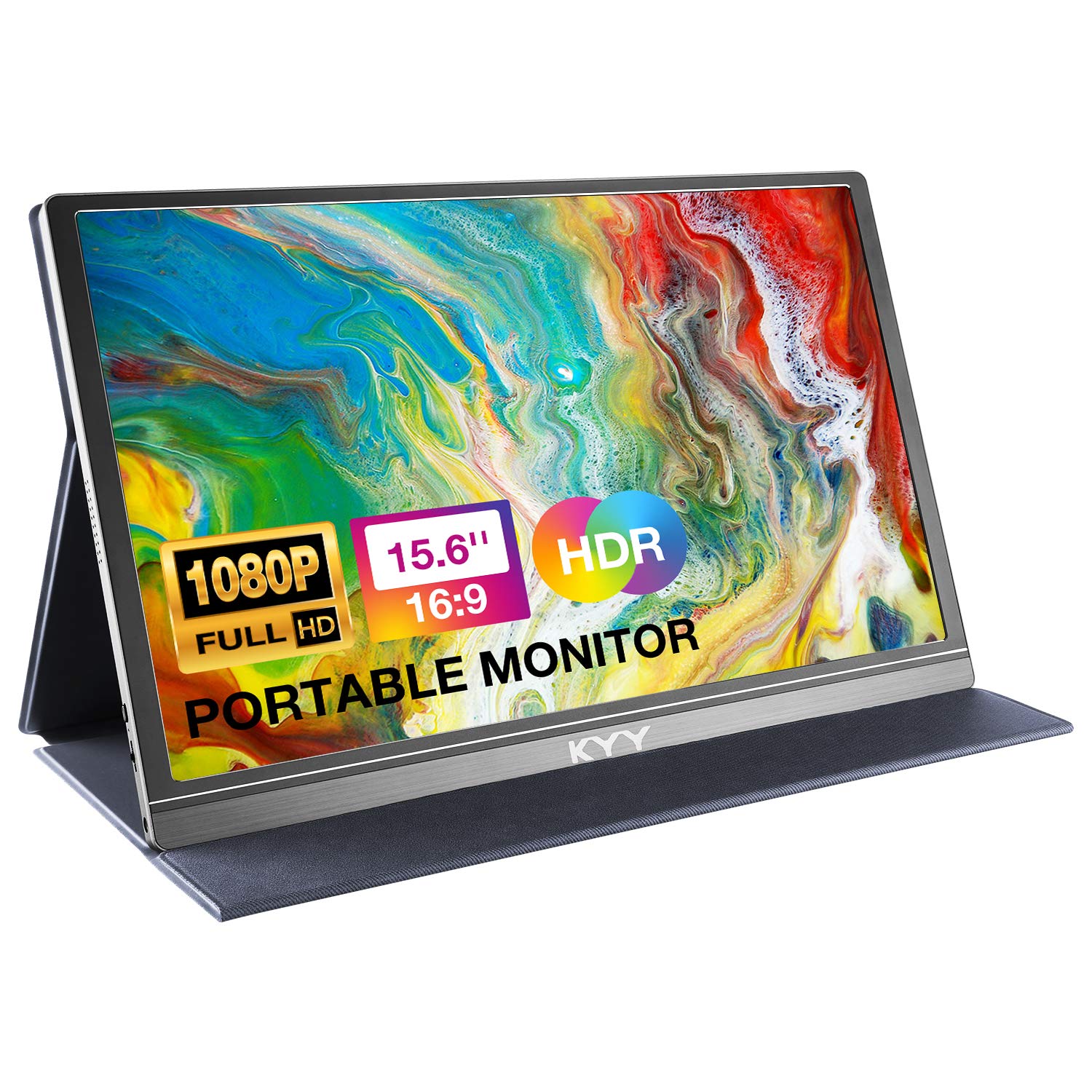
The KYY portable monitor is tuned for users who want their mobile display to do more than just extend a spreadsheet. It boasts HDR support and an incredibly fast 1ms response time (MPRT), which helps reduce motion blur—a key consideration for gaming or fast-paced video content. This makes it a popular choice for connecting to gaming consoles like the Nintendo Switch, Xbox, or PS4/5 while traveling.
It features a premium gray metal chassis that feels more durable than all-plastic models, and its frameless magnetic smart cover is a well-executed design. The package is exceptionally complete, including a mini-HDMI to HDMI cable, USB-C to USB-C, and USB-C to USB-A cables, ensuring compatibility with almost any device right out of the box.
While the HDR implementation is basic compared to high-end TVs, it can enhance contrast and color pop in supported games and movies. The combination of gaming-oriented specs, solid build, and comprehensive accessories makes the KYY a fantastic all-rounder for entertainment-focused portable use.
Why it’s great
- 1ms response time and HDR support are ideal for portable gaming and media.
- Sturdy metal build quality feels premium and durable.
- Includes every possible cable needed for immediate use with any device.
- Frameless design with a magnetic smart cover looks and works great.
Good to know
- HDR effect is subtle and not comparable to high-end HDR displays.
- Can sometimes require a power cycle or re-plug to wake from sleep.
- As a mid-range portable, color accuracy is good but not professional-grade.
5. InnoView 15.6″ w/ Protective Sleeve
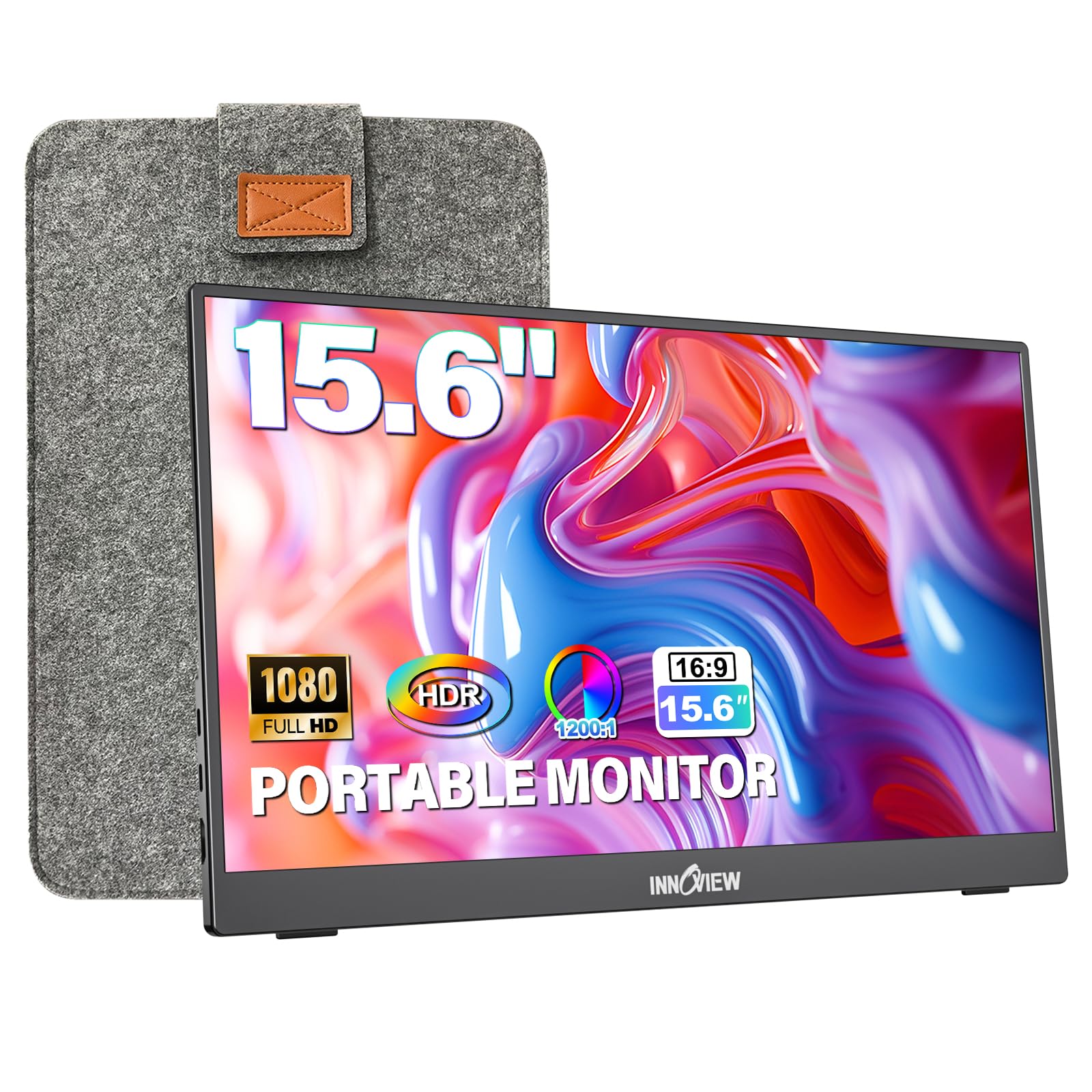
This InnoView model distinguishes itself with an excellent travel-ready package. It comes with a dedicated zippered protective sleeve, not just a folding cover, offering superior protection against scratches and impacts when tossed in a backpack with other gear. This thoughtful inclusion addresses a major pain point for frequent travelers who need their equipment to survive the rigors of the road.
The monitor itself features a built-in kickstand that allows for 90 degrees of tilt adjustment, providing more stability and a wider range of viewing angles than cover-based stands. The panel is a reliable IPS type with HDR support and a 1200:1 contrast ratio, delivering solid image quality for work and entertainment. It uses a full-sized HDMI port, which is more robust and common than the mini-HDMI ports on many portables.
If your primary use case involves regularly packing and unpacking your secondary screen in different locations, the added protection and stable stand of this InnoView model make it a supremely practical and worry-free choice.
Why it’s great
- Included dedicated protective sleeve is a major advantage for travelers.
- Built-in kickstand offers stable, adjustable viewing angles.
- Uses a standard full-size HDMI port for better compatibility and durability.
- Good overall image quality with HDR and a high contrast ratio for an IPS panel.
Good to know
- Some users report inconsistencies in included cables with their shipment.
- The kickstand, while stable, does not allow for height adjustment.
- Slightly heavier than some ultra-slim portable-only models.
6. Ingnok 15.6″ Portable Monitor
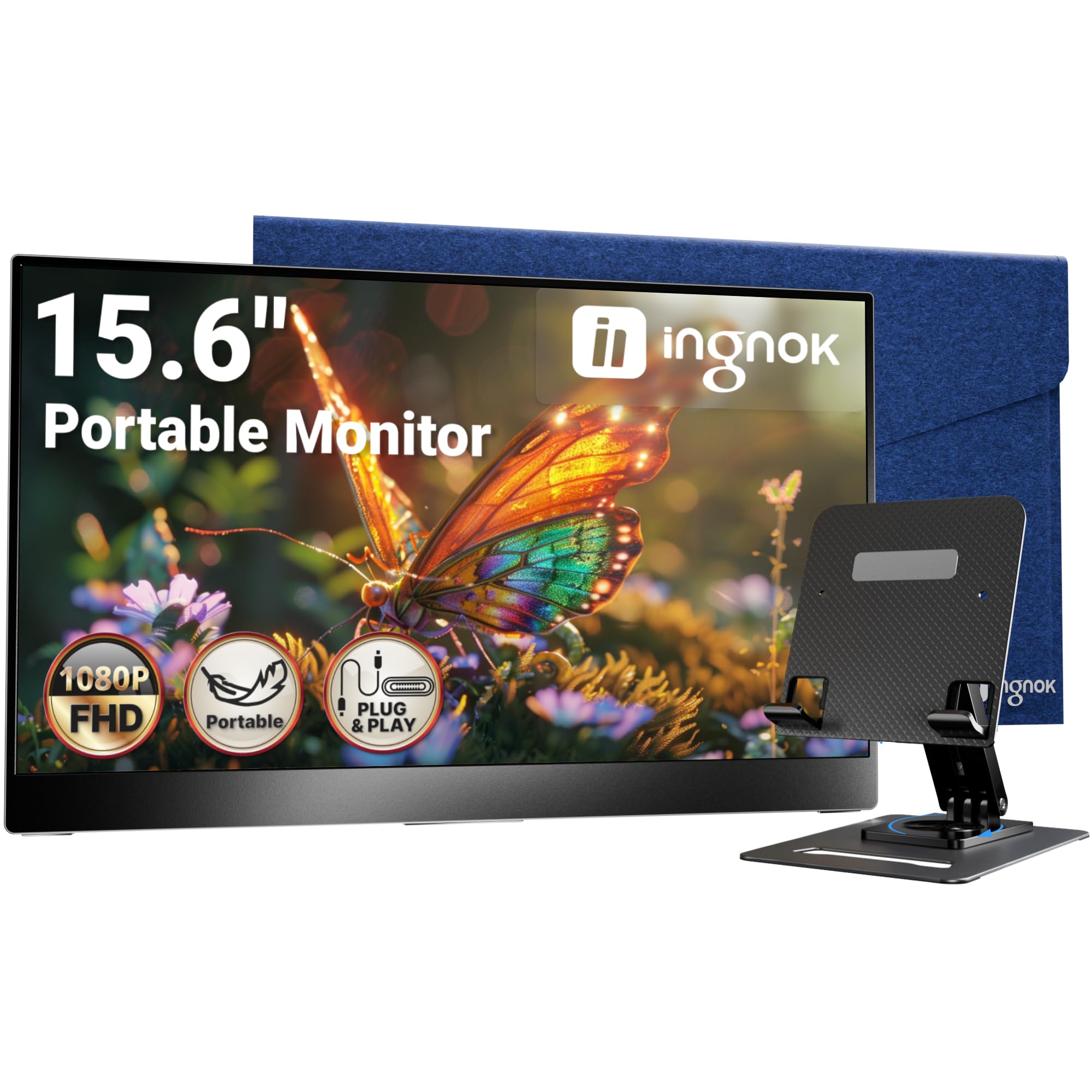
The Ingnok monitor focuses on delivering a clean, integrated desktop experience in a portable form factor. Its key differentiator is the included adjustable stand that attaches directly to the monitor via two small screws, providing a stable base with better height and tilt options than floppy folio covers. This makes it feel more like a permanent secondary monitor on your desk while remaining easy to detach and pack away.
It’s remarkably slim and lightweight, and the image quality from its IPS panel is sharp and vibrant. The plug-and-play setup via USB-C is straightforward, and it includes a felt carrying case for transport, though the stand must be removed to fit inside. Users praise its out-of-the-box performance and the tangible quality that exceeds expectations for its category.
If you use a portable monitor primarily in a single location like a home office or dorm room but appreciate the ability to take it with you occasionally, the Ingnok’s hybrid design with its dedicated stand offers the best of both worlds.
Why it’s great
- Included adjustable stand provides excellent desk stability and ergonomics.
- Extremely slim and lightweight design doesn’t sacrifice build quality.
- Clean, sharp image quality with good color reproduction.
- Comes with a protective felt carrying case for travel.
Good to know
- Stand must be removed to fit the monitor into the included carrying case.
- The stand sits relatively low, which may not align with taller laptop screens.
- Built-in speaker volume and quality are very limited.
7. InnoView 15.6″ Standard Portable Monitor
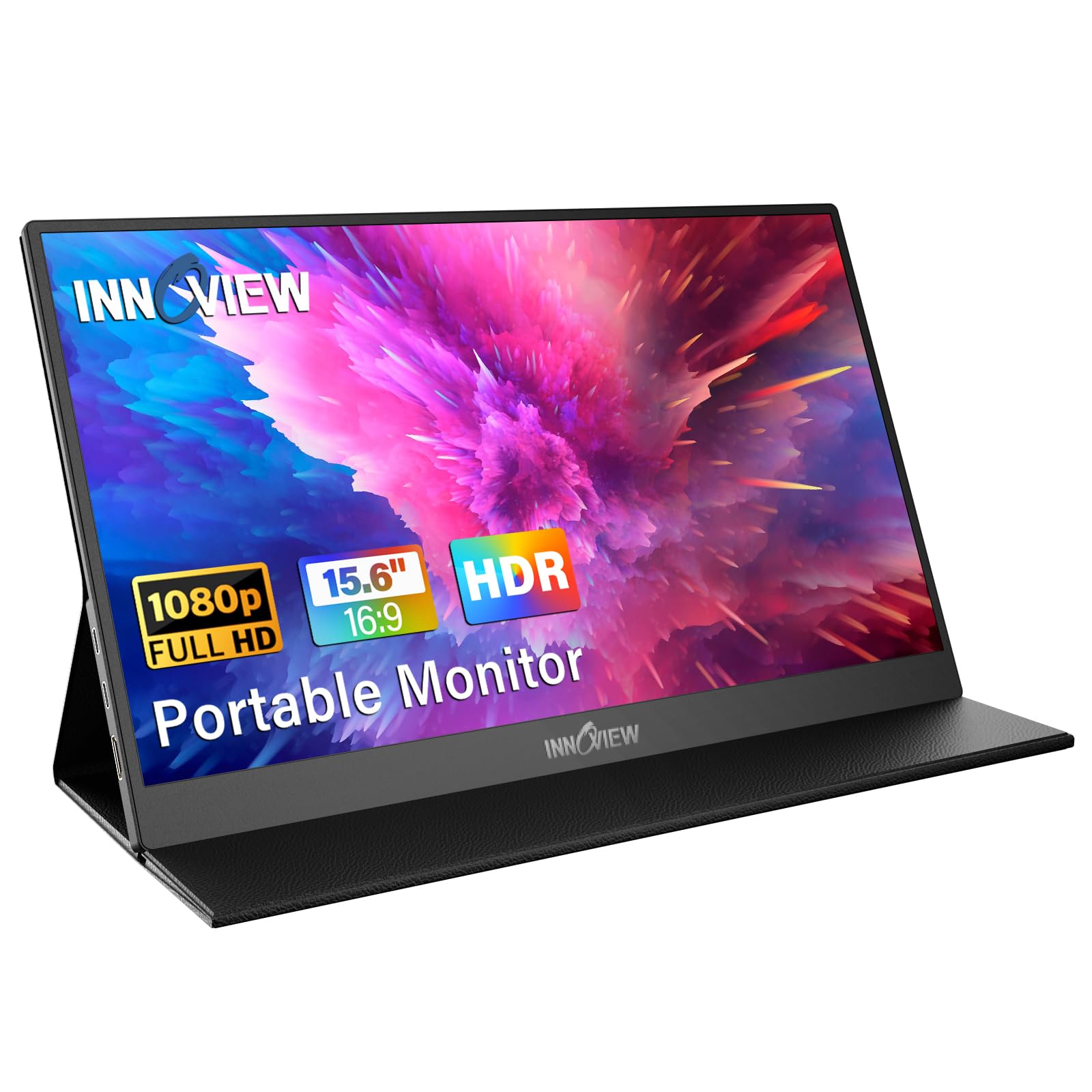
This is the foundational model from InnoView, offering broad compatibility and solid core specs without the extra travel accessories of its sibling. It features two full-function USB-C ports and an HDMI port, ensuring it can connect to laptops, phones, and gaming consoles with ease. The IPS panel covers 80% sRGB and includes HDR and low blue light modes for enhanced viewing comfort.
The included smart cover doubles as a stand, with grooves that allow for both landscape and portrait orientation. It’s a reliable workhorse that has garnered a large user base for its consistent performance. The 18-month warranty is above average for the category, providing a good safety net.
It’s a straightforward, no-surprises portable monitor that gets the job done. While some users note that color calibration can be a bit finicky and may require manual adjustment to match a primary display perfectly, for general productivity and media consumption, it delivers excellent value.
Why it’s great
- Extremely wide device compatibility with multiple connection ports.
- Good color coverage (80% sRGB) with HDR and eye-care features.
- Smart cover provides protection and acts as a versatile stand.
- Respectable 18-month warranty for a portable monitor.
Good to know
- Color settings can be inconsistent and may require manual tweaking.
- Some units may exhibit flickering if not provided with adequate power.
- The menu navigation wheel can be awkward and slightly uncomfortable to use.
8. MNN 15.6″ Portable Monitor

The MNN monitor is a strong contender in the entry-level segment, offering a no-fuss plug-and-play experience. It’s consistently praised for its simplicity—you connect it, and it works. The image quality is clear and bright enough for most tasks, and the 178-degree viewing angle is a bonus for an affordable IPS panel.
It comes with the now-standard smart cover that protects the screenand doubles as a stand. The package includes the necessary cables for both USB-C and HDMI connections, making it ready to use with most devices right away. For the price, it delivers reliable functionality without any complex setup or drivers.
This monitor is an ideal choice for someone who needs a basic second screen for occasional use, such as extending a laptop for a project or connecting a game console in a temporary setup. While it doesn’t have the highest brightness or the most accurate color reproduction, it performs consistently for everyday tasks. The built-in speakers are a welcome addition, though they are best for system sounds rather than critical audio.
If your goal is to add a portable screen without overcomplicating things or breaking the bank, the MNN monitor is a straightforward and dependable option that has earned its positive reputation through simplicity and value.
Why it’s great
- True plug-and-play operation with no driver installation required.
- Includes both USB-C and HDMI cables for broad compatibility.
- Lightweight and slim, with a protective smart cover included.
- Consistently reliable performance for basic tasks and media.
Good to know
- Brightness is adequate but not exceptional for very bright rooms.
- Color accuracy and sRGB coverage are basic, not for professional work.
- Built-in speakers are functional but lack depth and volume.
9. VILVA 15.6″ Portable Monitor

The VILVA monitor sits at the most budget-friendly end of the spectrum, yet it surprises with a metal build that feels more substantial than its price would suggest. It comes with a full array of cables—USB-C to USB-C and mini-HDMI to HDMI—meaning you can connect it to almost anything immediately without searching for adapters.
This model is often chosen as an emergency replacement screen for a broken laptop display or as a ultra-low-cost entry into portable dual-monitor setups. The matte screen finish helps reduce glare, and the 300-nit brightness is sufficient for indoor use. Users report that it works reliably with a wide range of devices, from smartphones to gaming consoles, with minimal setup fuss.
While color accuracy and contrast are understandably basic, and the panel may not match the vibrancy of more expensive options, the VILVA delivers exactly what it promises: a functional, portable 1080P screen at an accessible price point. It’s a testament to how far budget portable monitors have come.
Why it’s great
- Exceptionally budget-friendly entry point for a portable screen.
- Surprisingly robust metal construction feels durable.
- Comes with all necessary cables for immediate use with various devices.
- Wide compatibility, from laptops to phones and game consoles.
Good to know
- Color accuracy and panel uniformity are not its strong suits.
- Heavier than some other portable models due to the metal build.
- Limited brightness and contrast compared to mid-range options.
10. ROYY 14″ Laptop Screen Extender
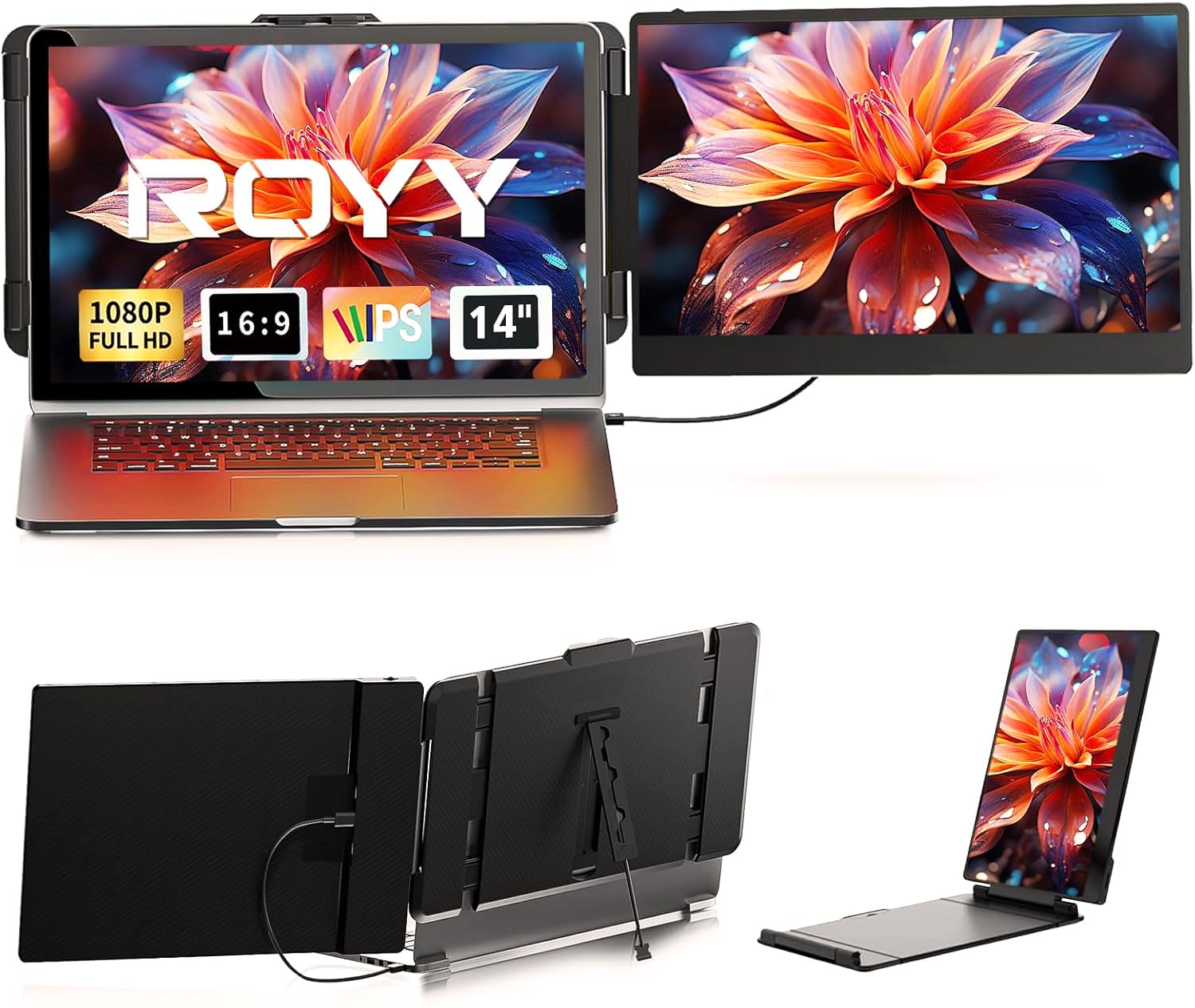
The ROYY extender carves out a specific niche with its compact 14-inch form factor. This smaller size is ideal for users who want a secondary screen that closely matches the height of smaller 13-14 inch laptops, creating a more seamless dual-screen flow without a significant size mismatch. It’s also slightly easier to fit into very tight bag spaces.
It maintains a 1080P resolution, so pixel density is actually a bit higher than on a 15.6-inch screen, leading to potentially sharper text. The connectivity is comprehensive, offering USB-C, HDMI, and USB-A options to cover older and newer laptops alike. Setup is driver-free and generally hassle-free.
The trade-off for the compact size is, of course, less screen real estate. For some, the 14-inch diagonal is the perfect balance of portability and utility, especially for tasks like coding, writing, or having a reference document open. If your priority is the smallest possible footprint without dropping to a lower resolution, this model is a compelling choice.
Why it’s great
- Compact 14-inch size is perfect for matching smaller laptops and maximizing portability.
- High pixel density from 1080P on a 14″ screen can make text look very sharp.
- Includes multiple cable options (USB-C, HDMI, USB-A) for wide compatibility.
- Lightweight and slim, designed for easy transport.
Good to know
- Smaller screen means less workspace compared to 15.6″ models.
- Brightness is average and may struggle in very bright conditions.
- Build quality is functional but not as premium as some higher-priced options.
11. ViewSonic VX3276-MHD 32″ Monitor

For users who want a large, immersive canvas for work, media, and gaming, the ViewSonic VX3276-MHD is a standout desktop monitor. Its 32-inch IPS panel with ultra-thin bezels provides a vast field of view that is excellent for multitasking with multiple windows, detailed creative work, or getting lost in games and movies.
The inclusion of screen split software (available for download) is a significant productivity booster, allowing you to easily organize applications into preset zones on the massive screen. The 75Hz refresh rate is a nice step up from standard 60Hz, offering slightly smoother motion. Connectivity is plentiful with HDMI, DisplayPort, and VGA inputs, and the three-year warranty ensures longevity.
At 32 inches, the 1080P resolution is at its limit in terms of pixel density, meaning you may notice individual pixels if you sit very close. However, at a normal viewing distance, the image remains crisp for most content, and the benefit of the huge, color-accurate IPS screen often outweighs this concern for non-professional users seeking an expansive and engaging display.
Why it’s great
- Massive 32-inch IPS screen with thin bezels for an immersive experience.
- Useful screen split software enhances productivity on the large canvas.
- 75Hz refresh rate and good response time suit casual gaming and smooth scrolling.
- Strong three-year warranty from a trusted brand.
Good to know
- Pixel density is lower than on smaller 1080P screens; pixels may be visible up close.
- Built-in speakers are very basic and not suitable for serious audio.
- The stand lacks height adjustment, though it does tilt.
Understanding the Specs
Panel Type: IPS vs. VA
IPS (In-Plane Switching) panels are the most common in quality portable and desktop monitors. They offer the best color consistency and wide viewing angles, meaning the image looks good even when viewed from the side. VA (Vertical Alignment) panels, found in some desktop models like the Philips 221V8LB, provide deeper black levels and higher contrast, making them great for media consumption, but they can have slower pixel response times which might cause slight blur in fast motion.
Refresh Rate & Response Time
Refresh Rate (Hz) is how many times per second the screen updates its image. Standard is 60Hz. Higher rates like 75Hz, 100Hz, or 144Hz make motion appear smoother, beneficial in gaming and general desktop use. Response Time (ms) measures how quickly a pixel can change color. Lower numbers (like 1ms or 4ms) reduce ghosting in fast-moving scenes. For most productivity and media, 60Hz and 5ms are perfectly fine.
FAQ
Can I use a portable monitor with my phone?
Do portable monitors need a separate power source?
Is 1080P resolution enough for a 32-inch monitor?
What is the difference between mini HDMI and full HDMI?
Final Thoughts: The Verdict
For most people, the best 1080p screen winner is the ViewSonic VA1653 because it blends trusted brand reliability, a practical built-in stand, and a generous warranty into a highly portable package. If you want the best color quality and mounting flexibility in a portable, grab the cocopar Portable Monitor. And for a smooth, budget-friendly desktop experience with a high refresh rate, nothing beats the Philips 221V8LB.

Mo Maruf
I created WellFizz to bridge the gap between vague wellness advice and actionable solutions. My mission is simple: to decode the research and give you practical tools you can actually use.
Beyond the data, I am a passionate traveler. I believe that stepping away from the screen to explore new environments is essential for mental clarity and physical vitality.