Our readers keep the lights on and my smoothie glass nicely filled. As an Amazon Associate, I earn from qualifying purchases.
Choosing the right 8-inch tablet feels like navigating a minefield of confusing specs and competing ecosystems. It’s the perfect size for portability and comfort, but picking wrong can leave you with a frustratingly slow device that doesn’t meet your needs. This guide cuts through the noise, analyzing the data to match you with the ideal balance of power, portability, and purpose.
I’m Mohammad Maruf — the founder and writer behind WellFizz. My process involves deep market research, analyzing thousands of data points on specifications, performance benchmarks, and long-term reliability to separate genuine value from marketing hype.
Through meticulous comparison of processing power, display quality, and ecosystem flexibility, we’ve identified the top performers that truly justify their place in your bag or on your nightstand. The right choice depends entirely on how you plan to use your best 8-inch tablet.
How To Choose The Best 8-Inch Tablet
An 8-inch tablet sits in a unique category between your phone and a larger laptop replacement. The ideal pick isn’t about raw power alone; it’s about how the device’s design, software, and performance align with your daily habits. Let’s break down the critical decision points.
Ecosystem & Operating System
Your first major fork in the road is choosing an operating system. Amazon’s Fire tablets run a heavily customized version of Android called Fire OS. It’s streamlined, integrates deeply with Amazon services like Prime Video and Kindle, and offers robust parental controls. However, it doesn’t support the Google Play Store natively, which limits app selection. Standard Android tablets (like those from Samsung or Lenovo) offer full access to the Google Play Store and a more familiar, flexible interface, making them better for general web use, specific apps, and customization.
Performance & Storage
For a smooth experience, prioritize RAM. Look for at least 3GB of RAM to handle modern apps and multitasking without frustrating lag. The processor type (like Hexa-core or Quad-core) influences overall speed. Storage is also key: 32GB is a bare minimum, but 64GB or expandable storage via a microSD card is highly recommended for storing apps, photos, and downloaded media.
Durability & Intended User
Is this for you, or for a child? Standard tablets are sleek but fragile. If it’s for family use, models designed for kids include a virtually indestructible bumper case, a two-year worry-free guarantee against breakage, and comprehensive, easy-to-use parental controls that are worth the premium for peace of mind.
Quick Comparison
On smaller screens, swipe sideways to see the full table.
| Model | Type | Best For | Key Feature | Amazon |
|---|---|---|---|---|
| Amazon Fire HD 8 (2024) | Tablet | Balanced everyday use | 4GB RAM, 64GB storage | Amazon |
| Amazon Fire HD 8 Kids | Tablet | Young children & families | Kid-proof case, 2-yr guarantee | Amazon |
| Lenovo Tab M8 | Tablet | Android purists | Full metal body, clean Android | Amazon |
| Samsung Galaxy Tab A (Renewed) | Tablet | Budget-friendly brand name | Renewed premium build | Amazon |
| Amazon Fire HD 8 Plus | Tablet | Power users on Amazon ecosystem | 3GB RAM, wireless charging | Amazon |
| MoKo Case for Fire HD 8 | Case | Adding protection & a stand | Hand strap, auto wake/sleep | Amazon |
| Riaour Kids Case | Case | Making any tablet kid-friendly | Shockproof with handle & stand | Amazon |
| DJ&RPPQ Trifold Case | Case | Basic Fire HD 8 protection | Tri-fold stand, microfiber lining | Amazon |
| COOPERS Android Tablet | Tablet | Entry-level dedicated tasks | Includes a basic case | Amazon |
| MoKo Tablet Sleeve | Sleeve | Carrying in a bag | Padded, zippered protection | Amazon |
| Snowwicase Slim Cover | Case | Ultra-light basic cover | Auto sleep/wake function | Amazon |
In‑Depth Reviews
1. Amazon Fire HD 8 (2024 Release)

The newest Amazon Fire HD 8 represents the sweet spot in the lineup, delivering a significant performance bump that addresses the lag common in older budget tablets. With double the RAM of its predecessor and a responsive hexa-core processor, this model handles everyday tasks like browsing, streaming, and light gaming with a newfound smoothness. The 8-inch HD display is vibrant for its class, making it excellent for reading, videos, and video calls.
It remains firmly within the Amazon ecosystem, offering deep integration with Alexa, Prime Video, and Kindle. This is a benefit if you’re heavily invested in Amazon services, but a limitation if you rely on the full Google Play Store. The included smart tools for summarizing web pages and creating wallpapers are thoughtful additions that enhance productivity. Battery life remains a strong suit, easily lasting through a full day of mixed use.
This tablet is designed for portable entertainment and light tasks. It won’t replace a laptop for heavy work, but for consuming content, reading, staying connected, and casual play, it offers a balanced and reliable experience. The 64GB of base storage is a welcome upgrade, reducing the immediate need for expandable storage for most users.
Why it’s great
- Noticeably improved performance with 4GB RAM.
- Excellent battery life for all-day use.
- Sharp, bright HD display perfect for media.
- Strong value in the mid-range category.
Good to know
- Uses Amazon’s Appstore, not Google Play.
- Primarily designed for entertainment, not heavy productivity.
- Ads on the lock screen unless you pay to remove.
2. Amazon Fire HD 8 Kids (2024 Release)

The Fire HD 8 Kids tablet isn’t a toy; it’s a full-feature tablet encased in a philosophy of worry-free ownership. The package is exceptional, including a supremely durable, bumper-style case that can survive drops and spills, a 2-year “break it, we replace it” guarantee, and a full year of Amazon Kids+. This subscription unlocks a vast, curated library of books, videos, educational apps, and games from brands like Disney and PBS Kids.
Underneath the kid-friendly software is the same capable hardware as the standard Fire HD 8, with 3GB of RAM ensuring smooth performance for children’s apps. The parental controls are arguably the best in the industry, allowing you to set educational goals, time limits, and content filters easily from your own phone. You can also create a profile for an older child with more open access, making this a tablet that can grow with your family.
While the upfront cost is at the premium end for an 8-inch tablet, the value of the included case, guarantee, and extended content subscription is substantial. For parents, the peace of mind and the elimination of constant “can I download this?” requests is worth the investment. It transforms the tablet from a fragile gadget into a robust tool for learning and play.
Why it’s great
- Everything is included: case, guarantee, and year of Kids+.
- Industry-leading, easy-to-use parental controls.
- Extremely durable design built for real-world kid use.
- Content library is vast, educational, and ad-free.
Good to know
- A premium bundle compared to standard tablets.
- The 32GB storage can fill quickly; plan for a microSD card.
- Heavier and bulkier with the protective case attached.
3. Lenovo Tab M8

The Lenovo Tab M8 stands out for users who want an uncompromised Android experience without the constraints of a custom ecosystem. Its full metal cover gives it a premium, solid feel that belies its mid-range positioning, distinguishing it from the plastic builds of many competitors. The 8-inch HD display is crisp, and the quad-core processor provides adequate power for daily tasks, streaming, and reading.
It runs a relatively clean version of Android, offering full access to the Google Play Store and the freedom to customize your device as you see fit. This makes it ideal for those who use Google services, specific apps not available on Amazon’s Appstore, or who simply prefer the standard Android interface. The battery life is a notable highlight, consistently delivering exceptional screen-on time that can span multiple days of light use.
While it may not have the highest resolution camera or the most cutting-edge processor, the Tab M8 excels in delivering a reliable, no-fuss Android tablet experience in a well-built package. It’s the choice for the user who views a tablet as a tool rather than an entertainment portal, valuing flexibility and build quality over integrated content ecosystems.
Why it’s great
- Premium metal build quality feels sturdy and sleek.
- Full Google Play Store access and standard Android.
- Outstanding battery life for extended use between charges.
- Great value for a pure Android tablet.
Good to know
- Performance is solid but not for intensive gaming.
- Cameras are basic, suitable for video calls only.
- Comes with an older version of Android (upgradable).
4. Samsung Galaxy Tab A (Renewed)

Choosing a renewed Samsung Galaxy Tab A is a smart strategy for accessing trusted brand quality at an entry-level cost. This model offers the familiar, polished Samsung experience with a minimalist bezel design, a reliable 8-inch display, and capable dual speakers. The build quality, even for an older model, often feels a step above many budget-friendly new tablets.
The renewed process typically involves inspection, cleaning, and testing to ensure basic functionality. You get a full Android experience with access to the Google Play Store and the ability to expand storage significantly with a microSD card. It’s a competent device for web browsing, YouTube, social media, and reading, with battery life that still holds up well for a day of use.
This is an excellent choice for someone who wants a known quantity from a major manufacturer without the investment of a new premium tablet. It’s particularly suitable for secondary use, for seniors, or as a first tablet for an older child who can handle a more fragile device. Just be prepared for potential minor cosmetic blemishes and ensure the seller offers a reliable return window.
Why it’s great
- Access to Samsung’s reliable build and interface.
- Full Android and Google Play Store functionality.
- Often represents significant savings over new.
- Good audio with dual speakers.
Good to know
- Performance may feel slower than newer models.
- May show signs of previous use (cosmetic).
- Older hardware and software version.
5. Amazon Fire HD 8 Plus

The Fire HD 8 Plus is for the user who is fully committed to the Amazon ecosystem and wants the best performance it offers in this form factor. The extra gigabyte of RAM (3GB total) and slightly faster processor make a noticeable difference in app switching speed and overall responsiveness compared to the standard HD 8, reducing hiccups during multitasking.
The standout feature is support for wireless charging, which, when paired with an optional dock, transforms the tablet into a smart display for your bedside or kitchen counter. This convenience factor is a major plus for those who use their tablet as a hub for Alexa, video calls, or checking the weather. The design is also thinner and lighter than previous generations, and the screen uses strengthened glass for improved durability.
If you live within Amazon’s world of Alexa, Prime, and Kindle, and you want a snappier experience with the added luxury of wireless charging, the HD 8 Plus is the clear upgrade. It delivers a more premium feel and function without stepping into the price territory of full Android tablets or iPads.
Why it’s great
- Smoother performance with extra RAM.
- Wireless charging adds great convenience.
- Thinner, lighter design with a more durable screen.
- Ideal as a stationary Alexa smart display.
Good to know
- Wireless charging dock is sold separately.
- Still limited to the Amazon Appstore.
- Mid-range option that’s been succeeded by newer models.
6. MoKo Case for Fire HD 8
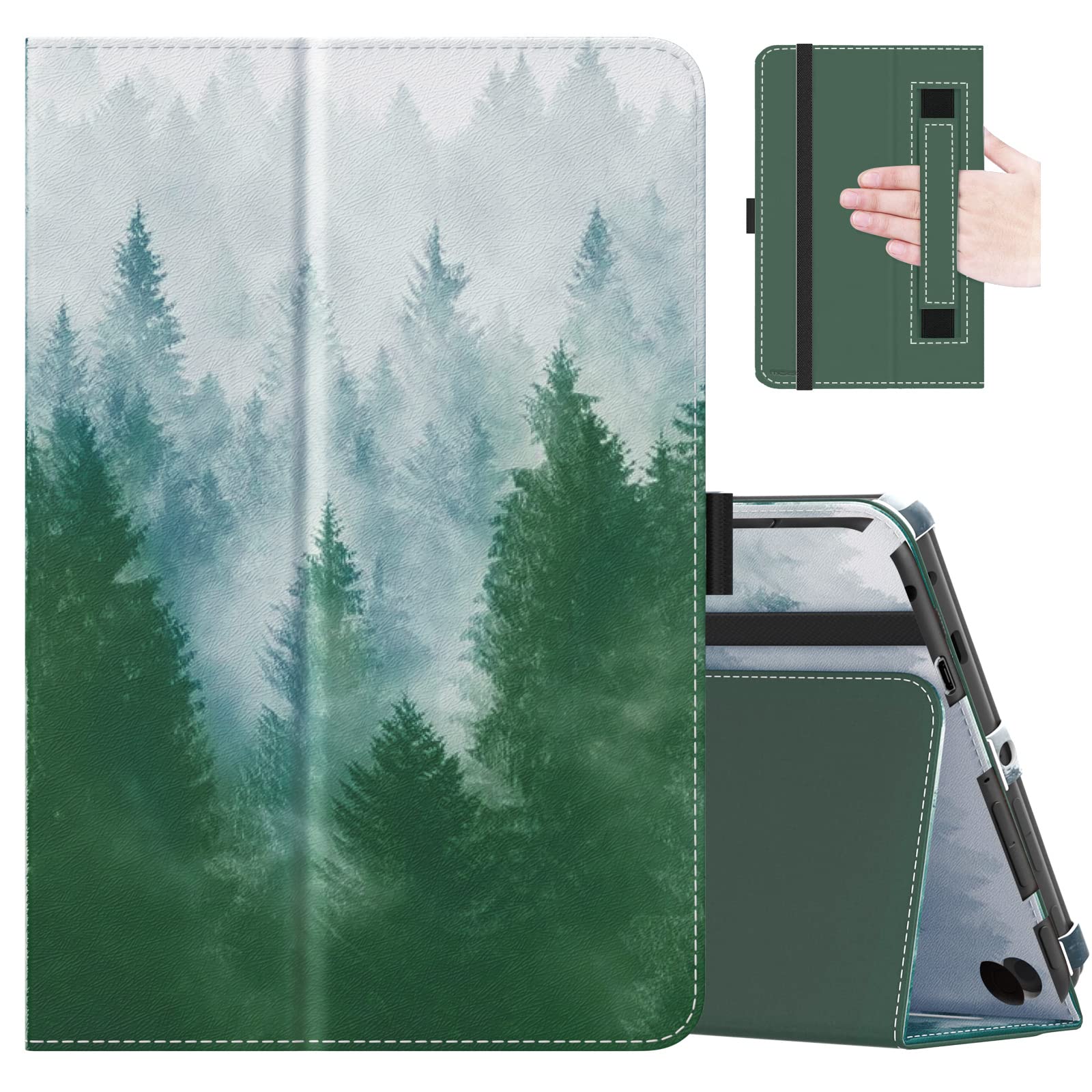
If you own a Fire HD 8 tablet and want to significantly enhance its usability and protection, the MoKo case is a standout mid-range accessory. It goes beyond basic coverage by incorporating a soft interior hand strap, a feature avid readers will appreciate for comfortable one-handed use over long periods. The case is made from durable PU leather with a soft microfiber interior, offering solid protection against scratches and minor bumps.
The tri-fold cover design works reliably, providing two stable viewing angles for typing or watching videos. The built-in magnetic strip ensures your tablet wakes and sleeps automatically when you open and close the cover, helping to conserve battery life. All ports, buttons, and the camera are precisely aligned for full functionality without removing the case.
This case represents a thoughtful upgrade from the most basic options. It adds functional ergonomics (the hand strap) and reliable stand functionality without adding excessive bulk. It’s a smart investment to extend the life and enjoyment of your tablet, making it more versatile for different scenarios.
Why it’s great
- Interior hand strap is perfect for extended reading.
- Sturdy build with reliable magnetic wake/sleep.
- Provides two stable viewing angles.
- Precise cutouts for all ports and features.
Good to know
- Specific to Fire HD 8 models (check generation).
- Slightly adds to the overall weight and thickness.
- Material, while durable, is not genuine leather.
7. Riaour Kids Case

The Riaour Kids Case is a brilliant solution for transforming any standard 8-inch tablet (specifically Fire HD 8 models) into a kid-friendly device. Its thick, shock-absorbent foam construction is designed to withstand the drops, throws, and general chaos that come with young children. The integrated carry handle makes it easy for small hands to tote around, and the fold-out kickstand on the back allows for hands-free viewing.
Installation is straightforward, though note the important step of removing an internal black frame spacer before inserting your tablet. Once installed, the tablet is securely encased, with raised bezels protecting the screen from direct contact with surfaces. This case doesn’t include any software controls, but it provides the essential physical defense needed to protect your investment from accidental damage.
If you already own a Fire HD 8 and want to hand it down to a younger child, or if you purchased a standard model and later realized you need more durability, this case is a very effective and budget-friendly way to achieve peace of mind. It’s a practical, no-frills approach to tablet armor.
Why it’s great
- Excellent shock absorption from thick foam.
- Built-in handle is perfect for small children.
- Kickstand provides stable viewing angles.
- Affordable way to kid-proof an existing tablet.
Good to know
- Very bulky, adding significant size to the tablet.
- No software parental controls (hardware only).
- Compatibility is specific; double-check your tablet model.
8. DJ&RPPQ Trifold Case

For Fire HD 8 owners seeking basic, functional protection at an entry-level cost, the DJ&RPPQ Trifold Case gets the job done. It features the classic trifold design that allows the front cover to fold into a stand, offering two angles for typing or video watching. The exterior is a simple PU leather, and the interior is lined with a soft microfiber to protect your tablet’s screen.
It includes the essential auto wake/sleep magnet, so your tablet conserves battery by sleeping when closed. The cutouts for the charging port, speakers, camera, and buttons are accurately placed, allowing full use of the tablet while it remains protected. The navy blue color is professional and hides minor scuffs well.
This case represents the baseline for what you should expect from tablet protection. It won’t have extra features like a hand strap or ultra-premium materials, but it reliably protects against scratches, provides useful stand functionality, and integrates with the tablet’s power-saving features. It’s a straightforward, value-oriented choice.
Why it’s great
- Extremely affordable basic protection.
- Functional tri-fold stand with two angles.
- Auto wake/sleep works reliably.
- Precise cutouts for all functions.
Good to know
- Materials are basic and may not withstand heavy abuse.
- The stand mechanism can become less firm over time.
- Limited to Fire HD 8 tablet compatibility.
9. COOPERS Android Tablet
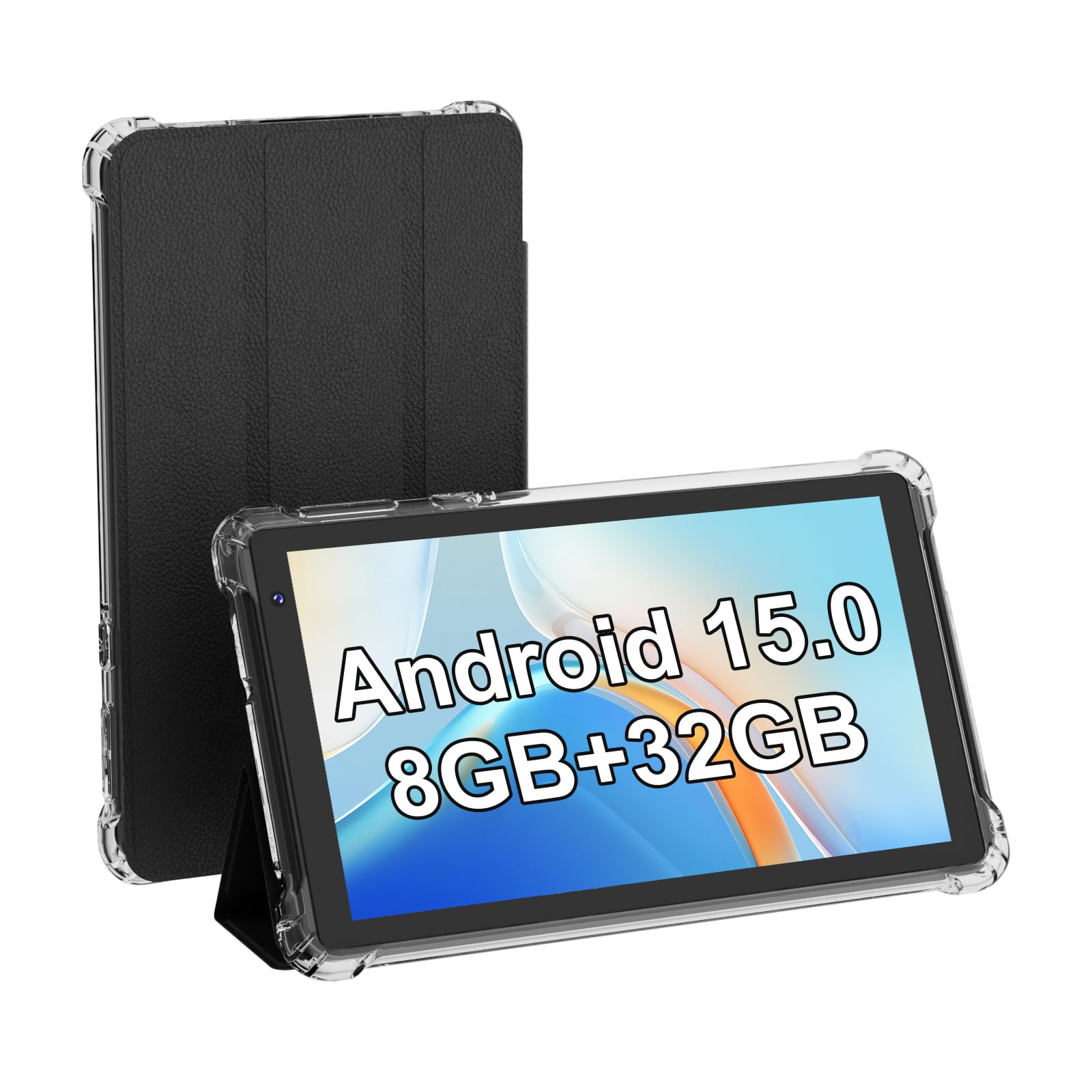
The COOPERS tablet sits at the most budget-friendly end of the spectrum and is best understood as a device for very specific, limited tasks. Its specifications, including a lower-resolution 7-inch screen (not 8-inch as the category suggests), modest processor, and advertised RAM that uses virtual expansion, indicate it’s not designed for general-purpose use. It runs a basic version of Android, which can feel slow and unresponsive with multiple apps.
Where this tablet can find a niche is as a dedicated devicefor a single function: as a stationary screen for a smart home dashboard, a dedicated recipe viewer in the kitchen, or a simple media player for a child under very close supervision. The included basic case is a plus, but expectations must be managed.
Why it’s great
- Extremely low entry point for a functional tablet.
- Comes with a basic case and claims expandable storage.
- Can serve as a dedicated device for one simple task.
Good to know
- Performance is slow and can be frustrating for general use.
- Screen is 7 inches, not 8, with lower resolution.
- Battery life and build quality are inconsistent.
10. MoKo 7-8 Inch Tablet Sleeve Bag
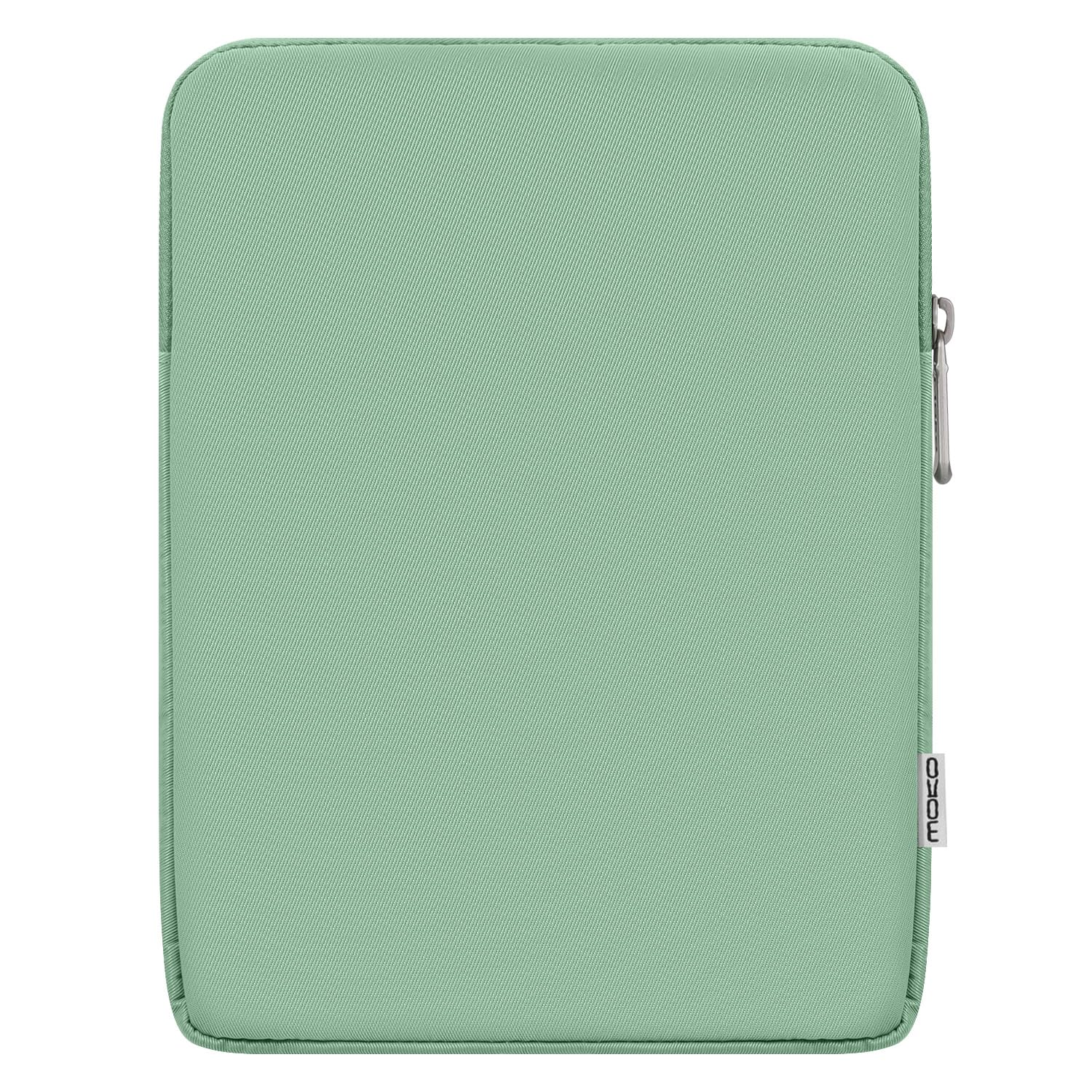
The MoKo Sleeve is the ideal solution for carrying your tablet safely inside a backpack, purse, or suitcase. Made from durable polyester with a high-density fluff lining, it provides excellent protection against scratches, dust, and minor impacts. The built-in sponge pad adds a crucial layer of shock absorption if your bag is set down roughly.
The smooth, durable zipper ensures your tablet won’t slip out, and the slim, lightweight design adds minimal bulk. It’s universally compatible with most 7 to 8-inch tablets, including the iPad mini and various Samsung models, even when they are in a slim case. This sleeve is for the user who values organized, scratch-free transport over the constant protection of a folio case.
It’s a simple, well-executed accessory that fulfills its single purpose perfectly. If you prefer to use your tablet naked or with a minimal skin but need safe storage during travel, this sleeve is an essential, budget-friendly purchase.
Why it’s great
- Excellent padded protection for transport.
- Slim, lightweight, and adds minimal bulk.
- Secure zipper closure prevents accidental spills.
- Fits a wide range of 7-8 inch tablets.
Good to know
- No stand functionality or hand strap.
- You must remove the tablet to use it.
- Exterior material can feel slightly rough.
11. Snowwicase Slim Fit Cover
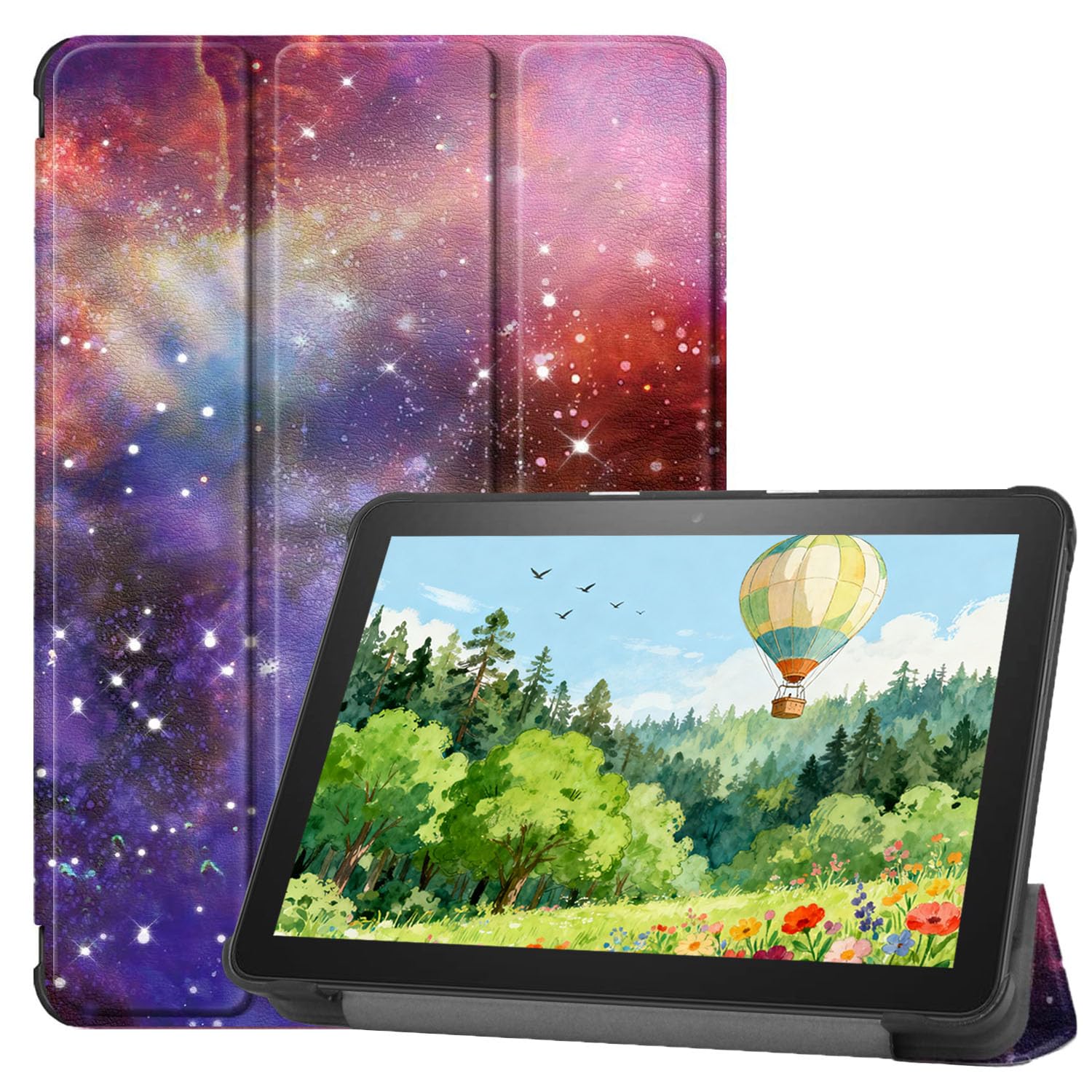
This Snowwicase cover represents the most minimalist approach to tablet protection. It’s an ultra-light, slim-fit cover designed primarily to protect the screen and add the auto wake/sleep function. It’s not a rugged case; it’s a basic shell that maintains the tablet’s original slim profile while preventing scratches and conserving battery life.
Compatibility is very specific to certain 8-inch tablet models (like newer Amazon Fire HD 8 generations), so verifying your exact device is crucial. Some users note that the charging port cutout can be slightly misaligned on certain models, requiring a check upon installation. For the price, it delivers on its core promises of light weight and basic screen protection.
Choose this cover if you rarely drop your devices, prioritize a barely-there feel, and simply want to avoid scratches on your screen and back. It’s a functional, no-frills entry-level option for the careful user.
Why it’s great
- Extremely lightweight and adds minimal bulk.
- Basic screen protection and auto wake/sleep work.
- Very budget-friendly entry point.
Good to know
- Offers minimal drop or impact protection.
- Compatibility is very specific; must double-check.
- Potential for slight port alignment issues.
Understanding the Specs
RAM (Memory)
Random Access Memory is your tablet’s short-term workspace. More RAM (e.g., 3GB vs. 2GB) allows more apps to run smoothly in the background, enables quicker switching between them, and prevents slowdowns during multitasking. For a good experience, aim for at least 3GB.
Storage & Expandability
This is where your apps, photos, and downloaded files live. 32GB is the minimum, but OS files take up space. 64GB is more comfortable. Look for a microSD card slot if you plan to store lots of media; it allows you to inexpensively add up to 1TB of extra space for movies, music, and photos.
Operating System (OS)
Fire OS (Amazon) is streamlined and integrated with Amazon services, featuring strong parental controls but a limited app store. Standard Android offers full Google Play Store access and greater flexibility. Your choice here dictates which apps you can run and how you can customize your device.
Display Resolution
For an 8-inch screen, HD (1280 x 800 pixels) is the standard and provides a clear, sharp image for reading and video. Avoid lower resolutions like 1024 x 600, as text and images will appear noticeably pixelated. IPS display technology offers better color and wider viewing angles than standard TFT.
FAQ
What is the difference between the Fire HD 8 and the Fire HD 8 Kids tablet?
Can I install the Google Play Store on an Amazon Fire tablet?
Is a renewed or refurbished tablet a good idea?
How important is a protective case?
Final Thoughts: The Verdict
For most people, the best 8-inch tablet winner is the Amazon Fire HD 8 (2024) because it delivers the best balance of modern performance, battery life, and value for everyday entertainment. If you want worry-proof family functionality, grab the Amazon Fire HD 8 Kids. And for users who prioritize a pure Android experience and premium build, nothing beats the Lenovo Tab M8.

Mo Maruf
I created WellFizz to bridge the gap between vague wellness advice and actionable solutions. My mission is simple: to decode the research and give you practical tools you can actually use.
Beyond the data, I am a passionate traveler. I believe that stepping away from the screen to explore new environments is essential for mental clarity and physical vitality.