Our readers keep the lights on and my smoothie glass nicely filled. As an Amazon Associate, I earn from qualifying purchases.
Building a home golf simulator used to mean a five-figure investment, but a new wave of technology has made professional-grade feedback and immersive practice accessible. The right setup can transform an unused corner of your garage or basement into a powerful game-improvement tool, allowing for meaningful practice regardless of the weather or time of day.
I’m Mohammad Maruf — the founder and writer behind WellFizz. My focus is on deep market research, analyzing thousands of data points and technical specifications to demystify complex product categories for everyday consumers.
Navigating the options between launch monitors, hitting nets, and full enclosures requires understanding what each component does and how they fit together. After analyzing specifications and user experiences, we’ve identified the systems that deliver professional feedback without the luxury cost for the best affordable golf simulators.
How To Choose The Best Affordable Golf Simulator
Choosing the right system isn’t about finding the single cheapest item, but about assembling a setup that matches your goals, space, and budget. Think of it in two main parts: the “brain” that measures your shot (the launch monitor) and the “body” that contains it (the net or enclosure).
Define Your Primary Goal
Are you focused on data-driven swing improvement, playing virtual rounds on famous courses, or simply having a safe space to hit balls into a net? A basic net is fine for repetition, but adding a launch monitor unlocks shot data. For a true simulator experience with a graphical course, you’ll need a monitor, software, a projector, and an impact screen.
Understand the Technology Tiers
Launch monitors use different methods like photometric (high-speed cameras) or radar to measure your shot. Entry-level models provide excellent basic data like ball speed and carry distance, while mid-range options add club path and spin measurements. Premium units offer the most accurate and comprehensive data, crucial for low-handicap players.
Measure Your Space Twice
The total footprint is more than just the net. You need ample room for a full swing behind the ball, the depth of the enclosure, and enough distance for the ball to travel before being measured by a radar-based monitor. Ceiling height is critical—most golfers need at least 9 to 10 feet to swing a driver comfortably.
Budget for the Entire Ecosystem
Remember to account for all costs. Many launch monitors require annual software subscriptions to access simulated courses or advanced features. You may also need a high-quality hitting mat, a projector, and a gaming PC or tablet to run the simulation software effectively.
Quick Comparison
On smaller screens, swipe sideways to see the full table.
| Model | Type | Best For | Key Feature | Amazon |
|---|---|---|---|---|
| Rapsodo MLM2PRO | Launch Monitor | All-around data & simulation | Dual-camera spin measurement | Amazon |
| Garmin Approach R10 | Launch Monitor | Portable practice & value | Massive virtual course library | Amazon |
| GoSports Enclosure | Enclosure Kit | Complete simulator structure | Commercial-grade impact screen | Amazon |
| Complete Enclosure Package | Enclosure Kit | Turnkey setup ease | Includes projector mount | Amazon |
| Voice Caddie SC4 PRO | Launch Monitor | Indoor/outdoor versatility | Built-in screen, no fees for E6 | Amazon |
| Durbles Enclosure Kit | Enclosure Kit | Safety & premium feel | Triple-layer screen & full padding | Amazon |
| SkyTrak Launch Monitor | Launch Monitor | Photometric accuracy | Industry-standard performance | Amazon |
| YUNIC Driving Cage | Practice Cage | Durable net-only practice | Metal frame & foam covers | Amazon |
| ZEALFEEL Simulator Cage | Practice Cage | Contained ball safety | Side barriers & ball return | Amazon |
| PHIGOLF Home Game | Swing Trainer | Fun & ultra-portable play | 38,000+ virtual courses | Amazon |
| MangoStar Golf Net | Hitting Net | Entry-level ball containment | Heavy-duty frame & screen | Amazon |
In‑Depth Reviews
1. Rapsodo MLM2PRO Golf Launch Monitor

The Rapsodo MLM2PRO strikes an impressive balance in the mid-range category, blending direct spin measurement with a user-friendly app experience. It uses dual optical cameras to read spin and axis from specially marked balls, providing data that cheaper radar-based units often estimate. This results in more accurate shot shape and distance calculations, which is a significant upgrade for serious practice.
Beyond raw numbers, its standout feature is the integrated video analysis. It automatically records your swing from behind, syncing the video clip with the shot data. Seeing your swing mechanics alongside the resulting launch angle and ball flight is an incredibly powerful feedback loop that accelerates improvement. The unit pairs seamlessly with apps like Awesome Golf for a fun and functional simulator experience right on your tablet or phone.
Users praise its consistent performance and the value of the bundled software, though note that accessing all features requires a subscription. Some report initial Wi-Fi connectivity quirks, but these are often resolved by using a direct device connection. For golfers wanting pro-level metrics like spin and club path without a massive investment, the MLM2PRO is the current benchmark.
Why it’s great
- Measures actual spin with camera technology for enhanced accuracy.
- Automatic swing video paired with shot data is a phenomenal training tool.
- Compact and portable for easy use at the range or at home.
Good to know
- Optimal spin data requires using marked balls (included or DIY).
- Full feature set, including many simulated courses, requires a paid membership.
- Some users note a learning curve for stable Wi-Fi setup.
2. Garmin Approach R10 Portable Launch Monitor
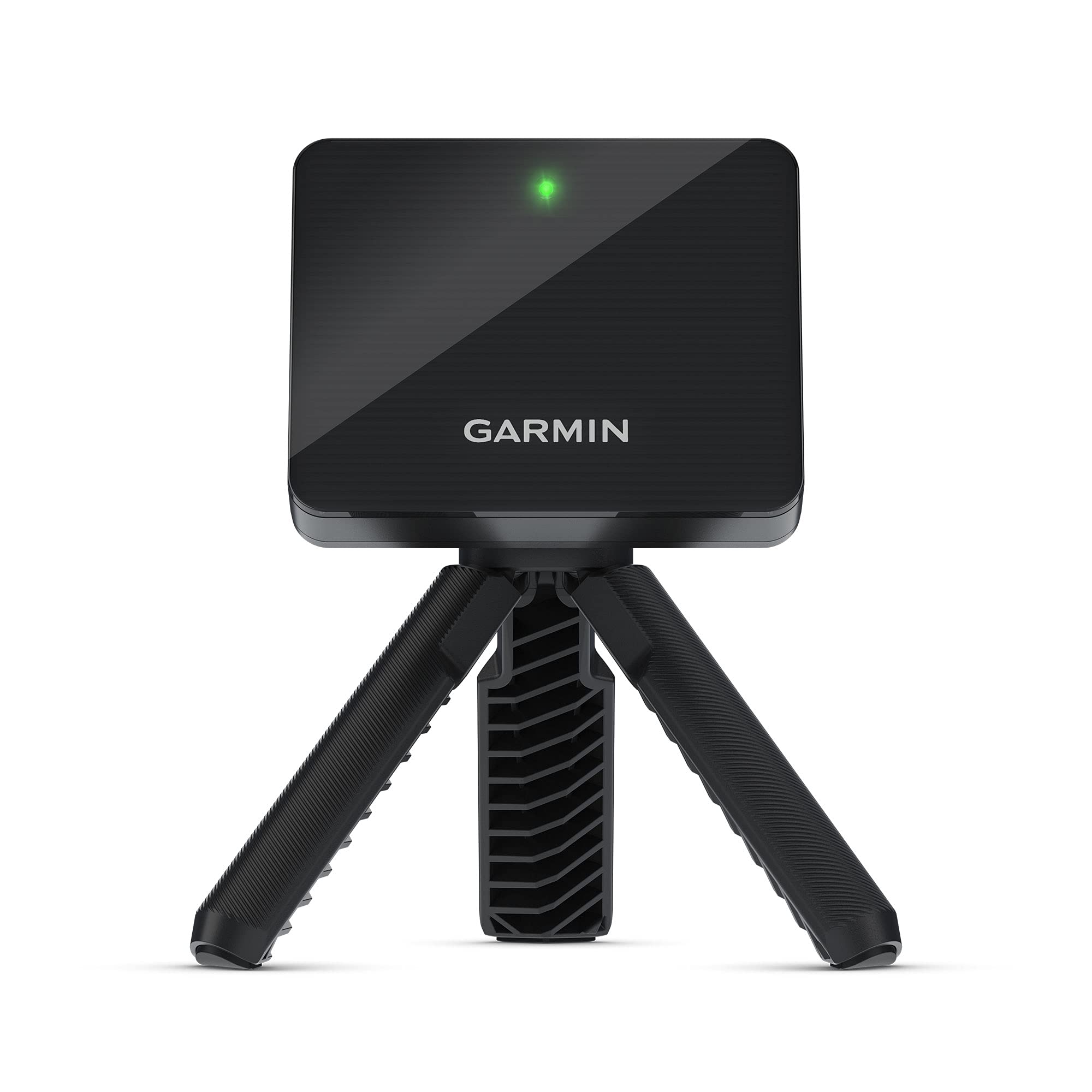
The Garmin Approach R10 is the gateway device that made launch monitor technology accessible to the masses. This compact, radar-based unit is incredibly portable, offering up to 10 hours of battery life, making it perfect for trips to the driving range or quick sessions in the backyard. It provides a comprehensive set of data points including club head speed, ball speed, launch angle, and estimated swing tempo.
Its killer feature is access to over 42,000 virtual golf courses through the Garmin Golf app (with an active subscription). This transforms simple practice into playing full rounds on iconic tracks from your garage. The app also offers useful practice modes like a shot dispersion chart and virtual driving range, helping you understand your game trends. For an entry-level price, the amount of functionality is remarkable.
Reviews consistently highlight its ease of use and portability. The main trade-off is that, as a radar unit in this tier, it estimates spin rather than measuring it directly, which can affect the precision of shot shape and total distance indoors. However, for outdoor use and general game improvement, its accuracy is more than sufficient for most amateur golfers looking to get started with data.
Why it’s great
- Exceptional portability and battery life for practice anywhere.
- Massive library of virtual courses provides incredible entertainment value.
- Simple setup and user-friendly app interface.
Good to know
- Spin rate is calculated, not directly measured, which can affect indoor accuracy.
- Requires a subscription to unlock the full virtual course play feature.
- Needs significant ball flight space (8-10 feet) behind the unit for best results.
3. GoSports Golf Simulator Enclosure Nets

The GoSports Enclosure represents the premium tier of all-in-one simulator structures, designed for golfers ready to invest in a dedicated, professional-looking home bay. The kit includes a sturdy steel frame, a true blackout enclosure shroud, and a high-density impact screen engineered to withstand ball speeds upwards of 150+ mph. The blackout material is key—it blocks ambient light, making your projector’s image pop with contrast and color.
Assembly is reported to be straightforward, with numbered poles and clear instructions, though having a second person is recommended for mounting the screen. The commercial-grade screen is multi-layered to reduce noise and ball rebound, creating a safer and more immersive environment. The foam padding on the frame is a thoughtful inclusion that protects both your clubs and the enclosure from errant shots.
Users building serious garage setups praise its stability and the quality of the image projection. It’s a significant step up from a basic net, transforming your space into what feels like a legitimate simulator bay. While it’s an investment, it’s often compared favorably to custom-built enclosures that cost significantly more, offering tremendous value for a turnkey, high-end solution.
Why it’s great
- True blackout enclosure dramatically improves projected image quality.
- Heavy-duty, commercial-grade screen built for long-term durability.
- Comes with protective frame padding for added safety and quietness.
Good to know
- A premium option representing a higher initial investment.
- Assembly, while manageable, is a project best tackled with two people.
- You will need to separately purchase a projector, launch monitor, and mat.
4. Complete Golf Simulator Enclosure Package
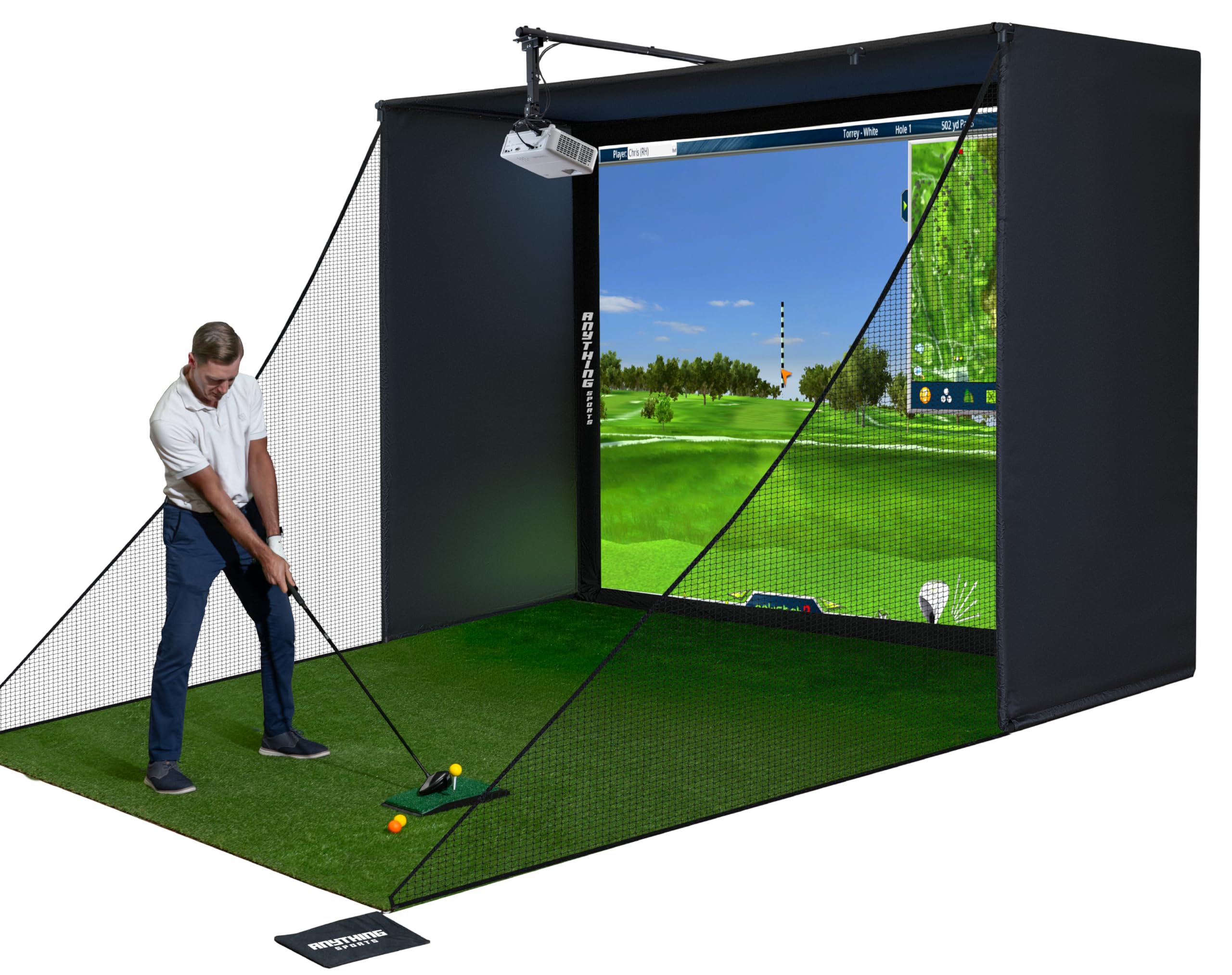
This enclosure kit stands out by including a highly valuable extra: a universal projector mount. This single addition saves you time researching and money purchasing a compatible mount separately, and it can be attached directly to the frame or a ceiling. The package is incredibly comprehensive, featuring a sturdy metal frame, a 4K-ready impact screen, side shank nets, and a blackout curtain.
The design focuses on ease of setup and a clean final look. The frame assembles with simple fittings, and the screen is sized to fit tightly within it, minimizing light bleed for a more immersive experience. The included side nets are crucial for safety, containing those unpredictable mishits that could otherwise damage your room or equipment. Users note the quality of the metal poles and the thickness of the impact screen as particularly impressive.
While some reviewers mention the assembly instructions could be more detailed, the consensus is that the end result is a robust, professional-grade enclosure. For someone who wants a single purchase to cover the entire physical structure of their simulator (minus the tech and turf), this package delivers exceptional convenience and value.
Why it’s great
- Includes a versatile projector mount, a major cost and hassle saver.
- Comes with side barrier nets for complete mishit protection.
- 4K-ready screen provides a sharp image for high-definition simulation software.
Good to know
- Assembly instructions could be more detailed, requiring some patience.
- The screen can be very taut, leading to a firmer ball rebound initially.
- Like all enclosures, it’s a large item that requires dedicated space.
5. Voice Caddie SC4 PRO Golf Launch Monitor

The Voice Caddie SC4 PRO takes a different approach by incorporating a built-in LCD screen, allowing you to view key data directly on the unit without always needing a connected phone or tablet. This is a huge advantage for quick range sessions where you just want to focus on your swing. It runs on Voice Caddie’s “Prometrics” engine and provides accurate readings for ball speed, carry distance, launch angle, and club head speed.
A significant selling point is the included software access. Unlike many competitors, it comes with permanent access to the E6 Connect 3D driving range and several free courses without an ongoing annual fee. This removes a common hidden cost of simulator ownership. The unit is designed to work well with standard golf balls both indoors and outdoors, requiring no special markings.
Feedback suggests it’s a reliable and consistent performer, especially for its price point. Some users note that the Bluetooth connection to the app can be finicky, and the remote control has a limited range. However, for golfers who prioritize a subscription-free experience and the convenience of a standalone display, the SC4 PRO is a compelling and often overlooked option in the mid-range market.
Why it’s great
- Built-in screen provides instant feedback without a phone.
- Includes free, permanent access to E6 Connect software (driving range & courses).
- Works with any standard golf ball, no special markings needed.
Good to know
- Bluetooth connectivity to the companion app can be inconsistent for some users.
- The included remote control has a very short effective range.
- Some advanced data features require the app, despite the built-in screen.
6. Durbles Golf Simulator Enclosure Kit
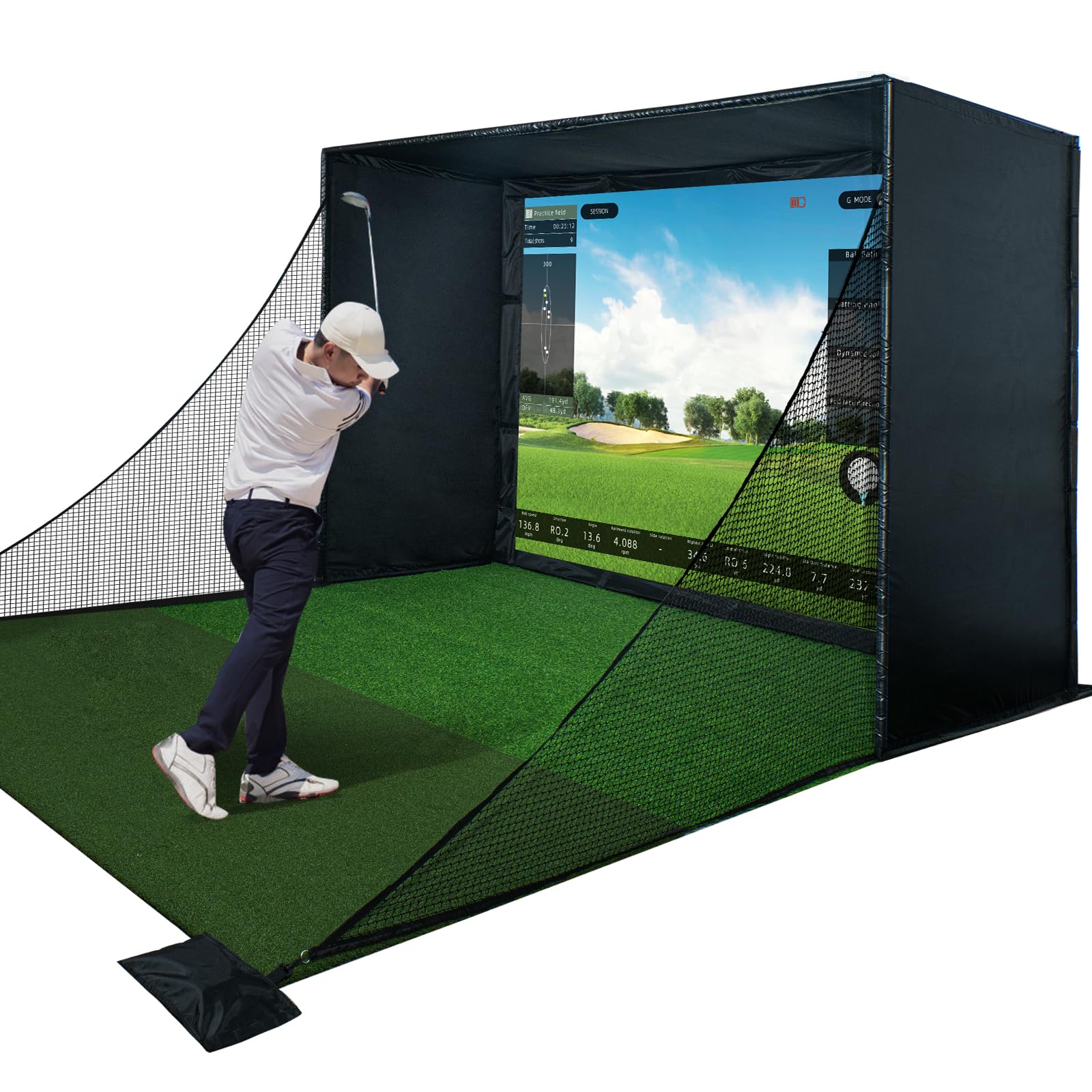
Durbles has engineered this enclosure with a clear focus on safety and durability. The standout feature is the triple-layer commercial impact screen, which is designed to absorb shock, reduce sound, and minimize ball rebound more effectively than typical single or dual-layer screens. Combined with full-coverage foam padding on all structural poles, this creates one of the safest feeling home simulator environments available.
The kit is complete, including the steel frame, blackout curtain, impact screen, and safety nets. Users report that the components are high-quality and the assembly process is logical, with pre-covered foam on the poles—a nice touch that many competitors charge extra for. The attention to detail, like including extra foam pieces, indicates a product built for the long haul.
Reviews frequently highlight the professional finish and how the padding reduces the worry of a ricochet. The screen’s tension is high to maintain a flat projection surface, which does mean balls can come back with some pace. This is a premium enclosure designed for users who want a “set it and forget it” solution that prioritizes a safe, contained, and high-fidelity practice space.
Why it’s great
- Exceptional safety features with triple-layer screen and comprehensive frame padding.
- Poles come pre-covered in foam, and extra padding is included.
- Tool-free assembly is praised for being straightforward and well-planned.
Good to know
- The screen is very taut to prevent wrinkles, resulting in a firmer ball rebound.
- At the higher end of the enclosure market.
- As with all enclosures, a projector, launch monitor, and software are separate purchases.
7. SkyTrak Golf Launch Monitor

The SkyTrak is a legendary name in the affordable launch monitor space, known for bringing photometric (camera-based) accuracy to a broader audience. It sits beside the ball and uses high-speed cameras to capture impact, providing highly accurate ball data including spin rates. For years, it was the gold standard for home simulator enthusiasts before newer models entered the market.
This package includes the valuable metal protective case, which is almost mandatory for indoor use. The case levels the unit and shields it from mis-hits. SkyTrak integrates with a wide range of third-party simulation software like TGC 2019 and E6 Connect, offering incredibly realistic and immersive golf experiences on your PC. The driving range software included in its basic plan is robust and excellent for practice.
While still a capable unit, potential buyers should know it’s an older model. It requires a direct connection to a device via WiFi (not Bluetooth) and needs good lighting for optimal performance. It also requires an annual software subscription for advanced features. For those seeking proven, reliable photometric accuracy and deep software integration, the SkyTrak remains a solid, if slightly dated, choice.
Why it’s great
- Photometric technology provides accurate ball data, including spin.
- Extensive compatibility with the best third-party simulator software.
- Included metal protective case is essential for safety and leveling.
Good to know
- Older technology with slower connectivity (WiFi only) compared to newer models.
- Requires a paid annual subscription for simulated play and advanced features.
- Performance can be sensitive to indoor lighting conditions.
8. YUNIC Golf Driving Cage
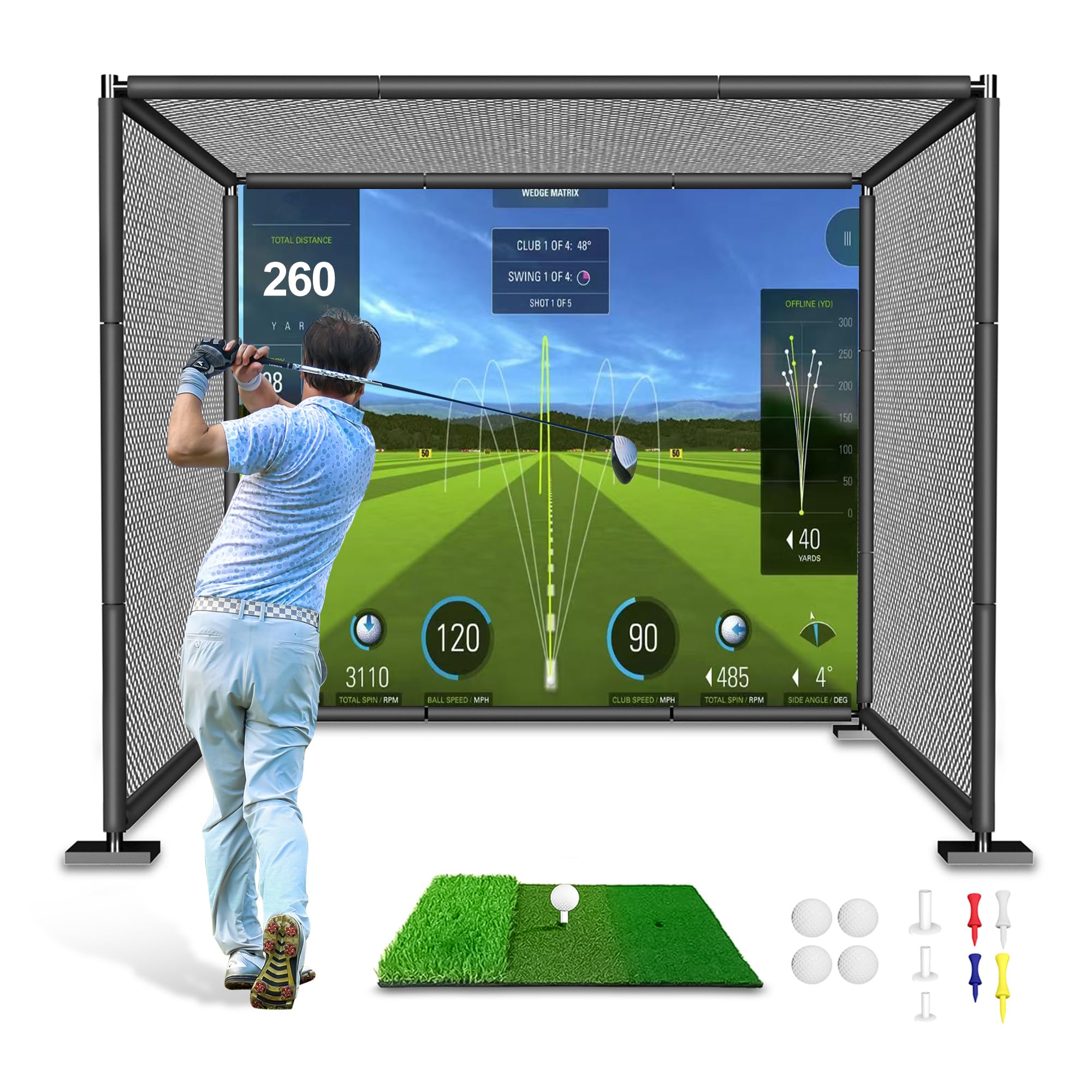
The YUNIC Cage is a robust, net-focused practice solution built around a sturdy alloy steel frame. It’s designed for golfers who want a permanent or semi-permanent hitting bay that can handle relentless practice without wear and tear. The frame features full-length foam covers, which protect the metal from ball strikes and significantly reduce noise and dangerous ricochets.
This cage uses a multi-layer netting system for safety. It includes an outer net, an inner net, and a thick target cloth, ensuring that even mis-hits are contained. It comes with a tri-turf hitting mat, which is a nice bonus that adds immediate value. The assembly uses push-button locking poles, making setup and takedown relatively straightforward, though the instructions could be clearer.
Users building outdoor setups or dedicated indoor bays appreciate its solid construction. It’s a step up from a pop-up net in both durability and safety. While it includes a target cloth, it’s not a true impact screen designed for projection, making it best suited for pure practice rather than a full simulator experience unless you modify it with a separate screen.
Why it’s great
- Very sturdy metal frame with protective foam on all bars for safety.
- Multi-layer netting provides excellent ball containment and peace of mind.
- Includes a quality tri-turf hitting mat, adding to the overall value.
Good to know
- Assembly instructions are not the clearest; parts are not labeled.
- The included target is for practice, not a high-definition projection screen.
- It’s a large, heavy unitthat requires dedicated space.
This cage uses a multi-layer netting system for safety. It includes an outer net, an inner net, and a thick target cloth, ensuring that even mis-hits are contained. It comes with a tri-turf hitting mat, which is a nice bonus that adds immediate value. The assembly uses push-button locking poles, making setup and takedown relatively straightforward, though the instructions could be clearer.
Users building outdoor setups or dedicated indoor bays appreciate its solid construction. It’s a step up from a pop-up net in both durability and safety. While it includes a target cloth, it’s not a true impact screen designed for projection, making it best suited for pure practice rather than a full simulator experience unless you modify it with a separate screen.
Why it’s great
- Very sturdy metal frame with protective foam on all bars for safety.
- Multi-layer netting provides excellent ball containment and peace of mind.
- Includes a quality tri-turf hitting mat, adding to the overall value.
Good to know
- Assembly instructions are not the clearest; parts are not labeled.
- The included target is for practice, not a high-definition projection screen.
- It’s a large, heavy unit that requires dedicated space.
9. ZEALFEEL Golf Simulator Cage with Side Barriers
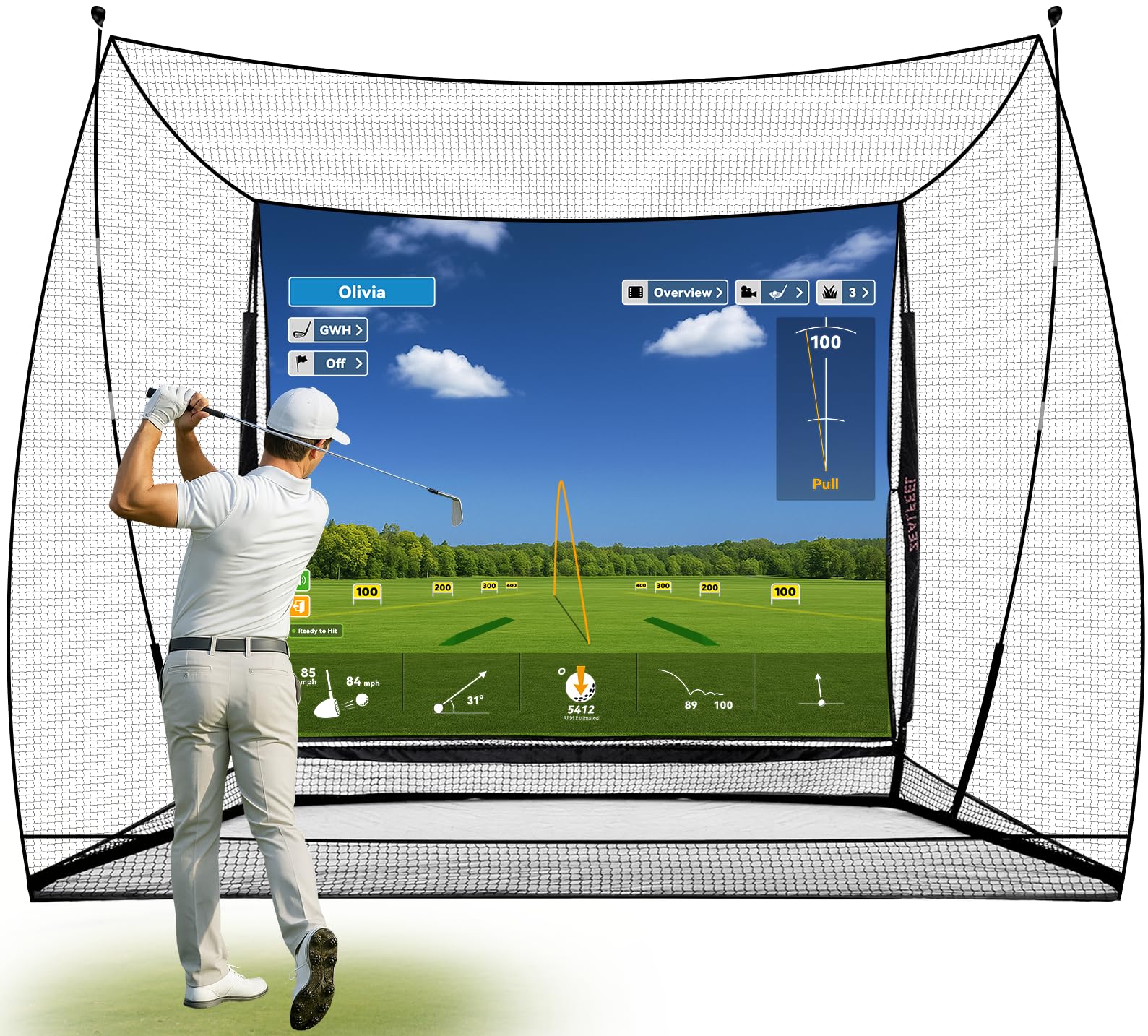
The ZEALFEEL cage is an excellent budget-friendly option that includes thoughtful features typically found on more expensive models. The inclusion of two side barrier nets addresses a major safety concern for indoor use, effectively containing slices and hooks that could damage your surroundings. The sloped ball return system is another practical addition, funneling balls back toward you to minimize interruptions during practice.
This package is designed to be versatile, serving as a sturdy practice net or as the enclosure for a simulator setup with its included dual-layer HD impact screen. The construction uses 6-ply anti-tear netting and flexible fiberglass poles, and it comes with ground stakes and sandbags for outdoor stability. For the price, the amount of coverage and utility is impressive.
Feedback notes that the assembly is straightforward and the side nets work as advertised. However, some users with very high swing speeds caution that the netting material, while durable, can be penetrated by a severely mishit shot that misses the main impact screen. It’s a solid choice for golfers seeking a safe, contained practice space on a tight budget, with the option to later add a projector and launch monitor.
Why it’s great
- Includes side barrier nets for superior safety in confined spaces.
- Sloped ball return system saves time and keeps the area tidy.
- Comes with a dual-layer screen, making it simulator-ready.
Good to know
- Netting may not withstand extreme mishits from high-speed swings.
- The impact screen may not have the same tension or image quality as premium screens.
- Some users report the ball return net is a lighter material.
10. PHIGOLF Home Golf Game Simulator
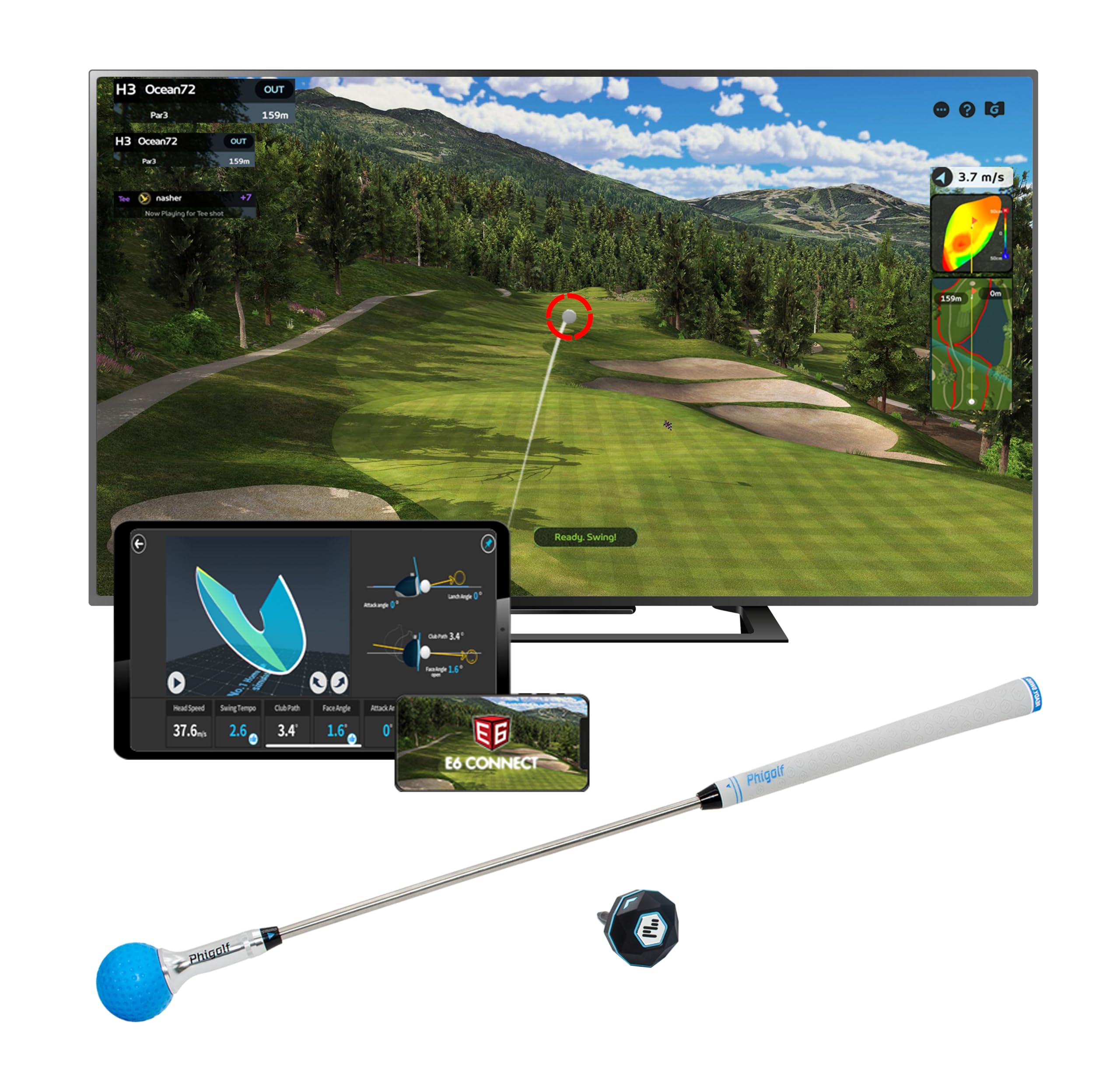
PHIGOLF represents a completely different approach: a portable swing analyzer and game system that requires no net, balls, or significant space. It consists of a lightweight motion sensor that attaches to a provided swing stick or your own club, connecting via Bluetooth to a smartphone or tablet app. This makes it ideal for apartments, small rooms, or even travel, offering a way to swing and play virtual golf anywhere.
The system provides access to an astonishing library of over 38,000 virtual courses worldwide. It focuses on swing tempo, path, and estimated distance, offering a fun and surprisingly engaging way to work on your mechanics. The included swing stick has an adjustable length and weighted head to simulate a club, and you can also insert the sensor into your real irons for outdoor practice with a net.
It’s important to manage expectations: this is not a launch monitor. It doesn’t measure ball flight data like spin or launch angle. Instead, it’s an affordable and incredibly convenient tool for swing repetition, game-like practice, and entertainment. It’s perfect for beginners, families, or seasoned players looking for a way to keep their swing loose during the off-season without a full setup.
Why it’s great
- Extremely portable and requires almost no space; use it in your living room.
- Massive library of virtual courses provides endless entertainment variety.
- Great for working on swing tempo and mechanics without hitting a ball.
Good to know
- Does not provide ball flight data (spin, launch angle, etc.).
- Accuracy for distance and shot shape is estimated, not measured.
- Some users report occasional Bluetooth connectivity issues.
11. MangoStar Golf Net, 11x8ft Golf Simulators Hitting Net
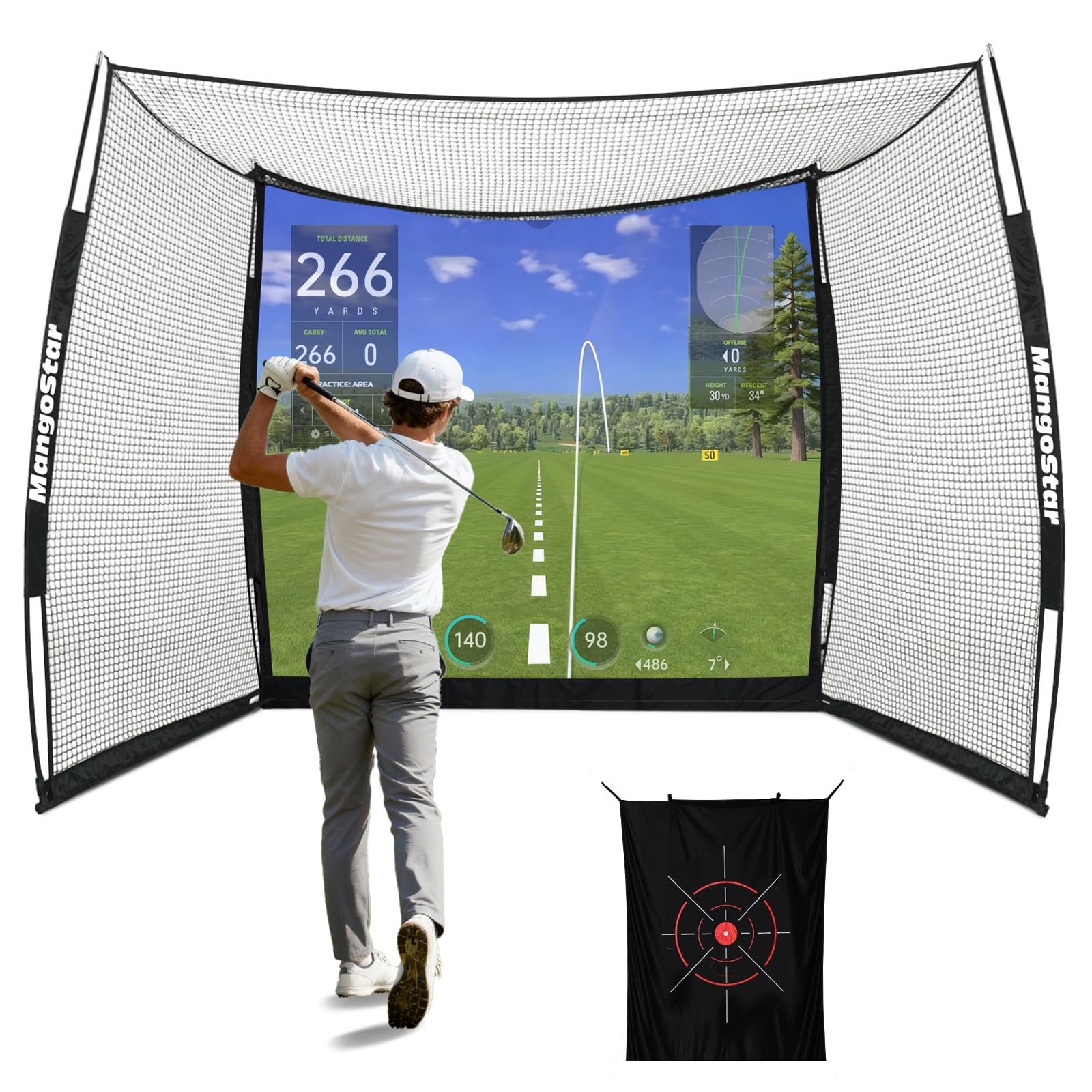
The MangoStar net is a straightforward, entry-level solution for golfers who need a large, durable net to catch balls. Its 11×8-foot size provides a generous hitting area, and the package includes a blank high-density impact screen, making it a potential starting point for a budget simulator build. The frame is constructed from powder-coated steel and fiberglass poles, offering good stability for its class.
This net is built to handle high-speed impacts, with a three-layer screen and 6-ply tear-resistant netting. It’s designed for both indoor and outdoor use and effectively reduces noise and ball rebound. For the price, the materials and size are competitive, providing a basic but functional enclosure for repetitive driving or iron practice.
Reviews indicate it’s a good value for casual practice, though some note that the screen can sag in the middle over time, affecting image projection quality. Assembly instructions could be better, and the overall fit and finish won’t match that of a premium enclosure. However, if your primary need is a reliable backstop to hit balls into, and you’re willing to make minor adjustments, the MangoStar delivers solid core functionality.
Why it’s great
- Large hitting area at an entry-level price point.
- Includes a blank impact screen, ready for use with a projector.
- Sturdy frame construction with good stability for its class.
Good to know
- Screen tension can be inconsistent, leading to a dip in the center.
- Assembly instructions are not the most intuitive.
- Best for basic ball containment rather than a high-end simulator experience.
Understanding the Specs
Launch Monitor Type: Radar vs. Photometric
Radar-based monitors (like the Garmin R10) track the ball in flight using Doppler radar. They typically need more space behind the ball (8-10 feet) and are great outdoors. Photometric units (like SkyTrak) use high-speed cameras to capture the moment of impact. They sit beside the ball, need less space, and often provide more accurate spin data indoors, but require good lighting.
Impact Screen Construction
The screen is critical for safety and image quality. Look for multi-layer designs (dual or triple-ply) that absorb energy and reduce bounce-back. Material weight (measured in grams per square meter or GSM) indicates density; heavier screens are more durable and provide a better projection surface. True blackout backing is essential for eliminating light bleed and improving contrast.
FAQ
What is the most important component of a home golf simulator?
Can I use a golf simulator in a standard garage?
Do I need a gaming computer to run a golf simulator?
Are annual software subscriptions required?
Final Thoughts: The Verdict
For most people, the best affordable golf simulators winner is the Rapsodo MLM2PRO because it delivers critical measured spin data and video swing analysis at a mid-range price, creating a powerful feedback loop for improvement. If you want the best value and portability for virtual course play, grab the Garmin Approach R10. And for a professional, safe, and immersive home bay structure, nothing beats the completeness and quality of the GoSports Golf Simulator Enclosure.

Mo Maruf
I created WellFizz to bridge the gap between vague wellness advice and actionable solutions. My mission is simple: to decode the research and give you practical tools you can actually use.
Beyond the data, I am a passionate traveler. I believe that stepping away from the screen to explore new environments is essential for mental clarity and physical vitality.