Our readers keep the lights on and my smoothie glass nicely filled. As an Amazon Associate, I earn from qualifying purchases.
Specs are compiled from manufacturer listings and verified buyer reviews and can change over time — please confirm the key details on the product page before buying.
Finding the right webcam for live streaming is about more than just picking the highest resolution. You need a camera that keeps you in sharp focus as you move, handles harsh room lighting without washing you out, and delivers smooth motion at 60 fps so your gameplay or commentary never looks choppy. This guide breaks down nine of the best options, balancing frame rate, sensor quality, and real-world buyer feedback so you can pick the one that fits your setup and budget.
I’m Mohammad Maruf — the founder and writer behind WellFizz. This guide is built by comparing the manufacturers’ published specifications and the patterns across verified customer reviews, so you get each pick’s real strengths and trade-offs instead of marketing spin.
Whether you are starting on Twitch, hosting business calls, or recording YouTube videos, the right facecam for streaming will make you look crisp, professional, and well-lit without draining your wallet. Let’s find your perfect match.
Our Picks at a Glance

How To Choose The Best Facecam For Streaming
Picking a streaming camera involves balancing three key things: how sharp the image is, how smooth the motion looks, and how well it handles the lighting in your room. A camera that excels in bright studio light might look terrible in a dimly lit bedroom, and a 4K sensor won’t help if your computer can’t handle the data. Understanding your personal setup is the first step to making the right choice.
Resolution vs. Frame Rate: The Real Trade-Off
The biggest decision you’ll make is between a 1080p camera that runs at 60 frames per second and a 4K camera that might only do 30 fps. For most streamers, the 60 fps (frames per second) is more important because it makes your movements look smooth and natural, especially during fast-paced gaming or when you’re gesturing. 4K resolution is stunning, but it demands more from your internet upload speed and your computer’s processing power. Many platforms also compress video, so the visible difference between 1080p and 4K can be small for the viewer.
Sensor Size: The Secret to Good Low-Light Video
A webcam’s sensor is the grid that captures light, and a bigger physical sensor gathers more light, which means a cleaner image in dim rooms. You’ll see specs like a 1/1.3-inch or 1/2-inch sensor; these are larger than the tiny sensors in budget webcams. They allow the camera to capture more detail in shadows and produce less visual “noise” (grain) when your lighting isn’t perfect. If you don’t want to invest in expensive studio lights, prioritizing a larger sensor is the smartest move you can make.
Autofocus and AI Tracking: Keep You in the Spotlight
Streamers move—whether it’s leaning forward to read chat, standing up to react, or showing off a new item. A camera with fast, reliable autofocus keeps your face sharp through all that motion. Premium models even add AI-powered framing or tracking, where the camera physically pans and tilts to follow you as you move around the room. AI tracking adds cost but turns a static shot into a dynamic, engaging presentation. For beginners, a basic fixed autofocus lens is often more than enough to get started.
Quick Comparison
| Model | Best For | Video Resolution | Max Frame Rate | Sensor Size | Amazon |
|---|---|---|---|---|---|
| Logitech C920e★ Best Overall | Reliable all-rounder for meetings and streaming | 1080p | 30 fps | — | Amazon |
| NexiGo N660P ProStyle Pick | Crisp 1080p60 with fun color accents | 4K (3840) | 60 fps | — | Amazon |
| Razer Kiyo V2 XWide-Angle Pick | Sharp 1440p with a wide-angle view | 2560p | 60 fps | — | Amazon |
| NexiGo N680E Pro | Built-in ring light for perfect exposure | 4K (3840) | 60 fps | Sony 1/2.5″ | Amazon |
| Logitech StreamCam | Vertical video for social media creators | 1080p | 60 fps | — | Amazon |
| OBSBOT Meet 2 | Travel-friendly 4K with AI gesture controls | 4K | 60 fps | 1/2″ CMOS | Amazon |
| Elgato Facecam 4K | DSLR-like control and lens filter support | 4K | 60 fps | Sony STARVIS 2 | Amazon |
| Insta360 Link 2 Pro | AI tracking for dynamic, moving presentations | 4K (3840) | 60 fps | 1/1.3″ | Amazon |
| Razer Kiyo Pro Ultra | top-tier low-light for pro streamers | 4K (3840) | 60 fps | 1/1.2″ Sony STARVIS 2 | Amazon |
In‑Depth Reviews
1. Logitech C920e HD 1080p Webcam
Our pick — over 4.5★ from 3,500+ verified ratings; the strongest balance of quality and price.
The undisputed crowd favorite for streamers who want reliable, crisp 1080p video while staying affordable.
You want to look sharp on camera without fiddling with settings, and the C920e delivers: it shoots crisp 1080p video, captures a wide 78° field of view (the angle of the scene the lens can see) that frames you well, and automatically corrects light so your face stays bright even in dim rooms. Buyers report setup takes minutes, and the picture quality keeps them coming back for classes, meetings, and streams alike. It holds a 4.6-star rating across thousands of owners, winning people over with sheer consistency.
Its built-in dual omnidirectional microphones (mics that pick up sound from all directions) capture your voice clearly from up to one meter away, so you can skip a separate mic. Owners rave about true-to-life colors and sharp images in varying light, and the sturdy, adjustable clip mounts securely on a laptop or monitor without wobble. It’s certified for Zoom and fully compatible with Microsoft Teams, so it slots right into your work-from-home or streaming setup.
The trade-off is a 30 fps cap, which falls short of the 60 fps needed for smooth fast-paced gameplay. So pick it for talking-head streams, podcasts, and video calls, not competitive shooters where motion smoothness matters most. The attachable privacy screen flips up to cover the lens, and the 1/4″ thread lets you mount it on a tripod for a better angle. For most streamers, this is the safe, smart choice.
sharp 1080p clarity
- crisp 1080p with true-to-life colors that holds up in tricky lighting
- Dual mics pick up your voice clearly from up to a meter away
- Tool-free mounting with a sturdy clip and tripod thread for flexible angles
dated design feel
- Maxes out at 30 fps, so fast action looks less smooth than 60 fps rivals
- Some owners mention compatibility quirks with certain Windows setups
budget pick: you want a battle-tested 1080p webcam that just works — for streams, classes, and meetings alike.
4k hunters: you need 60 fps motion for competitive gaming or plan to crop in heavily, where a higher-resolution sensor helps.
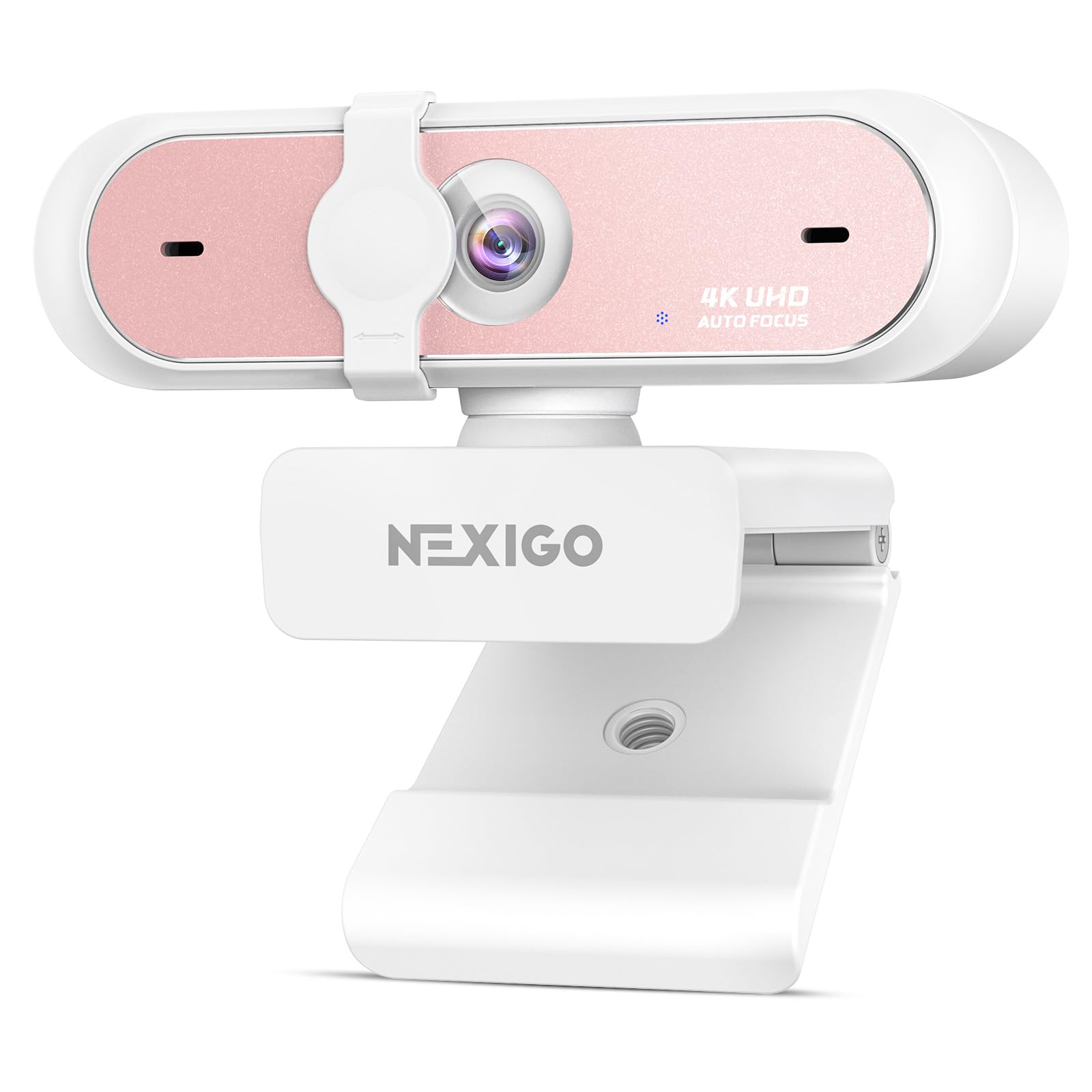
2. NexiGo N660P Pro 4K Webcam
A 4K sensor with a fun pink shell that delivers silky-smooth 1080p60 footage for a standing-out setup.
You get sharp, smooth video for live gaming while staying affordable: the NexiGo N660P Pro packs a 4K sensor that captures 3840 pixels of resolution — a 3.6x gap in raw pixel count versus the Logitech C920e’s 1080 pixels — and outputs crisp 1080p at 60 frames per second. That means detailed video with buttery-smooth motion, exactly what you want for live gaming or dynamic commentary. Customers note setup takes under 2 minutes on PC or Mac, making it a friction-free upgrade from a built-in laptop camera.
The advanced autofocus system keeps you in sharp focus even when you’re moving around, and the precision-engineered, distortion-free lens preserves natural proportions without the “fisheye” warping that plagues cheaper cameras. It also has dual noise-canceling microphones that isolate your voice from background sounds, so your commentary stays clear even with a mechanical keyboard clacking nearby. The built-in 3DNR (3D Noise Reduction) technology works in real-time to remove visual grain, delivering a cleaner image in lower light.
The standout design feature is the sliding privacy cover and 360° swivel mount, which give you total control over your framing and your privacy. One thing owners note is that while the mics are decent for casual use, a dedicated microphone is still recommended for serious streaming. Compatibility is broad — it works with Switch 2 (via a USB-C to USB-A adapter), Windows 7–11, Mac OS 10.6+, and Chrome OS, and it supports Twitch, OBS, Zoom, and Teams. Its pink shell and 360° swivel mount make it a standout, budget-friendly choice.
true 4k detail
- Crisp 1080p60 video that looks sharp and moves smoothly
- Quick, responsive autofocus and distortion-free lens
- easy plug-and-play setup with no drivers needed
software quirks
- The fun pink color won’t suit every studio aesthetic
- Built-in mics are good, but a dedicated mic matters for pro audio
4k value: you want 4K capture headroom and smooth 1080p60 streaming in a compact, plug-and-play package.
plug-and-play: you want a more neutral, professional-looking black camera for a corporate environment.
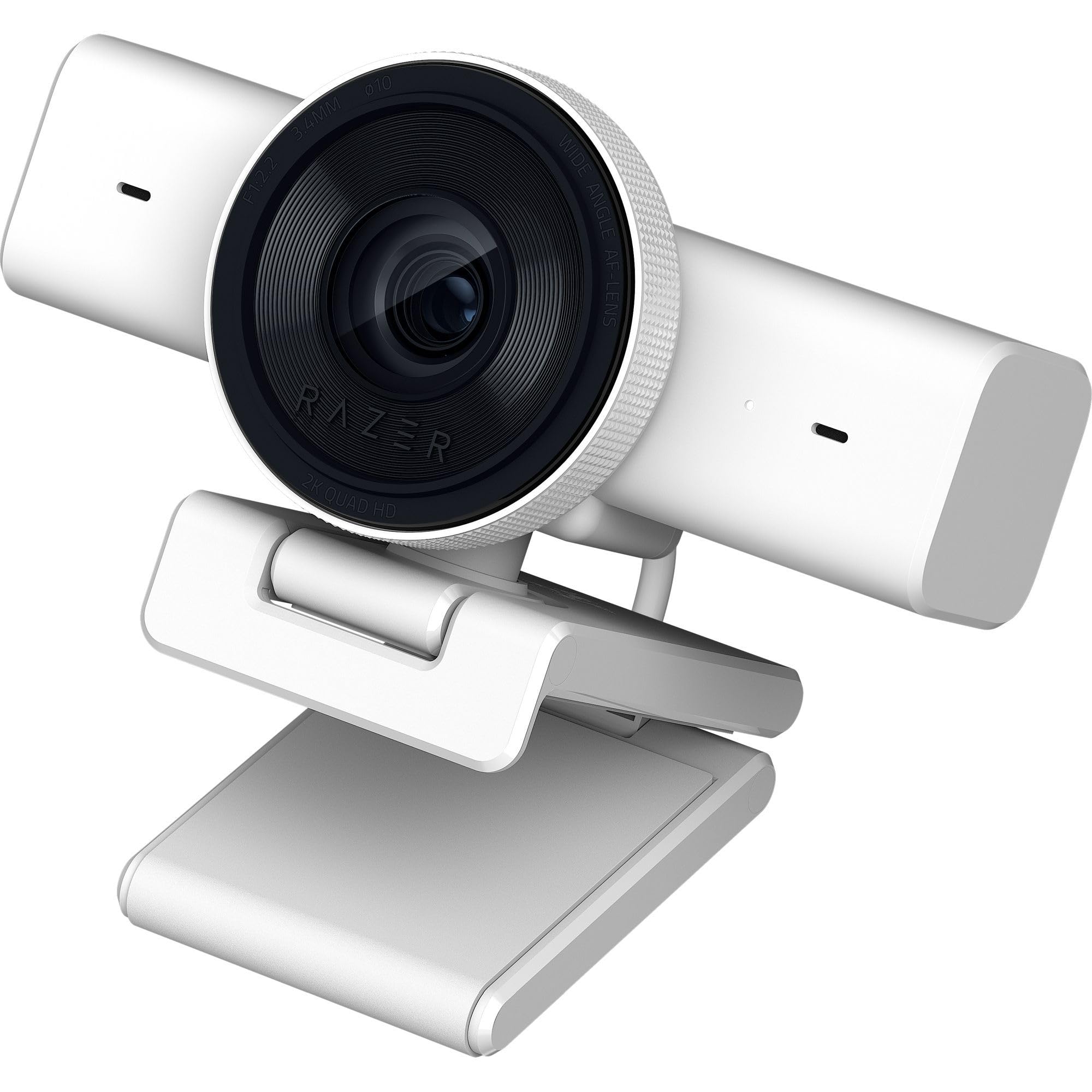
3. Razer Kiyo V2 X Webcam
The beginner’s best friend, delivering sharp 1440p video with a wide lens and easy OBS integration.
The Razer Kiyo V2 X is the definition of a starter-friendly streamer cam, and it’s a crowd favorite for good reason. It packs a 3.7 megapixel sensor that produces crisp 1440p video at 60 fps — 23% more still-resolution headroom than the Logitech C920e’s 3 megapixel sensor — so you get noticeably sharper detail on screen. The wide-angle lens gives you the ultimate flexibility to either show off your full setup from a distance or get up close and personal with your viewers. Owners consistently report that it works flawlessly with OBS, with no stream lag, and delivers natural, vibrant color right from the start.
Setup is genuinely simple, which is what makes this such a strong first webcam. The universal pivoting mount tilts and swivels to find your perfect angle on a monitor, and the built-in thread lets you attach it to a tripod for a higher or lower shot. The integrated privacy shutter twists closed instantly when you’re done, and the built-in mic provides clear audio so you have everything you need to start creating in one package. Razer Synapse software lets you fine-tune color and lighting with intuitive presets, which is a huge plus for beginners who want to look good without learning manual camera controls.
The Kiyo V2 X is a jack-of-all-trades that excels at being easy to use. The image quality is praised as sharp and smooth at 1080p60, though a few owners note that pushing to 1440p can occasionally cause flickering if you tweak settings too aggressively. It’s not a 4K camera, so if you’re planning to crop into your image heavily for close-ups, a higher-resolution sensor like the NexiGo’s 4K is the better investment. But for a streamer who wants a reliable, good-looking camera that gets you live in minutes, this is a fantastic choice.
compact starter ease
- Sharp 1440p60 video with smooth, natural motion
- Wide-angle lens offers framing flexibility for any setup
- Plug-and-play with OBS and easy color tuning via Synapse
sensor limits
- Image and color quality get mixed feedback from a few owners
- Not a 4K sensor, so heavy cropping reduces sharpness
beginners: ideal for new streamers who want a wide, sharp image that works with OBS instantly.
pro streamers: you plan to zoom or crop into the frame, where the extra resolution pays off.
4. NexiGo N680E Pro 4K Webcam

Solves the hardest streaming problem — bad lighting — with a built-in ring light that makes you look great.
The NexiGo N680E Pro is the answer for streamers who don’t want to spend hundreds on a separate lighting rig. Its defining feature is the built-in tri-tone adjustable ring light, which offers three color temperature modes with a simple touch and stepless brightness control by rotating the outer dial. Owners praise the crisp, clear picture and note that the different light settings are a standout for getting the exposure right. Underneath that light is a Sony 1/2.5″ 4K sensor, which delivers ultra-sharp, true-to-life video, and a premium coated lens that boosts light transmission and reduces reflections.
For moving presenters, the PDAF autofocus (Phase Detection Auto Focus) delivers faster focusing speed and greater stability than traditional systems, keeping you sharp no matter how you move. Dual noise-reducing microphones capture your voice clearly by filtering out background noise, ensuring clean conversations. The camera streams smoothly at 1080p 60 fps, which is perfect for live content, and owners describe the setup as plug-and-play with incredibly easy operation. The flexible clip and 80° FOV allow smooth rotation and wide-angle tilting while staying secure on your monitor.
Its clear image quality earns praise, and the 1/4″ tripod mount ensures a stable, professional desk setup. The one note from owners is that the built-in speaker is weak, so you’ll want an independent headset for the best audio experience; the microphone itself, however, works great for capturing your voice. It’s compatible with Switch 2, Windows 7–11, Mac OS 10.6+, and Chrome OS 29+, covering all your streaming needs for conferencing, gaming, and recording. It’s a smart mid-range pick that solves the most common streaming flaw: bad lighting.
studio-grade output
- Built-in ring light with stepless brightness for perfect exposure
- Sony 1/2.5″ 4K sensor delivers crisp, vibrant images
- Fast PDAF autofocus keeps you sharp during movement
bulky footprint
- Built-in speaker is weak — plan on using a headset
- Setup documentation could be clearer for new users
creator choice: you struggle with a dim room and want professional-looking light without a separate key light.
desk minimalists: you already own a full studio lighting setup and don’t need the built-in ring.
5. Logitech StreamCam (Renewed)

The creator-focused cam that rotates for vertical video and excels in low light for art and product streams.
The Logitech StreamCam is built specifically for content creation, and its standout trick is the ability to rotate 90 degrees to shoot vertical video for platforms like TikTok, Instagram Reels, and YouTube Shorts. It delivers sharp, natural Full HD 1080p video at 60 fps, and a high-bandwidth USB-C connection ensures stable, reliable HD quality for your streams and recordings. Owners who use it for art videos rave about its clarity and precision, and they consistently mention its superior low-light performance for a camera in this class.
The built-in intelligent exposure works hard to make you look good in varying lighting conditions, and auto-framing keeps you centered in the shot even as you move left and right. It’s tune for popular streaming software like OBS, XSplit, and Streamlabs OBS, so you can stream to Twitch and YouTube easily. The included Logitech Capture software open up powerful features that automate focus and exposure, and owners praise the surprising quality of the built-in mic and the easy monitor clip.
As a renewed unit, a few reviewers point out loose cables or mixed functionality, a trade-off for the lower price. That’s the trade-off for the value price. The camera’s color rendering depends on your lighting, and some owners note you might need to adjust settings for non-standard light temperatures. If you’re a creator who posts to both horizontal and vertical platforms, this dual-orientation design is a unique advantage that few rivals offer.
software integration
- Rotates for vertical video — perfect for social media creators
- Excellent low-light performance for crisp, precise footage
- tune for OBS, XSplit, and Streamlabs OBS
renewed gamble
- Renewed unit — a few shoppers say cable or functionality quirks
- Color accuracy depends on your room’s lighting setup
streamers: creators who post vertical video and need a reliable 1080p60 camera for social platforms.
warranty worriers: the idea of a refurbished unit worries you, or you need a 4K resolution for heavy cropping.
6. OBSBOT Meet 2 4K Webcam

Pocket-size 4K power with AI framing and gesture controls that make on-the-go streaming easy.
You can toss the OBSBOT Meet 2 in a bag and head to a café, a friend’s place, or a co-working space without a second thought: it weighs only 40.5 grams and is about the size of a pair of earbuds. Despite its size, it packs a bigger 1/2″ CMOS sensor (the light-capturing grid inside the camera) that boosts light-gathering ability. Owners consistently praise the crisp 4K resolution and say it’s well worth the price, with the small form factor a huge selling point for travel.
AI framing dynamically adjusts the composition to keep you in the spotlight whether you’re alone or with a group, and the 2.0 gesture control lets you open or close AI framing with an open palm, or control zoom with a pointing finger. No more fumbling with software mid-stream — you just gesture at the camera. The dual omni-directional noise-canceling mics filter out keyboard typing and wind noise, and the magnetic base and cover make for a sleek, easy-to-use package.
The trade-off with this tiny powerhouse is heat. Buyers report the camera can run hot during extended 4K sessions, which is normal and won’t damage the function, but it’s worth knowing if you plan marathon streams. The software gets mixed reviews, and a few owners had to deal with a firmware update that takes around 20 minutes. The magnetic mount could also be stronger, per a few owners. But for the modern mobile worker or streamer who prioritizes portability and 4K clarity, this is an exceptionally well-rounded choice.
AI tracking magic
- 40.5g weight and earbud size make it truly travel-ready
- 4K clarity with a 1/2″ sensor for brighter, clearer images
- AI framing and gesture control for hands-free operation
app dependency
- Can get hot during prolonged 4K use — a normal, known quirk
- Magnetic mount could be stronger, per some owners
movement pros: streamers and remote workers who need 4K quality in a package that fits in a pocket.
static setups: your streams run for hours in 4K, where the heat build-up might concern you.
7. Elgato Facecam 4K

Brings true DSLR-style control and lens filter support to your stream with stunning 4K60 video.
You want complete creative control over your image, and the Elgato Facecam 4K delivers with a premium Sony STARVIS 2 CMOS sensor — the same type of high-end imaging tech found in professional cameras — paired with Elgato Prime Lens technology for sharp detail and vibrant color. Owners repeatedly praise it for delivering “DSLR clarity,” and it captures crisp video in 4K resolution at 60 FPS. Reviewers consistently note it’s a worthwhile purchase that performs admirably even without additional lighting.
The Pro feature is the 49mm lens filter support, letting you screw on standard photography filters just like a DSLR. You can use diffusion filters to soften your skin or ND filters to tame overly bright lighting. The free Elgato Camera Hub software gives you powerful effects and settings, and the camera supports uncompressed video and HDR for maximum dynamic range. Owners highlight smooth integration with the broader Elgato ecosystem, such as the Stream Deck, for a smooth creator workflow.
The main caveat is that the built-in flash memory saves your settings, but there’s no integrated microphone — you’ll need a separate mic for audio. Also, a few owners note the camera can be picky about which USB cable you use, so a high-speed cable is essential. The lens is quite wide at 20mm, and using the digital zoom will reduce 4K sharpness. It’s a niche tool: the best budget-friendly 4K starter that gives you room to grow into professional production, but you’ll need to pair it with a proper audio setup.
raw sensor quality
- 4K60 video with a Sony STARVIS 2 sensor for DSLR-like clarity
- 49mm lens filter support for creative, professional shots
- Uncompressed video and HDR for maximum detail
no autofocus
- No built-in microphone — plan for a separate audio setup
- Picky about USB cables; a high-speed cable is required
manual shooters: streamers who want a true camera experience with lens filters and full manual control.
auto-focus fans: you want an all-in-one solution with a built-in mic for a simpler setup.
8. Insta360 Link 2 Pro

A motorized 4K webcam with AI tracking that physically follows you across the room, like a personal camera operator.
The Insta360 Link 2 Pro is the most advanced webcam on this list, and its defining feature is the AI-powered pan-tilt-zoom (PTZ) system. Unlike static cameras, this unit physically pans and tilts to follow your movements around the room, keeping you or your group perfectly framed at all times. It’s powered by a large 1/1.3″ sensor that delivers clean, detailed video and excellent low-light performance, and owners are consistently amazed by how well the tracking works. The camera quality gets the most praise, with buyers noting the crisp 4K resolution and smooth, responsive movement.
This is a content creator’s dream. The redesigned dual-mic system uses beamforming directional pickup to isolate your voice and reduce background noise in busy environments. The software suite can replicate a DSLR-like depth of field with a natural bokeh effect (the blurred background that makes you pop), and specialized modes like DeskView, Whiteboard, and 4K Portrait Mode adapt to any scenario. You can even control zoom, tracking, and mode switching with simple hand gestures or from your smartphone, and it integrates directly with the Elgato Stream Deck for a faster workflow.
The trade-off is the learning curve and the price — this is a premium investment for a premium tool. A few owners mention the AI tracking can feel slightly eerie at first, and the software has a bit of a learning curve. It also requires decent lighting to really shine. But for teachers who want to move around a whiteboard, presenters who pace, or streamers who want dynamic, pro-level camera work, this is arguably the most versatile and impressive option available. Its motorized tracking puts it in a class above any fixed webcam.
gimbal precision
- Physical AI tracking follows you around the room, keeping you in frame
- Large 1/1.3″ sensor delivers sharp 4K and great low-light video
- Natural bokeh, gesture control, and Stream Deck integration
premium price
- Premium price tag and a learning curve for AI settings
- Tracking works best with good room lighting
presenters: dynamic presenters and streamers who move around and want a camera that follows their every step.
budget buyers: you sit still at a desk and just need a high-quality fixed camera, where you can save money.
9. Razer Kiyo Pro Ultra

The low-light king with a huge sensor and F/1.7 aperture that captures pro-grade video in near darkness.
The Razer Kiyo Pro Ultra is the heavyweight champion of low-light performance, built for the streamer who wants DSLR-like quality. It features a bigger 1/1.2″ Sony STARVIS 2 Sensor with a 2.9 μm pixel size (the size of the individual light-capturing dots on the sensor — bigger means better light collection). This large sensor, combined with a custom F/1.7 Aperture Lens (the wide opening that lets in massive amounts of light), ensures clear, crisp images even in challenging lighting conditions. Owners compare the quality favorably to low-end DSLRs, praising its exceptional detail and color.
The AI-powered video imaging is genuinely smart. It tracks your face, holds steady focus, and automatically adjusts light levels to keep your face perfectly exposed. The HDR technology at 30 FPS adds visual detail and texture by making colors pop, and the lens can artfully blur the background for a portrait-mode-like quality without needing software. A cutting-edge processor converts raw 4K 30 FPS footage into uncompressed 4K 24FPS, 1440P 30 FPS, or 1080P 60 FPS directly to your live stream, giving you flexibility in how you broadcast.
The major caveat is that Razer’s software, Synapse, has been a pain point for some users, and Mac compatibility is limited — the advanced features aren’t supported on MacOS, only basic capture. A few owners mention that Synapse fails to save manual exposure settings, which is a frustration. However, many note that the free XSplit software or a third-party “webcam settings” app can open up the camera’s full potential. If you’re a Windows user who wants the absolute best image quality in a dark room and are willing to troubleshoot software, this is a top-tier choice.
low-light champion
- F/1.7 aperture and large 1/1.2″ sensor for superior low-light clarity
- Uncompressed 4K and HDR for true-to-life colors
- On-board memory saves your last configuration
heavy footprint
- Razer Synapse software gets mixed feedback for reliability
- Mac support is basic, with no advanced software features
night owls: Windows streamers who demand the best possible low-light image and don’t mind tweaking software.
daylight users: you’re on a Mac or want an out-of-the-box setup without software tinkering.
Understanding the Specs
Resolution & Frame Rate
Resolution is the number of pixels in the image — 1080p (Full HD) has 1920×1080 pixels, while 4K (UHD) has about 3840×2160, which is why it looks sharper on big screens or when you crop in. Frame rate is how many times the image refreshes each second, measured in fps. A higher frame rate like 60 fps makes motion look smooth and natural, which is crucial for fast-moving streams. Most platforms compress video anyway, so a great-looking 1080p60 stream often looks better than a poorly executed 4K30 stream.
Sensor Size & Low-Light
The sensor is the camera’s light-capturing grid, and its physical size matters. A larger sensor, like the 1/1.3″ in the Insta360 or the 1/2″ in the OBSBOT Meet 2, has bigger pixels that capture more light. This translates to a cleaner, brighter image with less visual “noise” (grain) in dim rooms. If you don’t have a dedicated lighting setup, a webcam with a larger sensor is your best friend for avoiding a dark, grainy stream.
Autofocus & AI Features
Autofocus keeps your face sharp as you move. Fast systems like PDAF (Phase Detection Auto Focus) lock on quickly and stay stable, which is great for energetic streamers. High-end models add AI framing, which crops the image to keep you centered, or full PTZ tracking (pan-tilt-zoom), where the camera physically follows you around the room. These features add convenience and a professional look but also increase the price.
Built-in Microphones
Most webcams include a built-in mic for convenience, and they range from basic single mics to dual noise-canceling arrays that isolate your voice. A decent built-in mic lets you start streaming right away without extra gear. However, they can’t match the audio quality of a dedicated USB or XLR microphone for serious commentary. If you’re starting out, use the built-in mic; if you’re growing your stream, invest in a separate mic.
FAQ
What is the best resolution and frame rate for live streaming on Twitch?
What is the difference between 1080p at 60 fps and 4K at 30 fps for streaming?
How does a larger camera sensor improve my stream’s video quality?
Will a facecam with a built-in microphone be good enough for my stream?
What is AI tracking and do I need it for streaming?
Is a 4K webcam worth it if I usually stream at 1080p?
What is HDR in a webcam context and why does it matter?
Can I use a facecam for streaming with OBS and other broadcasting software?
How important is a privacy shuttershutter on a streaming webcam?
What is the difference between autofocus and fixed focus webcams?
Will an OBSBOT or Insta360 webcam work with a Mac computer?
Final Thoughts: The Verdict
For most people, the facecam for streaming winner is the Logitech C920e because it combines proven reliability, crisp 1080p video, and a stellar owner reputation at a budget-friendly price. If you want a camera that smooths out your motion at 60 fps and adds a splash of style, grab the NexiGo N660P Pro. And for a streamer on the move who needs 4K clarity, the OBSBOT Meet 2 is the one to reach for. Your perfect match depends on your lighting, your motion, and your budget.
How We Picked
We do not accept paid placement. Every pick is matched to a real buyer and a real use-case; we do not hands-on test units.
Sources & Methodology
Specifications: manufacturer listings and product documentation. Review insights: verified customer reviews, as of August 2026. Pricing: not shown on this page (it changes often); check the current price via the retailer link.
As an Amazon Associate, WellFizz earns from qualifying purchases. This does not affect which products we feature.
Related Guides

Mo Maruf
I created WellFizz to bridge the gap between vague wellness advice and actionable solutions. My mission is simple: to decode the research and give you practical tools you can actually use.
Beyond the data, I am a passionate traveler. I believe that stepping away from the screen to explore new environments is essential for mental clarity and physical vitality.