Our readers keep the lights on and my smoothie glass nicely filled. As an Amazon Associate, I earn from qualifying purchases.
Specs are compiled from manufacturer listings and verified buyer reviews and can change over time — please confirm the key details on the product page before buying.
Your electric bill arrives and you shrug — was it the AC, the water heater, or that mysterious always-on draw? A smart energy monitor answers that by clamping onto your breaker panel and showing exactly which circuit eats what, in real time, on your phone. A good monitor pays for itself by revealing which circuits waste the most power.
I’m Mohammad Maruf — the founder and writer behind WellFizz. This guide is built by comparing the manufacturers’ published specifications and the patterns across verified customer reviews, so you get each pick’s real strengths and trade-offs instead of marketing spin.
To cut your bill, you first need to see exactly which circuits draw the most power. These energy monitor options show you exactly which circuits and appliances use the most, so you can act on real numbers instead of guesses.
Our Picks at a Glance

How To Choose The Best Energy Monitor
Before buying, decide if you need whole-home totals or per-circuit detail. Do you want to know the whole house’s usage at once, or do you want to see that the old freezer in the garage is using more than the new one in the kitchen? That single question decides how many sensors you need.
CT Clamps: The Heart of the System
Current transformers (CTs) are the clamp-on sensors that clip around individual wires in your breaker panel. Each one measures the current flowing through a single circuit. A monitor with 16 sensors lets you track 16 separate circuits, while a basic model with 3 sensors only tracks 3. More clamps mean more detail, but also a more crowded and complex installation.
App and Smart Home Integration
Choose an app with clear charts, cost tracking, and spike alerts you’ll actually use. Pick one with clear charts, cost tracking that uses your utility rate, and alerts for unusual spikes. If you use Home Assistant (a free home-automation hub), check for native integration — some brands connect instantly, while others need extra setup or skip it entirely.
Quick Comparison
| Model | Best For | Circuit Sensors | Main Sensors | Accuracy | Amazon |
|---|---|---|---|---|---|
| Emporia Vue 3★ Best Overall | Whole-home detail | 16 x 50A | 2 x 200A | ±2% | Amazon |
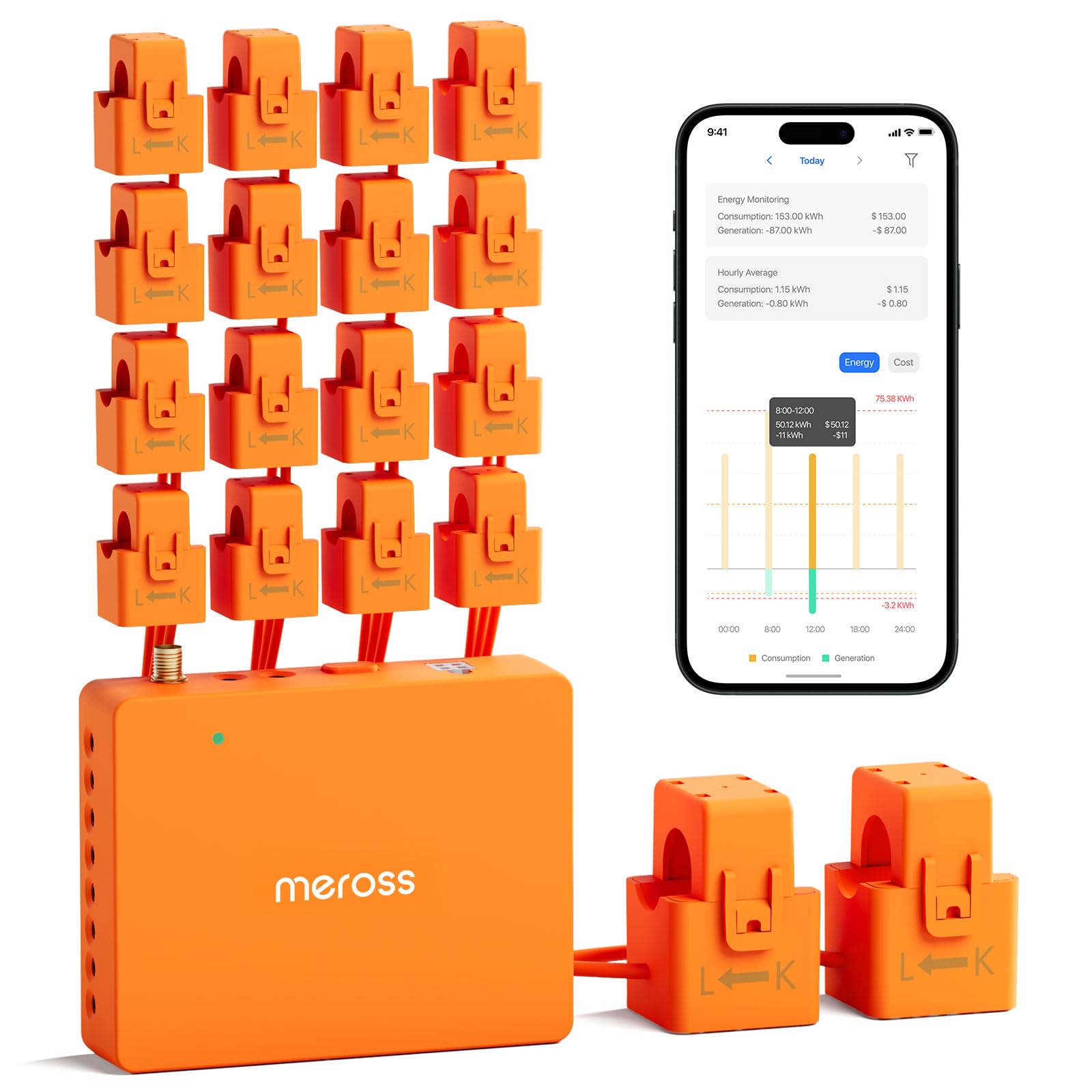
| Meross EM16Home Assistant Hero | Home Assistant users | 16 x 60A | 2 x 200A | ±2% | Amazon |
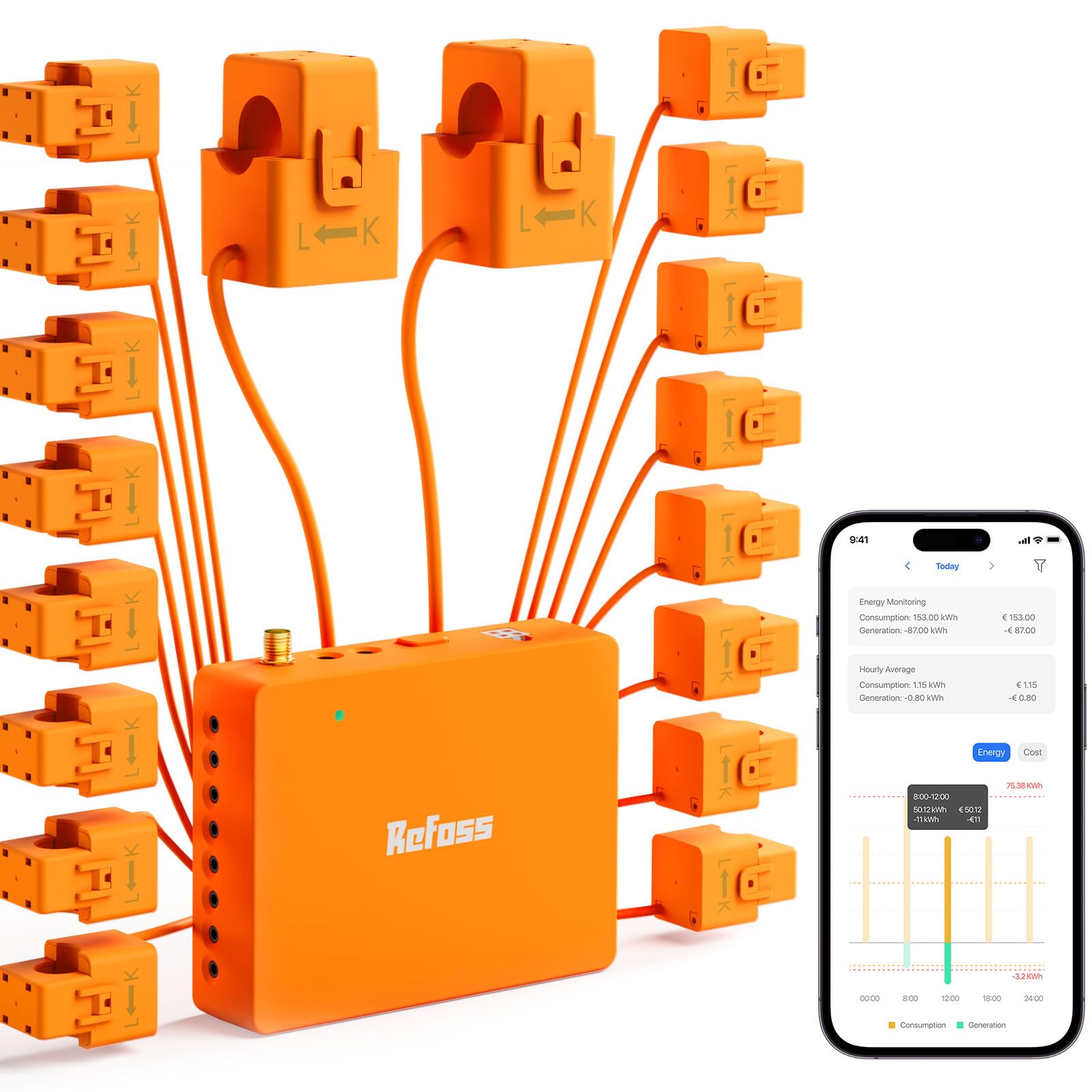
| Refoss EM16PPrivacy Purist | Local control & privacy | 16 x 60A | 2 x 200A | ±1% | Amazon |
| SIEMENS Inhab | Brand trust & basics | 16 x 50A | 2 x 200A | — | Amazon |
| SEM-Meter | Flexible expansion | Up to 8 add’l | 2 x 200A | 1% | Amazon |
| Emporia Vue 3 Commercial | 3-phase businesses | 16 | — | — | Amazon |
| Nestool PW03 | Small panels & budgets | 3 x 80A | — | — | Amazon |
| Blindsmart SDM02T | Entry-level solar | — | 2 x 120A | Class 1 | Amazon |
In-Depth Reviews
1. Emporia Vue 3 Home Energy Monitor
Our pick — over 4.5★ from 800+ verified ratings; the strongest balance of quality and price.
A 16-sensor monitor that tracks individual circuits and often pays for itself within months.
The Emporia Vue 3 is the benchmark for a reason: it monitors 16 branch circuits individually plus the whole home, giving you a room-by-room breakdown of your power use. Its accuracy of ±2% means the numbers you see on the app match what the utility meter says closely enough to trust. It is UL Listed and CE Listed, so the safety certifications cover both the U.S. and Canada.
What wins people over is the installation — over 150 owners single out how simple it is to fit inside the breaker panel. Buyers report it is “reliable after 1yr; antenna outside panel avoids signal issues,” and one owner found the granular data let them switch to a heat pump washer/dryer, cutting laundry costs from over a month to under.
The genuine trade-off is capacity. For a large 200A panel in a big home, 16 sensors can run out before you cover every circuit. A few owners also noted the WiFi antenna cable is short, so you may need to mount it lower on the panel than ideal. If your panel is mid-sized, this is the monitor to beat — it holds a 4.6-star average across more than 800 ratings.
Why it leads the pack
- 16 branch sensors give serious circuit-level detail
- UL and CE certified for safe panel installs
- Solar and net metering support built in
Where it falls short
- 16 sensors may not cover very large homes
- WiFi antenna cable runs short for some panels
Your pick if: you want the most complete, well-reviewed whole-home picture without paying a premium.
Think twice if: your panel has more than 16 circuits you care about tracking individually.
2. Meross Smart Home Energy Monitor
A Home Assistant-native monitor that keeps all your data local and private.
If you run Home Assistant, the Meross EM16 is built for you — it integrates natively and exposes around 112 entities, so you can build automations like switching on your EV charger when solar surplus appears. It tracks 16 branch circuits at 60A each plus 2 main circuits at 200A, and it maintains a 5-year data history you can export. Owners say install takes about an hour in a subpanel and the app clearly shows voltage, current, watts, and power factor per line.
The headline here is privacy and cost: all data stays local with no cloud and no subscription, and it carries a 2-year warranty backed by responsive support. One owner had an error code fixed via a warranty replacement and a firmware update. The one recurring gripe is the instructions — several owners found them vague and recommend labeling your CT wires clearly during install. It is ETL-certified and compliant with the UL 61010 testing standard, so safety is covered.
Compared to the Emporia above, the Meross gives you the same 16-circuit depth but trades the Emporia’s simpler setup for far stronger smart-home integration. The crowd favorite holds a 4.5-star average across over 50 ratings, with ease of use the most-praised feature.
Smart-home star: Native Home Assistant integration and local data control make this the pick for automators who hate subscriptions.
Setup caveat: The instructions are thin, so plan to rely on online guides and careful wire labeling.
3. Refoss Smart Home Energy Monitor
The most accurate monitor here, and it works fully offline via web UI or MQTT.
The Refoss EM16P is the precision pick, advertising ±1% accuracy on its 200A main sensors (2–200A range) and 60A branch sensors (1–60A range). Unlike cloud-dependent rivals, it keeps all data inside your home network — you can pull it up through a built-in Web UI, an Open API, or MQTT, even during an internet outage. That local-first design is why privacy-focused buyers and Home Assistant users gravitate to it.
Install is genuinely clamp-on and non-invasive, with headphone-jack-style connectors and labeled clamps that owners say make setup simpler than expected, often under an hour. The ETL certification and UL 61010 compliance cover the safety side. Data is stored locally for up to 5 years, and smart alerts fire when a circuit exceeds its normal consumption.
The catch is the app’s configuration depth. One owner hit a critical bug where the 200A main CTs read as generation instead of load, fixed only by setting a channel factor to -1.00 — a fiddly workaround. This is a monitor for the technically capable, not the casual phone-checker. It holds a 4.3-star average across 200+ ratings, with easy install leading the praise.
Accuracy edge: At ±1% on mains, this is the sharpest reading you’ll get without a utility-grade meter.
Know your level: The app expects a comfort with negative factors and technical config — beginners may stumble.
4. SIEMENS Inhab Smart Home Energy Monitor

A UL-listed monitor from a trusted brand, built for reliability over smart-home extras.
You get the safety backing of a major electrical brand with the SIEMENS Inhab, which lives inside your breaker panel. It tracks 2 main circuits at 200A and up to 16 branch circuits at 50A, so you can see the big loads and the small ones. It is CE marked and UL Listed in both the US and Canada — the same rigorous safety standard you want from anything inside your panel.
Owners praise the easy install and the immediate value — one noted it could show that the fridge was the second-highest draw in the house, which is exactly the kind of surprise that changes behavior. The app organizes data into clear charts, and advanced features like Time of Use Management, Peak Demand Management, and Net Metering are all built in for homes with solar.
Where it falls short is integration. There is no Home Assistant support, and one owner said they were already considering replacing it for that reason. A couple of buyers also found the sensor wires messy, though they are trimmable. If you want a simple, reliable, brand-name monitor and don’t need smart-home automation, this is a strong choice.
Built on trust
- UL Listed and CE marked for panel safety
- Proven over a year of daily use by owners
- Net metering and peak demand tools included
Missing a layer
- No Home Assistant integration at all
- Sensor wire clutter inside the panel
Reach for it if: you want a dependable, safety-certified monitor from a name you recognize.
Look elsewhere if: smart-home automation or Home Assistant is part of your plan.
5. SEM-Meter Smart Home Energy Monitor
An expandable monitor with a privacy mode that runs entirely without cloud services.
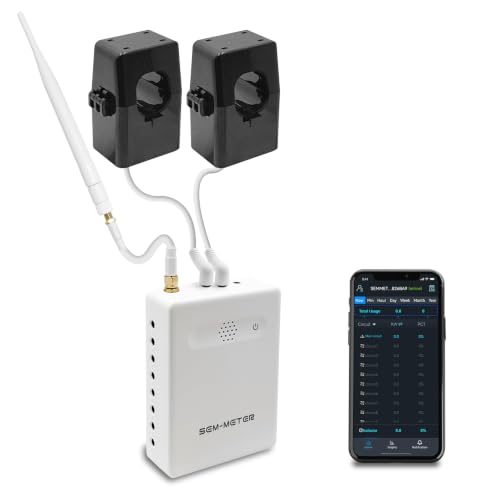
The SEM-Meter stands out with a rare “Super Privacy Mode” — you can run it without the cloud, without the app, using only your own MQTT server on a LAN with no internet access. For privacy purists that alone justifies the pick. It comes with 2 main sensors rated at 200A and an accuracy range of 1%, and lets you add up to eight more sensors as your needs grow.
Install is via clamp-on sensors in the panel, supporting single-phase up to 240VAC, split-phase 120/240VAC, and three-phase up to 415Y/240VAC. Owners praise the external SMA antenna for solid WiFi and the Bluetooth provisioning for easy setup. It is expandable to link multiple panels wirelessly, and one owner even detected a pool pump bearing failure through a spike in energy use — the kind of insight that prevents costly repairs.
The honest caveat is accuracy consistency: while the spec claims 1%, several owners found readings ran 20–50kWh under the utility meter each month, a few percent off. It is fine for general monitoring but not ultra-precise billing-grade data. It holds a 4.2-star average across 200+ ratings, with easy install the most-praised aspect.
Expansion-friendly: Add up to eight more sensors and link multiple panels wirelessly as your needs change.
Precision check: Expect a few percent variance from the utility meter — great for trends, not exact billing.
6. Emporia Vue 3 Commercial 3-Phase

Emporia’s proven design, adapted for 3-phase commercial panels.
This is the sibling of our top pick, built for commercial panels that run on 3-phase power. It supports single phase, single-split phase, and 2-wire systems, plus 3-phase 4-wire Wye systems with an earthed neutral. For a small business owner, that means the same clamp-on install and app reporting the residential Vue 3 is famous for, but matched to commercial wiring.
Owners call it an “amazing analysis tool,” with one using its data to prove an electric company error — the utility admitted fault and corrected the bill. Another cut usage 15% by identifying high-power draws. The 3-phase version carries a 4.7-star average across 73 ratings, the highest score in this lineup, with quality clamps and straightforward install earning the top compliments.
The trade-off is scope. This is a niche tool for business panels or large residential setups with 3-phase service — most single-family homes don’t need it. It also requires the same panel access as the residential version, so if you’re not comfortable with electrical wiring, a qualified electrician is the safe route.
Business-grade insight: The 3-phase support and high-quality clamps make this the go-to for commercial panels.
Not for typical homes: Single-phase residential users should pick the standard Vue 3 instead.
7. Nestool WiFi Home Energy Monitor

Three clamps and a tiny footprint — plenty for small panels and single appliances.
The Nestool PW03 is for buyers who don’t need a whole-home picture. With 3 CT clamps rated at 80A each, it tracks up to three selected circuits at once — perfect for an HVAC unit, a water heater, and a laundry room. It works with the common Smart Life and Tuya apps over 2.4GHz WiFi, showing voltage, current, and power per channel. The whole unit weighs just 13.4 ounces and fits in the tightest panels.
One owner uses it to monitor a complex pool setup with three pumps, wiring the clamps to neutral leads and avoiding panel modifications entirely. Another praised it as a budget alternative to systems costing, especially for small panels with only 5–6 breakers. It also includes a remote ON/OFF relay for one circuit, rated up to 15A, and a high-temperature alert that fires if a sensor exceeds 50°C.
The honest limits: the Tuya/Smart Life app is functional but unpolished, and some privacy-minded buyers dislike the Tuya cloud connection. It also can’t monitor the main breaker, only the circuits you clamp. At a 4.4-star average across 29 ratings, it’s a solid entry-level choice for targeted monitoring.
Small-panel balance
- 3 x 80A clamps cover the biggest appliances
- Tiny 13.4-ounce unit fits cramped panels
- Remote ON/OFF relay up to 15A included
Keep expectations real
- Only 3 circuits — no whole-home view
- Tuya cloud connection raises privacy questions
Choose it for: a cheap, focused way to watch a few big energy users without a full panel install.
skip it if: you want every circuit tracked or you need a strictly local, cloud-free setup.
8. Blindsmart WiFi Home Energy Monitor

The cheapest way to see solar production and grid export in one glance.
For solar owners on a budget, the Blindsmart SDM02T is a clean introduction. It ships with 2 x 120A split-core CTs and tracks current, voltage, and power with Class 1 accuracy — and critically, it measures in both directions, so you see household consumption and power exported to the grid. Owners mention “metering is very accurate, matches the display on my inverter,” which is the reassurance anyone with solar wants.
Setup uses pluggable terminals and compact split-core CTs, and it connects through the familiar Smart Life app. One owner uses it specifically to compare their solar offset against grid usage, praising the WiFi access. It even supports HEMS features like Dynamic Load Balancing (DLB) and a zero grid export mode for homes with battery storage.
The caveats are real but manageable. The QR code on the manual leads to a dead site — you need to use the “Smart Life” app instead. A few owners found the included wires insufficient for some panels, and the app has minor quirks. It holds a 4.2-star average across 99 ratings, with functionality the most-praised aspect.
Solar-focused: Bi-directional tracking and Class 1 accuracy make it a natural match for inverter monitoring.
Setup hiccup: Ignore the dead QR code and head straight to the Smart Life app — that’s where it works.
Understanding the Specs
CT Clamps and Circuit-Level Detail
A current transformer (CT) is the clamp that clips around a wire in your breaker panel and measures the current flowing through it. More CTs mean more individual circuits you can track. A 16-sensor monitor shows you exactly what the AC, the dryer, and the water heater each pull, while a 3-sensor unit only watches the circuits you choose to clamp.
Accuracy Ratings
Accuracy tells you how closely the monitor’s readings match the real power flow. A ±2% rating means the reading can vary by up to 2% in either direction — fine for spotting energy hogs. A ±1% rating is tighter, useful if you are tracking solar export against your utility meter.
FAQ
Is an energy monitor safe to install myself?
How many CT clamps do I actually need?
Will an energy monitor work with my solar panels?
Do I need a subscription to use these monitors?
How accurate are smart home energy monitors?
What is the difference between a 200A main sensor and a 60A branch sensor?
Can I use an energy monitor with Home Assistant?
How long does it take to install an energy monitor?
Final Thoughts: The Verdict
For most buyers, the energy monitor winner is the Emporia Vue 3 because it balances 16-circuit detail, ±2% accuracy, and a 4.6-star average across 800+ ratings — the strongest mix of depth and proven reliability. If you want smooth Home Assistant integration with local data, grab the Meross EM16. And for maximum accuracy with full privacy, the Refoss EM16P is the one to reach for.
How We Picked
We do not accept paid placement. Every pick is matched to a real buyer and a real use-case; we do not hands-on test units.
Sources & Methodology
Specifications: manufacturer listings and product documentation. Review insights: verified customer reviews, as of August 2026. Pricing: not shown on this page (it changes often); check the current price via the retailer link.
As an Amazon Associate, WellFizz earns from qualifying purchases. This does not affect which products we feature.
Related Guides

Mo Maruf
I created WellFizz to bridge the gap between vague wellness advice and actionable solutions. My mission is simple: to decode the research and give you practical tools you can actually use.
Beyond the data, I am a passionate traveler. I believe that stepping away from the screen to explore new environments is essential for mental clarity and physical vitality.